

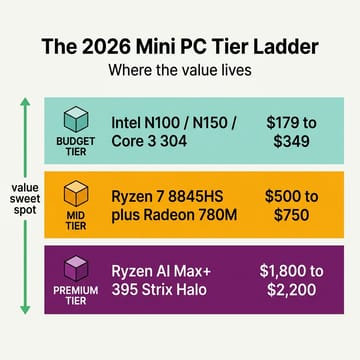
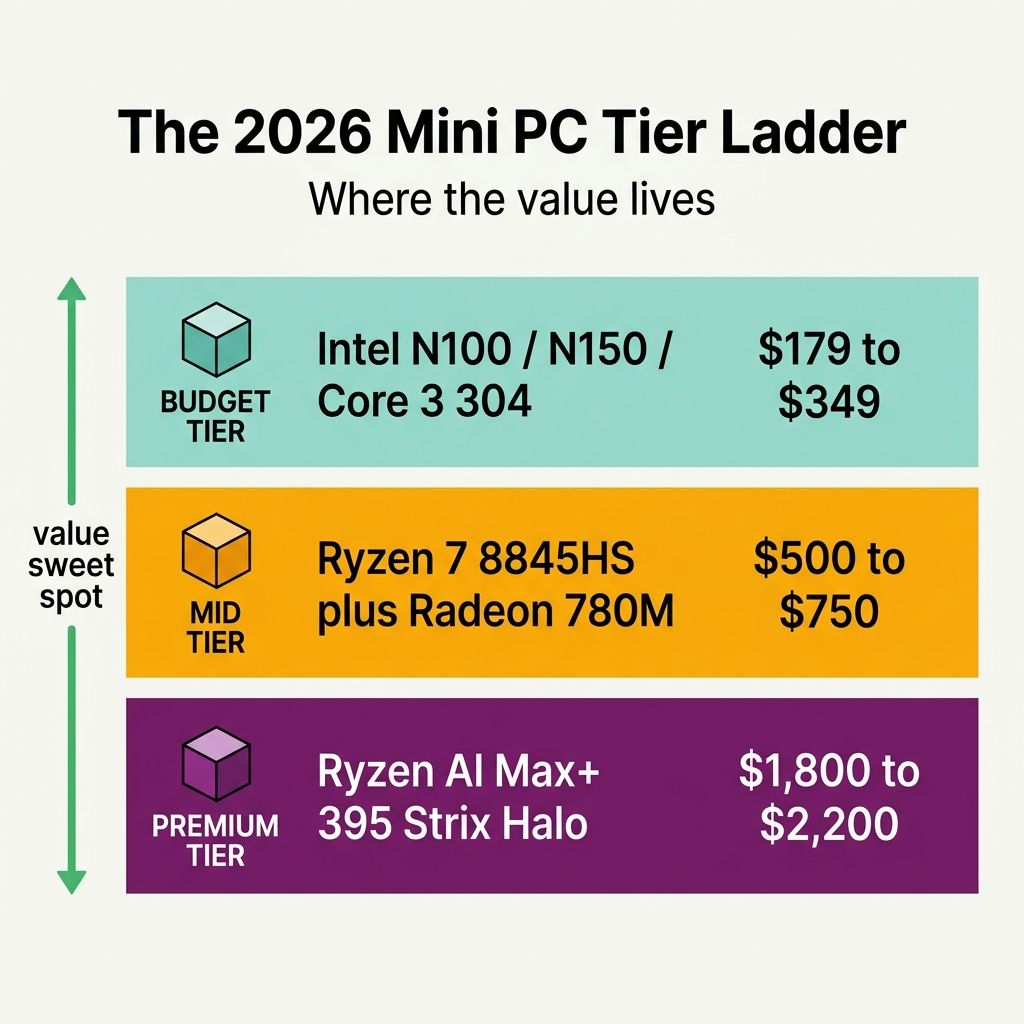
At the low end, Intel’s new 18A budget chip arrived in the Wildcat Lake mini PCs we covered last week, tiny boxes aimed at the buyers who pick an N100 or N305 today. At the high end, the AMD Strix Halo coverage keeps escalating, with the Ryzen AI Max+ 395 mini PCs we wrote up in our local LLM inference guide selling for $1,800 to $2,200 and earning their headlines on the strength of a 128 GB unified-memory party trick.
Between them sits the $500 to $750 band, and it is the best buy for developers, families, and homelab owners: about $650 gets a Ryzen 7 8845HS box with the Radeon 780M, 32 GB of DDR5, and a 1 TB drive that idles below 10 watts and stays below 40 dB under a Cinebench loop.
The mid-tier costs the least per CPU Mark
On the PassMark CPU Mark chart, the budget tier’s Intel N100 scores around 5,305 and the mid-tier’s Ryzen 7 8845HS around 28,378 (same chart). The premium tier’s Ryzen AI Max+ 395 scores 49,000 to 55,000, per PassMark’s listing. Against the prices, the mid-tier is roughly 2.3 cents per CPU Mark at $650 direct, the budget tier roughly 4.7 cents, and the premium tier roughly 3.3 to 4.5 cents.
NotebookCheck’s measured run on the Beelink SER8 put the 8845HS at 16,661 points in Cinebench R23 multi-core in the test config; Hostbor’s UM880 Plus run hit 17,070 on the same silicon, with single-core landing at 1,787. An Intel N100 lands around 2,500 in the same test, an N305 lands around 5,000, and the premium-tier numbers for the AI Max+ 395 land roughly twice as high as the mid-tier multi-core score. That puts the mid-tier at roughly six-times the N100 and half the premium tier in one Cinebench loop.
The Radeon 780M built into every 8845HS chip typically lands between 2,700 and 3,600 in 3DMark Time Spy across mini PC implementations, depending heavily on memory speed and chassis cooling. That puts the integrated GPU near a GTX 1650 Ti, several times what the N100’s UHD iGPU manages. For 1080p gaming, light Blender previews, and most non-CUDA workloads, the iGPU stops being the bottleneck.
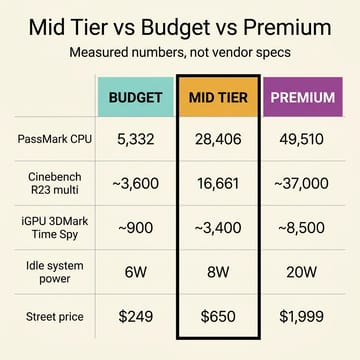
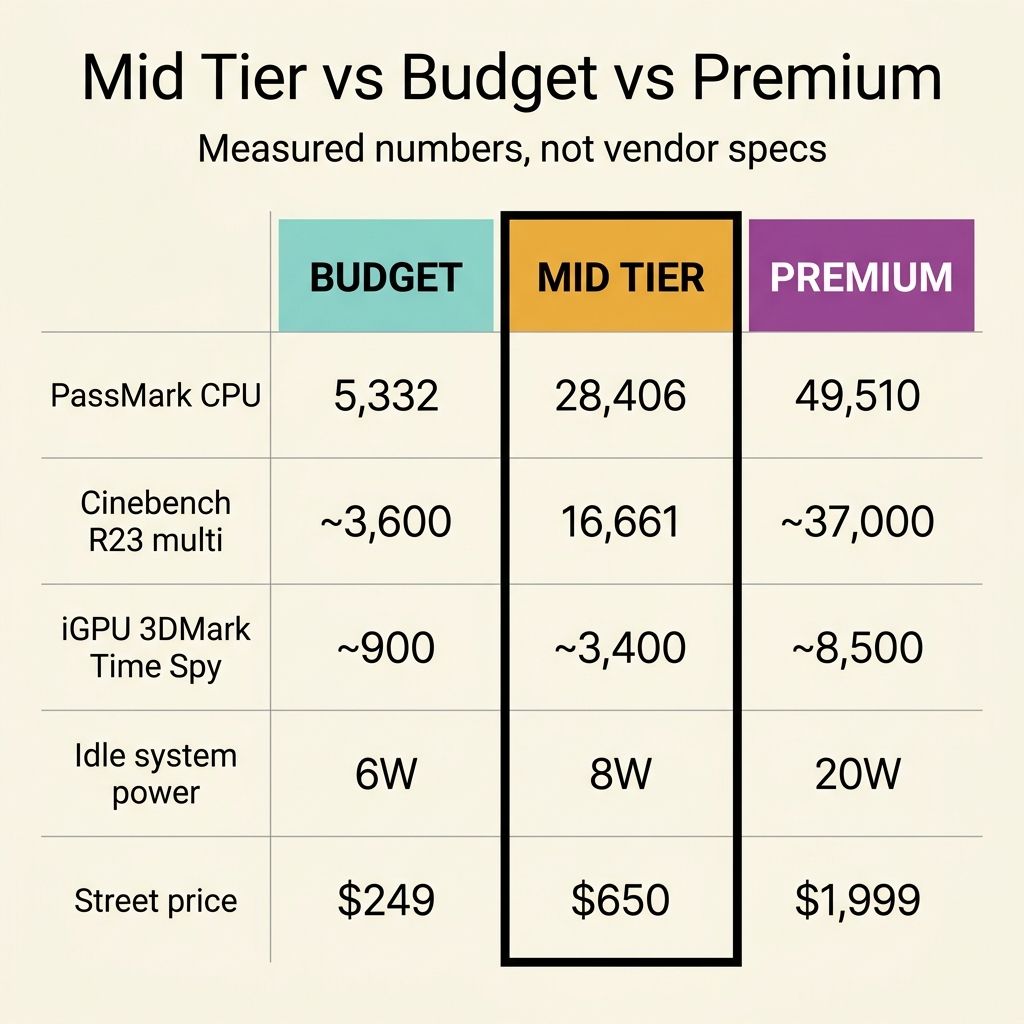
ServeTheHome’s SER8 review measured idle system power at 7 to 10 watts, with package (CPU-internal) power sitting between 3.5 and 4.7 watts. Push it under a sustained load and the SER8 climbs to 77 to 79 watts of system power, with the chip holding 54 to 58 watts of package power across the entire run. Noise stayed inside a 36 to 39 dB envelope, with the studio’s own noise floor at 34 dB. The reviewer summary was that the SER8 is one of the few mini PCs in this category that does not throttle, which is exactly the property you want from a box that is going to spend three years in a closet running Proxmox.
The four boxes share nearly every spec except chassis, ports, and M.2 count
Every one of them runs an 8-core, 16-thread Zen 4 Ryzen chip, the Radeon 780M with 12 RDNA 3 compute units, DDR5-5600 SODIMMs (socketed, not soldered LPDDR5, so the memory can be upgraded later; 32 GB on every box except the 16 GB A8 build carded below), a 1 TB PCIe 4.0 NVMe drive in an M.2 slot, 2.5 Gigabit Ethernet, at least one USB4 port at 40 Gbps, and modern Wi-Fi (Wi-Fi 6 on the Beelink SER8, Wi-Fi 6E on the rest). The SER8 and UM880 Plus carry two M.2 slots and the Geekom A8 and A8 Max carry one; only the UM880 Plus has OCuLink.
Beelink SER8
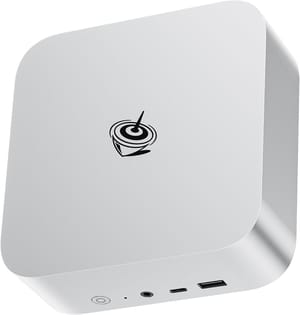
- +Sustained 54W to 58W package power with no throttling
- +7W to 10W system idle
- +dual-channel SODIMM
- +mature firmware
- -No OCuLink
- -only one 2.5GbE NIC
- -plastic chassis
- -single-fan cooling under the sustained load
Soldered LPDDR5X has slightly higher memory bandwidth and a benefit for the 780M iGPU’s gaming performance, but the SODIMM stacks across this tier give you the upgrade path: 32 GB now and more later, without throwing the chassis away. For a single-developer workstation that is going to host four Electron apps, a JVM, Docker, and a Postgres container at the same time, that upgrade headroom is a feature.
MINISFORUM UM880 Plus
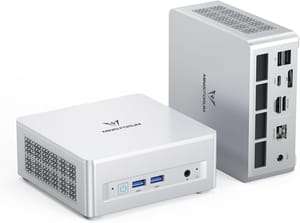
- +OCuLink at this price (via the included M.2-adapter board)
- +8K display output via USB4
- +sub-35 dB noise floor
- +USB4 plus 2.5GbE on the rear
- -OCuLink uses one of the two M.2 slots (you cannot run dual NVMe and an eGPU simultaneously)
- -eGPU on Linux is finicky
- -larger chassis than the SER8
- -street price moves a lot (Hostbor's review tracked $349 to $650-plus depending on the week)
Minisforum ships OCuLink as an M.2-adapter board rather than a native rear-panel port, which means turning it on costs one of the two M.2 storage slots: dual NVMe and an eGPU are not a simultaneous option. An OCuLink eGPU enclosure plus a midrange dGPU (a refurb RTX 4060 or a new 4070, say) lands the all-in cost around $1,100 to $1,400, which has crept into the lower premium tier. On Linux, OCuLink eGPU support depends on the kernel version, the BIOS, and the chassis manufacturer’s choices around PCIe hotplug. Phoronix’s OCuLink and eGPU coverage has tracked the patchset for two years now; it works, but the it-works-on-Friday-but-not-Monday energy is still in the air for Ubuntu 22.04. If a plug-and-play discrete GPU on day one matters more than the long-term upgrade path, the answer is a slightly larger chassis with a real desktop GPU slot, not OCuLink.
GEEKOM A8
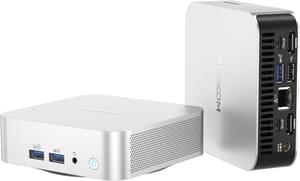
- +Smallest chassis of the four at 4.4 by 4.4 by 1.5 inches
- +aluminum case
- +upgradeable DDR5 up to 64 GB
- +USB4
- +Wi-Fi 6E
- -This configuration ships with 16 GB rather than 32 GB
- -single 2.5GbE NIC
- -one M.2 slot
- -no OCuLink
- -fan audible under load
On the Ryzen 9 8945HS variants of the Geekom A8, the 8945HS clocks 100 MHz higher on boost than the 8845HS (5.2 GHz vs 5.1 GHz) and 200 MHz higher on base (4.0 GHz vs 3.8 GHz), but it shares the same Hawk Point silicon, the same Radeon 780M, the same TDP envelope, and within margin of error the same measured Cinebench numbers across published reviews. Treat the 8945HS as a rebadge with a slightly higher SKU price; the buying advice does not change. The Geekom A8 Max ships with the Ryzen 7 8745HS (the same 8845HS silicon with the NPU disabled): pick it for chassis and port preference, not for a CPU step-up.
Developers, families, and homelab owners get the most from this tier
For a single developer, a modern web stack with VS Code, Node, Docker, Postgres in a container, Slack, two browsers with 40 tabs apiece, and a Zoom call in the background lives comfortably inside the 8845HS power envelope and the 32 GB of DDR5. The single-thread responsiveness is good enough that nothing in the toolchain feels laggy, and the multi-thread headroom handles a npm test run or a TypeScript compile without the fans spinning up.
As a family desktop, the Radeon 780M plays Stardew Valley, Hades, and the entire indie back catalogue; Helldivers 2 runs at 1080p on low-to-medium presets, not at max settings; older AAA titles whose minimum spec lists “GTX 1650” run at 1080p medium with FSR doing some of the work. It handles Plex transcodes, video calls, and Steam games alongside a Disney+ stream.
A homelab host runs all day, so idle power sets the running cost. A $650 SER8 running 24x7 at the ServeTheHome-measured 8 watt idle draws about 70 kWh of electricity a year. At twelve cents a kilowatt-hour, that is roughly eight dollars and forty cents in annual power. The same workload on an old tower idling at 60 watts costs about $63 a year. Over four years the mini PC wins back $220 in electricity alone, which is a meaningful fraction of its purchase price.
Recent kernels (6.5+) include solid amdgpu support for the Radeon 780M; most distros boot cleanly out of the box, though a minority of users still need a nomodeset first boot before the driver settles in. Proxmox 8.2 and later boots straight through; Docker, K3s, and the standard self-hosted-services stack all run as expected. The 32 GB on most under-$700 SKUs is enough for the homelab and self-hosted-services workload the self-hosting renaissance piece describes, and it is enough for local LLM inference on quantized 7B and 13B parameter models, but it is not enough for the 70B-class models that the Strix Halo tier exists to run.
Where mid-tier is the wrong answer
Anyone running local LLM inference on models above the 13B parameter class should look elsewhere. The 780M is a perfectly capable iGPU, but BIOS allocation typically caps the iGPU at roughly half the system RAM as VRAM (around 16 GB on a 32 GB box, around 32 GB on a 64 GB box, with exact numbers varying by firmware). For 70B-parameter inference at usable token rates, the Ryzen AI Max+ 395’s 128 GB of unified memory and the 256 GB/s bandwidth it ships with is the hardware for it, and our Strix Halo local LLM guide goes deep on why.
CUDA work, discrete-GPU gaming, and NVENC video pipelines need a dGPU the 780M cannot replace. The 780M will not run DaVinci Resolve at the speed an RTX 4070 will. If the day-job tool needs a dGPU, a slightly larger chassis with a desktop GPU slot (a NZXT H2 Mini ITX-class build or comparable) is the right shape for the money.
For a small always-on box that hosts a smart-home stack or a private VPN, the mid-tier overshoots the workload by a wide margin, and a Beelink EQ12 or similar budget-tier N100 box at $179 to $249 handles it without the cost-per-CPU-Mark math changing the answer.
The buying read
Four boxes are worth shortlisting: Beelink SER8 at $650 direct (closer to $900 at Newegg), Minisforum UM880 Plus anywhere from $349 to roughly $650-plus depending on the promotion, Geekom A8 at roughly the same band as the SER8 with the 8945HS rebadge on its top SKU, and Geekom A8 Max if a slightly different chassis and port mix is the deciding factor. The street prices are accurate as of late May 2026; with DRAM and NVMe pricing the way it has been since the DRAM-spike piece ran in April, expect the band to drift by $50 to $100 in either direction across the rest of the year.


