
MINIX Z300-0dB
Updated on

The MINIX Z300-0dB is a fanless Mini PC built around the Intel Core i3-N300, an 8-core Alder Lake-N chip. The shipping configuration pairs it with 16GB of DDR4 and a 512GB NVMe SSD, which covers general computing, light multitasking, and media playback. There is no fan anywhere in the machine: the metal chassis is the heat sink. Dual HDMI ports, USB-C, and 2.5Gbps Ethernet make it a fit for office setups, digital signage, and basic server tasks. Integrated graphics and a single storage slot are where it stops.
It ships with Windows 11 Pro pre-installed and runs Linux distributions. Performance is a step up from its predecessor, the Z100, while the compact chassis and build quality carry over unchanged. Wi-Fi 6 runs through external antennas, and a VESA mount comes in the box for hanging the machine behind a monitor.
| Pros | Cons |
|---|---|
| Fanless design ensures silent operation | CPU measured at 98°C under sustained load |
| Compact and durable metal chassis | Limited expandability (no additional storage slots) |
| 23% faster in multi-core work than the N100 in the Z100 | Single-channel RAM configuration |
| Pre-installed Windows 11 Pro and Linux compatibility | USB-C port supports data only (no power delivery or display output) |
| Dual HDMI ports supporting 4K at 60Hz | Bluetooth connectivity glitches in Robtech’s testing |
| Wi-Fi 6 with external antennas and a 2.5Gbps Ethernet port | Not suited for gaming or graphics-intensive tasks |
| VESA mount included for easy installation behind monitors | Design remains unchanged from the Z100 |
Related Videos
MINIX Z300-0dB Comparison Chart
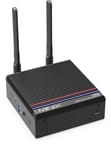 MINIX Z300-0dB | |
| Price | List Price: $329.00 Amazon Prices: Loading prices... |
| Version | 16GB/512GB/Intel N300 |
| Performance Rating | 5.9 |
| Operating System | Windows 11 Pro |
| Processor | Octa-core 3.80 Ghz (max 3.80 Ghz) Intel Core i3-N300 |
| GPU | Integrated Intel UHD Graphics |
| RAM | 16 GB |
| Internal Storage | 512 GB |
| Dimensions width x length x thickness | 4.72 x 4.84 x 1.81 inches (119.89 x 122.94 x 45.97 mm) |
| Weight | unknown |
| WiFi | Wi-Fi 6 (802.11ax) |
| Bluetooth | Bluetooth 5.2 |
| Ethernet | 1 Ethernet port at 2.5 Gbps |
| HDMI | 2 Full-Size HDMI Ports |
| DisplayPort | No DisplayPort |
| VGA | No VGA Ports |
| USB Ports | 2 USB 2.0, 2 USB 3, 1 USB-C (2 x USB 3.2 Gen 2, 1 x USB-C (data only), 2 x USB 2.0) |
| Thunderbolt Ports | No |
| OCuLink | No |
| Internal SATA Ports | No SATA ports |
| Card Reader | microSD Card Reader |
| Headphone Jack | combo |
| Fanless | Yes |
| VESA Mount | Yes |
| In the Box | MINIX Z300-0dB, VESA mount, HDMI cable, 12V/3A power adapter, 2 x dual-band antennas, product packaging |
| Expandability | 1 x 260-pin DDR4 SO-DIMM slot, 1 x M.2 PCIe 3.0 x4 SSD slot, compatible with SATA 3.0 SSD |
Related Mini PCs
-
 MINIX Z100-0dBThe MINIX NEO Z100-0dB is a fanless Intel N100 mini PC in an all-metal chassis, sold with 8GB or…
 -
 MeLE Quieter 4CThe MeLE Quieter 4C is a fanless, silent Intel N100 (or N150) mini PC with 16GB of soldered memory,…
 -
 MeLE Quieter3QThe MeLE Quieter3Q is an ultra-slim, fanless mini PC built around the Intel Celeron N5105, with…
 -
 MINIX Z100-AeroThe MINIX Z100-Aero is an active-cooled Intel N100 mini PC with a single DDR4 slot (to 32GB), an…
 -
 ACEMAGICIAN AM06 Pro Mini PCThe ACEMAGICIAN AM06 Pro is a compact AMD Ryzen mini PC (Ryzen 7 5700U, 5800U, or Ryzen 5 7430U)…
 -
 Beelink SER3The Beelink SER3 pairs an AMD Ryzen 7 3750H (Radeon Vega 10) with dual 4K HDMI output and extensive…
Silent always, hot under sustained load
The Intel Core i3-N300 brings 8 cores and a 3.8 GHz maximum clock, up from the 4-core N100 in the Z100. Those extra cores show up in light video editing, multitasking, and basic server applications. Graphics come from integrated Intel UHD, which handles media playback and older games at lower resolutions but not modern titles or graphically intensive work.
Memory is 16GB of DDR4-3200MHz in a single-channel configuration on one SO-DIMM slot, with a 32GB ceiling. Storage is a 512GB NVMe SSD in the single M.2 slot, and a microSD card slot is the only other place to add capacity. The port set covers dual HDMI outputs at 4K and 60Hz, a USB-C port for data only, two USB 3.2 Gen 2 ports, two USB 2.0 ports, and a 2.5Gbps Ethernet port. Wi-Fi 6 and Bluetooth 5.2 handle wireless, with external antennas for range and stability.
With no fan inside, the machine makes no noise at all, and the metal chassis carries the heat out instead. Passive cooling has a cost. Under heavy workloads the CPU has reached 98°C in stress tests, and the case itself gets hot. The box measures 4.84 x 4.72 x 1.81 inches and includes a VESA mount, so it can hang behind a monitor or sit in a signage cabinet, an office, or a small server closet.
Reviewers found more cores and the same graphics
Robtech’s Review: Still the Best? MINIX Z300-0dB Review
Robtech highlights the MINIX Z300-0dB as a solid upgrade over its predecessor, the Z100, particularly due to its improved multi-core performance and enhanced integrated graphics. He notes that the switch from the Intel N100 to the i3-N300 processor results in a 23% improvement in multi-core tasks and a 56% boost in DX12 graphics performance. The Z300 is suitable for light video editing, basic gaming, and emulation at lower resolutions. However, Robtech points out that the single-channel RAM configuration and limited storage expandability are drawbacks. He also mentions that while ensuring silent operation, the fanless design leads to high CPU temperatures, reaching up to 98°C under load.
Robtech praises the device’s build quality, describing the metal chassis as both premium and functional, as it doubles as a heat sink. However, he notes that the case can become uncomfortably hot during intensive use. The variety of ports, including dual HDMI and 2.5Gbps Ethernet, is appreciated, though the USB-C port’s lack of power delivery or display output is a limitation. While Wi-Fi performance is excellent thanks to external antennas, Robtech experienced minor Bluetooth connectivity issues. He concludes that the Z300 suits users seeking a silent Mini PC with improved performance, but the $50 price increase over the Z100 may not be justifiable for everyone.
Lon Seidman’s Review: N300 vs. N100? Minix Neo Z300-0db Fanless Mini PC Review
Lon Seidman provides a detailed look at the MINIX Z300-0dB and emphasizes its strengths in general computing and server tasks. He highlights the i3-N300 processor’s eight cores as a key improvement over the Z100’s four-core N100, making the Z300 more capable of multitasking and light server applications. However, Lon notes that the graphical performance remains similar to the Z100, making the Z300 less suitable for gaming or graphics-intensive tasks. He tested modern games like GTA V, which ran at only 20 to 25fps on low settings, and found that the performance gains over the Z100 were minimal for gaming purposes.
Lon praises the Z300’s fanless design and solid metal chassis, which ensures silent operation and durability. He also highlights its excellent connectivity, including dual HDMI ports, USB-C, and 2.5Gbps Ethernet, as well as its compatibility with Linux distributions. However, he points out that the lack of additional storage slots limits expandability, and the single-channel RAM configuration may hinder performance in certain scenarios. Lon concludes that the Z300 suits office setups, digital signage, and server tasks. However, users looking for better graphical performance or gaming capabilities may consider alternatives like Ryzen-based Mini PCs.
Where both reviewers land
Robtech and Lon Seidman agree that the MINIX Z300-0dB is a capable Mini PC for specific use cases, such as general computing, light multitasking, and server tasks. The i3-N300 processor’s eight cores provide a noticeable performance boost over the Z100, particularly in multi-core tasks. The fanless design and metal chassis are standout features that ensure silent operation and premium build quality. However, both reviewers highlight the device’s limitations, including high temperatures under load, limited expandability, and modest graphical performance. Robtech also noted Bluetooth connectivity issues, though Wi-Fi performance was consistently praised.
The Z300 suits buyers who value silence and a small footprint over raw performance. Both reviewers suggest that upgrading from the Z100 depends on individual needs, particularly whether the additional cores and improved multi-core performance justify the price increase.
Customer Reviews
Across 67 ratings on Amazon, the MINIX Z300-0dB averages 4.6 stars, with 76% of reviewers leaving five stars and about 10% landing at three stars or lower. The recurring praise is for the fanless, silent design and MINIX’s reliability. T. Gray, a verified buyer, summed up the appeal: “Easy set-up, a metal chassis, quiet as a mouse, fast solid Wi-Fi.” Several owners reach for it specifically because it has no fan to pull in dirt: Luke L., a verified buyer who bought 20 units for a shop floor, wrote that “the fanless form factor will prevent dust collecting inside the unit,” and Tom, another verified buyer, picked it for a “hot, dirty” heat-treat environment for the same reason. Others use it for modest everyday work and retro game emulation, with verified buyer Ed Vroman noting it “easily emulates games through Nintendo 64 era.”
The reviews are not uniformly glowing. Verified buyer Chris Silvester gave it three stars under the title “Quiet but not super speedy,” noting it works “as you’d expect with the chip it has.” The most useful caution comes from verified buyer PS, who flagged a real thermal issue on the N300 configuration: “the N300 under load for 10 minutes (like installing a large number of updates, or playing a CPU-intensive game) will cause the exterior to be hot enough to burn a human being,” measuring roughly 160F. PS suggests keeping that variant away from children and pets. The heat caution applies to sustained loads on the N300 build.
Read more owner reviews on Amazon.
Built for quiet desk and signage duty
The fanless metal chassis suits quiet rooms, offices, and signage cabinets, and an always-on server job fits its idle draw. Dual HDMI ports, Wi-Fi 6 with external antennas, and pre-installed Windows 11 Pro cover digital signage, media playback, and light productivity work.
Integrated Intel UHD Graphics set a low ceiling, so gamers and anyone doing graphics work will run into it quickly. The single M.2 slot and the data-only USB-C port rule out buyers who need more storage bays or USB-C power delivery. Starry Hope’s Mini PC Comparison Tool lines this machine up against other Mini PCs spec by spec.
Frequently Asked Questions
Can the RAM be upgraded?
Yes. One 260-pin DDR4 SO-DIMM slot holds the stock 16GB DDR4-3200MHz module in single channel, and it takes a module of up to 32GB.
Does the Z300 support dual monitors?
Yes. Both HDMI ports drive 4K resolution at 60Hz, so two monitors can run at once.
Is the Z300 suitable for gaming?
Not for modern games. Integrated Intel UHD Graphics cover light gaming and older titles, and graphically demanding work may not run smoothly.
Does the USB-C port support power delivery or video output?
No. That port carries data only, with no power delivery and no video output.
What operating systems are compatible?
It ships with Windows 11 Pro and also runs Linux.
Does the Z300 get hot during use?
Yes, under heavy workloads. The metal chassis acts as the heat sink, and temperatures can reach up to 98°C during sustained high-performance tasks, which is normal for fanless Mini PCs.
What is included in the box?
The Mini PC itself, a VESA mount, an HDMI cable, a 12V/3A power adapter, and two dual-band Wi-Fi antennas.
Is the Z300 good for emulation?
Owners report it handles systems up to the Nintendo 64 era; the integrated graphics are the limit for heavier emulators.
Can the Z300 be used as a server?
Yes, for light duty. The 8-core Intel i3-N300 processor and its low power draw suit file sharing, media streaming, and lightweight server applications.