
MSI PRO DP21 13M
Published on

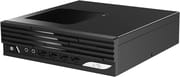
The MSI PRO DP21 13M takes a different path from the Beelink and GMKtec boxes that dominate Starry Hope’s mini PC coverage. Instead of a soldered mobile chip in a palm-sized shell, this 2.3-liter desktop runs a socketed 13th Gen Intel Core i3-13100, pairs it with two DDR4 SO-DIMM slots, an M.2 slot, and two 2.5-inch drive bays, and adds the kind of legacy hardware that businesses still depend on: a serial COM port, a VESA mount, and TPM 2.0. It is built to sit behind a monitor in an office, a reception desk, or a point-of-sale counter and keep working for years, with parts a technician can replace.
| Pros | Cons |
|---|---|
| Socketed desktop CPU, RAM, and storage make it serviceable (Elevated Systems) | Single 1GbE port; no 2.5GbE networking (Elevated Systems) |
| Two 2.5-inch bays plus an M.2 slot hold three drives at once (Stay At Home Business) | Integrated UHD 730 graphics are weak next to Ryzen or Core Ultra rivals |
| Serial COM port and VESA mount suit office, industrial, and POS roles | No USB4 or Thunderbolt, and only two display outputs |
| Backed by MSI’s one-year limited warranty and centralized business support | DDR4 memory, one platform generation behind DDR5 |
| Quiet operation under load (Elevated Systems) | Pre-installed bloatware such as Norton 360 is tedious to remove (Elevated Systems) |
| Front and rear USB-A plus a rear USB-C cover everyday peripherals | Barebone retail SKU ships without RAM, storage, or an OS |
Related Videos
MSI PRO DP21 13M Comparison Chart
 MSI PRO DP21 13M | MSI PRO DP21 13M | MSI PRO DP21 13M | |
| Price | List Price: $659.00 Amazon Prices: Loading prices... | List Price: $699.00 Amazon Prices: | List Price: $809.00 Amazon Prices: |
| Version | 8GB/500GB/Intel Core i3-13100 | 8GB/500GB/Intel Core i5-13400 | 8GB/500GB/Intel Core i7-13700 |
| Performance Rating | 3.5 | 4.5 | 5.6 |
| Operating System | Windows 11 Home | Windows 11 Home | Windows 11 Home |
| Processor | Quad-core 3.40 Ghz (max 4.50 Ghz) Intel Core i3-13100 | Deca-core 2.50 Ghz (max 4.60 Ghz) Intel Core i5-13400 | Sixteen-core 2.10 Ghz (max 5.20 Ghz) Intel Core i7-13700 |
| GPU | Integrated Intel UHD Graphics 730 | Integrated Intel UHD Graphics 730 | Integrated Intel UHD Graphics 770 |
| RAM | 8 GB DDR4 SO-DIMM, 2-channel (2x SO-DIMM slots, up to 64GB) | 8 GB DDR4 SO-DIMM, 2-channel (2x SO-DIMM slots, up to 64GB) | 8 GB DDR4 SO-DIMM, 2-channel (2x SO-DIMM slots, up to 64GB) |
| Internal Storage | 500 GB NVMe SSD | 500 GB NVMe SSD | 500 GB NVMe SSD |
| Dimensions width x length x thickness | 8.03 x 8.19 x 2.16 inches (203.96 x 208.03 x 54.86 mm) | 8.03 x 8.19 x 2.16 inches (203.96 x 208.03 x 54.86 mm) | 8.03 x 8.19 x 2.16 inches (203.96 x 208.03 x 54.86 mm) |
| Weight | 2.8 lbs (1.27 kg) | 2.8 lbs (1.27 kg) | 2.8 lbs (1.27 kg) |
| WiFi | Wi-Fi 6E (802.11ax) | Wi-Fi 6E (802.11ax) | Wi-Fi 6E (802.11ax) |
| Bluetooth | Bluetooth 5.3 | Bluetooth 5.3 | Bluetooth 5.3 |
| Ethernet | 1 Ethernet port at 1 Gbps | 1 Ethernet port at 1 Gbps | 1 Ethernet port at 1 Gbps |
| HDMI | 1 Full-Size HDMI Port | 1 Full-Size HDMI Port | 1 Full-Size HDMI Port |
| DisplayPort | 1 DisplayPort (DP 1.4; dual 4K at 60Hz with HDMI) | 1 DisplayPort (DP 1.4; dual 4K at 60Hz with HDMI) | 1 DisplayPort (DP 1.4; dual 4K at 60Hz with HDMI) |
| VGA | No VGA Ports | No VGA Ports | No VGA Ports |
| USB Ports | 4 USB 2.0, 3 USB 3, 1 USB-C 4x USB-A 2.0 (front); USB-C + 3x USB-A (rear) | 4 USB 2.0, 3 USB 3, 1 USB-C 4x USB-A 2.0 (front); USB-C + 3x USB-A (rear) | 4 USB 2.0, 3 USB 3, 1 USB-C 4x USB-A 2.0 (front); USB-C + 3x USB-A (rear) |
| Thunderbolt Ports | No | No | No |
| OCuLink | No | No | No |
| Internal SATA Ports | 2 SATA ports, includes 2.5" drive bay (2x 2.5-inch SSD/HDD bays) | 2 SATA ports, includes 2.5" drive bay (2x 2.5-inch SSD/HDD bays) | 2 SATA ports, includes 2.5" drive bay (2x 2.5-inch SSD/HDD bays) |
| Card Reader | No Card Reader | No Card Reader | No Card Reader |
| Headphone Jack | separate | separate | separate |
| Fanless | No | No | No |
| VESA Mount | Yes | Yes | Yes |
| In the Box | Power cord, VESA mount screws, quick guide, warranty card | Power cord, VESA mount screws, quick guide, warranty card | Power cord, VESA mount screws, quick guide, warranty card |
| Expandability | Up to 64GB DDR4 (2x SO-DIMM), M.2 slot, 2x 2.5-inch bays, serial COM port | Up to 64GB DDR4 (2x SO-DIMM), M.2 slot, 2x 2.5-inch bays, serial COM port | Up to 64GB DDR4 (2x SO-DIMM), M.2 slot, 2x 2.5-inch bays, serial COM port |
Related Mini PCs
-
 GEEKOM IT12 MAXThe GEEKOM IT12 MAX puts Intel's Core Ultra 5 125U in GEEKOM's larger MAX chassis with dual 2.5GbE,…
 -
 MINISFORUM UM560 XTThe MINISFORUM UM560 XT is a budget mini PC in the Venus series with an AMD Ryzen 5 5600H, an…
 -
 Lenovo ThinkCentre neo 50q Gen 4The Lenovo ThinkCentre neo 50q Gen 4 is a 1-liter business desktop built around a 13th Gen Intel…
 -
 Lenovo ThinkCentre neo 50q Gen 5The Lenovo ThinkCentre neo 50q Gen 5 is a 1-liter business desktop built on the Intel Core 5 210H,…
 -
 ACEMAGIC K1 (Ryzen 7030 Series)The Ryzen 7030-series ACEMAGIC K1 puts a 6-core Ryzen 5 7530U or 7430U, or a 4-core Ryzen 3 7330U,…
 -
 ACEMAGIC K1The ACEMAGIC K1 is a 5-inch mini PC built on the AMD Ryzen 7 5700U (a Ryzen 3 4300U variant also…
Socketed desktop parts in a 2.3-liter case

The chassis measures roughly 8.03 by 8.19 by 2.16 inches and weighs about 2.8 pounds, a flat slab that lies horizontally under a display or stands upright with the bundled foot. The front face keeps things simple with a power button, separate microphone and headphone jacks, and a row of four USB 2.0 Type-A ports for keyboards, a mouse, and the odd flash drive. The faster connectivity lives on the back: a USB 3.2 Gen 2 Type-C port, a USB 3.2 Gen 2 Type-A port, and a pair of USB 3.2 Gen 1 Type-A ports, alongside an HDMI output and a DisplayPort 1.4 connector that together drive two 4K displays at 60Hz. Networking is handled by a single gigabit Ethernet jack plus Wi-Fi 6E and Bluetooth 5.3, though the exact wireless module varies by configuration.
The Intel Core i3-13100 is a desktop Raptor Lake quad-core with eight threads, a 3.4GHz base, and a 4.5GHz boost, and it posts a PassMark score around 14,100. That puts the machine firmly in everyday-productivity territory: spreadsheets with a dozen browser tabs, video calls, 1080p streaming, and light photo work all run comfortably, while the integrated UHD 730 graphics keep it out of serious gaming or GPU-accelerated rendering. Because the chip sits in a socket rather than being soldered down, MSI ships the same chassis with Core i5 and Core i7 options, and an owner could in principle drop in a higher tier later.
Two 2.5-inch bays sit alongside the M.2 slot. The Stay At Home Business review of the i3-13100 barebone notes that the case “can accommodate both M.2 and 2 x 2.5-inch SSD/HDD storage,” so you can pair a fast NVMe boot drive with two larger 2.5-inch drives for bulk or redundant storage. Memory runs through two DDR4 SO-DIMM slots up to 64GB total. The retail 13M-498US configuration arrives with 8GB of RAM and a 500GB NVMe SSD running Windows 11 Home, while a barebone SKU sells the same chassis with no memory, storage, or operating system for buyers who want to supply their own.
A serial COM port handles legacy registers, scanners, and industrial equipment that still speak RS-232. TPM 2.0 gives IT departments the hardware security hooks they expect, and the VESA mount lets the unit disappear behind a monitor or under a desk. If you are weighing it against a more conventional small-form-factor business box, the ASUS NUC 13 Pro covers similar ground with a more modern port layout, while a budget alternative like the Beelink EQi12 trades the COM port and dual drive bays for a smaller footprint.
Reviewer Insights

Most in-depth video coverage of the DP21 line examines the newer 14MQ sibling instead of this 13th Gen model. The chassis, cooling, and design carry across both generations.
Elevated Systems, reviewing the newer 14MQ sibling, frames the DP21 line as a deliberate outlier among disposable mini PCs, noting that “unlike most NUC-style mini PCs the DP21 is built with desktop components, that means everything is socketed and upgradeable from the RAM to the storage, Wi-Fi, and even the CPU.” The reviewer praises its quiet operation and efficiency, the inclusion of a serial COM port, and MSI’s reputation and centralized support. On that 14MQ unit the pre-installed Norton 360 bloatware is “disappointing” and hard to remove, networking is limited to a single gigabit port rather than 2.5GbE, there is no USB4 or Thunderbolt, and the integrated graphics are weak compared with mobile Ryzen or Intel Ultra chips. For this reviewer the DP21 “isn’t trying to be the most powerful or feature-packed system; it’s built for reliability, efficiency, and ease of use.”
PCWorld found in a hands-on teardown that the larger DP21 case oddly omits a heatsink over the NVMe slot despite having room for one. The same teardown, which runs across MSI’s mini PC range, reinforces the serviceability story, confirming that the DP21 “has a socket desktop part in here” that owners could theoretically upgrade, with user-accessible RAM and storage.
Stay At Home Business calls the i3-13100 barebone “a compact and powerful mini-desktop” well suited to “commercial office needs” or duty as an entertainment PC, and highlights the 4K 60Hz dual-monitor output and the easy-to-upgrade case. Mini PC Reviewer, looking at an earlier 12th Gen DP21, reaches a similar verdict: a “well-rounded mini PC” with quiet operation, easy upgrades, and Wi-Fi 6, held back by limited base storage and the absence of discrete graphics.
Fleets, kiosks, and multi-drive home servers
The DP21 13M makes the most sense for buyers who value longevity and serviceability over raw speed. Small businesses standardizing a fleet, offices that need a tidy VESA-mounted desktop, point-of-sale and kiosk deployments that still rely on serial peripherals, and home users who want a quiet, upgradeable Windows box all fit the profile. The deep storage expansion suits anyone running a small file server, security-camera recorder, or media library that benefits from multiple drives.
It is a weaker fit for gamers, video editors, or anyone leaning on GPU acceleration, where the UHD 730 graphics fall short and a machine with Ryzen graphics or a discrete GPU would serve better. The single gigabit Ethernet port and DDR4 memory also make it a poor match for users who want 2.5GbE networking or DDR5 bandwidth.
A repairable small desktop built for long service
The Core i3-13100 covers office work, web-based applications, and everyday multitasking, and the upgrade path leaves room to add memory, storage, or even a faster CPU down the line. Socketed components, three drive positions, a serial COM port, TPM 2.0, and MSI’s centralized business support are what the money buys.
The integrated graphics are basic, networking tops out at a single gigabit port, there is no USB4 or Thunderbolt, the DDR4 memory is a generation behind, and MSI’s bundled software needs a cleanup pass out of the box. None of those are dealbreakers for the office and POS roles this machine targets, though shoppers chasing performance or faster connectivity should look elsewhere. If you are still weighing it against other options, the mini PC comparison chart lets you filter the full catalog by specs and price side by side.
Frequently Asked Questions
Can you upgrade the CPU in the MSI PRO DP21 13M?
Yes. The PRO DP21 13M uses a socketed desktop chip rather than a soldered mobile one, and reviewers confirm the CPU, RAM, and storage are all replaceable. An owner can in principle move from the Core i3-13100 to a Core i5 or i7 of the same generation, subject to the chassis cooling and power limits.
How much storage can the MSI PRO DP21 13M hold?
Three drives at once: one M.2 slot plus two 2.5-inch bays, so a fast NVMe boot drive can sit alongside two larger SATA SSDs or hard drives. That makes the 2.3-liter chassis a practical base for a small file server or media library.
Does the MSI PRO DP21 13M have a serial COM port?
It does. The RS-232 serial COM port is one reason the PRO DP21 13M shows up in office, industrial, and point-of-sale deployments, where legacy registers, scanners, and control systems still communicate over serial.
Is the MSI PRO DP21 13M good for gaming?
Only lightly. The Core i3-13100 is a capable productivity chip, but it relies on Intel UHD 730 integrated graphics, which handle older titles at low settings. For gaming, a mini PC with Ryzen integrated graphics or a discrete GPU is the better buy.
What is the difference between the PRO DP21 13M and 14MQ?
The 13M is the 13th Gen version covered here, built on DDR4 memory with the front USB ports as USB 2.0. The newer 14MQ moves to 14th Gen Intel processors and updates the I/O, including faster front USB and a USB-C port on the front. Both share the same serviceable chassis, dual 2.5-inch bays, and COM port.