
Trigkey S7 Pro
Published on

The Trigkey S7 Pro packs the AMD Ryzen 7 7840HS processor and Radeon 780M integrated graphics into a compact chassis that punches well above its weight class. This mini PC targets power users and home office professionals who need desktop-class performance without the desktop-class footprint. With USB4 connectivity, 2.5 Gigabit Ethernet, and dual M.2 NVMe storage slots, the S7 Pro offers the kind of expandability and throughput that sets it apart from many competitors in the 7840HS segment. Multiple reviewers have noted that Trigkey’s implementation of this processor delivers performance rivaling more expensive Ryzen 9 systems, making it a compelling option for users who want serious computing power in a small package.
Pros and Cons of the Trigkey S7 Pro
| Pros | Cons |
|---|---|
| Exceptional multicore performance from the Ryzen 7 7840HS (Zen 4) | Plastic chassis feels less premium and attracts fingerprints |
| USB4 port with 40Gbps throughput and eGPU support | Runs warm under sustained load (up to 87°C reported) |
| Dual M.2 NVMe Gen 4 slots with dedicated cooling | HDMI port is version 2.0, not 2.1 |
| Intel I226V 2.5GbE Ethernet controller | Included QLC SSD may slow during large file transfers |
| Easy internal access for RAM and storage upgrades | Fan audible at around 49 dB during intensive tasks |
| Capable 1080p gaming via Radeon 780M integrated graphics | Precision Boost Overdrive BIOS settings can cause instability |
Related Videos
Trigkey S7 Pro Comparison Chart
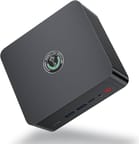 Trigkey S7 Pro | |
| Price | List Price: Amazon Prices: Loading prices... |
| Version | 32GB/500GB/Ryzen 7 7840HS |
| Perfomance Rating | 9.0 |
| Operating System | Windows 11 Pro |
| Processor | Octa-core 3.80 Ghz (max 5.10 Ghz) AMD Ryzen 7 7840HS |
| GPU | Integrated AMD Radeon 780M |
| RAM | 32 GB DDR5 SO-DIMM, 2-channel (Dual-channel DDR5-5600 SODIMM (2x 16GB)) |
| Internal Storage | 500 GB NVMe SSD |
| Dimensions width x length x thickness | 5.12 x 5.12 x 2.09 inches (130.05 x 130.05 x 53.09 mm) |
| Weight | 2.46 lbs (1.12 kg) |
| WiFi | Wi-Fi 6 (802.11ax) |
| Bluetooth | Bluetooth 5.2 |
| Ethernet | 1 Ethernet port at 2.5 Gbps |
| HDMI | 1 Full-Size HDMI Port |
| DisplayPort | 1 DisplayPort |
| VGA | No VGA Ports |
| USB Ports | 2 USB 2.0, 2 USB 3, 1 USB 4, 1 USB-C |
| Thunderbolt Ports | No |
| Internal SATA Ports | No SATA ports |
| Card Reader | No Card Reader |
| Headphone Jack | combo |
| Fanless | No |
| VESA Mount | Yes |
| In the Box | Mini PC, 120W power adapter, VESA mount bracket, 2x HDMI cables, screws, user manual |
| Expandability | Supports up to 64GB DDR5 SODIMM RAM (dual channel), dual M.2 PCIe 4.0 NVMe slots (up to 4TB each), eGPU support via USB4 |
Related Mini PCs
-
 Beelink EQR7The Beelink EQR7 combines AMD Ryzen 7 7735HS power with a unique built-in PSU design, dual Gigabit…
 -
 Beelink SER5 MAX Mini PCPowered by an AMD Ryzen, the Beelink SER5 MAX Mini PC offers top-tier performance in a compact…
 -
 BOSGAME M4The BOSGAME M4 packs AMD Ryzen 7 8745HS power into a compact 5-inch chassis with standout features…
 -
 GMKtec Nucbox K2Packing an AMD Ryzen 7 7735HS, Radeon 680M graphics, and up to 64GB DDR5 RAM, the GMKtec Nucbox K2…
 -
 GMKtec NucBox K3 ProPacking a punch in a surprisingly small footprint, the GMKtec NucBox K3 Pro Mini PC features a…
 -
 MINISFORUM M1-1295The MINISFORUM M1-1295 packs a desktop-class Intel Core i9-12950HX processor into a compact…
Detailed Insights into the Trigkey S7 Pro

The Trigkey S7 Pro measures approximately 5.12 x 5.12 x 2.09 inches and weighs 2.46 pounds, placing it in the standard compact mini PC category. The exterior uses a glossy black plastic shell with ample ventilation on the sides and bottom to support its dual-fan cooling system. The front panel provides two USB 3.2 Type-A ports, a USB-C port rated at 10Gbps, a 3.5mm combo audio jack, and a Clear CMOS reset pinhole alongside a red power button. Around the back, you’ll find the USB4 port (40Gbps), two USB 2.0 ports, HDMI, DisplayPort, 2.5GbE Ethernet, and the power input. The dual-fan design includes a dedicated CPU cooler and a secondary system fan that provides active cooling to both the RAM modules and the secondary M.2 slot, which is a thoughtful engineering touch that helps maintain stable thermals across all components.
At the heart of this system lies the AMD Ryzen 7 7840HS, an 8-core, 16-thread processor built on the Zen 4 architecture with a base clock of 3.8 GHz and boost speeds up to 5.1 GHz. The integrated AMD Radeon 780M graphics based on RDNA 3 architecture with 12 compute units running at 2700 MHz provides capable visuals for both productivity and casual gaming. In Cinebench R23 testing, reviewers found the S7 Pro scoring roughly double the multicore performance of an Apple M2 Mac Mini, and approaching desktop-class results comparable to an Intel Core i9-10900K. Real-world gaming at 1080p yields playable frame rates in popular titles like DOTA 2 (95-113 FPS), League of Legends (147-160 FPS), and CS:GO (95-115 FPS), while more demanding games like Destiny 2 run at 45-55 FPS. The 54W TDP configuration that Trigkey has tuned into this system is a key factor in its strong performance, allowing the processor to sustain higher clocks than many competing implementations of the same chip.
Connectivity options include WiFi 6 (802.11ax) wireless and Bluetooth 5.2 for cable-free peripherals and networking. The standout networking feature is the Intel I226V 2.5 Gigabit Ethernet controller, which is a preferred choice over Realtek alternatives for users running virtual machines, home servers, or NAS setups. Storage expansion is handled via dual PCIe 4.0 NVMe M.2 2280 slots, with the secondary slot connected through a ribbon cable extension that includes its own cooling fan. RAM is upgradeable using standard DDR5 SODIMM slots supporting up to 64GB in a dual-channel configuration, though it is worth keeping an eye on rising DRAM prices if you plan to upgrade later. The USB4 port opens the door to eGPU enclosures for users who want to boost graphics performance beyond what the Radeon 780M can deliver.
Reviewer Insights on the Trigkey S7 Pro

Tech Notice’s Perspective
Tech Notice put the Trigkey S7 Pro through a thorough evaluation that included benchmarks, a full teardown, and BIOS testing. They were particularly impressed by the raw CPU performance, noting that “this 8 core Mini PC is faster or roughly about the same performance as the desktop variant 10900K.” The internal design received high marks for its dual M.2 NVMe Gen 4 slots and the dedicated active cooling system that covers both the RAM and storage components. They highlighted that internal access is straightforward since “you don’t actually need to go underneath this PC because the cooling is fine,” avoiding the common frustration of glued-down feet.
On the downside, Tech Notice found the glossy plastic exterior “looks very cheap” and acts as an “extreme fingerprint magnet.” They also discovered that enabling Precision Boost Overdrive settings in the BIOS caused the system to crash under load, and the Clear CMOS button failed to function properly when attempting to reset those settings. Their overall assessment positioned the S7 Pro as delivering “pretty much exactly double the score” of the M2 Mac Mini in multi-threaded workloads at a lower cost, making it a strong value proposition for productivity-focused users.
Tek Syndicate’s Perspective
Tek Syndicate conducted extensive testing including thermal stress tests, synthetic benchmarks in Cinebench and Geekbench, and real-world workloads in Adobe Premiere. Their review identified this as “one of the fastest” implementations of the 7840HS they had encountered, with the reviewer expressing genuine surprise at the performance numbers. They were particularly pleased with the Intel I226V Ethernet controller, calling it a rare and welcome choice for an AMD-based system.
The thermal testing revealed that the S7 Pro reaches up to 87.2°C under 100% sustained load, with fan noise measuring around 49 dB during intensive tasks. Tek Syndicate described the fan as producing “a constant fan noise” that is “not an annoying fan noise.” They tested triple-monitor support and confirmed that the system handles three simultaneous displays without issue. According to their written review, “this Ryzen 7 7840HS is almost as fast as some of the Ryzen 9 systems I’ve tested,” reinforcing the S7 Pro’s position as a performance leader in its class.
Tech Guy Beau’s Perspective
Tech Guy Beau performed a detailed teardown and tested real-world gaming performance in titles like Baldur’s Gate 3 and Final Fantasy XIV. A notable finding from his review was that the S7 Pro appears to use the same motherboard found in Beelink’s SER7 series, which he considered “actually a good thing because Beelink makes good stuff.” The cooling system received particular praise, with noise measurements showing just 42 dB at full blast, which he described as “really quite quiet.”
Tech Guy Beau highlighted the higher TDP configuration as a key advantage, noting that “this thing can pull a lot more wattage and as a result you get really good performance here” compared to handheld gaming devices using similar processors. He claimed HDMI support for 4K at 120Hz, though Tek Syndicate identified the HDMI port as version 2.0 which is limited to 4K at 60Hz. Buyers who need 4K at 120Hz should verify the HDMI version or plan to use the DisplayPort output instead. Tech Guy Beau also praised the use of name-brand components from Crucial and Intel inside the system. His primary criticism focused on the included QLC-based SSD, which may exhibit slowdowns during massive file transfers, and the plastic shell that lacks the premium feel of metal-bodied alternatives.
Consensus
Across all three video reviews and the written review, the consensus points to the Trigkey S7 Pro’s exceptional processing performance and its surprisingly strong implementation of the 7840HS as the primary strengths. Reviewers consistently praised the dual M.2 storage slots, USB4 connectivity, and the Intel-based 2.5GbE Ethernet. The main areas of criticism centered around thermal performance under sustained load, the plastic build quality, and the audible fan noise during intensive workloads. The BIOS stability issue with PBO settings was a concern raised by Tech Notice, though this affects only users who manually tweak overclocking settings.
Customer Reviews of the Trigkey S7 Pro
Amazon customers have rated the Trigkey S7 Pro 4.1 out of 5 stars based on 296 reviews. The most praised aspects include the device’s compact size relative to its computing power, quiet operation during everyday tasks, and strong performance for both productivity and casual gaming. Several buyers highlighted the system as a cost-effective alternative to traditional desktop towers, with one describing it as “a revelation” for its combination of speed and affordability.
However, some customers have reported that the system runs warm during extended use, with CPU temperatures reaching around 70°C under normal loads. A few users noted that the shared memory architecture, where the Radeon 780M graphics reserve 4-5GB of the system RAM, can impact performance in memory-intensive gaming scenarios. One reviewer found the fan noise problematic enough to return the unit, though this appears to be an outlier among the largely positive reception.
Overall, the customer sentiment is positive, with most buyers finding the Trigkey S7 Pro delivers on its promise of desktop-class performance in a mini PC form factor. The device has earned particular praise from users who prioritize processing power and connectivity over premium build materials.
Conclusion
The Trigkey S7 Pro stands out as a performance-focused mini PC for users who need serious computing power in a compact package. Its combination of the Zen 4 Ryzen 7 7840HS processor, USB4 connectivity, dual M.2 NVMe slots, and Intel 2.5GbE Ethernet makes it well-suited for productivity workloads, home server duties, light gaming, and multi-monitor setups. Users who prioritize raw performance per dollar and don’t mind a plastic exterior will find the S7 Pro delivers excellent value.
That said, users who are sensitive to fan noise during intensive workloads or who prefer a premium metal chassis might want to consider alternatives like the Beelink SER8 or similar offerings from GEEKOM. The thermal performance under sustained load is adequate but not exceptional, and the included QLC SSD may warrant an upgrade for users who frequently work with large file transfers.
For those comparing options, see our Mini PC Comparison Chart to find the best match for your needs.
Frequently Asked Questions
What processor does the Trigkey S7 Pro use?
The Trigkey S7 Pro is powered by the AMD Ryzen 7 7840HS, featuring 8 cores and 16 threads based on the Zen 4 architecture. It has a base clock of 3.8 GHz and boosts up to 5.1 GHz, with a 16MB L3 cache. This processor scores approximately 28,872 on PassMark’s CPU benchmark, placing it firmly in power-user territory and rivaling some Ryzen 9 implementations.
Can I upgrade the RAM in the Trigkey S7 Pro?
Yes, the Trigkey S7 Pro uses standard DDR5 SODIMM slots in a dual-channel configuration. It ships with 32GB (2x 16GB) of DDR5-5600 memory and can be upgraded to a maximum of 64GB. The internal layout provides easy access to the RAM slots without needing to remove any adhesive feet or stickers.
What ports does the Trigkey S7 Pro have?
The front panel includes two USB 3.2 Type-A ports, one USB-C port (10Gbps), a 3.5mm combo audio jack, and a Clear CMOS pinhole. The rear panel provides one USB4 port (40Gbps), two USB 2.0 ports, one HDMI port, one DisplayPort 1.4, one 2.5 Gigabit Ethernet port (Intel I226V), and the DC power input. The system supports up to three simultaneous display outputs.
What’s included in the box with the Trigkey S7 Pro?
The Trigkey S7 Pro comes with the mini PC unit, a 120W power adapter, a VESA mounting bracket with screws, two HDMI cables, and a user manual. The VESA mount allows you to attach the unit to the back of a compatible monitor for a clean, space-saving setup.
Can the Trigkey S7 Pro handle gaming?
The Trigkey S7 Pro can handle gaming at 1080p thanks to its AMD Radeon 780M integrated graphics with 12 RDNA 3 compute units. Expect playable frame rates in esports titles like DOTA 2 (95-113 FPS), League of Legends (147-160 FPS), and CS:GO (95-115 FPS). More demanding titles like Destiny 2 will run at 45-55 FPS at lower settings. For heavier gaming, the USB4 port supports eGPU enclosures to boost graphics performance.
How loud is the Trigkey S7 Pro?
The Trigkey S7 Pro uses a dual-fan cooling system that remains relatively quiet during normal use. Under full load, reviewers measured fan noise at approximately 42-49 dB depending on the workload intensity. Tech Guy Beau described 42 dB at full blast as “really quite quiet,” while Tek Syndicate noted the fan produces “a constant fan noise” that is “not annoying.” For typical desktop tasks, the fans are barely noticeable.
Can I add more storage to the Trigkey S7 Pro?
Yes, the Trigkey S7 Pro features dual M.2 PCIe 4.0 NVMe slots, each supporting 2280-size drives up to 4TB. The primary slot comes occupied with a 500GB SSD, while the secondary slot is available for expansion. The secondary slot connects via a ribbon cable extension and includes its own dedicated cooling fan to maintain thermal stability. Both slots support PCIe Gen 4 speeds for fast read and write performance.