

The two-year wait just became a three-year wait. In a Reddit AMA on 21 May 2026, Raspberry Pi CEO Eben Upton mapped the Pi 6 onto the team’s historic 4 to 4.5-year cadence from one major SBC to the next, so the next-generation board will not arrive before early 2028. That is the team’s cadence-based projection rather than a hard release date. It’s FOSS broke the news a few days later, and the headlines that followed read like a quiet platform funeral. The Pi community has not seen a gap this long since the wait for the Pi 5. For anyone who was deferring a home-lab build, a classroom kit, or a Pi-Hole upgrade until the next-generation board arrived, the wait now stretches past the useful life of the project itself. The plain read on this AMA is that the Pi 5 is the Pi for the foreseeable future, at the prices it commands today.
That second clause is where this story gets uncomfortable. Pricing has moved a lot since the Pi 5 launched, and the picture this week is not the picture from late 2024. We covered the broader memory crunch in the DRAM price spike piece in January, where a fully equipped 16GB Pi 5 and a comparable N100 mini PC both landed near $247. Tom’s Hardware tallied the February jump: the 16GB Pi 5 hit $205, more than seventy percent above its $120 launch MSRP for the 16GB SKU. Two months after that, the Pi Foundation pushed through another round of increases, pointing to “a seven-fold rise in LPDDR4 DRAM costs” over the previous year and adding another $100 to the 16GB SKU. That puts the current 16GB Pi 5 at $305, roughly two and a half times its launch price. The 3GB Pi 4 at $83.75 was introduced as the new entry point between the 2GB and the considerably-pricier 4GB tier. Those are the comparison numbers for this article, not the 2024 figures most “Pi vs mini PC” guides still anchor against.
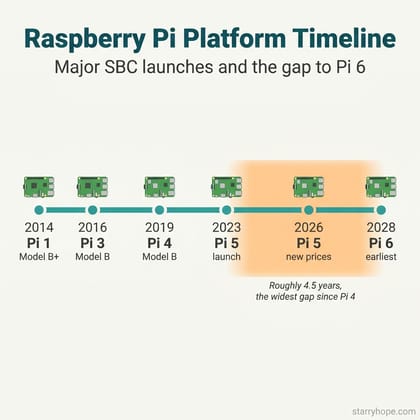
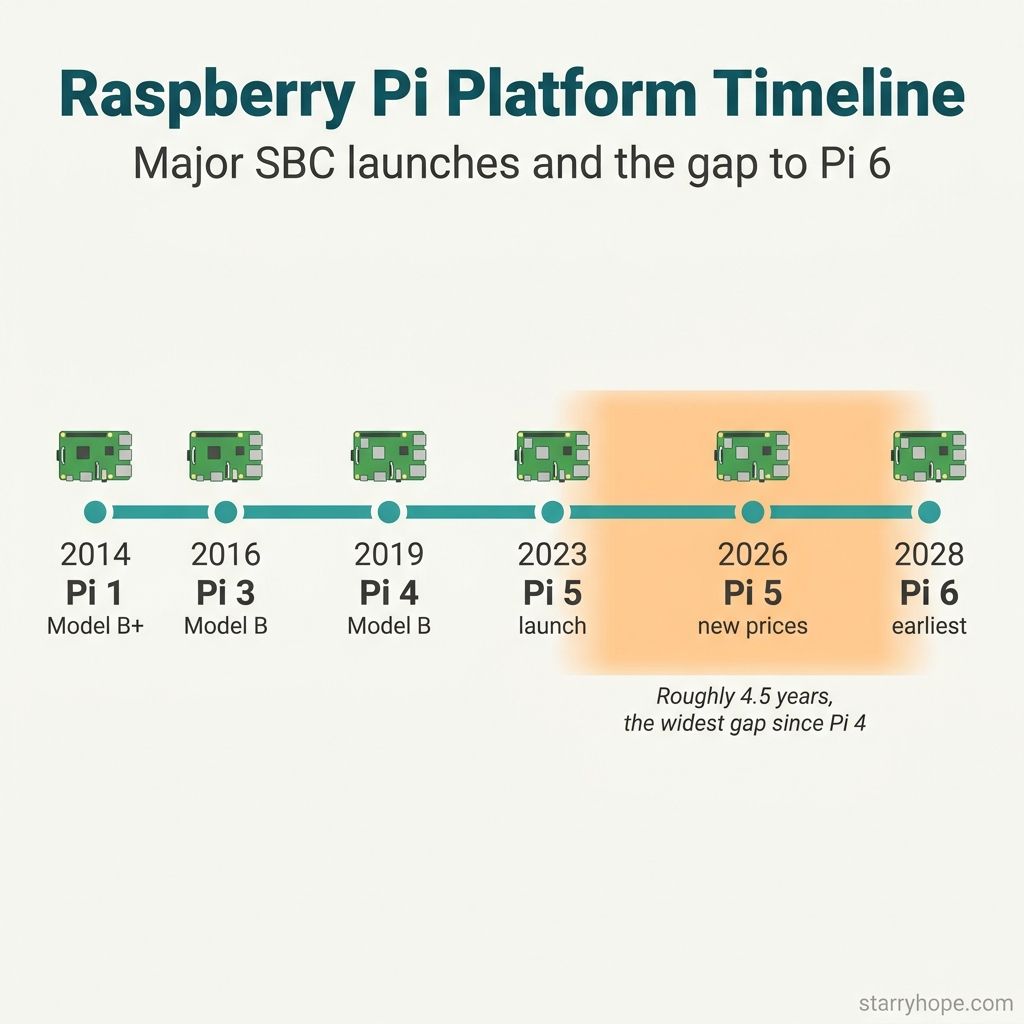
Upton Calls the Pi 6 a Faster Pi 5
Most of the news cycle reduced the AMA to two headlines: “Pi 6 in 2028” and “Pi 6 has no NPU.” The first is the team’s own cadence-based projection rather than a hard release confirmation; the second is the press’s inference from a CPU-first compute argument that the Foundation has not stated as an outright commitment. Both readings miss what Upton actually argued. On the timeline, he was matter-of-fact about the gap: the Pi 5 remains a capable flagship in the lineup, and the Foundation does not feel rushed. On the shape of the Pi 6, he called the planned upgrades “quantitative changes, not qualitative ones,” meaning more bandwidth and more CPU and more I/O, but the same general form factor. So no new M.2 slot baked into the board, no Thunderbolt, no overhauled port layout. The next Pi is a faster Pi 5.
The NPU question is the part the headlines got most wrong. Asked about edge AI beyond camera inference, Upton replied that the Foundation is “big believers in the CPU as the venue for much edge AI compute. Over time the CPUs become faster, and the algorithms become cheaper, so investing area in ‘fungible’ rather than ‘fixed-function’ compute has always been a good bet.” OMG Ubuntu printed the longer quote and noted the Foundation’s existing strategy: Hailo-based AI HATs for the Pi 5 already handle vision inferencing as an add-on. Read carefully, this is a defensible platform stance rather than a missed deadline. The Foundation is betting that general-purpose CPUs will catch up to today’s fixed-function accelerators by the time the Pi 6 ships, and that customers who need an NPU sooner are better served by an attached HAT than by a baked-in chip the rest of the board has to subsidize.
That argument is consistent with how the Pi 5 already works in the field. A Hailo-8L HAT pairs with the Pi 5 for object detection and pose estimation; the CPU handles everything else. For most makers, the question is not “does the Pi 6 have an NPU”; it is “is the Pi I can buy this week the right platform for the project I want to ship before 2028.” That question now has a different answer than it did in 2023.
Four Paths, Not One
If you were waiting for a Pi 6, you now have four realistic paths, and none of them is wait. You can buy a current Pi 5 at the new pricing. You can pivot to an N100 or N150 mini PC. You can shop the used market for a Pi 4 8GB, which was the recommendation we landed on for the DRAM piece’s “year of used hardware” close. Or you can leave the project unbuilt, which is the option most readers do not name out loud but quietly choose. The right call depends on the workload, the power budget, and whether the project ever needed the 40-pin header to begin with.
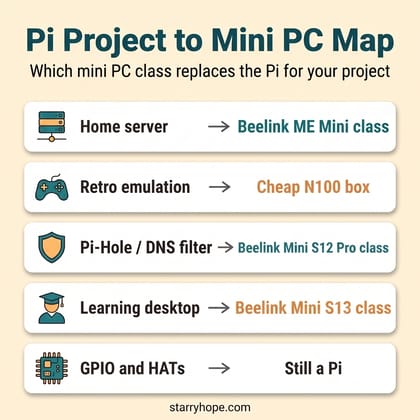
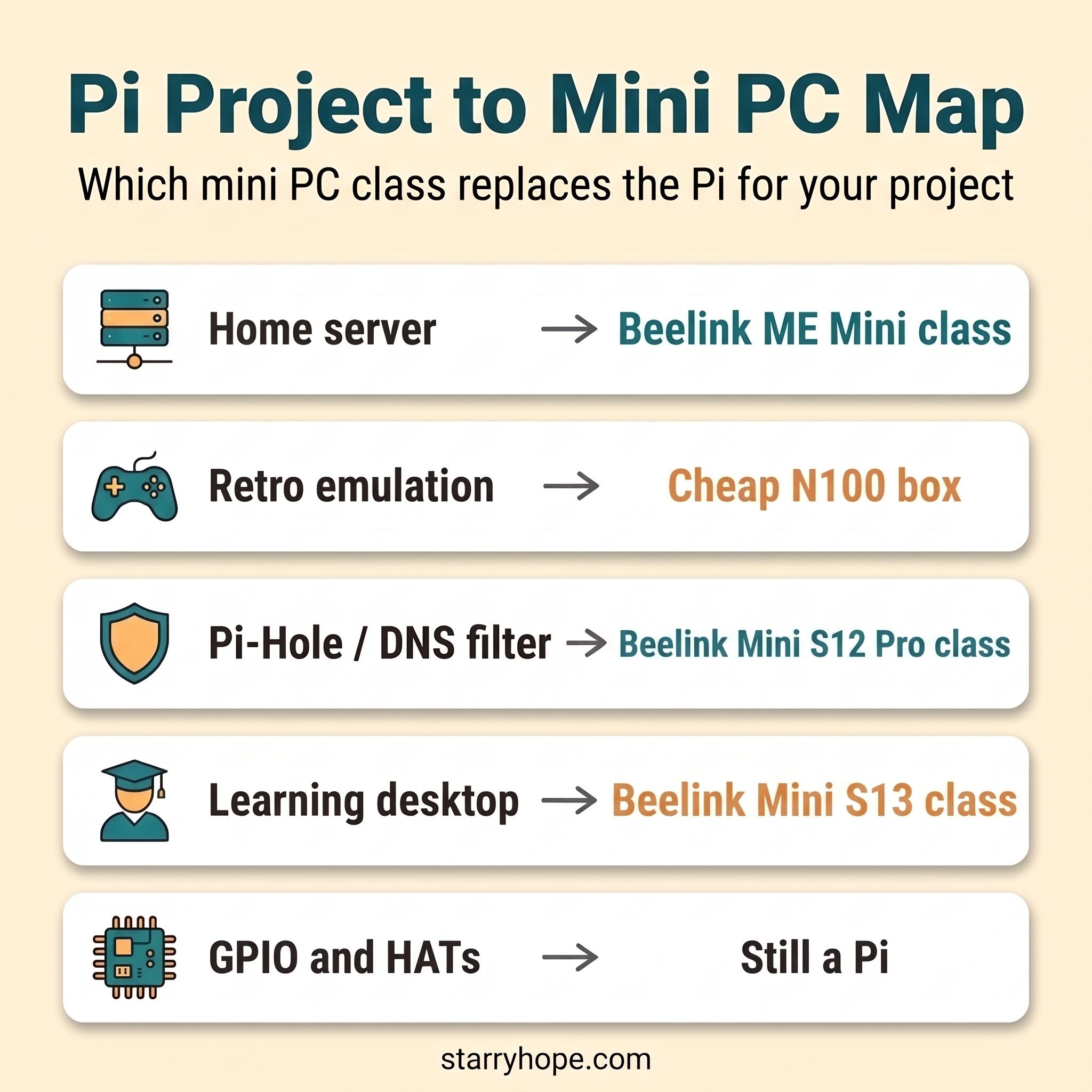
Power efficiency is the part of the decision the headlines never weigh. An idle Pi 5 draws around three watts; an idle N100 mini PC draws six to ten, depending on chassis and BIOS. For a server that runs twenty-four hours a day, the gap adds up to ten or twenty dollars a year on most U.S. residential rates. The Pi historically earned its place in always-on lab racks by keeping that figure low. At parity sticker prices the running-cost advantage matters more, not less, and it is the one ledger entry where the Pi still beats a stock mini PC every time.
The other part the headlines never weigh is software fit. Raspberry Pi OS is built for the Pi, and dozens of project distros (Home Assistant OS, OctoPi, DietPi, the Pi-targeted RetroPie image) assume the platform. PiHole has a clean x86 install path and runs happily on Debian, Ubuntu, or Proxmox. Home Assistant ships an official x86 OS image. RetroPie’s x86 builds exist but are unofficial and a half-step behind the Pi image in polish. None of this is a deal-breaker on a mini PC, but it is real weight on the Pi side of the scale, and the kind of small friction that takes a Friday evening to discover.
Home Server, NAS, and the Beelink ME Mini Class
The clearest pivot is the home-server build. A Pi 5 16GB at $305 plus a case, power supply, and a couple of USB SSDs lands well past $400, and even then you are running storage off USB on a board that does not officially support hot-swap. A Beelink ME Mini at a comparable price ships with NVMe slots, an Intel N150, the ability to run TrueNAS or Proxmox without compromise, and the kind of always-on power budget that does not require an apology.
Beelink ME Mini
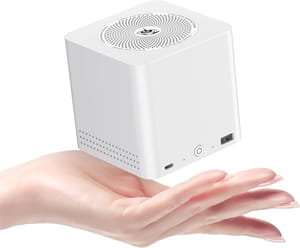
- +Multiple NVMe slots
- +real x86 storage and virtualization stack
- +runs TrueNAS / Unraid / Proxmox cleanly
- +capable Intel N150
- -Higher idle wattage than a Pi 5
- -fan noise audible in a quiet room
- -no GPIO header
If the goal was a Plex / Jellyfin box, a backup server, an Immich photo library, or a docker host for a half-dozen self-hosted services, the ME Mini class replaces the Pi 5 outright. The hardware is built around the workload; the Pi was built around general-purpose computing and asked to play NAS as a side gig. The 2026 self-hosting wave we covered in the self-hosting renaissance piece is, mathematically, a mini PC wave. The Pi share of that audience has shrunk every quarter for two years.
When this still wants a Pi: a learning NAS for a teenager who wants to understand storage from first principles. A Pi 5 with a USB enclosure forces the build to confront the limitations, which is the pedagogy. A mini PC just works, which is great for production and bad for a Saturday-afternoon tutorial.
Pi-Hole, DNS Filter, and the Beelink Mini S12 Pro Class
Pi-Hole is the canonical “tiny always-on box” use case and the project most Pi buyers cite when they describe what they want to run. The Pi 5 is overkill here; even a Pi 4 was overkill. The workload is a few hundred DNS queries per second and a SQLite log, which an N100 handles at near-idle load.
Beelink MINI S12 Pro
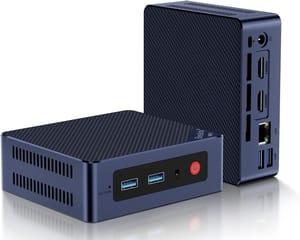
- +Intel N100 with 16GB RAM
- +four 10Gbps USB-A ports
- +dual HDMI
- +a 2.5-inch bay for a second drive
- +VESA mount in the box
- -More watts than a Pi 5 for the same DNS workload
- -no GPIO
- -the fan never fully stops (about 26 dBA at idle)
The Mini S12 Pro also picks up the Home Assistant role cleanly, with the official x86 image installed to a USB stick or directly to the NVMe. Where the Pi 5 stops being a serious choice is the moment your home network grows beyond a single subnet. The mini PC can run Pi-Hole, Unbound, Home Assistant, and a Tailscale exit node on the same box, and still draw a fraction of a desktop’s power.
When this still wants a Pi: a classroom or workshop demo where every cable matters. A Pi 5 with a USB cable, an HDMI cable, and an Ethernet cable is one box on a desk; a mini PC is the same. But a Pi 5 with a small case, a status LED, and a soldered button on the GPIO header looks like a project. A mini PC looks like a mini PC. Both work; one teaches.
Retro Emulation, Learning Boxes, and the Beelink Mini S13 Class
Retro emulation is the use case where the trade is least clean. RetroPie’s reference image is Pi-targeted, and the Pi 5 plus a Picade or a Recalbox-ready handheld kit makes a build that feels intentional. On a mini PC, Batocera or Lakka boots a USB drive and gets you to PS2-era titles without breaking a sweat, but the case ergonomics are wrong: a mini PC plus an 8BitDo controller is great for the couch, less great for a coffee-table arcade.
Beelink Mini S13
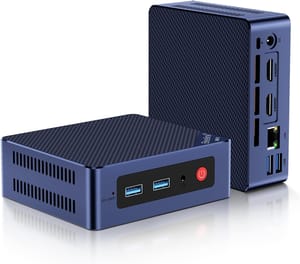
- +$219 list price
- +Intel N150 with 16GB RAM
- +Wi-Fi 6
- +dual HDMI
- +runs mainstream Linux without driver fuss
- -Intel N150 caps GameCube and PS3 emulation
- -no USB-C
- -no GPIO
For the learning-desktop case (a kid’s first Linux box, a teaching workshop, a programming starter setup), the Mini S13 is the mini PC that lands closest to the Pi 5’s role. A full Linux desktop boots straight from NVMe rather than a microSD card. The CPU is meaningfully faster than the Pi 5 across desktop tasks, which is the daily-driver experience the Pi is rarely tested against. We compared the broader range of low-cost Linux mini PCs in the Linux mini PC piece from late 2025, and the Mini S13 fits the low-cost end of that range. The harder question is whether the project warrants the mini PC’s lack of a GPIO header, which is where the next section comes in.
When this still wants a Pi: GameCube and PS3 emulation, which still need an integrated GPU comfortably above the Intel UHD bracket. A used N305 or N355 mini PC is the path forward there; a Pi 5 is not. So the “stick with a Pi” caveat does not apply to higher-end emulation either.
When the Pi Stays the Right Answer
This piece is a buyer’s pivot, not a Pi obituary. The 40-pin header is real silicon: GPIO, I2C, SPI, UART, PWM, the whole electronics-class teaching surface, plus a HAT ecosystem with hundreds of boards built around it. None of that exists on a mini PC. If your project drives a motor, reads a sensor, talks to a Pimoroni HAT, or builds toward a hardware portfolio, the Pi remains the platform and the Pi 5 at current prices is the version to buy.
The other case the Pi still wins outright is anything that needs the broader SBC-class community and the documentation around it. RISC-V mini PCs are growing as a credible alternative for the curious-developer audience, but for a first-time SBC build, the Pi documentation density is unrivaled. A Pi project that fails on a Wednesday night gets a working Stack Overflow answer by Thursday morning. A mini PC project that fails on a Wednesday night gets a Dell forum thread from 2017.
The clean test is whether your bill of materials lists the words “GPIO,” “HAT,” “ribbon cable,” “PoE HAT,” or “Pi camera.” If it does, you want a Pi. If it does not, you want a mini PC, and you almost certainly want it before 2028.
What to Buy in May 2026
Pricing checked at time of writing in late May 2026; values move fast in the current memory market. If you are building a home server or NAS for the household, the Beelink ME Mini is the obvious anchor; it replaces the Pi 5 outright for storage and virtualization workloads at comparable total cost. If you are building a Pi-Hole, Home Assistant, or low-power 24/7 box, the Beelink Mini S12 Pro is the budget anchor and has headroom for a couple of extra services. If you are building a kid’s Linux desktop or a learning workshop, the Beelink Mini S13 is the low-cost answer. For GPIO and HAT projects, buy a Pi 5 16GB at current prices and accept the markup; nothing else replaces it. The wider catalog of options is in the mini PC index if none of the three named above is the right shape.
Upton was candid in the AMA about the Pi’s long-term position: the Pi 5 stays the flagship for a while yet, and the Foundation does not intend to rush the next platform onto a market that already has its hands full with memory pricing. That is a credible plan. It is also a plan that takes 2026, 2027, and most of 2028 off the table for buyers who were waiting on a generational jump. For most of those buyers, the right answer this week is the mini PC that matches the project, bought now, configured before the weekend ends. The Pi 6 will be a great board when it arrives; you do not have to put your project on hold for two years to find out.


