
Listen to this article:
AMD’s Strix Halo mini PCs pack 128GB of unified memory that both the CPU and GPU can access, enough to run 70-billion-parameter language models locally, all in a box that fits on your desk and draws less power than a gaming PC. After a year of real-world testing from the LocalLLaMA community and independent benchmarkers, we finally have a clear picture of what these systems can actually deliver. The answer is genuinely impressive for certain use cases, but the reality is more nuanced than the marketing suggests.
The fundamental appeal of Strix Halo for local LLM work comes down to one thing: memory bandwidth determines inference speed, and these chips can access a massive pool of unified memory without the bottlenecks that plague discrete GPU setups. When you run a language model on a typical RTX 4090, you’re limited to 24GB of VRAM, and if your model doesn’t fit, you’re either quantizing aggressively or suffering through CPU offloading that tanks performance. Strix Halo’s Ryzen AI Max+ 395 can allocate up to 96GB of its 128GB system memory directly to the GPU, eliminating that constraint entirely.
The question isn’t whether this approach works, because it clearly does. The question is whether the performance is good enough and the software mature enough for your specific needs.
The Hardware Reality
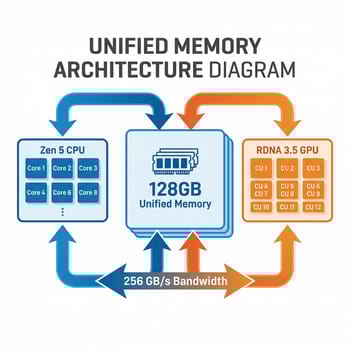
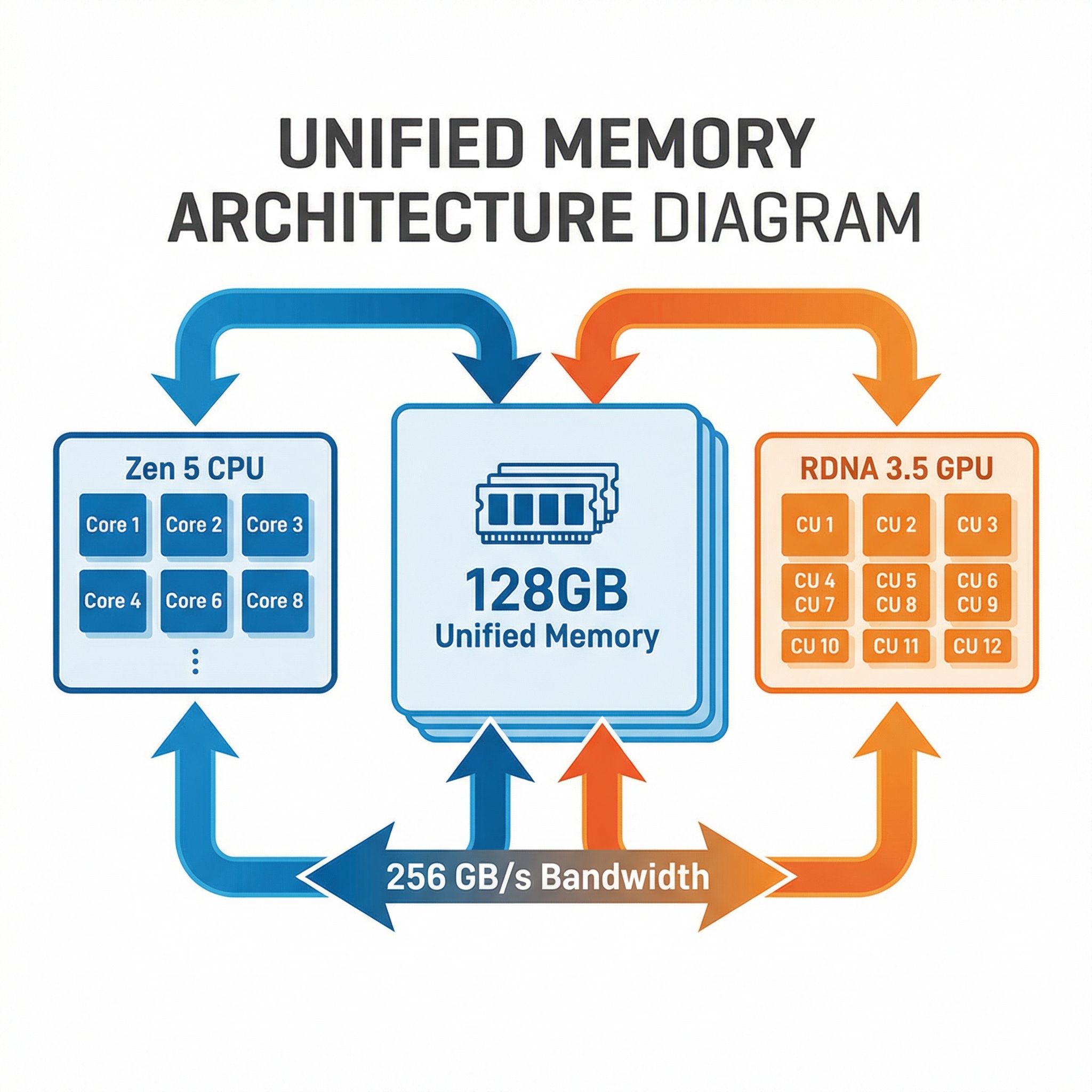
The flagship Ryzen AI Max+ 395 packs 16 Zen 5 CPU cores, 40 RDNA 3.5 compute units in the integrated Radeon 8060S GPU, and an XDNA 2 NPU rated at 50 TOPS for dedicated AI operations. That’s a lot of silicon in a single chip, but what matters for LLM inference is the memory subsystem. These processors support LPDDR5X-8000 memory with around 256 GB/s theoretical bandwidth, though real-world testing shows about 212-215 GB/s in practice.
That bandwidth figure is the key constraint for understanding Strix Halo performance. Token generation in language models is almost entirely memory-bandwidth-bound: the GPU needs to read the model weights from memory for each token it generates. With 215 GB/s of bandwidth feeding 40 compute units, you get roughly 5 tokens per second on a 70B parameter model, scaling up or down predictably based on model size and quantization level.
For context, that 5 tok/s on a 70B model is slow enough that you’ll notice delays in conversation, but fast enough to be genuinely usable for interactive chat. The community consensus is that 3-5 tok/s is the minimum for tolerable conversation, placing Strix Halo right at the edge of practical for the largest models most people want to run. Drop down to 30B or 13B models, and the experience becomes noticeably snappier.
Where Strix Halo genuinely shines is with Mixture of Experts models, which only activate a subset of their parameters for each token. Testing with Qwen3-30B-A3B shows 52 tokens per second, dramatically faster than you’d get from a dense model of similar capability. If MoE architectures represent the future of efficient LLMs, and many researchers believe they do, Strix Halo’s large unified memory pool becomes increasingly valuable.
The Software Learning Curve
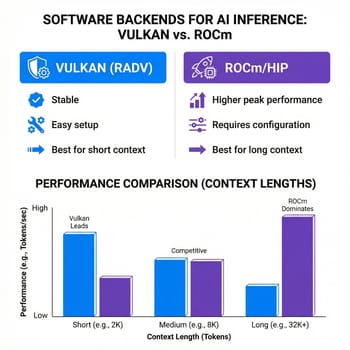
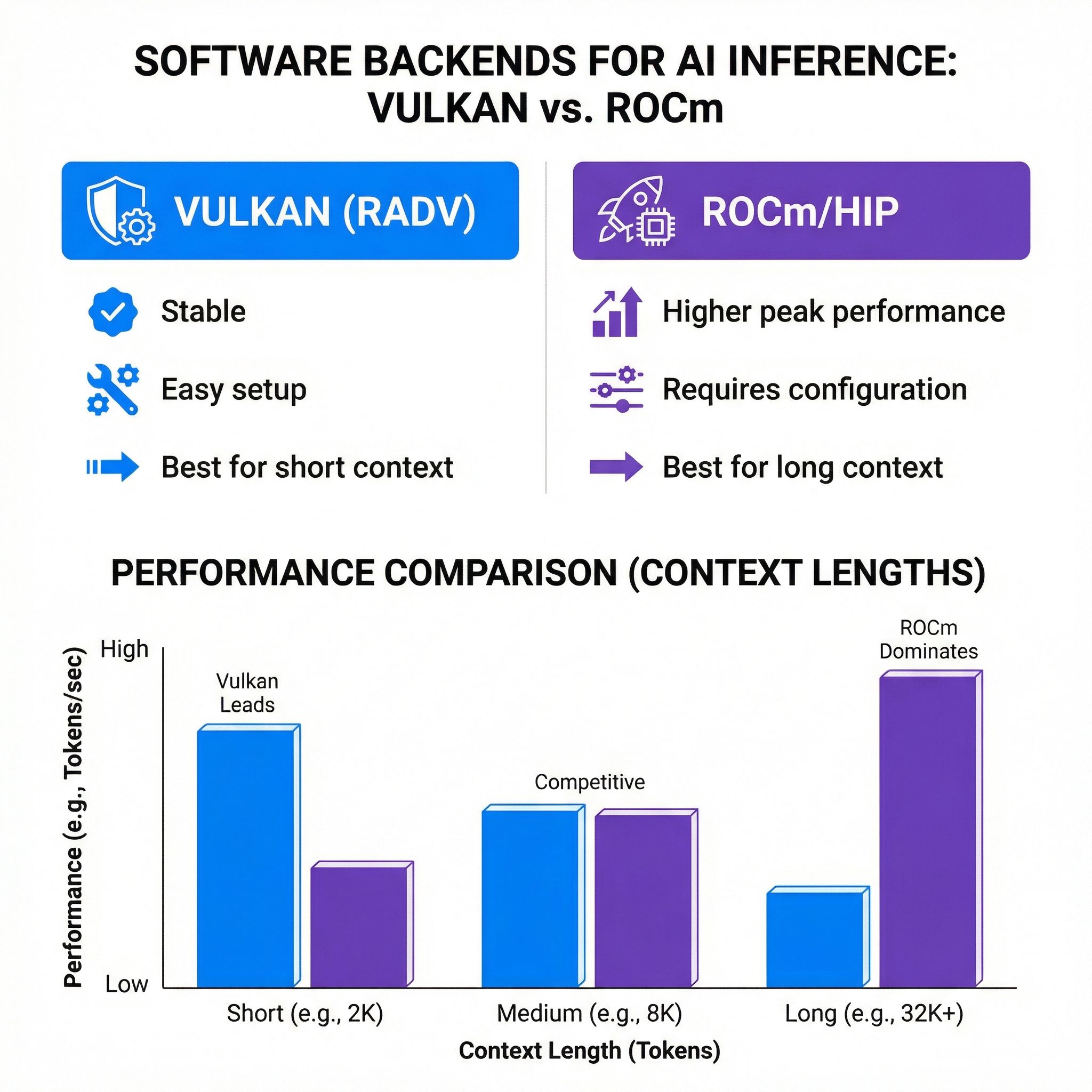
Here’s where things get complicated for anyone expecting a plug-and-play experience. AMD’s ROCm software stack has improved dramatically, but it’s still not CUDA. The performance you get from a Strix Halo system depends heavily on which software backend you use, and the optimal choice varies based on your specific workload and context length.
For general-purpose LLM chat, the Vulkan backend with the RADV driver delivers the best experience. It’s stable, well-tested, and provides consistent performance across different model types. The ROCm/HIP backend offers higher theoretical performance in some scenarios, but requires more setup and can be finicky with certain configurations.
The situation becomes more nuanced when you’re working with long context windows. Vulkan performance degrades significantly as context grows beyond 4,000 tokens, while a properly configured ROCm setup with Flash Attention maintains consistent performance even at 8,000+ tokens. If you’re building RAG pipelines or doing document analysis that requires long context, ROCm is worth the setup pain.
The practical reality is that most Strix Halo users end up running Fedora 42 or a recent Ubuntu distribution with the latest Mesa drivers, using llama.cpp with Vulkan for general use and switching to ROCm when they need long-context performance. This is more complexity than you’d deal with on an NVIDIA system, where CUDA just works, but it’s manageable for anyone willing to follow documentation and ask an AI assistant for help with configuration.
What You Can Actually Do
Let’s be concrete about the workloads where Strix Halo delivers genuine value. Running a local coding assistant with a 70B model like CodeLlama or DeepSeek Coder works well enough for the typical code-completion and explanation tasks, though you’ll notice the response latency more than you would with a cloud API. The experience is like having a patient, knowledgeable colleague who takes a moment to think before responding, rather than the instant responses you get from ChatGPT.
For those building RAG applications, the combination of large memory and reasonable inference speed makes Strix Halo genuinely practical. You can load a substantial model, keep a vector database in memory, and process queries without the orchestration complexity of multi-GPU setups or the latency penalties of cloud APIs. The Medium piece from Orami captures this well: for developers who need local LLM capability for privacy, cost control, or offline access, these systems finally deliver workstation-class capability.
Fine-tuning is another area where 128GB of unified memory provides real advantages. LoRA and QLoRA fine-tuning on 20-30B models is entirely practical, letting you customize models for specific domains or tasks without cloud compute costs. This was essentially impossible on consumer hardware before Strix Halo, and while it’s not as fast as training on an H100, it’s fast enough for experimentation and small-scale customization.
The honest limitation is throughput-intensive workloads. If you’re serving multiple concurrent users, processing large batches of documents, or running inference as part of a production pipeline, Strix Halo’s roughly 34-38 tok/s on smaller models and 5 tok/s on 70B models won’t compete with dedicated AI accelerators or cloud instances. This is a developer machine, not a server.
The NVIDIA DGX Spark Comparison
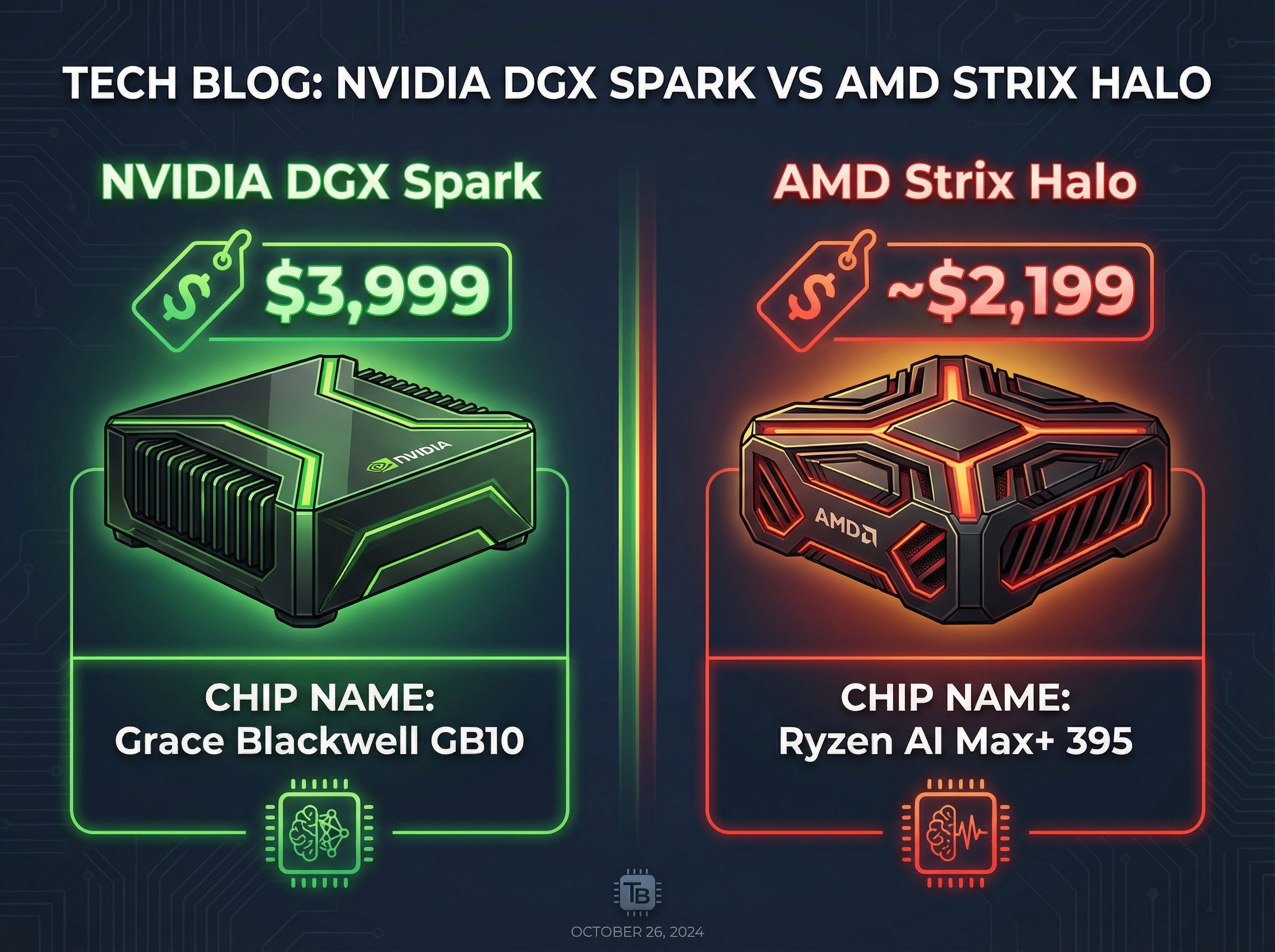
NVIDIA’s DGX Spark, priced at roughly twice the cost of comparable Strix Halo systems, offers an interesting comparison point. Both systems target local AI development with 128GB of unified memory, but they make very different tradeoffs.
The DGX Spark uses NVIDIA’s Grace Blackwell GB10 superchip with ARM cores, delivering dramatically better prompt processing performance: 1,723 tok/s versus Strix Halo’s 339 tok/s on initial context ingestion. If your workflow involves processing long documents or large codebases before generating responses, this difference matters significantly. The Spark also dominates in image generation workloads, pushing about 2.5x the performance of Strix Halo with FLUX models.
Token generation speeds, however, are surprisingly close. Both systems produce around 34-38 tok/s on 120B models, making the interactive chat experience nearly identical. For most users doing conversational AI work, the experience would be hard to distinguish.
The software ecosystem tilts heavily toward NVIDIA. DGX Spark comes with a curated AI development environment that just works, while Strix Halo requires more manual configuration and occasional troubleshooting. If your time is valuable and you want the smoothest possible experience, the DGX Spark’s premium might be worth it.
The practical recommendation depends on your situation. If you’re primarily doing interactive LLM work, want x86 compatibility for running Windows or standard Linux distributions, and don’t mind some software configuration, Strix Halo offers better value. If you need top-tier prompt processing for document-heavy workflows, want the most polished software experience, or plan to use NVIDIA-specific tools like CUDA, the DGX Spark justifies its premium for professional users.
Available Hardware Options
The Strix Halo mini PC market has matured considerably over the past year, with several compelling options at different price points. Your choice depends largely on form factor preferences, connectivity needs, and how much you value features like high-speed networking or enterprise support. If you’re already familiar with the MINISFORUM MS-01 or similar high-performance mini PCs, Strix Halo represents the next step up for AI-focused workloads.
MINISFORUM MS-S1 MAX
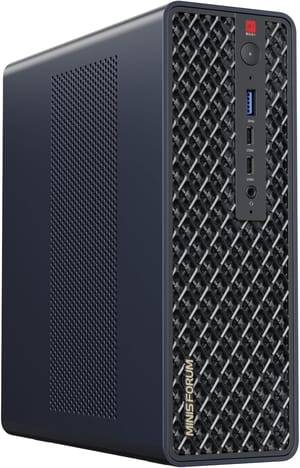
- +USB4 V2 80Gbps connectivity
- +Dual 10GbE networking
- +Built-in 320W PSU
- +PCIe x16 expansion slot
- -Premium pricing
- -RAM soldered (non-upgradeable)
- -Larger footprint than competitors
Beelink GTR9 Pro
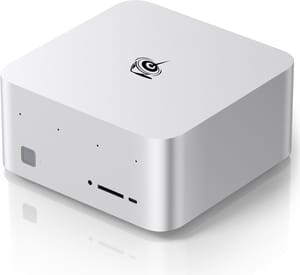
- +Competitive pricing
- +Dual Intel 10GbE controllers
- +WiFi 7
- +DisplayPort 2.1 for 8K output
- -RAM soldered (non-upgradeable)
- -Fan noise under sustained load
- -No PCIe expansion
HP Z2 Mini G1a
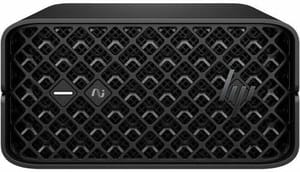
- +HP enterprise support and warranty
- +Thunderbolt 4 ports
- +Flex IO customization
- +ISV-certified for professional apps
- -Higher enterprise pricing
- -Mini DisplayPort only (no full-size HDMI)
- -2.5GbE instead of 10GbE
NIMO Mini PC AMD Ryzen AI Max+ 395
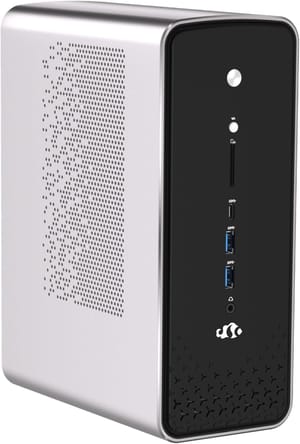
- +Compact 4L chassis
- +Three performance modes up to 120W
- +8-channel memory architecture
- +Up to 8TB storage
- -2.5GbE only (no 10GbE)
- -Single USB4 port
- -Less established brand
GMKtec EVO-X2
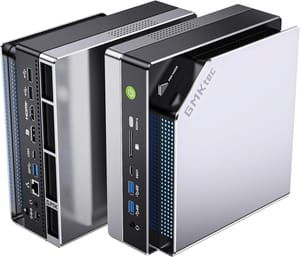
- +Multiple RAM configurations (64/96/128GB)
- +Quick-release SSD design
- +Quad 8K display support
- -Dual 2GbE (not 10GbE)
- -RAM soldered
- -Inconsistent availability
The Framework Desktop offers another value proposition with 64GB and 128GB configurations available. Framework’s emphasis on repairability and modularity appeals to those who want maximum flexibility, and the 4.5-liter chassis is notably compact. Linux support is excellent, with Framework actively contributing to driver development. For a broader look at available hardware, our mini PC comparison chart lets you filter models by the specs that matter for AI workloads.
The Total Cost Picture
Running the math on local LLM inference helps clarify when Strix Halo makes financial sense. Cloud API costs add up quickly for anyone doing substantial inference work. At $0.015 per thousand input tokens and $0.03 per thousand output tokens for a typical frontier model API, a developer running 10,000 tokens per hour of inference racks up roughly $15 per day, or $5,475 annually. Even with aggressive prompt caching and optimization, heavy users easily spend $2,000-3,000 per year on API costs.
A Strix Halo system typically pays for itself within the first year for anyone at that usage level, and every subsequent year represents pure savings. The electricity cost is negligible compared to the hardware investment, with the system drawing 120-140W under inference load. Maintenance and time investment exist, but for developers who value the privacy, latency, and experimentation freedom of local inference, the economics are compelling.
The calculation shifts for lighter users. If you’re only occasionally running local models or primarily using cloud APIs for production work, the upfront cost is harder to justify, especially with DRAM prices surging across the industry. The break-even point is roughly 2-3 hours of daily inference work, below which cloud APIs remain more cost-effective even ignoring the time cost of local setup and maintenance.
Who Should Actually Buy This
The ideal Strix Halo buyer is a developer or researcher who wants local LLM inference for privacy, cost control, or offline capability, and who doesn’t mind investing time in software configuration. You should be comfortable with Linux (distributions like Omarchy have made the experience more accessible), willing to troubleshoot occasional driver or backend issues, and patient with the 5 tok/s experience on larger models. If this describes you, Strix Halo offers genuine value that wasn’t available at any price point two years ago.
The worst-case Strix Halo buyer is someone expecting a plug-and-play ChatGPT replacement. The software ecosystem, while improving rapidly, still requires more hands-on attention than NVIDIA alternatives. If you’re not willing to learn about backends, quantization levels, and context management, you’ll find the experience frustrating regardless of how capable the hardware is. Developers looking for AI capabilities with less complexity are also exploring dedicated AI agent setups that use cloud APIs for inference while local hardware handles orchestration.
For those primarily interested in smaller models, 7B to 13B parameters, a more modest investment might serve you better. An N100 or N150 mini PC can run these models at acceptable speeds for a fraction of the cost, and the Mac Mini M4 offers another compelling option for those who prefer Apple’s ecosystem. Reserve Strix Halo’s substantial investment for users who genuinely need to run 30B, 70B, or larger models locally. For a mid-range option that bridges the gap, the MINISFORUM AI X1 Pro offers strong AI performance at a lower price point than full Strix Halo systems.
The local LLM landscape continues evolving rapidly. MoE architectures are improving inference efficiency, ROCm is catching up to CUDA, and community tooling gets better every month. Strix Halo represents the current state of the art for unified-memory local inference, and for the right user, it’s finally practical to run serious AI workloads on hardware that fits on a desk.

