
Acer Chromebase
Updated on

Released in mid-2015, the Acer Chromebase was one of the first all-in-one Chrome OS devices. The Chromebase is aimed at people who would enjoy an iMac but don’t have the budget to buy Apple hardware. It also works for computing in places with little space for lots of computer equipment, such as kitchens and nooks.
Acer chose the NVIDIA Tegra K1 processor for the Chromebase, which is a pretty powerful quad-core processor running at 2.1 Ghz. The screen is 21.5” but the active matrix TFT display doesn’t quite cut it in a market full of IPS displays (an issue they’ve resolved with the newer Acer Chromebase 24). One model also features a touchscreen and still keeps the price low at around $400.
Related Videos
Acer Chromebase Comparison Chart
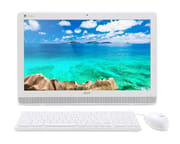 Acer Chromebase | Acer Chromebase | Acer Chromebase | |
| Price | List Price: $349.99 Amazon Prices: | List Price: $429.99 Amazon Prices: | List Price: $329.99 Amazon Prices: |
| Model number | DC221HQ cwmircz / UM.WD1AA.C01 | DC221HQ wmicz / UM.WD1AA.002 | DC221HQ BWMICZ / UM.WD1AA.B02 |
| Performance Rating | 2.1 | 2.1 | 2.1 |
| Chromebook Plus | No | No | No |
| Processor | Quad-core 2.10 Ghz NVIDIA Tegra K1 CD570M-A1 | Quad-core 2.10 Ghz NVIDIA Tegra K1 CD570M-A1 | Quad-core 2.10 Ghz NVIDIA Tegra K1 CD570M-A1 |
| RAM | 4 GB | 4 GB | 4 GB |
| Internal Storage | 16 GB SSD | 16 GB SSD | 16 GB SSD |
| Screen Size | 21.5" | 21.5" | 21.5" |
| Screen Resolution | 1920x1080 | 1920x1080 | 1920x1080 |
| Screen Type | LED Backlit Active Matrix TFT | LED Backlit Active Matrix TFT | LED Backlit Active Matrix TFT |
| Touch Screen | No | Yes | No |
| Stylus / Pen | No Stylus Support | No Stylus Support | No Stylus Support |
| Dimensions width x length x thickness | 20.9 x 14.1 x 1.8 inches (530.86 x 358.14 x 45.72 mm) | 20.9 x 14.1 x 1.8 inches (530.86 x 358.14 x 45.72 mm) | 20.9 x 14.1 x 1.8 inches (530.86 x 358.14 x 45.72 mm) |
| Weight | 7.46 lbs (3.39 kg) | 7.46 lbs (3.39 kg) | 7.46 lbs (3.39 kg) |
| Backlit Keyboard | No | No | No |
| Webcam | HD | HD | HD |
| WiFi | 802.11 a/b/g/n/ac | 802.11 a/b/g/n/ac | 802.11 a/b/g/n/ac |
| Bluetooth | Bluetooth 4.0 | Bluetooth 4.0 | Bluetooth 4.0 |
| Ethernet | Yes | Yes | Yes |
| Cellular Modem | No | No | No |
| HDMI | Full-Size HDMI | Full-Size HDMI | Full-Size HDMI |
| USB Ports | 2 USB 2.0, 1 USB 3 | 2 USB 2.0, 1 USB 3 | 2 USB 2.0, 1 USB 3 |
| Thunderbolt Ports | No | No | No |
| Card Reader | microSD Card Reader | microSD Card Reader | microSD Card Reader |
| Battery | No Battery | No Battery | No Battery |
| Battery Life | 0.0 hours | 0.0 hours | 0.0 hours |
| Fanless | No | No | No |
| Auto Update Expiration Date | August, 2020 | August, 2020 | August, 2020 |
Related Chromebooks
-
 Acer Chromebook 311 (AMD)The Acer Chromebook 311 (CB311-10H) is an 11.6-inch ChromeOS laptop on an AMD A4-9120C with 4GB of…
 -
 Acer Chromebook 315The Acer Chromebook 315 (CB315-4H) is a fanless 15.6-inch FHD IPS Chromebook with an Intel Celeron…
 -
 ASUS Chromebook C203XAThe ASUS Chromebook C203XA is a rugged 11.6-inch education laptop with a MediaTek MT8173C, an…
 -
 ASUS Chromebook C403The ASUS Chromebook C403 is a fanless 14-inch education Chromebook with an anti-glare 1366x768…
 -
 HP Chromebook 14 (AMD)The HP Chromebook 14 (AMD) is a fanless 14-inch Chromebook built on the AMD A4-9120C APU with…
 -
 HP Chromebook 14a (14a-nf series)The HP Chromebook 14a (14a-nf series) spans two tiers of the same chassis: an Amazon-exclusive…
A 21.5-inch all-in-one held back by 16GB of storage
The monitor and the computer sit in one unit on an adjustable stand, the same formula anyone who has used an iMac will recognize. The stand tilts through a 15 to 75-degree range, so the display works at a seated desk or a standing one. Plastic covers most of the chassis at this price, though the construction holds up well enough for a machine that stays on a desk instead of travelling in a bag.
The quad-core ARM-based Tegra K1 runs at 2.1GHz and stays smooth through browsing, email, document editing, and media playback. Open a large stack of tabs or several Android apps at once and it slows down, but ordinary office work does not push it that far. The 4GB of RAM suits that workload. The 16GB of internal storage is the tighter limit, and it bites anyone who wants local files or a big library of Android apps.
One USB 3.0 port takes high-speed peripherals, and two USB 2.0 ports cover a keyboard, a mouse, or whatever else stays plugged in. The HDMI port is an input, so the panel doubles as a screen for another machine. Wired networking runs over Ethernet, wireless over dual-band 802.11ac WiFi and Bluetooth 4.0. A microSD slot takes some pressure off the 16GB of storage for photos, documents, and offline media. The 21.5-inch 1080p display looks acceptable at this price, though color accuracy and contrast trail an IPS panel, most visibly from an angle.
Two 3-watt stereo speakers sit along the bottom edge. They carry a video call or background music, but anyone listening properly will want external speakers, and anyone exploring music production on a Chromebook needs better gear again. The HD webcam has enough resolution for Google Meet or Zoom in normal room lighting. On the touchscreen model, taps, swipes, and pinch-to-zoom register accurately in Chrome, and the sensor layer leaves a faint interference pattern on white backgrounds that most owners stop noticing. The machine suits a shared family space or a compact home office, where a small desk footprint and low maintenance count for more than processing power.
Reviewer Insights
TechAeris: 16GB of storage was the sticking point
Kyle Funk at TechAeris gave the Chromebase a score of 8.2 out of 10, calling it worth the price for budget-conscious shoppers. His review highlighted the responsive touchscreen functionality on the touch-enabled model, noting that “switching between opened applications is quick and easy” during his testing. Funk praised the display quality as “pretty good for only being 1080p” while acknowledging that viewing angles could diminish color accuracy. The adjustable stand earned particular appreciation for its flexibility and solid construction.
The TechAeris review emphasized that the Chromebase performs well for typical Chrome OS workflows including web browsing, productivity applications, and media consumption. Funk concluded that “for the price of $429.99, you cannot go wrong with this AIO desktop” for users who understand Chrome OS’s strengths and limitations. His primary criticism centered on the meager 16GB storage, suggesting that Acer should have included at least 32GB to provide adequate breathing room for local files and Android applications.
9to5Google found the bundled keyboard and mouse cheap
Cam Bunton at 9to5Google reviewed the touchscreen model and found it to be a solid budget option despite some notable compromises. His assessment characterized the build as “what you’d expect from a 21.5-inch desktop that costs well under $500 - meaning there’s a lot of plastic.” The review noted that while the plastic construction kept costs down, it also resulted in accessories that felt cheap, particularly the included keyboard with its “spongey” key feel and the mouse with an unresponsive scroll wheel.
Bunton praised the Chromebase’s value while being candid about performance limitations. He observed occasional sluggishness when multiple tabs were open but concluded that “for its price point though, it’s definitely fast enough” for Chrome OS’s intended use cases. The versatile kickstand with integrated cable management earned positive marks, as did the touchscreen’s responsiveness for navigation and pinch-to-zoom gestures. His final verdict characterized it as “a great all-round package especially when considering the initial outlay,” recommending it for users who prioritize affordability over premium build quality.
Bunton’s video review shows the port split: two USB 2.0 ports, HDMI, Ethernet, and power sit under a ledge on the back, while the SD card slot, the 3.5mm audio jack, and the single USB 3.0 port sit behind a plastic door that has to be pried off. He found contrast low, with blacks that “come off as more really dark gray,” though he called the viewing angles “great.” His unboxing of the DC221HQ shows what ships in the box: a wired USB keyboard with a number pad, a two-button optical mouse, an HDMI cable, and the power supply.
State of Tech: the wired peripherals use up the rear USB ports
Jerad of State of Tech tested the Chromebase as a home computer for his young children and found it loaded extra tabs and a browser game without lag. He described the speakers as “kind of nasally” with little bass, though “definitely perfect enough for browsing the web” and YouTube. He called the bundled keyboard “a little cheap” and the mouse “definitely cheap,” and pointed out that both are wired, so they take the two rear USB ports; the Chromebase has Bluetooth, and wireless replacements free those ports.
Chrome Unboxed: remote support kept a long-term owner going
An interview conducted by Robby Payne from Chrome Unboxed followed Genie, an 85-year-old user who relied on the device as her primary computer for over six years. Her daily usage included banking, managing investments through personal spreadsheets, writing letters in Google Docs, and video calling family members across the country. Despite the device’s age, Genie reported consistently fast performance with no noticeable delays or sluggishness.
The interview highlighted several qualities that made Chrome OS particularly suitable for senior users. Genie emphasized the complete absence of virus or malware concerns throughout her years of ownership, a stark contrast to her previous experiences with Windows computers. The integrated password management through Google Account proved invaluable for someone who described herself as “the world’s worst at passwords.” Perhaps most importantly, the Chrome Remote Desktop feature allowed family members to provide technical assistance from many miles away, enabling remote troubleshooting and support that reassured both Genie and her family. The large 21.5-inch display also proved essential for her limited eyesight, and the Chromebase’s form factor served accessibility needs that portable devices could not easily match.
Android Authority saw schools and libraries as the buyers
Edgar Cervantes at Android Authority offered a pragmatic assessment of the Chromebase at its retail launch, acknowledging the hardware quality while questioning broader market appeal. He characterized it as “one hell of a Chrome OS computer” with solid specifications including the Tegra K1 quad-core processor with Kepler graphics, 4GB of RAM, and the option between touch and non-touch configurations at $429.99 and $329.99 respectively.
However, Cervantes raised important questions about Chrome OS’s viability in the desktop market. His analysis questioned whether users might simply prefer docking a Chromebook to an external monitor rather than committing to a stationary all-in-one device. He identified the most likely buyers as educational institutions, libraries, and casual users who needed a simple, low-maintenance computing solution. While remaining noncommittal about whether the Chromebase would achieve widespread adoption, he acknowledged the touchscreen capability could prove useful for certain use cases and praised the competitive pricing that undercut traditional Windows all-in-one alternatives by a significant margin.
Past its last security update, with a supported successor
Software updates stopped in August 2020, so an original Chromebase now runs without security patches. It still boots and browses, which is a long run for hardware bought in 2015, but it is no longer a machine to sign in to a bank on. Anyone who wants the same desk setup with current software support should look at the Acer Chromebase 24, which pairs a newer display with newer internals.
If you are weighing your next Chrome OS device, our Chromebook Comparison Chart lets you sort and filter current models side by side to find the right fit.
Frequently Asked Questions
Is the original Acer Chromebase still receiving software updates?
No, the original Acer Chromebase reached its Auto Update Expiration (AUE) date in August 2020. This means it no longer receives Chrome OS updates, security patches, or new features from Google. While the device will continue to function, using it for tasks involving sensitive information is not recommended due to potential security vulnerabilities.
Can I upgrade the RAM or storage on the Acer Chromebase?
Neither the RAM nor the storage can be upgraded. The 4GB of RAM and the 16GB of internal storage are soldered to the motherboard, though the microSD card slot takes a card for extra photos, documents, and offline media files.
What is the difference between the touch and non-touch models?
The touchscreen model listed at $429.99 against $329.99 for a non-touch version. Both carry the same NVIDIA Tegra K1 processor, 4GB of RAM, and 16GB of storage. The touch model adds a capacitive 10-point overlay for tap, swipe, and pinch-to-zoom gestures, which helps with navigation and web browsing but leaves a slight visual interference pattern on white backgrounds.
Can the Acer Chromebase be used as an external monitor?
Yes. The HDMI port is an input, so the panel works as a 21.5-inch 1080p external monitor. A laptop, a games console, or any other HDMI source can drive it when the Chrome OS side is not in use.
Is the Acer Chromebase suitable for senior citizens or non-technical users?
One long-term owner interviewed by Chrome Unboxed used it daily for over six years. Chrome OS’s built-in security needs no antivirus, though this unit has had no patches since 2020, Google Account password management keeps sign-ins simple, and Chrome Remote Desktop lets family members help from another part of the country. The 21.5-inch display also reads more easily than a laptop screen for someone with limited eyesight.
What should I do if I still own an Acer Chromebase?
A working unit still handles web browsing and media for anything that does not involve personal data. Keep it away from banking and online shopping, since it no longer receives security updates. For Chrome OS on a desk with current software support, the Acer Chromebase 24 offers a larger display, an Intel processor, and a later update window.