
Acer Chromebook 11 N7
Updated on

Note: The Acer Chromebook 11 N7 reached its Auto Update Expiration (AUE) date in June 2022 and no longer receives Chrome OS updates. This page is maintained for historical reference and for owners researching hardware they still have on a shelf or in service.
The Acer Chromebook 11 N7 (CB311-7HT) was designed specifically for the education market, prioritizing durability over raw performance. Released in 2016, this 11.6-inch touchscreen Chromebook featured MIL-STD 810G military-grade certification, making it one of the most rugged budget Chromebooks available at the time. Pocket-lint described it as “one of the sturdiest laptops in the world at this price,” and that assessment held true throughout its lifecycle. The spill-resistant keyboard with a drainage system capable of handling up to 11 ounces of water made it particularly well-suited for classroom environments where accidents were inevitable.
Where the Chromebook 11 N7 fit in the 2016 K-12 rugged wave
The Chromebook 11 N7 arrived in the middle of a deliberate push by the major OEMs to harden 11.6-inch education Chromebooks for K-12 classrooms. Acer, Dell, Lenovo, HP, and Asus all shipped rugged 11-inch models within a roughly twelve-month window in 2016 and 2017, each with its own take on the same three ideas: a reinforced chassis that could survive desk-height drops, a spill-resistant keyboard with channels or membranes underneath, and rubberized bumpers around the lid so the device could be slid in and out of bags by 8-year-olds without immediate cosmetic damage. The N7 sat in the upper end of that group on build quality, and at the lower end on pricing flexibility: it shipped at $279.99 list, which placed it above the cheapest non-rugged classroom Chromebooks of the era but well below the convertible models with stylus support that Dell and HP were pushing as a premium option.
The C731 platform (Acer’s internal designation for the chassis) came in two main configurations across its lifetime. The base CB311-7H was non-touch, while the CB311-7HT covered on this page added the IPS touchscreen and shipped under the SKU CB311-7HT-C7EK / NX.GN4AA.001 in the United States. Both shared the same Intel Celeron N3060 (“Braswell”) processor, 4GB of soldered LPDDR3, 16GB of eMMC storage, and the same drop-rated chassis. The hardware was effectively frozen for the lifetime of the model, which is typical for education Chromebooks: districts placed multi-thousand-unit orders against a fixed SKU and Acer kept that SKU buildable for as long as the contract demanded.
Acer Chromebook 11 N7 Comparison Chart
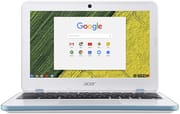 Acer Chromebook 11 N7 | |
| Price | List Price: $279.99 Amazon Prices: |
| Model number | CB311-7HT-C7EK / NX.GN4AA.001 |
| Performance Rating | 2.0 |
| Chromebook Plus | No |
| Processor | Dual-core 1.60 Ghz (max 2.48 Ghz) Intel Celeron Processor N3060 |
| RAM | 4 GB |
| Internal Storage | 16 GB |
| Screen Size | 11.6" |
| Screen Resolution | 1366x768 |
| Screen Type | IPS |
| Touch Screen | Yes |
| Stylus / Pen | No Stylus Support |
| Dimensions width x length x thickness | 11.65 x 7.83 x 0.71 inches (295.91 x 198.88 x 18.03 mm) |
| Weight | 2.43 lbs (1.1 kg) |
| Backlit Keyboard | No |
| Webcam | 1280x720 |
| WiFi | 802.11ac |
| Bluetooth | Bluetooth 4.2 |
| Ethernet | No |
| Cellular Modem | No |
| HDMI | Full-Size HDMI |
| USB Ports | 2 USB 3 |
| Thunderbolt Ports | No |
| Card Reader | SD / SDXC |
| Battery | 3 cell, 3980 mAh, Lithium-ion |
| Battery Life | 10.0 hours |
| Fanless | Yes |
| Auto Update Expiration Date | June, 2022 |
Related Chromebooks
-
 Acer Chromebook Spin 11 CP311The Acer Chromebook Spin 11 combines functionality and portability with its 11.6-inch touch IPS…
 -
 Acer Chromebook 311An 11.6-inch Chromebook with an Intel Celeron N4000, 4GB of RAM, a fanless chassis, and up to 10…
 -
 Lenovo Flex 3 ChromebookThe Lenovo Flex 3 Chromebook is a fanless 11.6-inch convertible with an IPS touchscreen, a MediaTek…
 -
 ASUS Chromebook Flip CR1The ASUS Chromebook Flip CR1 (CR1100FKA) is a rugged 11.6-inch education convertible on an Intel…
 -
 Samsung Chromebook Plus v2The Samsung Chromebook Plus v2 is a fanless 12.2-inch convertible Chromebook with an Intel Celeron…
 -
 ASUS Chromebook C203XAThe ASUS Chromebook C203XA is a rugged 11.6-inch education laptop with a MediaTek MT8173C, an…
Detailed insights into the Acer Chromebook 11 N7
The Chromebook 11 N7’s design philosophy centered on surviving the rigors of daily student use. The chassis was engineered to withstand drops from 48 inches, and the reinforced construction gave the device a reassuringly solid feel that belied its budget price point. While this rugged build added some weight at 2.43 pounds, it remained portable enough for students carrying it between classes throughout the day. The fanless design meant completely silent operation, eliminating the distraction of cooling fans spinning up during tests or quiet study periods. Connectivity included two USB 3.0 ports, HDMI, and an SD card slot, though schools needing wired network access had to use a USB Ethernet adapter. There is no USB-C on the chassis: charging uses a proprietary barrel connector, which is worth knowing if you are sourcing a replacement adapter today, because the original Acer charger is becoming harder to find new and the device will not negotiate power from a standard USB-C PD brick.
Performance was adequate for basic educational tasks, though the Intel Celeron N3060 processor showed its limitations with heavier workloads. As 9to5Google noted, “the C731 isn’t for content creators,” and media-heavy web pages could cause noticeable slowdowns. However, for Google Docs, research browsing, and educational web applications, the 4GB of RAM and dual-core processor handled the workload without significant issues. The 16GB of internal storage was limiting, but Chrome OS’s cloud-first approach meant most files lived in Google Drive anyway.
Battery life was consistently praised as one of the Chromebook 11 N7’s strongest features. Reviewers measured between 8.5 and 12 hours of real-world usage, with 9to5Google calling it “the highest point of the C731’s user experience.” This endurance meant students could leave their chargers at home, confident the Chromebook would last through a full school day. The 11.6-inch IPS touchscreen, while limited to 1366x768 resolution, provided adequate viewing angles for classroom use. However, multiple reviewers noted the display was dim and easily washed out in bright lighting conditions, a trade-off for the budget price point.
Reviewer Insights on the Acer Chromebook 11 N7
Laptop Mag’s Assessment
Laptop Mag awarded the Chromebook 11 N7 3.5 out of 5 stars, praising its durability credentials. “The Acer Chromebook 11 N7 earns high marks for its excellent battery life and durable frame,” they wrote. The review highlighted the innovative keyboard drainage system, noting “Not only is the Chromebook 11 N7 built to survive drops from 48 inches, but its keyboard is designed with a gutter system that can drain out spills of up to 11 ounces of water.” Their main criticisms focused on the dim display and heat buildup on the underside during extended use, common issues for this class of device.
Pocket-lint’s Perspective
Pocket-lint gave the N7 4 out of 5 stars, with particular praise for the typing experience. “The best part of the Acer Chromebook 11 N7 is the typing experience. The ultra rigid insides and frankly brilliant-for-the-price keys make this one of the best typing experiences you can have in a £200-odd ultraportable.” They recommended it for “those who’d rather have a laptop that feels hard as nails rather than looks that tell those nearby it’s worth nicking.” The review noted that battery life fell short of Acer’s 13-hour claim at around 8.5 hours in testing, and the lack of USB-C was already becoming a limitation even in 2017.
9to5Google’s Take
9to5Google’s comprehensive review focused on the student use case, noting “For the busy student who constantly runs between classes and is comfortable working off of Google Docs…there’s a certain peace of mind that comes with a tough and rugged laptop that you can throw around, even in the rain.” They found battery life to be 10-12 hours per charge. Criticisms included poor speaker quality from the bottom-mounted drivers, trackpad sensitivity issues with two-finger right-clicks, and the proprietary charging cable that couldn’t be replaced with a standard USB connection.
Owning a Chromebook 11 N7 after Auto Update Expiration
Past AUE means three concrete things on this device. First, the ChromeOS version is frozen at the last build Acer and Google released for the C731 platform in 2022; no further security patches, browser engine updates, or feature releases will arrive over the air. Second, web sites that target modern browsers will increasingly refuse to load or render correctly, because the frozen Chrome version is now several years behind the current release train. Third, Google Workspace for Education admin consoles flag AUE devices in inventory reports, which is why most school districts have already deprovisioned and surplused their N7 fleets; if you are reading this with an N7 in your hands, it almost certainly came out of one of those surplus auctions.
For owners keeping the device, the safest residual use case is offline or single-purpose: a kitchen recipe display, a dedicated kid’s drawing pad for an art app pinned to the shelf, a typing-only writing machine, or a connected screen for a stationary camera feed. Treat the browser as untrusted for anything involving a password you reuse elsewhere. The hardware itself, particularly the keyboard and the rugged chassis, has years left in it; the limitation is software, not silicon.
For owners willing to wipe the device, the C731 belongs to the Acer “edgar” baseboard family, which has community firmware support through the Mr. Chromebox project, and several lightweight Linux distributions install cleanly on it once the write-protect screw is removed. The 4GB of RAM and 16GB of eMMC are the hard ceiling: a full GNOME or KDE desktop will be uncomfortable, but Xfce, LXQt, and elementary OS run well, and the touchscreen continues to work with the standard libinput stack. If a Linux conversion sounds out of scope, the device is also a candidate for the patterns described in our old Chromebook home server and ChromeOS Flex revival write-ups, with the caveat that ChromeOS Flex officially does not target ex-Chromebook hardware and is not a supported path back to a managed device. Owners who would rather not deal with any of that, and for whom the device has reached the end of its useful life, should recycle it through the manufacturer take-back program rather than landfill, a point we make at length in Chromebook e-waste and planned obsolescence.
Frequently asked questions
Does the Acer Chromebook 11 N7 still get ChromeOS updates?
No. The Auto Update Expiration date for the Chromebook 11 N7 (C731 / CB311-7HT) was June 2022. Google and Acer no longer ship operating system or browser security patches for it, and the device will stay on whatever ChromeOS milestone it received last.
Can I install Linux on the Acer Chromebook 11 N7?
Yes, with caveats. The C731 belongs to the “edgar” baseboard family that the Mr. Chromebox community firmware project supports, so flashing custom firmware and installing a lightweight Linux distribution is possible. Plan for Xfce or LXQt rather than GNOME or KDE: the 4GB of RAM and dual-core Celeron N3060 will struggle with a heavy desktop. The procedure requires opening the bottom cover to remove a write-protect screw and is not reversible to a fully-managed ChromeOS state.
Is the Chromebook 11 N7 safe to use for banking or email today?
Treat it as untrusted for anything sensitive. The browser engine is frozen at the last ChromeOS milestone Acer shipped, which means it no longer receives security patches against current vulnerabilities. For offline work or single-purpose use it is fine; for shared-credential web sessions, use a current device.
Conclusion
The Acer Chromebook 11 N7 served its intended purpose well as a durable, affordable education device during its active support period. Its military-grade construction, excellent battery life, and quality keyboard made it a practical choice for schools and students who valued reliability over advanced features. The compromises in display quality and processing power were acceptable trade-offs for a device designed to survive years of classroom abuse. While it no longer receives updates and is not recommended for purchase, the N7 demonstrated that budget Chromebooks could be both affordable and built to last, influencing subsequent generations of education-focused devices from Acer and other manufacturers. The hardware still has life left in it for owners who can live within the post-AUE constraints; the C731 chassis was overbuilt for its price and will likely outlast the software ecosystem that ran on it.