
Acer Chromebook 15 CB315
Updated on

The Acer Chromebook 15 CB315 (CB315-1HT) is a 2018-vintage 15.6-inch Chromebook with an Auto Update Expiration date of June 2027, so a unit still in service keeps receiving official ChromeOS security patches until then. The hardware is an Intel Celeron N3350 “Apollo Lake” paired with 4GB of LPDDR4 and 64GB of eMMC, a 1920x1080 IPS touchscreen, a full-size keyboard with a dedicated numeric keypad, two USB-C ports (with DisplayPort and charging) alongside two USB 3.0 Type-A ports, and a fanless plastic chassis. It launched at $279.99, and this page is written for owners of the units already in the field.
| Pros | Cons |
|---|---|
| Large touchscreen for the era: 15.6-inch 1920x1080 IPS touch panel, rare in 2018 budget Chromebooks. | N3350 is slow by 2026 standards: Two cores, two threads, no SMT; multi-tab browsing or Android apps stutter. |
| Fanless, silent: Apollo Lake’s 6W TDP runs cool enough for a fanless design, so there is no fan noise under load. | 4GB RAM ceiling: Soldered LPDDR4, no upgrade path, and ChromeOS plus a handful of tabs eats it quickly. |
| Full keyboard with numeric keypad: Useful for spreadsheet work, uncommon on a Chromebook. | Weak speakers and 720p webcam: Both drew complaints in Now & Then Tech’s review. |
| Solid port loadout: 2x USB-C with DisplayPort and charging, 2x USB 3.0 Type-A, microSD reader. | AUE runs out June 2027: ChromeOS feature updates stop after that date; security patches end too. |
Related Videos
Acer Chromebook 15 CB315 Comparison Chart
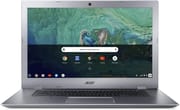 Acer Chromebook 15 CB315 | |
| Price | List Price: $279.99 Amazon Prices: |
| Model number | CB315-1HT-C4RY / NX.H09AA.002 |
| Performance Rating | 2.3 |
| Chromebook Plus | No |
| Processor | Dual-core 1.10 Ghz (max 2.40 Ghz) Intel Celeron N3350 |
| RAM | 4 GB |
| Internal Storage | 64 GB eMMC |
| Screen Size | 15.6" |
| Screen Resolution | 1920x1080 |
| Screen Type | IPS |
| Touch Screen | Yes |
| Stylus / Pen | No Stylus Support |
| Dimensions width x length x thickness | 15 x 10.1 x 0.79 inches (381 x 256.54 x 20.07 mm) |
| Weight | 3.97 lbs (1.8 kg) |
| Backlit Keyboard | No |
| Webcam | 1280x720 |
| WiFi | 802.11 a/b/g/n/ac |
| Bluetooth | Bluetooth 4.0 |
| Ethernet | No |
| Cellular Modem | No |
| HDMI | No HDMI |
| USB Ports | 2 USB 3, 2 USB-C (with DisplayPort and charging) |
| Thunderbolt Ports | No |
| Card Reader | microSD Card Reader |
| Battery | 3 cell, 4670 mAh, Lithium Ion |
| Battery Life | 10.0 hours |
| Fanless | Yes |
| Auto Update Expiration Date | June, 2027 |
Related Chromebooks
-
 Acer Chromebook 15The Acer Chromebook 15 stands out with a 15.6" FHD IPS touch display, backlit keyboard, and up to…
 -
 Acer Chromebook 315The Acer Chromebook 315 (CB315-4H) is a fanless 15.6-inch FHD IPS Chromebook with an Intel Celeron…
 -
 ASUS Chromebook C523The ASUS Chromebook C523 is a fanless 15.6-inch Chromebook with an anti-glare display, an Intel…
 -
 Lenovo Flex 3 ChromebookThe Lenovo Flex 3 Chromebook is a fanless 11.6-inch convertible with an IPS touchscreen, a MediaTek…
 -
 Samsung Chromebook Plus v2The Samsung Chromebook Plus v2 is a fanless 12.2-inch convertible Chromebook with an Intel Celeron…
 -
 Samsung Chromebook 4+The Samsung Chromebook 4+ is a fanless 15.6-inch FHD Chromebook with an Intel Celeron N4000, dual…
A slow dual-core carrying a panel that aged well
Acer released the CB315-1H (non-touch) and CB315-1HT (touch) in mid-2018 as the budget half of its 15.6-inch Chromebook line. The premium half, the CB515-1HT, used a Pentium N4200 and a brushed-aluminum chassis at around $399. The touch model sat one tier down, with an Intel Celeron N3350, a plastic body, and an MSRP of $279.99. Both shared the 15.6-inch Full HD IPS panel and the same fanless thermal approach, and the cheaper configuration was aimed at price-sensitive students and libraries.
The Celeron N3350 is a 14nm dual-core Apollo Lake part with a 1.1 GHz base and a 2.4 GHz burst clock, two cores, two threads, and a 6W SDP. That is enough silicon to drive Chrome, render a small handful of tabs, and play YouTube, but it does not keep up with the way ChromeOS has evolved since 2018. PWAs, Android apps, and the optional Linux container all assume more memory and more cores than the N3350 supplies. Against a modern N100 or N150 the deficit is large; an N100 has four cores at roughly three times the multi-thread throughput.
The display aged better than the silicon. A 1920x1080 IPS panel was already above class in 2018, when most budget Chromebooks still shipped 1366x768 TN screens, and it remains the right resolution for a 15.6-inch laptop. The matte finish cuts glare in fluorescent-lit rooms, and IPS viewing angles hold up where a TN equivalent falls off.
Reviewer Insights
Editorial coverage of the CB315-1HT in 2018 was thin, with most press attention going to the aluminum CB515-1HT sibling. The video reviews below cover this configuration directly.
Now & Then Tech framed it as a step up from smaller Chromebooks rather than a competitor to a real laptop. The reviewer called out the size and keyboard as the central wins: “it’s a 15.6 inch Chromebook, much larger display, and in fact now comes with a full keyboard as well, which is sick.” The closing recommendation carried a condition: “for those looking for a new Chromebook or looking for a Chromebook just larger in size, this should be a good default.” The reviewer dismissed the front-facing camera as poor for video calls and said of the speakers, “sound output is not great at all.” The same review flags a slight groove in the bezel around the touchscreen that makes hitting the very corners of the panel awkward when closing a window with a finger.
Milo B. reviewed it after longer-term use. The display draws the strongest praise: “the colors pop, it gets very bright, and this is also a touchscreen, which is quite amazing to see on the screen this size.” The port layout lands well too: “whenever I see two USB-C, two USB Type-A, I’m happy; I don’t need anything more.” On the trackpad, historically a weak point on budget Chromebooks: “the trackpad is actually better than most of the other ones I’ve used.” That video is light on cons, and the reviewer says there is not much they want to complain about for the price, so it covers the screen and ports in more depth than the performance limits.
A stay-put 15.6-inch frame with a number pad and two USB-C ports
At 3.97 pounds, a 15-inch width, and a 0.79-inch profile, the CB315-1HT is heavier than most 13-inch laptops and roughly the size of a budget consumer laptop from the same year. Acer used the space it bought: the full-size keyboard includes a dedicated numeric keypad, the speakers are top-firing grilles flanking the keys, and the trackpad sits below an island keyboard layout.
Port-wise the loadout is good for a 2018 budget Chromebook. The two USB-C ports both support charging and DisplayPort output, which means a single dock or hub can drive an external monitor and provide power, leaving the two USB 3.0 Type-A ports free for legacy peripherals. A microSD reader sits on the right edge, useful for both transferring photos and (in a pinch) expanding the otherwise modest 64GB of eMMC storage. The omissions, which were standard for the budget tier at the time, are HDMI (handled instead via USB-C DisplayPort), an Ethernet jack (which a USB ethernet adapter can substitute for), and a backlit keyboard. WiFi is 802.11ac, which still works on every consumer router shipping today, and Bluetooth is the older 4.0 spec.
The fanless design has held up well over the years. With no fan to clog with dust or wear out, there is one less mechanical part to fail on a machine of this vintage; the common failure mode on an aging N3350 Chromebook is the battery, not the cooling system. Silent operation also suits the fixed-location roles this machine now fills.
Best kept as a fixed-location ChromeOS terminal
An existing CB315-1HT works today as a guest computer in a family room, a kitchen-counter unit for recipes and music, a workshop machine for parts lookups and YouTube tutorials, or a checkout-and-email station at a small organization. The numeric keypad suits any task that involves entering numbers (basic bookkeeping, inventory, grading), and the large touchscreen handles casual web browsing and video playback.
Where it falls short is anywhere the workload involves more than a small handful of Chrome tabs or any meaningful Android app activity. Modern web apps assume more memory and more CPU than the N3350 and 4GB of RAM can supply; the “4GB Chromebook trap” article goes into detail on why that ceiling now bites harder than it did in 2018, even on lightweight Chrome OS. Linux container workloads (Crouton-style or the official Linux beta) are technically supported, but the hardware will struggle visibly with any real Linux desktop session.
The N3350 also lacks the AV1 and modern VP9 acceleration that newer Chromebooks use to play 1080p YouTube and Netflix at low CPU load. In practice this means a single 1080p video plays cleanly, but multiple streams or browser tabs running video at once will warm the chassis and slow the rest of the UI noticeably.
Official ChromeOS updates stop in June 2027
Google lists the CB315-1H and CB315-1HT family under entry 22 of the Chrome Enterprise auto-update policy with an Auto Update Expiration of June 2027 and the extended-support flag set. After that date the unit keeps running, but it stops receiving new ChromeOS builds, so over time web apps will start to fail and the browser will fall behind upstream security fixes.
That date sets the planning horizon for anyone using one now. While the device is still inside its update window it serves as a secondary machine, and afterwards it becomes a candidate for ChromeOS Flex or a Linux conversion, if the hardware itself remains in good condition. Neither path is a perfect substitute for a current ChromeOS device, but both extend the useful life by years.
If you are weighing this machine against current models, our Chromebook Comparison Chart lets you sort and filter the full catalog by specs and price.