

Every week on r/chromeos, the same post appears with a different username attached. Someone bought a Chromebook for $179, opened a few tabs, maybe tried the Gemini sidebar or installed an Android app, and now wants to know why the thing feels like it is wading through mud. The answer, almost every time, is 4GB of RAM. Recent threads with titles like “Is there any way to speed up a Chromebook?” and “4gb chromebook for browsing” collect the same near-unanimous verdict in the replies.
Budget Chromebooks serve a real purpose, and plenty of buyers need a $200 laptop that handles Google Docs and email. The problem is that ChromeOS in 2026 does more than it did in 2020, the browser is heavier, and features like the Gemini AI sidebar require hardware that 4GB machines do not have. If you are shopping for a Chromebook on a budget right now, you can find one under $200. Nearly every model in that price range ships with 4GB of RAM, which is the spec that stops keeping up.
ChromeOS and Chrome Leave 1 to 2GB Free on a 4GB Chromebook
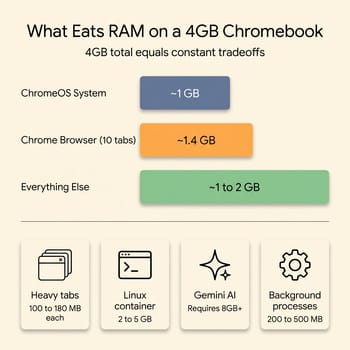
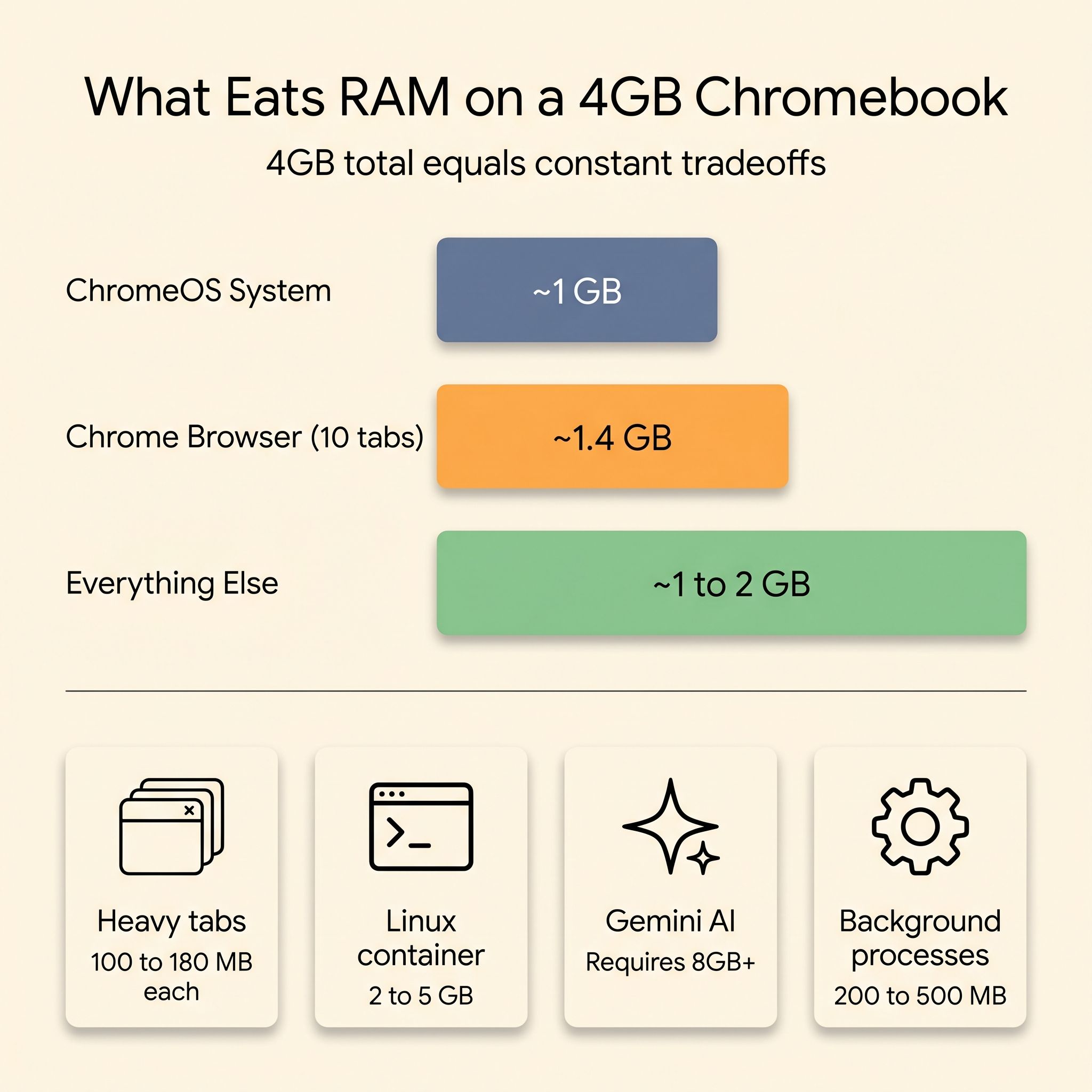
ChromeOS is not a lightweight operating system anymore. The OS itself claims roughly a gigabyte of RAM before you open a single tab. According to About Chromebooks’ 2026 RAM usage data, launching Chrome 140 with ten tabs open (a mix of Gmail, a Google Doc, a YouTube video, a news site, and some shopping pages) puts the browser at roughly 1.4GB, down about 22% from Chrome 135. Google’s separate Memory Saver feature further reduces inactive-tab RAM by up to 80%. On a 4GB device, that arithmetic leaves you somewhere in the neighborhood of 1 to 2GB of free memory for everything else: Android apps, the Linux container, system processes, and whatever feature Google ships next quarter.
Each additional complex tab (YouTube, Gmail, Google Docs) can consume 100 to 180MB on its own. Background Android apps claim their share. And zRAM compression, the trick ChromeOS uses to effectively stretch your physical RAM by compressing inactive pages, turns 4GB into something closer to 5 or 6GB of effective capacity, which buys time but not enough of it once you move beyond light browsing.
A reviewer testing the Lenovo 100e Chromebook put the practical limit plainly: “browsing with 5-7 tabs feels pretty snappy,” but if you go beyond eight tabs or try running heavy apps, “it starts to hiccup.” That eight-tab wall is the 4GB experience in 2026. It is workable for a narrow set of tasks and frustrating for everything else.
What Breaks at the 4GB Memory Ceiling
Gemini Requires 8GB, and Linux Alone Can Claim 5GB
The Gemini AI sidebar, Google’s flagship AI feature for ChromeOS, requires Chromebook Plus certification, which mandates a minimum of 8GB of RAM. Every 4GB Chromebook on the market is excluded from this tier by hardware specification. You cannot access the Gemini Auto Browse feature or the AI-powered writing tools that Google showcased at its 2025 education events. If AI features are part of why you are considering a Chromebook, 4GB takes them off the table.
ChromeOS’s Linux container (Crostini) runs desktop Linux software for developers and students learning to code. But the container itself is a virtual machine that reserves memory. On an 8GB Chromebook, users have reported the Linux container consuming 5GB of RAM by default. On a 4GB device, enabling Linux effectively leaves nothing for Chrome tabs. The experience ranges from sluggish to unusable. Android Police’s 2020 review of a 4GB Acer Chromebook Spin 311 put it this way: “4GB of RAM isn’t enough for my occasional heavy Linux use.”
Android Apps and Heavy Tab Sessions Run Out of Memory
The HP Chromebook 11a, a typical 4GB budget Chromebook, scored 3 fps in GFXBench’s high-level test, effectively unplayable for any graphically demanding Android game. Even productivity-oriented Android apps that run alongside Chrome tabs contribute to memory pressure. The same review projected that the device “should be able to work effectively while 15 Chrome tabs and a YouTube video are running concurrently,” a spec-sheet estimate well above the eight-tab ceiling hands-on testers report, and even then it conceded that “switching between the Chrome tabs and video might cause the performance of the laptop to reduce a bit.”
If your typical session involves a video call in one tab, a shared Google Doc in another, Slack or Discord in a third, and a handful of reference tabs open alongside them, you are describing a workload that routinely exceeds what 4GB can handle without aggressive tab discarding. ChromeOS will silently kill background tabs to free memory, which means reloading them from scratch when you switch back.
ChromeOS Tries to Help, but Hardware Has Limits
Google has invested heavily in software that makes ChromeOS work within tight memory constraints. The out-of-memory design uses a “double-wall” approach: a soft wall that proactively closes low-priority tabs before memory runs out, and a hard wall where the kernel’s OOM killer steps in as a last resort. Chrome 140’s Memory Saver feature aggressively suspends tabs you have not used recently and reclaims most of their footprint. zRAM compression stretches physical memory further. Those optimizations are why a 2026 Chromebook with 4GB runs noticeably better than a 2020 model with the same spec.
But optimization cannot overcome arithmetic. When the OS, the browser, and your workload together need more than 4GB of effective memory, the system’s only option is to throw things overboard. Tabs reload, Android apps restart, and the Linux container fights for scraps. You can feel the machine making tradeoffs, and the tradeoffs always cost you time. The reviewer at New Edge Times, testing the brand-new 2026 Acer Chromebook Spin 311 with a MediaTek Kompanio 540 processor and 4GB of RAM, put it this way: “4GB of RAM is low in 2025”, and that assessment was generous, written before ChromeOS shipped additional AI features that further raise the memory floor.
The Googlebook Migration Requires 8GB of RAM
On May 12, 2026, Google officially announced Googlebook, a new category of laptops built on the Android-based platform that has been circulating under the Aluminium OS codename. Existing Chromebooks with modern specs are expected to be eligible for migration to the new platform, and Google has committed to publishing an official list of “migratable platforms” before the fall 2026 launch.
Our Aluminium OS compatibility guide lays out the requirements: a recent processor, at least 8GB of RAM, and 128GB or more of storage. That hardware floor excludes every 4GB Chromebook on the market. The Chromebook Plus 8GB minimum is now doing double duty as the Googlebook entry ticket. A 4GB Chromebook bought today will continue to receive security updates through its Auto Update Expiration date, but it will not move to the Gemini-native Googlebook platform that the rest of the lineup is heading toward.
If the Googlebook features that Google demoed at I/O turn out to matter, and the company is betting an entire product category on them, 4GB buyers will not get them. A 4GB purchase in 2026 also decides which platform the machine ends up on: the one Google is investing in, or the one it has parked in maintenance mode.
Where a 4GB Chromebook Still Makes Sense
Single-purpose use fits inside the 4GB envelope. A third-grader who uses Google Classroom, watches educational videos, and types book reports is not going to hit the memory wall. A kitchen computer for recipes and streaming music will be fine. A dedicated device for a grandparent who checks email and reads news is not going to hit it either.
The trap is buying a 4GB Chromebook expecting it to grow with you, expecting to install Linux one day, or run Android apps, or open more than eight tabs without the machine gasping. If your needs might expand beyond basic browsing within the device’s lifespan, 4GB will disappoint.
School IT administrators buying fleets hit the same 4GB ceiling on every device they order. National-scale programs like Japan’s GIGA School Chromebook rollout show how a single RAM decision multiplied across millions of devices decides whether a fleet lasts its full update window or gets refreshed early. A fleet of 4GB devices works if the fleet is managed to stay within the 4GB envelope: locked-down browsers, no Linux container, no Android apps beyond the curated education set. But if the district’s technology plan calls for coding classes, AI-assisted learning, or student freedom to explore, 4GB devices will become pain points faster than their Auto Update Expiration dates arrive. The $50 to $75 per-device premium for 8GB works out to $25,000 to $37,500 on a 500-device fleet. But early refresh cycles cost more, and the rising price of DRAM in 2026 means the gap between 4GB and 8GB is widening, not shrinking. Buying 4GB now to save money may mean paying more later when those devices need to be replaced sooner.
What to Buy Instead
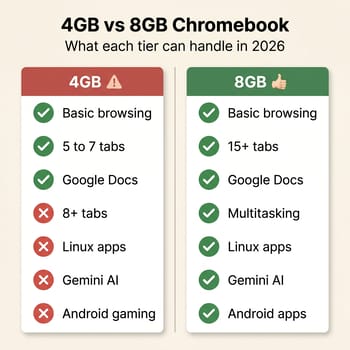
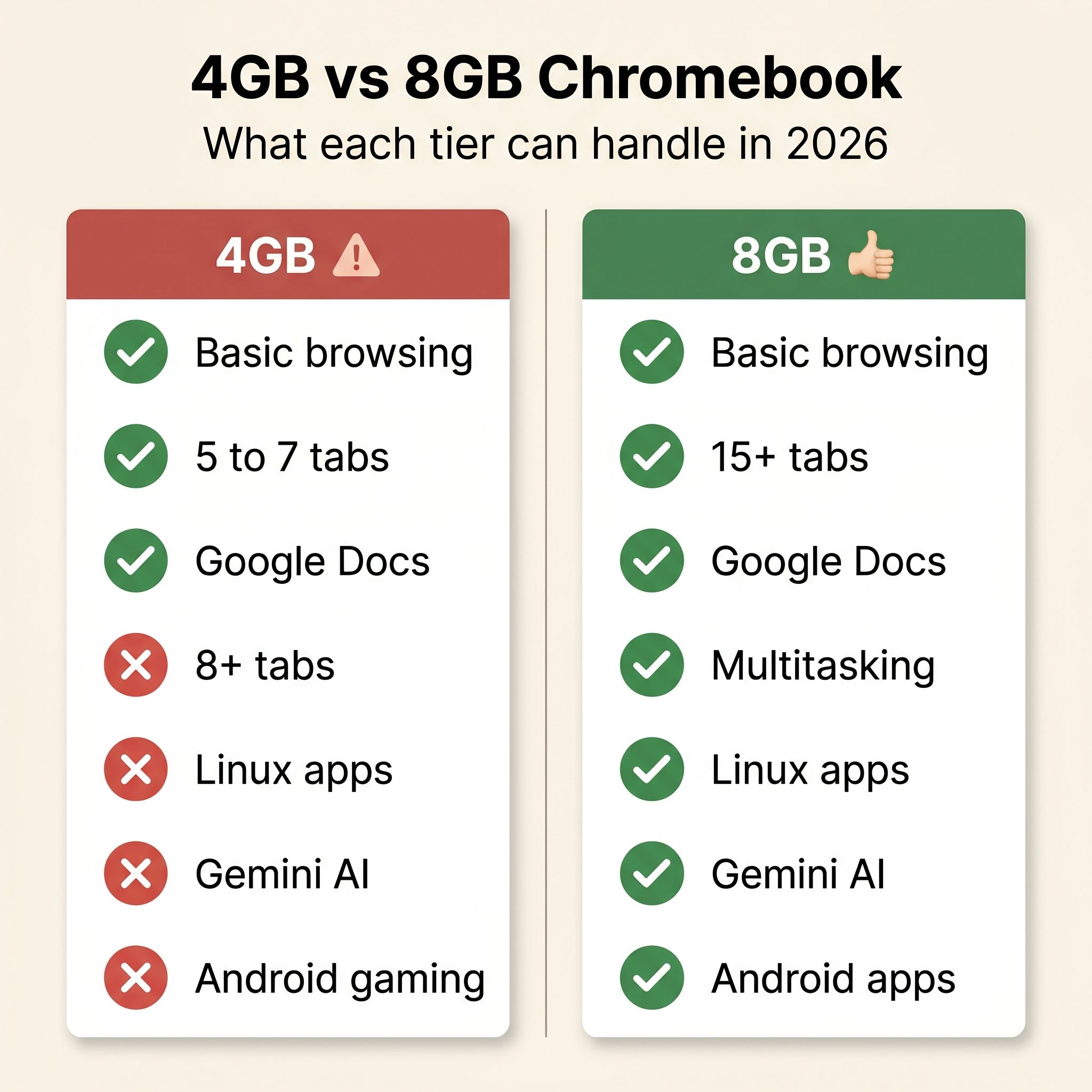
Eight gigabytes is the practical minimum for a Chromebook that will serve you well through 2026. It is the floor for Chromebook Plus certification and the AI features that ride on it, and the point where ChromeOS stops making painful tradeoffs with your tabs.
8GB Chromebooks are not exclusively expensive. The HP Chromebook 14a with Intel N100 in its 8GB/128GB configuration lists at $229 and is the top pick in our best Chromebook under $300 roundup. It carries an Intel N100 processor and an Auto Update Expiration date in June 2033, giving you years of software support ahead.
If those prices stretch your budget, the refurbished market offers a middle path. Last-generation Chromebook Plus devices with 8GB turn up on Amazon Renewed and manufacturer refurbishment programs at a discount off the new price. Because the performance gap between the outgoing DDR4 generation and the newer DDR5 standard is negligible for web-based workloads, these refurbished laptops deliver the same functional experience as new models for less money.
RAM is not the only spec that surprises buyers at the budget tier; storage has its own version of the same problem, and our 64GB Chromebook storage trap walks through the math on what 64GB actually delivers after ChromeOS takes its cut.
Before you shop our best Chromebook under $200 list, understand that nearly every model in that price range ships with 4GB of RAM. That roundup is a strong list if you know exactly what you are getting and your needs fit inside the 4GB envelope. But if there is any chance your workload will grow beyond basic browsing, spend the extra $50 to $75 for 8GB.
If you already own a 4GB Chromebook with a dying battery, the battery repair vs. new Chromebook calculus depends on how many years of updates the device has left.
To sort through all the 8GB and Chromebook Plus options side by side, the Chromebook Comparison Chart lets you filter by RAM, storage, and processor in one place.
Frequently Asked Questions
Is a Chromebook with 4GB of RAM good in 2026?
ChromeOS claims about a gigabyte of the 4GB before you open a single tab, and ten tabs in Chrome add roughly 1.4GB. That leaves 1 to 2GB for Android apps, the Linux container, and everything else. Reviewers testing 4GB models hit a wall around eight tabs, so email, Docs, and light browsing are comfortable and Linux is not.
Which is better for a Chromebook, 4GB or 8GB?
8GB, for about $50 to $75 more per device. Chromebook Plus certification requires it, the Gemini AI features ride on it, Google lists it as the minimum for migrating to the new Googlebook platform, and it is where ChromeOS stops discarding your tabs to free memory.
Is a 4GB Chromebook enough for students?
For Google Classroom, educational videos, and book reports, yes. Coursework that calls for the Linux container, Android apps, or AI-assisted tools needs 8GB.


