

Google has been steadily layering AI features onto Chromebook Plus since the program launched, and the January 2026 Chrome update added one that operates the browser. Auto browse, powered by Gemini, is an agentic feature that takes control of your browser, opens tabs, clicks buttons, fills in forms, and navigates websites on your behalf. It works alongside the Gemini sidebar that arrived with ChromeOS 144, which answers questions about the page you are reading.
Auto browse isn’t free. It requires a Google AI Pro plan at $19.99 per month or an AI Ultra plan, and AI Pro is limited to 20 agentic tasks per day. For Chromebook Plus owners who already paid a premium for their hardware partly because of AI features, that is a monthly fee on top of the hardware premium, for what amounts to a browser that does your clicking for you.
Google’s auto browse help page lists firm requirements: you must be 18 or over, in the US, signed in to Chrome with a personal Google account (school accounts are excluded), and using a device set to English.
Gemini Spark Can Now Use Auto Browse Too
Gemini Spark is Google’s personal agent for multi-step tasks. On July 30, 2026, Google announced that Spark can use your logged-in accounts and saved passwords in Chrome to handle web errands, starting in the US. 9to5Google reported that Spark previously worked through a remote web browser and now drives desktop Chrome on your own device, using the auto browse feature that first shipped in Gemini in Chrome in January.
Spark can still pick either browser. Of the places Spark runs, only desktop Chrome lets it use auto browse, according to Google’s help page. A Spark task in your local Chrome has access to the same sites you do, including sites you’re signed into, but the device and Chrome must stay awake and running until it finishes. A task in the remote browser keeps going after you close the laptop. The first time Spark needs to browse on a device, Chrome asks for permission to connect to Spark, and Spark then asks for confirmation before each browsing task.
Google has not said whether Spark can drive Chrome on ChromeOS. The Gemini Spark help page lists Spark as “only available in the Gemini mobile app, the Gemini app on Mac, and the Gemini web app at gemini.google.com.” Auto browse in the Gemini sidebar does not depend on Spark: Google’s Chromebook Plus help page lists Gemini in Chrome for Chromebook Plus, carries a “Let Gemini browse for you” permission, and notes that users under 18 can’t use auto browse.
Auto Browse Runs Tasks in a Background Tab
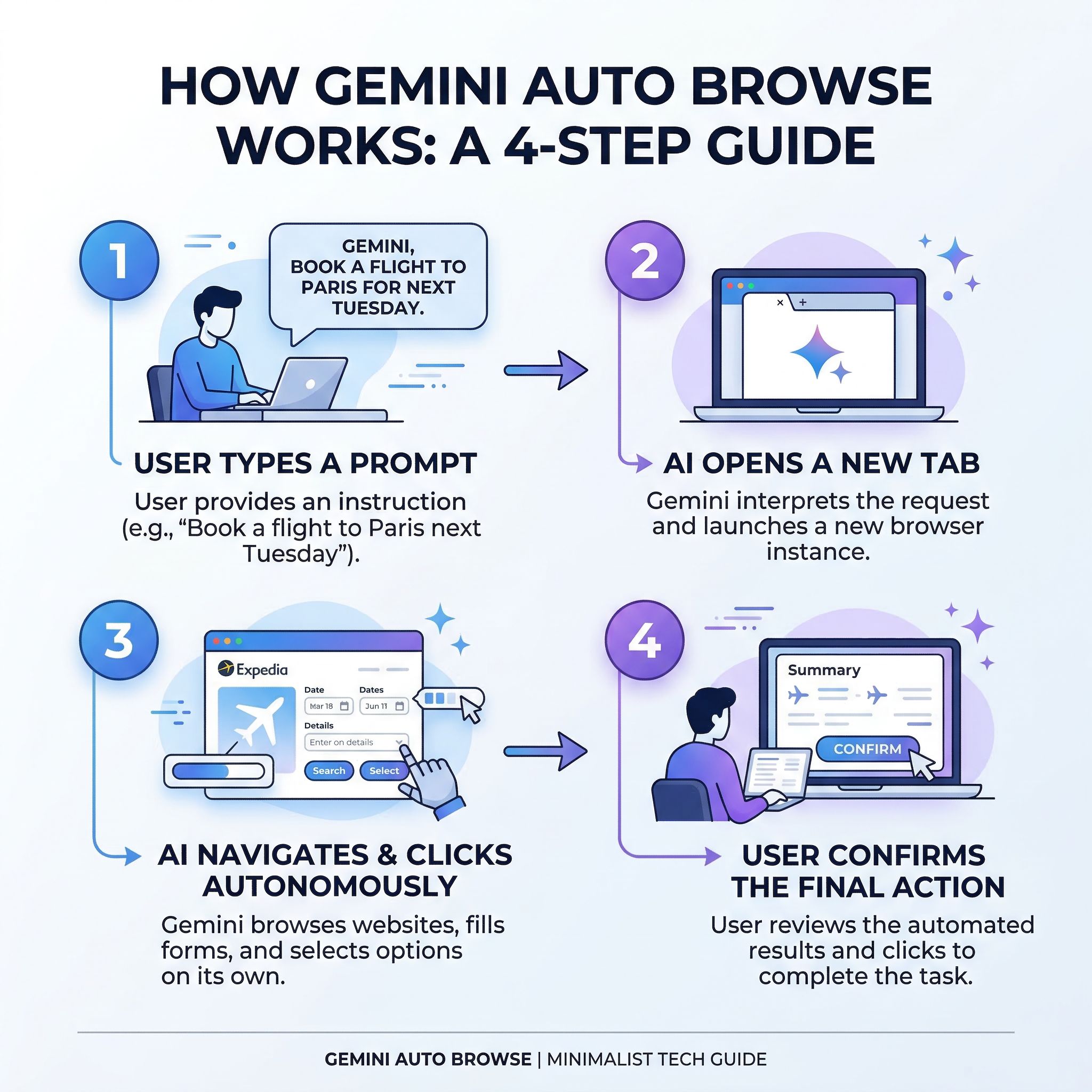
Auto browse starts with a prompt. You click Ask Gemini at the top of Chrome and describe a task, something like “go to Etsy and find Y2K party supplies under $75” or “check how much flights to Chicago cost on Expedia for July 3-5 versus July 10-12.” Gemini shows the plan it will follow, and you click Start Task. When auto browse launched in January, Gemini opened a new tab with a distinctive glow around it, so you could watch as it scrolled, clicked, and typed its way through the task. The sidebar showed a step-by-step breakdown of what it was doing, and a cursor-and-sparkle icon badged the tab so you always knew which one the AI was driving.
The feature runs in the background, so you’re free to keep browsing in other tabs while it works. Instead of spending fifteen minutes comparing hotel prices across three different weekends, you can describe the task and let auto browse do the legwork while you handle something else. Google touts use cases including scheduling appointments, filling out tedious online forms, collecting tax documents, getting quotes from contractors, checking whether bills are paid, filing expense reports, and managing subscriptions.
The clicks and typing happen in Chrome on your device while a cloud model provides the intelligence. Gemini’s multimodal capabilities mean it can understand images on a page, not just text. In Google’s demo, the AI identified items in a photo and searched for similar products, staying within a specified budget and even applying discount codes.
You Confirm Every Purchase and Login
When it’s ready to make a purchase, you have to press the buy button yourself. If it needs to log into a website, it can pull credentials from Google Password Manager, but only after you authorize it. The same goes for posting to social media or submitting forms with personal information. At any point during a task, you can hit “Take over task” to resume manual control.
These guardrails are reassuring, but they also limit the “set it and forget it” promise. If auto browse needs your permission every time it encounters a login page or payment form, you’re not really walking away from your Chromebook while it handles everything. For tasks that involve multiple sites requiring authentication, you might find yourself granting permissions almost as often as you’d click things yourself. The time savings come primarily from the research and navigation steps, the parts where auto browse is scrolling through search results and comparing options, rather than the final action steps.
The Subscription Suits Comparison Shopping and Research
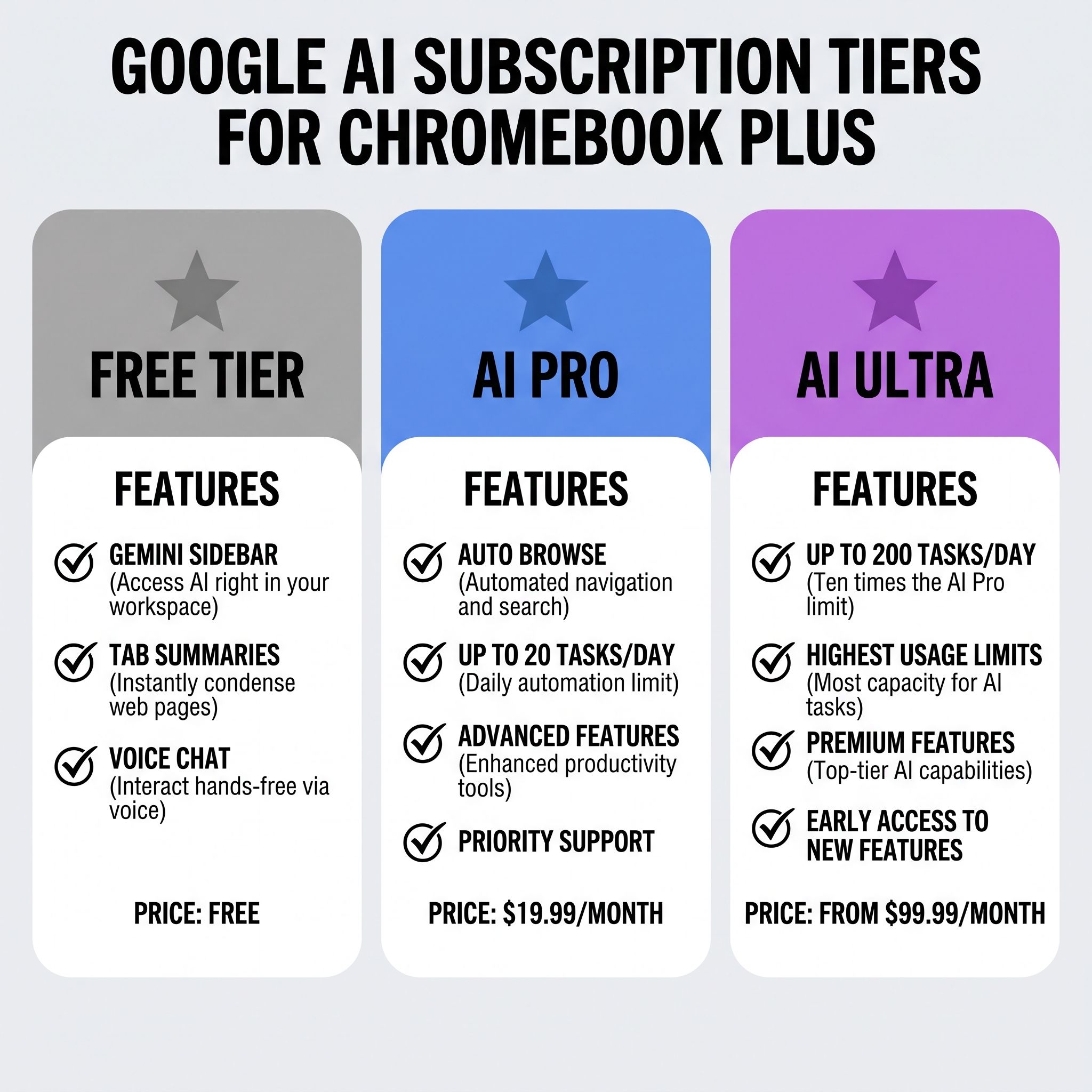
Auto browse is available on personal accounts with AI Pro at $19.99 per month or AI Ultra from $99.99 per month. Google’s help page caps AI Pro at 20 requests per day and AI Ultra at 200.
If you use all 20 tasks every day, that works out to roughly three cents per task. If you’re a more casual user who triggers auto browse a few times a week, you’re paying about $1.50 per task. At that rate, the subscription makes sense if auto browse saves you meaningful time on tasks you’d otherwise do manually. Comparing flight prices across multiple dates, or filling out the same quote form on five contractor sites, is the kind of tedious multi-step job the feature is built for. Checking whether a single bill has been paid is faster to do yourself. Android Police’s Ben Khalesi, grading Gemini’s features in August 2026, wrote that “when it works, it’s remarkable. When it doesn’t, you spend longer supervising the attempt than the task would have taken you.”
Auto browse is currently best suited for comparison shopping and research tasks, the kind of work where you’d normally have six tabs open and be copy-pasting information between them. For simpler tasks, the overhead of crafting a good prompt and then monitoring the AI’s progress doesn’t save much time. And at $240 per year, AI Pro isn’t an impulse purchase.
What You Get Without a Subscription
Without AI Pro, a Chromebook Plus still gets the free Gemini sidebar and on-device Gemini Nano, which standard Chromebooks lack. Gemini Nano runs through Google’s LiteRT-LM framework.
The free Gemini sidebar, which arrived with ChromeOS 144, lets you summarize articles, ask questions about open tabs, generate text, and have voice conversations through Gemini Live. These features don’t require a subscription, just a Google account with Gemini access. The tab-aware summarization alone is useful for research and reading, letting you ask questions about content across up to ten open tabs without leaving your browser.
Chromebook Plus devices also run Gemini Nano locally through LiteRT-LM, the same inference engine that powers on-device AI in Chrome across platforms. This enables built-in APIs for summarization, writing assistance, and rewriting that work offline and, unlike auto browse, don’t count against any usage limits. Developers can access these capabilities through Chrome’s Built-in AI APIs, which means the on-device AI will become more useful as web apps begin to integrate with it.
Buy a Plus Model Only if You Want the Gemini Sidebar
Within the Chromebook lineup, the Gemini sidebar, Gemini Live voice interactions, and on-device AI processing through LiteRT-LM are all exclusive to Chromebook Plus; Google’s Chromebook help page lists a Chromebook Plus as a requirement for Gemini in Chrome, auto browse included. Gemini in Chrome also runs on Windows and macOS, so the exclusivity is between Plus and standard Chromebooks. As of September 2026, Google has not announced plans to bring these features to regular Chromebooks. When Chromebook Plus launched in 2023, the exclusive features were nice-to-haves like Magic Eraser for photos and AI-generated wallpapers. In 2026, they include an assistant that summarizes your open tabs and holds voice conversations.
A standard Chromebook handles web browsing, document editing, and video streaming perfectly well. A buyer who wants the Gemini sidebar needs a Plus model; one who does not can save the difference.
How It Compares to the Competition
Google isn’t the only company building AI into browsers. TechCrunch noted that 2025 saw a wave of AI-native browsers from OpenAI (Atlas), Perplexity (Comet), Opera (Neon), and The Browser Company (Dia), all promising to replace Chrome with smarter, more automated browsing experiences. Auto browse is Google’s response, and it is built into Chrome, the browser those rivals are trying to replace. Chrome has also moved to a faster two-week release cadence, though Google told TechCrunch the change isn’t AI-related.
As of September 2026, Atlas, Dia, and Comet have no ChromeOS version: Atlas launched on macOS, Dia runs on macOS with Windows coming, and Perplexity lists Comet for Mac, Windows, iOS, and Android. With an AI Pro plan, auto browse in the Gemini sidebar is the main agentic browsing option built into ChromeOS, with no need to switch browsers.
Try the Free Features Before Paying for Auto Browse
If you already own a Chromebook Plus, the free Gemini features that came with ChromeOS 144 are worth exploring regardless. The sidebar summarization and tab-aware AI don’t cost anything extra. Start there and see how often you reach for the AI assistant before committing to a subscription.
Auto browse through AI Pro is a harder sell at $19.99 per month, and outside the US or on a non-English device it is not available at all. If your typical Chromebook workflow is email, documents, and casual browsing, auto browse won’t change your life. You can also switch the AI off entirely if you would rather it stayed out of the way. But if you’re the kind of person who spends weekend mornings comparing vacation deals across six different travel sites, or who dreads the annual ritual of collecting tax documents from a dozen different portals, auto browse could pay for itself in time saved.
For potential Chromebook buyers still deciding between a standard model and a Plus, the AI features are now a factor in the decision. About Chromebooks puts Plus models at $349 to $699 against $200 to $400 for standard units. If the free sidebar features are what you want, a Plus model covers them with no subscription; budget for AI Pro only if you plan to use auto browse every week.
Lenovo Chromebook Plus 14" OLED
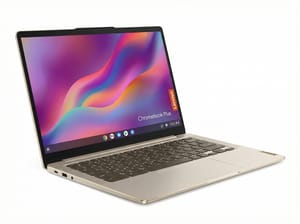
- ✓OLED display
- ✓compact 14-inch form factor
- ✓excellent build quality
- ✗OLED can be pricey
- ✗limited port selection


