

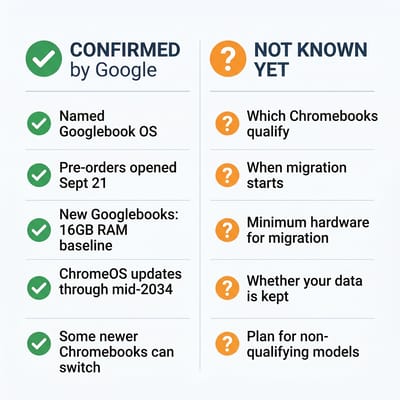
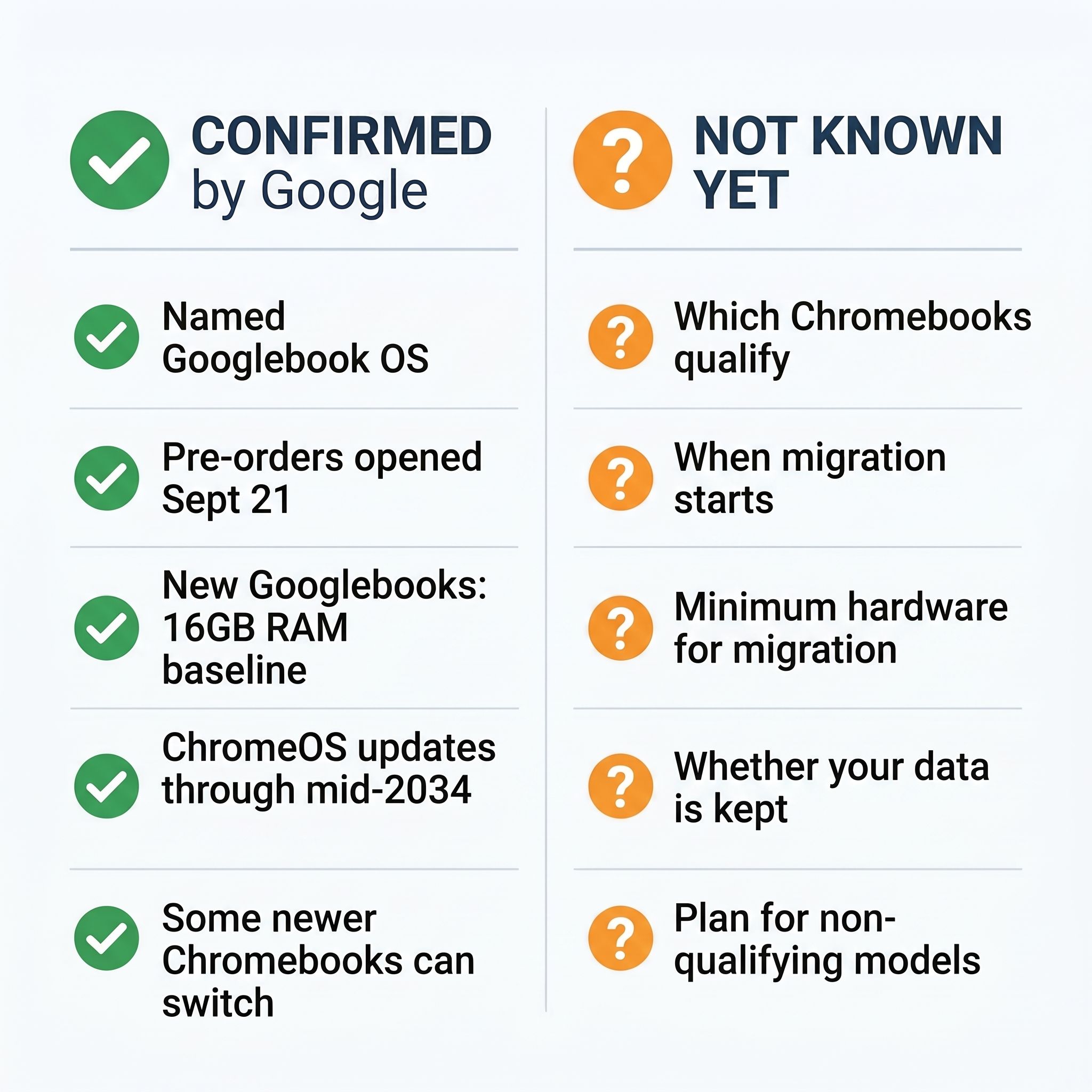
Google’s replacement for ChromeOS is called Googlebook OS. On September 21, 2026, Google opened pre-orders for the first Googlebooks, laptops from Acer, ASUS, Dell, HP, and Lenovo that run Googlebook OS, with US shelves following on October 4. Google’s product pages do not use the codename. In May, Google spokesperson Peter Du told The Verge that Aluminium “is the codename, not the official branding,” and Chrome Unboxed reports that Google VP John Maletis confirmed the same thing in an interview.
Google still has not said which existing Chromebooks can switch. Maletis confirmed early on that older devices won’t all migrate because of differences in technical specifications. Google’s admin help page on the Googlebook announcement, last updated September 23, says “Many newer commercial Chromebook models will be capable of upgrading to Googlebook OS. Details on migration paths and device eligibility will be shared at a later date.” The same page also says “many of our newest Chromebook devices will be eligible to transition over to Googlebook OS,” without the word “commercial.” There is no model list and no date.
Google Has Confirmed AI Features but No System Requirements
Spec lists with lines like “Intel 12th Gen minimum” or “NPU required” have circulated online, but Google has not published any of them, and several repeat each other without a source.
Reports on Google’s testing described an OS built around on-device AI, using CPUs, GPUs, and Neural Processing Units for features like summarization and context-aware assistance. That fits the wider direction Google laid out when it explained the Googlebook rebrand. Sameer Samat, President of the Android Ecosystem at Google, told Android Authority in March that “AI is really bringing the laptop back,” and that development for ChromeOS “will absolutely continue as is.” Your Chromebook isn’t losing support even if it never sees Googlebook OS, and Google’s September wording promises ChromeOS updates through mid-2034.
Google has been less forthcoming about which hardware gets to make the jump. The company was observed testing Aluminium OS on Intel Alder Lake (12th Gen) and MediaTek Kompanio chipsets, and the internal testing tiers labeled “AL Mass Premium,” “AL Premium,” and “AL Entry” suggested different hardware levels would get different experiences. But “we tested it on this hardware” is not the same thing as “this is the minimum requirement,” and Google has been careful not to draw that line publicly.
Googlebooks Are on Pre-Order, but the Chromebook Migration Has No Date
In March, the open question was when the new OS would launch at all. In the same Android Authority interview, Samat’s answer on the 2026 launch was “Yes, I’m super excited about later this year,” while court documents from Google’s antitrust case pointed to “commercial trusted testers” in 2026 and a full consumer release potentially not arriving until 2028. We covered the court document revelations in detail when they surfaced in February.
That launch expectation held. Consumers can buy Googlebook OS in 2026, but only on new Googlebook hardware. Moving the Chromebooks people already own still has no published date, method, or eligible-model list. Google has not said whether a migration keeps your data, whether it is opt-in, or whether consumer models qualify, since its admin page uses both “newer commercial Chromebook models” and “our newest Chromebook devices.” If you already own a Chromebook, none of that changes what your device does today: it works, and it keeps getting ChromeOS updates until its own expiration date.
Processor Generation, RAM, AI Hardware, and Storage Set the Likely Floor
Google hasn’t published official migration specs. What follows is our best assessment based on testing reports, Google’s focus on on-device AI, and the hardware in recently certified Chromebook Plus devices, not confirmed minimum requirements.
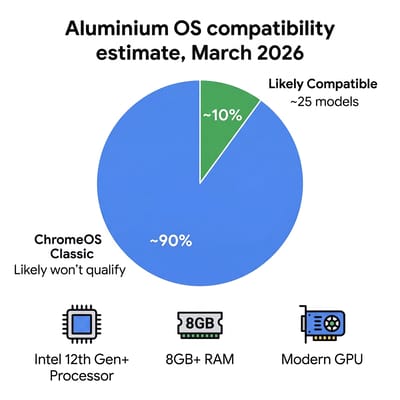
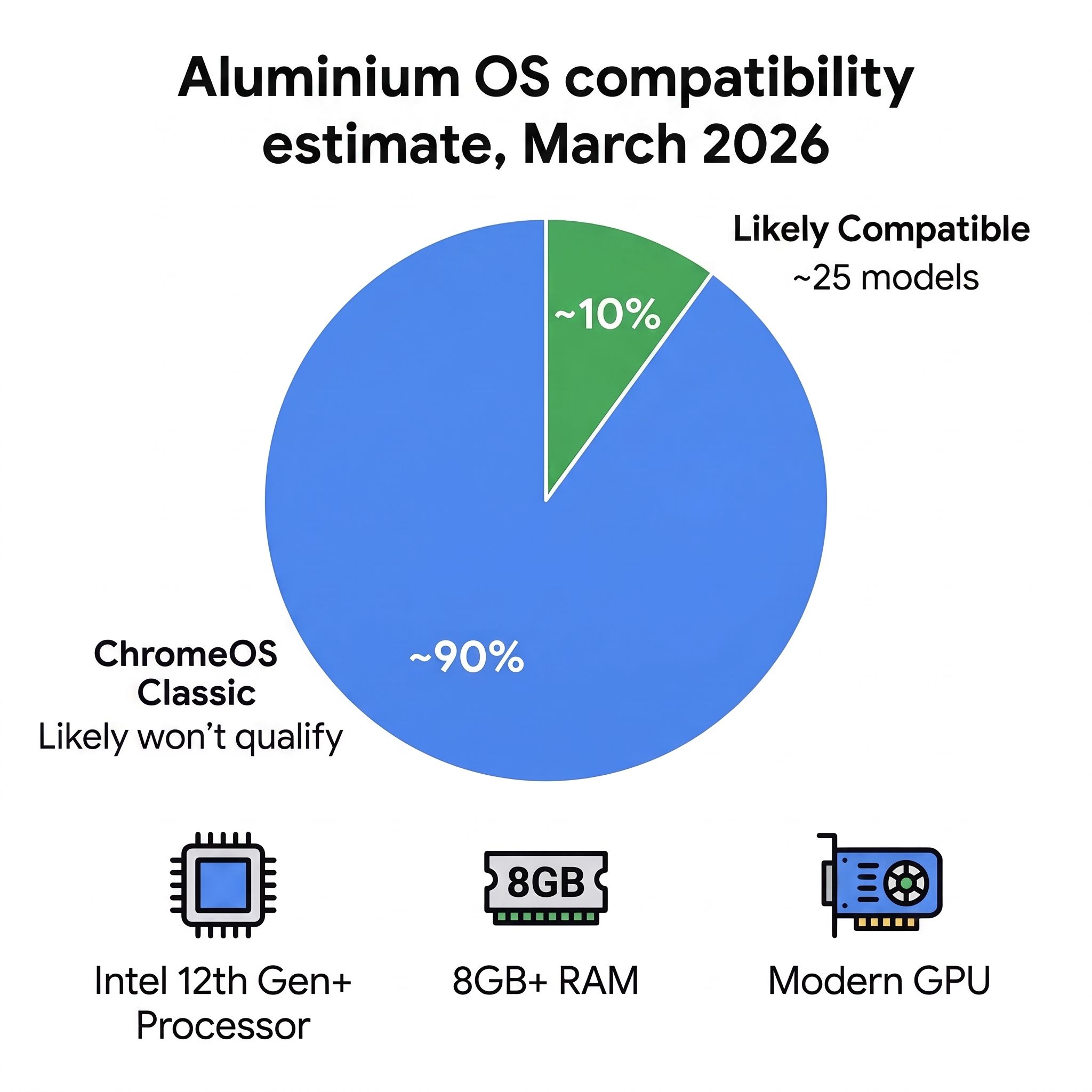
Processor generation is the strongest signal. The testing reports named Intel 12th Gen (Alder Lake) and MediaTek Kompanio chips, nothing older. Older Intel Celeron and Pentium chips from pre-2022 generations are almost certainly out. The Chromebook Plus certification program, which launched in late 2023 with minimum requirements including Intel 12th Gen or equivalent processors, looks like the closest preview we have of a migration baseline. When Chromebook Plus launched, Google published a named list of existing models that qualified.
Chromebook Plus requires 8GB of RAM, and given the new OS’s emphasis on on-device AI features, 8GB seems like the floor for migration too. Many budget Chromebooks ship with 4GB of RAM, which has always been adequate for ChromeOS but would likely struggle with Android-based workloads plus AI models running locally. If your Chromebook has 4GB of RAM, the odds of it receiving Googlebook OS are slim regardless of its processor.
Every launch Googlebook has at least 16GB of RAM and an NPU rated at over 45 TOPS. Google’s first-look post describes “a baseline of 16GB of high-speed RAM across the entire portfolio” and NPUs “running at over 45 TOPS of on-device AI power,” on Intel Core Ultra Series 3 and Snapdragon X Elite chips. That is the bar for new hardware, not a stated bar for migration, and Google has said nothing tying the two together. Our read is that it makes 8GB Chromebooks less of a sure thing than they looked in March, even if they still have the best odds among existing models.
Google’s emphasis on on-device AI suggests devices with dedicated neural processing hardware will get the best experience, but whether an NPU is a hard requirement for migration or simply enables premium features is unclear. Some of the MediaTek Kompanio chips seen in testing don’t have traditional dedicated NPUs, which suggests Google may be flexible about how AI workloads are handled across CPU, GPU, and dedicated silicon.
Our guess is that modern Vulkan graphics support and 128GB of storage (the Chromebook Plus minimum) make the safer bet, since Android apps sit alongside the system files. Many older Chromebooks ship with just 32GB of eMMC storage, which barely fits ChromeOS today and would be inadequate for an Android-based system running local AI models. If your Chromebook has 32GB of storage, that alone may disqualify it regardless of other specs. Even 64GB is tighter than it looks once ChromeOS and Android take their cut; the 64GB Chromebook storage trap explains exactly where those gigabytes go.
Which Chromebooks Likely Qualify
The models in our catalog that meet the likely requirements share two traits: a processor from 2022 or newer (Intel 12th Gen, recent MediaTek Kompanio, or equivalent) plus at least 8GB of RAM in at least one configuration. As of March 2026, about 25 of the Chromebooks we cover met both.
The Acer Chromebook Spin 714 with its Intel Core i5-1335U processor and up to 16GB of RAM is the kind of device that should be among the first to qualify. The Acer Chromebook Plus 516 GE with its Intel Core 5 processor and 16-inch display is another strong candidate, and it was designed with the Chromebook Plus certification that still looks like the migration baseline.
Devices like the ASUS Chromebook Plus CX34 with an Intel Core i3-1215U and 8GB of RAM sit right on what appears to be the boundary. They meet the likely processor and RAM requirements, but they lack dedicated NPUs. Whether these devices get a full Googlebook OS experience, a limited version, or stay on ChromeOS depends on decisions Google hasn’t made public yet.
Chromebooks with Intel Celeron N4000 or N4020 processors, 4GB of RAM, and 32GB eMMC storage make up a large share of the Chromebooks in use, especially in schools. These devices were never designed for the kind of workloads Googlebook OS is targeting, and they will almost certainly remain on ChromeOS for their full support lifecycle. A $200 education laptop from 2021 was built for web browsing and Google Docs, and it still does those things perfectly well.
ChromeOS Classic Means Updates Until Your Expiration Date, Promised Through Mid-2034
Google hasn’t used the term “ChromeOS Classic” officially, but it’s a useful shorthand for Chromebooks that don’t make the move to Googlebook OS. These devices keep receiving ChromeOS updates, security patches and feature improvements included, until their Auto Update Expiration (AUE) date. Google counts that date from when the hardware platform was released, not from the day you bought the laptop. Its Auto Update policy promises updates for “10 years from the platform release date,” so a Chromebook bought in 2024 on a platform that launched in 2022 runs out around 2032, not 2034. Google’s own advice on that page is to “check the date when making a purchasing decision,” and our guide to checking your Chromebook’s AUE date walks through how.
In September, Google put a year on ChromeOS itself. Its admin help page says “ChromeOS devices will continue to receive regular updates and security patches through mid-2034. For qualifying devices purchased today whose 10-year support lifecycle extends beyond 2034, Google is committed to supporting your transition to Googlebook OS, with many devices offering direct migration paths.” Google’s AUE list still shows some models with dates in 2035 and 2036. For a qualifying model on that list, the plan is a move to Googlebook OS rather than ChromeOS past mid-2034. What happens to a model with a post-2034 date that doesn’t qualify, Google hasn’t said.
The practical difference between a ChromeOS Classic device and a Googlebook OS device will likely mirror the difference between an older iPhone that stays on iOS 18 and a newer one running iOS 26. The older device still works, still gets security updates, and still runs the apps you use every day. It just doesn’t get the newest features, which is fine for a Chromebook in a school or office doing the job it was bought for.
A $500 Chromebook bought in 2023 with an Intel 11th Gen processor and 8GB of RAM may be powerful enough to run Googlebook OS but fall just outside the likely cutoff because of its processor generation. Owners who bought a machine like that as their main computer for five or more years have the most to lose. That’s a frustrating position, and Google’s silence about the exact cutoff makes it worse.
Should You Buy a Chromebook Right Now?
Yes, but buy smart. If you need a laptop today and want the best chance of eventually running Googlebook OS on it, look for Chromebook Plus certified devices. They already meet the 8GB RAM and modern processor requirements that appear to be the baseline, and Google has every incentive to line its premium certification program up with its next platform. Devices with Intel 12th Gen or newer processors, or recent MediaTek Kompanio chips, are your safest bets. The tradeoff is that nobody can promise you the upgrade: Google has not named a single eligible model, and the launch Googlebooks start at a much higher hardware floor. If the Pixelbook era is your benchmark for what a premium Chromebook should feel like, our Pixelbook replacement guide walks through the best current options at that tier.
If you just want a reliable everyday Chromebook and don’t care about Googlebook OS, little has changed. ChromeOS keeps working and will keep getting updates until your model’s AUE date. Check that date before you pay, because a Chromebook on an older platform can have far less time left than its shelf date suggests. A $300 Chromebook that does everything you need isn’t suddenly a bad purchase because it might not get a platform upgrade.
Avoid buying a new Chromebook today with 4GB of RAM and an older processor at anything close to full price. Those devices sit at the bottom of the current lineup regardless of Googlebook OS. If you’re spending money on new hardware, spending a bit more to get 8GB of RAM and a current-generation processor buys you a newer platform with a later update date, plus a chance at the upgrade.
Our Chromebook Comparison Chart puts processor, RAM, and storage side by side if you are weighing models, and our January article on the ChromeOS and Android merger covers how the Android-based platform came together.


