

Open two Chromebook listings side by side and you will see the same number in the same place on the spec sheet: 128GB. What you will not see, on most retail pages, is which physical part is soldered to the board behind that number. It might be eMMC flash, the same class of chip that has shipped in budget tablets for a decade. It might be UFS, which uses a completely different interface and moves data in both directions at once. On a small number of premium models it is an actual SSD module. HP sells the first two of those inside a single product family, under one model name, and at list price the gap between the eMMC configuration and the UFS one is about fifty dollars.
The three parts behind the word “storage”
The difference is architectural, not a matter of one chip being binned better than another. In its engineering comparison of eMMC, SSD, and UFS, flash manufacturer Flexxon describes eMMC as a part that “utilizes an 8-bit parallel interface and supports half-duplex communication, meaning data can only flow in one direction at a time (either read or write), and commands are processed sequentially.” UFS, by contrast, “uses a serial LVDS (Low-Voltage Differential Signaling) interface with dedicated read and write paths, enabling full-duplex communication,” and it adds Command Queuing, “allowing multiple commands to be executed simultaneously and in an optimized order.” An NVMe SSD sits on the PCIe bus, which Flexxon calls “a multi-lane serial interface, enabling extremely high bandwidth and full-duplex communication.”
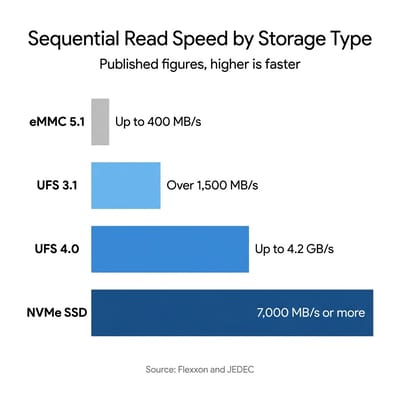
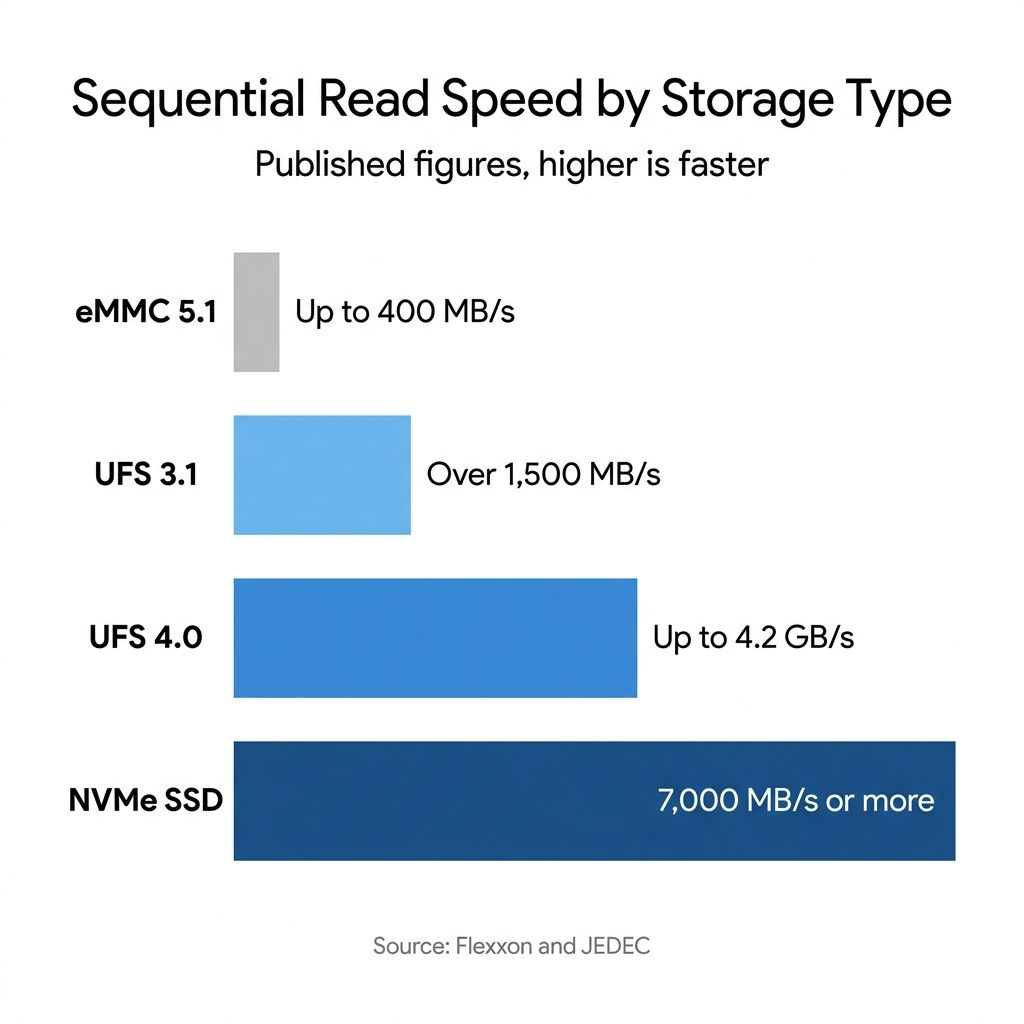
Those interface differences produce the throughput gap you can look up. Flexxon puts eMMC at “sequential read speeds generally up to 400 MB/s (for eMMC 5.1 HS400)” with writes in the range of 100 to 200 MB/s, and notes that “its random read/write performance (IOPS) is considerably lower than SSDs or UFS due to half-duplex and sequential command processing.” For the next tier up, the same document states that “UFS 3.1 can achieve sequential read speeds over 1,500 MB/s” with per-lane writes of roughly 500 to 800 MB/s, and credits the full-duplex operation and Command Queuing with a jump in random performance “leading to faster app launches, quicker file transfers, and smoother multitasking.” High-end NVMe drives, the ones you will only meet in the top Chromebook configurations, reach “sequential read/write speeds of 7,000 MB/s or more.”
Each UFS generation has a published speed ceiling
UFS is a standard published by JEDEC, the industry body that writes the specifications memory chips are built to (the DDR memory in your laptop follows its specs too). That matters for a shopper because it means each UFS version’s ceiling is a published figure rather than a marketing estimate. When JEDEC announced UFS 4.0 in August 2022, it described the jump this way: UFS 4.0 “leverages the M-PHY version 5.0 specification and the UniPro version 2.0 specification to double the UFS interface bandwidth and enable up to ~4.2 GB/s for read and write traffic.” That is the interface ceiling, not a number any individual laptop hits, but it sets the scale of the generational step.
The standard has kept moving. In an October 2025 announcement, JEDEC said it was “nearing completion” of UFS 5.0 and described what M-PHY 6.0, the next version of the electrical interface UFS runs over, brings to it: M-PHY 6.0 “introduces a new High-Speed Gear 6 (HS-G6), which supports data rates double those of the previous maximum data rate of HS-G5, enabling UFS interface bandwidth of 46.6 Gb/s per lane and supporting up to ~10.8 GB/s effective read/write operation for UFS 5.0 over 2 M-PHY lanes.” The standard is not published yet and nothing on the shelf uses it, so treat UFS 5.0 as a horizon rather than a shopping criterion. What matters for a purchase this year is that UFS 3.1 and UFS 4.0 are both in the market at once, and manufacturers do not always tell you which one you are getting.
Device-level numbers, as opposed to interface ceilings, are harder to pin down. Laptop Mag’s Rami Tabari raised this issue in a June 2, 2024 piece urging Chromebook buyers to check the storage type, citing figures of 330 MB/s read for eMMC 5.1, 2,100 MB/s for UFS 3.1, and 4,200 MB/s for UFS 4.0. He was careful to attribute them: “the speeds listed above are estimates published by Samsung for its storage devices, so speeds may vary per device.” His conclusion has held up in the two years since: “The gap between eMMC and UFS is so large that even the best eMMC drive should still fall considerably short of the worst UFS drive.”
What each price tier ships in 2026
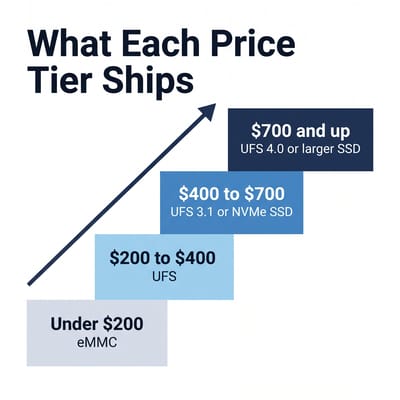
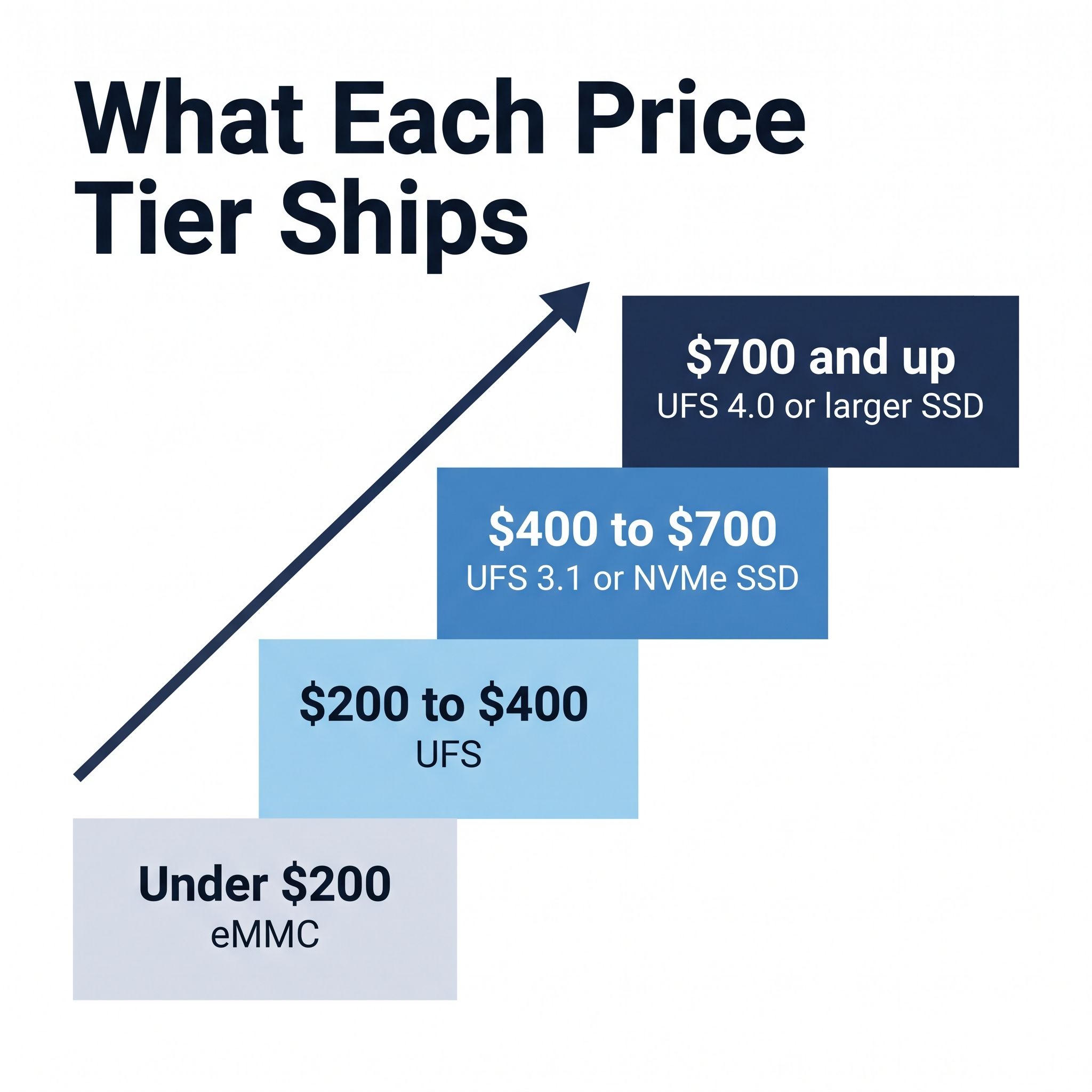
The storage types below come from spec sheets rather than shopping titles, because the shopping title is exactly where the storage type goes missing. The prices are list prices for the specific configuration named, not the current street price.
| Price tier | Storage type you should expect | Example configuration |
|---|---|---|
| Under $200 | eMMC | Entry-level 4GB / 64GB models |
| $200 to $400 | UFS | HP Chromebook 14a-nf0099nr, 8GB / 128GB UFS |
| $400 to $700 | UFS 3.1 or an NVMe SSD | Lenovo Chromebook Plus 14, 128GB UFS 3.1, $649; Acer Chromebook Plus Spin 714, 256GB NVMe SSD, $699 |
| $700 and up | UFS 4.0 or a larger SSD | Lenovo Chromebook Plus 14, 256GB UFS 4.0, $749 |
The HP Chromebook 14a is the cleanest illustration because HP sells the whole spread under one series name. HP’s own store page for the 14a-nf0000nr lists it as “4 GB memory; 64 GB eMMC storage.” The page for the 14a-nf0050nr in the same family lists “8 GB memory; 128 GB UFS storage.” That pair is not a storage-only comparison: the nf0050nr also moves up to a Core i3, a Full HD panel, and Chromebook Plus certification, and it costs a good deal more.
The HP Chromebook 14a 14a-nf0019nr and 14a-nf0099nr share the same Intel N100 processor, the same chassis, and the same 1366x768 panel. The nf0019nr is 4GB with 64GB of eMMC; the nf0099nr is 8GB with 128GB of UFS. Even in that pair the RAM moves along with the storage, which is how manufacturers almost always cut these tiers, but everything that defines the machine as a machine is identical. The eMMC one is the cheapest 14a HP sells.
Move up a tier and the question changes from eMMC versus UFS to which UFS. Lenovo publishes complete spec sheets in a public database called PSREF, and its sheet for the Chromebook Plus 14 (Lenovo Chrome 14M9610 on Lenovo’s own paperwork, revision dated March 11, 2026) lists two storage offerings on the same board: “128GB UFS 3.1 on systemboard” and “256GB UFS 4.0 on systemboard.” Lenovo’s disk table spells it out with the interface in its own column, UFS 3.1 against the 128GB offering and UFS 4.0 against the 256GB one. That is a generational difference in interface bandwidth riding along with a capacity upgrade, disclosed nowhere in the shopping title. Buying the 256GB Lenovo Chromebook Plus 14 OLED gets you more room and a faster interface; buying the 128GB configuration gets you neither.
At the top of the range the vocabulary changes again. Acer’s product page for the Chromebook Plus Spin 714 advertises “Up to 512 GB” of “SSD Storage” and claims “Fast Boot starts you up in under 10 seconds.” Acer names the drive category rather than a flash standard, which tells you the class of part but not the generation. Our Acer Chromebook Plus Spin 714 page records the US configuration as a 256GB PCIe Gen 4 NVMe SSD. An NVMe drive is not automatically a drive you can swap, and the Spin 714’s is fixed, but a handful of Chromebooks at this end of the market do use a replaceable M.2 module, which we covered separately in the guide to Chromebooks with upgradeable storage.
Chromebook Plus certification does not promise a storage type
It is tempting to use the Chromebook Plus badge as a shortcut, and it half works. Google’s Chromebook Plus requirements set a floor of “128 GB or more” of storage alongside “8 GB or more” of RAM, a 12th-generation Intel Core i3 or Ryzen 3 5000 series processor, a “1080p or better” webcam, and a “Full HD IPS or better” display. Every one of those is a real bar, and the 128GB floor rules out the worst of the budget tier. But read the storage line again: it is a capacity, full stop. Google names no interface, no flash standard, and no minimum throughput.
In practice, most Chromebook Plus models do ship UFS or an SSD, because hitting the other requirements already pushes the bill of materials past the point where eMMC saves meaningful money. The certification is still not a guarantee, and it does not distinguish UFS 3.1 from UFS 4.0 at all. If you want the full picture of what the badge does and does not cover, our explainer on Chromebook Plus walks through the rest of the requirements.
The workloads where the difference shows up
Storage type matters most when a lot of small files have to move at once, and it matters least when the bottleneck is somewhere else. Four things on a Chromebook fall in the first category. Cold boot and sign-in read the system image and your profile off the drive before anything appears. Launching an Android app for the first time after a restart pulls the package and its assets in. Opening the Files app on a large local photo or video folder makes ChromeOS generate thumbnails, which is thousands of small reads. And a build inside the Linux development environment is exactly the pattern Flexxon describes as favoring queued, full-duplex parts: many small reads and writes interleaved rather than one long sequential transfer.
That last case is where the half-duplex limitation stops being a specification and starts being a wait. An eMMC part reads or writes, one at a time, and processes commands in the order it received them. A compile is a firehose of both operations happening together, which is the workload a queued full-duplex interface was designed for. We have not run our own benchmarks on these machines, and it would be a mistake to attach a stopwatch figure to a claim like that. What is defensible is the direction and the reason: the interface architecture explains why a queued, full-duplex part pulls ahead on this workload. How much it pulls ahead on any particular laptop is a separate question, and one this article does not answer.
Writing for Chrome Unboxed on July 17, 2026, Robby Payne listed the two Lenovo IdeaPad Slim 3 Chromebook configurations side by side: the $529.99 model “packs 8GB of RAM paired with 128GB of fast UFS storage,” while the $419.99 model “scales down to 4GB of RAM and 64GB of standard eMMC storage.” That is the same pairing the HP 14a line shows, on a different brand. The manufacturer trims RAM and storage type at the same time, so a shopper comparing two prices is rarely comparing one variable.
Where the storage type does not rescue you
Two caveats keep this from being a single-spec buying rule. The first is that a fast drive cannot fix a memory shortage. A 4GB Chromebook with UFS storage will still stall when Chrome starts evicting tabs, because the machine is short on RAM and swapping, not short on read bandwidth. If you have to choose between 8GB of RAM with eMMC and 4GB with UFS at the same price, take the RAM; our writeup of the 4GB Chromebook trap explains why that ceiling bites first.
The second is that a good chunk of ChromeOS use never touches the drive hard. If your day is Gmail, Docs, a dozen tabs, and YouTube on a solid connection, the network and the CPU set the pace, and the storage type is close to invisible. That is the fair version of the counterargument, and it is why eMMC Chromebooks are not scams. The problem is that Android apps, downloaded files, and a fourth or fifth year of ownership tend to arrive eventually, and the storage type is soldered in for all of it. Capacity has the same permanence, which is the subject of our piece on the 64GB storage math.
Finding the storage type before you pay
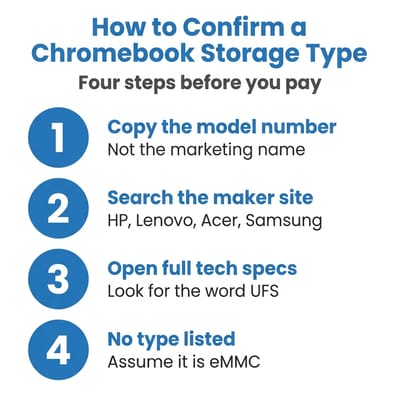
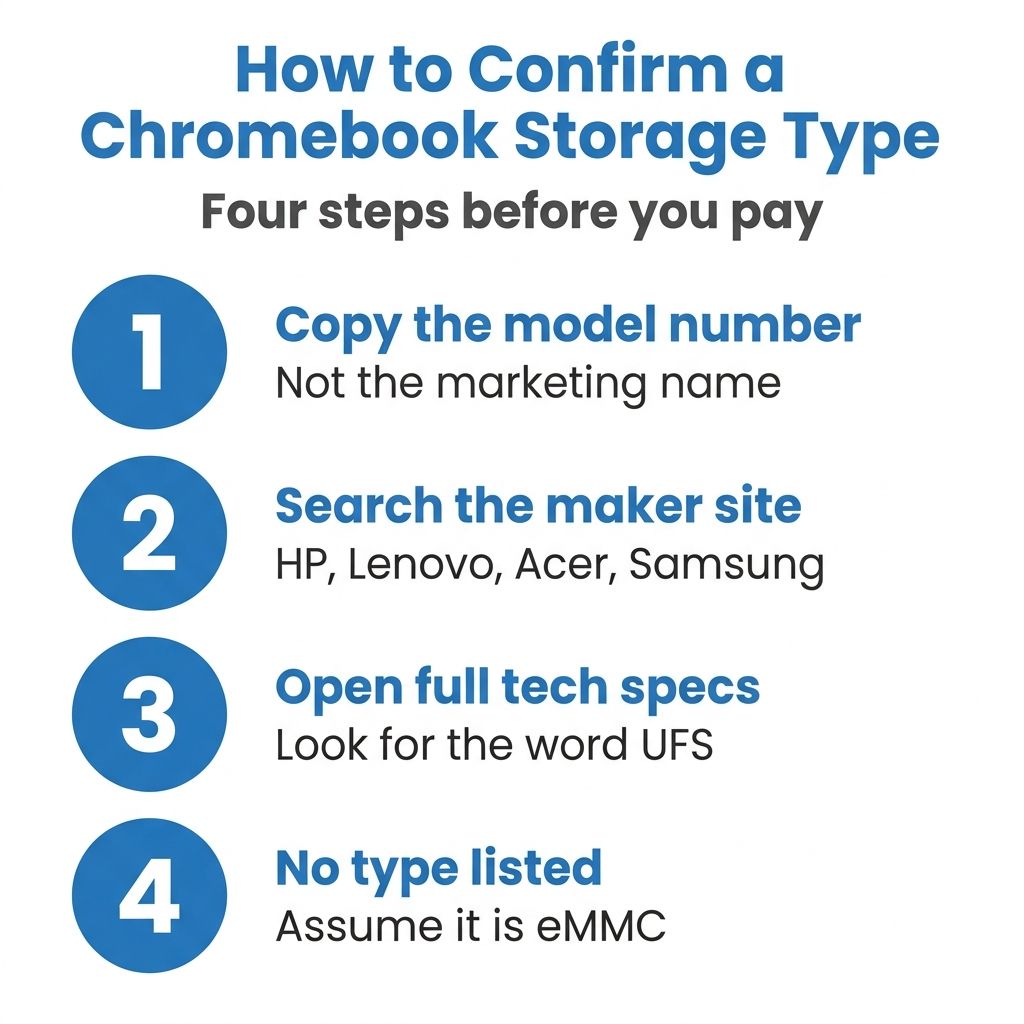
Start at the manufacturer, not the retailer. HP puts the storage type directly in the product title on its own store, which is why “128 GB UFS storage” is easy to confirm there and absent from most reseller pages for the same SKU. Lenovo publishes PSREF sheets that list the interface in a dedicated column, which is how the UFS 3.1 versus UFS 4.0 split on the Chromebook Plus 14 becomes visible at all. Acer’s marketing page for the Spin 714 goes the other way and stops at a capacity range and a drive category, so a page that names no flash standard is not always a page that is hiding something; sometimes that is all the maker publishes. In every case the string that identifies the exact machine is the full model number, not the marketing name, so copy the model number off the listing first and search the manufacturer site for that.
If you cannot find the storage type anywhere on the manufacturer’s own pages, assume it is the cheaper part. Vendors advertise UFS when they have it, because it is a selling point; the omission is usually the answer. And if you are shopping the bottom of the market, where eMMC is still the norm, our guide to the best Chromebooks under $300 is the right place to weigh which corners are survivable at that price.
What to buy at each tier
HP Chromebook 14a (14a-nf series)
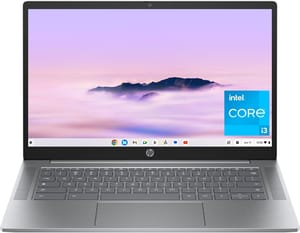
- ✓128GB of UFS flash in the 8GB configuration
- ✓HP publishes the storage type on its own spec pages
- ✓12-hour rated battery
- ✓Updates through June 2033
- ✗1366x768 TN panel
- ✗No keyboard backlight
- ✗The cheaper 64GB sibling in the same family is eMMC
Lenovo Chromebook Plus 14" OLED
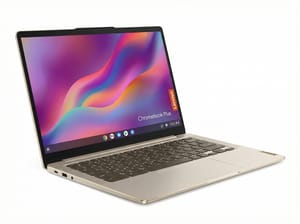
- ✓Lenovo documents the storage interface per configuration
- ✓The 256GB configuration is UFS 4.0
- ✓Fanless
- ✓17-hour rated battery
- ✓OLED touchscreen
- ✗Costs roughly three times the budget tier
- ✗The cheaper 128GB configuration drops to UFS 3.1
Acer Chromebook Plus Spin 714
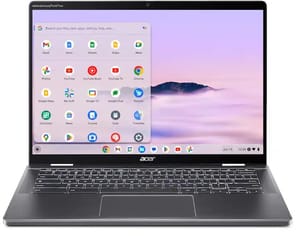
- ✓Acer publishes SSD capacity up to 512GB
- ✓PCIe Gen 4 NVMe SSD in the US configuration
- ✓Convertible 2-in-1 chassis
- ✓Acer claims sub-10-second boot
- ✗Premium price for a Chromebook
- ✗Acer names no flash standard on the spec page
- ✗Storage is fixed and cannot be upgraded
Capacity is the number on the listing; the storage type behind it decides how the machine feels; and only one of the two is printed where you can see it. Pull up the manufacturer’s spec page, find the full model number, and look for the word UFS. If it is there, you are buying a part that reads and writes at the same time and queues its commands. If the page says eMMC, or says nothing at all, you now know what the extra fifty dollars in the next configuration up is buying, and it is not just capacity.


