
Acer Chromebook 15
Updated on

The Acer Chromebook 15 (CB515-1HT) is now eight years into its run, and most of what made it a quietly likeable budget pick in 2018 still holds: a 15.6-inch FHD IPS touchscreen, mostly-aluminum chassis, backlit keyboard, fanless operation, and 12-hour battery life, all at a price that has settled in the low $200s. Two SKUs shipped under the same chassis: the Pentium N4200 (CB515-1HT-P39B) and the Celeron N3350 (CB515-1HT-C2AE). As of June 2026, the Pentium SKU is the one actually buyable new on Amazon; the Celeron listing is sitting at “Currently unavailable” and existing units are increasingly secondhand only. The page below covers both because both shipped, but the Pentium is the configuration most readers will end up buying. Google’s Auto Update Expiration for this model lands in June 2027, so a new purchase today gets roughly twelve more months of standard ChromeOS updates; owners can then opt in to extended updates to keep security patches flowing toward the ten-year mark, at the cost of losing Android app support.
| Pros | Cons |
|---|---|
| Speaker quality (Chrome Unboxed: “best speakers ever on a laptop”) | Display brightness insufficient for outdoor use (Laptop Mag testing) |
| 12-hour battery life for all-day mobile use | Trackpad prone to fingerprint buildup and clunky feel (TechRadar) |
| Fanless design ensures completely silent operation | Performance bogs down with 10+ browser tabs open |
| Backlit keyboard rare at this price point | Glossy screen creates reflections in bright environments |
| Metal/aluminum chassis construction feels premium | Keyboard lacks satisfying tactile click despite good travel |
| Large 15.6” FHD IPS touchscreen for comfortable viewing | Not upgradeable: 4GB RAM and 32GB storage are soldered |
Related Videos
Acer Chromebook 15 Comparison Chart
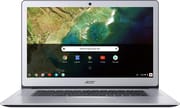 Acer Chromebook 15 | Acer Chromebook 15 | |
| Price | List Price: $199.99 Amazon Prices: Loading prices... | List Price: $349.99 Amazon Prices: |
| Model number | CB515-1HT-P39B / NX.GPTAA.002 | CB515-1HT-C2AE / NX.GPTAA.008 |
| Performance Rating | 2.8 | 2.8 |
| Chromebook Plus | No | No |
| Processor | Quad-core 1.10 Ghz (max 2.50 Ghz) Intel Pentium N4200 | Dual-core 1.10 Ghz (max 2.40 Ghz) Intel Celeron N3350 |
| RAM | 4 GB | 4 GB |
| Internal Storage | 32 GB | 32 GB |
| Screen Size | 15.6" | 15.6" |
| Screen Resolution | 1920x1080 | 1920x1080 |
| Screen Type | IPS | IPS |
| Touch Screen | Yes | Yes |
| Stylus / Pen | No Stylus Support | No Stylus Support |
| Dimensions width x length x thickness | 14.88 x 10.08 x 0.75 inches (377.95 x 256.03 x 19.05 mm) | 14.88 x 10.08 x 0.75 inches (377.95 x 256.03 x 19.05 mm) |
| Weight | 4.3 lbs (1.95 kg) | 4.3 lbs (1.95 kg) |
| Backlit Keyboard | Yes | Yes |
| Webcam | 1280x720 | 1280x720 |
| WiFi | 802.11 a/b/g/n/ac | 802.11 a/b/g/n/ac |
| Bluetooth | Bluetooth 4.2 | Bluetooth 4.2 |
| Ethernet | No | No |
| Cellular Modem | No | No |
| HDMI | No HDMI | No HDMI |
| USB Ports | 2 USB 3, 2 USB-C (with DisplayPort over USB Type-C) | 2 USB 3, 2 USB-C (with DisplayPort over USB Type-C) |
| Thunderbolt Ports | No | No |
| Card Reader | microSD Card Reader | microSD Card Reader |
| Battery | 4 cell, 3220 mAh, Lithium-ion | 4 cell, 3220 mAh, Lithium-ion |
| Battery Life | 12.0 hours | 12.0 hours |
| Fanless | Yes | Yes |
| Auto Update Expiration Date | June, 2027 | June, 2027 |
Related Chromebooks
-
 Acer Chromebook 315The Acer Chromebook 315 (CB315-4H) is a fanless 15.6-inch FHD IPS Chromebook with an Intel Celeron…
 -
 Acer Chromebook 15 CB315 (AMD)The Acer Chromebook 15 CB315 (AMD) is a 15.6-inch budget Chromebook built around AMD's 7th-gen…
 -
 ASUS Chromebook C523The ASUS Chromebook C523 is a fanless 15.6-inch Chromebook with an anti-glare display, an Intel…
 -
 ASUS Chromebook Flip CM5 (CM5500)The ASUS Chromebook Flip CM5 (CM5500) is a 15.6-inch convertible Chromebook with an AMD Ryzen 3…
 -
 Lenovo Flex 3 ChromebookThe Lenovo Flex 3 Chromebook is a fanless 11.6-inch convertible with an IPS touchscreen, a MediaTek…
 -
 Samsung Chromebook Plus v2The Samsung Chromebook Plus v2 is a fanless 12.2-inch convertible Chromebook with an Intel Celeron…
Detailed Insights into the Acer Chromebook 15

The Acer Chromebook 15’s design balances portability and usability. The aluminum lid and chassis give the device a premium feel that belies its budget positioning, though the weight of 4.3 pounds means this is better suited as a desk-to-desk portable than a true ultralight. Acer trimmed about a pound and quarter-inch of thickness compared to earlier 15-inch Chromebook models, making the CB515-1HT noticeably more manageable despite its generous screen size. The fanless architecture means you can use this Chromebook in quiet environments like libraries or late-night study sessions without the distraction of cooling noise, though the trade-off is somewhat throttled performance under sustained workloads.
The 15.6-inch IPS touchscreen delivers a 1920x1080 resolution that provides ample workspace for productivity tasks. Text rendering is sharp enough for comfortable document editing and web browsing, and the touch functionality integrates well with ChromeOS’s tablet-like capabilities when needed. However, multiple reviewers noted that display brightness falls short of expectations, measuring dimmer than competing devices and struggling in brightly lit environments. The glossy finish compounds this issue by introducing reflections that can be distracting when working near windows or under overhead lighting. For indoor use with controlled lighting, the display performs admirably, but outdoor use or very bright office environments will prove challenging.
The backlit keyboard stands out as a genuine value-add at this price point, enabling comfortable typing in dim conditions that would leave other budget Chromebooks unusable. Key travel feels adequate for extended typing sessions, though reviewers noted the keys lack the satisfying tactile feedback found on more expensive keyboards. The trackpad works reliably but has drawn criticism for its material’s tendency to accumulate fingerprints and oils, requiring more frequent cleaning than glass-topped alternatives. Some users have reported slight trackpad wobble, though this may be unit-specific rather than a design flaw. The two USB-A 3.0 ports, two USB-C ports with DisplayPort output, microSD card reader, and headphone jack provide reasonable connectivity for a device in this class. There is no built-in Ethernet port, but a USB Ethernet adapter can be connected through one of the USB-A ports for wired networking.
Reviewer Insights on the Acer Chromebook 15

Robby Payne’s Perspective (Chrome Unboxed)
Robby Payne at Chrome Unboxed delivered one of the most enthusiastic reviews of the Acer Chromebook 15, describing it as “one of my favorite Chromebooks to date” despite acknowledging that no individual component stands out. His central thesis is that Acer succeeded in creating a device where the whole exceeds the sum of its parts: “For Acer to take a bunch of standard stuff and put it together in a way that makes a stellar experience is what underlies the beauty of the entire Chromebook experience.”
The standout feature for Payne was the audio system, which he called “by far the most standout feature” and declared the speakers to be “the best I’ve ever heard on a laptop.” He suggested that audio quality alone could justify the purchase for users who consume media on their Chromebook, and the speakers also serve anyone exploring music production on a Chromebook using browser-based tools. At $330 (prices have since dropped further), he concluded the Chromebook 15 represents “a no-brainer” for budget-conscious buyers. His criticism focused on the trackpad’s fingerprint-prone surface and the keyboard’s lack of satisfying tactile feedback, though neither issue rose to the level of a dealbreaker.
TechRadar’s Assessment
TechRadar’s review awarded the Chromebook 15 a 4 out of 5 stars, praising its “fantastic battery life, solid construction and a gorgeous exterior” while acknowledging performance limitations. The review characterized the device as one that “trades ‘OK’ performance for extended battery life,” positioning it for users who prioritize all-day mobility over demanding workloads.
TechRadar highlighted the fanless design and 1080p touchscreen as particularly appealing features for the target market. The primary criticism centered on the trackpad, which they described as feeling “clunky” compared to competitors. They also noted that the system becomes sluggish when too many browser tabs are open, a common limitation of Chromebooks with 4GB of RAM and lower-power processors. For users whose workflows involve document editing, email, web browsing, and media consumption, these limitations rarely manifest.
Laptop Mag’s Take
Laptop Mag scored the Chromebook 15 at 3.5 out of 5 stars, with their primary complaint being display brightness. Their testing found the screen “dimmer than we would like it to be,” which limits usability in certain lighting conditions. They praised the metal chassis as premium for the price and noted solid keyboard quality, but ultimately felt the display shortcomings held back an otherwise capable device.
The review acknowledged the large 1080p screen as a significant advantage for productivity work, providing more comfortable viewing angles and workspace than typical 14-inch competitors. However, they recommended the Chromebook 15 primarily for users who will work in controlled indoor lighting environments where brightness limitations won’t impact the experience.
Customer Reviews of the Acer Chromebook 15
Across 343 ratings on Amazon, the Acer Chromebook 15 averages 3.6 stars, and that middling number reflects a split crowd: 49% of ratings are five stars while 21% are one star. The owners who are happy tend to praise the value, the big crisp display, the backlit keyboard, and (in more than one review) the speakers. Kurt R., a verified buyer, wrote that “the display is crisp and clean and I have no problems reading anything on the screen” and called the backlit keyboard “a huge treat.” Jessica huard, another verified buyer, singled out the audio: “The BEST part that I noticed no one mentioning, is the speakers! These are by far the best speakers I’ve come across in a laptop.”
The negative reviews are not vague grumbling; several verified buyers report the same hardware failures. Multiple owners describe a screen that goes black, and units that arrive dead. R. Jacobs, a verified buyer, sent the machine back twice for the same fault: “every time I received a notification popup my screen would go black and I would have to reboot.” Elvis, also verified, said his unit would not power on at all: “hit the power button and nothing. I let it charge for a few hours with same result.” Reviewers also flag a cheap, easily damaged touchscreen and limited multitasking performance. If you are considering this Chromebook, weigh the features against a real cluster of reliability complaints. Read more owner reviews on Amazon.
Conclusion
The Acer Chromebook 15 (CB515-1HT) delivers on its promise of a large-screen Chromebook experience at a budget price point. The combination of a 15.6-inch FHD touchscreen, backlit keyboard, aluminum construction, fanless operation, and 12-hour battery life creates genuine value for users who prioritize these features over raw performance. Professional reviewers consistently praised the audio quality, build quality, and overall integration, while noting limitations in display brightness, trackpad feel, and processing power under heavy loads.
For students, casual users, and anyone who spends their computing time in web browsers and light productivity applications, the Chromebook 15 still makes sense at the current ~$249 Amazon price for the Pentium N4200 variant; the Celeron N3350 SKU is effectively secondhand-only now (Amazon’s new-condition listing has been “Currently unavailable” through this update). The real purchase-side wrinkle in 2026 is the AUE date: standard ChromeOS updates stop in June 2027, about twelve months out. That is fine if you want a cheap 15-inch ChromeOS machine for the next year, and the CB515-1HT is eligible for extended updates after that (with the Android-apps trade-off described in the FAQ below). It is not the right pick if you want five-plus years of updates plus full Android-app support from a fresh purchase: a current Chromebook Plus is the better call there. To see how the CB515-1HT stacks up against other Chromebooks side by side, the Chromebook Comparison Chart is a useful starting point.
Frequently Asked Questions
Can the RAM or storage be upgraded on the Acer Chromebook 15 CB515-1HT?
No, both the 4GB RAM and 32GB eMMC storage are soldered to the motherboard and cannot be upgraded. This is standard for budget Chromebooks and keeps manufacturing costs low. If you need more storage, you can use a microSD card (slot included) or cloud storage through Google Drive.
What’s the difference between the Pentium N4200 and Celeron N3350 variants?
The Pentium N4200 (CB515-1HT-P39B) has 4 cores while the Celeron N3350 (CB515-1HT-C2AE) has 2 cores, making the Pentium variant somewhat faster in multi-tasking scenarios. Both share similar clock speeds around 1.1-2.5 GHz and the same 4GB RAM and 32GB storage. For most ChromeOS tasks like web browsing and document editing, the difference is minimal in daily use.
How long will the Acer Chromebook 15 CB515-1HT receive ChromeOS updates?
Google has set the Auto Update Expiration (AUE) date for this model as June 2027. Until then the Chromebook keeps receiving ChromeOS updates including security patches and new features. After the AUE date the device still boots and runs, but standard ChromeOS updates stop. Because the CB515-1HT is on Google’s pre-2021 eligibility list, owners can also opt in to extended updates once the AUE hits, which stretches security and performance updates out toward ten years from the platform’s release; the trade-off is that opting in disables Android apps and the Google Play Store, and the choice is one-way.
Can the Acer Chromebook 15 connect to an external monitor?
Yes, both USB-C ports support DisplayPort over USB-C, allowing you to connect external monitors. You’ll need a USB-C to HDMI or USB-C to DisplayPort adapter for most monitors. The Chromebook can drive external displays while still using its built-in screen for extended desktop functionality.
Is the Acer Chromebook 15 good for students?
The Chromebook 15 works well for student use, particularly for research, writing papers, and Google Workspace applications. The large 15.6” screen reduces eye strain during long study sessions, the backlit keyboard enables working in dim dorm rooms or libraries, and the 12-hour battery life lasts through a full school day. The silent fanless operation is especially valuable in quiet study environments. However, students in programs requiring specialized software (like engineering or graphic design) should verify ChromeOS compatibility with their required applications.
How is the speaker quality on the Acer Chromebook 15?
The Chromebook 15 received praise for its audio system. Chrome Unboxed’s Robby Payne called the speakers “the best I’ve ever heard on a laptop,” noting they could justify the purchase on audio quality alone. For a budget device, the stereo speakers deliver surprisingly rich, room-filling sound suitable for video calls, media consumption, and casual music listening without external speakers.