
Acer Chromebook R 13
Updated on

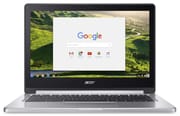
The Acer Chromebook R 13 (CB5-312T) was an unusually well-built Chromebook for its day: a 13.3-inch convertible with an all-aluminum body and a 360-degree hinge, released in 2016 and among the first Chromebooks designed with Android app support in mind. It runs on MediaTek’s MT8173C, an ARM chip that keeps it fanless and gives it long battery life but limits it to light computing.
The R 13 is a discontinued 2016 device. Google extended its ChromeOS Auto Update Expiration to August 2026, so it still receives updates as of mid-2026, and that window closes soon.
| Pros | Cons |
|---|---|
| All-aluminum body, front and back (Chrome Unboxed) | Entry-level MediaTek ARM performance (NotebookCheck) |
| Long battery life (rated ~12 hours) and fanless, silent operation (NotebookCheck) | Dim 204 cd/m² display; hard to use outdoors (NotebookCheck) |
| 360-degree convertible with a 10-point touchscreen | Build flexes and twists in the usual places (NotebookCheck) |
| Full HDMI, USB-C (DisplayPort), USB-A, and a microSD slot | Spongy keyboard, not for long typing (NotebookCheck) |
| Among the first Chromebooks built for Android apps | Tablet mode is awkward on the large 16:9 screen (Chrome Unboxed) |
| Delta E of 3.99 and 835:1 contrast on the IPS panel (NotebookCheck) | ChromeOS support ends August 2026 (extended AUE) |
Related Videos
Acer Chromebook R 13 Comparison Chart
 Acer Chromebook R 13 | Acer Chromebook R 13 | Acer Chromebook R 13 | |
| Price | List Price: $399.00 Amazon Prices: | List Price: $399.00 Amazon Prices: | List Price: $429.00 Amazon Prices: |
| Model number | CB5-312T-K5X4 / NX.GL4AA.008 | CB5-312T-K5X4 / NX.GL4AA.003 | CB5-312T-K40U / NX.GL4AA.003 |
| Performance Rating | 2.2 | 2.2 | 2.2 |
| Chromebook Plus | No | No | No |
| Processor | Quad-core 1.70 Ghz (max 2.10 Ghz) MediaTek MT8173C | Quad-core 1.70 Ghz (max 2.10 Ghz) MediaTek MT8173C | Quad-core 1.70 Ghz (max 2.10 Ghz) MediaTek MT8173C |
| RAM | 4 GB | 4 GB | 4 GB |
| Internal Storage | 32 GB eMMC | 32 GB eMMC | 64 GB eMMC |
| Screen Size | 13.3" | 13.3" | 13.3" |
| Screen Resolution | 1920x1080 | 1920x1080 | 1920x1080 |
| Screen Type | IPS | IPS | IPS |
| Touch Screen | Yes | Yes | Yes |
| Stylus / Pen | No Stylus Support | No Stylus Support | No Stylus Support |
| Dimensions width x length x thickness | 12.8 x 9 x 0.61 inches (325.12 x 228.6 x 15.49 mm) | 12.8 x 9 x 0.61 inches (325.12 x 228.6 x 15.49 mm) | 12.8 x 9 x 0.61 inches (325.12 x 228.6 x 15.49 mm) |
| Weight | 3.28 lbs (1.49 kg) | 3.28 lbs (1.49 kg) | 3.28 lbs (1.49 kg) |
| Backlit Keyboard | No | No | No |
| Webcam | 1280x720 | 1280x720 | 1280x720 |
| WiFi | 2x2 MIMO 802.11 a/b/g/n/ac | 2x2 MIMO 802.11 a/b/g/n/ac | 2x2 MIMO 802.11 a/b/g/n/ac |
| Bluetooth | Bluetooth 4.0 | Bluetooth 4.0 | Bluetooth 4.0 |
| Ethernet | No | No | No |
| Cellular Modem | No | No | No |
| HDMI | Full-Size HDMI | Full-Size HDMI | Full-Size HDMI |
| USB Ports | 1 USB 3, 1 USB-C (with DisplayPort support) | 1 USB 3, 1 USB-C (with DisplayPort support) | 1 USB 3, 1 USB-C (with DisplayPort support) |
| Thunderbolt Ports | No | No | No |
| Card Reader | microSD Card Reader | microSD Card Reader | microSD Card Reader |
| Battery | 3 cell, 54.0 Wh 4670 mAh, Li-ion | 3 cell, 54.0 Wh 4670 mAh, Li-ion | 3 cell, 54.0 Wh 4670 mAh, Li-ion |
| Battery Life | 12.0 hours | 12.0 hours | 12.0 hours |
| Fanless | Yes | Yes | Yes |
| Auto Update Expiration Date | August, 2026 | August, 2026 | August, 2026 |
Related Chromebooks
-
 Acer Chromebook 514The Acer Chromebook 514 (CB514-1H and 1HT) is a fanless 14-inch ChromeOS laptop sold with Celeron…
 -
 Acer Chromebook 15The Acer Chromebook 15 stands out with a 15.6" FHD IPS touch display, backlit keyboard, and up to…
 -
 ASUS Chromebook C403The ASUS Chromebook C403 is a fanless 14-inch education Chromebook with an anti-glare 1366x768…
 -
 ASUS Chromebook CX1 (CX1400)The ASUS Chromebook CX1 (CX1400) is a fanless 14-inch 1920x1080 ChromeOS laptop sold on Celeron…
 -
 Samsung Galaxy Chromebook 2The Samsung Galaxy Chromebook 2 is a 13.3-inch 2-in-1 with a vivid 1080p QLED touchscreen, an…
 -
 Lenovo Flex 3 ChromebookThe Lenovo Flex 3 Chromebook is a fanless 11.6-inch convertible with an IPS touchscreen, a MediaTek…
A quiet metal convertible with a dim screen and entry-level speed

At 3.28 pounds and 0.61 inches thick, the R 13 carries an all-aluminum chassis with a clean, MacBook-like look that stood out at its $399 launch price. NotebookCheck found the base unit can be dented in the usual places and twists fairly easily.
The 13.3-inch Full HD IPS display tested well for color in NotebookCheck’s review, with a Delta E of 3.99 and a strong 835:1 contrast ratio, and the IPS panel holds stable viewing angles. At 204.3 cd/m² average it is dim, and the glossy coating makes outdoor use difficult, though indoors it looks vivid for media.
The MediaTek MT8173C is an ARM chip that runs ChromeOS but sits well below the Intel options of its era. NotebookCheck measured an Octane V2 score of 10,139 and a JetStream 1.1 score of 57, firmly entry-level. It handles a handful of tabs, light document work, and streaming smoothly, but stutters under heavier multitasking. The ARM design also runs fanless and silent. NotebookCheck recorded a maximum surface temperature of just 30.6°C (87°F) under sustained load.
Reviewer Insights

Chrome Unboxed
Robbie Payne from Chrome Unboxed focused on the value. He said it is “made of all-aluminum, front and back, inside and out and feels way more premium than the 399 price tag would have you think,” and his benchmarking put the MediaTek chip’s Octane score around 10,000, adequate for most ChromeOS tasks. He called the R 13 the “first of a new breed of Chromebook built expressly with Android apps in mind,” and liked the ports, especially the full-size HDMI and SD slot alongside USB-C. His gripes were a wobbly hinge on his unit, a trackpad with mechanical “play,” and a large 16:9 screen that makes tablet mode awkward. He still came away positive, telling viewers “I think you’ll be really happy with the Acer R13.”
His earlier unboxing showed an Octane run approaching 10,000 on the review unit and pointed out that the glossy touch panel is reflective, with no anti-glare coating.
NotebookCheck
NotebookCheck scored the R 13 at 81%, praising the silent passive cooling and light build while flagging the display and keyboard. Their testing measured very low temperatures (idle around 23.1°C, a maximum of 30.6°C under load) and good color accuracy (Delta E 3.99), but confirmed the brightness is too low for outdoor use. On build they wrote that “the base unit can be dented in the usual places…it is easy to twist,” and the keyboard drew criticism for spongy feedback that makes long typing sessions tiring. Their verdict placed the R 13 as best for light browsing, media, and basic productivity in ChromeOS.
Lon.TV
Lon Seidman got 10 to 12 hours of battery against Acer’s 12-hour rating and an Octane score of 9,575, ahead of the 8,160 he recorded on the Celeron N3160 Acer Chromebook 14. His main worry was the hinge, which flexes in tablet mode: “it does feel like you could with enough effort kind of snap it off.” He called the keyboard “really comfortable to type on” thanks to deep key travel and rated the trackpad a little spongy but adequate. In his test, 1080p60 YouTube video dropped frames but did not stutter, and 30fps content played cleanly. Engadget’s launch hands-on confirmed the $399 starting price and an October release in the US.
Still useful for browsing and Android apps until August 2026
At $399 the R 13 was one of the first aluminum convertibles with Android-app support and a fanless chip rated for 12 hours of battery. NotebookCheck put the limits at the 204 cd/m² display, the spongy keyboard, and Octane V2 and JetStream 1.1 scores of 10,139 and 57, and Chrome Unboxed added a wobbly hinge and awkward tablet mode.
An R 13 you already own still handles web browsing, media, music production in the browser, and Android apps, and its ChromeOS updates run through the extended August 2026 AUE. After that date it keeps working but stops getting security patches, so it suits a secondary or hand-me-down role from then on.
Our Chromebook Comparison Chart lets you filter and sort the full catalog side by side.
Frequently Asked Questions
Is the Acer Chromebook R 13 good for students?
For research, writing, and note-taking, yes. The aluminum build holds up to backpack treatment, the 9-12 hour battery life covers a full school day, and the hinge lets students take notes in tent mode or read in tablet mode. Many open tabs will slow it down.
Can the Acer Chromebook R 13 run Android apps?
Yes, through the Google Play Store. It was one of the first Chromebooks designed specifically with Android app compatibility in mind, and the touchscreen and convertible form factor suit touch-optimized applications. Graphically demanding games may struggle with the MediaTek processor’s integrated graphics.
How does the MediaTek processor compare to Intel Chromebook processors?
The MediaTek MT8173C’s Octane V2 score of around 10,000 handles basic Chrome OS tasks smoothly but shows limitations with heavy multitasking. In exchange it runs completely silent with no fan and gets long battery life.
Can the R 13 connect to external monitors?
Yes. The full-size HDMI port connects directly to monitors and TVs, and the USB-C port supports DisplayPort alternate mode for compatible displays, so you can run an external screen (or extend across HDMI and USB-C). Keep in mind that ChromeOS and the MediaTek chip limit how much external-display work it can drive smoothly.
Is the 32GB storage enough, or should I get the 64GB model?
The 32GB models are sufficient for users working mostly with web apps and cloud storage. If you plan to download Android apps or keep significant offline content, the 64GB variant offers worthwhile breathing room for approximately $30 more. The microSD card slot adds storage for media files and backups on either configuration.
What is the Acer Chromebook R 13’s end-of-life date?
The R 13 has an Auto Update Expiration (AUE) date of August 2026. After this date, the device will no longer receive Chrome OS updates, including security patches. It will keep functioning without those updates, which suits short-term needs or owners comfortable with a defined support window.