
Acer Chromebook R 13
Updated on

The Acer Chromebook R 13 (CB5-312T) was an unusually well-built Chromebook for its day: a 13.3-inch convertible with an all-aluminum body and a 360-degree hinge, released in 2016 and among the first Chromebooks designed with Android app support in mind. It runs on MediaTek’s MT8173C, an ARM chip that keeps it fanless and gives it long battery life but limits it to light computing.
Note: this is a discontinued 2016 device. Google extended its ChromeOS Auto Update Expiration to August 2026, so it still receives updates as of mid-2026, but that window closes shortly; this page is kept mainly as a reference for owners rather than a current buying recommendation.
| Pros | Cons |
|---|---|
| All-aluminum build that felt premium for the price (Chrome Unboxed) | Entry-level MediaTek ARM performance (NotebookCheck) |
| Long battery life (rated ~12 hours) and fanless, silent operation (NotebookCheck) | Dim 204 cd/m² display; hard to use outdoors (NotebookCheck) |
| 360-degree convertible with a 10-point touchscreen | Build flexes and twists in the usual places (NotebookCheck) |
| Full HDMI, USB-C (DisplayPort), USB-A, and a microSD slot | Spongy keyboard, not for long typing (NotebookCheck) |
| Among the first Chromebooks built for Android apps | Tablet mode is awkward on the large 16:9 screen (Chrome Unboxed) |
| Had a $399 launch price | ChromeOS support ends August 2026 (extended AUE) |
Related Videos
Acer Chromebook R 13 Comparison Chart
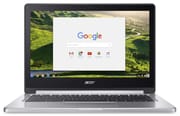 Acer Chromebook R 13 | Acer Chromebook R 13 | Acer Chromebook R 13 | |
| Price | List Price: $399.00 Amazon Prices: | List Price: $399.00 Amazon Prices: | List Price: $429.00 Amazon Prices: |
| Model number | CB5-312T-K5X4 / NX.GL4AA.008 | CB5-312T-K5X4 / NX.GL4AA.003 | CB5-312T-K40U / NX.GL4AA.003 |
| Performance Rating | 2.6 | 2.6 | 2.6 |
| Chromebook Plus | No | No | No |
| Processor | Quad-core 1.70 Ghz (max 2.10 Ghz) MediaTek MT8173C | Quad-core 1.70 Ghz (max 2.10 Ghz) MediaTek MT8173C | Quad-core 1.70 Ghz (max 2.10 Ghz) MediaTek MT8173C |
| RAM | 4 GB | 4 GB | 4 GB |
| Internal Storage | 32 GB eMMC | 32 GB eMMC | 64 GB eMMC |
| Screen Size | 13.3" | 13.3" | 13.3" |
| Screen Resolution | 1920x1080 | 1920x1080 | 1920x1080 |
| Screen Type | IPS | IPS | IPS |
| Touch Screen | Yes | Yes | Yes |
| Stylus / Pen | No Stylus Support | No Stylus Support | No Stylus Support |
| Dimensions width x length x thickness | 12.8 x 9 x 0.61 inches (325.12 x 228.6 x 15.49 mm) | 12.8 x 9 x 0.61 inches (325.12 x 228.6 x 15.49 mm) | 12.8 x 9 x 0.61 inches (325.12 x 228.6 x 15.49 mm) |
| Weight | 3.28 lbs (1.49 kg) | 3.28 lbs (1.49 kg) | 3.28 lbs (1.49 kg) |
| Backlit Keyboard | No | No | No |
| Webcam | 1280x720 | 1280x720 | 1280x720 |
| WiFi | 2x2 MIMO 802.11 a/b/g/n/ac | 2x2 MIMO 802.11 a/b/g/n/ac | 2x2 MIMO 802.11 a/b/g/n/ac |
| Bluetooth | Bluetooth 4.0 | Bluetooth 4.0 | Bluetooth 4.0 |
| Ethernet | No | No | No |
| Cellular Modem | No | No | No |
| HDMI | Full-Size HDMI | Full-Size HDMI | Full-Size HDMI |
| USB Ports | 1 USB 3, 1 USB-C (with DisplayPort support) | 1 USB 3, 1 USB-C (with DisplayPort support) | 1 USB 3, 1 USB-C (with DisplayPort support) |
| Thunderbolt Ports | No | No | No |
| Card Reader | microSD Card Reader | microSD Card Reader | microSD Card Reader |
| Battery | 3 cell, 54.0 Wh 4670 mAh, Li-ion | 3 cell, 54.0 Wh 4670 mAh, Li-ion | 3 cell, 54.0 Wh 4670 mAh, Li-ion |
| Battery Life | 12.0 hours | 12.0 hours | 12.0 hours |
| Fanless | Yes | Yes | Yes |
| Auto Update Expiration Date | August, 2026 | August, 2026 | August, 2026 |
Related Chromebooks
-
 Acer Chromebook 514The Acer Chromebook 514 (CB514-1H and 1HT) is a fanless 14-inch ChromeOS laptop sold with Celeron…
 -
 Acer Chromebook 15The Acer Chromebook 15 stands out with a 15.6" FHD IPS touch display, backlit keyboard, and up to…
 -
 ASUS Chromebook C403The ASUS Chromebook C403 shines with a 14-inch anti-glare display, robust 12-hour battery life, and…
 -
 ASUS Chromebook CX1 (CX1400)The ASUS Chromebook CX1 (CX1400) is a fanless 14-inch 1920x1080 ChromeOS laptop sold on Celeron…
 -
 Samsung Galaxy Chromebook 2The Samsung Galaxy Chromebook 2 is a 13.3-inch 2-in-1 with a vivid 1080p QLED touchscreen, an…
 -
 Lenovo Flex 3 ChromebookThe Lenovo Flex 3 Chromebook hits the sweet spot with its 11.6-inch IPS touchscreen, 4GB RAM, and…
Detailed Insights into the Acer Chromebook R 13

The all-aluminum chassis gave the R 13 a clean, MacBook-like look that stood out at its $399 launch price. At 3.28 pounds and 0.61 inches thick it is a touch heavier and thicker than some rivals. The build is not flawless: NotebookCheck found the base unit can be dented in the usual places and twists fairly easily, so it feels less rigid than the metal finish suggests.
The 13.3-inch Full HD IPS display tested well for color in NotebookCheck’s review, with a Delta E of 3.99 and a strong 835:1 contrast ratio, and the IPS panel holds stable viewing angles, which matters on a convertible used at odd angles. At 204.3 cd/m² average it is dim, and the glossy coating makes outdoor use difficult, though indoors it looks vivid for media.
The MediaTek MT8173C is an ARM chip that runs ChromeOS but sits well below the Intel options of its era. NotebookCheck measured an Octane V2 score of 10,139 and a JetStream 1.1 score of 57, firmly entry-level. It handles a handful of tabs, light document work, and streaming smoothly, but stutters under heavier multitasking. The upside of the ARM chip is the fanless, silent design and the low heat: NotebookCheck recorded a maximum surface temperature of just 30.6°C (87°F) under sustained load.
Reviewer Insights on the Acer Chromebook R 13

Chrome Unboxed
Robbie Payne from Chrome Unboxed focused on the value. He said it is “made of all-aluminum, front and back, inside and out and feels way more premium than the 399 price tag would have you think,” and his benchmarking put the MediaTek chip’s Octane score around 10,000, adequate for most ChromeOS tasks. He called the R 13 the “first of a new breed of Chromebook built expressly with Android apps in mind,” and liked the ports, especially the full-size HDMI and SD slot alongside USB-C. His gripes were a wobbly hinge on his unit, a trackpad with mechanical “play,” and a large 16:9 screen that makes tablet mode awkward. He still came away positive, telling viewers “I think you’ll be really happy with the Acer R13.”
NotebookCheck
NotebookCheck scored the R 13 at 81%, praising the silent passive cooling and light build while flagging the display and keyboard. Their testing measured very low temperatures (idle around 23.1°C, a maximum of 30.6°C under load) and good color accuracy (Delta E 3.99), but confirmed the brightness is too low for outdoor use. On build they wrote that “the base unit can be dented in the usual places…it is easy to twist,” and the keyboard drew criticism for spongy feedback that makes long typing sessions tiring. Their verdict placed the R 13 as best for light browsing, media, and basic productivity in ChromeOS.
Conclusion
For its time, the Acer Chromebook R 13 was a standout: a premium all-aluminum convertible with long battery life, a fanless design, and early Android-app support at a $399 price that mostly bought plastic elsewhere. Reviewers from Chrome Unboxed and NotebookCheck both came away positive on the build and battery, with the dim display, soft keyboard, and entry-level MediaTek performance as the consistent limits.
In 2026, this is a device to understand rather than to buy new. If you already own one, it still works well for web browsing, media, music production in the browser, and Android apps, and its ChromeOS updates run through the extended August 2026 AUE. After that date it keeps working but stops getting security patches, so it is best treated as a secondary or hand-me-down machine from then on. To see how it compares with current models, use Starry Hope’s Chromebook Comparison Chart.
To see how the R 13 stacks up across more than just specs, our Chromebook Comparison Chart lets you filter and sort the full catalog side by side.
Frequently Asked Questions
Is the Acer Chromebook R 13 good for students?
Yes, the R 13 is well-suited for students needing a device for research, writing, and note-taking. The premium aluminum build survives backpack treatment better than plastic alternatives, and the 9-12 hour battery life easily covers a full school day. The convertible design is particularly useful for taking notes in tent mode or reading in tablet mode. However, students running demanding applications or keeping many tabs open may experience occasional slowdowns from the MediaTek processor.
Can the Acer Chromebook R 13 run Android apps?
Yes, the R 13 fully supports Android apps via the Google Play Store. In fact, it was one of the first Chromebooks designed specifically with Android app compatibility in mind. The touchscreen and convertible form factor make it particularly well-suited for touch-optimized Android applications. Most productivity and entertainment apps run smoothly, though graphically demanding games may struggle with the MediaTek processor’s integrated graphics.
How does the MediaTek processor compare to Intel Chromebook processors?
The MediaTek MT8173C processor delivers roughly 50-60% of the performance of comparable Intel Celeron chips found in similarly priced Chromebooks. It achieves an Octane V2 score around 10,000, which handles basic Chrome OS tasks smoothly but shows limitations with heavy multitasking. The tradeoff is excellent battery life and completely silent fanless operation: benefits that Intel-based Chromebooks often cannot match at this price point.
Can the R 13 connect to external monitors?
Yes. The full-size HDMI port connects directly to monitors and TVs, and the USB-C port supports DisplayPort alternate mode for compatible displays, so you can run an external screen (or extend across HDMI and USB-C). Keep in mind that ChromeOS and the MediaTek chip limit how much external-display work it can drive smoothly.
Is the 32GB storage enough, or should I get the 64GB model?
The 32GB models are sufficient for users primarily working with web apps and cloud storage. However, if you plan to download Android apps or keep significant offline content, the 64GB variant offers worthwhile breathing room for approximately $30 more. The microSD card slot provides expansion capability regardless of which internal storage option you choose, allowing you to add storage for media files and backups.
What is the Acer Chromebook R 13’s end-of-life date?
The Acer Chromebook R 13 has an Auto Update Expiration (AUE) date of August 2026. After this date, the device will no longer receive Chrome OS updates, including security patches. It is a viable purchase only for short-term needs or users comfortable with a defined support window. The device will continue to function after AUE but without ongoing security updates.