
Acer Chromebook Spin 314 (2024)
Updated on

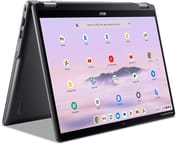
The Acer Chromebook Spin 314 (2024) brings a refreshed design to the popular convertible Chromebook lineup, featuring a modern 16:10 aspect ratio display and updated Intel processors. This 14-inch 2-in-1 targets students and budget-conscious users who need versatility without breaking the bank. The 360-degree hinge allows it to function in laptop, tent, stand, and tablet modes, making it adaptable for everything from typing notes to watching videos. With support for USI styluses and a touch-enabled WUXGA display, it handles creative tasks alongside everyday productivity. The device carries Chrome OS updates through June 2033, ensuring years of security patches and feature updates ahead.
Pros and Cons of the Acer Chromebook Spin 314 (2024)
| Pros | Cons |
|---|---|
| Tall 16:10 aspect ratio display provides more vertical screen space | Display brightness limited to 250 nits struggles outdoors |
| Rigid, durable plastic construction despite affordable positioning | Only one USB-C port limits charging flexibility |
| Smooth, responsive OceanGlass touchpad made from recycled materials | No microSD card slot for storage expansion |
| FHD webcam with privacy shutter on higher-spec models | Entry-level configuration has just 4GB RAM and eMMC storage |
| WiFi 6E and Bluetooth 5.2 for modern wireless connectivity | Not officially certified as Chromebook Plus despite meeting specs |
| Long software support through June 2033 | Slightly heavier than competitors at 3.46 lbs |
Related Videos
Acer Chromebook Spin 314 (2024) Comparison Chart
 Acer Chromebook Spin 314 (2024) | Acer Chromebook Spin 314 (2024) | Acer Chromebook Spin 314 (2024) | |
| Price | List Price: Amazon Prices: Loading prices... | List Price: Amazon Prices: Loading prices... | List Price: Amazon Prices: |
| Model number | NX.KWHAA.002 | NX.KWGAA.002 | NX.KWGAA.003 |
| Performance Rating | 3.6 | 7.1 | 7.1 |
| Chromebook Plus | No | No | No |
| Processor | Quad-core 3.70 Ghz (max 3.70 Ghz) Intel Processor N200 | Octa-core 1.80 Ghz (max 3.80 Ghz) Intel Core i3-N305 | Octa-core 1.80 Ghz (max 3.80 Ghz) Intel Core i3-N305 |
| RAM | 4 GB | 8 GB | 8 GB |
| Internal Storage | 64 GB eMMC | 128 GB PCIe SSD | 256 GB NVMe SSD |
| Screen Size | 14" | 14" | 14" |
| Screen Resolution | 1920x1200 | 1920x1200 | 1920x1200 |
| Screen Type | IPS | IPS | IPS |
| Touch Screen | Yes | Yes | Yes |
| Stylus / Pen | Supported | Supported | Supported |
| Dimensions width x length x thickness | 12.59 x 9.05 x 0.86 inches (319.79 x 229.87 x 21.84 mm) | 12.59 x 9.05 x 0.86 inches (319.79 x 229.87 x 21.84 mm) | 12.59 x 9.05 x 0.86 inches (319.79 x 229.87 x 21.84 mm) |
| Weight | 3.46 lbs (1.57 kg) | 3.46 lbs (1.57 kg) | 3.46 lbs (1.57 kg) |
| Backlit Keyboard | No | No | No |
| Webcam | 720p | 1080p | 1080p |
| WiFi | Wi-Fi 6E (802.11ax) | Wi-Fi 6E (802.11ax) | Wi-Fi 6E (802.11ax) |
| Bluetooth | Bluetooth 5.2 | Bluetooth 5.2 | Bluetooth 5.2 |
| Ethernet | No | No | No |
| Cellular Modem | No | No | No |
| HDMI | Full-Size HDMI | Full-Size HDMI | Full-Size HDMI |
| USB Ports | 2 USB 3, 1 USB-C 1x USB-C 3.2 Gen 1 (DisplayPort, charging), 2x USB-A 3.2 Gen 1, 1x HDMI 1.4 | 2 USB 3, 1 USB-C 1x USB-C 3.2 Gen 1 (DisplayPort, charging), 2x USB-A 3.2 Gen 1, 1x HDMI 1.4 | 2 USB 3, 1 USB-C 1x USB-C 3.2 Gen 1 (DisplayPort, charging), 2x USB-A 3.2 Gen 1, 1x HDMI 1.4 |
| Thunderbolt Ports | No | No | No |
| Card Reader | No Card Reader | No Card Reader | No Card Reader |
| Battery | 53Wh, Li-ion | 53Wh, Li-ion | 53Wh, Li-ion |
| Battery Life | 10 hours | 10 hours | 10 hours |
| Fanless | No | No | No |
| Auto Update Expiration Date | June, 2033 | June, 2033 | June, 2033 |
Related Chromebooks
-
 ASUS Chromebook CX9The ASUS Chromebook CX9 packs a punch with an 11th Gen Intel Core i7 processor, 16GB RAM, and 512GB…
 -
 ASUS Chromebook Vibe CX34 FlipTransform your gaming and productivity with the ASUS Chromebook Vibe CX34 Flip, featuring a 12th…
 -
 Acer Chromebook Spin 314Meet the Acer Chromebook Spin 314: a budget-friendly powerhouse with a 14-inch responsive…
 -
 Acer Chromebook Spin 714Master productivity with the Acer Chromebook Spin 714, featuring a 14-inch touchscreen, potent…
 -
 Lenovo Chromebook Plus 2-in-1 14The Lenovo Chromebook Plus 2-in-1 14 combines premium aluminum build quality with versatile…
 -
 Lenovo IdeaPad Flex 5i Chromebook PlusThe Lenovo IdeaPad Flex 5i Chromebook Plus combines Chromebook Plus certification, Intel Core…
Detailed Insights into the Acer Chromebook Spin 314 (2024)

The Acer Chromebook Spin 314 measures 12.59 x 9.05 x 0.86 inches and weighs 3.46 pounds, placing it on the heavier side for 14-inch convertibles. The chassis uses recycled plastics as part of Acer’s sustainability initiative, including an OceanGlass touchpad made from ocean-bound plastic. Despite the all-plastic construction, reviewers found the build quality solid and rigid, standing up well to everyday handling. Port selection includes two USB-A 3.2 Gen 1 ports, one USB-C 3.2 Gen 1 port that handles charging and DisplayPort output, an HDMI 1.4 port, a headphone jack, and a Kensington lock slot. The lack of a second USB-C port and the removal of the microSD card slot from previous generations represent notable compromises for this price point. Since the Spin 314 has no built-in Ethernet, users needing a wired connection can use a USB Ethernet adapter through one of the USB-A ports.
The base model ships with the Intel Processor N200, a 4-core chip suitable for basic web browsing and document work. Stepping up to the Core i3-N305 configuration provides 8 cores and significantly better multitasking performance. In real-world testing, the i3-N305 model handled Chrome tabs, Android apps, and light gaming without noticeable slowdowns. Both processor options share the same June 2033 Auto Update Expiration date. The higher-spec configurations pair the faster chip with 8GB of LPDDR5 RAM and either 128GB or 256GB of NVMe SSD storage, delivering noticeably snappier performance compared to the 4GB/64GB eMMC base model.
Wireless connectivity comes through WiFi 6E (802.11ax) and Bluetooth 5.2, offering excellent speed and range for home or campus networks. The single USB-C port handles charging via the included 65W adapter, which can take the battery from empty to 89% in about an hour according to reviewer testing. Battery life is rated at 10 hours, though real-world video playback tests showed closer to 7 hours and 20 minutes. The upward-firing speakers with DTS audio produce decent volume for a Chromebook, though reviewers noted they perform better than the headphone jack output. The audio quality is adequate for video calls and casual listening, though anyone interested in music production on a Chromebook will want to connect external speakers or headphones for a better experience.
Reviewer Insights on the Acer Chromebook Spin 314 (2024)

Chrome Unboxed
Chrome Unboxed provided hands-on testing of the Chromebook Spin 314, focusing on build quality, display, and battery performance. They praised the touchpad as “very smooth, and responsive to taps, gestures, and clicks.” The 16:10 aspect ratio display earned positive marks for productivity, though they noted the 250-nit brightness “is a bit disappointing” for outdoor use. Testing showed the FHD webcam delivers quality suitable for video calls.
The review highlighted the removal of the microSD card slot as a step backward from previous generations, stating “it’s a shame we no longer have the micro SD card slot in this generation.” Battery testing showed 7 hours and 20 minutes of video playback, with fast charging capable of reaching 89% in one hour. Overall, Chrome Unboxed found it a capable mid-range option with strong build quality and long software support.
Chrome Computing
Chrome Computing examined the 2024 Spin 314 as an entry-level to mid-range convertible option. They noted that while this configuration rivals Chromebook Plus hardware requirements, Acer chose not to use that certification for this model line. The review praised the 256GB NVMe SSD option for responsiveness, calling out “whether you’ve got that processor or the n100 or the n200 you’re going to see Chrome OS updates all the way through to June 2033.”
Chrome Computing highlighted the OceanGlass touchpad as a sustainability win that doesn’t compromise on feel or responsiveness. They did caution potential buyers about the base configuration with 4GB RAM and eMMC storage, noting these specs result in a noticeably slower experience compared to the upgraded models.
Tom’s Guide
According to Tom’s Guide, the Acer Chromebook Spin 314 serves as “a reliable 2-in-1 that’s perfect for students or anyone looking for a budget laptop.” They scored the device 3.5 out of 5 stars, praising its sturdy construction and comfortable keyboard while criticizing the dim display as the main weakness. Their testing unit featured the Intel N100 configuration, representing the lower-spec options available in some markets.
The review appreciated the wide variety of ports and 2-in-1 flexibility but noted mediocre performance compared to pricier alternatives. They summarized: “While its dim display is a disappointment, this is a solid convertible” for basic productivity needs.
Across all reviews, the consensus points to solid build quality and good value as primary strengths, while the limited display brightness and single USB-C port appear consistently as areas for improvement. Reviewers agree the higher-spec configurations with the Core i3-N305 and NVMe storage deliver meaningfully better experiences than the base models.
Customer Reviews of the Acer Chromebook Spin 314 (2024)
Amazon customers have rated the Acer Chromebook Spin 314 3.8 out of 5 stars based on 10 reviews. Buyers appreciate the performance and general usability of the device, with the convertible design and touch display earning particular praise. The processor handles everyday tasks smoothly according to user feedback.
However, some customers note concerns about speaker volume being too quiet even at maximum settings. A few reviews mention frustration with the headphone jack audio quality as well. Some international buyers discovered the device is sold as a parallel import without local manufacturer warranty coverage, which caught them by surprise.
Overall, the customer sentiment is positive, with most buyers finding the Chromebook Spin 314 delivers solid value for classroom and home productivity use cases.
Conclusion
The Acer Chromebook Spin 314 (2024) stands out as a practical choice for students, casual users, and anyone needing a versatile convertible Chromebook with long-term software support. Its combination of a tall 16:10 display, solid build quality, and WiFi 6E connectivity makes it well-suited for note-taking, research, video calls, and media consumption. The higher-spec configurations with the Intel Core i3-N305 and NVMe storage deliver the best experience and should be prioritized over the base model if budget allows.
That said, users who frequently work outdoors or in bright environments should consider alternatives with brighter displays. Those who rely on external storage will miss the microSD card slot, and power users wanting Chromebook Plus certification and premium features should look at options like the Acer Chromebook Plus Spin 714 instead.
For those comparing options, see our Chromebook Comparison Chart to find the best match for your needs.
Frequently Asked Questions
What processor does the Acer Chromebook Spin 314 (2024) use?
The Acer Chromebook Spin 314 (2024) is available with two processor options. The base model uses the Intel Processor N200 with 4 cores and 4 threads. Higher configurations feature the Intel Core i3-N305 with 8 cores and 8 threads, offering significantly better multitasking performance. Both processors support Chrome OS updates through June 2033.
Can I upgrade the RAM or storage in the Chromebook Spin 314?
No, the Acer Chromebook Spin 314 uses soldered memory and storage that cannot be upgraded after purchase. The device also lacks a microSD card slot for storage expansion. Choose the RAM and storage configuration that meets your needs at purchase time, with 8GB RAM and NVMe SSD models recommended for the best long-term experience.
What ports does the Acer Chromebook Spin 314 (2024) have?
The Acer Chromebook Spin 314 includes one USB-C 3.2 Gen 1 port with DisplayPort output and charging support, two USB-A 3.2 Gen 1 ports, one HDMI 1.4 port, a 3.5mm headphone/microphone combo jack, and a Kensington lock slot. Note that there is only one USB-C port, so you cannot charge and use a USB-C peripheral simultaneously.
Is the Acer Chromebook Spin 314 a Chromebook Plus?
No, the Acer Chromebook Spin 314 (CP314-2HN) is not certified as a Chromebook Plus, even though the higher-spec configurations with the Core i3-N305 and 8GB RAM meet the hardware requirements. Acer chose not to pursue Chromebook Plus certification for this model line. If you want the Chromebook Plus AI features and optimizations, look at the Acer Chromebook Plus Spin 514 instead.
Does the Chromebook Spin 314 support a stylus?
Yes, the Acer Chromebook Spin 314 supports USI (Universal Stylus Initiative) styluses for drawing and note-taking on the touchscreen. However, the stylus is sold separately and not included in the box. Any USI-compatible stylus will work with the device.
How long will the Chromebook Spin 314 receive updates?
The Acer Chromebook Spin 314 (CP314-2H/CP314-2HN) has an Auto Update Expiration (AUE) date of June 2033. This means Google will provide Chrome OS updates, security patches, and new features until that date, regardless of which processor configuration you choose.
What’s included in the box with the Chromebook Spin 314?
The Acer Chromebook Spin 314 comes with the Chromebook unit, a 65W USB-C power adapter with power cord, and documentation. The 65W charger supports fast charging, taking the battery from 0% to approximately 89% in one hour. A stylus is not included but can be purchased separately.