
ASUS Chromebook CM14 (CM1405)
Updated on

The ASUS Chromebook CM14 (CM1405) is a 14-inch education laptop built on the MediaTek Kompanio 540, an ARM chip aimed at browser and Android workloads. It comes in four non-touch configurations plus a touch variant, spanning 4GB to 8GB of RAM and 64GB to 128GB of eMMC storage. ChromeOS updates run through June 2036.
Pros and cons
| Pros | Cons |
|---|---|
| MIL-STD 810H military-grade durability | No backlit keyboard |
| Fanless silent operation | HD webcam on base models (1080p only on touch variant) |
| 180-degree lay-flat hinge for sharing | eMMC storage instead of faster SSD |
| WiFi 6E and Bluetooth 5.4 connectivity | Not Chromebook Plus certified |
| Long support until June 2036 AUE date | Non-upgradeable storage and RAM |
| Full-size HDMI port for presentations | Limited to 8GB RAM maximum |
Related Videos
ASUS Chromebook CM14 (CM1405) Comparison Chart
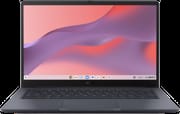 ASUS Chromebook CM14 (CM1405) | ASUS Chromebook CM14 (CM1405) | ASUS Chromebook CM14 (CM1405) | ASUS Chromebook CM14 (CM1405) | ASUS Chromebook CM14 (CM1405) | |
| Price | List Price: Amazon Prices: | List Price: Amazon Prices: | List Price: Amazon Prices: | List Price: Amazon Prices: | List Price: Amazon Prices: |
| Model number | CM1405CM4A | CM1405CM4A | CM1405CM4A | CM1405CM4A | CM1405CM4A |
| Performance Rating | 2.3 | 2.3 | 3.6 | 3.6 | 3.6 |
| Chromebook Plus | No | No | No | No | No |
| Processor | Octa-core 2.00 Ghz (max 2.60 Ghz) MediaTek Kompanio 540 | Octa-core 2.00 Ghz (max 2.60 Ghz) MediaTek Kompanio 540 | Octa-core 2.00 Ghz (max 2.60 Ghz) MediaTek Kompanio 540 | Octa-core 2.00 Ghz (max 2.60 Ghz) MediaTek Kompanio 540 | Octa-core 2.00 Ghz (max 2.60 Ghz) MediaTek Kompanio 540 |
| RAM | 4 GB | 4 GB | 8 GB | 8 GB | 8 GB |
| Internal Storage | 64 GB eMMC | 128 GB eMMC | 64 GB eMMC | 128 GB eMMC | 128 GB eMMC |
| Screen Size | 14.0" | 14.0" | 14.0" | 14.0" | 14.0" |
| Screen Resolution | 1920x1080 | 1920x1080 | 1920x1080 | 1920x1080 | 1920x1080 |
| Screen Type | IPS | IPS | IPS | IPS | IPS |
| Touch Screen | No | No | No | No | Yes |
| Stylus / Pen | No Stylus Support | No Stylus Support | No Stylus Support | No Stylus Support | No Stylus Support |
| Dimensions width x length x thickness | 12.78 x 8.44 x 0.78 inches (324.61 x 214.38 x 19.81 mm) | 12.78 x 8.44 x 0.78 inches (324.61 x 214.38 x 19.81 mm) | 12.78 x 8.44 x 0.78 inches (324.61 x 214.38 x 19.81 mm) | 12.78 x 8.44 x 0.78 inches (324.61 x 214.38 x 19.81 mm) | 12.78 x 8.44 x 0.78 inches (324.61 x 214.38 x 19.81 mm) |
| Weight | 2.98 lbs (1.35 kg) | 2.98 lbs (1.35 kg) | 2.98 lbs (1.35 kg) | 2.98 lbs (1.35 kg) | 2.98 lbs (1.35 kg) |
| Backlit Keyboard | No | No | No | No | No |
| Webcam | HD | HD | HD | HD | 1080p |
| WiFi | Wi-Fi 6E (802.11ax) | Wi-Fi 6E (802.11ax) | Wi-Fi 6E (802.11ax) | Wi-Fi 6E (802.11ax) | Wi-Fi 6E (802.11ax) |
| Bluetooth | Bluetooth 5.4 | Bluetooth 5.4 | Bluetooth 5.4 | Bluetooth 5.4 | Bluetooth 5.4 |
| Ethernet | No | No | No | No | No |
| Cellular Modem | No | No | No | No | No |
| HDMI | Full-Size HDMI | Full-Size HDMI | Full-Size HDMI | Full-Size HDMI | Full-Size HDMI |
| USB Ports | 1 USB 3, 2 USB-C 2x USB-C 3.2 with DisplayPort and Power Delivery, 1x USB-A 3.2 Gen 1, 1x HDMI | 1 USB 3, 2 USB-C 2x USB-C 3.2 with DisplayPort and Power Delivery, 1x USB-A 3.2 Gen 1, 1x HDMI | 1 USB 3, 2 USB-C 2x USB-C 3.2 with DisplayPort and Power Delivery, 1x USB-A 3.2 Gen 1, 1x HDMI | 1 USB 3, 2 USB-C 2x USB-C 3.2 with DisplayPort and Power Delivery, 1x USB-A 3.2 Gen 1, 1x HDMI | 1 USB 3, 2 USB-C 2x USB-C 3.2 with DisplayPort and Power Delivery, 1x USB-A 3.2 Gen 1, 1x HDMI |
| Thunderbolt Ports | No | No | No | No | No |
| Card Reader | No Card Reader | No Card Reader | No Card Reader | No Card Reader | No Card Reader |
| Battery | 42Wh | 42Wh | 42Wh | 42Wh | 42Wh |
| Battery Life | Unknown | Unknown | Unknown | Unknown | Unknown |
| Fanless | Yes | Yes | Yes | Yes | Yes |
| Auto Update Expiration Date | June, 2036 | June, 2036 | June, 2036 | June, 2036 | June, 2036 |
Related Chromebooks
-
 Acer Chromebook 314The Acer Chromebook 314 (CB314) is a fanless 14-inch laptop with an Intel Celeron N4000, sold in…
 -
 Acer Gateway Chromebook 314The Acer Gateway Chromebook 314 is a 14-inch ChromeOS laptop on Acer's Chromebook 314 chassis with…
 -
 ASUS Chromebook C403The ASUS Chromebook C403 shines with a 14-inch anti-glare display, robust 12-hour battery life, and…
 -
 ASUS Chromebook C423The ASUS Chromebook C423 pairs a 14-inch 1366x768 display with a dual-core Celeron N3350, 4GB of…
 -
 HP Chromebook 14 (AMD)The HP Chromebook 14 (AMD) is a fanless 14-inch Chromebook built on the AMD A4-9120C APU with…
 -
 HP Chromebook 14 G6The HP Chromebook 14 G6 is an education and business model with a Celeron N4020, 4GB or 8GB of RAM,…
A hardened 14-inch shell with a lay-flat hinge
The chassis measures 12.78 x 8.44 x 0.78 inches and weighs 2.98 pounds (1.35 kg), light enough for a student to carry between classes all day. ASUS tested it to US MIL-STD 810H and fitted a spill-resistant keyboard, reinforced corners, and an anti-glare 14-inch IPS panel at an 86% screen-to-body ratio for brightly lit classrooms. The 180-degree hinge opens the lid completely flat, which helps during group work or when a teacher needs to read the screen from across a table. Available colors are Pure Grey, Fabric Blue, Quiet Blue, and Misty Grey. The display is rated at 300 nits for the touch variant and 250 nits for the non-touch panel; both cover roughly 45% NTSC, which is typical for an education panel and well short of a creative-pro target.
The MediaTek Kompanio 540 is an 8-core ARM chip with two Cortex-A78 performance cores running at up to 2.6 GHz and six Cortex-A55 efficiency cores at 2.0 GHz. That layout is tuned for ChromeOS work: web browsing, document editing, video streaming, and Android apps. It also draws little enough power that ASUS could leave the fan out entirely, so the machine is silent in a quiet study room. Up to 8GB of LPDDR5x memory is available, which covers a working set of browser tabs and light multitasking.
Wireless comes from WiFi 6E (802.11ax) and Bluetooth 5.4 for mice, headphones, or styluses. The port selection includes 2x USB-C 3.2 with DisplayPort and Power Delivery, 1x USB-A 3.2 Gen 1, a full-size HDMI output, and a 3.5mm audio combo jack. That HDMI port matters in classrooms, where connecting to a projector or a wall display is a daily event. Schools that need wired network access can hang a USB Ethernet adapter off the USB-A port.
US availability and which configuration to pick
The CM1405 was announced at CES 2026 alongside the rest of ASUS’s refreshed education lineup. As of mid-2026 the SKU is not listed on Amazon US or Best Buy: the only ASUS Chromebook CM14 ASINs on Amazon’s US storefront still belong to the older CM1402-series with the Kompanio 520, so the CM1405 and its newer Kompanio 540 look set to reach schools through ASUS education distribution before consumer marketplaces pick it up. Published specifications point at web-based learning platforms, Google Workspace applications, and streaming educational content as the workloads it is sized for.
The 4GB and 64GB base builds cover basic use, while the 8GB and 128GB versions leave headroom for students running several Android apps or keeping more files locally. The touch variant moves the webcam up to 1080p, which helps on video calls and in remote lessons. ASUS’s own techspec page also lists a 50Wh battery option and a 256GB eMMC tier that may appear in regional education SKUs, though no US-market SKU has surfaced with either.
How it compares against the budget x86 field
The CM1405 lands in the same bracket as the Lenovo Chromebook 3 11 and the HP Chromebook 14a (Intel N100). The meaningful differences are the ARM Kompanio 540 against those competitors’ x86 chips, plus the MIL-STD 810H rating and the lay-flat hinge for institutional use. ARM Chromebooks like this one get longer battery life and silent fanless operation; in exchange they cannot run x86-only Linux binaries inside the ChromeOS Linux container, which is rarely an issue for K-12 workloads but matters to power users. The June 2036 AUE is a full decade out from launch, comfortably past the six-year refresh cycle many school districts run on.
The lack of Chromebook Plus certification is the clearest ceiling on this machine. Chromebook Plus requires a higher-end CPU class (Intel Core i3 / Core 3 100U, AMD Ryzen 3 7000-series and up, MediaTek Kompanio Ultra, or equivalent), 8GB RAM minimum, 128GB storage minimum, an FHD IPS display, and a 1080p webcam. The 8GB / 128GB / FHD / 1080p touch variant hits four of those five marks on paper, and the Kompanio 540 is the one it misses. Readers weighing a Chromebook Plus alternative should decide whether the on-device AI features and Adobe app entitlements of that tier justify the price step up.
Fleet deployment and the missing backlit keyboard
For school IT departments, this Chromebook slots into a Google Admin console fleet without much ceremony. It ships with the Education upgrade SKU available out of the box, works with existing ChromeOS device management policies, and the USB Ethernet adapter route covers labs that still rely on wired networking. The MIL-STD 810H rating covers the drop, vibration, and thermal test passes procurement teams ask for in budget tenders.
The missing backlit keyboard is the compromise a home buyer is most likely to notice. Late-night homework in a dim room is where a backlit deck earns its keep, and at this price tier ASUS holds that feature back for the CM14 Flip and its Chromebook Plus models. ASUS’s own techspec page does list a backlit chiclet keyboard configuration for some regional SKUs, so confirm the keyboard spec on the actual listing before committing.
A durable classroom machine with a low performance ceiling
The memory tops out at 8GB and the eMMC storage cannot be replaced later, so a buyer who needs more than browser and Android work should shop the Chromebook Plus tier, where the CPU class and the display requirements start higher.
A school district, or a parent buying a first laptop that has to survive a backpack, gets a hardened chassis and a spill-resistant keyboard, which count for more in daily use than a faster chip would at this price, and the update runway outlasts the hardware. Confirm the RAM and the webcam resolution on the listing before ordering, since those differ between variants.
Starry Hope’s Chromebook Comparison Chart lines it up against other models spec by spec.
Frequently Asked Questions
What processor does the ASUS Chromebook CM14 use?
The MediaTek Kompanio 540, an 8-core ARM chip with 2 performance cores running up to 2.6 GHz and 6 efficiency cores at 2.0 GHz. It is designed for Chromebooks, and it covers everyday browsing, documents, and Android apps.
Can I upgrade the RAM in the CM14?
No. The LPDDR5x memory is soldered and cannot be changed after purchase. Configurations come in 4GB and 8GB, so pick the amount you need at the time of purchase.
What ports does the CM14 have?
2x USB-C 3.2 with DisplayPort and Power Delivery support, 1x USB-A 3.2 Gen 1, 1x full-size HDMI for external displays, and a 3.5mm audio combo jack for headphones and microphones.
Is the CM14 durable enough for students?
ASUS tested it to US MIL-STD 810H, and the build adds a spill-resistant keyboard and reinforced corners for the drops and impacts common in schools.
When does the CM14 stop receiving updates?
June 2036, per Google’s official Auto Update Expiration (AUE) schedule. Until then it keeps receiving ChromeOS updates, security patches, and new features, roughly a decade of software support from its 2026 launch.
Is the CM14 a Chromebook Plus device?
No. It is positioned as an education device, and the Kompanio 540 falls below the CPU class that Chromebook Plus certification requires. If you want the Plus features, look at ASUS’s Chromebook Plus lineup.