
ASUS Chromebook CX1 (CX1100)
Updated on

The ASUS Chromebook CX1 (CX1100) is an 11.6-inch ChromeOS laptop built around a dual-core Intel Celeron N3350 and rated for up to 12 hours of battery life. The anti-glare panel sits on a 180° lay-flat hinge, and the keyboard is full-size. Connectivity runs to WiFi 5, two USB-C ports, a USB 3.2 port, a microSD slot, and an audio jack.
Pros and Cons
| Pros | Cons |
|---|---|
| Light and portable at 2.65 lbs | Not suitable for heavy multitasking or gaming |
| Up to 12 hours of battery life | Video above 720p is a struggle |
| ChromeOS updates run through June 2027 | 32GB of eMMC storage cannot be upgraded |
Related Videos
ASUS Chromebook CX1 (CX1100) Comparison Chart
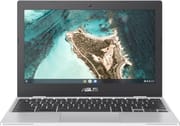 ASUS Chromebook CX1 (CX1100) | |
| Price | List Price: $229.99 Amazon Prices: |
| Model number | CX1100CNA-AS42 |
| Performance Rating | 2.8 |
| Chromebook Plus | No |
| Processor | Dual-core 1.10 Ghz (max 2.40 Ghz) Intel Celeron N3350 |
| RAM | 4 GB |
| Internal Storage | 32 GB eMMC |
| Screen Size | 11.6" |
| Screen Resolution | 1366x768 |
| Screen Type | Anti-glare |
| Touch Screen | No |
| Stylus / Pen | No Stylus Support |
| Dimensions width x length x thickness | 11.3 x 7.8 x 0.69 inches (287.02 x 198.12 x 17.53 mm) |
| Weight | 2.65 lbs (1.2 kg) |
| Backlit Keyboard | No |
| Webcam | HD |
| WiFi | WiFi 5 (802.11 ac) |
| Bluetooth | Bluetooth 4.2 |
| Ethernet | No |
| Cellular Modem | No |
| HDMI | No HDMI |
| USB Ports | 1 USB 3, 2 USB-C (USB-C supports DisplayPort and charging) |
| Thunderbolt Ports | No |
| Card Reader | microSD Card Reader |
| Battery | 2 cell, 38WHrs, Li-ion |
| Battery Life | 12.0 hours |
| Fanless | Yes |
| Auto Update Expiration Date | June, 2027 |
Related Chromebooks
-
 ASUS Chromebook C203XAThe ASUS Chromebook C203XA is a rugged 11.6-inch education laptop with a MediaTek MT8173C, an…
 -
 ASUS Chromebook Flip CR1The ASUS Chromebook Flip CR1 (CR1100FKA) is a rugged 11.6-inch education convertible on an Intel…
 -
 Samsung Chromebook 4The Samsung Chromebook 4 is an 11.6-inch Celeron N4000 or N4020 Chromebook with 4GB of RAM, a…
 -
 Acer Chromebook 311 (AMD)The Acer Chromebook 311 (CB311-10H) is an 11.6-inch ChromeOS laptop on an AMD A4-9120C with 4GB of…
 -
 Acer Chromebook Spin 11 CP311The Acer Chromebook Spin 11 combines functionality and portability with its 11.6-inch touch IPS…
 -
 Lenovo Flex 3 ChromebookThe Lenovo Flex 3 Chromebook is a fanless 11.6-inch convertible with an IPS touchscreen, a MediaTek…
Fixed 32GB storage in a 2.65-pound shell
At 2.65 lbs and 0.69 inches thick, the CX1100 goes into a bag without much thought, and the slim bezels keep the footprint close to the size of the 11.6-inch panel. The Celeron N3350 and 4GB of RAM cover browsing, email, and document work.
The 32GB of eMMC storage is soldered, so a microSD card or Google One is the only way to add room. There is no Ethernet port, though a USB Ethernet adapter on either USB-C port covers a wired connection. Google extended this device’s Auto Update Expiration to June 2027, so ChromeOS updates, including security patches, continue through that date.
A mixed verdict from nerdyneighbor
On YouTube, tech reviewer nerdyneighbor walks through this Chromebook at length. He commends the unboxing experience, stating that it was “better than most Chromebooks and laptops in general that I’ve unboxed.” He also appreciates the inclusion of a USB-C charger, which he feels should be a standard for all laptops.
The reviewer says the specs could be better, and that it performs adequately for browsing and watching YouTube but struggles to run or stream anything over 720p. He praises its affordability, build quality, and simplicity, and calls the speakers surprisingly good, clear and loud. His cons include a subpar screen, a cramped trackpad and keyboard, and the lack of a touchscreen or two-in-one functionality.
In his words, it is “actually a pretty good value proposition,” and for a family computer “it is really really hard to beat” at around $130, which he called “a fantastic price.” He stops short of endorsing it, saying “I’m not confident that this gets my recommendation.” He suggests it would be “good to get if you just need an extra internet browsing device for the house” or for “a bunch of grade schoolers,” but adds “I wouldn’t use it for work or school personally.”
A spare browsing laptop for the house
Twelve hours of battery covers a day of classes or a long flight without hunting for an outlet, which suits students, remote workers, and travelers. The 11.6-inch frame and 2.65-pound weight make it easy to move between rooms or between buildings.
Heavy multitasking and gaming sit outside what a dual-core Celeron with 4GB of RAM will do, and video above 720p gave the reviewer trouble. Anyone who wants a sharper panel than 1366x768, or more room under their hands, should look at a different model. Starry Hope’s Chromebook Comparison Tool lines up the alternatives side by side.
Frequently Asked Questions
1. What is the screen resolution of the ASUS Chromebook CX1 (CX1100)?
The 11.6-inch display runs at 1366x768 pixels. The finish is anti-glare.
2. Can I upgrade the storage on the CX1100?
No. The 32GB of eMMC storage is soldered in place, and a microSD card is the only way to add more.
3. How much does the CX1100 weigh?
It weighs 2.65 pounds (1.20 kg).
4. Does the CX1100 have a backlit keyboard?
No, the CX1100 does not feature a backlit keyboard. The keyboard is full-size.
5. What kind of processor does the CX1100 have?
An Intel Celeron N3350, a dual-core chip with a base speed of 1.10 GHz and a max speed of 2.40 GHz.
6. Does the CX1100 support Bluetooth?
Yes, Bluetooth version 4.2 is built in.
7. How long does the battery last on the CX1100?
ASUS rates it at up to 12 hours.
8. Does the CX1100 have a webcam?
Yes, an HD webcam is built in.
9. What kind of ports does the CX1100 have?
Two USB-C ports, a USB 3.2 port, a microSD slot, and an audio jack. Both USB-C ports carry DisplayPort and charging.
10. Does the CX1100 come with any additional services?
ASUS bundled a 12-month Google One subscription with 100 GB of cloud storage at launch.