
ASUS Chromebook CX1 (CX1101)
Updated on

The ASUS Chromebook CX1 (CX1101) delivers exactly what budget-conscious students and casual users need: a lightweight, durable laptop that handles everyday tasks. At around $199, this 11.6-inch Chromebook offers MIL-STD 810H military-grade durability, 13-hour battery life, and modern USB-C connectivity. While the display won’t impress anyone looking for vibrant colors or sharp text, the CX1101 excels at web browsing, document editing, and video conferencing. With Chrome OS support extended through June 2029, this compact Chromebook has plenty of life left for years of reliable service.
| Pros | Cons |
|---|---|
| MIL-STD 810H military-grade durability withstands daily abuse | 1366x768 display looks dated with dull colors and bluish tint |
| 12-13 hour real-world battery life | No touchscreen or convertible design limits versatility |
| Dual USB-C and dual USB-A ports for flexible connectivity | 4GB RAM and eMMC storage may feel sluggish with many tabs |
| 180-degree hinge enables easy screen sharing and collaboration | 200-nit brightness insufficient for outdoor or bright room use |
| Compact 2.73 lb design is easy to carry all day | Intel Celeron N4020 struggles with heavy multitasking |
| Surprisingly good stereo speakers for the price point | No keyboard backlighting for low-light environments |
Related Videos
ASUS Chromebook CX1 (CX1101) Comparison Chart
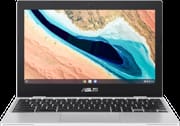 ASUS Chromebook CX1 (CX1101) | |
| Price | List Price: $269.99 Amazon Prices: Loading prices... |
| Model number | CX1101CMA-DB44 |
| Performance Rating | 3.1 |
| Chromebook Plus | No |
| Processor | Dual-core 1.10 Ghz (max 2.80 Ghz) Intel Celeron Processor N4020 |
| RAM | 4 GB |
| Internal Storage | 64 GB eMMC |
| Screen Size | 11.6" |
| Screen Resolution | 1366x768 |
| Screen Type | Anti-glare display, LED Backlit, 220nits |
| Touch Screen | No |
| Stylus / Pen | No Stylus Support |
| Dimensions width x length x thickness | 11.48 x 7.91 x 0.77 inches (291.59 x 200.91 x 19.56 mm) |
| Weight | 2.73 lbs (1.24 kg) |
| Backlit Keyboard | No |
| Webcam | 720p HD |
| WiFi | Wi-Fi 5 (802.11ac) |
| Bluetooth | Bluetooth 5.1 |
| Ethernet | No |
| Cellular Modem | No |
| HDMI | No HDMI |
| USB Ports | 2 USB 3, 2 USB-C USB-C supports display out and power delivery |
| Thunderbolt Ports | No |
| Card Reader | Card Reader |
| Battery | 3 cell, 42WHrs, Li-ion |
| Battery Life | 13.0 hours |
| Fanless | No |
| Auto Update Expiration Date | June, 2029 |
Related Chromebooks
-
 ASUS Chromebook CR11 (CR1104C)The ASUS Chromebook CR11 (CR1104C) is a ruggedized 11.6-inch Chromebook built for students and…
 -
 ASUS Chromebook C203XAThe ASUS Chromebook C203XA is a rugged 11.6-inch education laptop with a MediaTek MT8173C, an…
 -
 Samsung Chromebook 4The Samsung Chromebook 4 is an 11.6-inch Celeron N4000 or N4020 Chromebook with 4GB of RAM, a…
 -
 Acer Gateway Chromebook 311The Acer Gateway Chromebook 311 is an 11.6-inch 1366x768 ChromeOS laptop on an Intel Celeron N4500…
 -
 HP Chromebook 11a (ARM)The HP Chromebook 11a offers an 11.6-inch anti-glare display, 720p HD webcam, and up to 15 hours of…
 -
 Dell Chromebook 11 (3100)The Dell Chromebook 11 (3100) is a ruggedized 11.6-inch education Chromebook with rubber bumpers, a…
Detailed Insights into the ASUS Chromebook CX1 (CX1101)

The ASUS Chromebook CX1 (CX1101) represents ASUS’s commitment to delivering affordable computing without sacrificing essential durability. The transparent silver chassis, while plastic, feels sturdy in hand and carries MIL-STD 810H certification, meaning it has been torture-tested against drops, shocks, and temperature extremes. Reviewers consistently praise the build quality as surprisingly solid for a budget device. The 11.6-inch form factor keeps weight down to 2.73 pounds, making it easy to slip into a backpack and carry throughout the day without fatigue.
Performance from the Intel Celeron N4020 processor won’t break any speed records, but it handles Chrome OS admirably. The dual-core chip runs at 1.1 GHz base frequency with bursts up to 2.8 GHz when needed, providing enough power for web browsing, Google Workspace applications, and streaming video. In Speedometer 2.0 benchmarks, the CX1101 scores around 44-45 fps, which represents a significant improvement over previous-generation Celeron chips. Real-world testing by Beebom noted this is nearly double the performance of older models like the ASUS C223, which demonstrates how even budget processors have improved. The 4GB RAM proves adequate for casual use, though power users who keep dozens of Chrome tabs open may notice occasional slowdowns.
Connectivity options exceed what you might expect at this price point. Two USB 3.2 Type-A ports and two USB Type-C ports provide flexibility for peripherals, external displays, and charging. The USB-C ports support DisplayPort output and power delivery, allowing you to use modern chargers and dock setups. Wi-Fi 5 (802.11ac) and Bluetooth 5.1 handle wireless duties, though the lack of Wi-Fi 6 support means you won’t benefit from the latest router technologies. A microSD card reader expands the 64GB eMMC storage, helpful since internal storage isn’t upgradeable. The 720p webcam and dual-array microphone handle video calls adequately, though quality is limited in challenging lighting conditions.
Reviewer Insights on the ASUS Chromebook CX1 (CX1101)

9to5Laptops’ Perspective
9to5Laptops approached the CX1101 with the provocative question: is this a Chromebook you don’t actually need? Their hands-on review focused heavily on the student and education market, where this device is clearly positioned. The reviewer praised the 180-degree hinge as useful for collaborative work, allowing students to lay the screen flat for group viewing. They called out the stereo speakers as “surprisingly good” for such an inexpensive device, noting that budget laptops often skimp on audio quality, though the device lacks the power needed for demanding tasks like music production.
However, 9to5Laptops didn’t hold back on the display criticism. The 1366x768 resolution looks increasingly dated in 2026, with visible pixelation during text-heavy work. The reviewer noted the plastic construction feels cheap in hand despite the military-grade certification, suggesting the durability rating compensates for materials that don’t inspire premium confidence. Their conclusion positioned the CX1101 for students who need something that survives backpack life, but cautioned anyone expecting more than bare-minimum computing power.
nerdyneighbor’s Perspective
nerdyneighbor delivered an extensive 10-minute review examining the CX1 as a “super budget friendly Chromebook” at the $130-$150 price point (when it was available on sale). They emphasized the USB-C charging as a modern feature that budget Chromebooks often lack, praising the convenience of using one charger for multiple devices. The build quality and speaker audio received positive marks, with the reviewer calling it “good for the price” without overpromising.
The display criticism from nerdyneighbor was particularly pointed. They observed a noticeable blue hue across the screen that affects color accuracy and makes extended reading sessions less comfortable. Combined with the low resolution, the display was described as the CX1’s most significant weakness. Their bottom line recommendation was clear: this works well as a secondary device or for very basic computing needs, but shouldn’t be anyone’s primary work or school machine. For that role, spending slightly more on a device with better display quality would pay dividends in daily usability.
Beebom’s Written Review
Beebom awarded the CX1101 an 8/10 score in their comprehensive written review, calling it “an instant buy” for anyone seeking a simple, secure laptop under Rs. 20,000 (approximately $240). Their testing praised the keyboard specifically, noting zero flex and comfortable 1.5mm key travel that makes extended typing sessions pleasant. The trackpad earned similar praise for responsive gesture support and smooth tracking.
Beebom’s benchmark testing quantified the N4020’s performance improvements. Their Speedometer 2.0 score of 44.2 fps represents an 84% improvement over the previous-generation ASUS C223, which demonstrates meaningful generational gains even in budget silicon. Battery life testing showed approximately 8 hours of real-world usage, somewhat below ASUS’s 13-hour claim but still excellent for all-day use without charging anxiety. The review concluded that display quality remains the CX1101’s Achilles heel, with 200-nit brightness and color shifting at off-center viewing angles detracting from an otherwise solid package.
Fone Arena’s Assessment
Fone Arena declared the CX1101 “the best compact Chromebook for less than Rs. 20,000” in their review. Their testing emphasized durability, highlighted the MIL-STD-810H certification, and noted that ASUS subjects these devices to extensive drop and shock testing. Battery performance impressed them even more than display criticism disappointed, with approximately 12 hours achieved in their testing, nearly matching ASUS’s claims and easily lasting a full school or work day.
Geekbench 5 testing revealed single-core and multi-core scores of 482 and 911 respectively, positioning the N4020 as adequate for Chrome OS’s lightweight demands. Fone Arena appreciated the dual USB-C and dual USB-A port configuration, calling it excellent for users who need to connect various peripherals without dongles. Their conclusion acknowledged the average display quality as a necessary trade-off for the price point while recommending the device for students, seniors, and anyone prioritizing durability and battery life over screen quality.
Customer Reviews of the ASUS Chromebook CX1 (CX1101)
Across 9 ratings on Amazon, the ASUS Chromebook CX1 (CX1101) averages 4 stars. The spread is wide for such a small sample: about two-thirds of those ratings are 5-star, but roughly a sixth land at 1 star, so the ratings are mixed rather than uniformly positive. Only one written review is available, so treat it as a single data point rather than a consensus.
That lone review is critical. A reviewer posting as expectopatronum gave it 1 star (the review is not marked as a verified purchase) and faulted the build, writing that “it is cheap plastic” and that “the keyboard feels cheap,” while allowing that “the only satisfying thing about it is the battery life.” They bought it for under $200 and said they would not have been happy paying retail. With no other owner write-ups to weigh against it, the battery life is the one point even this unhappy buyer credited.
Read more owner reviews on Amazon.
Conclusion
The ASUS Chromebook CX1 (CX1101) delivers exactly what its price point promises: a durable, long-lasting Chromebook for basic computing needs. With Chrome OS support through June 2029 and MIL-STD 810H construction, this device offers years of reliable service for students, seniors, or anyone needing a secondary machine for web browsing and light productivity. The excellent battery life and modern USB-C connectivity feel premium for a sub-$200 device. However, the mediocre 1366x768 display and 4GB RAM limitation mean this isn’t suitable for power users or anyone expecting a primary work machine. For budget-conscious buyers who prioritize durability and battery life over screen quality, the CX1101 remains a sensible choice in an increasingly competitive Chromebook market. If you are weighing it against other options, the Chromebook Comparison Chart lays out specs side by side to help you decide.
Frequently Asked Questions
How long will the ASUS Chromebook CX1 (CX1101) receive Chrome OS updates?
The ASUS Chromebook CX1 (CX1101) is supported with Chrome OS updates through June 2029, according to Google’s Auto Update Expiration (AUE) database. This means you’ll receive security patches, new Chrome OS features, and Android app compatibility updates for approximately 3.5 more years from January 2026. After the AUE date, the Chromebook will continue to function but won’t receive further updates.
Can you upgrade the RAM or storage on the ASUS Chromebook CX1 (CX1101)?
No, both the 4GB RAM and 64GB eMMC storage are soldered to the motherboard and cannot be upgraded. However, you can expand storage using the built-in microSD card reader. A 128GB or 256GB microSD card works well for storing offline files, downloaded movies, or Android app data, effectively extending your available storage capacity.
Is the ASUS Chromebook CX1 good for students?
Yes, the CX1101 is specifically designed for students. The MIL-STD 810H military-grade durability protects against drops and daily backpack abuse. The 13-hour battery life easily lasts through a full school day without charging. The 180-degree hinge allows easy screen sharing during group work. At $199, it’s affordable for families on a budget. The main trade-off is the basic 1366x768 display, which works fine for schoolwork but not for art or design classes requiring color accuracy.
Does the ASUS Chromebook CX1 (CX1101) have a touchscreen?
No, the CX1101 does not have a touchscreen. It’s a traditional clamshell laptop design without touch or stylus support. The 180-degree hinge allows laying the screen flat but the device cannot be used in tablet mode. If you need a touchscreen Chromebook, consider the ASUS Chromebook CX1 (CX1102) or similar models with touch-enabled displays.
What ports does the ASUS Chromebook CX1 (CX1101) have?
The CX1101 offers excellent port selection for a budget Chromebook: two USB 3.2 Type-A ports, two USB Type-C ports (supporting charging, DisplayPort video output, and data transfer), a 3.5mm audio combo jack, and a microSD card reader. This configuration lets you connect USB drives, external displays, wired headphones, and expand storage without dongles or adapters.
How does battery life compare to other budget Chromebooks?
The CX1101’s battery life is among the best in its class. ASUS claims 13 hours, and real-world testing by reviewers shows 8-12 hours depending on workload. Fone Arena achieved nearly 12 hours in their testing, while Beebom saw about 8 hours with heavier use. The 42Wh battery combined with the efficient Celeron N4020 processor delivers long battery life, easily outlasting most budget Chromebooks and many more expensive laptops.