
CTL Chromebox CBx1
Updated on

Note: CTL no longer sells this Chromebox new. Google has set its Auto Update Expiration date to June 2028, so units still in service continue to receive Chrome OS updates until then.
Released in 2018, the CTL Chromebox CBx1 was built for education and enterprise deployments where simplicity and reliability mattered more than consumer appeal. CTL, known for building rugged Chromebooks for K-12 classrooms, brought that same no-nonsense approach to this compact desktop. It launched at $219 for the base configuration, undercutting ASUS and Acer while delivering comparable performance for web-based workflows.
The Intel Celeron 3865U handled the tasks Chrome OS is built around, including web browsing, Google Workspace applications, and light Android app usage. CTL offered configurations ranging from 4GB to 8GB of RAM and standardized on 32GB eMMC storage across all models, which kept costs down while leaving enough space for Chrome OS and cached web content. The 5.83” x 5.85” footprint and 1.62” height let the unit tuck behind a monitor on a VESA mount or sit on a desk alongside a keyboard and mouse.
CTL Chromebox CBx1 Comparison Chart
 CTL Chromebox CBx1 | CTL Chromebox CBx1 | CTL Chromebox CBx1 | |
| Price | List Price: $539.00 Amazon Prices: | List Price: $299.00 Amazon Prices: | List Price: $719.00 Amazon Prices: |
| Model number | CBX1 2-in-1 | CBX1-4GB | CBX1-7 |
| Performance Rating | 2.2 | 2.2 | 5.0 |
| Chromebook Plus | No | No | No |
| Processor | Dual-core 1.80 Ghz Intel Celeron 3865U | Dual-core 1.80 Ghz Intel Celeron 3865U | Quad-core 1.80 Ghz (max 4.00 Ghz) Intel Core i7-8550U |
| RAM | 4 GB | 4 GB | 8 GB |
| Internal Storage | 32 GB eMMC | 32 GB eMMC | 32 GB eMMC |
| Screen Size | 21.5" | No Screen | No Screen |
| Screen Resolution | 1920x1080 | No Screen | No Screen |
| Screen Type | LED Backlight | No Screen | No Screen |
| Touch Screen | Yes | No | No |
| Stylus / Pen | No Stylus Support | No Stylus Support | No Stylus Support |
| Dimensions width x length x thickness | 18.8 x 10.6 x 6.5 inches (477.52 x 269.24 x 165.1 mm) | 5.83 x 5.85 x 1.62 inches (148.08 x 148.59 x 41.15 mm) | 5.83 x 5.85 x 1.62 inches (148.08 x 148.59 x 41.15 mm) |
| Weight | 8 lbs (3.64 kg) | 3 lbs (1.36 kg) | 3 lbs (1.36 kg) |
| Backlit Keyboard | No | No | No |
| Webcam | No Webcam | No Webcam | No Webcam |
| WiFi | 802.11 a/b/g/n/ac (2x2) | 802.11 a/b/g/n/ac (2x2) | 802.11 a/b/g/n/ac (2x2) |
| Bluetooth | Bluetooth 4.2 | Bluetooth 4.2 | Bluetooth 4.2 |
| Ethernet | Yes | Yes | Yes |
| Cellular Modem | No | No | No |
| HDMI | Full-Size HDMI | Full-Size HDMI | Full-Size HDMI |
| USB Ports | 2 USB 2.0, 3 USB 3, 1 USB-C (for dual monitor support) | 2 USB 2.0, 3 USB 3, 1 USB-C (for dual monitor support) | 2 USB 2.0, 3 USB 3, 1 USB-C (for dual monitor support) |
| Thunderbolt Ports | No | No | No |
| Card Reader | microSD Card Reader | microSD Card Reader | microSD Card Reader |
| Battery | No Battery | No Battery | No Battery |
| Battery Life | 0.0 hours | 0.0 hours | 0.0 hours |
| Fanless | No | No | No |
| Auto Update Expiration Date | June, 2028 | June, 2028 | June, 2028 |
Related Chromebooks
-
 ASUS Chromebox 5The ASUS Chromebox 5 is a Chrome OS desktop with 12th Gen Intel processors, Thunderbolt 4, Wi-Fi…
 -
 Lenovo Chromebox MicroThe Lenovo Chromebox Micro is a fanless 6.4 x 3.1 x 0.8 inch ChromeOS desktop built on the Intel…
 -
 Acer Chromebox CXI5A compact Chrome OS desktop with 12th Gen Intel processors, USB-C with DisplayPort output, and…
 -
 Acer Chromebook 311 (AMD)The Acer Chromebook 311 (CB311-10H) is an 11.6-inch ChromeOS laptop on an AMD A4-9120C with 4GB of…
 -
 ASUS Chromebook C203XAThe ASUS Chromebook C203XA is a rugged 11.6-inch education laptop with a MediaTek MT8173C, an…
 -
 CTL Chromebox CBx3The CTL Chromebox CBx3 is a Chrome OS desktop built on 13th Gen Intel processors, with Wi-Fi 6E,…
Five USB-A ports and a storage ceiling of 32GB
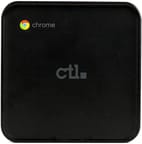
The matte black plastic enclosure lacked the polish of consumer electronics, which suited buyers who cared more about durability and ease of deployment than looks. A single cooling fan kept the Celeron 3865U within safe temperatures during extended operation, and the noise stayed low enough for a quiet office. The small case worked on a VESA mount behind a monitor or on a desk where space came at a premium.
Five USB Type-A ports (three USB 3.0 and two USB 2.0) left room for keyboards, mice, webcams, and storage devices without a hub. The single USB Type-C port added flexibility for newer peripherals, though it predated the widespread adoption of USB-C displays. HDMI output supported dual-monitor configurations through USB-C adapters, so a second screen did not need a docking station. Gigabit Ethernet covered environments where WiFi congestion or security policy favored wired networking, and 802.11ac WiFi with Bluetooth 4.2 handled wireless duties.
The 32GB eMMC drive was the tightest constraint for anyone installing many Android applications or keeping large offline file libraries. Chrome OS leans on Google Drive, but people used to substantial local files had to manage space more carefully than on a machine with a larger drive. The microSD card slot took cards for photo storage, offline media, or additional Android application data, and internal storage could not be upgraded through hardware.
Reviewer Insights
Corbin Davenport’s Perspective (Android Police)
Corbin Davenport at Android Police reviewed the CBx1 at launch and found it to be a solid budget option for those who understood Chrome OS’s strengths and limitations. He found it “surprisingly capable, given it only has a dual-core processor,” handling around fifteen simultaneous Chrome tabs without noticeable slowdown during typical browsing sessions.
Davenport credited Chrome OS itself, calling it “easy to set up, you’ll never notice the system updates, viruses/malware are non-existent, and it’s incredibly fast on low-end hardware.” He counted the port selection as a strength, particularly the five USB Type-A ports that eliminated the need for external hubs in most configurations, and he noted the $219 starting price.
Criticism focused on the utilitarian design that lacked visual appeal compared to consumer-focused alternatives like Acer’s Chromebox lineup. Davenport also pointed out that CTL did not include a keyboard or mouse in the base package, adding to the total cost for buyers starting from scratch. Some Android applications underperformed on the non-touch display, a limitation of Chromeboxes that relied on mouse and keyboard input rather than touchscreens.
Schools and libraries were the natural fit
IT departments deployed these units through the Google Admin Console, configuring and monitoring many of them remotely without touching each one. No local software installations and automatic Chrome OS updates removed the maintenance burden that came with traditional Windows deployments, freeing technical staff for more complex work. Small businesses that wanted simple, manageable desktops bought them for the same reason.
Libraries ran them as public access terminals where patrons could check email, browse the web, and reach digital resources without concern for malware or unauthorized software installations. A power-wash (factory reset) at logout gave each user a clean session, which protected privacy and kept performance consistent. Schools ran them in computer labs, media centers, and administrative workstations already built around Google Workspace.
Home buyers wanted the same simplicity for web browsing, streaming, and basic productivity. The USB ports took audio interfaces for music production using web-based DAWs like BandLab, and the small case fit entertainment centers and home offices where a full-sized tower would overwhelm the available space.
An institutional workhorse supported through June 2028
It served education and enterprise buyers through its production run, delivering reliable Chrome OS desktop computing at an aggressive price, and institutions that valued manageability and total cost of ownership over brand recognition found a dependable workhorse. CTL no longer sells it new, and Google’s Auto Update Expiration date of June 2028 keeps units still in service on current Chrome OS builds until then.
For a modern Chromebox with a longer software window, consider the ASUS Chromebox 5 or explore our Chromebook Comparison Chart to find a device that meets current needs while receiving ongoing security updates.
Frequently Asked Questions
Is the CTL Chromebox CBx1 still receiving software updates?
Yes. Google has set the CBx1’s Auto Update Expiration (AUE) date to June 2028, so it keeps receiving Chrome OS updates, security patches, and new features until then. After June 2028 the device still works but stops getting updates, so it is no longer a safe place for banking or online shopping.
Can I upgrade the RAM or storage on the CBx1?
No. The RAM and eMMC storage are soldered to the motherboard. The microSD card slot takes cards for additional photos, documents, and offline media files, and external USB drives expand storage the same way.
What was the difference between the CBx1 variants?
CTL offered three main configurations. The base CBX1-4GB model included 4GB of RAM and 32GB storage at $299. The CBX1-7 stepped up to 8GB of RAM with the same 32GB storage at $719, using an Intel Core i7 processor. The CBX1 2-in-1 came in at $539 with a touchscreen. All three shared the same connectivity options.
Can the CBx1 support dual monitors?
Yes. The built-in HDMI port handles one display, and the USB Type-C port drives a second monitor through a USB-C to HDMI adapter or a USB-C hub with video output. CTL listed dual monitor support as a feature of this model.
Is the CBx1 fanless?
No. An active cooling fan keeps the Intel Celeron 3865U processor within safe operating temperatures, and the noise stays low during typical use.
What should I do if I still own a CBx1?
A working unit keeps receiving Chrome OS security updates through its June 2028 Auto Update Expiration date, so it stays usable for everyday web browsing, media, and productivity until then. Once updates end in June 2028, avoid using it for banking, online shopping, or any activity involving personal information. For a newer Chromebox with a longer support window, consider the ASUS Chromebox 5 or Acer Chromebox CXI5.