
Framework Laptop Chromebook Edition
Published on

The Framework Laptop Chromebook Edition uses the same 13.5-inch chassis as Framework’s Windows and Linux laptops, with user-swappable ports, socketed RAM upgradeable to 64GB, and a replaceable NVMe SSD. Inside sits Intel’s 12th Gen Core i5-1240P, a 12-core, 16-thread chip in an aluminum body that comes apart with a single included screwdriver. Framework announced the Chromebook Edition as a machine built to last, and discontinued it in August 2024.
Pros and Cons
| Pros | Cons |
|---|---|
| Fully modular and repairable with a single screwdriver | No touchscreen support |
| RAM upgradeable to 64GB via two SO-DIMM slots | No fingerprint reader |
| Swappable Expansion Cards for customizable port selection | Steep $999 launch price |
| Excellent 13.5-inch 3:2 display at 2256x1504 with 400 nits | Battery life only average (6-10 hours depending on use) |
| Physical hardware privacy switches for webcam and microphone | Expansion cards can sometimes pull out when disconnecting cables |
| Premium aluminum chassis with 1.5mm-travel keyboard | Speakers sound flat and lack depth for music |
Related Videos
Framework Laptop Chromebook Edition Comparison Chart
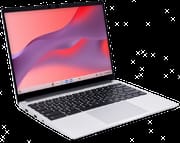 Framework Laptop Chromebook Edition | |
| Price | List Price: $999 Amazon Prices: |
| Model number | --- |
| Performance Rating | 3.4 |
| Chromebook Plus | No |
| Processor | Twelve-core 1.70 Ghz (max 4.40 Ghz) Intel Core i5-1240P |
| RAM | 8 GB |
| Internal Storage | 256 GB NVMe SSD (upgradable) |
| Screen Size | 13.5" |
| Screen Resolution | 2256x1504 |
| Screen Type | IPS |
| Touch Screen | No |
| Stylus / Pen | No Stylus Support |
| Dimensions width x length x thickness | 11.68 x 9.01 x 0.62 inches (296.67 x 228.85 x 15.75 mm) |
| Weight | 2.87 lbs (1.3 kg) |
| Backlit Keyboard | Yes |
| Webcam | 1080p |
| WiFi | Wi-Fi 6E (802.11ax) |
| Bluetooth | Bluetooth 5.3 |
| Ethernet | No |
| Cellular Modem | No |
| HDMI | No HDMI |
| USB Ports | 4x Expansion Card bays (Thunderbolt 4 internally) supporting swappable USB-C, USB-A, HDMI, DisplayPort, MicroSD, and Ethernet modules. 1x 3.5mm combo audio jack built-in. |
| Thunderbolt Ports | 4 |
| Card Reader | No Card Reader |
| Battery | 55Wh |
| Battery Life | 8 hours |
| Fanless | No |
| Auto Update Expiration Date | June, 2032 |
Related Chromebooks
-
 Acer Chromebook 314 (CB314-4H/4HT)A budget-friendly 14-inch Chromebook with Intel Alder Lake-N processors, WiFi 6E, and software…
 -
 Acer Chromebook 314The Acer Chromebook 314 is a 14-inch budget Chromebook with a 1920x1080 IPS display, an Intel…
 -
 ASUS Chromebook C424The ASUS Chromebook C424 boasts a crisp 14-inch FHD anti-glare display, durable spill-resistant…
 -
 ASUS Chromebook CM14The ASUS Chromebook CM14 is a sub-$300 14-inch Chromebook built around a MediaTek Kompanio 520,…
 -
 HP Chromebook 14a (2022)The 2022 HP Chromebook 14a (14a-na0 platform) pairs a quad-core Intel Celeron N4120 with 4GB RAM,…
 -
 HP Chromebook 14a (2023)The HP Chromebook 14a balances performance and portability with its 14-inch display, 47 Wh battery…
Socketed RAM, a Standard M.2 Slot, and Thunderbolt 4 Bays

The chassis measures 11.68 x 9.01 x 0.62 inches and weighs 2.87 pounds, so a 13.5-inch screen travels in a footprint closer to a smaller laptop. Framework built it from 50% post-consumer recycled aluminum that resists fingerprints well, and the magnetic bezels snap on and off for replacement or a color change. The whole machine opens with the included Torx T5 screwdriver, and inside are two SO-DIMM RAM slots, a standard M.2 2280 NVMe SSD slot, and a mainboard Framework has confirmed is compatible with future upgrades.
The 13.5-inch IPS panel runs at 2256x1504 in a 3:2 aspect ratio, which hands you extra vertical space for documents and long web pages. At 400 nits it is comfortable indoors and usable in some outdoor light. The Intel Core i5-1240P pairs 4 Performance cores with 8 Efficient cores for 12 cores and 16 threads, and scores approximately 16,180 on PassMark’s CPU benchmark. That is enough headroom for heavy multitasking, Linux app development, and Steam gaming through Google’s beta program.
Four Expansion Card bays sit at the corners, each wired internally to Thunderbolt 4, and the modules hot-swap: USB-C, USB-A, HDMI, DisplayPort, MicroSD, and Ethernet. Wireless runs through an Intel AX211 with WiFi 6E (802.11ax) across the 2.4GHz, 5GHz, and 6GHz bands, plus Bluetooth 5.3 for peripherals. Only the 3.5mm combo audio jack is permanently built in, so the port layout you end up with is the one you buy cards for.
Reviewer Insights

Lon Seidman’s Teardown
Lon Seidman took the machine apart on camera as part of his hands-on review. He was particularly impressed by the internal accessibility, noting that “you can even swap out the main board if you want… over time you can upgrade this machine and add more to it.” He ran through the expansion card system and tested Steam gaming on ChromeOS, finding that the integrated Iris Xe graphics handled several titles surprisingly well for a Chromebook.
Lon highlighted the physical privacy switches for the webcam and microphone as thoughtful additions, and praised the ease of RAM and storage upgrades. His main criticisms centered on the keyboard flex and speaker quality, observing that the speakers sound flat and lack depth for music, though the powerful processor handles music production DAWs well despite the modest speaker output. He also noted that the ChromeOS experience is more locked down compared to Framework’s Windows and Linux models, limiting some of the tinkering potential that enthusiasts might expect.
Engadget on Battery Life and Cost
Engadget’s review praised the excellent keyboard with 1.5mm of travel and the high-resolution 3:2 display, calling the Framework Chromebook “extremely repairable for ordinary humans while still keeping a relatively small and light frame.” They highlighted the ability to upgrade RAM to 64GB as especially unusual for a Chromebook, noting “I can’t remember the last time I’ve been able to upgrade my laptop’s RAM like this.”
Battery life was the main disappointment, with the reviewer reporting only about six hours during a normal work routine. They concluded that “it’s a lot of money for a Chromebook but if it can last you five years or more it might be worth the cost.”
Chrome Unboxed
Chrome Unboxed came away enthusiastic about the build quality and the input experience. They called the backlit keyboard’s travel and click “a complete joy” for extended typing sessions, and highlighted the 13.5-inch 3:2 display’s 400-plus nit brightness as excellent. The reviewer noted that “most times I totally forgot the fact that I was using a laptop that could come apart with ease and simply got lost in all the standard stuff this Chromebook does so well.”
They were also direct about the trade-offs at the price, stating that “at 999 dollars we have to be picky, modularity comes at a bit of a price on some parts of this experience.” The webcam quality was singled out as disappointing with grainy output and poor dynamic range, and they noted that expansion cards could occasionally pull out when disconnecting cables. Their overall assessment stayed strongly positive, resting on the AUE support window and the hardware upgradeability.
TechRadar
TechRadar’s Mark Knapp gave it 4.5 out of 5 stars and called it “the most exciting Chromebook to come along in years.” The review praised the unparalleled repairability, high-resolution display, and the fact that “Framework has proven that you can have a thin, light, and powerful laptop that isn’t a disposable piece of consumer electronics.” Knapp singled out the keyboard and trackpad for particular acclaim and described the Thunderbolt 4 expansion card system as innovative.
Android Central
Android Central’s Jerry Hildenbrand awarded 4 out of 5 stars, calling it “a laptop for people who want to own their hardware, not just use it until it breaks.” The premium price, in Hildenbrand’s reading, was justified for the buyer who would use the upgradeability and repairability. His criticisms focused on average battery life compared to ARM-based competitors and the somewhat lackluster speakers.
9to5Google
Kyle Bradshaw at 9to5Google described it as “a device unlike any other, tailor-made for the ChromeOS enthusiast, but a hard sell for anyone else.” He praised the unboxing as “the best unboxing experience of any Chromebook I’ve ever seen” and pointed out the clever design of the 60W GaN power adapter. Bradshaw emphasized that Framework sells replacement parts with full repair instructions, so an owner can keep the machine running. His main reservation was the price-to-feature ratio for non-enthusiasts, particularly the absence of a touchscreen and fingerprint sensor at the $999 price point.
Built for Owners Who Planned to Keep It
For ChromeOS enthusiasts, educators planning long-term device deployments, and anyone who believes hardware should be repairable rather than replaceable, the Framework Chromebook paired the Intel Core i5-1240P with upgradeable RAM and storage, swappable expansion card ports, and a 13.5-inch 3:2 display. Framework discontinued it in August 2024, so finding one now means the secondary market. Buyers who need a touchscreen, fingerprint authentication, or the lowest possible price for basic tasks are better served by current models.
For side-by-side specs, Starry Hope’s Chromebook Comparison Chart covers every model we track.
Frequently Asked Questions
What processor does the Framework Laptop Chromebook Edition use?
The Intel Core i5-1240P, a 12th Gen hybrid chip with 4 Performance cores and 8 Efficient cores for a total of 12 cores and 16 threads. Base clock is 1.7 GHz with boost up to 4.4 GHz, and it scores approximately 16,180 on PassMark’s CPU benchmark. That is enough for demanding workloads including Linux app development and Steam gaming.
Can I upgrade the RAM in the Framework Laptop Chromebook Edition?
Yes. Two SO-DIMM DDR4 slots hold user-upgradeable memory. It ships with 8GB and supports up to 64GB. The upgrade needs only the included Torx T5 screwdriver, and Framework publishes full instructions on its support site.
What ports does the Framework Laptop Chromebook Edition have?
Four Expansion Card bays wired to Thunderbolt 4, which you populate and hot-swap yourself. The module choices are USB-C, USB-A, HDMI, DisplayPort, MicroSD, and Ethernet. A 3.5mm combo audio jack is the only permanently built-in port. The base configuration includes no expansion cards; they are bought separately.
Is the Framework Laptop Chromebook Edition still available?
No. Framework discontinued the Chromebook Edition in August 2024. It may still surface on the secondary market or through Framework’s refurbished marketplace. The chassis also accepts Framework’s Windows and Linux mainboards, so owners can repurpose the hardware.
How long will the Framework Chromebook receive updates?
Google has set the Auto Update Expiration date for June 2032. Until then the machine keeps receiving ChromeOS updates, security patches, and new features. Paired with the upgradeable hardware, that support window is one of the longest any Chromebook has carried.
Does the Framework Chromebook have a touchscreen?
No. It is a clamshell design with no touch or stylus support. Android apps from the Google Play Store are therefore less convenient, since they have to be navigated with the keyboard and trackpad.
Can the Framework Chromebook run Steam games?
Yes, through Google’s beta program for Steam on ChromeOS. The Intel Core i5-1240P and its Iris Xe integrated graphics run many games at moderate settings. Local gaming performance is limited next to dedicated gaming hardware, and cloud services such as NVIDIA GeForce NOW handle demanding titles better.