
HP Chromebook 11 G6 EE
Updated on

Note: HP no longer sells this 2018 education Chromebook new. Google has set its Auto Update Expiration date to June 2027, so devices still in service continue to receive Chrome OS updates and security patches until then.
The HP Chromebook 11 G6 EE was HP’s education-focused Chromebook released at CES 2018, designed specifically for K-12 classroom environments. Built around Intel’s Celeron N3350 dual-core processor with 4GB of RAM and 16GB eMMC storage, this compact 11.6-inch laptop was tuned for durability and long battery life. The “EE” designation stands for Education Edition, and HP built the machine for daily student use with reinforced corners and a spill-resistant keyboard.
| Pros | Cons |
|---|---|
| 11-hour battery life outlasts a full school day | Celeron N3350 struggles with multiple tabs open |
| MIL-STD 810G tested for durability in classrooms | 16GB storage limits offline content and apps |
| Dual USB-C ports with charging on either side | No touchscreen reduces interactive learning options |
| Compact 12” x 8” footprint fits easily in backpacks | HD resolution lacks sharpness for detailed work |
| 720p webcam supports video conferencing | Chrome OS update support ends June 2027 |
| microSD card slot expands storage options | No keyboard backlight for dim environments |
Related Videos
HP Chromebook 11 G6 EE Comparison Chart
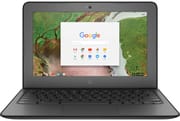 HP Chromebook 11 G6 EE | |
| Price | List Price: $259.00 Amazon Prices: |
| Model number | 3NU57UT |
| Performance Rating | 2.3 |
| Chromebook Plus | No |
| Processor | Dual-core 1.10 Ghz (max 2.40 Ghz) Intel Celeron N3350 |
| RAM | 4 GB |
| Internal Storage | 16 GB eMMC |
| Screen Size | 11.6" |
| Screen Resolution | 1366x768 |
| Screen Type | No Screen |
| Touch Screen | No |
| Stylus / Pen | No Stylus Support |
| Dimensions width x length x thickness | 12.04 x 8.18 x 0.71 inches (305.82 x 207.77 x 18.03 mm) |
| Weight | 2.8 lbs (1.27 kg) |
| Backlit Keyboard | No |
| Webcam | 1280x720 |
| WiFi | 802.11 a/b/g/n/ac (2x2) |
| Bluetooth | Bluetooth 4.2 |
| Ethernet | No |
| Cellular Modem | No |
| HDMI | No HDMI |
| USB Ports | 2 USB 3, 2 USB-C |
| Thunderbolt Ports | No |
| Card Reader | microSD Card Reader |
| Battery | 2 cell, 47.36 WHr, Li-ion |
| Battery Life | 11.0 hours |
| Fanless | No |
| Auto Update Expiration Date | June, 2027 |
Related Chromebooks
-
 Acer Chromebook 311 (AMD)The Acer Chromebook 311 (CB311-10H) is an 11.6-inch ChromeOS laptop on an AMD A4-9120C with 4GB of…
 -
 ASUS Chromebook C203XAThe ASUS Chromebook C203XA is a rugged 11.6-inch education laptop with a MediaTek MT8173C, an…
 -
 HP Chromebook 11a (ARM)The HP Chromebook 11a offers an 11.6-inch anti-glare display, 720p HD webcam, and up to 15 hours 45…
 -
 ASUS Chromebook Flip CR1The ASUS Chromebook Flip CR1 (CR1100FKA) is a rugged 11.6-inch education convertible on an Intel…
 -
 HP Chromebook 14 (AMD)The HP Chromebook 14 (AMD) is a fanless 14-inch Chromebook built on the AMD A4-9120C APU with…
 -
 Acer Gateway Chromebook 311The Acer Gateway Chromebook 311 is an 11.6-inch 1366x768 ChromeOS laptop on an Intel Celeron N4500…
A rugged 11.6-inch shell around entry-level silicon
The HP Chromebook 11 G6 EE arrived while school districts were rapidly adopting Chromebooks for 1:1 student programs. HP aimed it at elementary and middle school students, with reinforced corners meant to survive drops from desk height and a keyboard designed to handle accidental liquid spills. The compact 11.6-inch form factor and sub-3-pound weight made it easy for younger students to carry between classes.
Brad Linder’s launch hands-on for Liliputing put the weight at about 2.8 pounds and listed Celeron N3350 and N3450 options with up to 8GB of memory and 64GB of storage. He described the plastic shell as “no-nonsense” and rugged, tested to MIL-STD-810G, with a USB-C and a USB-A port on each side and a hinge that opens to about 180 degrees so the screen can lie flat on a desk. The unit he handled had a touchscreen.
Two cores of Intel’s Celeron N3350 run at a base clock of 1.1 GHz, boosting to 2.4 GHz, for a PassMark score around 1,110. That is entry-level performance, and it covers the classroom work HP had in mind. Web browsing, Google Docs, educational apps, and video streaming run smoothly at reasonable tab counts. Many applications open at once bring slowdowns. The 4GB of RAM is enough for those light workloads and little else.
HP shipped the 11 G6 in 2018 with two USB-C ports that charge from either side of the machine, so a student can plug in wherever the outlet happens to be. Wi-Fi is 802.11ac 2x2 MIMO for school networks, and Bluetooth 4.2 handles wireless peripherals. For situations requiring a wired connection, such as network testing or areas with unreliable Wi-Fi, a USB Ethernet adapter can be connected through the USB-C or USB-A ports. The microSD card slot provides an easy expansion path for the limited 16GB of built-in storage, which fills quickly when downloading educational apps or storing offline content.
A district fleet purchase that also fit family budgets
HP sold this model to educational institutions through its education sales channels. As a popular school Chromebook, it was among the models affected by the viral magnet trick that students discovered could put Chromebooks to sleep using a small magnet near the lid sensor. MIL-STD 810G testing covered the kind of abuse a classroom produces, and the reinforced corners, anchored keyboard keys, and Co-molded rubber trim meant fewer warranty claims from dropped devices.
Individual buyers got a cheap machine for web browsing and document editing, and the small chassis suited young children doing schoolwork at home. The 11-hour rating on the 47.36 Wh battery meant students could leave the charger at home and still get through a school day of mixed usage.
Upgrade if you need Android apps or offline files
The Celeron N3350 runs out of headroom on Android apps, several Google Workspace documents open at once, or a video call alongside other applications. The 16GB of eMMC storage leaves little room for Android apps or offline files; cloud-only use fits.
This Chromebook’s Auto Update Expiration date is June 2027, so devices still in service continue to receive Chrome OS security updates until then. Once that date passes the hardware keeps working but stops getting patches, so owners planning to keep using it well beyond 2027 should move to a current model. The HP Chromebook 11MK G9 EE is a newer education model, with a faster processor, longer update support, and a better display alongside the same durability build.
Frequently Asked Questions
Is the HP Chromebook 11 G6 EE still receiving updates?
Yes, until June 2027. That is the Auto Update Expiration (AUE) date Google set for the HP Chromebook 11 G6 EE, and Chrome OS security updates and new features arrive until then. The device keeps working afterward, but without current patches it is a poor choice for banking or other personal accounts.
What does EE mean in HP Chromebook 11 G6 EE?
EE stands for “Education Edition.” HP uses this designation for Chromebooks designed specifically for K-12 classroom use. Education Edition models typically include enhanced durability features like reinforced corners, spill-resistant keyboards, and MIL-STD testing certification to withstand the demands of daily student use.
Can I upgrade the RAM or storage in the HP Chromebook 11 G6?
No, both the 4GB of RAM and 16GB eMMC storage are soldered to the motherboard and cannot be upgraded. You can expand storage capacity using the built-in microSD card slot, which accepts cards up to 128GB or higher for storing files, photos, and offline content.
Does the HP Chromebook 11 G6 EE have a touchscreen?
The standard HP Chromebook 11 G6 EE does not include a touchscreen. HP offered a separate touch-enabled variant during the product’s availability period, so check the specific model number if touch matters. The non-touch model uses a standard TN display panel.
What is the battery life of the HP Chromebook 11 G6?
HP rated the Chromebook 11 G6 EE for up to 11 hours of battery life with its 47.36 Wh battery. Screen brightness, Wi-Fi activity, and workload all move that figure, so a full school or work day on one charge depends on how the machine is used. Either of its two USB-C ports can charge it.
Is the HP Chromebook 11 G6 worth buying today?
For most people, no. The HP Chromebook 11 G6 EE is a 2018 model that HP no longer sells new, so it turns up only used or refurbished, and its Auto Update Expiration date of June 2027 leaves a limited remaining support window. The Celeron N3350 also feels slow by modern standards. Anyone buying an education Chromebook today should look at a model with a longer update timeline; the G6 works as an inexpensive secondary device for basic tasks before its 2027 update cutoff.