
HP Chromebook 11MK G9 EE
Updated on

Note: This product has been discontinued and is no longer available for purchase.
The HP Chromebook 11MK G9 EE was HP’s budget education laptop, an 11.6-inch machine built around MediaTek’s MT8183 processor. It was aimed at K-12 districts, and it put battery life and durability ahead of raw performance so that a district could hand students a device able to survive daily classroom use. A military-grade durability rating and a spill-resistant keyboard covered the practical realities of putting hardware in young students’ hands.
| Pros | Cons |
|---|---|
| 16-hour battery life outlasted most school days | Limited to WiFi 5 connectivity (no WiFi 6) |
| MIL-STD-810H ruggedized construction survived drops | Only 1 USB-C and 1 USB-A port (fewer than Intel variants) |
| Fanless design ensured silent operation | Bluetooth 4.2 instead of newer 5.0 standard |
| Spill-resistant keyboard handled classroom accidents | 4GB RAM struggled with heavy multitasking |
| Chrome OS updates guaranteed through June 2030 | 32GB eMMC storage filled quickly with offline apps |
| 45W USB-C fast charging (90% in 90 minutes) | HD display lacked sharpness at 1366x768 resolution |
HP Chromebook 11MK G9 EE Comparison Chart
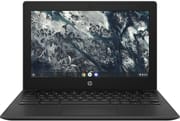 HP Chromebook 11MK G9 EE | HP Chromebook 11MK G9 EE | |
| Price | List Price: $279.00 Amazon Prices: | List Price: $240.00 Amazon Prices: |
| Model number | 349Y9UT#ABA | 349Y8UT#ABA |
| Performance Rating | 3.2 | 3.2 |
| Chromebook Plus | No | No |
| Processor | Octa-core 2.00 Ghz (max 2.00 Ghz) MediaTek MT8183 | Octa-core 2.00 Ghz (max 2.00 Ghz) MediaTek MT8183 |
| RAM | 4 GB | 4 GB |
| Internal Storage | 32 GB eMMC | 32 GB eMMC |
| Screen Size | 11.6" | 11.6" |
| Screen Resolution | 1366x768 | 1366x768 |
| Screen Type | anti-glare, 220 nits | anti-glare, 220 nits |
| Touch Screen | Yes | No |
| Stylus / Pen | No Stylus Support | No Stylus Support |
| Dimensions width x length x thickness | 11.61 x 8.08 x 0.74 inches (294.89 x 205.23 x 18.8 mm) | 11.61 x 8.08 x 0.74 inches (294.89 x 205.23 x 18.8 mm) |
| Weight | 2.95 lbs (1.34 kg) | 2.95 lbs (1.34 kg) |
| Backlit Keyboard | No | No |
| Webcam | 720p HD | 720p HD |
| WiFi | 802.11 a/b/g/n/ac (2x2) | 802.11 a/b/g/n/ac (2x2) |
| Bluetooth | Bluetooth 4.2 | Bluetooth 4.2 |
| Ethernet | No | No |
| Cellular Modem | No | No |
| HDMI | No HDMI | No HDMI |
| USB Ports | 1 USB 2.0, 1 USB-C (power delivery, data transfer, DisplayPort) | 1 USB 2.0, 1 USB-C (power delivery, data transfer, DisplayPort) |
| Thunderbolt Ports | No | No |
| Card Reader | microSD Card Reader | microSD Card Reader |
| Battery | 2 cell, 47 WHr, Li-ion | 2 cell, 47 WHr, Li-ion |
| Battery Life | 10.0 hours | 10.0 hours |
| Fanless | Yes | Yes |
| Auto Update Expiration Date | June, 2030 | June, 2030 |
Related Chromebooks
-
 HP Chromebook 11a (ARM)The HP Chromebook 11a offers an 11.6-inch anti-glare display, 720p HD webcam, and up to 15 hours 45…
 -
 Dell Chromebook 3120The Dell Chromebook 3120 is a fanless 11.6-inch education Chromebook with an Intel N100, sold in…
 -
 HP Fortis Flip G1m 11 inch ChromebookThe HP Fortis Flip G1m 11 inch Chromebook is a rugged convertible 2-in-1 built for K-12 classrooms,…
 -
 Lenovo Chromebook 3 11"The Lenovo Chromebook 3 11 is a fanless 11.6-inch Chromebook with an Intel Celeron N4020, 4GB of…
 -
 Acer Gateway Chromebook 311The Acer Gateway Chromebook 311 is an 11.6-inch 1366x768 ChromeOS laptop on an Intel Celeron N4500…
 -
 Acer Chromebook 311 C723The Acer Chromebook 311 C723 is an 11.6-inch education Chromebook built to MIL-STD-810H durability,…
A ruggedized 11.6-inch shell around an efficient ARM chip

Reinforced corners and edges met MIL-STD-810H military specifications, so the machine held up to drops, vibrations, and the general abuse student devices take. The spill-resistant keyboard added a second layer of protection, routing liquids away from internal components through drainage channels. At 0.74 inches thick and 2.95 pounds it was light enough for students to carry between classes, and the 11.61 x 8.08-inch footprint fit on crowded desks and in standard backpacks.
The screen measured 11.6 inches diagonally at 1366x768, clear enough for text work and educational content. An anti-glare coating and 220 nits of brightness kept it readable in classroom lighting, though not in bright sunlight. HP fitted a non-touch panel here, which held the price down and still suited web-based learning applications, Google Workspace documents, and educational software. The 720p HD webcam above the display handled distance-learning sessions and calls with teachers.
The MediaTek MT8183 is an eight-core ARM chip that trades computing muscle for power efficiency. That choice produced the 16-hour battery rating separating this model from the Intel-based machines in HP’s education lineup. The fanless thermal design removed the moving parts that fail first and kept the laptop silent for libraries and testing rooms. Browser-based applications, document editing, and educational games ran responsively on the MT8183; a heavy tab count or a demanding application could slow it down next to the Intel alternatives.
Reviewer Insights

Allen Ngo’s Analysis (NotebookCheck)
Allen Ngo at NotebookCheck highlighted HP’s strategic decision to offer the G9 Education Edition in both Intel and MediaTek variants, giving school districts meaningful choice based on their priorities. His analysis emphasized that “users who favor battery life will prefer the latter,” referring to the MediaTek version’s substantial advantage in unplugged runtime. Ngo noted that “the MediaTek version will last much longer on battery power at a claimed 16 hours,” positioning the 11MK G9 EE as the clear choice for schools where charging infrastructure was limited or where devices needed to survive full school days without access to power outlets. However, he acknowledged that this efficiency came with trade-offs in connectivity, as the MediaTek model included only half the USB ports available on Intel variants, making it harder to connect peripherals like a USB Ethernet adapter.
Kevin Tofel’s Perspective (About Chromebooks)
Kevin Tofel writing for About Chromebooks examined HP’s broader education strategy and how the 11MK G9 EE fit into it. He observed that “HP is offering all of the student models in both Intel and MediaTek flavors,” enabling “schools can better manage their budgets” by selecting the variant that best matched their requirements. Tofel specifically called out the connectivity compromises, noting that “you lose two USB ports and WiFi 6 networking” when choosing the MediaTek path. Nevertheless, he recognized the appeal for price-sensitive districts, particularly given the battery life and fast charging capabilities that allowed the device to reach 90% capacity in just 90 minutes using the included 45W USB-C charger.
Still a working school machine until June 2030
A district that deployed a fleet of these can keep them on Chrome OS updates until June 2030, and the rugged shell, the 16-hour battery, and the fanless design still fit that job.
The model is out of production, but units already in schools keep receiving Chrome OS updates until June 2030. Schools shopping now can find MediaTek-based education Chromebooks from HP and other manufacturers with comparable battery life and durability. The Chromebook Comparison Chart is a useful starting point for evaluating current options.
Frequently Asked Questions
How long will the HP Chromebook 11MK G9 EE receive Chrome OS updates?
Chrome OS updates run through June 2030 under Google’s Auto Update Expiration policy. That leaves roughly four more years of security patches and feature updates.
Can I still use the HP Chromebook 11MK G9 EE?
Yes. If you already own one, it keeps receiving Chrome OS updates through June 2030 and remains fully functional for schoolwork and general web browsing.
Can I upgrade the RAM or storage on the HP Chromebook 11MK G9 EE?
No. The RAM and eMMC storage are soldered, so the 4GB and 32GB configurations are permanent. You can add space through the microSD card slot or a cloud service such as Google Drive.
What was the difference between the 11MK G9 EE and the regular 11 G9 EE?
The “MK” designation indicated the MediaTek processor variant, while the standard 11 G9 EE used Intel Celeron processors. The MediaTek version offered significantly better battery life (16 hours vs 12 hours) and lower cost, but provided fewer USB ports (1 USB-C and 1 USB-A versus 2 of each) and only WiFi 5 instead of WiFi 6.
Was the HP Chromebook 11MK G9 EE good for students?
Yes. HP designed it for K-12 education, and the MIL-STD-810H durability rating, spill-resistant keyboard, and 16-hour battery life all follow from that. The MediaTek processor handled Google Workspace, web browsing, and educational apps without trouble.
Did the HP Chromebook 11MK G9 EE have a touchscreen?
No. The panel is standard non-touch. The 11.6-inch anti-glare screen at 1366x768 was built for keyboard and trackpad input.