
HP Googlebook 14
Published on

The HP Googlebook 14 is HP’s laptop for Googlebook OS, the Android-based laptop operating system Google launched in 2026. It is a premium 14-inch clamshell built around a 120Hz 3K OLED touchscreen and Qualcomm’s Snapdragon X Elite, and it is aimed at people who already live in Android and Google’s apps. Reviewers rated the hardware highly. Googlebook OS runs Android apps and a desktop Chrome browser, but it does not run Windows or macOS programs, and its Linux support is weaker than ChromeOS had. HP sells it on its own US store and at Best Buy.
Hardware strengths and software limits
| Pros | Cons |
|---|---|
| 14-inch 3K OLED touchscreen at up to 120Hz | Googlebook OS cannot run Windows or macOS desktop software |
| Sandblasted aluminum chassis that opens with one hand | Linux apps run in a cramped terminal window, a step back from ChromeOS |
| Comfortable backlit keyboard and haptic touchpad | Only two USB-C ports and a headphone jack: no USB-A, HDMI, or card reader |
| Snapdragon X Elite chip, and Wi-Fi 7 measured at about 1.3Gbps | Some Android apps and games, such as Fortnite, are not available |
| About 14 hours in two light-use battery tests | Glossy panel with PWM dimming and no HDR |
| Replaceable M.2 2280 SSD and a 65W GaN charger in the box | 16GB of memory is soldered, and the chip dates from 2024 |
Related Videos
HP Googlebook 14 Comparison Chart
 HP Googlebook 14 | HP Googlebook 14 | HP Googlebook 14 | |
| Price | List Price: $1,199.99 Amazon Prices: | List Price: $1,299.99 Amazon Prices: Best Buy: Loading price... | List Price: $1,449.99 Amazon Prices: |
| Model number | CJ7X9AV | 14c-cf0815nr | 14c-cf0910nr |
| Performance Rating | 4.1 | 4.1 | 4.1 |
| Chromebook Plus | No | No | No |
| Processor | Twelve-core 3.40 Ghz (max 4.00 Ghz) Qualcomm Snapdragon X Elite X1E-80-100 | Twelve-core 3.40 Ghz (max 4.00 Ghz) Qualcomm Snapdragon X Elite X1E-80-100 | Twelve-core 3.40 Ghz (max 4.00 Ghz) Qualcomm Snapdragon X Elite X1E-80-100 |
| RAM | 16 GB | 16 GB | 16 GB |
| Internal Storage | 256 GB NVMe SSD (upgradable PCIe Gen 4 M.2) | 512 GB NVMe SSD (upgradable PCIe Gen 4 M.2) | 1024 GB NVMe SSD (upgradable PCIe Gen 4 M.2) |
| Screen Size | 14" | 14" | 14" |
| Screen Resolution | 2880x1800 | 2880x1800 | 2880x1800 |
| Screen Type | OLED | OLED | OLED |
| Touch Screen | Yes | Yes | Yes |
| Stylus / Pen | No Stylus Support | No Stylus Support | No Stylus Support |
| Dimensions width x length x thickness | 12.25 x 8.53 x 0.43 inches (311.15 x 216.66 x 10.92 mm) | 12.25 x 8.53 x 0.43 inches (311.15 x 216.66 x 10.92 mm) | 12.25 x 8.53 x 0.43 inches (311.15 x 216.66 x 10.92 mm) |
| Weight | 2.74 lbs (1.25 kg) | 2.74 lbs (1.25 kg) | 2.74 lbs (1.25 kg) |
| Backlit Keyboard | Yes | Yes | Yes |
| Webcam | 5MP | 5MP | 5MP |
| WiFi | Wi-Fi 7 (802.11be) | Wi-Fi 7 (802.11be) | Wi-Fi 7 (802.11be) |
| Bluetooth | Bluetooth 5.4 | Bluetooth 5.4 | Bluetooth 5.4 |
| Ethernet | No | No | No |
| Cellular Modem | No | No | No |
| HDMI | No HDMI | No HDMI | No HDMI |
| USB Ports | 2 USB-C 2x USB-C 10Gbps (DP 1.4, PD 3.0) | 2 USB-C 2x USB-C 10Gbps (DP 1.4, PD 3.0) | 2 USB-C 2x USB-C 10Gbps (DP 1.4, PD 3.0) |
| Thunderbolt Ports | No | No | No |
| Card Reader | No Card Reader | No Card Reader | No Card Reader |
| Battery | 4 cell, 70Wh, Li-ion polymer | 4 cell, 70Wh, Li-ion polymer | 4 cell, 70Wh, Li-ion polymer |
| Battery Life | 19 hours | 19 hours | 19 hours |
| Fanless | No | No | No |
| Auto Update Expiration Date | Unknown | Unknown | Unknown |
Related Chromebooks
-
 HP Chromebook 14a (2021)The HP Chromebook 14a (2021) pairs a 14-inch touchscreen with a Celeron N4020, 4GB of RAM, 32GB of…
 -
 HP Chromebook x360 14 (N150)The HP Chromebook x360 14 (N150) is the 2026 non-Plus convertible in HP's 14b-ce0 line, with a…
 -
 Acer Chromebook Spin 314 (2024)A 14-inch convertible Chromebook with a 16:10 WUXGA touch display, 360-degree hinge, and software…
 -
 Acer Chromebook Spin 314The Acer Chromebook Spin 314 is a budget 14-inch convertible Chromebook with a 360-degree hinge, a…
 -
 Acer Chromebook Vero 514The Acer Chromebook Vero 514 blends sustainability with performance. Sporting a Full HD IPS…
 -
 ASUS Chromebook Flip CX1 (Touchscreen)The ASUS Chromebook Flip CX1 is a 14-inch Full HD convertible with a 360-degree touchscreen, an…
A thin aluminum clamshell with two USB-C ports

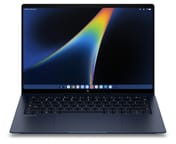
HP lists the Googlebook 14 at about 12.25 x 8.53 x 0.43 inches and 2.74 pounds, in an aluminum finish it calls Atmospheric Blue. It is a traditional clamshell, not a convertible, and the lid has the Googlebook glowbar, a strip of light that shows battery and charging status. The power button doubles as a fingerprint reader, and the 5MP webcam adds face unlock and a physical privacy shutter. The keyboard is backlit with a G key in place of a launcher key, and below it sits a haptic touchpad, which Google requires on every first-wave Googlebook.
The port selection is two USB-C ports, one on each side, plus a headphone and microphone jack. HP rates both USB-C ports at 10Gbps with USB Power Delivery 3.0 and DisplayPort 1.4, so the laptop charges and drives a monitor from either side. They are not USB4 or Thunderbolt ports. There is no USB-A port, no HDMI, and no card reader, so a USB-C hub belongs in the bag. Wireless is Qualcomm’s FastConnect 7800 with Wi-Fi 7 (2x2) and Bluetooth 5.4, and there is no cellular option. HP includes a 65W USB-C GaN charger with folding prongs, and NotebookCheck measured a charge to 50% in 41 minutes.
3K OLED display, quad speakers, and webcam
The 14-inch OLED panel is 2880x1800 (16:10) with touch, a refresh rate of up to 120Hz, and a 500-nit rating; NotebookCheck measured 515 nits at the center and a 524-nit peak. HP covers it with Corning Gorilla Glass 3, and the glossy surface reflects a lot outdoors. NotebookCheck found PWM dimming at 960Hz and no HDR mode, along with 83% coverage of the P3 gamut. It calls the missing HDR setting a software issue, since other Googlebooks offer one. Audio comes from four speakers tuned with Poly Studio, and the webcam records 1080p video at 30 frames per second according to Lon.TV.
A 2024 chip with headroom and about 14 hours of battery

The Snapdragon X Elite X1E-80-100 has 12 Oryon cores that run at up to 3.4GHz across all cores and up to 4.0GHz on one or two cores, plus an Adreno X1-85 GPU and a 45 TOPS NPU. It scores about 22,900 on PassMark’s CPU benchmark. Qualcomm launched it in 2024 and has since released the Snapdragon X2 Elite, so this is the previous generation; for web apps and Android apps it is still far more than the operating system asks of it. Every listed model has 16GB of LPDDR5X-8448 memory soldered to the board. Storage is a PCIe Gen 4 NVMe SSD in the M.2 2280 size, at 256GB, 512GB, or 1TB, and NotebookCheck confirms the drive is replaceable.
HP fits a 70Wh battery and claims up to 19 hours. NotebookCheck measured just under 14 hours on its Wi-Fi test at 150 nits, almost 8.5 hours at full brightness, and almost 19 hours of local video playback. PCWorld got a little over 14 hours in the PCMark for Android battery test and about eight hours of screen-on time spread over a day and a half of work. NotebookCheck found two fans that stay silent in everyday use and reach 37 dB(A) under full CPU load, when the keyboard and underside pass 50 C.
Googlebook OS instead of ChromeOS
Googlebook OS looks familiar to Chromebook owners, but it is built on Android. Android apps run in resizable windows, apps labeled as optimized for desktop in the Play Store work best, and Chrome is the full desktop browser with extensions. Lon.TV found that Netflix now plays in HD inside its app, a limit on ChromeOS, and that PS2 emulation runs at full speed. Other software is missing: Excel is the Android version, DaVinci Resolve and other desktop editors are not available, and Fortnite and Call of Duty Mobile do not install. Linux apps still run, but inside a terminal window instead of alongside other apps, which Lon.TV calls a step backwards; 9to5Google says Linux support has regressed tremendously.
Google’s Auto Update Expiration list does not include Googlebook models yet, and Google has not published an end-of-updates date for this laptop. Google has said ChromeOS devices get updates through mid-2034 and that it will move eligible Chromebooks to Googlebook OS. Our guide to Chromebook update dates explains how those dates work.
Reviewer Insights
NotebookCheck tested the same laptop under HP’s 14c model name.
Lon.TV
On a unit loaned by HP, Lon Seidman called it “a very nice premium laptop running Google’s new Google Book operating system.” He found the keyboard comfortable with decent travel, the haptic touchpad among the better ones, and the fan rarely audible. He measured 37.9 in Speedometer, 6,566 in 3DMark Wild Life Extreme, which he put on par with his MacBook Air M2, and about 1.3Gbps in both directions over Wi-Fi 7. The laptop dropped frames on 4K 60fps YouTube video in both the app and the browser, which he blamed on driver work still to come. On the operating system, he said it “is much more restrictive than what you would get with Windows or MacOS,” and that Linux apps are “a definite regression, a step backwards from where things were before.” In his review, he sees it as a step up for someone coming from a Chromebook Plus, and a hard sell for someone leaving Windows or a Mac.
9to5Google
At 9to5Google, Ben Schoon praised the hardware: “Despite the thin design, there’s a ton of travel in this keyboard and it’s wildly comfortable to type on.” He found the OLED crisp and colorful but wished it were brighter outdoors, rated battery life on par with Snapdragon Windows laptops and behind a MacBook Air, and wrote that “Performance on the Snapdragon X Elite with 16GB of RAM is unsurprisingly excellent.” He faulted the software’s app library: “Like ChromeOS, Googlebook has an incredibly limited library of desktop-class software, even more so given that Linux support has regressed tremendously.” His verdict was that “HP did a great job building out a very good laptop for Googlebook,” but he did not recommend spending that much on a Googlebook when a Windows laptop or a MacBook costs the same.
PCWorld
PCWorld’s Ashley Biancuzzo liked the design and build in her review: “The build quality is quite good, which is what I’ve come to expect from these particular machines.” She pointed to the sandblasted aluminum finish and the centered HP logo. She wrote of the quad speakers that “they’ve got quite the punch!” and found the hinge solid with little screen flex. Phone integration failed for her: “But I could not, for the life of me, get the Googlebook to link up with the Pixel phone Google supplied me for these reviews.” She blamed Google’s software rather than HP. In her tests, the Intel-based Acer Googlebook 14 scored higher in all three browser benchmarks, by about 74% in MotionMark, and she concluded that the price is hard to justify.
NotebookCheck
NotebookCheck scored the Googlebook 14c 86% in Andreas Osthoff’s review and called it a premium device with excellent build quality, a high-resolution OLED touchscreen, good input devices, and great speakers. He listed the replaceable SSD, Wi-Fi 7, the 5MP webcam, and the quiet fans as strengths, and the soldered memory, PWM dimming, the lack of HDR, and the missing 5G option as weaknesses. On ports, he wrote that “The connectivity of the HP Googlebook 14c in general is extremely limited with only two USB-C ports.” On heat: “During light workloads, the Googlebook 14c is a very cool laptop, but if you really stress the CPU, the comparatively low fan noise will result in very warm temperatures.” He also noted that some Android apps do not work on Googlebook OS, and he questioned why anyone would pay that price for such a limited operating system.
Andrew Marc David
Andrew Marc David unboxed the laptop on a review unit from HP and weighed it at 1.253 kg, about 2.76 pounds, or 3 pounds 1.8 ounces with the charger and cable. He called the build “Maybe one of the best out of the bunch if not the best,” and said of the haptic touchpad that “they do a great job with their haptic touchpads.” He would have liked a USB-A port and a card reader, and he noted that the display is very glossy. He also pointed out that the full phone features appeared to work only with Pixel phones at launch.
Tim Schofield
Tim Schofield’s unboxing of a unit sent by HP walked through setup with a Pixel phone, which transferred his apps and settings. Once he enabled cross-device services, apps from his phone opened on the laptop, and an app moved from one device to the other when he opened it on the second. He said “Hardware-wise, HP did a really good job,” found the lid passed the one-handed opening test, and said the trackpad “has been really comfortable to press.”
GregglesTV
GregglesTV’s first hands-on, after a few hours with the laptop, measured 2,550 single-core and 11,892 multi-core in Geekbench and found Roblox smooth at its highest graphics settings. He could not transfer from his phone, his home security camera app was not compatible, and Fortnite did not appear in the Play Store. He rated the speakers “pretty average and maybe even a little below average” and kept the screen near 90% brightness to see it comfortably. For browsing, typing, and spreadsheets he liked it, but for now he said “I would tell you get a tablet over this,” expecting updates to close the app gaps.
Android Faithful
On the Android Faithful podcast, a host shared first impressions of a unit HP sent, one day after he set it up. He started setup from a Pixel phone by scanning a QR code, and the laptop picked up his Wi-Fi network and Google account on its own. Setup ran from 1:46 to 2:15 p.m., and about 20 minutes of that was copying 50 apps. He called it “a more streamlined seamless login than I’ve ever experienced on a Google device.” Only apps with a Googlebook version installed, so Discord was missing; he cast it from his phone instead. He also browsed the phone’s files wirelessly in the Files app and used Continue On to pick up a Google Doc he had started on the phone. He said the keys “do feel premium” and the trackpad is very large. The glow bar lights up for startup and shows the battery level while charging, but it cannot be customized yet, which he summed up as “neat, but it’s still a gimmick.” When he plugged the laptop into his USB dock with an external monitor, keyboard, and mouse, nothing happened. He had not tested battery life yet.
Who should buy it
The HP Googlebook 14 suits someone with an Android phone, ideally a Pixel, who works in Chrome, Google’s apps, and Android apps and wants a premium laptop with a 120Hz OLED screen. Most reviewers here rated the hardware highly, and most of the complaints are about Googlebook OS, which Google can change with updates.
Skip it if you need Windows or macOS programs, Linux apps you used on a Chromebook, local PC games, or USB-A and HDMI without a dongle. For ChromeOS with its published update date, a 14-inch OLED, and Linux support, the Lenovo Chromebook Plus 14 OLED is the closer fit. To compare more models, see the Chromebook comparison chart.
Frequently Asked Questions
Is the HP Googlebook 14 a Chromebook?
No. It runs Googlebook OS, Google’s Android-based laptop operating system, not ChromeOS. It looks similar and runs the desktop Chrome browser and Android apps, but Linux apps now run inside a terminal window, and it is not part of the Chromebook Plus program.
How long will the HP Googlebook 14 get updates?
No date is set yet. Google has not published an end-of-updates date for Googlebook models; the laptop launched in October 2026.
What ports does the HP Googlebook 14 have?
Two 10Gbps USB-C ports and a headphone jack. Plan on a USB-C hub if you need USB-A or HDMI.
Can I upgrade the memory or storage?
The storage, yes; the memory, no. The 16GB of memory is soldered and cannot be upgraded. The M.2 SSD can be swapped for a larger drive.
Where can I buy the HP Googlebook 14?
In the US, HP sells 256GB, 512GB, and 1TB models on its own store, and Best Buy carries the 512GB model.
What comes in the box?
The laptop, a 65W USB-C GaN charger with folding prongs, a USB-C to USB-C cable, and setup booklets.