

The desktop PC has been a rectangle for forty years. Even as components shrank and efficiency improved, the basic shape remained: a box, sometimes smaller, sometimes thinner, but always recognizably box-shaped. Intel’s NUC established the 4x4-inch square as the mini PC standard in 2013, and hundreds of manufacturers have followed that template ever since. So when Lenovo walked into CES 2026 with a palm-sized aluminum cylinder instead of another rectangular slab, it felt like watching someone bring a round suitcase to the airport. The Lenovo Yoga Mini i takes up 0.65 liters and weighs 600 grams.
Lenovo isn’t the first to try this. Apple’s 2013 Mac Pro (the infamous “trash can”) attempted a cylindrical design at desktop scale and retreated to a tower after discovering that thermal constraints in a round chassis limited upgradeability. Qualcomm’s disc-shaped Snapdragon X2 reference designs at the same CES show looked more like drink coasters than computers, using solid-state cooling to eliminate fans entirely. Even the current Mac Mini M4, while still technically a square, shrank so dramatically that reviewers started comparing it to a hockey puck.
The Lenovo Yoga Mini i Wants to Be Furniture
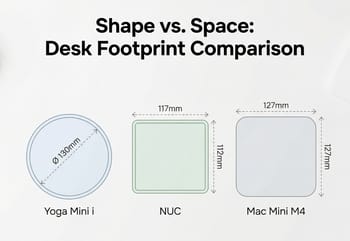
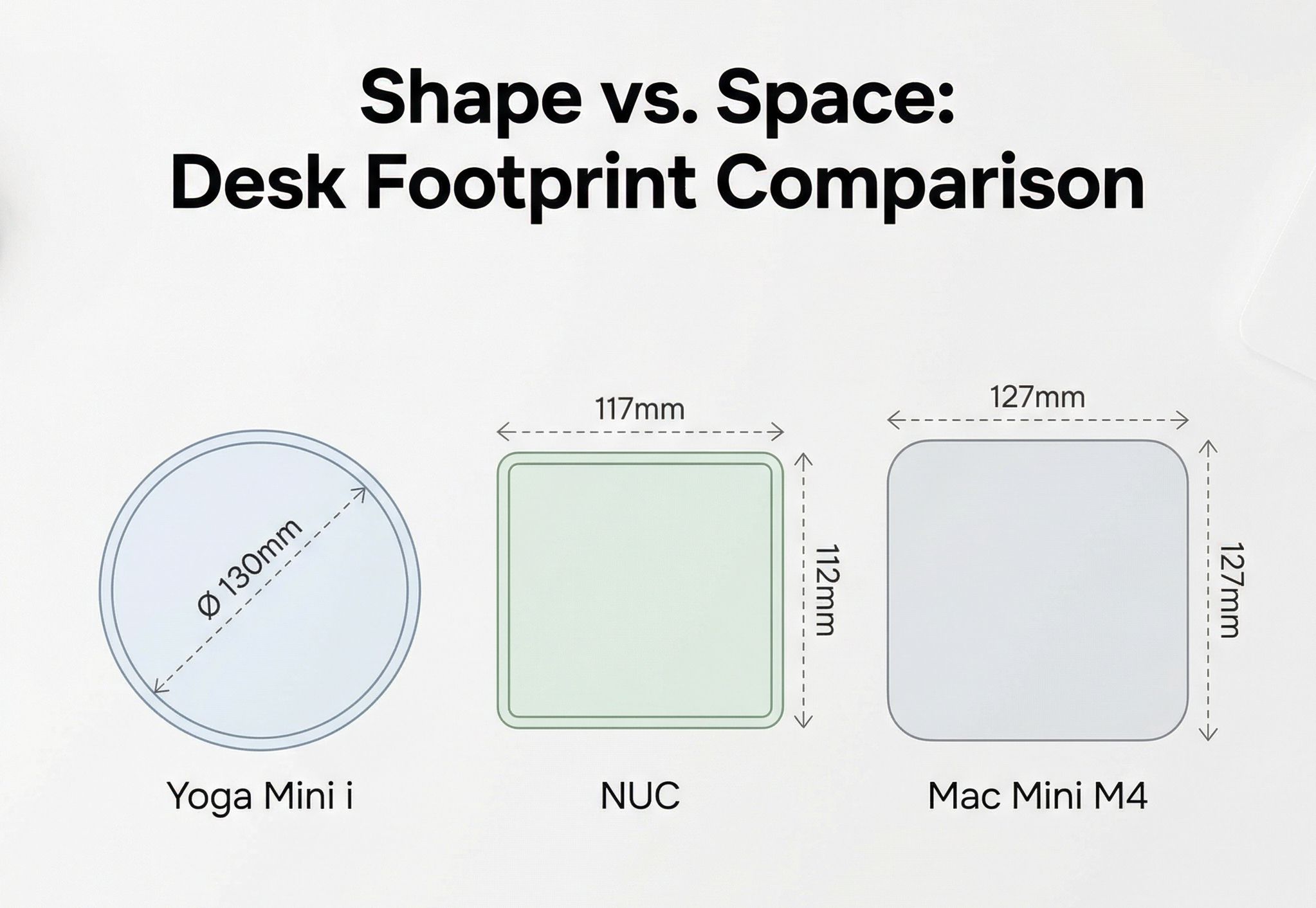
The Yoga Mini i measures 130mm in diameter and 48.6mm tall, roughly the footprint of a large coffee mug. Its aluminum shell comes in a “Seashell” finish that Lenovo designed to sit on a desk rather than hide behind a monitor. Continuous ventilation holes ring the base, serving double duty as airflow paths and openings for a built-in 2W speaker. An ambient light around the bottom pulses to show notification alerts, and the whole thing wakes up automatically when you sit down thanks to WiFi-based presence detection. An integrated accelerometer responds to taps on the chassis, letting you trigger Copilot AI features by knocking on your computer like it’s a door.
The cylindrical shape means no ugly rear panel of ports facing visitors; the connections wrap around the back half of the curve, visually receding from the front. It’s the same design philosophy that drove Apple to move the M4 Mac Mini’s power button to the underside, and it works. The Yoga Mini i looks more like a Bluetooth speaker or a smart home device than a Windows PC, which is arguably the point.
Lenovo configured the Yoga Mini i with Intel’s Core Ultra X7 358H as the top option, a Panther Lake chip with 16 CPU cores and the full 12-core Arc B390 integrated GPU. The same processor that’s enabling playable 1080p gaming in Panther Lake NUCs from ASUS and Khadas now sits inside a chassis barely bigger than a grapefruit. Up to 32GB of LPDDR5X-8533 memory and 2TB of PCIe Gen 4 NVMe storage round out a spec sheet that reads more like a premium ultrabook than a desktop accessory.
Two Thunderbolt 4 Ports and Four Displays
High-bandwidth peripherals and external displays run off the two Thunderbolt 4 connectors, and two USB-C 3.2 Gen 2 ports add full-function data and power delivery. The rest is routine: a USB-A port for legacy peripherals, HDMI 2.1 (TMDS), and a 2.5 Gigabit Ethernet jack for wired networking. The system supports up to four simultaneous external displays, a spec that puts it ahead of the Mac Mini M4’s three-display maximum and matches what the ASUS NUC 14 Pro offers in a larger chassis.
WiFi 7 and Bluetooth 6.0 handle wireless duties. Lenovo also uses WiFi sensing (the same technology that TP-Link and ASUS have built into recent routers for motion detection) to determine when someone is nearby. Walk up to your desk and the Yoga Mini i wakes from sleep before you touch a key. Walk away and it locks itself. An integrated fingerprint sensor adds biometric authentication, so the wake-and-unlock sequence can happen without typing a password at all.
The entire system runs off a 100W USB-C adapter, meaning a single cable can power the machine and connect to a Thunderbolt dock simultaneously. For a device that Lenovo positions as a Copilot+ PC (Microsoft’s branding for machines with on-device AI capabilities like real-time transcription and local summarization), the 358H carries a 25W base power and an 80W maximum turbo power, so the 100W adapter leaves headroom; cooling, not the power supply, is what will cap sustained clocks. That’s the physics tradeoff every sub-1L mini PC has to make.
Smaller Volume Means Soldered Memory or Outboard Expansion
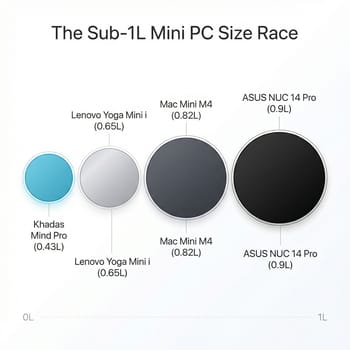
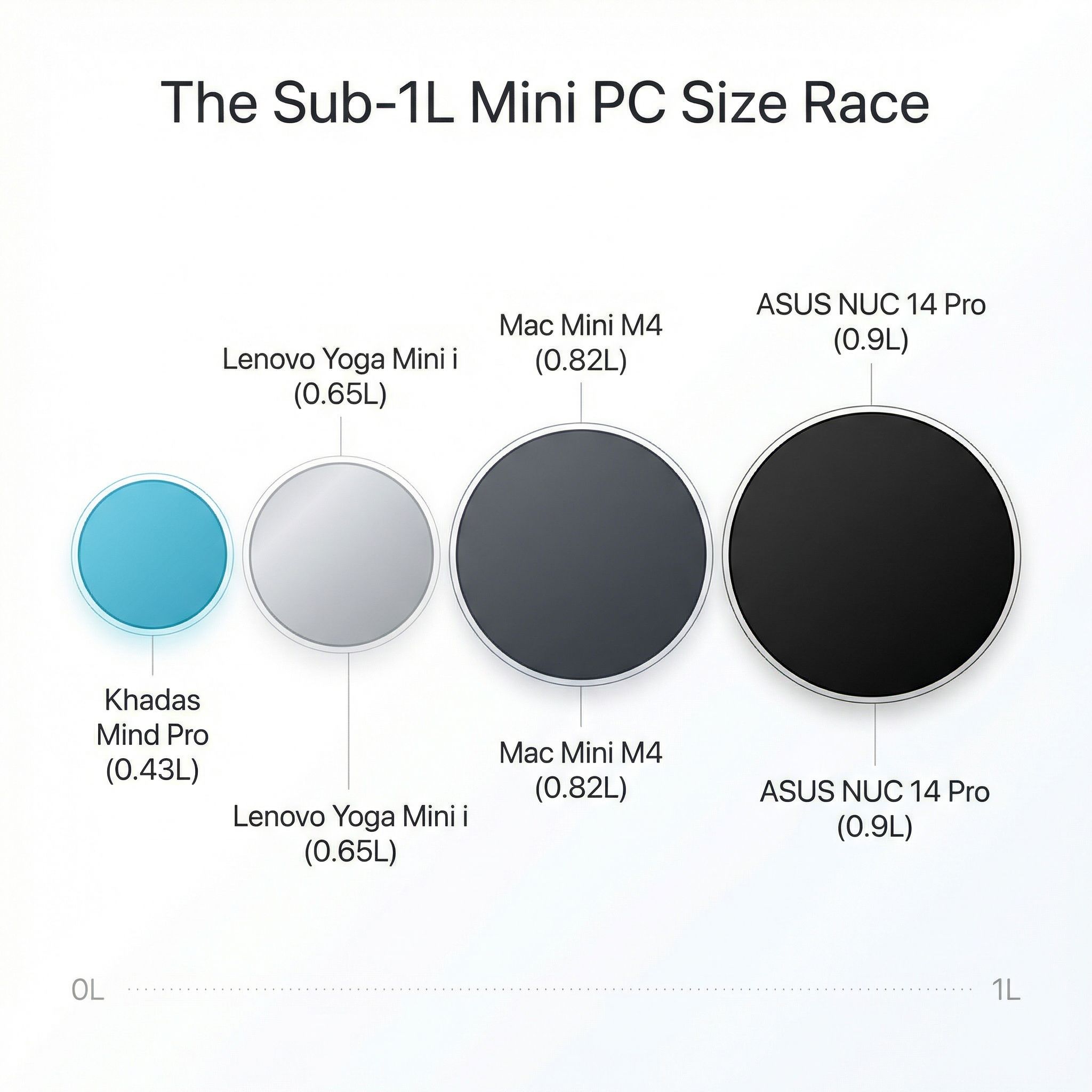
Volume measured in liters has become the mini PC industry’s equivalent of horsepower. The single number says nothing about shape or height. The sub-1L field, smallest first:
- Khadas Mind Pro: 0.43 liters
- Lenovo Yoga Mini i: 0.65 liters
- Mac Mini M4: approximately 0.82 liters
- ASUS NUC 14 Pro: roughly 0.9 liters
Shape changes the desk experience more than raw volume suggests. A 0.43-liter rectangle (the Khadas Mind Pro measures 146 x 105 x 28mm) sits flat and thin like an oversized coaster. A 0.65-liter cylinder with a 130mm diameter occupies a circular footprint that takes up less linear desk space in any direction but stands taller at 48.6mm. The Mac Mini M4’s square 127 x 127mm footprint feels visually larger than the Yoga Mini i even though the M4 is only slightly bigger in total volume. These differences sound academic until you try to arrange a monitor, keyboard, and mini PC on a 120cm desk.
What each manufacturer gave up to reach its liter count matters more than the count itself. The Khadas Mind Pro at 0.43 liters solders everything: 64GB LPDDR5X, 2TB NVMe, no room for expansion. Its modular dock system, including a Mind Graphics 2 enclosure with a desktop RTX 5060 Ti, moves expansion outside the chassis. The Yoga Mini i takes a middle path: soldered LPDDR5X (max 32GB) but a user-accessible M.2 SSD slot for storage upgrades. The ASUS NUC 14 Pro, slightly larger, rewards buyers with socketed SO-DIMM RAM and room for a 2.5-inch drive in its tall configuration.
Sustained Loads Are the Open Question
No independent thermal testing has been published for the Yoga Mini i; the coverage so far is limited to CES show-floor impressions, and Lenovo hasn’t disclosed the internal cooling architecture in detail. The Core Ultra X7 358H is a capable chip that can sustain well above its 25W base power in well-cooled laptop chassis, but a 0.65-liter cylinder with ventilation holes and no visible heatpipe array is not a well-cooled laptop chassis. Early hands-on coverage from Tom’s Guide noted the fan remained quiet during basic use at CES, but “basic use at CES” tells you nothing about sustained rendering, compilation, or multi-hour gaming sessions.
The cylindrical shape does offer one thermal advantage that rectangular chassis don’t: 360-degree radial airflow. Heat generated at the center can dissipate in every direction simultaneously, and the ring of ventilation holes around the base gives that air a path out, though Lenovo has not said how the intake and exhaust are actually arranged. Whether Lenovo’s engineering team has exploited that geometry effectively or simply stuffed a standard laptop cooling module into a round case won’t be clear until reviewers get production units. The historical precedent (Apple’s cylindrical Mac Pro throttled under sustained GPU loads because its single shared thermal core was sized for two mid-power GPUs and could not absorb more heat than that) suggests that cylindrical designs can work for intermittent workloads but struggle with continuous high-power output.
For buyers who need sustained multi-threaded performance, the practical advice is to wait for independent benchmarks. For everyone else (browsing, document work, video calls, and occasional video playback), the Yoga Mini i’s thermal ceiling probably won’t matter. The Copilot+ AI features that Lenovo is marketing require the NPU, not the CPU or GPU cores, and Intel’s NPU operates at a fraction of the power envelope. Daily productivity work won’t push this machine anywhere near its thermal limits, and that’s likely exactly the workload Lenovo designed it for.
The Lenovo Yoga Mini i Is for Design-Conscious Buyers
Lenovo priced the Yoga Mini i at $699.99 for its planned June 2026 launch. The Mac Mini M4 starts at $799 with Apple’s more power-efficient silicon and a mature software ecosystem. Above it, the Khadas Mind Pro commands $1,799 for its pre-order early-bird price but delivers 64GB of RAM, a modular GPU expansion system, and the same Core Ultra X7 358H processor. The ASUS NUC 14 Pro starts at $394 for non-X models but uses the previous-generation Meteor Lake platform. The Yoga Mini i needs to justify its price against all of these, and the spec sheet alone doesn’t do it.
What the spec sheet doesn’t capture is the industrial design. The tap controls, the ambient light, the presence detection, and the speaker are the kind of details you find in premium consumer electronics, where the experience of using a product matters as much as the benchmark scores. Lenovo is betting that there’s a meaningful audience of buyers who want a Windows desktop that doesn’t look like a Windows desktop, and who are willing to pay $100 more than a Mac Mini for the combination of Intel compatibility, Thunderbolt 4, four-display support, and a form factor that earns its place on the desk surface instead of hiding behind a monitor.
Wait until June for the thermal benchmarks before buying one.
Frequently Asked Questions
Does Lenovo have a mini PC?
Yes. The Lenovo Yoga Mini i, shown at CES 2026, is a 0.65-liter aluminum cylinder in a “Seashell” finish: 130mm in diameter, 48.6mm tall, 600 grams.
How much does the Lenovo Yoga Mini i cost?
$699.99 at launch. That is $100 less than the entry Mac Mini M4 at $799, and far below the Khadas Mind Pro, which lists $1,799 as a pre-order early-bird price. The ASUS NUC 14 Pro undercuts all of them at $394 for non-X models, but on the older Meteor Lake platform.
What are the Lenovo Yoga Mini i specs?
The top configuration uses Intel’s Core Ultra X7 358H, a Panther Lake chip with 16 CPU cores and the full 12-core Arc B390 integrated GPU, alongside up to 32GB of LPDDR5X-8533 memory and 2TB of PCIe Gen 4 NVMe storage. Ports are two Thunderbolt 4, two USB-C 3.2 Gen 2, one USB-A, HDMI 2.1 (TMDS), and 2.5 Gigabit Ethernet. Wireless is WiFi 7 and Bluetooth 6.0, and the system drives up to four external displays at once.
What charger does the Lenovo Yoga Mini i use?
Power comes from a 100W USB-C adapter, and a single cable can carry both that power and a Thunderbolt dock connection. The 358H tops out at 80W maximum turbo power, so the adapter has headroom to spare.


