
wo-we H7
Published on

The wo-we H7 puts a desktop AMD Ryzen 3 3200G in a removable AM4 socket, instead of a soldered laptop chip, inside a box about 5.5 by 5.2 inches. It suits someone who wants a plain Windows desktop with two 2.5GbE ports and room to add memory and a second SSD. The 3200G launched in July 2019, has four cores and four threads, and lands only a step above an Intel N150 in multi-core benchmarks. Carey Holzman, who took one apart, advises against buying it with a CPU upgrade in mind.
Pros and Cons
| Pros | Cons |
|---|---|
| CPU sits in a standard AM4 socket instead of being soldered | Ryzen 3 3200G is a 2019 four-core, four-thread chip |
| Two 2.5GbE ports (Realtek) plus Wi-Fi 6E and Bluetooth 5.2 | Ships with one 8GB stick, so memory runs in single channel |
| Two SO-DIMM slots (to 32GB) and two M.2 2280 slots | Reaching the RAM and SSD means lifting the whole board out of the case |
| Three 4K60 outputs: HDMI 2.0, DisplayPort 1.4, rear USB-C | A faster CPU may overheat or hit power delivery limits |
| Two 10Gbps USB-A ports and a USB-C port on the front | No USB4 or Thunderbolt, and the PCIe slots are Gen 3 |
| Separate fan over the SSD and a replaceable Wi-Fi card | Small internal fans may be hard to replace |
wo-we H7 Comparison Chart
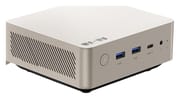 wo-we H7 | |
| Price | List Price: $339.99 Amazon Prices: Loading prices... |
| Version | 8GB/256GB/Ryzen 3 3200G |
| Performance Rating | 2.8 |
| CPU Mark | 6,971 |
| Operating System | Windows 11 Pro |
| Processor | Quad-core 3.60 Ghz (max 4.00 Ghz) AMD Ryzen 3 3200G |
| GPU | Integrated Radeon RX Vega8 Graphics |
| RAM | 8 GB DDR4, single-channel (Ships 1x 8GB (single channel)) |
| Internal Storage | 256 GB NVMe SSD |
| Dimensions width x length x thickness | 5.47 x 5.16 x 2.13 inches (138.94 x 131.06 x 54.1 mm) |
| Weight | 1.2 lbs (0.55 kg) |
| WiFi | Wi-Fi 6E (802.11ax) |
| Bluetooth | Bluetooth 5.2 |
| Ethernet | 2 Ethernet ports at 2.5 Gbps |
| HDMI | 1 Full-Size HDMI Port |
| DisplayPort | 1 DisplayPort (DP 1.4, plus DP Alt Mode on rear USB-C) |
| VGA | No VGA Ports |
| USB Ports | 2 USB 2.0, 2 USB 3, 2 USB-C Front: 2x USB-A 10Gbps, USB-C data. Rear: 2x USB 2.0, USB-C data/DP |
| Thunderbolt Ports | No |
| OCuLink | No |
| Internal SATA Ports | No SATA ports |
| Card Reader | No Card Reader |
| Headphone Jack | combo |
| Fanless | No |
| VESA Mount | Yes |
| In the Box | Mini PC, 19V 120W power adapter, HDMI cable, VESA mount with screws, manual |
| Expandability | Socketed AM4 CPU (65W G-series APUs). 2x DDR4 SO-DIMM to 32GB. Second M.2 2280 free. |
Related Mini PCs
-
 wo-we P7The wo-we P7 is a 5-inch Ryzen 5 3501U box with two Gigabit Ethernet ports, two M.2 slots, and two…
-
 wo-we H5The wo-we H5 is a compact mini PC powered by the Intel Twin Lake N150 processor, offering triple 4K…
-
 GEEKOM Mini Air12 LiteThe GEEKOM Mini Air12 Lite is a budget Intel N100 mini PC with 8GB of DDR4 (upgradeable to 16GB), a…
-
 Glorlin GT101The Glorlin GT101 is a budget AMD mini PC built on the four-core Ryzen 5 3501U with Radeon Vega 8…
-
 ORIGIMAGIC C5The ORIGIMAGIC C5 is a 4.5-inch mini PC with a Ryzen 5 3500U, three 4K display outputs, one Gigabit…
-
 ACEMAGIC Kron K1The ACEMAGIC Kron K1 pairs the AMD Ryzen Embedded R2544 with a compact 5-inch aluminum chassis,…
A 2019 desktop chip in a removable socket

The H7 ships with the Ryzen 3 3200G, a Zen+ desktop APU with four cores, four threads, a 3.6GHz base clock, a 4.0GHz boost, and Radeon Vega 8 graphics at 1250MHz. AMD rates it at 65W with a configurable range of 45 to 65W, and wo-we runs it at the full 65W with a 120W power adapter. Its PassMark CPU Mark is about 6,971, roughly 30 percent above the 5,326 of the Intel N150 and a little over half the 12,261 of the Intel Core 3 304 in the wo-we H8. In 2026 that is enough for office work and browsing.
The processor sits in an AM4 socket under a heatsink held by four spring-loaded screws, so it can be removed. wo-we lists 65W G-series APUs such as the Ryzen 5 5600G and Ryzen 7 5700G as upgrades, and the chip must carry the G suffix because the H7 has no slot for a graphics card. The swap means buying a newer APU, prying off a heatsink that the thermal material glues to the chip, and running a faster chip in a case cooled for a four-core part.
Two 2.5GbE ports and a single 8GB memory stick

The front panel carries the power button, two USB-A ports at 10Gbps, a USB-C data port, a 3.5mm audio jack, and a CMOS reset pinhole. The rear has two 2.5GbE ports, two USB 2.0 ports, DisplayPort 1.4, HDMI 2.0, a second USB-C port that carries data and DisplayPort video, a Kensington lock slot, and the barrel jack for the 19V adapter. HDMI, DisplayPort, and the rear USB-C port drive three 4K displays at 60Hz. Wireless is Wi-Fi 6E and Bluetooth 5.2 on a MediaTek card, and both Ethernet ports use Realtek controllers. A VESA bracket and a short HDMI cable come in the box.
Memory is a single 8GB DDR4 SO-DIMM rated at 3200MHz in one of two slots, so the Vega 8 graphics and the CPU run on one memory channel until a second stick goes in. wo-we lists 32GB (two 16GB sticks) as the maximum. Storage is a 256GB PCIe 3.0 NVMe SSD in one of two M.2 2280 slots; the second slot is empty, and wo-we quotes up to 8TB across both. The H7 ships with Windows 11 Pro, and wo-we posts an H7 driver package on its website for a clean reinstall.
Reviewer Insights
Carey Holzman
Carey Holzman unboxed and took apart the H7 on a live stream. His unit booted to Windows 11 Pro 25H2 on build 26200.7840, which he dated to about February 2026, so it needed several months of updates out of the box. Device Manager showed the expected parts: “It appears as AMD Radeon Vega 8 graphics,” and “It looks like we’ve got MediaTek with the Wi-Fi Bluetooth card, and Realtek Gaming is the the dual 2 and 1/2 gig LAN each represented individually here.” He downloaded wo-we’s H7 driver package and used it to reinstall Windows from scratch.
On everyday speed he says “Windows 11 runs really impressively on 8 gigs of RAM,” and that “It’s only when you’re really doing resource-intensive tasks that you’re going to notice it.” But “if you want to run a virtual machine or a large language model AI or something, no, you’re not going to be happy with this.” Answering a viewer who owned an Intel N95 box, he said “So 100% this is way way better than an N95.”
The bottom cover lifts off to reveal the CPU heatsink and fan, but “the question is to get to the RAM and storage on this is a little bit more involved because we’re going to have to take out these screws that hold the board to the back of the case and completely remove it from the case.” Underneath he found two RAM sockets, two M.2 slots, and a Wi-Fi card that is “fully replaceable.” A second fan blows over the SSD: “And I like that they have a fan down here. A lot of mini PCs do not.” He adds a caution about it: “These fans do eventually burn out. I’m not quite sure how you’re going to find a replacement for that.” The case also vents through its sides, and he warns “You do have vents on the side, so you don’t want to set this on its side.”
He did lift the heatsink to show the AM4 socket, but he does not recommend using it. “I wouldn’t try and upgrade it if I were you. And the reason is you’re going to run into heat problems in a package this small with a higher end CPU and it’s probably going to overheat and it’s not going to work well for you.” He adds “Also you may have power delivery problems on other AM4 CPUs.” His view is that “if the computer does not have the CPU strength that you want, you should probably be buying a different computer.” He took no benchmarks, temperatures, or noise readings on the stream.
Should you buy it?
Adding a second 8GB stick for dual-channel memory is the cheapest improvement and the first one to make.
Skip it if you are buying for the CPU upgrade, for virtual machines, or for local AI work: the 3200G is old, and the reviewer who opened it advises against swapping chips in this case. The wo-we H8 uses the newer Intel Core 3 304, which scores far higher in PassMark, though its 8GB of memory is soldered and its Ethernet ports are Gigabit. A Ryzen 5000-series laptop-chip box such as the Beelink SER5 has at least six cores and more than twice the 3200G’s PassMark score, while the Beelink EQ14 is an Intel N150 option for lighter work.
Frequently Asked Questions
What processor does the wo-we H7 use?
The AMD Ryzen 3 3200G, a 2019 Zen+ desktop APU with four cores, four threads, a 4.0GHz boost clock, Radeon Vega 8 graphics, and a 65W TDP. Its PassMark CPU Mark is about 6,971.
Can I upgrade the CPU in the wo-we H7?
Yes. The 3200G is socketed, and wo-we names the Ryzen 5 5600G and Ryzen 7 5700G among the 65W chips that fit. The replacement needs built-in graphics because the H7 has no graphics card slot. Carey Holzman, who opened one, would not do it: he expects a faster chip to overheat in a case this small and warns that other AM4 chips may hit power delivery problems.
How much RAM does the wo-we H7 take?
Up to 32GB of DDR4 across two SO-DIMM slots, per wo-we. It ships with one 8GB stick, so adding a second matching stick turns on dual-channel memory. Both slots sit under the motherboard, which has to be taken out of the case to reach them.
How many monitors can the wo-we H7 drive?
Three at 4K and 60Hz: one on HDMI 2.0, one on DisplayPort 1.4, and one on the rear USB-C port.
Does the wo-we H7 have two Ethernet ports?
Yes. It has two 2.5GbE RJ45 ports on Realtek controllers, plus Wi-Fi 6E and Bluetooth 5.2 on a replaceable MediaTek card.
Can I add a second SSD to the wo-we H7?
Yes. It has two M.2 2280 PCIe 3.0 slots, and the second one ships empty. wo-we quotes up to 8TB of storage across both slots.