
Acer Chromebook 11 (CB311)
Updated on

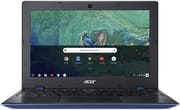
The Acer Chromebook 11 (CB311) was announced in late 2017 and shipped in 2018 as Acer’s indigo-blue answer to the budget Chromebook category, pairing an Intel Celeron N3350 with 4 GB of RAM, 32 GB of eMMC storage, and dual USB-C ports that could charge or drive a display from either side of the chassis. At the $269.99 list price, the CB311-8H-C5DV brought an 11.6-inch IPS panel, fanless silent operation, and a real 10-hour battery rating. Eight years on, the model is still inside its Auto Update window: Google lists ChromeOS support for the CB311-8H series through June 2027, so the units sitting in classrooms and home offices keep receiving security and feature updates until that date. Students looking at modern alternatives may want to compare against current picks for college.
Related Videos
Acer Chromebook 11 (CB311) Comparison Chart
 Acer Chromebook 11 (CB311) | |
| Price | List Price: $269.99 Amazon Prices: |
| Model number | CB311-8H-C5DV / NX.GVJAA.001 |
| Performance Rating | 2.8 |
| Chromebook Plus | No |
| Processor | Dual-core 1.10 Ghz (max 2.40 Ghz) Intel Celeron N3350 |
| RAM | 4 GB |
| Internal Storage | 32 GB |
| Screen Size | 11.6" |
| Screen Resolution | 1366x768 |
| Screen Type | IPS |
| Touch Screen | No |
| Stylus / Pen | No Stylus Support |
| Dimensions width x length x thickness | 11.65 x 7.83 x 0.71 inches (295.91 x 198.88 x 18.03 mm) |
| Weight | 2.43 lbs (1.1 kg) |
| Backlit Keyboard | No |
| Webcam | 1280x720 |
| WiFi | 802.11ac |
| Bluetooth | Bluetooth 4.2 |
| Ethernet | No |
| Cellular Modem | No |
| HDMI | No HDMI |
| USB Ports | 2 USB 3, 2 USB-C (with DisplayPort support) |
| Thunderbolt Ports | No |
| Card Reader | microSD Card Reader |
| Battery | 3 cell, 3490 mAh, Lithium-ion |
| Battery Life | 10.0 hours |
| Fanless | Yes |
| Auto Update Expiration Date | June, 2027 |
Related Chromebooks
-
 Acer Chromebook 311 (AMD)The Acer Chromebook 311 (CB311-10H) is an 11.6-inch ChromeOS laptop on an AMD A4-9120C with 4GB of…
 -
 Acer Chromebook Spin 11 CP311The Acer Chromebook Spin 11 combines functionality and portability with its 11.6-inch touch IPS…
 -
 ASUS Chromebook C203XAThe ASUS Chromebook C203XA is a rugged 11.6-inch education laptop with a MediaTek MT8173C, an…
 -
 Lenovo Flex 3 ChromebookThe Lenovo Flex 3 Chromebook is a fanless 11.6-inch convertible with an IPS touchscreen, a MediaTek…
 -
 Dell Chromebook 3120The Dell Chromebook 3120 is a fanless 11.6-inch education Chromebook with an Intel N100, sold in…
 -
 Lenovo Chromebook 3 11"The Lenovo Chromebook 3 11 is a fanless 11.6-inch Chromebook with an Intel Celeron N4020, 4GB of…
Dual USB-C charging in a fanless plastic shell
The CB311 broke from typical 2018 budget aesthetics with an indigo-blue lid and a textured pattern that gave the otherwise all-plastic shell a more deliberate look. At 0.71 inches thick and 2.43 pounds it stayed clearly inside ultraportable territory, and the 180-degree hinge let the screen lay flat without trying to chase tent and tablet modes that the rest of the hardware would not have supported anyway. The chassis is fanless, so it is silent under load, which separates it from the slightly cheaper Celeron N3060 machines it replaced (Acer’s earlier CB3-132 sat on Braswell silicon).
The CB311 carries two USB Type-C ports (with DisplayPort alt-mode and charging on either side), two USB 3.0 Type-A ports, a microSD card slot, and a 3.5 mm headphone/mic combo jack. Either USB-C can take the bundled charger, so owners do not have to remember which side is the “charging side”; either one will do. A 45-watt USB-C charger is the standard fit, and any quality 45 W or higher USB Power Delivery brick will charge the unit at full speed. Owners who need a wired internet connection can route Ethernet in over a USB Ethernet adapter on one of the Type-A ports.
Inside is an Intel Celeron N3350 (Apollo Lake): a dual-core, dual-thread part that boosts to 2.4 GHz on short bursts and sits at 1.1 GHz at base. With 4 GB of LPDDR3 RAM and 32 GB of eMMC storage, this is unambiguously an entry-level configuration in 2026 terms; what made it competitive in 2018 was that ChromeOS does not need much more than that for everyday browsing, document editing, and video streaming. Battery is a 3-cell, 3,490 mAh, 10-hour-rated pack; Weintraub’s 9to5Google review reported the spec “probably translates, like my MacBook Pro, to 6-8 hours of regular usage” once you account for active screen-on use.
Quick enough on tabs, dim and low-resolution on screen
Seth Weintraub’s 9to5Google review says, “Right out of the gate, this doesn’t feel like a bargain laptop.” With six tabs open during normal use, he reported the system “still runs very fast,” and his published Octane 2.0 scores landed in the 10,645 to 11,036 range, with WebXPRT 63 to 64. Those numbers were healthy for a Celeron N3350 Chromebook in 2018; they are noticeably below what a current Intel N100 or N150 Chromebook hits today, but the everyday tabs-mail-Docs workflow that ChromeOS is built around still runs without obvious stutter.
Laptop Mag was less sold on the display. Their measurements pegged brightness at 223 nits (“the Acer Chromebook 11’s display is quite dim, at 223 nits of brightness”) and color coverage at 78 percent of the sRGB color gamut. Weintraub took a softer position from the same panel, writing that it “has good angles and is bright even in direct sunlight,” and singling out the 11.6-inch HD resolution as “probably this laptop’s weakest spot” in 2018, particularly the large bezels. The IPS panel has wide viewing angles and a usable matte finish, and the 1366x768 pixel count is the spec it would actually be replaced for on any 2026 budget machine.
Laptop Mag’s listed cons were a shallow keyboard, distorted audio, and trouble running Android apps, and their listening notes describe the speakers as practically screeching at maximum volume on bass-heavy tracks. Weintraub was gentler on the same hardware: “Sound, both default mic in and speaker, is solid for a base level laptop but again, not going to blow anyone away.” He called the webcam “fantastic” for video calls, which is unusual praise for a component at this price.
Pros and Cons
| Pros | Cons |
|---|---|
| Dual USB-C ports, either side can charge the laptop or drive a display | 1366x768 resolution feels tight on an 11.6-inch panel by 2026 standards |
| IPS panel with wide viewing angles and a matte, anti-glare finish | 223-nit brightness is dim for outdoor or bright-room use |
| Fanless chassis is silent under sustained load | 4 GB of soldered RAM and 32 GB of eMMC are not upgradeable |
| 10-hour battery rating, 6 to 8 hours of regular use per 9to5Google | Speakers distort at higher volumes and are positioned underneath |
| 2.43-pound, 0.71-inch chassis travels easily and stows in a sleeve | No backlit keyboard (typical for the price point) |
| ChromeOS auto-update support through June 2027 keeps the fleet patched | Celeron N3350 trails current N100/N150 budget Chromebooks meaningfully |
Reviewer Insights
Seth Weintraub (9to5Google)
Seth Weintraub’s 9to5Google review tested the CB311-8H as a family machine over an extended stretch. He wrote: “I’m a big fan of this Chromebook and even more importantly, so are my Chromebook-using 1st and 4th graders.” On the keyboard he wrote: “I absolutely love the keyboard and trackpad here. Soft, reliable keys (ahem MacBook) and a trackpad that works just as it should without registering false clicks.” On battery he wrote that “the listed 3500mAh 10 hour spec probably translates, like my MacBook Pro, to 6-8 hours of regular usage. That will last a kid a whole school day and throw in some time for homework.”
Laptop Mag
Laptop Mag’s review gave the CB311 a 3 out of 5 rating, summarising it as “a solid multitasker with a long battery life” while listing a shallow keyboard, distorted audio, and Android app struggles as the cons. Their bench testing put display brightness at 223 nits and sRGB coverage at 78 percent. The review also called out the keyboard’s lack of travel. Weintraub liked the typing feel; Laptop Mag did not.
After the cutoff, only ChromeOS Flex or Linux extend it
Google lists ChromeOS support for the CB311-8H, CB311-8HT series through June 2027. Until then, the device continues to receive ChromeOS feature updates and security patches in the normal channel. After the AUE date, the browser keeps working but Google no longer ships ChromeOS updates to the device, which has security and compatibility implications for keeping it in front of children or signing into sensitive accounts.
For owners who want to extend the life of the hardware past June 2027, the realistic options are ChromeOS Flex (which has its own supported-device list that does not include every retired AUE device), a lightweight Linux distribution installed via a custom firmware route, or repurposing the laptop as a kiosk or print station behind a firewall. None of those are first-party Acer pathways and all of them void the standard Chromebook update model.
In the meantime, the practical tips for the CB311-8H are the ones for any 4 GB Chromebook: keep open tabs lean, prefer Progressive Web Apps over heavy Android apps where there is a choice, and update ChromeOS promptly so that the device runs against the latest security baselines until June 2027 rolls around.
For anyone weighing this model against current options, the Chromebook Comparison Chart lets you sort and filter the full catalog by specs, AUE date, and price.
Frequently Asked Questions
When does ChromeOS support end for the Acer Chromebook 11 CB311-8H?
Google’s Auto Update Expiration date for the CB311-8H and CB311-8HT is June 2027. The device receives ChromeOS feature and security updates until that date, after which it stops receiving updates but continues to boot and run the version installed at the time of expiration.
Can the RAM or storage be upgraded?
No. The 4 GB of LPDDR3 RAM is soldered to the motherboard, and the 32 GB of eMMC storage is also non-replaceable. External storage can be added via a microSD card (up to 128 GB per Acer’s specifications) or over the USB-A or USB-C ports.
What charger does the CB311-8H use?
The CB311-8H ships with a 45-watt USB Type-C charger and can be charged from either of its two USB-C ports. Any quality USB Power Delivery charger rated 45 W or higher will charge the laptop at full speed. Lower-wattage USB-C chargers will work but will charge more slowly under active use.
Does the Acer Chromebook 11 CB311 have a touchscreen?
The base CB311-8H model reviewed here is non-touch. Acer also produced a CB311-8HT variant with a touchscreen, which carries the same June 2027 AUE date. The two are otherwise mechanically identical.
How does the Celeron N3350 hold up for modern web use?
The N3350 is a 2016-generation, dual-core Apollo Lake chip; it handles single-tab browsing, Google Docs, YouTube, and video calls comfortably, but it lags behind current N100 and N150 Chromebooks on multi-tab workloads and heavier Progressive Web Apps. For students and casual web use through the AUE date it remains usable; for users who depend on demanding extensions or many parallel tabs, a newer N100-class Chromebook will feel substantially faster.
Does the CB311 support external displays?
Yes. Both USB-C ports support DisplayPort alt-mode, so either side can connect to an external monitor via a USB-C-to-HDMI or USB-C-to-DisplayPort adapter, or directly to a USB-C monitor. The laptop has no built-in HDMI port.
Is there a fan?
No. The CB311-8H uses passive cooling and is fanless, so it is silent under any load. The Celeron N3350’s low thermal envelope (6 W TDP) is what makes the fanless design practical.
Close to nine years of patched use from a $270 laptop
When the CB311-8H shipped, USB-C had just become standard on entry-level laptops, ChromeOS was picking up Android app support, and budget Intel Apollo Lake silicon had become fast enough to do a meaningful amount of web work without a fan. Acer’s contribution was packaging all of that into a sub-$300 device with an IPS panel and a chassis that did not feel obviously cheap. Eight years on, the product line has been superseded several times over (CB311-9H, CB311-10H, the 2024 CB311-12H), and the Apollo Lake silicon inside it has not aged well against newer N-series chips. The 2017 announcement and the June 2027 AUE date put the CB311-8H’s supported life at close to nine years, a span it owes to the ChromeOS update-policy extension for older hardware.