
Acer Chromebook 514
Updated on

The Acer Chromebook 514 (CB514-1H/1HT) launched in 2018 with an aluminum chassis, a 14-inch Full HD display, and low-power Intel chips. Its Auto Update Expiration date is June 2027, so it still takes Chrome OS security updates and still handles browsing, documents, and streaming. Acer sold it in three configurations, splitting across 4GB and 8GB of memory with 32GB or 64GB of eMMC storage.
| Pros | Cons |
|---|---|
| Aluminum chassis with the structural rigidity Trusted Reviews described | Display brightness insufficient for outdoor use at 257.9 nits (Trusted Reviews) |
| 8-10 hours of mixed use at controlled brightness (Chrome Unboxed) | Performance deteriorates with 10+ open tabs (Trusted Reviews testing) |
| USB-C and USB-A on both sides, so either side charges | Poor bottom-firing speaker quality (Android Police) |
| Fanless and silent at 3.3 lbs (1.5 kg) | Only 21GB usable storage from 32GB capacity (Trusted Reviews) |
| Backlit keyboard for low-light productivity | Mushy keyboard lacks satisfying tactile feedback (Chrome Unboxed) |
| Full HD IPS touchscreen on the 1HT models | Anti-glare coating reduces color vibrancy (Chrome Unboxed) |
Related Videos
Acer Chromebook 514 Comparison Chart
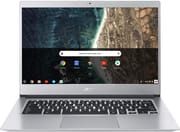 Acer Chromebook 514 | Acer Chromebook 514 | Acer Chromebook 514 | |
| Price | List Price: $399.99 Amazon Prices: Loading prices... | List Price: $499.99 Amazon Prices: | List Price: $349.99 Amazon Prices: Loading prices... |
| Model number | CB514-1HT-C7AZ / NX.H1LAA.001 | CB514-1HT-P2D1 / NX.H1LAA.003 | CB514-1H-C47X / NX.H1QAA.001 |
| Performance Rating | 2.7 | 4.1 | 2.8 |
| Chromebook Plus | No | No | No |
| Processor | Quad-core 1.10 Ghz (max 2.20 Ghz) Intel Celeron Processor N3450 | Quad-core 1.10 Ghz (max 2.50 Ghz) Intel Pentium N4200 | Dual-core 1.10 Ghz (max 2.40 Ghz) Intel Celeron N3350 |
| RAM | 4 GB | 8 GB | 4 GB |
| Internal Storage | 64 GB eMMC | 64 GB eMMC | 32 GB eMMC |
| Screen Size | 14" | 14" | 14" |
| Screen Resolution | 1920x1080 | 1920x1080 | 1920x1080 |
| Screen Type | IPS | IPS | IPS |
| Touch Screen | Yes | Yes | No |
| Stylus / Pen | No Stylus Support | No Stylus Support | No Stylus Support |
| Dimensions width x length x thickness | 12.7 x 9.1 x 0.7 inches (322.58 x 231.14 x 17.78 mm) | 12.7 x 9.1 x 0.7 inches (322.58 x 231.14 x 17.78 mm) | 12.7 x 9.1 x 0.7 inches (322.58 x 231.14 x 17.78 mm) |
| Weight | 3.3 lbs (1.5 kg) | 3.3 lbs (1.5 kg) | 3.3 lbs (1.5 kg) |
| Backlit Keyboard | Yes | Yes | Yes |
| Webcam | 1280x720 | 1280x720 | 1280x720 |
| WiFi | 802.11a/b/g/n/ac | 802.11a/b/g/n/ac | 802.11a/b/g/n/ac |
| Bluetooth | Bluetooth 4.2 | Bluetooth 4.2 | Bluetooth 4.2 |
| Ethernet | No | No | No |
| Cellular Modem | No | No | No |
| HDMI | No HDMI | No HDMI | No HDMI |
| USB Ports | 2 USB 3, 2 USB-C | 2 USB 3, 2 USB-C | 2 USB 3, 2 USB-C |
| Thunderbolt Ports | No | No | No |
| Card Reader | microSD Card Reader | microSD Card Reader | microSD Card Reader |
| Battery | 3 cell, 3920 mAh, Lithium Polymer | 3 cell, 3920 mAh, Lithium Polymer | 3 cell, 3920 mAh, Lithium Polymer |
| Battery Life | 12.0 hours | 12.0 hours | 12.0 hours |
| Fanless | Yes | Yes | Yes |
| Auto Update Expiration Date | June, 2027 | June, 2027 | June, 2027 |
Related Chromebooks
-
 Acer Chromebook 15The Acer Chromebook 15 stands out with a 15.6" FHD IPS touch display, backlit keyboard, and up to…
 -
 Acer Chromebook 314The Acer Chromebook 314 (CB314) is a fanless 14-inch laptop with an Intel Celeron N4000, sold in…
 -
 ASUS Chromebook C403The ASUS Chromebook C403 shines with a 14-inch anti-glare display, robust 12-hour battery life, and…
 -
 ASUS Chromebook CX1 (CX1400)The ASUS Chromebook CX1 (CX1400) is a fanless 14-inch 1920x1080 ChromeOS laptop sold on Celeron…
 -
 HP Chromebook 14 (AMD)The HP Chromebook 14 (AMD) is a fanless 14-inch Chromebook built on the AMD A4-9120C APU with…
 -
 Lenovo IdeaPad Slim 3 ChromebookThe Lenovo IdeaPad Slim 3 Chromebook 14 pairs a fanless MediaTek Kompanio 520 processor with a…
The build and the battery outclass the screen

The aluminum shell measures 0.67 inches thick and 3.3 pounds, heavier than a current thin-and-light but rigid under the wrists, and Trusted Reviews credited it with structural rigidity a plastic body would not have. There is no fan, so the machine makes no noise at all, which suits a library desk or a shared office. Chrome Unboxed was less taken with the assembly, finding seams that do not align.
The 14-inch Full HD IPS panel handles web pages, document editing, and video without complaint. Trusted Reviews measured 257.9 nits of brightness, enough indoors but below the 300-nit mark that makes outdoor use comfortable. The CB514-1HT models add a 10-point touch layer for Android apps, on a clamshell that has no tablet mode to fold into.
Acer put two USB Type-C ports (USB 3.1 Gen 1, with DisplayPort output and power delivery) on opposite sides, alongside two USB 3.0 Type-A ports. Charging and peripherals work from whichever side your desk favors. The microSD slot matters because the internal eMMC tops out at 64GB and cannot be upgraded. Bluetooth 4.2 covers wireless peripherals and 802.11ac dual-band WiFi covers the network; for a wired link, a USB Ethernet adapter works with either Type-A port.
Acer rated the battery at 12 hours, and measured runtimes come in under that figure. Chrome Unboxed wrote that “at controlled brightness, you can expect 8-10 hours” of use, which covers a school day or a work day away from an outlet. The pack is a 3-cell 3920 mAh unit, and screen brightness is the setting that moves the result most.
Reviewer Insights

Chrome Unboxed: soft keys and seams that do not line up
Chrome Unboxed found the CB514 difficult to recommend at its original $499 price point. Robby Payne noted that while the device “looks really good on a spec sheet,” the real-world experience disappoints in several key areas. He wrote of the keyboard that “The keys are soft, mushy and lack any real and discernible click response.” The trackpad, despite its Gorilla Glass surface, suffers from an inconsistent click mechanism that occasionally registers double-clicks. Build quality, while aluminum, feels cheaper than expected with seams that don’t quite align and edges “sharp enough to cut vegetables with.” At the $499 launch price, the reviewer concluded “I simply cannot recommend anyone buy the Acer Chromebook 514,” though noted it would make more sense around $299.
Ten open tabs is where the multitasking stops
Trusted Reviews awarded the CB514 a 4 out of 5-star rating and recommended it for users with modest computing needs. Thomas Newton wrote that “Everything would slow to a crawl for about five seconds when opening 10+ tabs simultaneously,” establishing the practical limit for multitasking. The review praised the value at the £370 UK price point, describing the Chromebook as “good enough for writing essays, and, at a push, streaming video.” The aluminum chassis earned praise for providing “structural rigidity” and a premium feel despite the budget positioning.
The cheapest configuration is the one Digital Trends would buy
Digital Trends scored it 7/10 and described the machine as “a workhorse laptop that doesn’t even try to show off.” Mark Coppock emphasized that the device is “well-built, adequately equipped, and lasts a long time on a charge.” The review specifically recommended the $350 entry-level configuration with Celeron N3350, 4GB RAM, and 32GB storage as the sweet spot for value. While acknowledging the “boring aesthetic design” and limited CPU performance, the conclusion states “the Chromebook 514 is a safe choice that’s unlikely to disappoint” for users whose performance needs aren’t extreme.
The speakers are the weak point
Android Police found the CB514 to be “perfectly fine” but questioned its value compared to cheaper alternatives. Scott Scrivens tested the device extensively, achieving 9-10 hours of actual battery runtime against Acer’s 12-hour claim. The Chromebook “performed admirably in the face of all that was thrown at it,” handling typical Chrome OS workloads smoothly. However, the bottom-firing speakers earned harsh criticism for sounding “plain awful when laptop rests on lap.” Scrivens concluded that “It’s hard to see where the value lies when comparing against lower-priced competitors offering equivalent performance.”
Customer Reviews
Across 526 ratings on Amazon, the Acer Chromebook 514 averages 4.5 stars, with 88 percent of reviewers landing at four or five stars. Owners keep naming the same four things: the backlit keyboard, the 1920x1080 touchscreen, long battery life, and the aluminum build. David Ben Avraham, a verified buyer, reported “routinely getting in excess of 10-11 hours of battery life with the brightness at about 75%” and called the keyboard feel “very good with just the right amount of key travel depth.” Verified buyer Costello, who had tried three other Chromebooks in this price range first, wrote that this one was “THE BEST by far! Quiet, easy to type keyboard, screen is bright and clear, trackpad is like a Mac’s, sturdy construction.”
The lower ratings point at specific defects. Deborah Tickle, a verified four-star reviewer who liked the machine, returned hers over two manufacturing flaws: a bottom case edge she described as “a sharp edge going all way around” and a trackpad that “rattled slightly” when tapped. Aaron noted his unit ships with Bluetooth 4.2 rather than 5.0, which kept his cheap wireless earbuds from pairing. The most pointed three-star review, from verified buyer Lena in the Mist, faulted not the hardware but Google’s support window: she wrote that “this brand new Chromebook may last me for the next six or eight years, but Google is only going to support it until June 2024,” a limit she did not know about before buying. Read more owner reviews on Amazon.
A light-duty machine worth buying at a discount
Chrome Unboxed put the right price at around $299, and Digital Trends recommended the $350 configuration with the Celeron N3350, 4GB of RAM, and 32GB of storage. At those prices the aluminum shell, the silent fanless design, and a full day of battery cover browsing, documents, email, and casual streaming. Pay much more and the dim panel, the ten-tab ceiling, and the speakers stop being easy to live with. The other thing to price in is time, since Chrome OS updates stop in June 2027 and there is no way to extend that. Buy it only if that window covers how long you expect to keep a laptop. To see which models carry support further out, the Chromebook Comparison Chart lets you filter and sort by specs side by side.
Frequently Asked Questions
What is the Auto Update Expiration date for the Acer Chromebook 514?
The CB514-1H/1HT series has an Auto Update Expiration (AUE) date of June 2027. Google provides Chrome OS updates and security patches until that date, which left roughly 1.5 years of official support as of early 2026.
Can I upgrade the RAM or storage on the Acer Chromebook 514?
No. Both the RAM and the internal storage are soldered to the motherboard. RAM is 4GB or 8GB depending on the configuration, and storage is either 32GB or 64GB of eMMC, of which Trusted Reviews found 21GB usable on the 32GB build. The microSD slot is the only way to add space.
Is the Acer Chromebook 514 good for students?
For typical coursework, yes. At 3.3 lbs it is easy to carry between classes, the 8-10 hours Chrome Unboxed measured cover a school day, and the backlit keyboard helps at night. Google Docs, research, and note-taking run smoothly, though the Celeron slows down once the tab count climbs past ten.
Does the Acer Chromebook 514 have a touchscreen?
It depends on the variant. The CB514-1HT models (like the CB514-1HT-C7AZ) include a 10-point multi-touch Full HD display. The CB514-1H models (like the CB514-1H-C47X) have the same 1920x1080 resolution without touch. Check the model number when buying, since the “T” in 1HT marks the touchscreen.
What is the difference between the CB514-1H and CB514-1HT models?
Processor and touch. The CB514-1H uses the dual-core Intel Celeron N3350 and has no touchscreen. The CB514-1HT adds the 10-point touch display and a quad-core chip, either the Celeron N3450 in the 4GB build or the Pentium N4200 in the 8GB build. Both share the aluminum chassis, the 14-inch Full HD IPS panel, and the port selection.
How does the Acer Chromebook 514 compare to newer Chromebook Plus 514 models?
The Chromebook Plus 514 models (CB514-3H, CB514-4H, CB514-6HT) are separate products with far more capable processors such as the Intel Core i3-N305 or AMD Ryzen 3 7320C, 8GB or more of RAM, 128GB+ of SSD storage, and support windows running into the 2030s. Choose the original CB514 only for light work on a short timeline; anyone keeping a Chromebook past June 2027 should start with a Plus model.