
ASUS Chromebook C424
Updated on

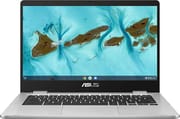
The ASUS Chromebook C424 pairs an Intel Celeron N4020 processor with 4GB of RAM and 128GB of eMMC storage in a 14-inch shell aimed at students, casual users, and anyone whose day is web browsing and document editing. The 14.0-inch FHD (1920 x 1080) anti-glare NanoEdge panel is sharper than most screens at this price, and the narrow bezels keep the body compact. The spill-resistant chiclet keyboard has 1.4mm of key travel, and the 720p HD camera covers video calls. ChromeOS boots quickly and updates itself in the background, and this model keeps getting those updates through June 2029.
| Pros | Cons |
|---|---|
| Premium feel at budget price (Laptop Reviews) | Intel Celeron N4020 is basic; adequate only for web browsing and documents |
| Full HD 1920x1080 14” NanoEdge display with narrow bezels | 250 nits brightness insufficient for outdoor use (Laptop Reviews) |
| Keyboard with 1.4mm travel: quiet and comfortable (NotebookCheck, Maxilimite) | 4GB RAM limits multitasking with many Chrome tabs open |
| Good port selection: 2x USB-A, 2x USB-C with Power Delivery on both sides | Trackpad is imprecise and “fairly jumpy” (VARGE) |
| 8-10 hour battery life covers a full day away from a charger | Heavier than ideal at 3.33 lbs for a 14-inch Chromebook |
| 180-degree lay-flat hinge for easy content sharing | Not suitable for gaming or video editing workloads |
Related Videos
ASUS Chromebook C424 Comparison Chart
 ASUS Chromebook C424 | |
| Price | List Price: $295.99 Amazon Prices: Loading prices... |
| Model number | --- |
| Performance Rating | 2.6 |
| Chromebook Plus | No |
| Processor | Dual-core 1.10 Ghz (max 2.80 Ghz) Intel Celeron Processor N4020 |
| RAM | 4 GB |
| Internal Storage | 128 GB eMMC |
| Screen Size | 14" |
| Screen Resolution | 1920x1080 |
| Screen Type | Anti-glare display, LED Backlit, 250nits |
| Touch Screen | No |
| Stylus / Pen | No Stylus Support |
| Dimensions width x length x thickness | 12.7 x 8.98 x 0.71 inches (322.58 x 228.09 x 18.03 mm) |
| Weight | 3.33 lbs (1.51 kg) |
| Backlit Keyboard | No |
| Webcam | 720p HD |
| WiFi | Wi-Fi 5 (802.11ac) |
| Bluetooth | Bluetooth 5.1 |
| Ethernet | No |
| Cellular Modem | No |
| HDMI | No HDMI |
| USB Ports | 2 USB 3, 2 USB-C USB-C supports display out and power delivery |
| Thunderbolt Ports | No |
| Card Reader | microSD Card Reader |
| Battery | 3 cell, 42WHrs, Li-ion |
| Battery Life | 10.0 hours |
| Fanless | No |
| Auto Update Expiration Date | June, 2029 |
Related Chromebooks
-
 ASUS Chromebook C425The ASUS Chromebook C425 is a fanless 14-inch ChromeOS laptop on an Intel Core m3 with a 1920x1080…
 -
 ASUS Chromebook CM14The ASUS Chromebook CM14 is a sub-$300 14-inch Chromebook built around a MediaTek Kompanio 520,…
 -
 HP Chromebook 14a (ne Series)The HP Chromebook 14a (ne series) is a 14-inch ChromeOS laptop on an Intel Celeron N4500 with 4GB…
 -
 Acer Chromebook 314 (CB314-4H/4HT)A budget-friendly 14-inch Chromebook with Intel Alder Lake-N processors, WiFi 6E, and software…
 -
 Acer Gateway Chromebook 314The Acer Gateway Chromebook 314 is a 14-inch ChromeOS laptop on Acer's Chromebook 314 chassis with…
 -
 HP Chromebook 14a (14a-nf series)The HP Chromebook 14a (14a-nf series) spans two tiers of the same chassis: an Amazon-exclusive…
Sturdy build, slow chip, charging from either side

The silver plastic chassis does not creak or flex in normal use, and the 180-degree lay-flat hinge makes it easy to share the screen with someone across a table. NotebookCheck describes it as “a premium-feeling machine that delivers an enjoyable experience for less money than its Windows-based brethren.” At 0.71 inches thick it slides into a bag without trouble, though 3.33 pounds is heavy for a 14-inch machine. The anti-glare coating cuts reflections indoors, and the 250-nit panel struggles in direct sunlight.
The Intel Celeron N4020 is a dual-core chip that covers the ChromeOS basics and stops there. As one YouTube reviewer from Laptop Reviews put it, the N4020 “is really slow,” good “for like web browsing, media playback and editing word docs, but you’re not going to be able to do much video editing, you’re not going to play games.” The 4GB of LPDDR4 RAM keeps up with 5-10 browser tabs and slows noticeably past that. The 128GB of eMMC storage leaves room for apps and offline files, and cloud storage or the microSD card slot picks up whatever else you need to keep.
Two USB 3.2 Gen 1 Type-A ports and two USB 3.2 Gen 1 Type-C ports split across both edges, and both Type-C ports carry display output and power delivery, so the charger works from whichever side is closer to the outlet. A USB ethernet adapter plugs into any of the USB ports for wired networking, and a 3.5mm combo audio jack and microSD card reader fill out the selection. Wireless is Wi-Fi 5 (802.11ac) dual-band 2x2 with Bluetooth 5.1, enough for browsing and for keeping a mouse and headphones connected. The ASUS Titan C Security Chip handles secure boot and credential storage in hardware, alongside the virus protection built into ChromeOS.
Reviewers praise the build and keyboard, not the speed

Laptop Reviews’ Perspective
Laptop Reviews purchased the ASUS Chromebook C424 from Costco on sale for $149.99, down from the list price of $349.99. “The screen is 14 inches, it is 1920x1080, so that’s HD,” they note, calling it “amazing for a laptop of this price point,” while also acknowledging that “the display is 250 nits in brightness which is okay, it’s not as bright as like a MacBook by any stretch, but it’s going to be fine for indoors,” with “outdoors not so great.” They also call out the port selection, and USB-C charging that works from either side.
Maxilimite’s Perspective
Maxilimite purchased the ASUS Chromebook C424M variant for his daughter entering 5th grade. “This Chromebook is mostly for work, Google Chrome and all that stuff that the kids use at school,” he explains, with Google Classroom and Docs as the daily workload. He praises the keyboard: “The keyboard is not too loud, it’s just fantastic.” He concludes that “I think it is a good laptop to get for your kid if they are going to school to use for school and day-to-day regular activities,” while noting it’s not suitable for gaming. He also liked that lifting the lid boots the machine on its own.
NotebookCheck’s Aggregated Assessment
According to NotebookCheck, which aggregates reviews from ARS Guide (76%) and Think Digit (75%), the C424 scores an average of 75.5%, a solid rating for a budget device. They write that “it has a good build quality that rivals far more expensive Windows laptops, a beautiful display, and a fantastic keyboard.” The fanless design keeps it silent, which counts for something in a classroom or a library. They put performance down as the main compromise, with the Celeron N4020 and 4GB RAM capping what it can handle.
VARGE’s Assessment
VARGE describes the ASUS Chromebook C424 as “a beautiful laptop with good battery life and nearly the best in class” for value. Their review praises the premium aesthetic and solid construction while noting the trackpad as a significant weakness, calling it “imprecise, fairly jumpy, and a palm magnet at best.” They recommend it for light users. “If you’re buying it for basic office tasks, like reading emails, or for college use, it’s well worth its price.”
Customer Reviews
Across 549 ratings on Amazon, the ASUS Chromebook C424 averages 4.3 stars, with 68 percent leaving five stars and 7 percent leaving one. The praise clusters around value: several buyers report paying around $200 on sale and feeling the build punched above that price. R. Hunt, a verified buyer, wrote “Got it for $200. Looks nice, I like the keyboard and trackpad. Pretty light.” Sophia Arca Vertiz, also a verified purchaser, was surprised by the construction on a budget machine and called the screen “bright with good colors,” though she noted it is “a little bit heavier than I expected.” Owners also flag the missing touchscreen and the shallow keyboard.
A verified one-star reviewer, April Harry, hit a hardware failure: the unit “worked just fine” out of the box, but after being left alone for four hours it would not boot, showing only a blank screen, and she called the manufacturer troubleshooting process “a disaster.” Another buyer, Syl, suspected the unit arrived as a managed or used device rather than new, and a three-star reviewer (AEM) found the OS out of date on arrival and had to update it before online banking would work.
Read more owner reviews on Amazon.
A steady school and browsing machine
The spill-resistant keyboard, the FHD screen, charging from either side, and the case all hold up to daily use. The Intel Celeron N4020 and 4GB of RAM run ChromeOS comfortably for browsing, documents, and video, and they run out of room under heavy multitasking, gaming, or content creation. Buy it for a student or as a second machine for web work, and count on ChromeOS support through June 2029.
If you are weighing the C424 against other options, the Chromebook Comparison Chart lets you sort and filter the full catalog by specs, price, and features side by side.
Frequently Asked Questions
How long will the ASUS Chromebook C424 receive updates?
The C424 will receive automatic updates from Google until June 2029, according to Google’s Auto Update Expiration policy. This means you’ll continue to get security patches, new ChromeOS features, and performance improvements for several more years.
Can I upgrade the RAM or storage in the C424?
No. The 4GB of RAM is soldered to the motherboard and the 128GB eMMC storage is not user-replaceable either. The built-in microSD card reader and cloud services like Google Drive are the only ways to add space.
Is the C424 good for students?
Yes, from elementary through college. Reviewers point to the quiet keyboard, the 8-10 hour battery life, and how it fits Google Classroom and Docs. The spill-resistant keyboard helps with younger users.
Can you connect an external monitor to the C424?
Yes. Both USB-C ports support display output using DisplayPort Alt Mode. You can connect an external monitor using a USB-C to HDMI or USB-C to DisplayPort adapter. This allows you to extend your workspace or mirror the screen for presentations.
Does the C424 have a touchscreen?
No. The 14-inch FHD anti-glare display has no touch layer. If you need a touchscreen Chromebook from ASUS, consider the Chromebook Flip series which offers 2-in-1 convertible designs with touch support.
How does the C424 compare to Windows laptops at the same price?
According to NotebookCheck, the C424 offers “build quality that rivals far more expensive Windows laptops.” At comparable prices, Windows laptops typically have inferior displays, cheaper keyboards, and more bloatware. The trade-off is that ChromeOS has a more limited app selection than Windows. For web-focused users, the C424 provides a premium experience at a budget price.