
Dell Inspiron Chromebook 11 3181
Updated on

Note: This product has been discontinued. It is no longer available for purchase new.
The Dell Inspiron Chromebook 11 3181 was a budget Chromebook aimed at students and basic users who needed a reliable machine for everyday browsing and light productivity. An Intel Celeron N3060 and 4GB of RAM drove the 11.6-inch notebook, which traded display quality and build materials for long battery life and silent operation. It arrived in the mid-2010s as part of Dell’s education Chromebook lineup, and reviewers consistently noted that the cheap construction and poor TN display limited its appeal. Its Auto Update Expiration date of June 2022 has passed, so the machine no longer receives Chrome OS updates or security patches.
| Pros | Cons |
|---|---|
| Excellent battery life (nearly 13.5 hours tested) | Cheap polycarbonate construction with noticeable flex |
| Completely silent fanless operation | Very poor TN display with washed-out colors |
| Good thermal management (30-35°C under load) | Terrible viewing angles (colors invert at ~30 degrees) |
| Matte display reduces glare | Spongy keyboard with noticeable key clatter |
| Adequate for basic browsing and office work | Cheap-feeling, stiff touchpad |
| Fast display response times, no PWM flickering | Very slow microSD card reader (12.5 MB/s) |
Related Videos
Dell Inspiron Chromebook 11 3181 Comparison Chart
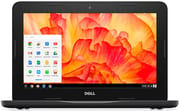 Dell Inspiron Chromebook 11 3181 | Dell Inspiron Chromebook 11 3181 | |
| Price | List Price: $199.99 Amazon Prices: | List Price: $219.99 Amazon Prices: |
| Model number | 3181 | 3181 |
| Performance Rating | 2.4 | 2.4 |
| Chromebook Plus | No | No |
| Processor | Dual-core 1.60 Ghz (max 2.48 Ghz) Intel Celeron Processor N3060 | Dual-core 1.60 Ghz (max 2.48 Ghz) Intel Celeron Processor N3060 |
| RAM | 4 GB | 4 GB |
| Internal Storage | 16 GB eMMC | 32 GB eMMC |
| Screen Size | 11.6" | 11.6" |
| Screen Resolution | 1366x768 | 1366x768 |
| Screen Type | TN LED-backlit | TN LED-backlit |
| Touch Screen | No | No |
| Stylus / Pen | No Stylus Support | No Stylus Support |
| Dimensions width x length x thickness | 11.94 x 8.11 x 0.81 inches (303.28 x 205.99 x 20.57 mm) | 11.94 x 8.11 x 0.81 inches (303.28 x 205.99 x 20.57 mm) |
| Weight | 3.08 lbs (1.4 kg) | 3.08 lbs (1.4 kg) |
| Backlit Keyboard | No | No |
| Webcam | 1280x720 | 1280x720 |
| WiFi | 802.11 a/b/g/n/ac (Intel Dual Band Wireless-AC 7265) | 802.11 a/b/g/n/ac (Intel Dual Band Wireless-AC 7265) |
| Bluetooth | Bluetooth 4.2 | Bluetooth 4.2 |
| Ethernet | No | No |
| Cellular Modem | No | No |
| HDMI | Full-Size HDMI | Full-Size HDMI |
| USB Ports | 2 USB 3 | 2 USB 3 |
| Thunderbolt Ports | No | No |
| Card Reader | microSD Card Reader | microSD Card Reader |
| Battery | 3 cell, 42 WHr, Lithium-ion | 3 cell, 42 WHr, Lithium-ion |
| Battery Life | 10.0 hours | 10.0 hours |
| Fanless | Yes | Yes |
| Auto Update Expiration Date | June, 2022 | June, 2022 |
Related Chromebooks
-
 Dell Chromebook 3120The Dell Chromebook 3120 is a fanless 11.6-inch education Chromebook with an Intel N100, sold in…
 -
 Dell Chromebook 11 (3100)The Dell Chromebook 11 (3100) is a ruggedized 11.6-inch education Chromebook with rubber bumpers, a…
 -
 Acer Chromebook 311 (AMD)The Acer Chromebook 311 (CB311-10H) is an 11.6-inch ChromeOS laptop on an AMD A4-9120C with 4GB of…
 -
 ASUS Chromebook C203XAThe ASUS Chromebook C203XA is a rugged 11.6-inch education laptop with a MediaTek MT8173C, an…
 -
 Acer Chromebook Spin 11 CP311The Acer Chromebook Spin 11 combines functionality and portability with its 11.6-inch touch IPS…
 -
 Lenovo Flex 3 ChromebookThe Lenovo Flex 3 Chromebook is a fanless 11.6-inch convertible with an IPS touchscreen, a MediaTek…
Cost Cutting Shows in the Case and the Screen
The textured polycarbonate chassis flexes under pressure. NotebookCheck noted that “the first thing users will notice is the cheap case.” The reviewer found noticeable flex in both the lid and the keyboard deck under pressure, though the machine stayed structurally sound in normal use. At 3.08 pounds and 0.81 inches thick, it was portable enough for a student carrying it between classes.
NotebookCheck measured a 1206:1 contrast ratio and 300 nits of brightness on the 11.6-inch TN display, respectable numbers for a budget device. The panel technology undercut them anyway, and the same review called it “rather ugly when compared to even the most basic IPS alternatives.” Colors looked washed out even head-on and inverted at roughly 30 degrees off-center. The matte finish cut glare, the panel showed no PWM flickering, and response times were fast enough for text work and web browsing.
Connectivity covered the basics for a budget Chromebook of its generation: two USB 3.0 Type-A ports (enough to run a USB Ethernet adapter for wired networking), a full-size HDMI port for external displays, a microSD slot for storage expansion, and 802.11ac dual-band Wi-Fi with Bluetooth 4.2. All of those ports sat on one side of the chassis. NotebookCheck clocked the microSD reader at only 12.5 MB/s, well behind competing devices. Nothing on the machine used USB Type-C, so charging ran through Dell’s proprietary connector, already dated at launch.
The dual-core Intel Celeron N3060 handled web browsing, Google Docs, email, and video streaming, and slowed down under heavy multitasking or demanding Chrome extensions. NotebookCheck found that “the CPU is fine for basic browsing and simple office work but will quickly meet its limits with more complex tasks like photo editing and spreadsheet computations.” The 4GB of RAM covered a typical set of tabs. The eMMC storage shipped in 16GB or 32GB capacities and booted Chrome OS quickly, though that little space pushed most files to the cloud.
Praise for the Battery, Complaints About the Panel and the Keyboard
NotebookCheck scored it 77%
NotebookCheck measured nearly 13.5 hours in their Wi-Fi web browsing test, a strong result for any laptop at this price point. The fanless design kept it completely silent, with surface temperatures staying between 30-35°C even under load.
Sam Medley faulted the keyboard for its spongy feel and key clatter, and he described the touchpad as cheap-feeling with an overly stiff click mechanism. Color accuracy testing returned a DeltaE of 10.9, a significant deviation from accurate color reproduction. Medley concluded: “There’s little reason to consider the Chromebook 11 3181 when its 2-in-1 brother can be had for a mere $50 more.” The Dell Chromebook 11 3181 2-in-1 variant offered an IPS touchscreen and more durable construction for a modest price premium.
Loud keys and a stiff trackpad on the 2-in-1
CoolSmartphone reviewed the 2-in-1 variant, and its observations apply broadly to the 3181 family. Reviewer Garry Clark wrote that the device was “designed with education needs firmly at the forefront, prioritizing durability and functionality over sleek aesthetics.” The ruggedized construction with protective rubber edges served impact protection in classrooms rather than looks. On speed, Clark wrote that “this Chromebook when compared to previous entry-level Chromebooks, runs rings around them.”
Clark praised the keyboard for its firm travel and tactile feedback, but noted that “the keys produce a very loud click” which could be disruptive in quiet environments. He liked the trackpad far less, describing it as requiring excessive force to click and tracking poorly. At £289.99 for the 2-in-1 variant in the UK market, Clark considered it a good buy for students and teachers, concluding “I have been pretty impressed by the Dell Chromebook 11 2-in-1” despite its limitations.
A Cheap Education Laptop That Has Outlived Its Updates
Budget education buyers in the mid-2010s wanted all-day battery and a low price, and this Chromebook gave them both. The Celeron N3060 kept it to basic tasks, but web browsing, Google Workspace, email, and video streaming ran without complaint, and the fanless design made it silent enough for a library or a shared classroom. Students, teachers, and families who ranked battery life and cost above display quality got what they paid for during its active years.
For those who needed more than the bare minimum, the 2-in-1 variant with its IPS touchscreen represented a meaningful upgrade for relatively modest additional cost. The standard 3181 worked as a web-focused computing appliance, and it never competed with pricier Chromebooks on user experience.
The Auto Update Expiration date of June 2022 is now in the past, so the machine has reached the end of its supported life. It still runs basic tasks, but without Chrome OS updates or security patches it does not belong anywhere that needs current security. Newer Chromebooks with later AUE dates and faster processors are the better buy today.
To weigh current options side by side, our Chromebook Comparison Chart covers the full range of models available today.
Frequently Asked Questions
Is the Dell Chromebook 11 3181 still receiving updates?
No. Its Auto Update Expiration (AUE) date of June 2022 has passed, so it receives no further Chrome OS updates or security patches. The device still runs basic tasks, but it is no longer suitable where up-to-date security matters.
What was the battery life of the Dell Chromebook 11 3181?
NotebookCheck measured nearly 13.5 hours in its Wi-Fi web browsing test, well past Dell’s official 10-hour rating. Real-world usage typically fell in the 10-12 hour range depending on screen brightness and workload, enough for a full school day and beyond.
Was the Dell Chromebook 11 3181 good for students?
Dell designed it for student use: long battery life, silent operation, and a price that fit education budgets. It handled web browsing, Google Docs, and educational websites adequately. The poor TN display and cheap construction capped the experience, and the 2-in-1 variant with its IPS touchscreen was generally the better choice for $50-80 more.
What is the difference between the Dell Chromebook 11 3181 and the 2-in-1 version?
The standard model used a TN display with poor viewing angles. The 2-in-1 variant used an IPS touchscreen with better color accuracy and viewing angles, and added 360-degree hinges for laptop, tablet, stand, and tent modes. NotebookCheck rated the 2-in-1 at 81% against 77% for the standard model, recommending the upgrade for the modest additional cost.
Could you run Android apps on the Dell Chromebook 11 3181?
Yes. The machine gained Google Play Store support, so Android apps could be installed and run. The Intel Celeron N3060 struggled with demanding ones, and reviewers noted hiccups and stutters when loading content-heavy apps. The 16-32GB storage also filled up quickly. Basic note-taking, reading, and educational apps ran acceptably.
Why was the Dell Chromebook 11 3181 display considered poor?
It used a TN (Twisted Nematic) panel, which NotebookCheck described as “rather ugly when compared to even the most basic IPS alternatives.” Brightness reached a decent 300 nits, but colors were washed out, color accuracy was off (DeltaE 10.9), and viewing angles were bad enough that colors inverted past about 30 degrees off-center. IPS panels on competing devices of the era looked considerably better.
Could you connect an external monitor to the Dell Chromebook 11 3181?
Yes. A full-size HDMI port connected directly to monitors, projectors, and TVs without an adapter, which suited classroom presentations and desk work on a bigger screen. The integrated Intel HD Graphics 400 drove displays at standard resolutions for productivity and video playback.