
HP Chromebook 14
Updated on

The HP Chromebook 14 G5 was a budget Chromebook aimed at students, educators, and anyone who needed a machine for everyday browsing and document work. The Intel Celeron N3350 and 4GB of RAM in this 14-inch notebook put all-day battery life and silent operation ahead of raw performance. It was sold in 2017-2018 in gray and white. Its Auto Update Expiration date is June 2027, after which it stops receiving Chrome OS updates and security patches.
| Pros | Cons |
|---|---|
| 9 hours 18 minutes of web browsing measured by Laptop Mag | Dim display (220-232 nits) made outdoor use difficult |
| Fanless design ran silently under passive cooling | Below-average performance compared to similarly priced competitors |
| Full HD (1080p) IPS option (most configs are 1366x768) | No keyboard backlighting on standard models |
| Two USB-C ports, two USB-A ports, and a microSD slot | Mushy keyboard feel with short 1.2mm key travel |
| MIL-STD-810G durability with spill-resistant keyboard | Soldered 16GB or 32GB eMMC that cannot be upgraded |
| Google Play Store access for Android apps | Dual-core Celeron stalled on heavy multitasking |
Related Videos
HP Chromebook 14 Comparison Chart
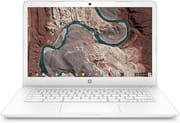 HP Chromebook 14 | HP Chromebook 14 | 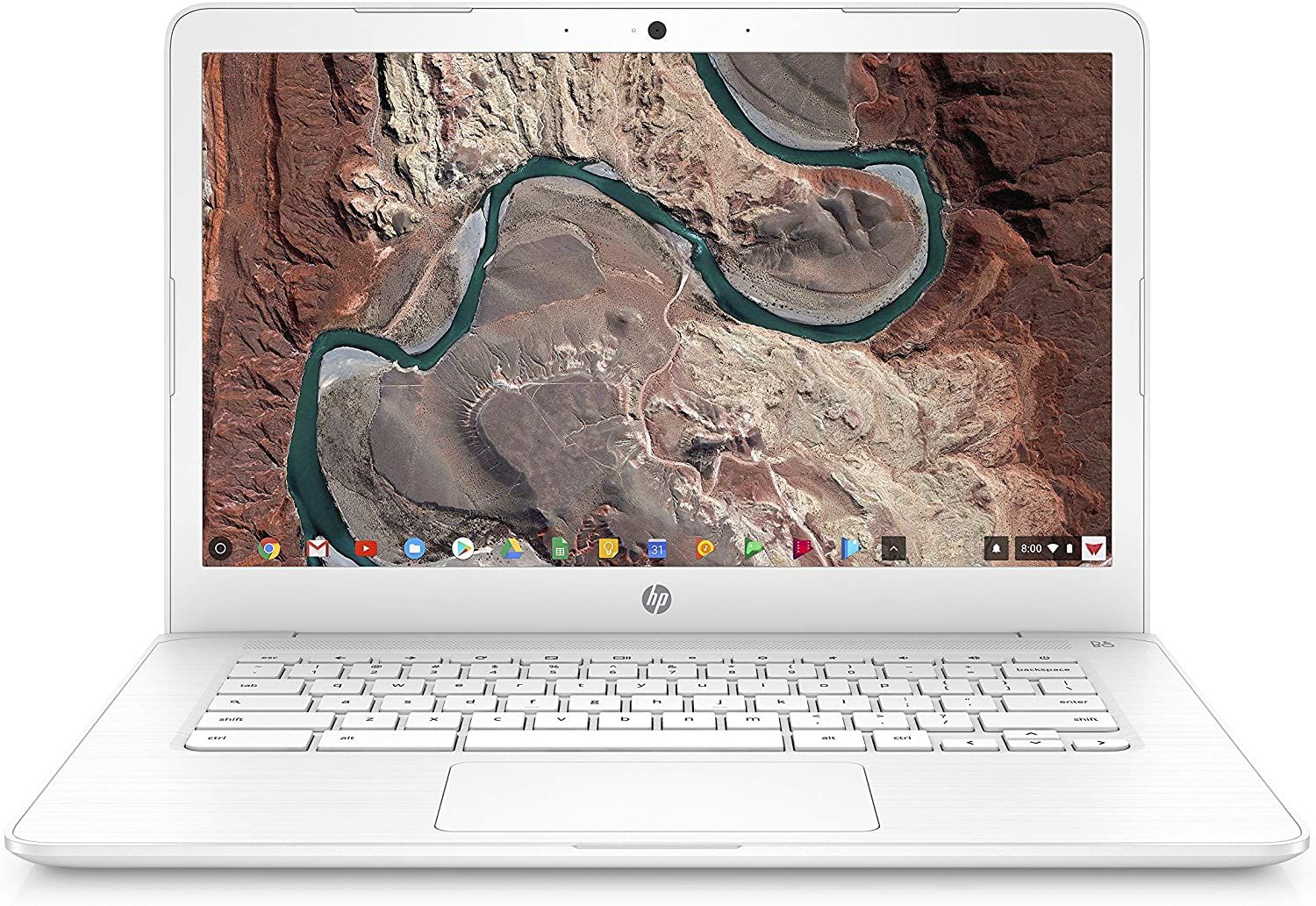 HP Chromebook 14 | HP Chromebook 14 | HP Chromebook 14 | HP Chromebook 14 | |
| Price | List Price: $299.99 Amazon Prices: | List Price: $249.99 Amazon Prices: | List Price: $289.00 Amazon Prices: | List Price: $288.00 Amazon Prices: | List Price: $359.99 Amazon Prices: | List Price: $242.00 Amazon Prices: |
| Model number | 14-ca070nr | 14-ca020nr | 14-ca051nr / 2H9R0UA#ABA | 14-ca023nr | 14-ca060nr | 14-ca040nr |
| Performance Rating | 2.8 | 2.8 | 2.8 | 2.8 | 2.8 | 2.8 |
| Chromebook Plus | No | No | No | No | No | No |
| Processor | Dual-core 1.10 Ghz (max 2.40 Ghz) Intel Celeron N3350 | Dual-core 1.10 Ghz (max 2.40 Ghz) Intel Celeron N3350 | Dual-core 1.10 Ghz (max 2.40 Ghz) Intel Celeron N3350 | Dual-core 1.10 Ghz (max 2.40 Ghz) Intel Celeron N3350 | Dual-core 1.10 Ghz (max 2.40 Ghz) Intel Celeron N3350 | Dual-core 1.10 Ghz (max 2.40 Ghz) Intel Celeron N3350 |
| RAM | 4 GB | 4 GB | 4 GB | 4 GB | 4 GB | 4 GB |
| Internal Storage | 32 GB eMMC | 16 GB eMMC | 32 GB eMMC | 32 GB eMMC | 32 GB eMMC | 32 GB eMMC |
| Screen Size | 14" | 14" | 14" | 14" | 14" | 14" |
| Screen Resolution | 1366x768 | 1366x768 | 1366x768 | 1366x768 | 1366x768 | 1920x1080 |
| Screen Type | WLED-backlit | WLED-backlit | WLED-backlit | WLED-backlit | WLED-backlit | IPS |
| Touch Screen | No | No | No | No | No | No |
| Stylus / Pen | No Stylus Support | No Stylus Support | No Stylus Support | No Stylus Support | No Stylus Support | No Stylus Support |
| Dimensions width x length x thickness | 13.27 x 8.94 x 0.72 inches (337.06 x 227.08 x 18.29 mm) | 13.27 x 8.94 x 0.72 inches (337.06 x 227.08 x 18.29 mm) | 13.27 x 8.94 x 0.72 inches (337.06 x 227.08 x 18.29 mm) | 13.27 x 8.94 x 0.72 inches (337.06 x 227.08 x 18.29 mm) | 13.27 x 8.94 x 0.72 inches (337.06 x 227.08 x 18.29 mm) | 13.27 x 8.94 x 0.72 inches (337.06 x 227.08 x 18.29 mm) |
| Weight | 3.39 lbs (1.54 kg) | 3.39 lbs (1.54 kg) | 3.39 lbs (1.54 kg) | 3.39 lbs (1.54 kg) | 3.39 lbs (1.54 kg) | 3.39 lbs (1.54 kg) |
| Backlit Keyboard | No | No | No | No | No | No |
| Webcam | TrueVision HD | TrueVision HD | TrueVision HD | TrueVision HD | TrueVision HD | TrueVision HD |
| WiFi | 802.11 a/b/g/n/ac (2x2) | 802.11 a/b/g/n/ac (2x2) | 802.11 a/b/g/n/ac (2x2) | 802.11 a/b/g/n/ac (2x2) | 802.11 a/b/g/n/ac (2x2) | 802.11 a/b/g/n/ac (2x2) |
| Bluetooth | Bluetooth 4.2 | Bluetooth 4.2 | Bluetooth 4.2 | Bluetooth 4.2 | Bluetooth 4.2 | Bluetooth 4.2 |
| Ethernet | No | No | No | No | No | No |
| Cellular Modem | No | No | No | No | No | No |
| HDMI | No HDMI | No HDMI | No HDMI | No HDMI | No HDMI | No HDMI |
| USB Ports | 2 USB 3, 2 USB-C | 2 USB 3, 2 USB-C | 2 USB 3, 2 USB-C | 2 USB 3, 2 USB-C | 2 USB 3, 2 USB-C | 2 USB 3, 2 USB-C |
| Thunderbolt Ports | No | No | No | No | No | No |
| Card Reader | microSD Card Reader | microSD Card Reader | microSD Card Reader | microSD Card Reader | microSD Card Reader | microSD Card Reader |
| Battery | 2 cell, 47.36 WHr, Lithium-ion | 2 cell, 47.36 WHr, Lithium-ion | 2 cell, 47.36 WHr, Lithium-ion | 2 cell, 47.36 WHr, Lithium-ion | 2 cell, 47.36 WHr, Lithium-ion | 2 cell, 47.36 WHr, Lithium-ion |
| Battery Life | 11.5 hours | 11.5 hours | 11.5 hours | 11.5 hours | 11.5 hours | 11.5 hours |
| Fanless | Yes | Yes | Yes | Yes | Yes | Yes |
| Auto Update Expiration Date | June, 2027 | June, 2027 | June, 2027 | June, 2027 | June, 2027 | June, 2027 |
Related Chromebooks
-
 HP Chromebook 14 (AMD)The HP Chromebook 14 (AMD) is a fanless 14-inch Chromebook built on the AMD A4-9120C APU with…
 -
 HP Chromebook 14 G7The HP Chromebook 14 G7 packs a 14-inch anti-glare WLED screen, Wi-Fi 6, a 720p HD webcam, and…
 -
 ASUS Chromebook C403The ASUS Chromebook C403 is a fanless 14-inch education Chromebook with an anti-glare 1366x768…
 -
 ASUS Chromebook CX1 (CX1400)The ASUS Chromebook CX1 (CX1400) is a fanless 14-inch 1920x1080 ChromeOS laptop sold on Celeron…
 -
 Acer Chromebook 514The Acer Chromebook 514 (CB514-1H and 1HT) is a fanless 14-inch ChromeOS laptop sold with Celeron…
 -
 Acer Chromebook 314The Acer Chromebook 314 (CB314) is a fanless 14-inch laptop with an Intel Celeron N4000, sold in…
A MIL-STD-810G shell around a dual-core Celeron

HP finished the chassis in anthracite gray or snow white plastic and certified it to MIL-STD-810G, with reinforced corners and a spill-resistant keyboard behind that rating. At 3.39 pounds and 0.72 inches thick, it landed between a small ultraportable and a full-size 14-inch notebook. There is no fan inside, so the Celeron cools passively and the machine makes no noise of its own.
Most configurations shipped with a 14-inch 1366x768 panel. The 14-ca040nr swapped in a 1920x1080 IPS screen, and that is the panel professional reviewers tested. On that model, NotebookCheck measured a 1687:1 contrast ratio and found the color accuracy fine for everyday use. The panel maxed out at roughly 220-232 nits, which made it hard to read outdoors or in bright light. Under office or classroom lighting it was fine.
Two USB Type-C ports carried DisplayPort output and Power Delivery charging, and two USB 3.0 Type-A ports sat alongside them. There is no Ethernet jack, so wired networking ran through a USB Ethernet adapter in one of the Type-A ports. A microSD slot expanded storage, and 802.11ac 2x2 Wi-Fi with Bluetooth 4.2 handled wireless. The hinge opened a full 180 degrees so the screen could lie flat for sharing.
The dual-core Celeron N3350 ran web browsing, document editing, and video streaming without trouble, and stalled on heavy multitasking or demanding Chrome extensions. NotebookCheck recorded an Octane 2.0 score of approximately 11,461. The 4GB of RAM covered a normal set of tabs, though users who kept 15+ tabs open hit slowdowns. Storage was 16GB or 32GB of eMMC, soldered in place, so anything larger than a few files lived in cloud storage.
Reviewer Insights

The IPS panel impressed JoelsterG4K at the price
JoelsterG4K, whose video attracted over 336,000 views, reviewed the machine as a parent. He purchased the Chromebook for his daughter from Costco for around $200, and his review is about the practical value of that purchase. He highlighted the vibrant IPS display quality for the price, noting that the colors appeared vivid and the text was sharp enough for comfortable reading. The completely fanless operation meant the laptop ran silently, which he found well suited to homework sessions. The Costco bundle he purchased included a wireless mouse and carrying case, adding extra value to an already affordable package. His overall assessment recommended the HP Chromebook 14 for students and families who needed a reliable computer for web browsing, schoolwork, and basic productivity at a low price.
Dove Computer Solutions tested an 8GB Celeron N3450 build
Dove Computer Solutions examined the machine as an enterprise device. They highlighted the MIL-STD-810G military-grade durability certification, which made the laptop suitable for deployment in education and business environments where devices may have experienced rough handling. Their review showcased a higher-end configuration with 8GB RAM and the slightly more powerful Intel Celeron N3450 processor, along with an optional backlit keyboard. They emphasized the comprehensive port selection and the 8-9 hour battery life as key selling points for organizations looking to deploy Chromebooks at scale. The spill-resistant keyboard received particular praise as a practical feature for real-world use in schools and offices.
The keyboard’s mushy feel drew NotebookCheck’s criticism
NotebookCheck awarded the HP Chromebook 14 G5 a score of 82%, praising its silent operation and excellent battery life while noting the dim display and modest performance as limitations. Their reviewer Sascha Mölck found that “HP has equipped the Chromebook 14 G5 with an impressive selection of ports” and that “the HP Chromebook 14 G5 runs silently and has excellent battery life.” However, they also observed that “the device looks unspectacular with its anthracite plastic case…which makes the device look cheap.” On brightness they wrote that “the display is difficult to read outdoors and only suitable for being used indoors.” The keyboard received criticism for its mushy feel and flexy deck, though they acknowledged it remained functional for typing.
Laptop Mag clocked the battery above the Chromebook average
Laptop Mag reviewed the white model at $248 and gave it 3.5 out of 5 stars, calling it “a solid choice” and “a significant upgrade over the AMD model.” Their testing measured 9 hours and 18 minutes of battery life during continuous web surfing, beating the Chromebook category average. They praised HP for “offering a 1080p display on such an affordable laptop” and found the keyboard comfortable with well-spaced chiclet keys, though they noted the 1.2mm key travel fell short of their preferred 1.5mm. The review concluded that while performance lagged behind similarly priced competitors, the HP Chromebook 14 handled basic productivity tasks adequately and represented a compelling value for budget-conscious buyers of the time.
Slow by 2026 standards, with updates through June 2027
The Celeron N3350 keeps this machine to web browsing, Google Docs, email, and video streaming. The dual USB-C and dual USB-A ports cover peripherals without a hub, and the MIL-STD-810G certification handles the bumps and spills of daily use.
The 9 hours and 18 minutes Laptop Mag measured cover a school day away from an outlet, and the fanless shell adds no noise to a quiet room. Owners running one for homework and web research stay inside what the 4GB of RAM and the eMMC storage handle comfortably.
The machine keeps booting and running past June 2027. What stops is Chrome OS updates and security patches, which rules it out for anything that needs current fixes. If you are shopping for a replacement, the Chromebook Comparison Chart lets you filter models by processor and update date.
Frequently Asked Questions
Could you run Android apps on the HP Chromebook 14 G5?
Yes. Google Play Store access shipped with the machine, so Android apps installed and ran. The 16GB or 32GB of eMMC filled up quickly once apps piled on, and the Celeron N3350 struggled with more demanding Android applications. Basic apps for note-taking, reading, and social media ran fine.
What was the battery life of the HP Chromebook 14?
Laptop Mag measured 9 hours and 18 minutes during their web browsing test. HP rated the battery at 11.5 hours, and Dove Computer Solutions cited 8 to 9 hours on the configuration they tested, so the figure moves with screen brightness and workload.
Was the HP Chromebook 14 G5 good for students?
For schoolwork, web research, and document editing, yes. The battery covered a full school day, and the MIL-STD-810G certification and spill-resistant keyboard handled drops and spills. Students running demanding applications or heavy multitasking hit the limits of the dual-core Celeron N3350 and 4GB of RAM.
Is the HP Chromebook 14 G5 still receiving updates?
Yes, until June 2027. That is the Auto Update Expiration (AUE) date for the 14-ca0 series. Chrome OS updates and security patches stop then, and the machine is no longer suitable for environments requiring up-to-date security.
Did the HP Chromebook 14 have a touchscreen?
No. The 14-ca0 configurations covered here shipped with a non-touch panel, either the 1366x768 WLED screen or the 1920x1080 IPS screen. The hinge still opens a full 180 degrees, which lets the screen lie flat for sharing.
Could you use the HP Chromebook 14 for video conferencing?
Yes. The TrueVision HD webcam and built-in microphone handle calls on Google Meet, Zoom, or Microsoft Teams. Picture quality is adequate for a call and does not match a dedicated webcam. Because there is no fan, calls pick up no cooling noise from the machine.
Could you connect an external monitor to the HP Chromebook 14?
Both USB-C ports carry DisplayPort output, so a USB-C to HDMI or USB-C to DisplayPort adapter drives an external display for extending the desktop or mirroring a presentation. There is no HDMI port on the machine itself.
How did the HP Chromebook 14 compare to Windows laptops at the same price?
Chrome OS ran comfortably on the Celeron N3350 and 4GB of RAM that this machine shipped with, and buyers got a MIL-STD-810G chassis, a fanless design, and a 9 hour battery at a budget price. Windows laptops run desktop applications that Chrome OS cannot, which is the tradeoff. For web-based schoolwork and productivity, the Chromebook covered the job.