

Buy a Chromebook as the household’s everything machine and it eventually ends up playing movies: on the kitchen counter, in a dorm room, plugged into the bedroom TV over HDMI. That is usually when someone notices the picture looks softer on some services than others, blames the Wi-Fi, upgrades the router, and finds nothing changed. The router was never the problem. Streaming services decide how many pixels each device class is allowed to receive, and they publish those decisions in their help documentation.
If you search this question, the advice you will find is mostly wrong by now. Articles from 2021 still rank well, and they say Netflix holds Chromebooks to 720p or 1080p. Netflix’s own supported browsers page says otherwise today: Chrome on a Chromebook is listed at “Up to Ultra HD (4K),” a higher ceiling than the same browser gets on a Mac (1080p) or on Linux (720p). The stale advice has the story backwards. In mid-2026 the Chromebook is one of the better laptop platforms for Netflix specifically, and the real limits sit with other services.
That is the pattern this article lays out: the resolution limit belongs to the service and to the player you choose, not to the laptop. Every number below comes from the relevant service’s own help documentation, checked in July 2026, with the source linked so you can re-verify when policies shift. And they do shift; these are business decisions, not laws of physics, which is exactly why the 2021 numbers rotted.
Netflix reaches 4K in the browser while Disney+ and Prime Video stop far lower
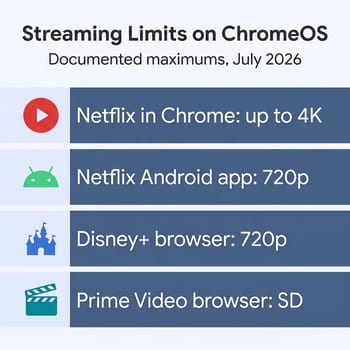
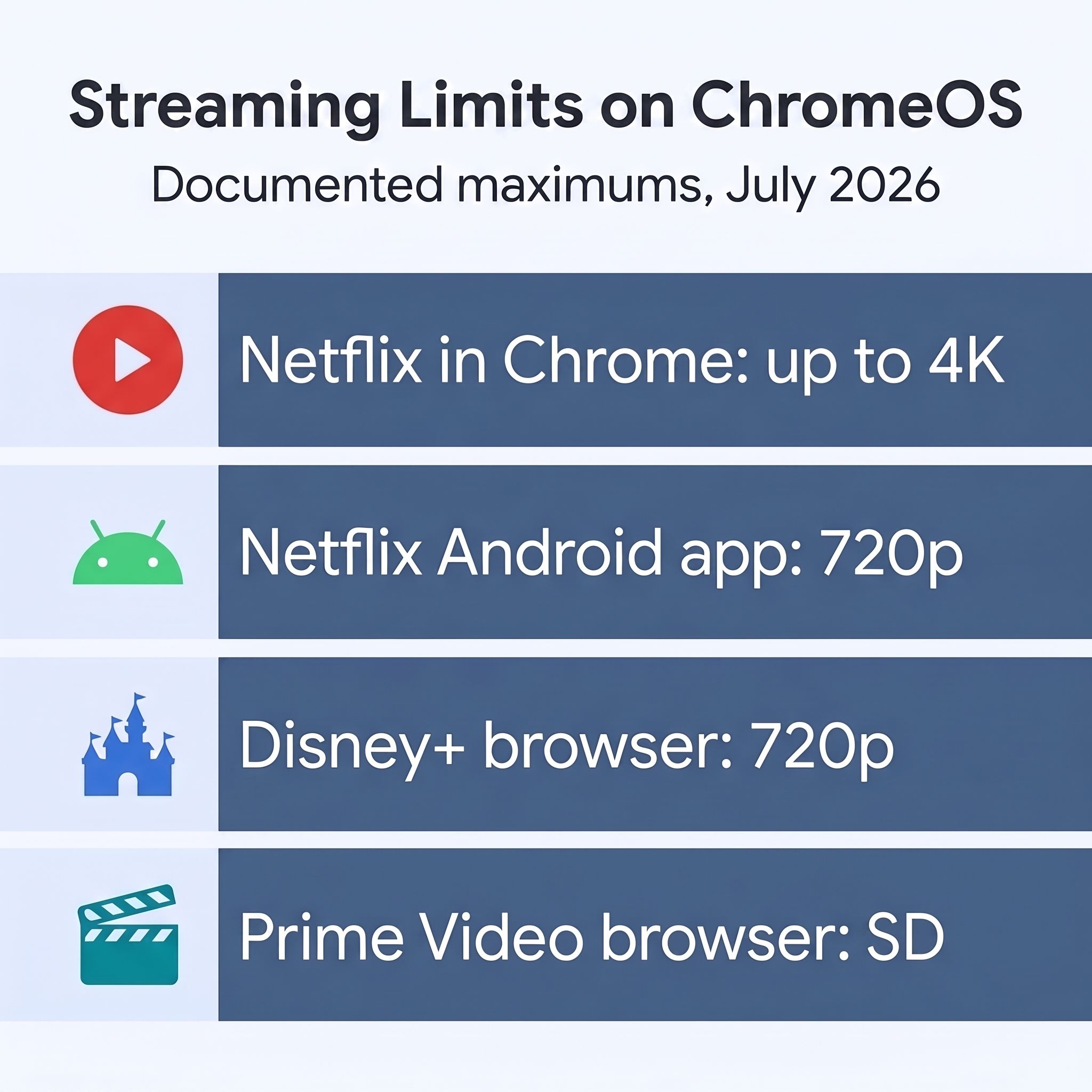
Start with Netflix, because it is the surprise. The supported browsers matrix lists Chrome on a Chromebook at “Up to Ultra HD (4K),” with a footnote pointing to hardware requirements covered below. Netflix’s Chromebook help page repeats the figure and adds the second number that matters: “Up to 720p on the Netflix app from the Google Play Store.” Read those two lines together and the practical instruction writes itself. On a Chromebook, the browser is the premium Netflix player and the Android app is the compromised one, which is the opposite of the instinct most of us carry over from phones and tablets.
Disney+ is a different story, and not a flattering one. The service’s data usage and streaming quality page, dated June 29, 2026, states that “4K streaming is not available on computer browsers, which are limited to 720p HD.” That is not a ChromeOS penalty; the same 720p ceiling applies to a $3,000 MacBook Pro. But it means the Disney+ picture on any laptop, Chromebook included, is a step down from what the same subscription delivers on a TV app. Disney+ publishes no separate figure for its Android app running on ChromeOS, so we will not invent one; the browser number is the documented quantity.
Prime Video is the harshest of the three. Amazon’s system requirements for computers page puts it plainly: “If you’re running an operating system other than Windows or macOS, playback is restricted to standard definition.” ChromeOS is not Windows or macOS, so a Chromebook browser gets SD, full stop. Even Windows and macOS browsers only rate “up to HD” on that page. Amazon reserves its 4K streams for TV apps and streaming boxes, and a Chromebook buyer should know that before assuming a Prime Video movie night will look like it does on the living room TV.
| Service and player | Documented maximum on ChromeOS | Source, checked July 2026 |
|---|---|---|
| Netflix, Chrome browser | Up to Ultra HD (4K) on qualifying hardware | Netflix supported browsers |
| Netflix, Android app | Up to 720p | Netflix Chromebook page |
| Disney+, any computer browser | 720p HD, no 4K | Disney+ data usage doc, dated June 29, 2026 |
| Prime Video, browser | Standard definition | Prime Video system requirements |
This table is a snapshot of service policy, not hardware capability. Any of these companies can raise or lower a ceiling with a help-page edit, which is how the 2021 advice went stale in the first place. The links are there so you can check the current numbers the week you buy something.
Widevine’s hardware tier sets these limits, not your internet plan
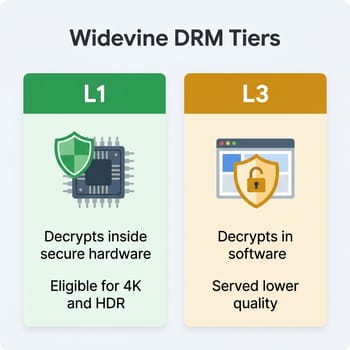
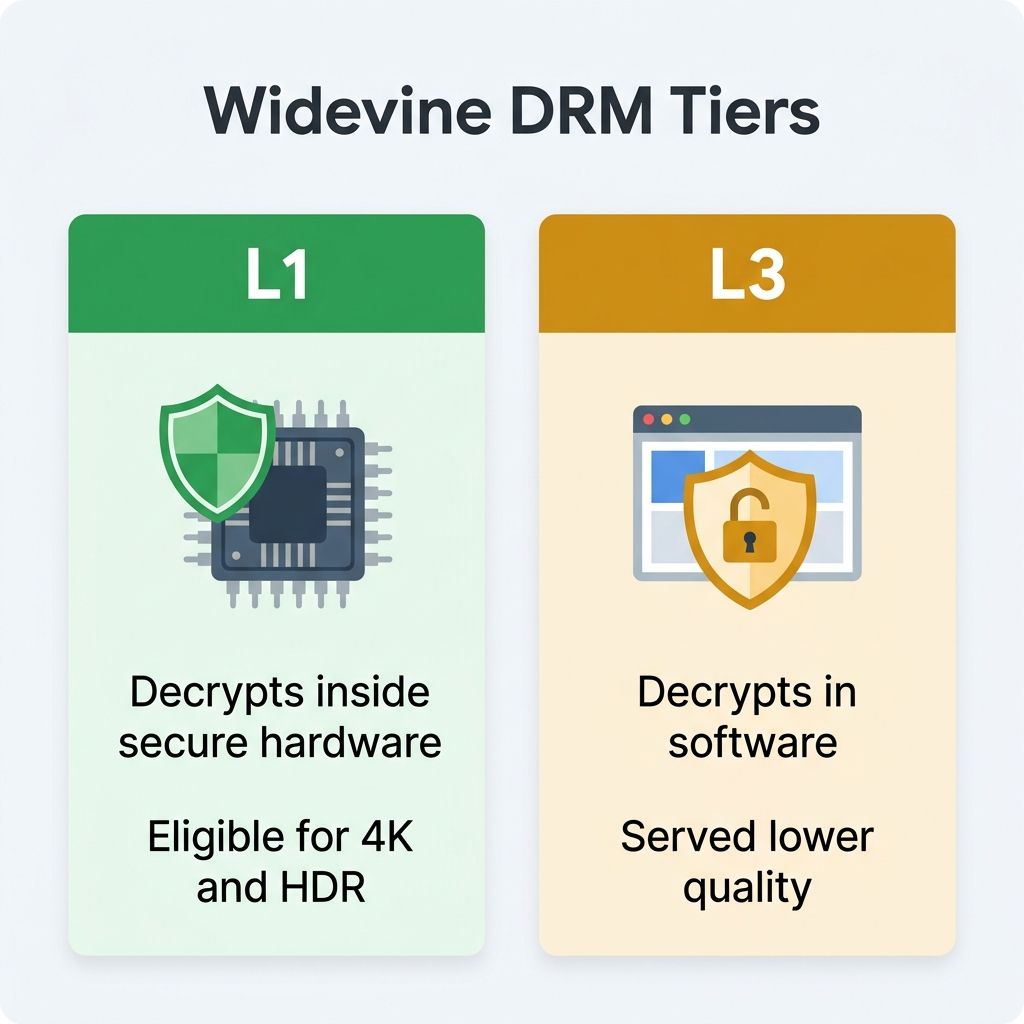
The mechanism behind all of this is DRM, specifically Google’s Widevine, the content protection system Chrome and Android use for services like these. Google’s Widevine architecture documentation defines security levels. At Level 1, all content processing, cryptography, and control happen inside a trusted execution environment, a secured area of the hardware isolated from the main operating system. At Level 3, the device has no trusted execution environment for this work, and the protection runs in software. (A middle L2 tier exists but plays no meaningful role in this story.) Studios and streaming services attach their best streams to the strongest protection, so the tier your device presents decides the quality you are offered before a single bit of video moves.
Intel’s developer article Bring Premium Protected Content to Chrome OS connects the tiers to the numbers: “To be able to stream premium 4K+ or HDR content, L1 hardware-based DRM (HWDRM) is required.” The same article explains that Intel and Google enabled L1 hardware DRM on Chromebooks with 11th and 12th generation Intel Core processors, and that before this work, a Chromebook’s viewing experience on some providers sat at 480p standard definition. That is the whole arc of the stale advice in two sentences. Older Chromebooks presented software-level DRM and were held to low resolutions; modern ones present hardware DRM and Netflix responded by opening the 4K tier. Note that Intel’s HDR claim describes what its own silicon enables; it is not a promise about every Chromebook.
Worth being precise about scope here, because Chromebook makers do not print Widevine levels on spec sheets. Intel’s statement covers Intel’s 11th and 12th generation chips, and nothing public makes the equivalent claim for the MediaTek and other ARM processors inside models like the Lenovo Chromebook Plus 14” OLED. Netflix sidesteps the chip question entirely: its eligibility term is “a Chromebook Plus laptop,” with no processor named. So treat Netflix’s own document as the authority on which machines qualify, and treat the Widevine tier as the explanation for why the door opened at all. What Chromebook Plus means as a hardware tier is its own topic, but for streaming purposes the badge is the line Netflix drew.
This mechanism is also why Disney+ and Prime Video will not be fixed by buying a nicer Chromebook. Their browser limits are not a verdict on your hardware’s DRM tier; they are blanket policies covering every computer browser on every operating system. A service that declines to serve 4K to any browser is making a distribution decision, and the only way around a distribution decision is to use a device class the service treats better.
Netflix 4K asks for a Chromebook Plus, a 4K screen, and a UHD plan
The “qualifying hardware” footnote deserves to be spelled out, because Netflix’s 4K ceiling is real but conditional. Per Netflix’s Chromebook page, watching in Ultra HD requires all of the following:
- A Chromebook Plus laptop
- ChromeOS 76 or later
- The Google Chrome browser
- A 4K 60Hz built-in screen, or a 4K 60Hz TV or external display with an HDCP 2.2 compatible connection
- A Netflix plan that supports Ultra HD, with playback quality set to Auto or High
- A steady connection of 15 megabits per second or higher
The display requirement is the one that catches people. Chromebooks with 4K built-in panels barely exist; current Chromebook Plus models mostly ship 1920x1200 screens, and even the sharpest mainstream option in our comparison chart, the Acer Chromebook Plus 516 GE with its 2560x1600 panel, stops well short of 4K. On the laptop’s own screen you watch at the panel’s resolution, and a 1080p-class stream on a 14-inch display looks sharp at normal viewing distance. The 4K entitlement earns its keep when you connect the Chromebook to a 4K monitor or TV over a cable that carries HDCP 2.2, which is precisely the bedroom-TV setup a lot of Chromebook owners already run.
On ChromeOS the browser outranks the Android apps for streaming quality
The quieter lesson in Netflix’s documentation is about which player to launch. The Play Store makes it easy to install the Netflix Android app on a Chromebook, and on a phone the app is the only choice that makes sense. On ChromeOS it is the wrong one for picture quality: 720p in the app against up to 4K in the browser, per Netflix’s own numbers. If you have been watching in the app out of habit, switching to a Chrome tab is a free upgrade.
The same logic, applied conservatively, covers the other services. Disney+ documents 720p for the browser and nothing specific for its app on ChromeOS, so the browser is the known quantity. Prime Video documents SD for the ChromeOS browser and publishes no better-documented path on the platform. None of this requires fiddling with flags or extensions, and we would steer you away from the “force 4K” browser extensions that circulate in forums; they exist to defeat content protection, and this site is not going to recommend that. The legitimate playbook is short: use Chrome, and let each service serve what its policy allows.
Keep the Chromebook for mixed use; buy a streaming box for the couch
So does any of this change what you should buy? If the Chromebook is a general-purpose machine that also streams, no. A Chromebook Plus handles Netflix as well as any laptop sold today, Disney+ at 720p on a laptop screen is watchable if unremarkable, and the platform’s genuine weak spots lie elsewhere entirely. For that buyer, the broader question of whether ChromeOS fits your life is the one to settle first, and our 2026 decision guide walks through it.
If the plan was a media-first machine for the living room TV, the calculus flips. The limits documented above are service policy, so no laptop from any vendor escapes them, and a streaming box does. The Google TV Streamer sells for about $100 and the Apple TV 4K starts at $199 as of mid-2026; both run each service’s native TV app, the device class every streamer treats best, with 4K and HDR tiers on the services that sell them. Spending Chromebook money to feed a 4K television through a browser is solving the problem in the most expensive direction available. We reached a similar conclusion from a different angle in our Chromebox versus mini PC living room comparison: the TV wants an appliance, not a computer pretending to be one.
The durable takeaway fits in one sentence: on a Chromebook, stream in the Chrome browser, expect Netflix to look excellent and Prime Video to look soft, and check the linked help docs before you spend money to fix a limit that a policy set. As of July 2026, that is what the services themselves say they deliver.


