
ASUS ExpertCenter PB63
Published on

The ASUS ExpertCenter PB63 is a business mini PC for office desks, front counters, and digital signage, and it fits a full desktop processor into a box about 7 inches square. This build runs an Intel Core i3-14100 and comes ready for a desk, with Windows and a keyboard and mouse in the box. Small business desktops such as the Lenovo ThinkCentre M70q Gen 5 and Dell OptiPlex 7010 Micro use lower-power “T” chips instead, so the case for the PB63 is desktop-class CPU power with room to add memory and two more drives. Against that, its standard wired networking and high-speed ports trail newer mini PCs, and its integrated graphics suit office work and video but little else.
Pros and Cons
| Pros | Cons |
|---|---|
| 65W desktop Core i3-14100 (4 cores, 8 threads, 4.7GHz boost) | Intel UHD Graphics 730 is too weak for most games |
| Two DDR5 SO-DIMM slots, up to 64GB | Only 8GB installed on this build |
| Two M.2 PCIe 4.0 x4 slots plus a 2.5-inch SATA bay | Standard wired networking is a single 1GbE port |
| Two DisplayPort 1.4 outputs, plus a third via the HDMI or DP module | No USB4, Thunderbolt, or SD card reader |
| Kensington slot, padlock ring, and chassis intrusion alert | No Intel vPro remote management on the i3 |
| Windows 11 Pro, keyboard, mouse, and VESA mount included | The fan has to come out to reach the RAM slots |
ASUS ExpertCenter PB63 Comparison Chart
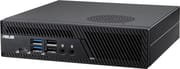 ASUS ExpertCenter PB63 | |
| Price | List Price: $400.00 Amazon Prices: Loading prices... |
| Version | 8GB/256GB/Core i3-14100 |
| Performance Rating | 3.5 |
| CPU Mark | 15,094 |
| Operating System | Windows 11 Pro |
| Processor | Quad-core 3.50 Ghz (max 4.70 Ghz) Intel Core i3-14100 |
| GPU | Integrated Intel UHD Graphics 730 |
| RAM | 8 GB DDR5 SO-DIMM (DDR5-4800) |
| Internal Storage | 256 GB NVMe SSD |
| Dimensions width x length x thickness | 6.89 x 6.89 x 1.74 inches (175.01 x 175.01 x 44.2 mm) |
| Weight | 2.51 lbs (1.14 kg) |
| WiFi | Wi-Fi 6 (802.11ax) |
| Bluetooth | Bluetooth 5.2 |
| Ethernet | 1 Ethernet port at 1 Gbps |
| HDMI | No HDMI |
| DisplayPort | 2 DisplayPorts (2x DP 1.4; third output via configurable port) |
| VGA | No VGA Ports |
| USB Ports | 3 USB 2.0, 4 USB 3, 1 USB-C USB-C 20Gbps (front), 2x USB-A 10Gbps (rear) |
| Thunderbolt Ports | No |
| OCuLink | No |
| Internal SATA Ports | No SATA ports |
| Card Reader | No Card Reader |
| Headphone Jack | front |
| Fanless | No |
| VESA Mount | Yes |
| In the Box | AC adapter, power cord, wired keyboard and mouse, VESA mount |
| Expandability | 2x DDR5 SO-DIMM (up to 64GB), 2x M.2 2280 PCIe 4.0 x4, one 7mm 2.5-inch SATA bay |
Related Mini PCs
-
 ASUS NUC 13 ProThe ASUS NUC 13 Pro is a 4x4 mini PC sold in Core i5-1340P, Core i5-13420H, and Core i7-1360P…
-
 MSI PRO DP21 13MA 2.3-liter business mini PC built on socketed 13th Gen Intel desktop parts, with a serial COM…
-
 ASUS NUC 15 ProThe ASUS NUC 15 Pro is the mainstream Cyber Canyon NUC, sold mostly as slim or tall barebones kits,…
-
 GEEKOM IT12 MAXThe GEEKOM IT12 MAX puts Intel's Core Ultra 5 125U in GEEKOM's larger MAX chassis with dual 2.5GbE,…
-
 MINISFORUM UM560 XTThe MINISFORUM UM560 XT is a budget mini PC in the Venus series with an AMD Ryzen 5 5600H, an…
-
 Lenovo ThinkCentre neo 50q Gen 4The Lenovo ThinkCentre neo 50q Gen 4 is a 1-liter business desktop built around a 13th Gen Intel…
Performance from a 65W desktop chip

The Intel Core i3-14100 is a 14th Gen desktop processor that Intel launched in early 2024. It has four performance cores and eight threads, runs at 3.5GHz base and 4.7GHz boost, and carries a 60W base power rating with up to 110W in turbo. ASUS configures it at 65W in the PB63. Its PassMark CPU score of 15,094 is about three quarters of the 20,396 scored by the Core i5-14400T in the Lenovo ThinkCentre M70q Gen 5. It has no efficiency cores and no NPU, so newer Core Ultra machines pull ahead in heavily threaded work and on-device AI features.
Graphics come from the integrated Intel UHD Graphics 730. It drives up to three displays and plays video; it is not for gaming or 3D work. The chassis sits on Intel’s B760 chipset, and ASUS sells the PB63 with CPUs from a 46W Celeron G6900 up to a 65W Core i7-14700, so the same box scales well past this i3 build if you buy a higher configuration.
Eight USB ports and a configurable rear slot

The front panel holds a 20Gbps USB 3.2 Gen 2x2 Type-C port, two 5Gbps USB-A ports, two USB 2.0 ports, and separate headphone and microphone jacks. Around the back are two 10Gbps USB-A ports, one more USB 2.0 port, two DisplayPort 1.4 outputs, the Gigabit Ethernet jack (an Intel I219-V controller), the barrel power input, a Kensington slot, and a padlock ring that keeps the cover from being removed. That is eight USB ports in total.
A configurable rear port takes one of several modules that ASUS lists for the PB63: HDMI, DisplayPort, COM, VGA, or a second Ethernet jack. With a display module fitted, the PB63 drives up to three displays at once. The module fitted varies by build, so check the rear panel of a given unit before planning on a third monitor or a second wired network. Wireless on this build is Intel Wi-Fi 6 with Bluetooth 5.2; other PB63 builds carry Wi-Fi 6E.
The chassis measures 6.9 x 6.9 x 1.7 inches (1.35 liters) and weighs about 2.5 pounds. It can hang from the VESA bracket in the box, and ASUS offers a stackable optical drive module that raises the height to about 3 inches. A chassis intrusion alert tells IT staff if the case was opened since the last boot.
Two memory slots and room for three drives
Memory sits in two DDR5 SO-DIMM slots that accept up to 32GB each, for 64GB total. The i3-14100 runs memory at DDR5-4800. ASUS ships the 8GB option as a single SO-DIMM and recommends two modules for dual-channel memory, so a matching second 8GB module is the first upgrade to make. Two modules double the memory bandwidth, which also helps the integrated graphics.
Two M.2 2280 slots each run at PCIe 4.0 x4 and take drives from 256GB to 2TB, and a 2.5-inch bay takes a 7mm SATA drive. The 256GB SSD fills one M.2 slot, which leaves the second slot and the bay free for a larger drive or a separate data disk.
Reviewer Insights
igor’sLAB tested the PB63 with an earlier Core i5-13400. Its findings on cooling, noise, and access to the internals apply to this box, since the chassis and the 65W power setting are the same. Its benchmark scores do not carry over, because the i5-13400 has six performance cores and four efficiency cores against the i3-14100’s four performance cores.
igor’sLAB
Tim Kutzner at igor’sLAB tested a PB63 with a 65W Core i5-13400 and wrote: “There were two surprises for me with this system: Firstly, that a real desktop CPU with a peak power consumption of 95 watts was not only accommodated here, but also cooled properly.” On noise, he found: “With a good 65 watts of package power in continuous operation, the PB63 is audible, but never disturbingly loud.” In his stress and power tests, the whole system drew 14.5 watts at idle in Windows, 101.6 watts on average under load, and 134.2 watts at peak, and the CPU topped out at 87°C. He measured 33.5 dB(A) at idle and 41.4 dB(A) under load at 40cm, in a room that measured 33.2 dB(A).
He called the CPU benchmark results very strong but noted that AMD-based mini PCs had the edge in graphics. His unit shipped with a single 16GB module, and he argued against that layout for business buyers: “However, subsequent upgrading is rather unusual in companies, so the higher bandwidth of two SO-DIMMs would be the better choice.” He also wanted remote management: “I would also have expected the Ethernet controller to support Intel vPro from a business series.”
In the teardown, one screw at the rear releases the cover, which slides forward; the fan has to come out to reach the two SO-DIMM slots, and a passive cooler sits over the two M.2 slots. He could not see the dust filter that ASUS advertised on the air intake. On the software side, ASUS preinstalled its own programs including an antivirus he found annoying, and his wireless Logitech keyboard and mouse were not recognized at startup, which brought up a brief no-keyboard message.
Who it’s for
The PB63 suits IT staff who want a 65W desktop CPU in a case they can lock, and who rank that above fast ports.
Skip it for gaming, GPU work, or local AI, and look elsewhere if you need USB4, Thunderbolt, or 2.5GbE as standard: the ASUS NUC 14 Pro has Thunderbolt and 2.5GbE in a smaller chassis, and the Lenovo ThinkCentre M70q Gen 5 runs a faster Core i5-14400T in a 1-liter business case. To compare more options, use Starry Hope’s Mini PC Comparison Chart.
Frequently Asked Questions
What processor does the ASUS ExpertCenter PB63 use?
This build uses the Intel Core i3-14100, which ASUS runs at 65W. Higher PB63 configurations go up to a Core i7-14700.
Can I upgrade the RAM in the ASUS ExpertCenter PB63?
Yes. It has two DDR5 SO-DIMM slots that take up to 32GB each, for 64GB total. The slots sit under the fan, so the fan has to come out to reach them.
How many drives can the ASUS ExpertCenter PB63 hold?
Three: two M.2 2280 PCIe 4.0 x4 slots under a passive cooler, and a 2.5-inch bay for a 7mm SATA drive.
How many monitors can the ASUS ExpertCenter PB63 run?
Up to three, when the configurable rear port carries an HDMI or DisplayPort module alongside the two DisplayPort 1.4 outputs.
Is the ASUS ExpertCenter PB63 loud?
It can be heard under sustained load. igor’sLAB measured 41.4 dB(A) at 40cm from a PB63 running a 65W Core i5-13400, the same power setting this i3 build uses.
What comes in the box with the ASUS ExpertCenter PB63?
This build ships with the AC adapter and power cord, a wired full-size keyboard, a wired mouse, and a VESA mount for attaching it to the back of a monitor or a wall. Windows 11 Pro comes installed.
Does the ASUS ExpertCenter PB63 support Intel vPro?
No. The Core i3-14100 does not support vPro, and the igor’sLAB reviewer noted that he expected vPro from a business series. IT teams that rely on vPro remote management should look at a business mini PC with a vPro-capable Core i5 or i7.