
MINISFORUM MS-A1
Updated on

The MINISFORUM MS-A1 puts a full desktop-class AMD AM5 socket into a chassis barely larger than a hardcover book. It ships with a socketed AMD Ryzen 7 8700G desktop APU, so you can pull the CPU yourself and move to a faster chip later instead of living with whatever the factory soldered down. Around that socket sit four M.2 NVMe storage slots, an OCuLink port for an external GPU, and dual 2.5GbE networking. For a home lab or a compact workstation that has to grow over several years, that mix of desktop parts and expansion room is the reason to look at it.
Pros and cons of a socketed AM5 mini PC
| Pros | Cons |
|---|---|
| Socketed AM5 desktop CPU is user-replaceable and upgradeable | Larger footprint than typical mini PCs at 7.46 x 7.32 inches |
| Four M.2 NVMe slots with up to 27TB total storage capacity | Bulky 240W external power brick required |
| OCuLink port for high-bandwidth external GPU connectivity | RAM speed locked at 5200MHz in BIOS |
| Dual 2.5GbE Ethernet with link aggregation support | One M.2 slot limited to PCIe 4.0 x1 speeds |
| Up to 96GB DDR5 RAM across two SODIMM slots | Networking downgraded from 10GbE (vs. Intel MS-01) |
| Effective dual-fan cooling handles 65W TDP without throttling | Disassembly requires removing six screws |
Related Videos
MINISFORUM MS-A1 Comparison Chart
 MINISFORUM MS-A1 | MINISFORUM MS-A1 | MINISFORUM MS-A1 | MINISFORUM MS-A1 | MINISFORUM MS-A1 | MINISFORUM MS-A1 | |
| Price | List Price: Amazon Prices: | List Price: Amazon Prices: | List Price: Amazon Prices: | List Price: Amazon Prices: Loading prices... | List Price: Amazon Prices: | List Price: Amazon Prices: |
| Version | Barebone / Ryzen 7 8700G / No RAM / No SSD | 32GB/1TB/Ryzen 7 8700G | 64GB/2TB/Ryzen 7 8700G | Barebone / Ryzen 9 9950X / No RAM / No SSD | 32GB/1TB/Ryzen 9 9950X | 64GB/2TB/Ryzen 9 9950X |
| Performance Rating | 5.5 | 5.9 | 6.0 | 8.4 | 8.8 | 8.9 |
| Operating System | None (Barebone) | Windows 11 Pro | Windows 11 Pro | None (Barebone) | Windows 11 Pro | Windows 11 Pro |
| Processor | Octa-core 4.20 Ghz (max 5.10 Ghz) AMD Ryzen 7 8700G | Octa-core 4.20 Ghz (max 5.10 Ghz) AMD Ryzen 7 8700G | Octa-core 4.20 Ghz (max 5.10 Ghz) AMD Ryzen 7 8700G | Sixteen-core 4.30 Ghz (max 5.70 Ghz) AMD Ryzen 9 9950X | Sixteen-core 4.30 Ghz (max 5.70 Ghz) AMD Ryzen 9 9950X | Sixteen-core 4.30 Ghz (max 5.70 Ghz) AMD Ryzen 9 9950X |
| GPU | Integrated AMD Radeon 780M | Integrated AMD Radeon 780M | Integrated AMD Radeon 780M | Integrated AMD Radeon 780M | Integrated AMD Radeon 780M | Integrated AMD Radeon 780M |
| RAM | 0 GB DDR5 SO-DIMM (Two DDR5-5200 SODIMM slots, up to 96GB total (2x 48GB).) | 32 GB DDR5 SO-DIMM (Dual-channel DDR5-5200) | 64 GB DDR5 SO-DIMM (Dual-channel DDR5-5200) | 0 GB DDR5 SO-DIMM (Two DDR5-5200 SODIMM slots, up to 96GB total (2x 48GB).) | 32 GB DDR5 SO-DIMM (Dual-channel DDR5-5200) | 64 GB DDR5 SO-DIMM (Dual-channel DDR5-5200) |
| Internal Storage | 0 GB NVMe SSD | 1 TB NVMe SSD | 2 TB NVMe SSD | 0 GB NVMe SSD | 1 TB NVMe SSD | 2 TB NVMe SSD |
| Dimensions width x length x thickness | 7.46 x 7.32 x 1.89 inches (189.48 x 185.93 x 48.01 mm) | 7.46 x 7.32 x 1.89 inches (189.48 x 185.93 x 48.01 mm) | 7.46 x 7.32 x 1.89 inches (189.48 x 185.93 x 48.01 mm) | 7.46 x 7.32 x 1.89 inches (189.48 x 185.93 x 48.01 mm) | 7.46 x 7.32 x 1.89 inches (189.48 x 185.93 x 48.01 mm) | 7.46 x 7.32 x 1.89 inches (189.48 x 185.93 x 48.01 mm) |
| Weight | 3.97 lbs (1.8 kg) | 3.97 lbs (1.8 kg) | 3.97 lbs (1.8 kg) | 3.97 lbs (1.8 kg) | 3.97 lbs (1.8 kg) | 3.97 lbs (1.8 kg) |
| WiFi | Wi-Fi 6E (802.11ax) | Wi-Fi 6E (802.11ax) | Wi-Fi 6E (802.11ax) | Wi-Fi 6E (802.11ax) | Wi-Fi 6E (802.11ax) | Wi-Fi 6E (802.11ax) |
| Bluetooth | Bluetooth 5.2 | Bluetooth 5.2 | Bluetooth 5.2 | Bluetooth 5.2 | Bluetooth 5.2 | Bluetooth 5.2 |
| Ethernet | 2 Ethernet ports at 2.5 Gbps | 2 Ethernet ports at 2.5 Gbps | 2 Ethernet ports at 2.5 Gbps | 2 Ethernet ports at 2.5 Gbps | 2 Ethernet ports at 2.5 Gbps | 2 Ethernet ports at 2.5 Gbps |
| HDMI | 1 Full-Size HDMI Port | 1 Full-Size HDMI Port | 1 Full-Size HDMI Port | 1 Full-Size HDMI Port | 1 Full-Size HDMI Port | 1 Full-Size HDMI Port |
| DisplayPort | 1 DisplayPort (DisplayPort 2.0, supports 4K at 144Hz) | 1 DisplayPort (DisplayPort 2.0, supports 4K at 144Hz) | 1 DisplayPort (DisplayPort 2.0, supports 4K at 144Hz) | 1 DisplayPort (DisplayPort 2.0, supports 4K at 144Hz) | 1 DisplayPort (DisplayPort 2.0, supports 4K at 144Hz) | 1 DisplayPort (DisplayPort 2.0, supports 4K at 144Hz) |
| VGA | No VGA Ports | No VGA Ports | No VGA Ports | No VGA Ports | No VGA Ports | No VGA Ports |
| USB Ports | 2 USB 2.0, 3 USB 3, 1 USB-C (1 USB4) Front: 2x USB 3.2 Gen 1 (5Gbps), 1x USB 2.0. Rear: 1x USB 3.2 Gen 2 (10Gbps), 1x USB 2.0, 1x USB4 (40Gbps). Includes OCuLink port (PCIe 4.0 x4) for eGPU support. | 2 USB 2.0, 3 USB 3, 1 USB-C (1 USB4) Front: 2x USB 3.2 Gen 1 (5Gbps), 1x USB 2.0. Rear: 1x USB 3.2 Gen 2 (10Gbps), 1x USB 2.0, 1x USB4 (40Gbps). Includes OCuLink port (PCIe 4.0 x4) for eGPU support. | 2 USB 2.0, 3 USB 3, 1 USB-C (1 USB4) Front: 2x USB 3.2 Gen 1 (5Gbps), 1x USB 2.0. Rear: 1x USB 3.2 Gen 2 (10Gbps), 1x USB 2.0, 1x USB4 (40Gbps). Includes OCuLink port (PCIe 4.0 x4) for eGPU support. | 2 USB 2.0, 3 USB 3, 1 USB-C (1 USB4) Front: 2x USB 3.2 Gen 1 (5Gbps), 1x USB 2.0. Rear: 1x USB 3.2 Gen 2 (10Gbps), 1x USB 2.0, 1x USB4 (40Gbps). Includes OCuLink port (PCIe 4.0 x4) for eGPU support. | 2 USB 2.0, 3 USB 3, 1 USB-C (1 USB4) Front: 2x USB 3.2 Gen 1 (5Gbps), 1x USB 2.0. Rear: 1x USB 3.2 Gen 2 (10Gbps), 1x USB 2.0, 1x USB4 (40Gbps). Includes OCuLink port (PCIe 4.0 x4) for eGPU support. | 2 USB 2.0, 3 USB 3, 1 USB-C (1 USB4) Front: 2x USB 3.2 Gen 1 (5Gbps), 1x USB 2.0. Rear: 1x USB 3.2 Gen 2 (10Gbps), 1x USB 2.0, 1x USB4 (40Gbps). Includes OCuLink port (PCIe 4.0 x4) for eGPU support. |
| Thunderbolt Ports | No | No | No | No | No | No |
| OCuLink | PCIe 4.0 x4 for eGPU | PCIe 4.0 x4 for eGPU | PCIe 4.0 x4 for eGPU | PCIe 4.0 x4 for eGPU | PCIe 4.0 x4 for eGPU | PCIe 4.0 x4 for eGPU |
| Internal SATA Ports | No SATA ports | No SATA ports | No SATA ports | No SATA ports | No SATA ports | No SATA ports |
| Card Reader | No Card Reader | No Card Reader | No Card Reader | No Card Reader | No Card Reader | No Card Reader |
| Headphone Jack | combo | combo | combo | combo | combo | combo |
| Fanless | No | No | No | No | No | No |
| VESA Mount | No | No | No | No | No | No |
| In the Box | MS-A1 main unit, 240W external power supply, HDMI cable, M.2 to U.2 conversion plate, opening tool, user manual. | MS-A1 main unit, 240W external power supply, HDMI cable, M.2 to U.2 conversion plate, opening tool, user manual. | MS-A1 main unit, 240W external power supply, HDMI cable, M.2 to U.2 conversion plate, opening tool, user manual. | MS-A1 main unit, 240W external power supply, HDMI cable, M.2 to U.2 conversion plate, opening tool, user manual. | MS-A1 main unit, 240W external power supply, HDMI cable, M.2 to U.2 conversion plate, opening tool, user manual. | MS-A1 main unit, 240W external power supply, HDMI cable, M.2 to U.2 conversion plate, opening tool, user manual. |
| Expandability | Socketed AMD AM5 CPU (user-replaceable, supports Ryzen 7000/8000/9000 series up to 65W TDP), 2x DDR5-5200 SODIMM slots (up to 96GB), 4x M.2 NVMe SSD slots, OCuLink port for external GPU expansion. | Socketed AMD AM5 CPU (user-replaceable, supports Ryzen 7000/8000/9000 series up to 65W TDP), 2x DDR5-5200 SODIMM slots (up to 96GB), 4x M.2 NVMe SSD slots, OCuLink port for external GPU expansion. | Socketed AMD AM5 CPU (user-replaceable, supports Ryzen 7000/8000/9000 series up to 65W TDP), 2x DDR5-5200 SODIMM slots (up to 96GB), 4x M.2 NVMe SSD slots, OCuLink port for external GPU expansion. | Socketed AMD AM5 CPU (user-replaceable, supports Ryzen 7000/8000/9000 series up to 65W TDP), 2x DDR5-5200 SODIMM slots (up to 96GB), 4x M.2 NVMe SSD slots, OCuLink port for external GPU expansion. | Socketed AMD AM5 CPU (user-replaceable, supports Ryzen 7000/8000/9000 series up to 65W TDP), 2x DDR5-5200 SODIMM slots (up to 96GB), 4x M.2 NVMe SSD slots, OCuLink port for external GPU expansion. | Socketed AMD AM5 CPU (user-replaceable, supports Ryzen 7000/8000/9000 series up to 65W TDP), 2x DDR5-5200 SODIMM slots (up to 96GB), 4x M.2 NVMe SSD slots, OCuLink port for external GPU expansion. |
Related Mini PCs
-
 MINISFORUM MS-03The MINISFORUM MS-03 puts Intel's Panther Lake silicon into the MS-01 chassis with three 10-gigabit…
 -
 MINISFORUM M2-356HThe MINISFORUM M2-356H puts Intel's Panther Lake Core Ultra 7 356H in a 520-gram box with two DDR5…
 -
 AOOSTAR G-FLIPThe AOOSTAR G-FLIP is a mini PC with a built-in 5-inch flip-up touchscreen, OCuLink for an external…
 -
 BOSGAME P3The BOSGAME P3 is a compact mini PC on AMD's Ryzen 9 6900HX with Radeon 680M graphics, dual 2.5Gbps…
 -
 AOOSTAR GEM12 MAXThe AOOSTAR GEM12 MAX is a 5.12-inch AMD Ryzen 7 8745HS mini PC with an OCuLink port for an…
 -
 Minisforum AtomMan X7 TiThe Minisforum AtomMan X7 Ti pairs an Intel Core Ultra 9 185H with a built-in 4-inch touchscreen…
Four M.2 slots, an OCuLink port, and a 65W ceiling

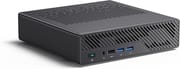
The chassis measures 7.46 x 7.32 x 1.89 inches and weighs 3.97 pounds, which is noticeably larger than an ultracompact mini PC and still far smaller than a traditional desktop. Aluminum construction wraps the Minisforum “Coldwave Pro” cooling system, with dual fans and four heat pipes holding the desktop-class processor at its 65W power envelope. The front panel provides two USB 3.2 Gen 1 ports, one USB 2.0 port, and a 3.5mm combo audio jack. The rear carries one HDMI port (4K@60Hz), one DisplayPort 2.0 (4K@144Hz), one USB4 port (40Gbps), one USB 3.2 Gen 2 port, one USB 2.0 port, dual 2.5GbE Ethernet jacks, and the OCuLink port. Three displays can run at once, with up to 8K output through the USB4 and DisplayPort connections.
The Ryzen 7 8700G is a desktop APU with 8 cores and 16 threads, a 4.2GHz base clock, and a 5.1GHz boost. Its PassMark CPU Mark score of approximately 31,671 puts its multi-threaded output ahead of the mobile Intel Core i9-13900H in the sibling MINISFORUM MS-01. The integrated Radeon 780M GPU handles 1080p gaming at playable framerates and provides hardware acceleration for media transcoding. Because the socket is a standard AM5, processors from the Ryzen 7000, 8000, or 9000 series drop in, including the 16-core Ryzen 9 9950X, though the BIOS caps TDP at 65W whichever CPU you install.
Wireless is WiFi 6E (802.11ax) with Bluetooth 5.2, alongside the two Realtek 2.5GbE Ethernet ports and their link aggregation support. The USB4 port provides 40Gbps bandwidth with the Ryzen 8000G series processors, dropping to 10Gbps USB 3.2 speeds with a non-Phoenix architecture CPU from the Ryzen 7000 or 9000 lines. Storage runs across four M.2 2280 NVMe slots that accept drives up to 4TB each, plus an M.2 to U.2 conversion plate for enterprise-grade drives. The four slots do not run at matching speeds. With the 8700G you get two PCIe 4.0 x4 slots, one PCIe 3.0 x4 slot, and one PCIe 4.0 x1 slot, so plan your drive placement accordingly.
Reviewer Insights

ETA PRIME: eGPU headroom and a locked memory speed
ETA PRIME tested the MS-A1 with a focus on its gaming capabilities and OCuLink eGPU potential. He found the Radeon 780M integrated graphics handled 1080p gaming “respectably” on its own, but the bigger gains came from connecting an external GPU through the OCuLink port. He noted that “with this mini PC we can get a lot more out of it because we’ve got that OCuLink port around back,” demonstrating performance gains with a GPD G1 eGPU dock. His main criticism was the BIOS-locked RAM speed: “RAM is locked at 5200 MHz, really no way to change it from within here, kind of wish it was at least at 56.”
The Phawx: a 16-core swap that held its thermals
Swapping in a Ryzen 9 7950X 16-core processor, The Phawx found the cooling system handled it without thermal throttling: “The cooling I’m super happy with. In a mini PC like that we’re pulling 65 watts, we’re not thermally throttling.” He called the machine a revolutionary product and praised the engineering, saying “to make something like that is absolutely genius… the design is absolutely fantastic.” His concerns centered on the networking downgrade from 10GbE to dual 2.5GbE compared to the MS-01, and the difficulty of removing RAM due to thick thermal pads.
Hardware Canucks: strong thermals, muddled M.2 documentation
Hardware Canucks ran benchmarks and thermal tests, noting the 8700G’s single-core performance and calling it “entirely overkill for general computing on its own.” They appreciated the easy disassembly for upgrades, the strong thermal management, and the versatile I/O including USB4 and DisplayPort 2.0. However, they pointed out the larger physical footprint compared to competing mini PCs, the bulky external power brick, and the confusing documentation regarding M.2 slot speeds, noting the asymmetric bandwidth allocation across the four slots.
NASCompares: an AMD compute lead over the MS-01
NASCompares compared the MS-A1 directly against the Intel-based MS-01, concluding that the AMD model’s desktop architecture gives it a clear advantage in compute and graphical benchmarks. They highlighted the “full AM5 desktop socket along with an AMD Ryzen 7 8700G 8-core CPU” and praised the support for high-capacity U.2 enterprise drives. Their main criticism was the more complicated disassembly process compared to the MS-01’s tool-less design, and they noted that Radeon integrated graphics are less compatible with certain server applications like Plex hardware transcoding compared to Intel QuickSync.
XDA Developers: 8 out of 10 for a very compact PC
According to XDA Developers, the MS-A1 is “less so a mini PC and more of a very compact PC,” rating it 8 out of 10. Reviewer João Carrasqueira praised its “great all-around performance for different kinds of workloads” and the ample upgrade headroom, while noting it sits in “an awkward middle ground” between a true mini PC and a full desktop. The review flagged the absence of an SD card reader and the 240W external PSU that limits CPU choices to 100W models.
Virtualization Howto: a Proxmox host held back by its NICs
Virtualization Howto reviewer Brandon Lee evaluated the MS-A1 specifically as a home server platform. He praised the AMD Ryzen 8700G’s uniform core architecture as better suited for virtualization than Intel’s hybrid approach: “I really like the uniform Ryzen processors over the Intel hybrid core processors for home lab workloads.” However, he called the networking “the big disappointment,” noting the Realtek 2.5GbE adapters lack native VMware ESXi compatibility, making the MS-A1 better suited as a Proxmox host.
Tech Guy Beau: months as a daily driver under a 100W cap
Tech Guy Beau ran the MS-A1 as his primary desktop for months, built around the standard AM5 socket that takes desktop CPUs up to a Ryzen 9 9950X. He was clear that a 100W power limit keeps high-end chips from hitting full desktop performance, but found it capable for productivity and gaming regardless, with OCuLink for an external GPU and quad M.2 NVMe slots.
Customer Reviews
The small pool of written Amazon reviews skews positive (five and four-star, no one or two-star reviews). Buyers populate this barebones AM5 box with their own CPU, RAM, and NVMe drives, so the written feedback is mostly about how desktop parts behave in the chassis. A verified buyer using a Ryzen 5 8600G reported that “The cooling is sufficient out of the box” and called it “pretty well built and rather heavy when combined with its LARGE external power supply.” Another verified owner who dropped in a 170W Ryzen 9 7950X was struck that it “Boots up instantly,” with thermals he described as great and full visibility of a 96GB RAM kit. A verified buyer named Brad Horsley paired it with the Minisforum eGPU dock and wrote that it “needed the Oculink for the minisforum eGPU dock, works great with that.”
The one substantive caveat comes from a verified four-star reviewer named Filtered, who flagged that the NVMe slots are not uniform (two run at PCIe 4.0x4, one at 3.0x4, one at 4.0x1) and that RAM tops out at 5200 MT/s, so a 5600 MT/s kit will be downclocked. The same reviewer noted there is no printed assembly document in the box and suggested pulling the MS-A1 user manual from the Minisforum site before building. Read more owner reviews on Amazon.
Best for home labs, weakest on networking
Brandon Lee’s point about the uniform Ryzen core layout matters more to a hypervisor than peak clock speed, and the AM5 socket means a later Ryzen chip can take over once the 8700G runs out of headroom. If you are deciding which OS to run on it, our guide to keeping, wiping, or replacing Windows covers the decision in full, including the Proxmox path for anyone who wants to skip Windows entirely.
VMware ESXi users, and anyone who needs 10GbE for fast NAS traffic, should look at the Intel-based MINISFORUM MS-01 or the newer MINISFORUM MS-A2, which adds SFP+ ports. The chassis and its external brick also make for a bigger package than the phrase mini PC suggests, and OCuLink bandwidth limits mean an external GPU will not stand in for a desktop card on serious gaming or professional rendering work.
For those comparing options, see our Mini PC Comparison Chart to find the best match for your needs.
Frequently Asked Questions
What processor does the MINISFORUM MS-A1 use?
The stock chip is the AMD Ryzen 7 8700G desktop processor: 8 cores, 16 threads, a 4.2GHz base clock, a 5.1GHz boost, and roughly 31,671 on PassMark’s CPU benchmark. A Ryzen 9 9950X configuration with 16 cores and 32 threads is also sold. The AM5 socket is standard, so any compatible Ryzen 7000, 8000, or 9000 series desktop processor up to 65W TDP will go in.
Can I upgrade the RAM in the MINISFORUM MS-A1?
Yes. Two DDR5-5200 SODIMM slots take up to 96GB total (2x 48GB modules), and the barebone model ships without memory so you fit your own from the start. The BIOS locks the speed at 5200MHz whatever modules go in, which means a faster kit gets downclocked.
What ports does the MINISFORUM MS-A1 have?
Two USB 3.2 Gen 1 ports, one USB 2.0 port, and a 3.5mm combo audio jack sit on the front. The rear holds one HDMI port (4K@60Hz), one DisplayPort 2.0 (4K@144Hz), one USB4 port (40Gbps), one USB 3.2 Gen 2 port, one USB 2.0 port, dual 2.5GbE Ethernet jacks, and an OCuLink port for external GPU connectivity.
What’s included in the box with the MINISFORUM MS-A1?
The main unit, a 240W external power supply, an HDMI cable, an M.2 to U.2 conversion plate for enterprise NVMe drives, an opening tool for the chassis, and a user manual. A barebone version leaves out the CPU, RAM, storage, and operating system, so you supply those separately.
Can I use an external GPU with the MINISFORUM MS-A1?
Yes. A dedicated OCuLink port on the rear panel provides PCIe 4.0 x4 bandwidth (approximately 63Gbps) for an external GPU enclosure. ETA PRIME demonstrated the gain over the integrated Radeon 780M graphics using a GPD G1 eGPU dock, and one Amazon buyer runs it with the Minisforum eGPU dock.
How many storage drives can the MINISFORUM MS-A1 hold?
Four M.2 2280 NVMe SSDs fit, up to 4TB each. They do not all run at the same speed: with the Ryzen 7 8700G, two slots are PCIe 4.0 x4, one is PCIe 3.0 x4, and one is PCIe 4.0 x1. An included M.2 to U.2 conversion plate lets you install a 2.5-inch enterprise NVMe drive in place of one M.2 slot.
Is the MINISFORUM MS-A1 good for virtualization and home labs?
Proxmox is the strong case. An 8-core and 16-thread desktop processor, support for up to 96GB of RAM, and four NVMe slots cover a lot of VMs, and the Ryzen 8700G’s uniform core architecture avoids the scheduling complexities of Intel’s hybrid designs. VMware is the exception, since the Realtek 2.5GbE network adapters lack native ESXi support. ESXi users need additional network adapters or the Intel-based MS-01.