
Every coding agent session starts with an empty context. Claude Code reads your CLAUDE.md file and its own memory files, and those work well for standing instructions such as how to run the tests. They hold only what someone wrote into them. A decision made in chat last week (“no new dependencies in this repo”) is gone the next time you open a session, unless you stop and write it down.
Hindsight is an open source memory server for AI agents, made by a company called Vectorize and released under the MIT license. You run it yourself. It reads your agent sessions, keeps the rules and decisions it finds, and hands the relevant ones back to the agent at the start of the next session. Claude Code, OpenAI’s Codex, and Grok Build can all share one memory for the same repo.
This is the written companion to our Hindsight video, with every command we used to set it up on Omarchy, a desktop setup built on Arch Linux. Everything shown ran on Hindsight 0.10.1, version 0.7.0 of the coding agents installer, Claude Code 2.1.284, and Omarchy 4.0.4. Version 0.10.2 came out the day this guide was published; the commands pin 0.10.1 so they match what you see here.
How Hindsight Stores and Recalls Memory
Hindsight keeps memory in banks, and each bank is a separate store. For coding agents, each git repo gets its own bank, named coding-agent:: plus the repo name. Our test repo, weather-cli, got the bank coding-agent::weather-cli. Every agent you connect to the same server and open in that repo reads and writes that one bank, according to the coding agents documentation.
Hindsight works through three operations: retain, recall, and reflect. Retain runs after each reply: Claude Code’s Stop hook sends the session transcript to Hindsight, and a language model pulls out facts, the things those facts mention (Hindsight calls them entities), and when they happened. Recall looks memories up again. It runs four searches in parallel: by meaning, by keyword, by the links between entities, and by time. A reranker (a second, smaller model that scores how well each result matches the question) re-sorts the merged list, and the list is cut to a token budget so that memory does not crowd out the agent’s working context. The retrieval docs cover the details.
Reflect is the third operation. It reasons over the recalled memories and writes a short answer. On the first prompt of each session, the Claude Code integration runs a low-budget reflect about your prompt and injects the answer into the conversation. That injection is how a rule from last week reaches today’s session. It happens once per session, not on every prompt.
In the background, related facts merge into observations, which keep their supporting evidence and get updated as new evidence arrives, rather than being overwritten. Hindsight also writes knowledge pages: a small wiki per repo with five pages (Component map, Conventions and patterns, Core concepts, Initiatives and enhancements, and Key decisions and rationale). By default each page is checked every hour and rebuilt when its memories have changed.
What You Need
You need a Linux machine with Docker, Node.js (for npx), and Claude Code installed and logged in. Hindsight also needs a language model for retain, reflect, and the knowledge pages. We used Google’s Gemini Flash through a Gemini API key. The models page lists the other providers, including OpenAI, Anthropic, and local models through Ollama.
The full Docker image is about 9 GB on x86 machines, according to the installation docs, so pull it before you plan to use it. The same page lists 2 GB of RAM as the recommended amount for the API. If you want a small always-on box for this, our Omarchy hardware guide covers mini PCs that run Omarchy well.
Start the Hindsight Server in Docker
First, put the model settings in an environment file so the API key never appears in your shell history or on screen. Replace the placeholder with your own key, and make the file readable only by you.
# ~/hindsight.env
HINDSIGHT_API_LLM_PROVIDER=gemini
HINDSIGHT_API_LLM_MODEL=gemini-3.8-flash
HINDSIGHT_API_LLM_API_KEY=your-gemini-api-key
chmod 600 ~/hindsight.envThen start one container. It holds the Hindsight API on port 8888, the web dashboard on port 9999, and its own embedded Postgres database. The -p 127.0.0.1:... form publishes both ports on this machine only. That matters because the API has no login by default, per the MCP server docs, and the docker run example in Hindsight’s own docs publishes the ports on every network interface. The named volume keeps your banks when the container is replaced, and pinning the 0.10.1 tag keeps the version from changing under you.
sudo docker run -d --name hindsight --restart unless-stopped --shm-size=1g \
  -p 127.0.0.1:8888:8888 -p 127.0.0.1:9999:9999 \
  --env-file ~/hindsight.env \
  -v hindsight-data:/home/hindsight/.pg0 \
  ghcr.io/vectorize-io/hindsight:0.10.1
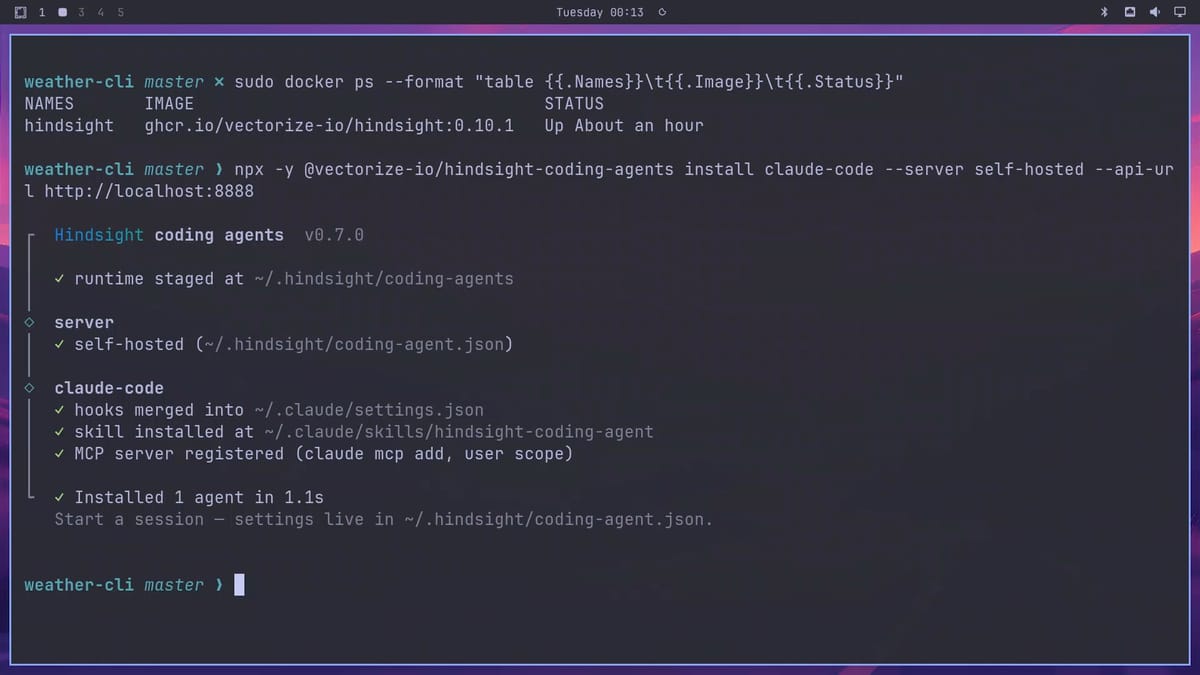
Our demo user is not in the docker group, so Docker commands on that box need sudo. Check that the container is up:
sudo docker ps --format "table {{.Names}}\t{{.Image}}\t{{.Status}}"You should see a row with hindsight, ghcr.io/vectorize-io/hindsight:0.10.1, and a status that starts with Up. Now open the Hindsight Control Plane, its web dashboard, in a browser:
localhost:9999/dashboardWith no banks yet, the dashboard shows a “Welcome to Hindsight” card. You do not need to create a bank by hand: the coding agents integration creates one the first time you start Claude Code in a repo.
Connect Claude Code to Your Own Server
Vectorize publishes one installer for all supported coding agents. Run it for Claude Code, and pass the two flags that point it at your server:
npx -y @vectorize-io/hindsight-coding-agents@0.7.0 install claude-code --server self-hosted --api-url http://localhost:8888Do not skip --server self-hosted and --api-url. The installer’s default server mode is cloud, which sends your sessions to Hindsight Cloud, Vectorize’s hosted service, instead of the container you just started. On a terminal the installer asks where memory should live; the flags answer that question up front. The coding agents docs list serverMode with a default of cloud. We pin installer version 0.7.0, the one in the video; version 0.8.0 came out on September 29 and may print different output.
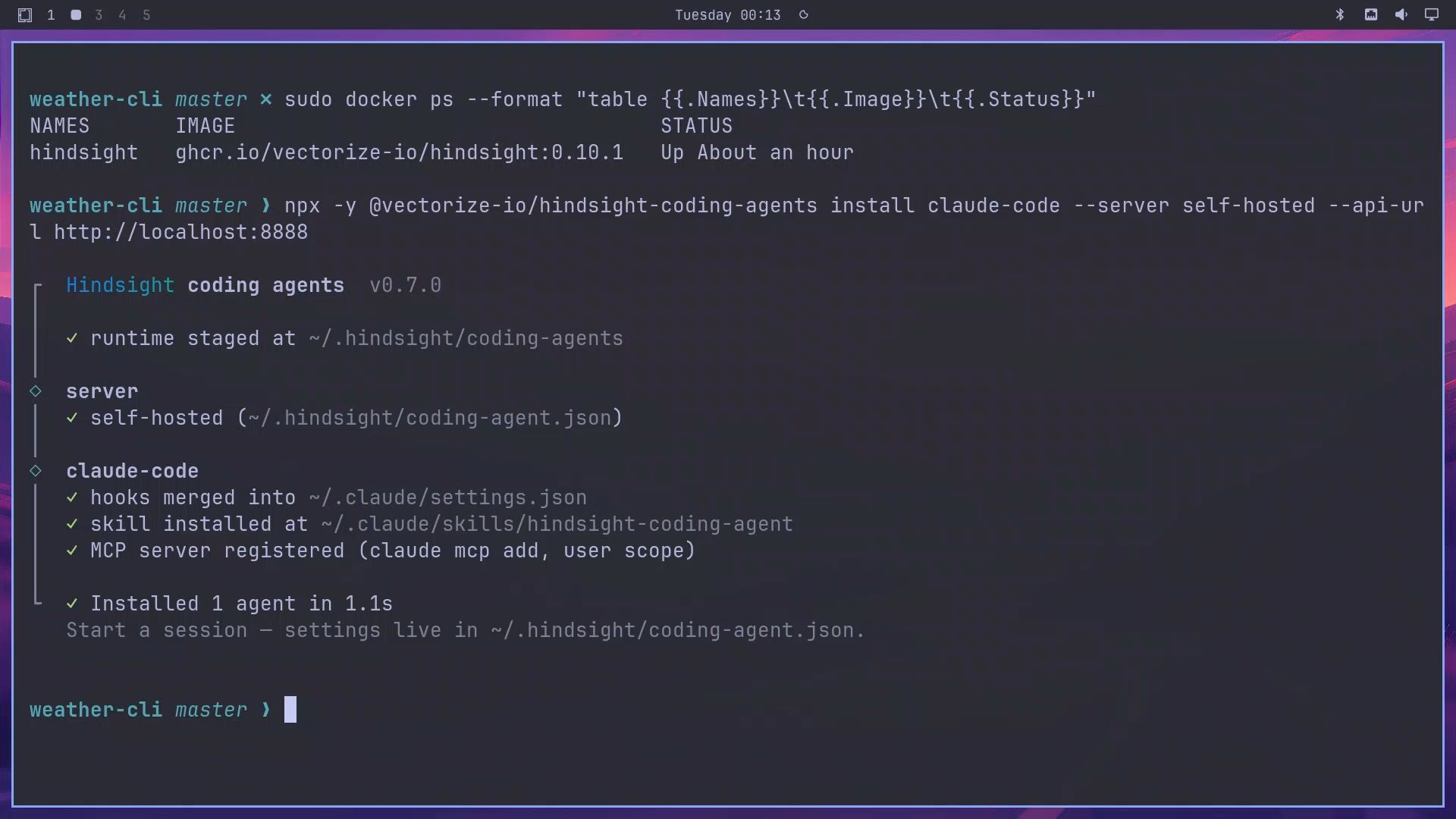
The installer finished in about a second on our box. It adds three hooks to ~/.claude/settings.json, a skill in ~/.claude/skills/hindsight-coding-agent, and an MCP server registered at user scope. Hooks are scripts Claude Code runs at set moments: one at session start, one when you submit a prompt, and one after each reply. The MCP server gives Claude tools to search the memory and read the knowledge pages, and the skill tells it when to use them. The installer backs up any file it changes with a .hindsight-backup suffix.
Turn off the codebase survey
The first time Claude Code starts in a repo with an empty bank, the integration runs a codebase survey: a headless Claude Code run on a small model, capped at $2 by default, that maps the repo’s structure into memory. For our test we turned it off, so that anything Claude knew in the second session had to come from the first session’s conversation. Open ~/.hindsight/coding-agent.json (the installer creates it) and add this key next to the existing ones, without touching apiUrl:
"codebaseSurvey": falseWe also added "autoUpdate": false in the same file, which stops the integration from updating itself once a day, so nothing changed during the recording. For the test only, we switched off Claude Code’s own auto memory in ~/.claude/settings.json, so it could not carry the rules over either:
"autoMemoryEnabled": falseIf you use auto memory, turn it back on after the test.
The Two-Session Test
The test repo, ~/demo/weather-cli, is a small Python tool: weather.py, a data folder with sample forecasts, and a README.md. It has no CLAUDE.md, and there was no CHANGELOG.md at the start. With auto memory off, any rule Claude follows in the second session has to come from Hindsight.
Session 1: give two rules that are not written down
Start Claude Code in the repo:
claudeThe startup message named the bank: “Hindsight is learning this repo … memory bank “coding-agent::weather-cli"". Then we gave it two team rules and a small, unrelated task, in one prompt:
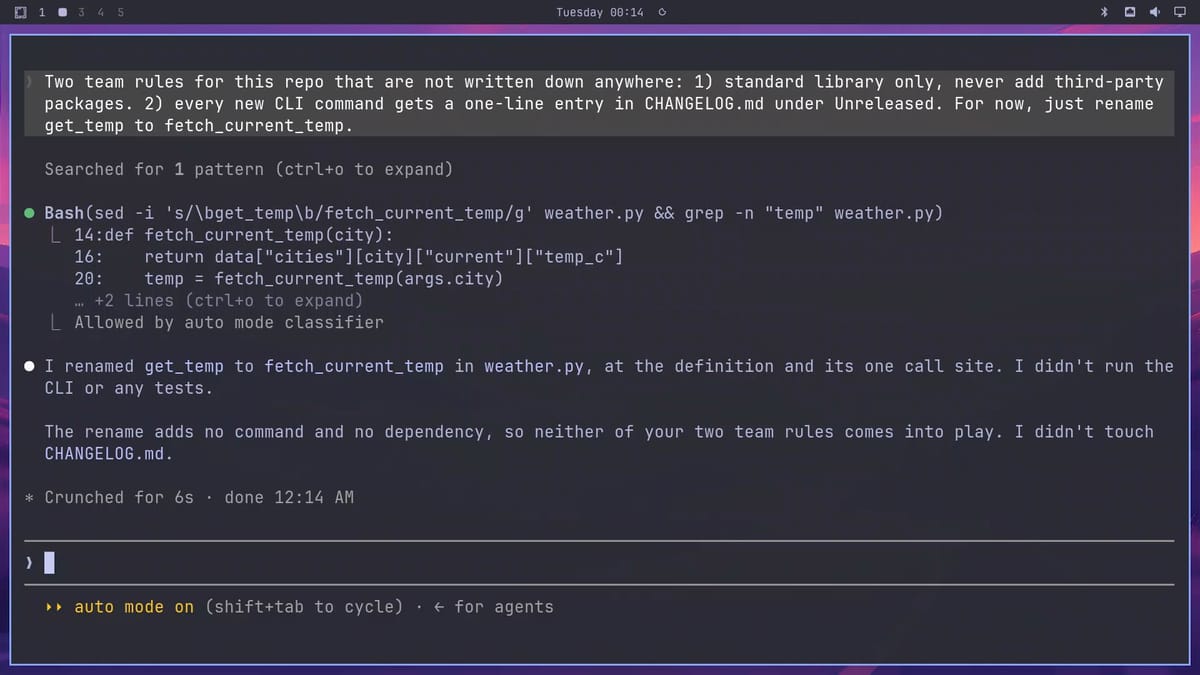
Two team rules for this repo that are not written down anywhere: 1) standard library only, never add third-party packages. 2) every new CLI command gets a one-line entry in CHANGELOG.md under Unreleased. For now, just rename get_temp to fetch_current_temp.Claude renamed the function and left the changelog alone. Its reply: “The rename adds no command and no dependency, so neither of your two team rules comes into play. I didn’t touch CHANGELOG.md.” After session 1, the rules existed only in the conversation.

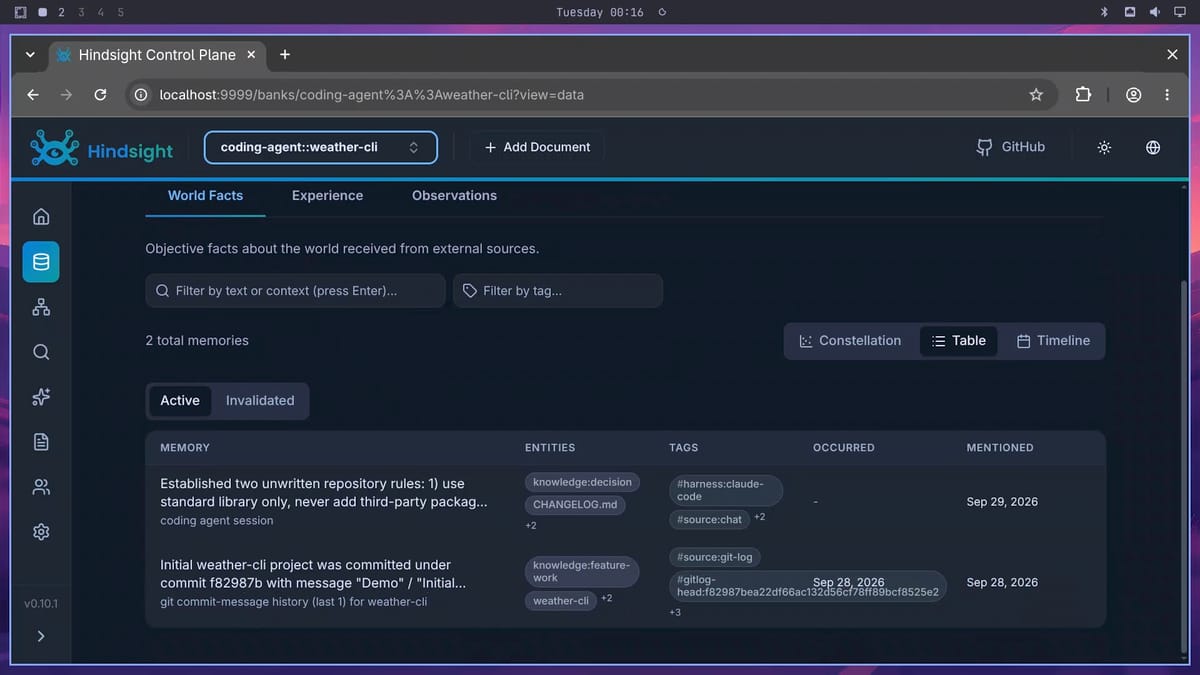
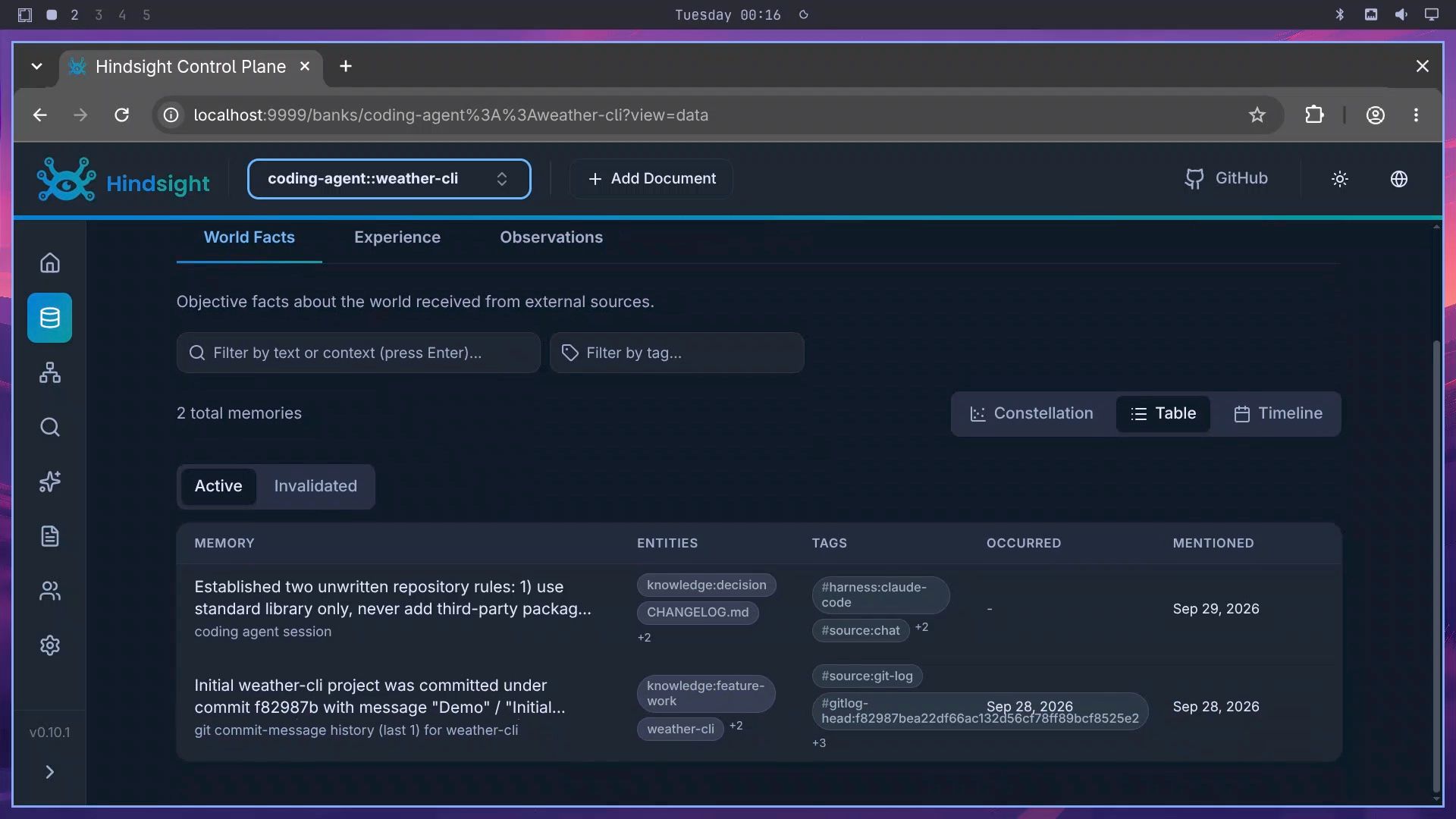
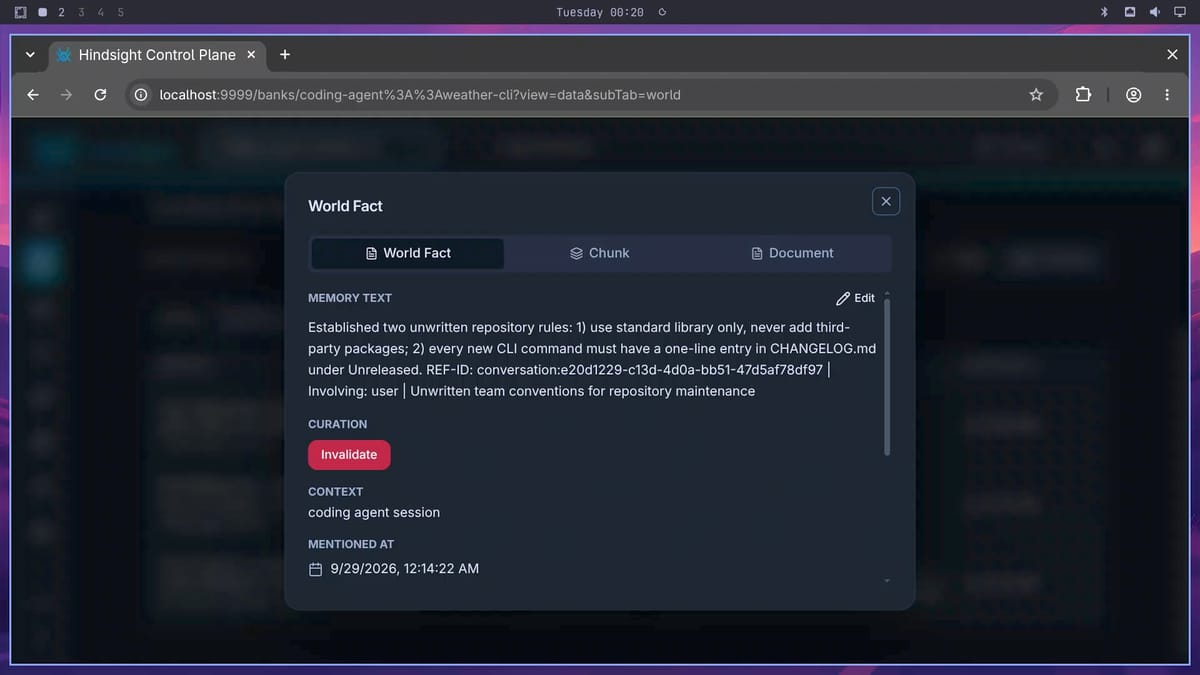
Exit the session with /exit. The Stop hook had already sent the transcript for retain. In the dashboard, open the bank, then Memories, then World Facts, and switch to the Table view. The fact appeared within seconds of the reply: “Established two unwritten repository rules: 1) use standard library only, never add third-party packag…”. In our earlier test run with the same model, a fact landed about 4 seconds after the turn ended and an observation about 15 seconds after. On the Observations tab, the status showed “In Sync”.
Session 2: ask for a new command, without mentioning the rules
Our earlier test run found that session 2 needs at least 20 seconds after session 1 ends, so the memory is ready. We waited a little over two minutes, then started a fresh session:
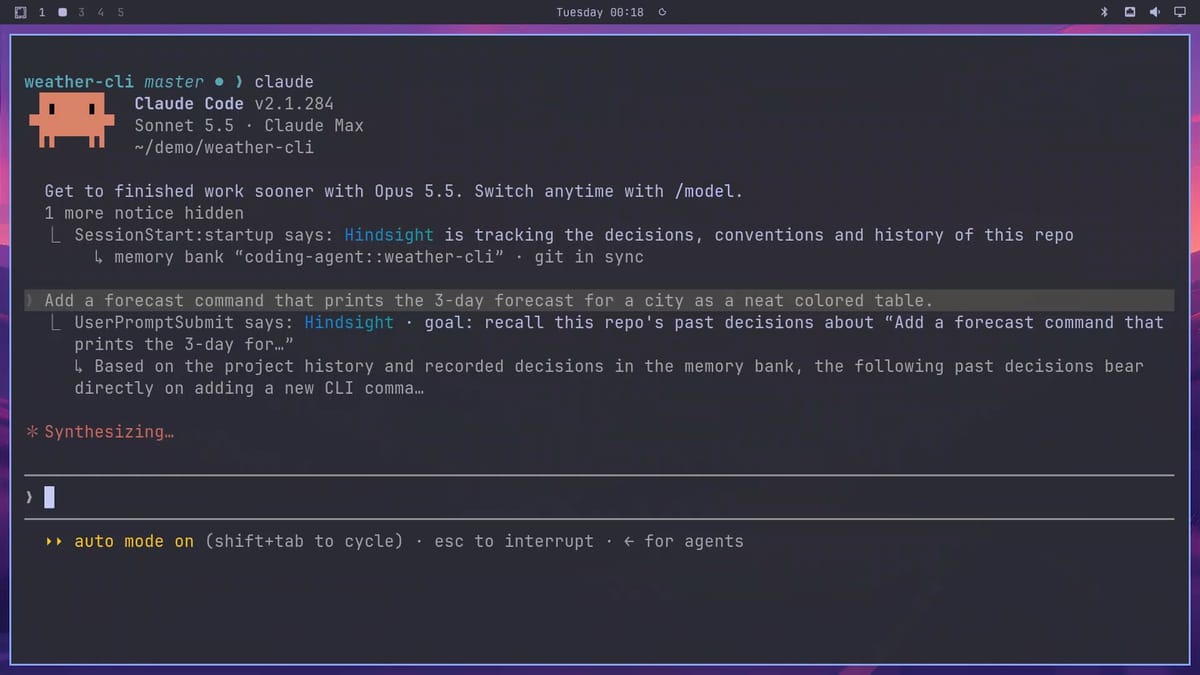
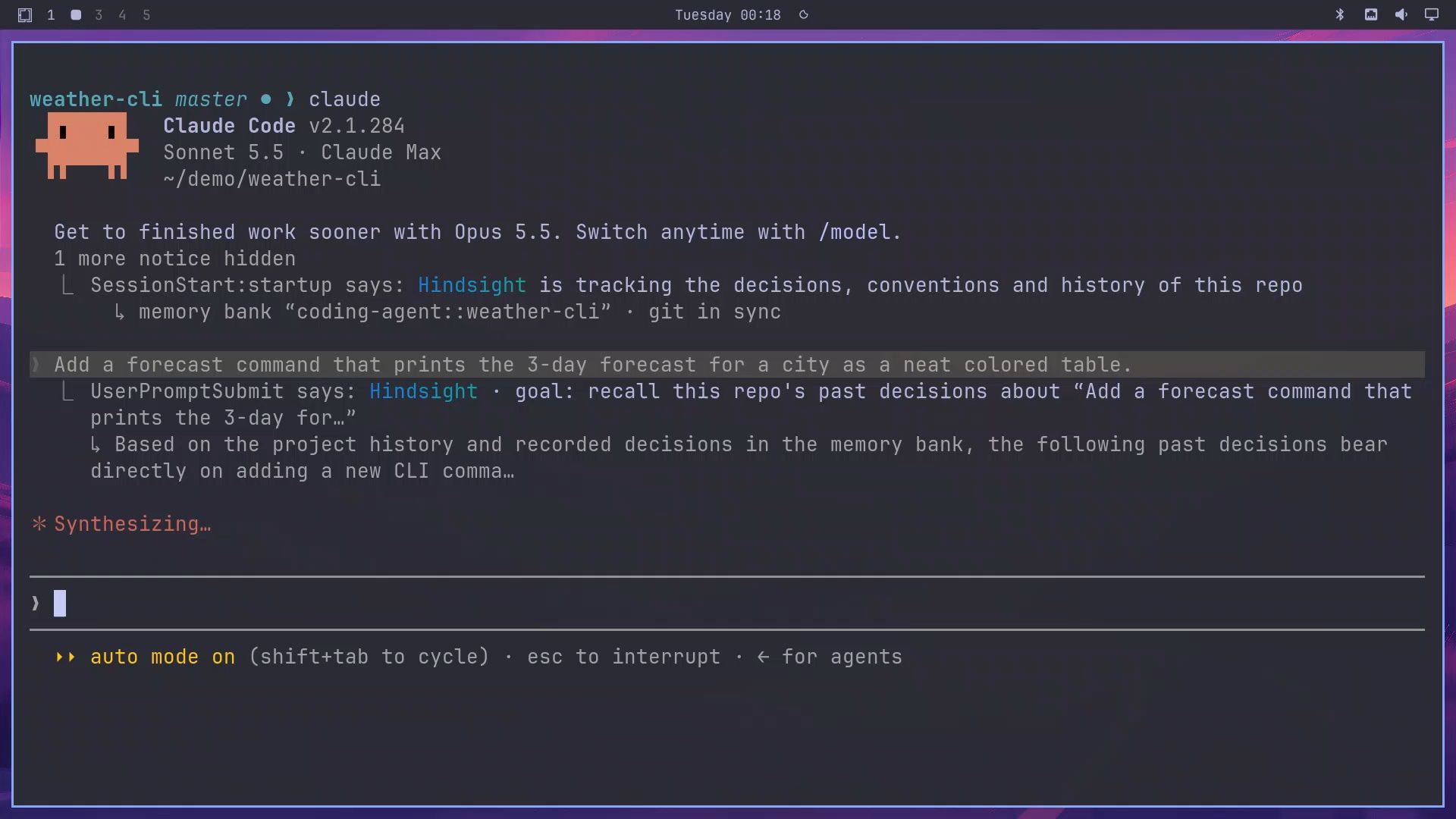
claudeThis time the startup message said Hindsight “is tracking the decisions, conventions and history of this repo”, with “git in sync” after the bank name. The prompt says nothing about rules:
Add a forecast command that prints the 3-day forecast for a city as a neat colored table.Before Claude started, the prompt hook ran for about 13 seconds. Its message showed Hindsight recalling “this repo’s past decisions about “Add a forecast command…"" and opening with “Based on the project history and recorded decisions in the memory bank, the following past decisions bear directly on adding a new CLI comma…”. That is the reflect answer being injected on the first prompt.
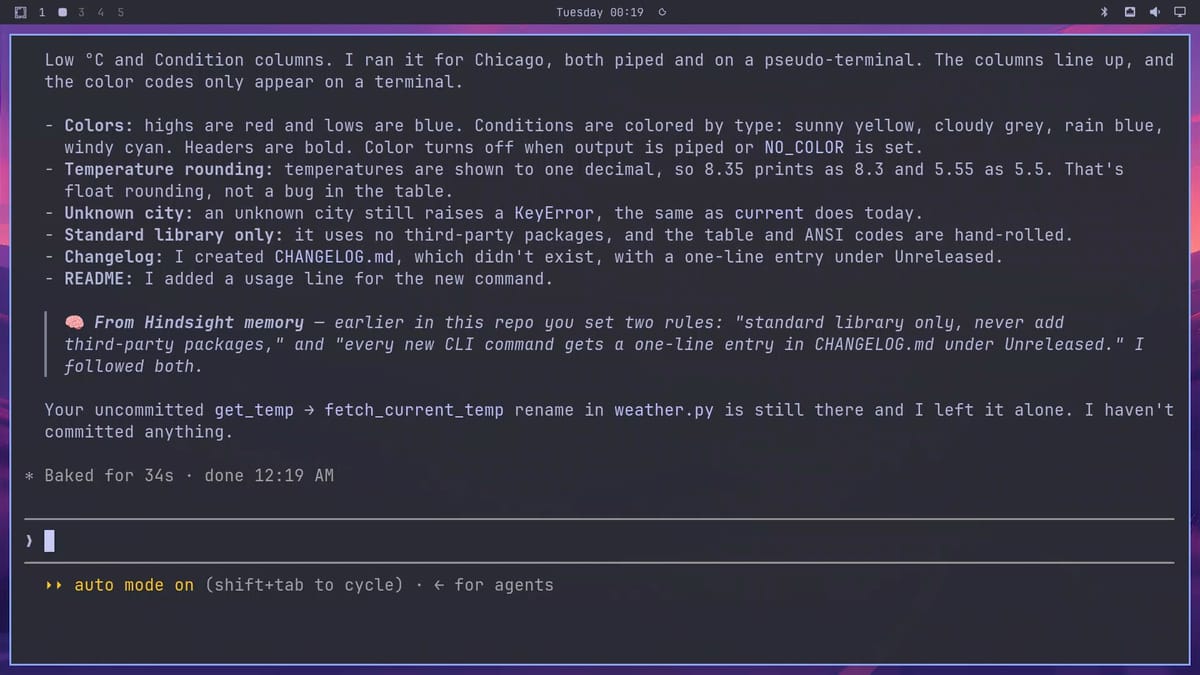
Claude’s summary covered both rules. “Standard library only: it uses no third-party packages, and the table and ANSI codes are hand-rolled.” And: “Changelog: I created CHANGELOG.md, which didn’t exist, with a one-line entry under Unreleased.” It also credited the source in a callout that began “From Hindsight memory” and ended “I followed both.”
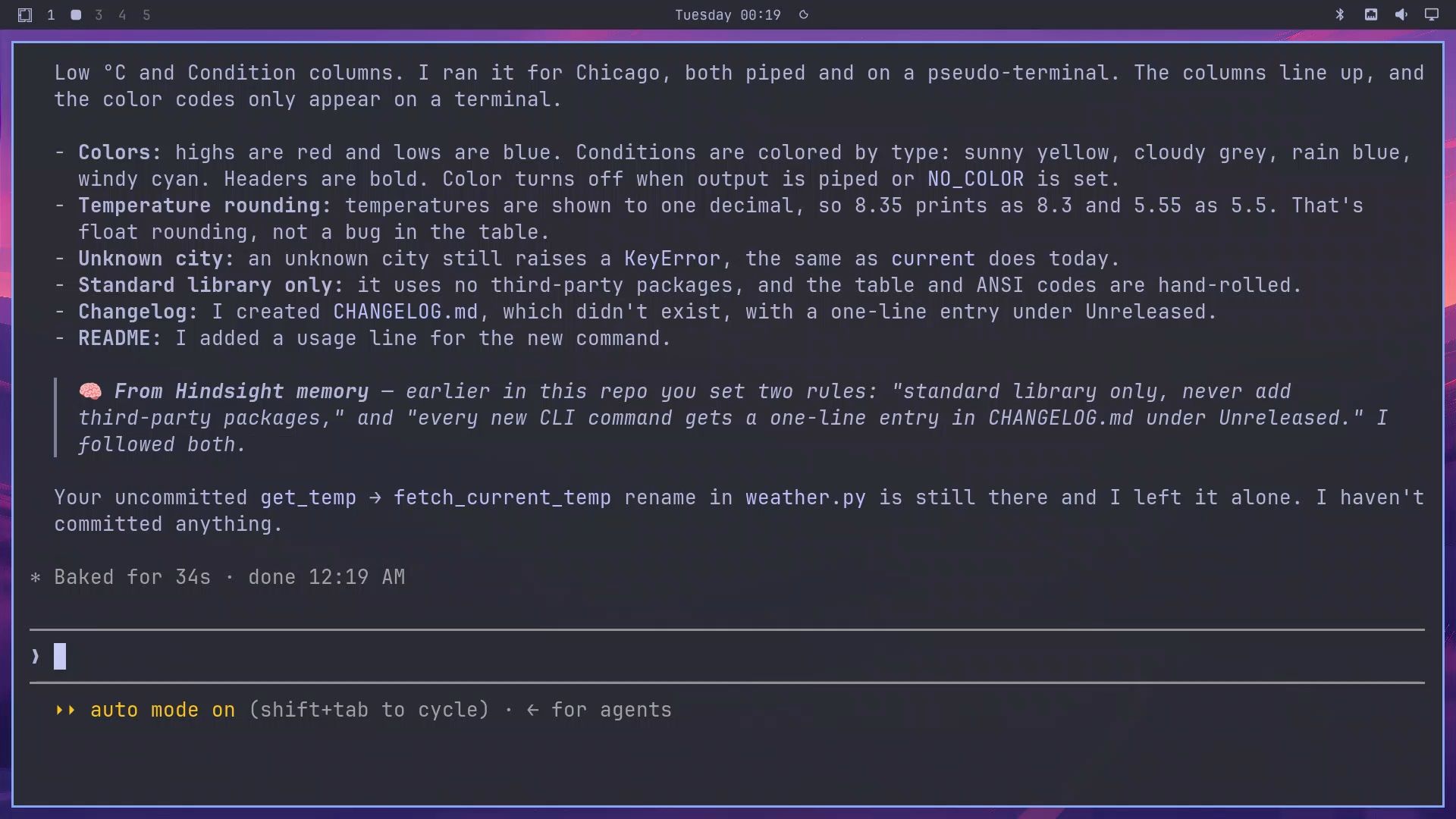
Exit Claude Code and check the file yourself:
cat CHANGELOG.mdThe file has a # Changelog heading, an ## Unreleased section, and one line: ”- Add forecast command: 3-day forecast for a city as a colored table.” Then run the new command:
python weather.py forecast IndianapolisIt printed “3-day forecast for Indianapolis” above a boxed table with Day, High °C, Low °C, and Condition columns, with highs in red, lows in blue, and each condition in its own color.
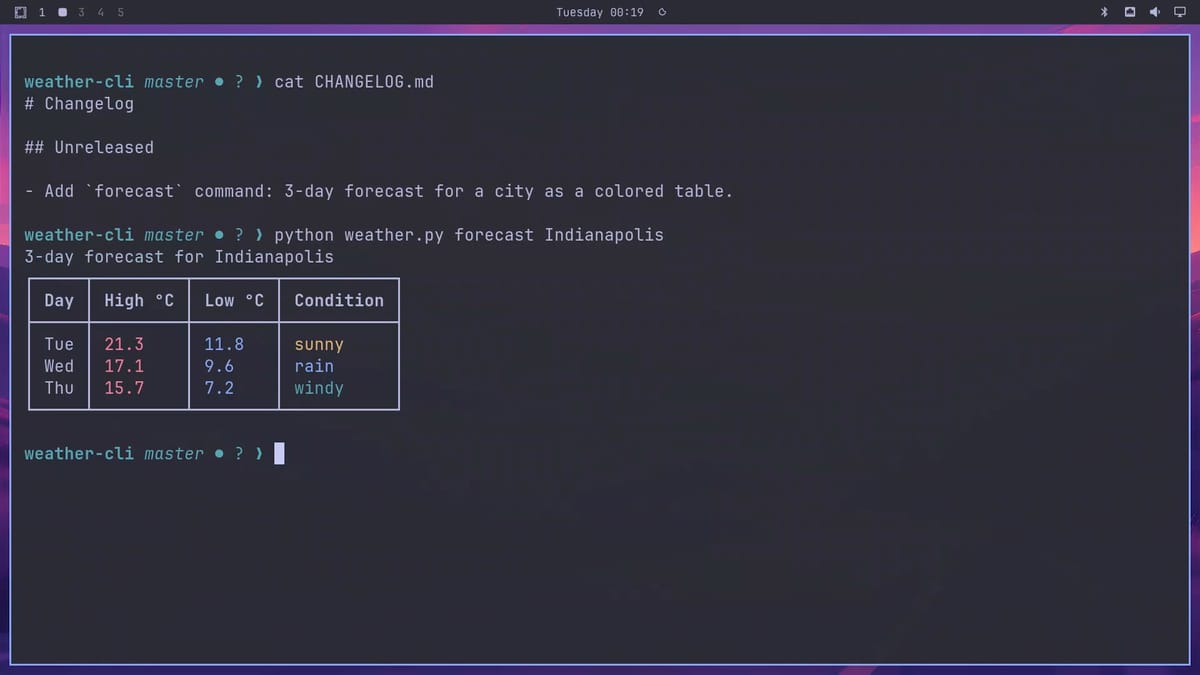
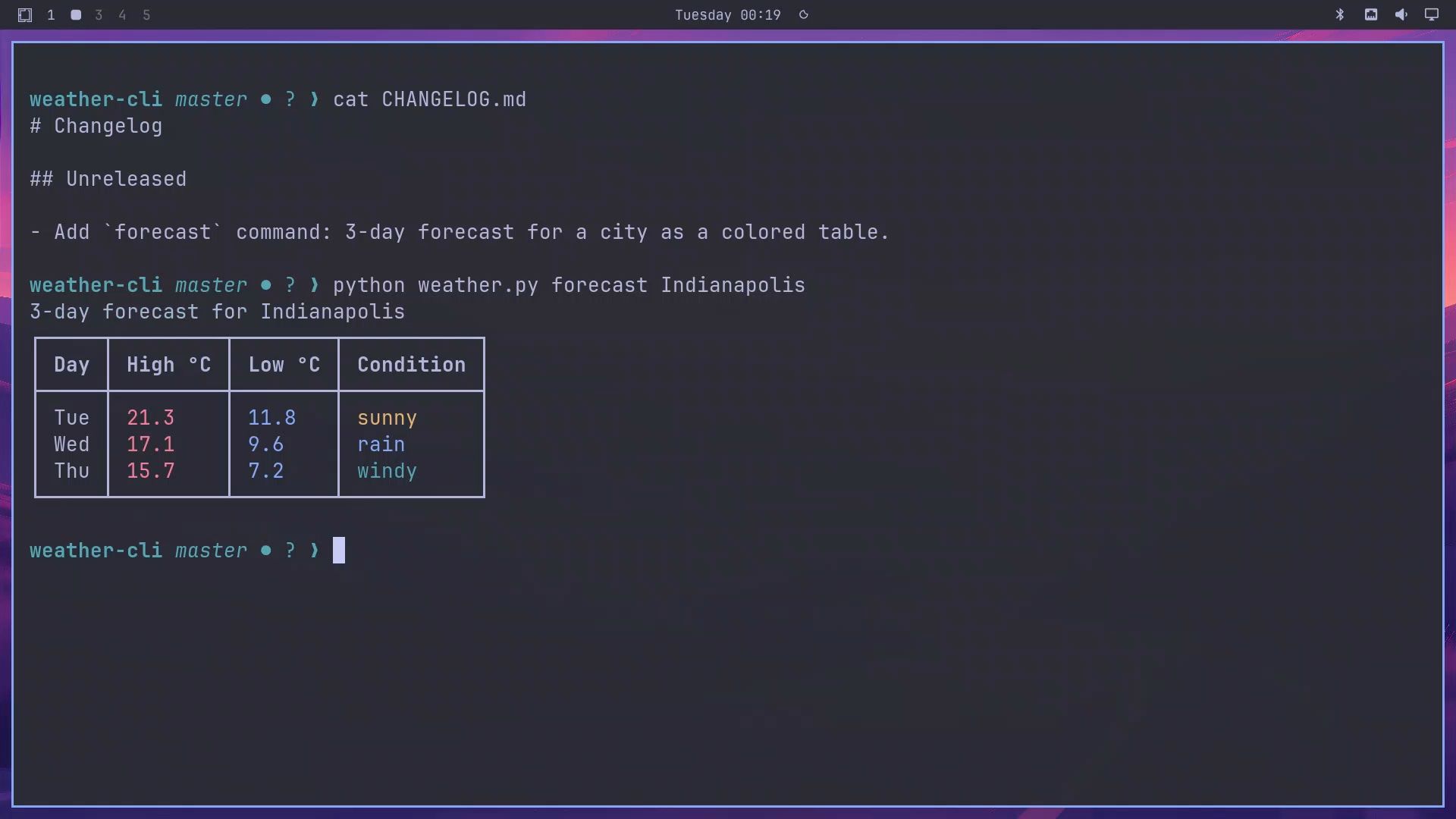
This is a small test: one repo, two sessions, one machine. It shows the mechanism working end to end. It does not show how well Hindsight holds up after months of sessions; an outside test, covered later in this guide, ran for weeks of simulated work.
Knowledge pages take longer
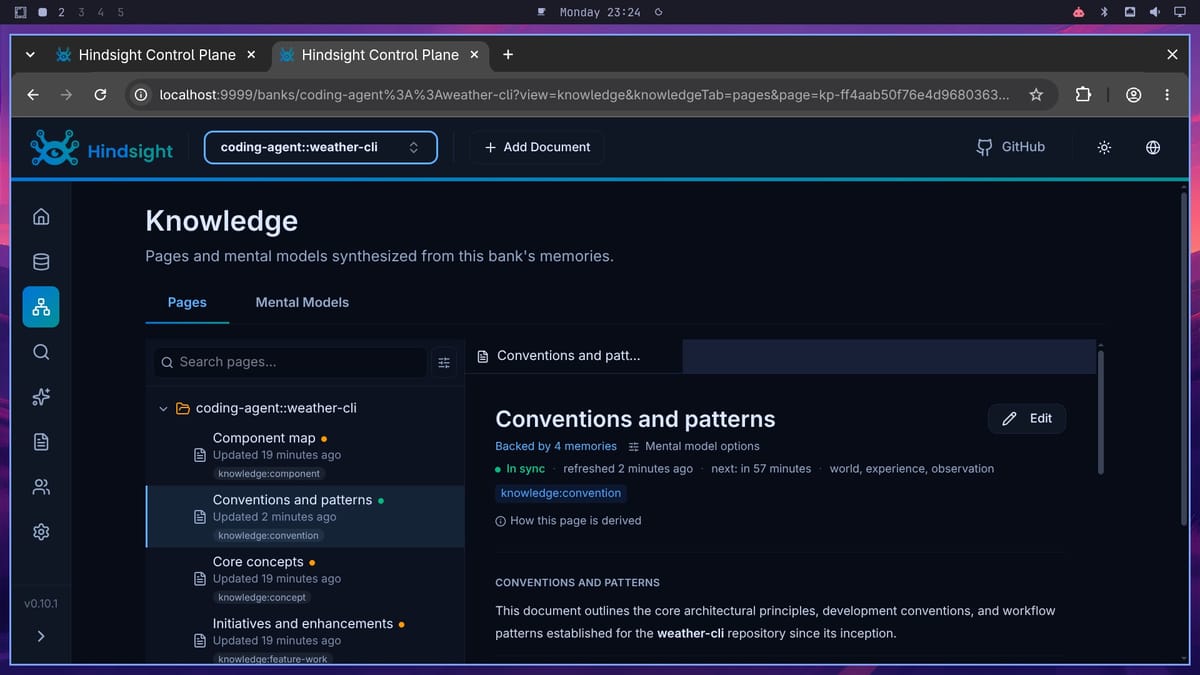
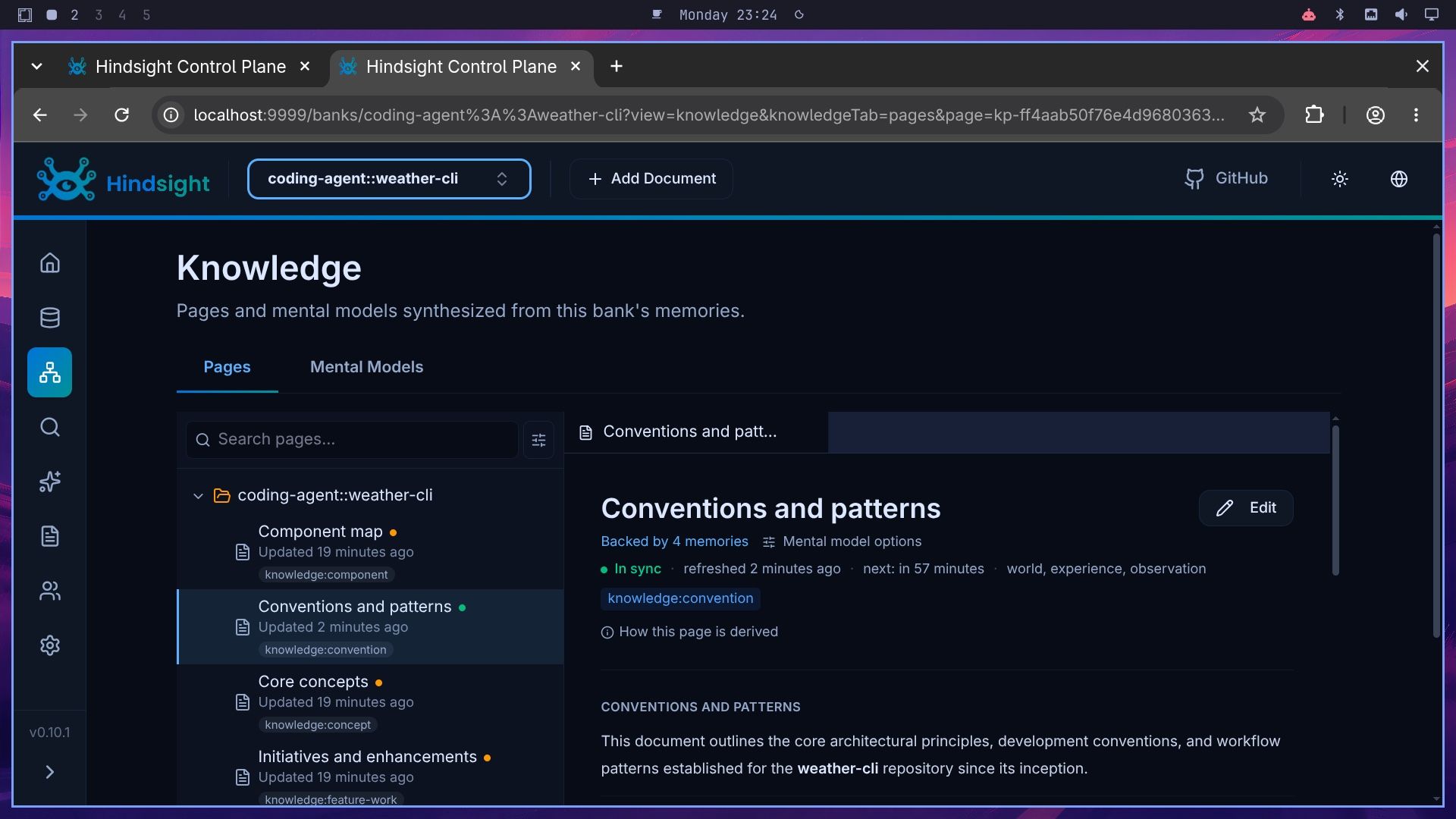
Knowledge pages build on the hourly schedule, so they do not appear during a short test. In our earlier test run, the first page was built 14 minutes after session 1. The shot below comes from that run’s bank: the “Conventions and patterns” page shows “In sync” and “Backed by 4 memories”.
Add Codex or Grok Build to the Same Memory
To connect another agent, run the same installer with that agent’s name and the same two flags. We did not run these on the test box; they come from the coding agents docs.
npx -y @vectorize-io/hindsight-coding-agents@0.7.0 install codex --server self-hosted --api-url http://localhost:8888npx -y @vectorize-io/hindsight-coding-agents@0.7.0 install grok-build --server self-hosted --api-url http://localhost:8888For Codex, the installer writes three hooks to ~/.codex/hooks.json and an MCP entry to config.toml, and the docs say Codex needs codex_hooks = true for the hooks to run. Grok Build gets its hooks and MCP entry in ~/.grok/config.toml. Once an agent points at the same server, it uses the same coding-agent:: bank for the same repo, so a rule taught in Claude Code reaches Codex too.
Watch the Token Spend
Every reply runs retain, and each session’s first prompt runs reflect. Consolidation into observations and knowledge page builds also call the model. The dashboard shows all of it: open the bank, then Bank Configuration, then LLM Requests. Each call is listed with its operation, token count, and duration.
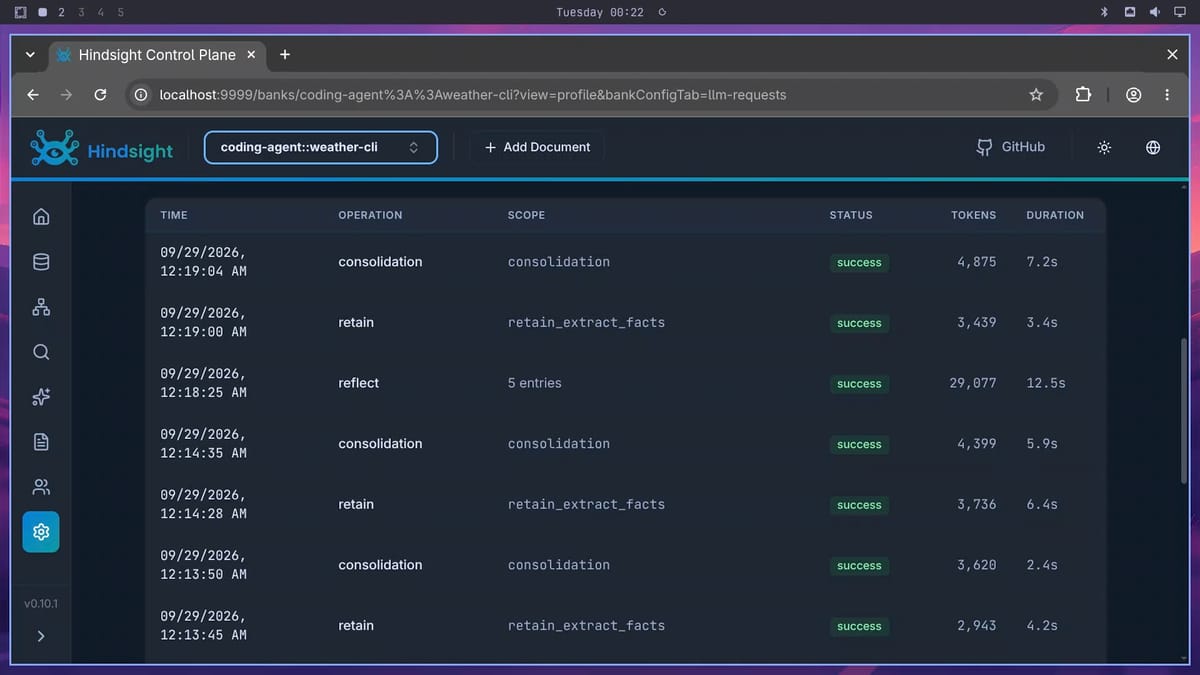

The recording shown here used about 80,000 Gemini Flash tokens in total (79,460). Our earlier test run, which included a sanity check, two sessions, and one knowledge page, used about 120,000 tokens across 27 calls. In that test run’s demo bank, the first-prompt reflect in the two sessions took 51 percent of the tokens, one knowledge page build took 26 percent, consolidation took 12 percent, and retain took 10 percent. Reflect is the largest cost, and in the recording a single first-prompt reflect used 29,077 tokens.
Knowledge pages keep costing tokens while a bank exists, because each of the five pages is checked every hour and rebuilt when its memories have changed. The docs say a scheduled refresh is skipped when nothing changed. If you want fewer rebuilds, set pageTriggerCron in ~/.hindsight/coding-agent.json; the docs give "H H * * *" as the value for once a day per page.
Delete a Bank and Uninstall
When you finish testing, delete the test bank so its knowledge pages stop refreshing. Send the delete request to the API with curl from the host, not from inside the container: the Hindsight image has not included curl since version 0.10.0. The %3A%3A is the URL-encoded form of :: in the bank name.
curl -s -X DELETE "http://127.0.0.1:8888/v1/default/banks/coding-agent%3A%3Aweather-cli"To remove the integration from Claude Code, run the installer’s uninstall command. It removes the hooks, skill, and MCP entry that install added:
npx -y @vectorize-io/hindsight-coding-agents@0.7.0 uninstall claude-codeThe integration keeps its runtime and settings in ~/.hindsight. Remove that folder if you do not plan to reinstall:
rm -rf ~/.hindsightTo remove the server as well, delete the container. The second command deletes the volume, which erases every bank, so run it only when you want all memories gone:
sudo docker rm -f hindsight
sudo docker volume rm hindsight-data
Troubleshooting
Session 2 does not know the rules. Check that the fact is in Memories before you start the new session, and give it at least 20 seconds after the last reply. Memory is injected on the first prompt of a session only, so a rule taught mid-session reaches the next session, not the current one. If the reflect call fails or times out, the turn continues without memory and the failure is logged, not shown; the integration’s logs are in ~/.hindsight/coding-agents-logs/.
The first prompt is slow. The first-prompt hook took about 13 seconds in our recording. Issue #4566 reports a first-prompt reflect that read 30,000 to 90,000 tokens and ran past the 30-second hook limit. The maintainers closed it on September 28, and the fix shipped in version 0.10.2 on September 29. If the first prompt times out, change the image tag in the docker run command to 0.10.2.
Docker says permission denied. Your user is not in the docker group. Use sudo, as we did, or add your user to the group.
Memories went to the cloud. If you ran the installer without --server self-hosted --api-url http://localhost:8888, it may have chosen Hindsight Cloud. Run the install command again with both flags.
How Well Hindsight Works Beyond One Repo
Vectorize’s own benchmarks
Vectorize’s paper, “Hindsight is 20/20”, from December 2025, tests Hindsight on LongMemEval and LoCoMo. Both are academic test sets that quiz a memory system on details buried in long conversations. They measure chat memory, not coding work, and the paper names conversational domains as its scope. With a Gemini model, Vectorize reports 91.4 percent on LongMemEval. Its table lists 71.2 percent for Zep and 81.6 percent for Supermemory, both run with an OpenAI model. On LoCoMo it reports 89.61 percent, and Backboard, another memory system, scores 90.00 percent in the same table.
The README says the results were “independently reproduced by research collaborators at the Virginia Tech Sanghani Center … and The Washington Post.” Researchers from both institutions are co-authors of the paper, so that reproduction is not independent of it.
An outside test from Verging Labs
Verging Labs, a group that tests agent memory tools, published its Agentic Memory Index v0.2 in September 2026. According to the author’s write-up, Claude Code agents running Anthropic’s Opus model did the same work with each of the 12 memory systems: 1,800 tasks over weeks of simulated work, then 150 questions. Hindsight scored 93.7, fifth of twelve. Two systems tied for first at 97.1: Cognee, another memory tool, and a plain folder of Markdown notes that the index calls Karpathy Wiki. Mem0, also a memory tool, scored 95.8.
Hindsight was the cheapest of the twelve at $233.19 in model tokens per 1,000 questions answered (Mem0 was $252.32 and Cognee $256.25). Its answers took 8.9 seconds end to end, against 7.1 seconds for Mem0. New memories took 160.9 seconds to become searchable in their setup, against 17.9 seconds for Mem0 and 22.4 seconds for Cognee. In our run with Gemini Flash, a fact was searchable within seconds. The author’s advice: Hindsight when “the lowest token cost is your priority,” and Cognee or Mem0 for shared team memory.
What users report
Two developers on X pointed to the self-hosting and the shared memory. One wrote “Hindsight is pretty good! … you can self host it”. Another described shared memory per repo across “Codex, Claude Code, Cursor, OpenCode, Grok Build and others”.
On Reddit, a user of Hermes Agent, an open source agent from Nous Research, seeded a Hindsight bank with about 84 million tokens, most of them served from the provider’s prompt cache, using DeepSeek’s low-cost Flash model. It took about two hours and 537 API calls and cost $0.85. They wrote that “Getting it to stabilize with Hermes took a bit of wrestling,” and that it “has completely solved our context bloat issues,” meaning prompts stuffed with old notes. They later moved day-to-day extraction to a local model.
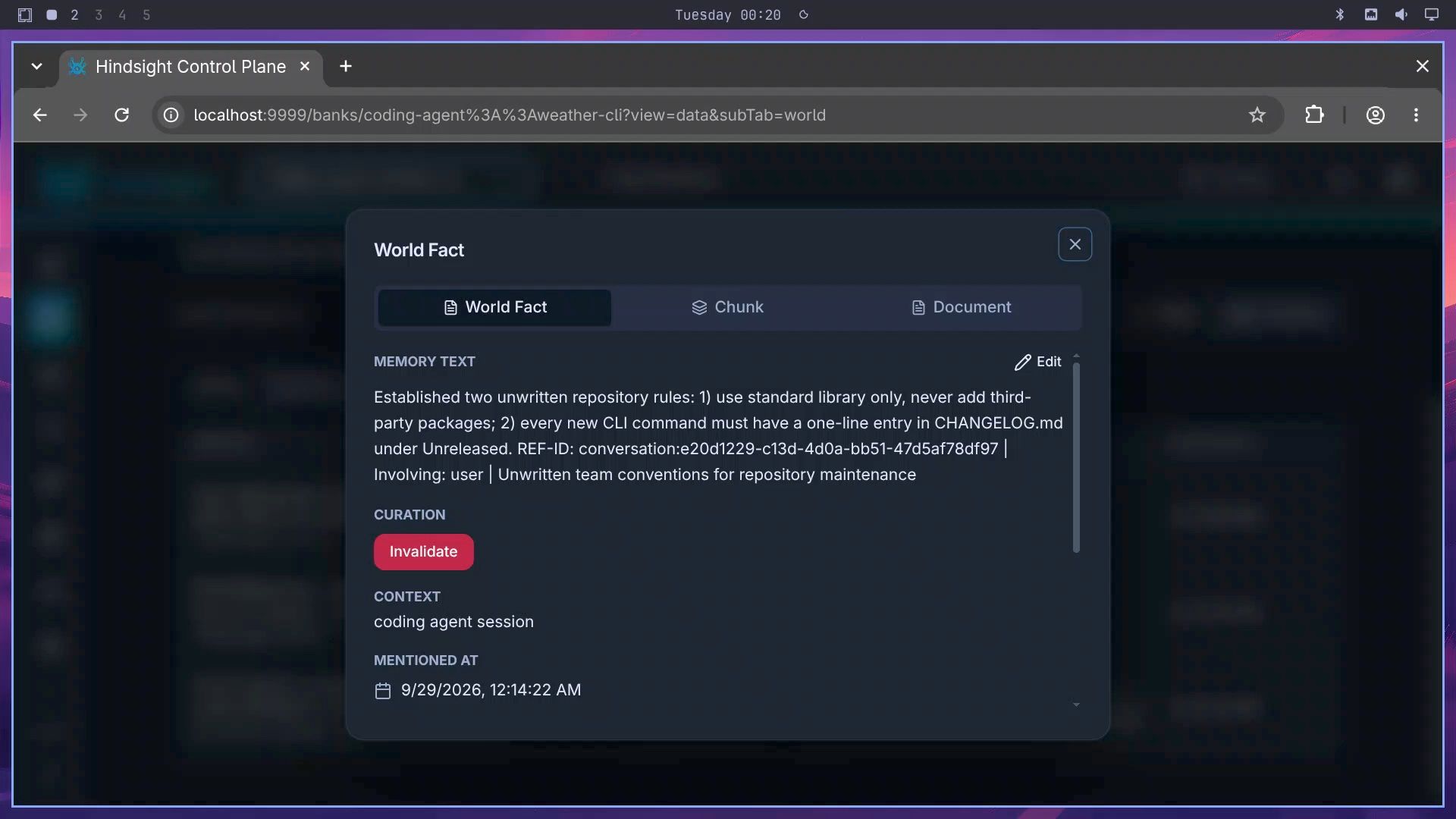
A developer who builds a competing local memory add-on for Hermes named two problems. In their words, Hindsight “triggers extra LLM synthesis calls on background memory consolidation, which adds cost and latency compared to a lightweight embedding/vector approach.” And when memories conflict, “manual cleanup is messy.” That second point matches an open issue. Issue #3509 asks for a way to delete one wrong fact. In the dashboard, a fact has an Edit button and an Invalidate button, but no delete.
Two more issues were open at the time of writing. Issue #4758 reports an install and restart loop with Hermes Desktop, and issue #2235 asks for access control by team, agent, or memory. The person who filed #2235 says the current setup “works well for simple self-hosted or per-user-isolated deployments.”
Is Hindsight Right for You?
Hindsight’s main strength is that it remembers decisions from your sessions, not only what someone wrote into a file. One bank serves every agent you point at it, so switching between Claude Code and Codex does not reset what the repo has learned. It was the cheapest system in the Verging Labs test. It runs on your own hardware under the MIT license, and with a local model through Ollama your session text can stay on your machine. If you are weighing local models against hosted ones, our look at Ollama Cloud and local AI hardware covers that tradeoff.
The token bill grows with every session, and first-prompt reflect was the largest share of it in our test run. Your session text goes to whichever model you configure, and the API has no login unless you add one. A wrong fact can be edited or invalidated but not deleted. In the Verging Labs test, four systems scored higher, and new memories took minutes to become searchable.
Hindsight makes the most sense if you work in the same repo for months, or switch between coding agents on one project. If you try it, start with a cheap hosted model or a local one, and check the LLM Requests tab after a day of normal work to see what it costs you. If a short CLAUDE.md already holds your rules, or the project will be done in a week, you can skip it for now.
If Hindsight does not fit, three other open source projects cover similar ground. Mem0 scored higher than Hindsight in the Verging Labs test and answered faster. Letta is an agent runtime with its own memory system rather than a layer you add to an existing agent. Zep’s Graphiti builds a knowledge graph that tracks when facts were true.


