

Omarchy, the Arch-based, Hyprland-tiling Linux setup from Basecamp’s David Heinemeier Hansson, shipped its 4.0 “Quattro” release on August 14 followed by four point releases, ending with 4.0.4 on September 15. The release notes list fixes by version rather than supported machines, and the official manual has no hardware-compatibility chapter. Three sources do exist: a public list of what the project’s installer special-cases, the author’s own recommendation list, and owners reporting what happened on their machines since launch. The project’s repository sits at about 43,700 GitHub stars at the end of September 2026, and a community plugin directory, which the project’s own 4.0 notes point to, has grown alongside it. This guide is current as of 4.0.4.
Starry Hope covered Omarchy on mini PCs when 1.0 was the story; Omarchy 4 is the current picture.
The clean side of the line is integrated graphics
DHH’s own hardware recommendation page opens the mini PC question with a plain claim: “Most of the new miniPCs from makers such as Beelink and Minisforum work great with Linux,” adding in the same breath that Linux is not necessarily a big priority for those companies. Both halves are true. AMD’s Radeon integrated graphics and Intel’s iGPUs are driven by amdgpu and by Intel’s i915 and newer xe drivers, all living in the mainline kernel with firmware every distro ships, so a Ryzen or Core mini PC boots the Omarchy ISO with nothing to fetch and nothing to sign.
The project’s own code backs this up. Omarchy ships a directory of hardware quirks it applies at install time, and the list is mostly laptops: speaker tunings for the Dell XPS 14 and 16, touchpad and display fixes for specific ASUS models, Surface keyboards, Tuxedo backlights, T2-era Mac suspend, Broadcom Wi-Fi on old MacBooks. Small boxes are not exempt; the same directory carries a fix for the Motorcomm YT6801 2.5GbE Ethernet controller that shows up in budget mini PCs, and vendors do swap in white-label wireless modules: DHH’s July 2025 Beelink writeup noted that the Minisforum UM870 of that era “shipped with a MediaTek bluetooth/wifi card that doesn’t work with Linux!” When a mini PC fights Linux, the cause is usually the cheap radio or NIC the vendor swapped in rather than the silicon driving the desktop.
The newest AMD chips want the newest software. A Strix Halo class machine (Ryzen AI Max+ 395) is best paired with a current kernel and Mesa, which a rolling release like Omarchy provides by design, but it means the very newest silicon is the one place “AMD just works” needs a fresh ISO rather than a six-month-old one.
The boxes to buy


These picks all run integrated Radeon graphics on mainline drivers, and the project’s author lands on the same shelf. His current list names three mini PCs (the Beelink EQ mini Wildcat at what he cites as under $500, the Beelink SER10, and the Framework Desktop), and his published HEY app test suite numbers include the Ryzen 8745HS class running his full HEY test suite in 2 minutes 28 seconds, which is the same silicon family as the box that anchored our original Omarchy article.
Beelink SER8
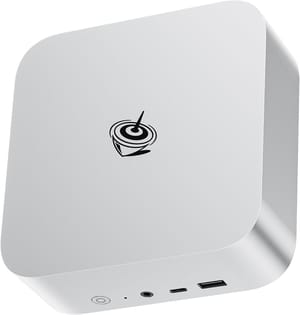
- +Ryzen 7 8845HS with Radeon 780M
- +32GB RAM configs
- +everything on mainline drivers
- -Last-generation chip now
- -weak Wi-Fi
GMKtec EVO-X1
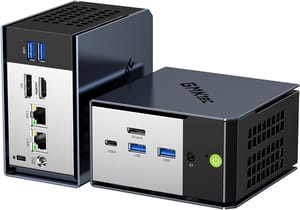
- +Ryzen AI 9 HX 370
- +Radeon 890M
- +32GB LPDDR5X
- +USB4 and OCuLink
- -Soldered RAM
- -fan gets loud in performance mode
- -weak Wi-Fi 6 range
GMKtec EVO-X2
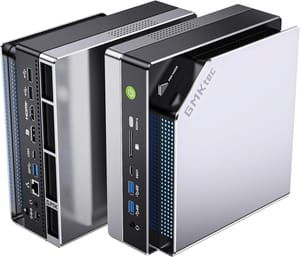
- +Ryzen AI Max+ 395
- +up to 128GB unified memory
- +256GB/s memory bandwidth for local models
- -Wants a current kernel and Mesa; expensive
In an August test, The Linux IT Guy put Omarchy 4 and Windows 11 on two identical AMD mini PCs (Ryzen 7 PRO 6850H, 24GB) and measured the difference: Omarchy idled at 2.3GB of RAM against Windows’ 4.4 to 4.8GB, booted faster, ran quieter, and posted about ten more frames per second in No Man’s Sky, while Windows narrowly took the Speedometer browser benchmark. No driver problems appear anywhere in the video.
For the budget end, the Beelink EQR6 covers the same all-AMD story from about $329. The NVIDIA machine on DHH’s list, for contrast, is the ASUS Zephyrus G14 with its discrete GPU options; that pick makes sense for someone who wants a gaming laptop first and accepts NVIDIA’s hybrid-laptop roughness and driver upkeep.
Laptops back to the early 2010s install clean, with model-specific quirks
One owner reported on X that on a ThinkPad “everything works out of the box which I did not expect: fingerprint reader, wifi, camera, mic, sound, native display resolution, and even sleep mode.” Another owner’s experience across three ThinkPads draws the age line: an x220 and T470 run it “like a dream,” while a 2006-era x60 failed to boot in a past attempt for lack of graphics support. If you are repurposing rather than buying, business laptops back to the early 2010s are good candidates, while pre-2010 machines like the x60 can fail on graphics. Since 4.0.3, setup installs a newer libfprint build for every fingerprint reader, because the stock library lags upstream on new sensors such as a recent Synaptics model.
Omarchy 4.0.0 ships speaker tunings for the 2026 XPS 14 and 16, and DHH’s April post on Panther Lake reports a 2026 XPS 14 with an IPS screen idling at 1.4 watts under Omarchy, which he projects as over 47 hours; his real-world number, from mixed use on a different 74-Wh machine, is around 16 hours. Both figures are his measurements, on a release Michael Dell assigned senior Dell and Intel engineers to work on, so treat them as what this pairing can achieve rather than what any laptop will do. An owner of an older XPS 9560 reported getting “the promised battery life” back under Omarchy after failing to see even two hours on Windows. XPS owners who saw webcam problems on the 7.2 kernels got a fix in 4.0.4.
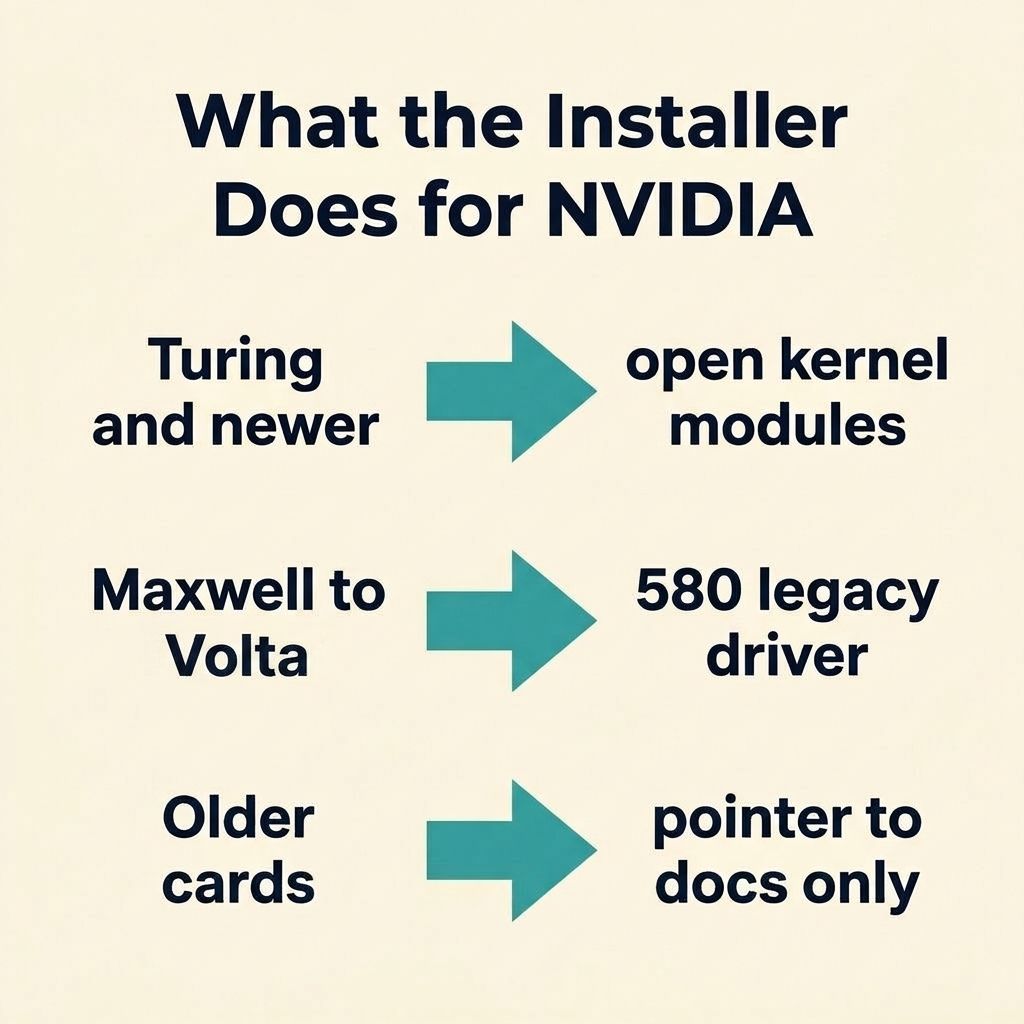
Omarchy installs open NVIDIA modules for Turing and newer, a legacy driver back to Maxwell
The Arch wiki’s Hyprland page says: “Using an NVIDIA GPU with Hyprland is unsupported, but may work.” As of 4.0.0, Omarchy’s installer detects NVIDIA hardware, installs the open kernel modules for Turing-and-newer cards or the 580-series legacy driver for Maxwell through Volta, and writes the required modesetting configuration and initramfs module list. That is the setup the Hyprland NVIDIA documentation asks users to do by hand. For anything older than Maxwell, the installer prints a pointer to the Arch documentation and continues without those drivers; NVIDIA abandoned that hardware’s proprietary branch in 2024, and current Omarchy does not package it.
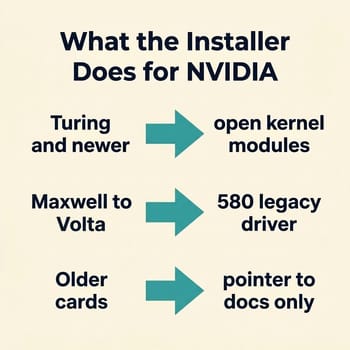
The setup works, but hybrid laptops stay rough. Hyprland’s own documentation warns that on hybrid laptops “NVIDIA doesn’t support important features for Multi-GPU which can result in a broken or slow setup,” and the workarounds are environment variables and BIOS mode switches. One owner reported that the old NVIDIA card in his ASUS gaming laptop “was not working smoothly” under Omarchy, where EndeavourOS with Hyprland had been fine. Four days later he called the same laptop “just fine” under Omarchy and did not say what changed. Omarchy is a rolling release, and its NVIDIA install script uses DKMS packages for both tiers: NVIDIA’s open kernel modules on Turing and newer, the proprietary 580 driver on Maxwell through Volta. Either way the kernel module is rebuilt against every kernel update, and every rebuild is a chance for the graphics stack to need attention.
In an April build video, one builder assembled an all-AMD desktop to reclaim desk space and get back the hardware control he missed on a Mac mini, had Omarchy installed in under two minutes, edited the resulting video on the same machine, and said in closing that moving off his NVIDIA card “finally kills the driver headaches” on Linux. Accept NVIDIA only if CUDA or a specific GPU workload is the reason you are here, and budget for the upkeep. Do not put Omarchy on pre-Maxwell NVIDIA hardware at all.
Intel Macs, the Steam Deck, and virtual machines
Intel Macs are supported, a capability added in Omarchy 3, with two hard caveats from the manual’s Mac chapter: the install wipes the disk and Omarchy must be the only operating system, and M-series Macs are not directly supported. The Broadcom Wi-Fi quirk that plagued older MacBooks got a specific fix in 4.0.0, though one 2013 MacBook Pro owner still reported the driver only coming up after sign-in rather than at boot. Arch then dropped the prebuilt Broadcom module, and 4.0.3 switched those Macs to the DKMS driver, which is compiled locally against each kernel. On 2017 to 2020 Macs with Apple’s T2 chip, the manual says the installer sets up the patched linux-t2 kernel, T2 audio, Apple’s Wi-Fi and Bluetooth firmware, and fan control.
The manual also documents two ways in that involve buying nothing: Omarchy runs on a Steam Deck, and it runs in virtual machines. The manual’s VM section covers VirtualBox, VMware, and Parallels Desktop, though the Parallels route is a user-driven guide for a process it calls cumbersome. A VM will not tell you anything about suspend, battery, or GPU behavior, but it is a fair tour of the desktop itself. For an M-series Mac owner, the manual documents two routes: a virtual machine, or, on an M1 or M2, Asahi Alarm on bare metal with what it calls some effort.
The Parallels Desktop link is an affiliate link; Starry Hope may earn a commission if you buy through it. See our FTC Disclosure.
The 4.0.x releases fixed install failures and moved to Omarchy’s own kernel
Until the 4.0.1 release on August 25, the installer failed outright on machines with any input device named “synaptics”, which is a lot of laptops. The 4.0.1 release also fixed a clamshell bug that rescaled internal panels, and 4.0.0 itself fixed a case where a monitor powered off at boot stayed black until reboot. If your install failed in mid-August, judge the current ISO instead.
4.0.2 was mostly security work. It requires signed packages from the Omarchy repository, disables SSH password logins by default, and temporarily removes automatic printer discovery, so a network printer may need to be added by hand. 4.0.3 moved Panther Lake laptops to kernel 7.2.3 alongside the fingerprint and Broadcom changes above.
4.0.4 installs linux-omarchy, a kernel the project tunes for desktop responsiveness under load, and makes it the default boot entry. The release notes credit it with fixes for missing audio, unresponsive touchpads, display freezes, and slow startup or resume “on affected machines,” plus smoother gaming on supported AMD HDMI displays. Existing installs migrate on update through Update > Omarchy and keep their old kernels installed for recovery; T2 Macs are excluded and stay on linux-t2. The update also installs the matching Omarchy kernel headers, so DKMS-built drivers such as the Broadcom Wi-Fi and Motorcomm Ethernet packages build for the new kernel.
Our year of the Linux desktop piece covers where Omarchy fits in the wider Linux desktop push, the Linux laptop buyer’s guide covers the new-hardware market beyond DHH’s picks, and if you are converting a Windows box, the keep-or-wipe decision is the place to start. To keep Windows, the manual documents a dual-boot install on a partition alongside it, with BitLocker turned off first.


