

A particular kind of disappointment shows up a few days after a new laptop arrives. The machine that benchmarked beautifully in every review you read now stutters when you switch apps, the fan spins up while you are doing nothing demanding, and the battery drains faster than the spec sheet implied. The natural conclusion is that you got a bad unit, or that the reviews oversold the hardware. In 2026, there is a third explanation that almost no review mentions, and it is the one that fits the symptoms best: your laptop is using its idle cycles to run on-device AI on your own data, and you were never told it would.
This is the story that broke on the Mac side in early June, when 9to5Mac documented a wave of beachballs and lag on machines running macOS 26.5. But the Mac symptom is just the most visible instance of a pattern that now spans every consumer operating system. ChromeOS quietly pulls a multi-gigabyte AI model onto Chromebook Plus devices and runs inference locally. Windows ships a feature on its newest PCs that continuously photographs and analyzes your screen. The hardware did not get slower. The operating system took on a new job, it runs that job on your processor, and the bill arrives as the unexplained sluggishness that sends people back to the store with a perfectly good computer. This is the cousin of a cost we have written about before: where the 64GB Chromebook storage trap showed how on-device AI eats your drive, this is the same idea applied to your CPU and your battery.
The Mac Case: A Process Called mediaanalysisd
The clearest example to date is the one 9to5Mac’s Ben Lovejoy hit himself. After updating to macOS 26.5, he opened Activity Monitor and found a single process, mediaanalysisd, swinging anywhere from 50 percent to 150 percent of a CPU core, with kernel_task and corespotlightd also running hot. Googling the process name, he found a cluster of users reporting the same thing. The same confusion has been surfacing on r/macOS, where owners keep asking how to switch Apple Intelligence off on a machine they had barely touched, the kind of question you only ask when a brand-new computer is working hard for no reason you can see.
The process is not a bug or malware. mediaanalysisd is Apple’s Media Analysis Daemon, the background service that sits underneath Photos search, Visual Look Up, and Live Text. Its job is to look at every image and video in your library, figure out what is in them, and make that searchable. Part of what it powers is Enhanced Visual Search, a feature Apple introduced in macOS Sequoia that lets you search your photos for landmarks like the Golden Gate Bridge even when the pictures carry no location data. Apple is explicit that the work happens on the device: an on-device machine learning model decides whether a photo likely contains a landmark, and the analysis runs without sending your library to Apple. That privacy posture is better than a cloud scan. It also means the entire computational cost lands on your laptop instead of Apple’s servers.
Here is the nuance that matters, and the part most coverage glosses over: this is a one-time indexing burst, not a permanent tax. When you set up a new Mac or restore a large photo library, mediaanalysisd has to chew through every image once. On a fresh machine with thousands of photos syncing down from iCloud, that can run for hours and feel like the computer is broken. 9to5Mac’s recommended fix is the right one and tells you everything about the nature of the load: plug the Mac into power, leave it on overnight, and let it finish. Once the library is indexed, the process goes quiet. If you would rather it never run at all, Apple does let you turn Enhanced Visual Search off under Photos, then Settings, then General, though you give up landmark search in exchange.
The ChromeOS Case: Gemini Nano Arrives Without Asking
Chromebooks tell a quieter version of the same story, and it is one Starry Hope readers should recognize, because the Chromebook Plus tier is built around exactly this kind of on-device AI. Google’s strategy is to run models like Gemini Nano locally rather than in the cloud, using an inference engine called LiteRT-LM that Google’s own developers describe as powering on-device AI across Chrome, Chromebook Plus, and even the Pixel Watch. The pitch is reasonable on its face. Local inference is private, works offline, and costs nothing per request. The catch is the same as on the Mac. Local means your hardware does the work, and the model has to get onto your device first.
That download became a small scandal in May 2026, when Chrome users noticed a 3 to 4GB file named weights.bin appearing in a folder called OptGuideOnDeviceModel, with no prompt and no explanation. Android Authority traced it to Gemini Nano, the on-device model Chrome uses to run generative features like writing assistance locally. The file had been arriving silently through Chrome’s component updater. On a Chromebook Plus, the same machinery powers the free Gemini features baked into the system, and the model both downloads and runs on the device’s own processor. You can see the status for yourself by typing chrome://on-device-internals into the address bar and checking the Model Status tab, which shows whether the model is installed and how much space it occupies. Google says that in February it began rolling out the ability for users to turn the model off and remove it directly in Chrome settings, and that once disabled the model no longer downloads or updates. As with the Mac, the heaviest moment is the setup phase: the multi-gigabyte download and the first runs. After that the cost is occasional rather than constant, surfacing only when you actually invoke an AI feature.
The Windows Case: Recall, and the One Vendor That Asked First
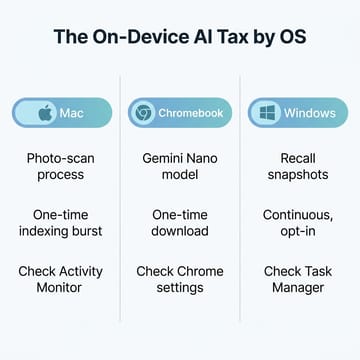
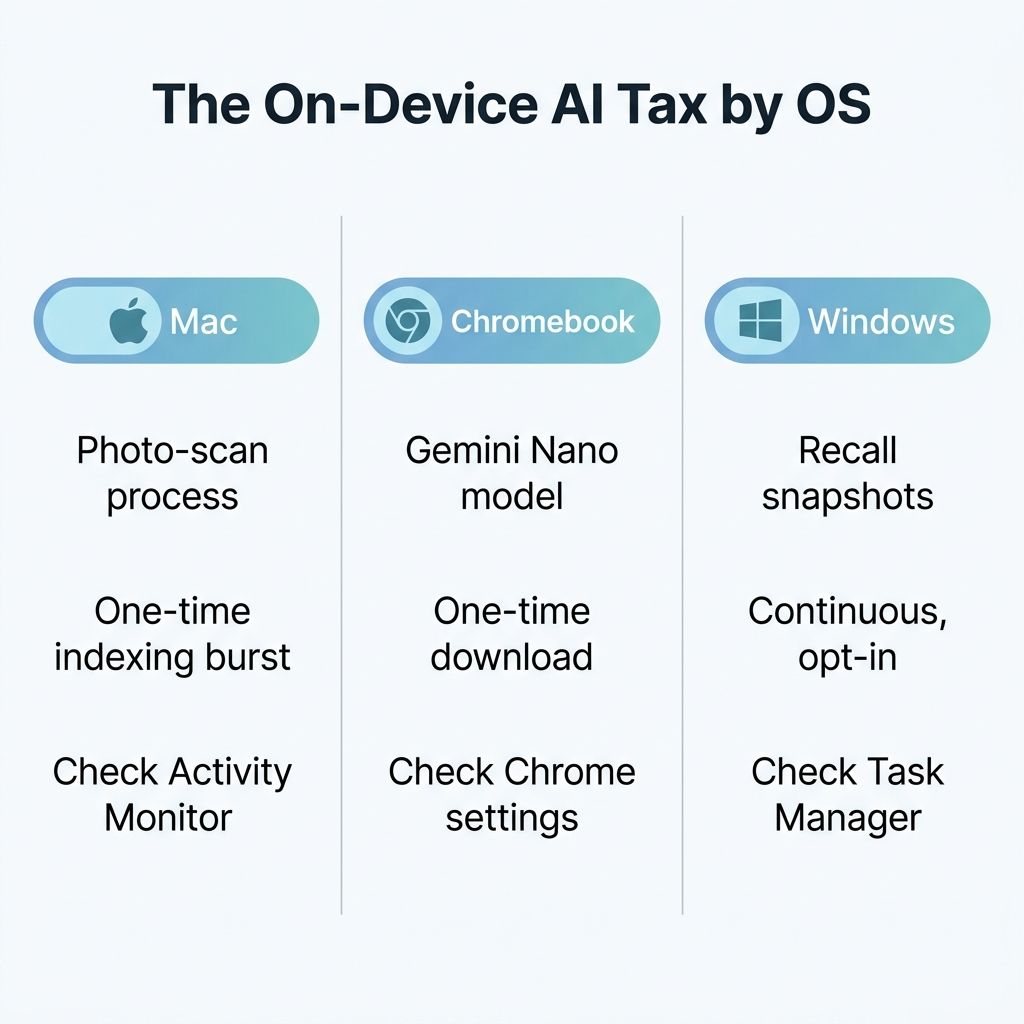
Windows is where the pattern gets both heavier and, paradoxically, better disclosed. The feature in question is Recall, available on Copilot+ PCs built around a neural processing unit from Qualcomm, Intel, or AMD. Recall works by regularly saving snapshots of your screen and analyzing them so you can later search your own activity in plain language. Microsoft’s documentation is clear that the snapshots stay on the device and are protected by hardware security, but the workload it describes is fundamentally different from the Mac and Chromebook cases. This is not a one-time indexing pass. It is continuous screen capture and image recognition running as long as the feature is on.
What saves Recall from being the worst offender is the thing Microsoft learned the hard way after its original 2024 announcement drew a furious reaction. Recall is now opt-in. During setup on a Copilot+ PC, Windows asks whether you want to turn it on, and it stays off unless you say yes. You manage it under Settings, then Privacy and security, then Recall and snapshots, where you can pause it, filter specific apps and websites out of capture, or switch it off entirely. Enterprises get a Group Policy, DisableAIDataAnalysis, to enforce the choice across a fleet. That is exactly how this should work on every platform: the vendor names the feature, explains the cost, and lets you decide before it touches your processor. The contrast with a silent weights.bin download or a photo scan that just starts running after an update is the whole argument.
Why the Reviews Did Not Warn You
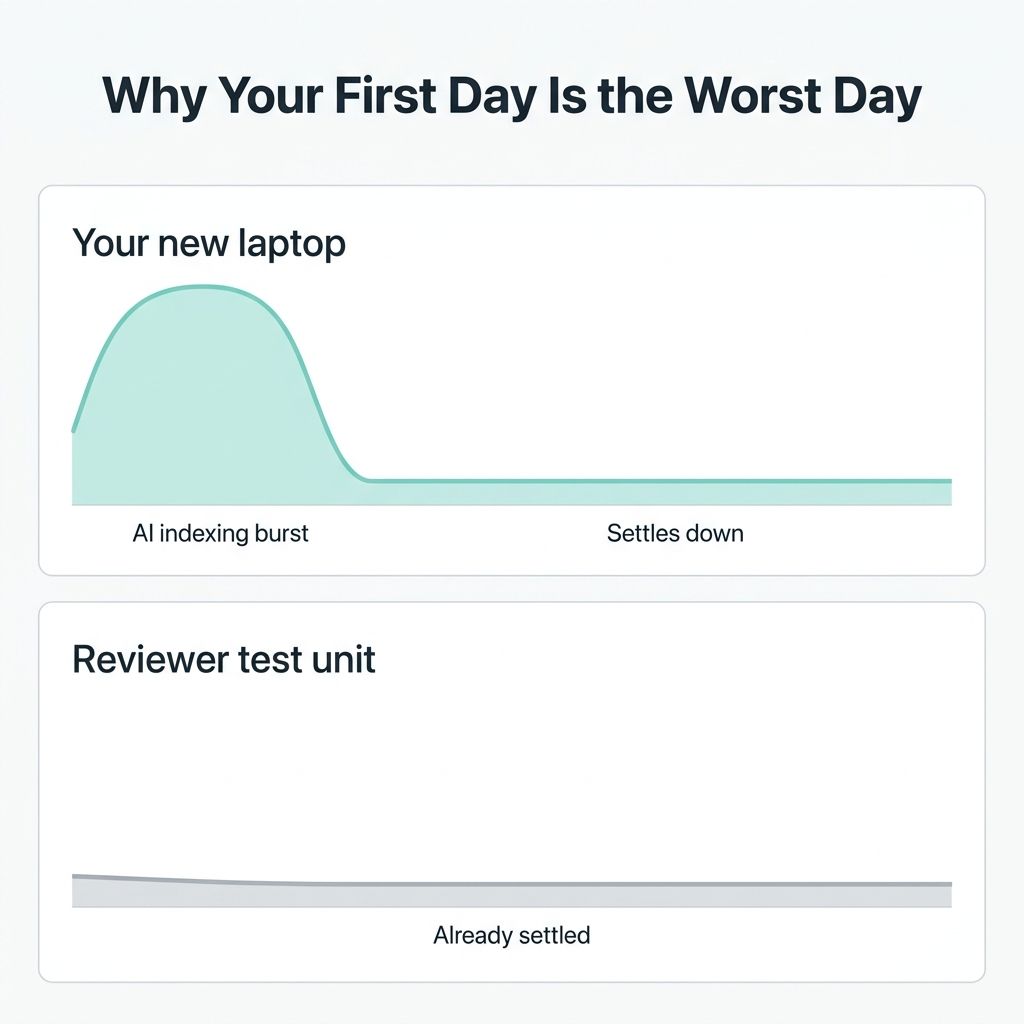
None of this means the reviews were wrong or that the reviewers missed something obvious. It means the review and the ownership experience are measured at different moments. A reviewer benchmarks a machine that is either freshly wiped or already settled, often with sync disabled and the photo library empty, because that is how you get clean, repeatable numbers. The buyer, by contrast, signs in to a full iCloud or Google account on day one, pulls down years of photos and files, and triggers every first-run indexing job at once. The heaviest AI workload on any of these laptops hits in the first hours and days of ownership, which is precisely the window when a new owner is deciding whether the machine lives up to the hype. The mismatch is structural, not a conspiracy, and understanding it is the difference between returning a good computer and waiting two days for it to settle.
It also helps to keep the three cases straight, because they are not the same animal wearing different logos. The Mac’s photo indexing and the Chromebook’s model download are one-time setup costs that fade once the work is done. Recall is an ongoing load that runs for as long as you leave it enabled, which is why Microsoft making it opt-in matters so much. Lumping them together as a single “AI is ruining laptops” complaint would be inaccurate, and a careful reader would catch it. The accurate version is narrower and more useful: on-device AI is a real, new, and largely undisclosed demand on the processor you bought, and the only thing buyers were denied was a heads-up.
Diagnose On-Device AI Before Blaming Your Hardware
Acer Chromebook Plus 516 GE
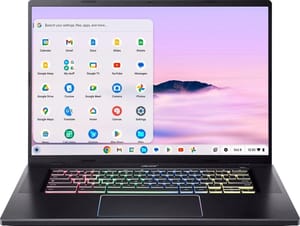
- ✓Large 16-inch 2.5K screen
- ✓strong Chromebook Plus performance
- ✓the on-device Gemini features run smoothly here
- ✗On-device AI model still downloads and runs locally
- ✗larger chassis is less portable
The fix is not to fear on-device AI, which is often the more private way to run these features, but to diagnose it before you blame your hardware. On a Mac, open Activity Monitor and sort by CPU; if mediaanalysisd, corespotlightd, or photoanalysisd are at the top, you are watching a one-time index that a night on power will clear. On a Chromebook Plus, check chrome://on-device-internals to see whether the Gemini Nano model has landed and is running. On a Copilot+ Windows PC, open Task Manager to see what is consuming cycles, and remember that Recall only runs if you opted in. In every case, the first move is to let a new machine settle for a day or two before judging it, because the worst performance you will ever see from these laptops is usually the performance of their first afternoon.
Mac mini with M4 chip

- +M4 chip handles on-device AI without breaking stride
- +sits on power so indexing finishes fast
- +excellent value for a desktop Mac
- -Apple Intelligence photo scanning still runs on your time
- -not a portable machine
If you decide you want less of this rather than just a faster first week, every platform now gives you the switches: Enhanced Visual Search under Photos settings on the Mac, the on-device model toggle in Chrome settings, and the Recall controls under Privacy and security on Windows. A full per-operating-system walkthrough of turning the AI features off is its own subject, and that dedicated guide is the better place for the toggle-by-toggle detail. The point of this piece is simpler and more durable than any single setting. The 2026 default is that the laptop you buy will spend some of its life working on your data without being asked, the cost is real and shows up as the slowness you did not expect, and the same forces driving it are reshaping the entire AI PC hardware race. Knowing that turns an alarming mystery into a manageable one.


