

Every few weeks another “best mini PC for local LLMs” list appears online, and they all say roughly the same thing: get 32GB of RAM, buy an AMD Ryzen 7 8845HS system, install Ollama. That advice was fine when a 32GB DDR5 kit cost $80. It is considerably less fine now that the same kit costs $400 or more, a consequence of the AI-driven DRAM shortage that has pushed memory prices up 171% year over year. The same AI boom that makes you want to run models locally is the reason the hardware to do it costs so much more than it did last summer. With prices like these, it is worth thinking through local versus cloud AI before assuming you need to buy hardware at all.
This guide is not another generic tier list. We have reviewed dozens of mini PCs and written detailed guides on running everything from 2-billion-parameter BitNet models on budget hardware to 70B models on Strix Halo systems. Rather than rehash all of that, this article focuses on the question that actually matters in April 2026: given what memory costs right now, what should you buy to run the models you care about? The answer depends less on which brand of mini PC you pick and more on three things you probably have not thought carefully enough about: memory bandwidth, total system cost including RAM at current prices, and whether the RAM in your machine is soldered or socketed.
The One Spec That Determines Everything
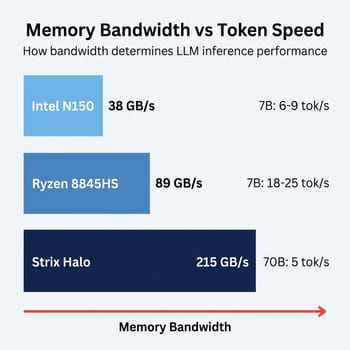
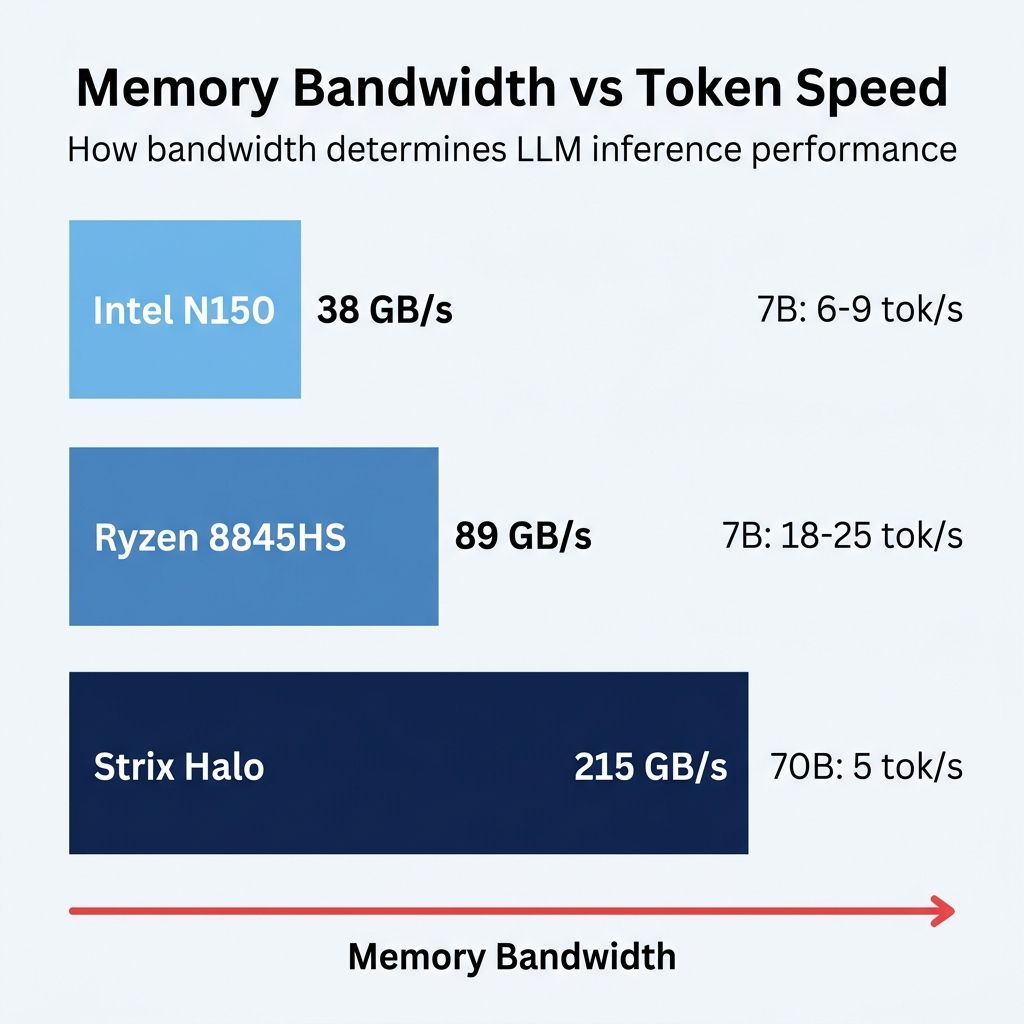
If you remember one thing from this article, make it this: memory bandwidth determines inference speed. Not CPU cores, not clock speed, not the NPU that marketing departments love to mention. When a language model generates text, it reads its entire weight file from memory for every single token it produces. The speed at which data moves from RAM to the compute units, measured in gigabytes per second, directly controls how many tokens per second you see on screen.
An Intel N150 system with single-channel DDR5 delivers roughly 38 GB/s of memory bandwidth. That translates to about 6 to 9 tokens per second on a 7B model: slow enough to feel like watching someone type, but fast enough to be usable for tasks where you do not need instant responses. A Ryzen 7 8845HS system with dual-channel DDR5-5600 pushes roughly 89 GB/s, which gets you 18 to 25 tokens per second on the same model. That feels responsive, close to the speed of a cloud API. And a Strix Halo system with LPDDR5X-8000 reaches about 215 GB/s in practice, enough to generate usable output from a 70-billion-parameter model.
The relationship is almost perfectly linear. Double the bandwidth, roughly double the tokens per second. This is why the specific processor model matters less than the memory configuration it supports, and why the DRAM crisis hits local LLM enthusiasts harder than almost anyone else in the PC market. You are not just paying more for RAM; you are paying more for the single component that most directly determines whether your mini PC delivers a pleasant AI experience or a frustrating one.
What the DRAM Crisis Means for Your Budget
The memory shortage has reshaped the economics of every tier of local AI hardware. A year ago, you could build a credible 32GB mini PC for local LLM work for around $400 to $500. Today, the same configuration runs $650 to $800 because the RAM alone costs $300 or more. Tom’s Hardware tracks daily pricing and the numbers remain painful: a Corsair DDR5-6000 32GB kit that bottomed out at $87 in mid-2025 now sells for over $400, and analysts warn prices will keep climbing through 2026 with no clear timeline for relief.
This changes the calculus for every recommendation in this guide. At the budget tier, 16GB systems that seemed cramped a year ago now represent genuine value because you are saving $200 or more compared to stepping up to 32GB. At the mid-range, the question of soldered versus socketed RAM, once a minor detail, has become a major purchasing factor. And at the high end, systems with LPDDR5X soldered at the factory, like Strix Halo machines, actually benefit from the crisis because their memory was priced and installed before the worst of the spike. The DRAM price analysis we published in January covers the market dynamics in detail, but the practical takeaway for buyers is simple: buy the RAM you need now, because waiting for prices to drop means waiting a year or more. For developers questioning whether local hardware makes sense at all, we also covered when cloud AI undercuts local hardware.
The Tiers at a Glance
Before the tier-by-tier detail, here is the whole decision in one table. Every figure below is explained and sourced in the sections that follow; if you only want the short version, find the largest model you intend to run and read across. Speeds assume Q4 quantization, and costs reflect mid-2026 memory prices.
| Tier and use case | Example mini PC | Memory and bandwidth | Speed | Approx. cost now |
|---|---|---|---|---|
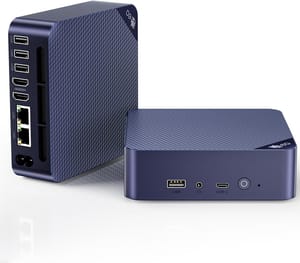
| Experiment, or 7B at usable speed (under $500) | Beelink EQ14 (Intel N150) | 16GB single-channel DDR5, ~38 GB/s | 6-9 tokens/sec on a 7B model | $300-$500 |
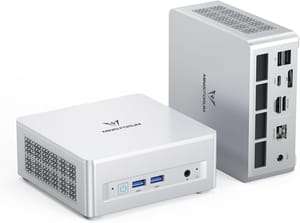
| 7B to 13B at conversational speed | MINISFORUM UM880 Plus or Beelink SER8 (Ryzen 7 8845HS) | 32GB socketed DDR5-5600, ~89 GB/s | 18-25 tokens/sec on a 7B model | $650-$800 |
| Smoothest experience up to 13B | Mac Mini M4 / M4 Pro | Unified memory, up to ~273 GB/s on the M4 Pro | 25-35 tokens/sec on a 7B model | from $1,399 (M4 Pro, 24GB) |
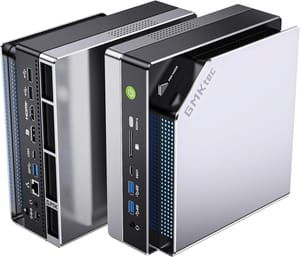
| 70B models | GMKtec EVO-X2 or MINISFORUM MS-S1 MAX (Strix Halo) | 128GB LPDDR5X-8000, ~215 GB/s | ~5 tokens/sec on a dense 70B; 72-75 on MoE | $2,200+ |
If You Have Under $500: Start Small, Think Strategically
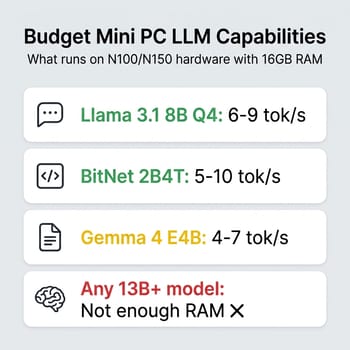
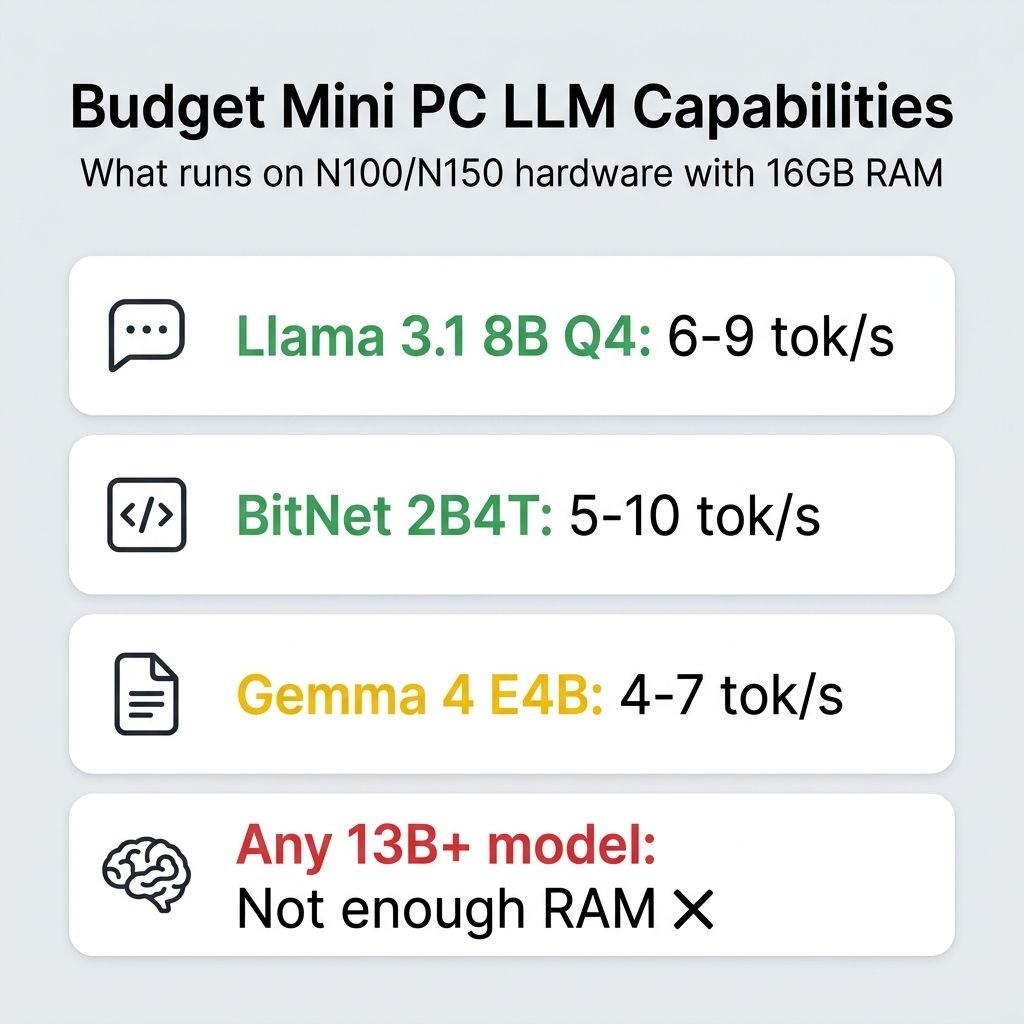
Budget mini PCs and local LLMs work, but the experience requires calibrated expectations. An Intel N150 machine with 16GB of RAM will run Llama 3.1 8B at Q4 quantization at a perfectly usable 6 to 9 tokens per second. That is fast enough for a personal coding assistant that suggests completions while you think, a local chatbot for answering questions about your documents, private local speech-to-text where the audio never leaves the machine, or a summarization tool that chews through articles while you make coffee. It is not fast enough to feel like ChatGPT.
What makes budget hardware interesting right now is BitNet and 1-bit inference. Microsoft’s bitnet.cpp framework lets ternary-weight models run on CPUs without any GPU acceleration, and the 2B parameter BitNet model needs roughly 1.2GB of RAM while delivering reasonable quality for basic tasks. On an N100, expect around 5 to 10 tokens per second from BitNet models. Google’s Gemma 4 E4B is another option in this tier, delivering roughly 4 to 7 tokens per second on N100/N150 hardware at Q4 quantization while punching above its weight on reasoning benchmarks. The models are smaller and less capable than their full-precision counterparts, but they run comfortably on hardware that costs a third of what a “proper” LLM box costs, and they are improving rapidly.
Beelink EQ14
- +Intel N150
- +16GB DDR4
- +quiet operation
- +compact form factor
- -Single-channel memory limits bandwidth
- -16GB ceiling for most configs
If you already own a budget mini PC, you probably do not need to buy a new one. Install Ollama, pull a 7B or 8B model, and see whether the speed is acceptable for your use case. If it is, you have just saved yourself $500 or more. If it is not, you now know exactly what “not fast enough” feels like, which makes the decision to spend more on a mid-range system much easier to justify. We covered which specific Gemma 4 variants run on which hardware tier if you want concrete model-to-hardware pairings.
If You Want 7B to 13B Models at Conversational Speed
The sweet spot for most developers exploring local LLMs in 2026 is a mini PC built around AMD’s Ryzen 7 8845HS or a similar chip with dual-channel DDR5 and the Radeon 780M integrated GPU. These systems deliver 18 to 25 tokens per second on 7B and 8B models, which feels responsive enough that you stop noticing the delay. The integrated GPU accelerates inference through Vulkan, handling partial layer offloading that meaningfully boosts performance beyond what the CPU alone can deliver.
The catch, predictably, is cost. A year ago these systems shipped with 32GB of DDR5 for $400 to $500. Today, the same configuration starts around $650 and can climb past $800 depending on storage and brand. The MINISFORUM UM880 Plus and Beelink SER8 are both built around this processor and both offer socketed DDR5 SO-DIMMs, which matters enormously. Socketed RAM means you can buy the system with 16GB now at a lower price and upgrade to 32GB or 64GB later if DRAM prices come down. Systems with soldered LPDDR5 give you no such flexibility: you are committed to the memory configuration you buy.
MINISFORUM UM880 Plus
- +Ryzen 7 8845HS
- +socketed DDR5 (upgradeable)
- +Radeon 780M iGPU
- +dual M.2 slots
- -Fan noise under sustained load
- -DRAM prices make 32GB configs expensive
Thirty-two gigabytes is the realistic minimum for this tier if you want to run 13B models or use long context windows with 7B models. The model weights for a 13B Q4 quantization occupy roughly 8GB, but the KV cache for extended conversations and your operating system’s own memory needs push the total requirement well past 16GB. If you are only running 7B models with short context, 16GB works, but you will feel the ceiling quickly if you start experimenting with larger models or multi-model setups.
If You Need to Run 70B Models
Running 70-billion-parameter models locally requires a fundamentally different class of hardware, and in 2026 that means AMD’s Strix Halo platform. These chips use LPDDR5X-8000 unified memory that both the CPU and the 40-CU integrated Radeon 8060S GPU can access directly, eliminating the bottleneck that kills performance when large models overflow discrete GPU VRAM. The GMKtec EVO-X2 starts around $2,200 with 128GB of memory, while the MINISFORUM MS-S1 MAX launches at $2,300 and up depending on configuration.
The performance profile is distinct from the mid-range tier. Expect around 5 tokens per second on a dense 70B model: slow enough that you notice the delay, fast enough to be usable for interactive work. Where Strix Halo gets exciting is with Mixture of Experts models like Qwen3-30B-A3B, which activate only a fraction of their parameters per token. Community testing shows 72 to 75 tokens per second on those architectures, a dramatic improvement that makes the $2,000+ investment feel justified for developers building RAG pipelines or agentic workflows. Our Strix Halo LLM inference guide covers the software setup, backend choices, and realistic performance expectations in depth. We have also covered linked Strix Halo mini PC clusters for builders who want to go further. And if you are willing to step outside the mini PC category, NVIDIA’s DGX Spark is a dedicated local-AI dev kit aimed at exactly this kind of large-model work; we map where it fits, and where a Strix Halo box still makes more sense for the money, in our look at the DGX Spark and the local AI hardware landscape.
GMKtec EVO-X2
- +Ryzen AI Max+ 395
- +128GB unified LPDDR5X
- +215 GB/s bandwidth
- +runs 70B models
- -$2
- -100+ price
- -fan noise under AI load
- -Vulkan/ROCm learning curve
One counterintuitive advantage of the Strix Halo tier in the current market: because these systems ship with LPDDR5X soldered at the factory, the DRAM crisis affects them less than you might expect. The memory was purchased by the manufacturer months ago at wholesale prices, and while system prices have crept up, they have not risen as dramatically as the cost of buying discrete RAM sticks for a socketed system. A comparable amount of memory purchased as retail SO-DIMMs would cost considerably more. If you are tempted to hold out for the next generation, our look at whether to wait for the Gorgon Halo rebadge lays out who benefits from waiting and who should buy now.
The Mac Mini M4 Question
Every buyer’s guide for local LLMs has to address the Mac Mini, and here it is: for models up to 13B parameters, the Mac Mini M4 is arguably the best local inference box you can buy for the money. Apple’s unified memory architecture delivers 25 to 35 tokens per second on 7B models, the Metal Performance Shaders and MLX framework are mature and well-optimized, and the setup experience with Ollama or LM Studio is as close to plug-and-play as this space gets. The M4 Pro variant pushes 273 GB/s of memory bandwidth, slightly edging out even Strix Halo, and the system runs nearly silent under sustained inference loads. Our Mac Mini M4 review covers the broader picture.
The limitation is memory capacity, not performance. The base M4 ships with 16GB, which is tight for anything beyond 7B models. The M4 Pro with 24GB starts at $1,399 and handles 13B models well but cannot run 70B models at usable quantization levels. The M4 Pro with 48GB at $1,799 is compelling for 30B models and heavily quantized 70B inference, but at that price you are within striking distance of a Strix Halo system that offers 128GB. If your work requires large models, the Mac caps out before the AMD alternatives do. If you primarily run 7B to 13B models and value a polished, quiet experience with strong resale value, the Mac Mini is the better fit. If you are not in a hurry, we also looked at the M4 versus M5 timing decision for buyers with more flexibility.
Software: Easier Than You Think
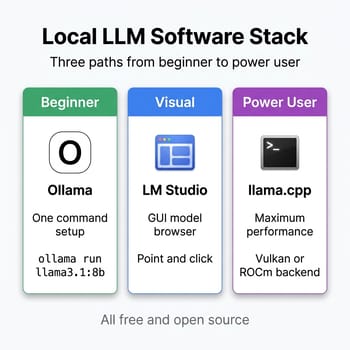
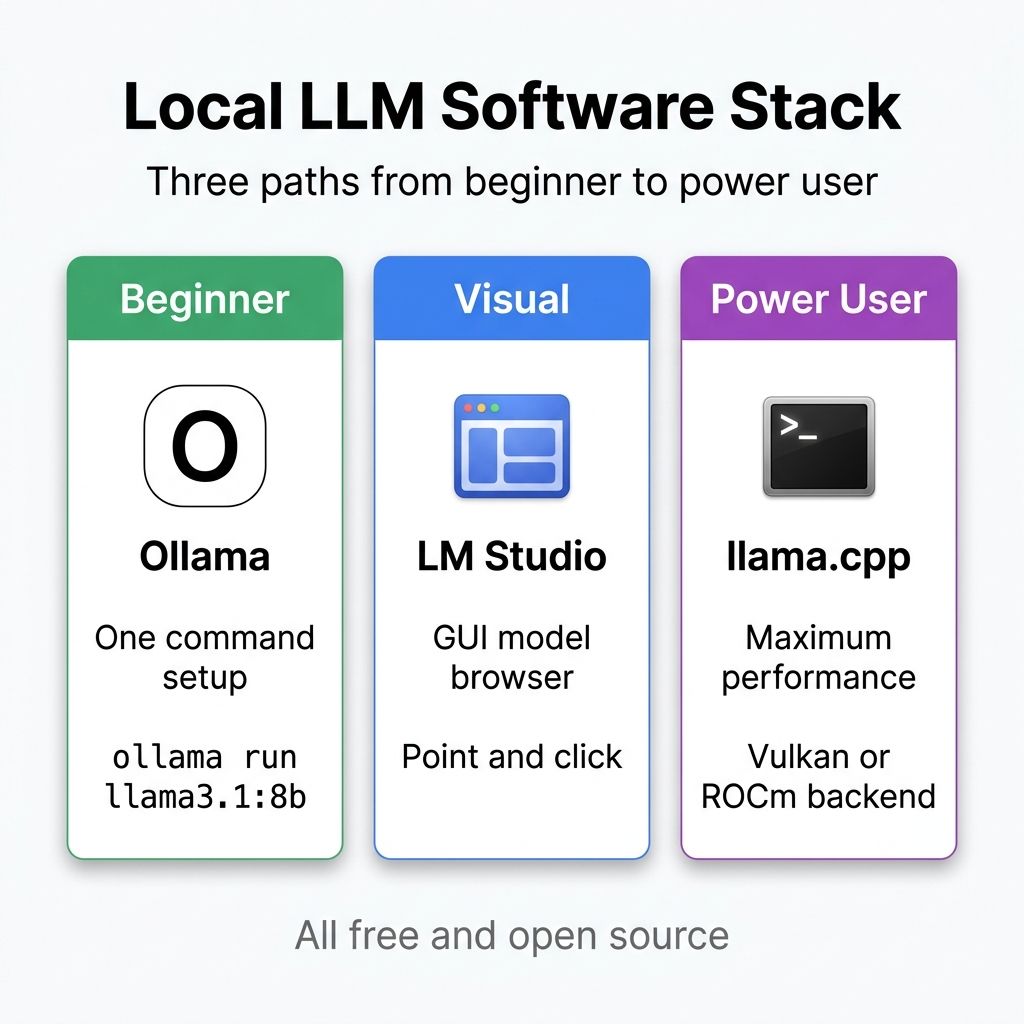
The software side of local LLMs has matured dramatically since 2024. If you are new to this, Ollama is the place to start. It handles model downloads, quantization selection, and inference in a single command-line tool that works on Linux, macOS, and Windows. Type ollama run llama3.1:8b and you have a working chatbot in under a minute. LM Studio offers a graphical interface if command lines are not your thing, with a model browser that lets you search and download from Hugging Face directly.
For power users who want maximum performance, llama.cpp with a Vulkan backend is the standard choice on AMD hardware. The Vulkan driver (RADV on Linux) provides stable, well-tested GPU acceleration that works across the full range of AMD integrated graphics, from the Radeon 780M in mid-range systems to the Radeon 8060S in Strix Halo. ROCm offers higher theoretical performance for long-context workloads but requires more setup. Our Strix Halo inference guide walks through both configurations with specific commands and expected performance numbers.
On the Mac side, MLX is Apple’s native framework for efficient inference on Apple Silicon. It is fast, well-maintained, and works transparently with Ollama and LM Studio. If you are on a Mac, you do not need to think about backends or drivers; the stack just works.
The Soldered RAM Factor
Here is a detail that most buyer’s guides skip but matters enormously in 2026: whether your mini PC’s RAM is soldered to the motherboard or installed in socketed SO-DIMM slots. With DDR5 prices currently at historic highs, socketed RAM gives you a genuine strategic option. Buy a 16GB system now at a lower total cost, run 7B models comfortably, and upgrade to 32GB or 64GB in 2027 when analysts expect prices to normalize. Soldered systems lock you into your memory configuration permanently: if you buy 16GB soldered, you are stuck with 16GB forever.
Many modern mini PCs in the budget and mid-range tiers now ship with soldered LPDDR5 or LPDDR5X, which offers slightly better bandwidth and power efficiency but removes the upgrade path entirely. When checking specs, look specifically for “SO-DIMM” in the memory description. The Beelink SER8 and MINISFORUM UM880 Plus both use socketed DDR5 SO-DIMMs. Several newer slim designs, including most Intel Core Ultra systems, have moved to soldered memory. This is not inherently bad (soldered LPDDR5X runs faster and uses less power), but it means your purchase decision is final.
Consider Used Hardware
With new DDR5 prices up over 400% from their 2025 lows, the used and refurbished market deserves serious consideration. A lightly used Ryzen 7 7735HS or 8845HS mini PC from 2024 or early 2025 typically comes with 32GB of DDR5 already installed, and sellers price these systems based on depreciated hardware value rather than current memory replacement cost. You effectively get the RAM at 2024 prices baked into a system that costs 30 to 40 percent less than buying new. The trade-offs are real (no warranty, potential wear, limited return options), but for a home lab or development box, the savings can be substantial. The self-hosting community has been particularly vocal about this approach, with used mini PCs becoming a popular entry point for developers building local AI workflows.
The Decision in One Paragraph
If you have under $500 and want to explore, buy a 16GB N150 system and run 7B models. If you need responsive 7B to 13B inference and run Linux or Windows, get a socketed-RAM Ryzen 8845HS system and start with 16GB or 32GB. If you want the smoothest experience with models up to 13B, get a Mac Mini M4. If you need 70B models, the Strix Halo platform is the only mini PC option that makes sense. And regardless of tier, think of RAM as the most volatile component in your build right now: buy what you need, consider socketed systems for future flexibility, and do not wait for prices to drop because nobody knows when they will.


