

Microsoft’s bitnet.cpp was announced as running 100-billion parameter models on a single CPU, with no GPU required. The 100B claim used dummy weights in a research benchmark, not a model you can actually download and chat with. But underneath the hype, there’s a useful technology that could matter a lot for people running mini PCs with budget processors.
bitnet.cpp works. Whether it works well enough on budget hardware to be useful beyond a tech demo gets a qualified yes.
1-Bit LLMs Train from Scratch Using Ternary Weights
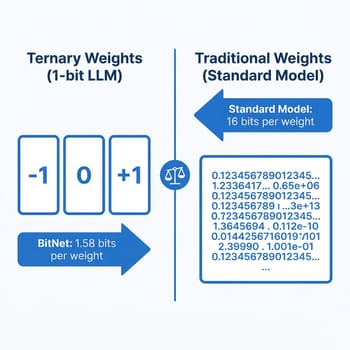
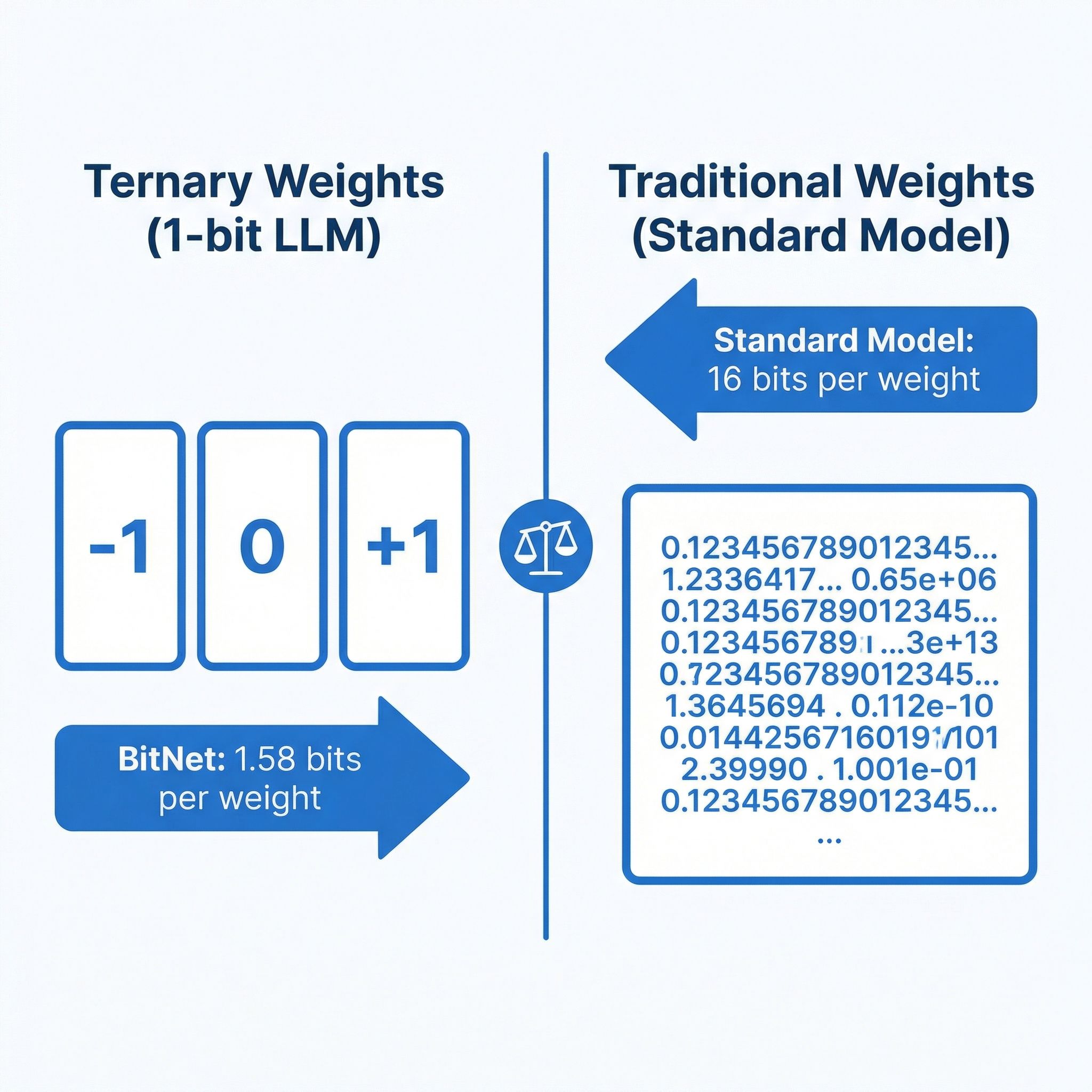
Standard language models store each parameter as a 16-bit or 32-bit floating-point number. When you “quantize” a model to 4-bit precision using tools like llama.cpp, you’re compressing those numbers after training, trading some accuracy for reduced memory usage. BitNet instead trains the model from scratch using ternary weights: each parameter can only be -1, 0, or +1. That’s 1.58 bits per weight in the binary system, hence the name “BitNet b1.58.”
When your weights are limited to three values, the matrix multiplications that dominate LLM inference become much simpler. Instead of multiplying floating-point numbers, the hardware essentially just adds and subtracts, which CPUs can do extremely efficiently. The original bitnet.cpp paper showed 2.37x to 6.17x speedups on x86 processors compared to standard inference, with 71-82% energy reduction. On ARM chips, speedups ranged from 1.37x to 5.07x with 55-70% energy savings.
The catch is that you can’t just take any model and convert it to 1-bit. Post-training quantization to such extreme precision destroys quality. The models need to be trained natively in this format, which means the ecosystem of available 1-bit models is still small compared to the thousands of standard models on Hugging Face.
1-Bit Models You Can Run Today
The model ecosystem for 1-bit inference is growing but still young. Microsoft’s BitNet b1.58 2B4T is the flagship: a 2-billion parameter model trained natively at 1.58-bit precision on 4 trillion tokens. It’s the first production-quality native 1-bit LLM, and the benchmark results are competitive for its size. It matches or exceeds Llama 3.2 1B, Gemma 3 1B, and Qwen 2.5 1.5B on standard benchmarks (scoring 49.9% on ARC-Challenge, 53.2% on MMLU, and 58.4 on GSM8K math) while using just 0.4GB of memory for its non-embedding weights, compared to 1.4-4.8GB for those competitors.
Beyond the Microsoft model, the Falcon3 family from TII offers 1.58-bit versions at 1B, 3B, 7B, and 10B parameter scales. There’s also a community-created Llama3-8B at 1.58-bit precision. These larger models are appealing because they promise better quality from more parameters, which is normally the most reliable way to improve LLM output.
The Falcon3 and Llama3 1.58-bit models are post-training quantized, not natively trained like BitNet 2B4T. That means they may not retain quality as well as a model trained from scratch at this precision, though they do run through the same optimized inference kernels. The practical difference is that if you want the best quality-per-bit, the native BitNet 2B4T is the reference point, while the larger Falcon3 models give you more capacity at potentially lower quality per parameter.
Performance on Budget Hardware
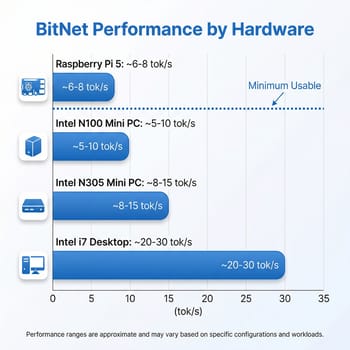
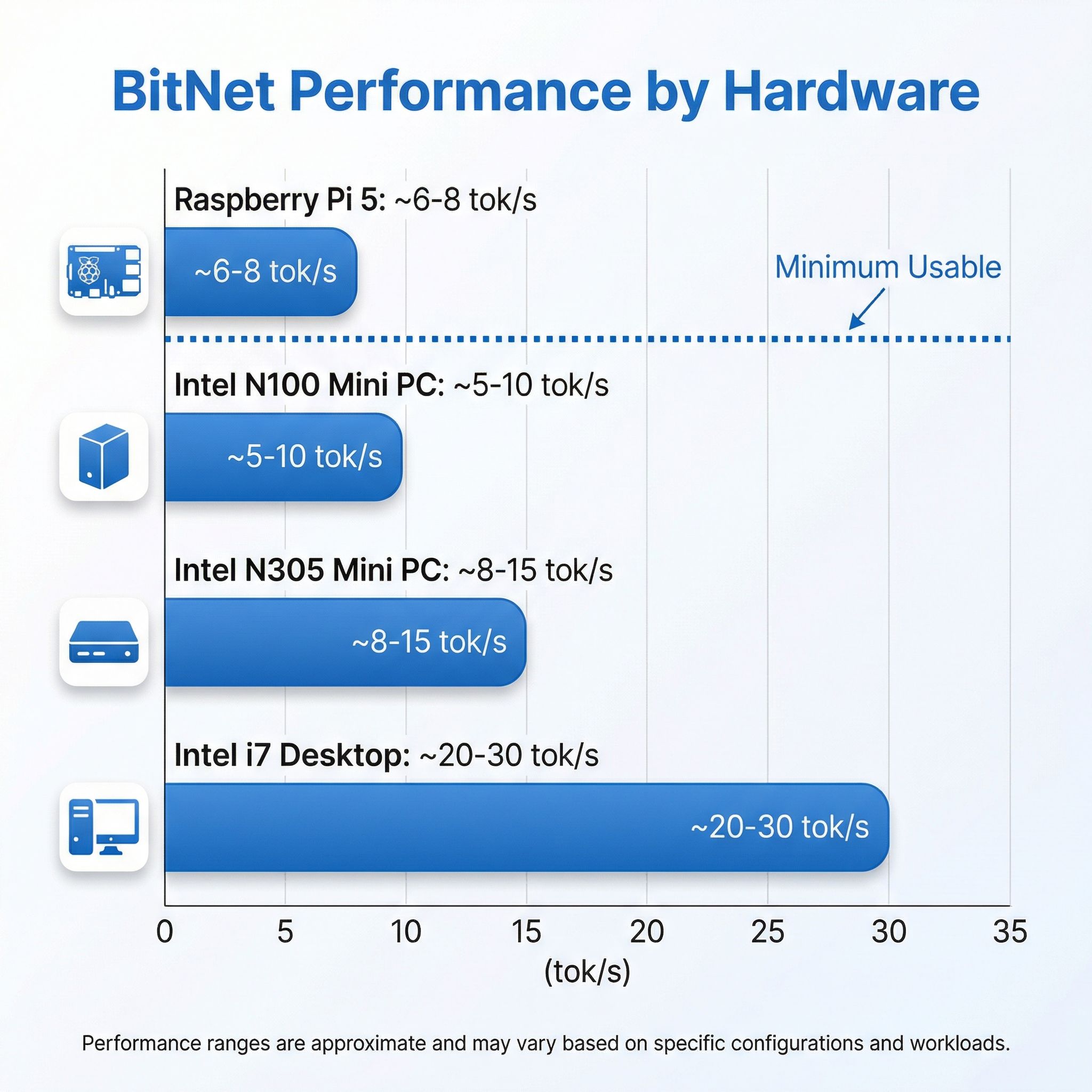
The most relevant benchmark comes from Adafruit’s testing on a Raspberry Pi 5: the BitNet 2B4T model achieved 5.57 tokens per second for prompt processing and 6.43 tokens per second for generation. That’s running on the Pi’s quad-core ARM Cortex-A76 at 2.4GHz with 8GB of RAM. Broader testing showed around 8 tokens per second with optimized settings, and Microsoft’s T-MAC runtime pushed the 3B model to 11 tokens per second on the same hardware.
For an Intel N100 mini PC, you should expect performance in a similar range. The N100’s four Gracemont efficiency cores at 3.4GHz turbo are roughly comparable to the Pi 5’s ARM cores for this kind of workload, though the exact numbers depend heavily on RAM configuration. The N100 supports single-channel DDR4 or DDR5 memory, giving you roughly 38 GB/s of memory bandwidth at best. Memory bandwidth is the primary bottleneck for LLM inference, and single-channel memory caps throughput regardless of which framework you use. An N305 with its eight cores would do meaningfully better on the compute side, but it faces the same memory bandwidth constraint.
The practical expectation for an N100 running BitNet 2B4T is somewhere in the 5-10 tokens per second range: enough for a slow but readable conversation, not enough for anything that feels responsive. For the larger Falcon3-7B or 10B models, expect considerably slower performance, likely 1-3 tokens per second, as the model size pushes harder against both compute and memory limits.
A 2B Model Caps What BitNet Can Answer
The BitNet 2B4T model does well for a 2-billion parameter model. It matches full-precision models of similar size while using a fraction of the resources. But a 2B parameter model, regardless of how efficiently it runs, has fundamental quality limitations that no amount of optimization can overcome.
At 2B parameters, you get a model that can handle basic question-answering, simple summarization, and straightforward coding tasks. It struggles with complex reasoning, nuanced writing, and multi-step problem solving. For context, 70B-class open-weight models like Meta’s Llama and Alibaba’s Qwen are 35 times larger than what BitNet currently offers as a natively trained model.
The more relevant comparison for budget hardware users is against small quantized models running through llama.cpp. A 4-bit quantized Qwen 2.5 3B or Phi-3 Mini 3.8B can run on an N100 at roughly similar speeds to BitNet 2B4T, and those models have more parameters to work with even after quantization. The quality difference isn’t dramatic at this scale: both approaches give you a basic conversational AI that’s useful for simple tasks but clearly limited compared to cloud services. Where BitNet has the edge is energy efficiency: your mini PC draws less power and generates less heat running the 1-bit model, which matters if you’re leaving it running as a background assistant.
How It Compares to More Powerful Options
If you’ve read our coverage of AMD’s Strix Halo mini PCs for local LLM inference or the DGX Spark analysis, you know that serious local AI work currently requires expensive hardware. Strix Halo systems with 128GB of unified memory can run 70B parameter models at 5 tokens per second, qualitatively different from what a 2B model can produce, regardless of quantization approach. Those systems start around $1,500-2,000, putting them in a completely different category from a $150 N100 mini PC.
BitNet gives budget hardware a local AI option without requiring a GPU. If you already own an N100 or N305 mini PC for self-hosting or general use, BitNet lets you add a basic local AI assistant at zero additional hardware cost.
That’s meaningful for privacy-conscious users who don’t want their queries going to a cloud API, for offline scenarios, or for experimenting with local AI before deciding whether to invest in more capable hardware. A similar logic drives running Whisper locally for private transcription, where keeping audio off the cloud is the whole point. It is a way to find out whether local AI fits your workflow, and whether the speed and quality are sufficient for your needs, before spending on a Strix Halo system or dedicated AI hardware. It also helps to think through the cloud-versus-local question, since a managed service will happily serve much bigger models for a few dollars a month.
Setting It Up
Getting bitnet.cpp running requires more technical comfort than typical local AI tools like Ollama. The framework needs to be built from source using Clang, with a conda environment for Python dependencies. On a Linux-based mini PC, the process looks roughly like this: clone the repository, create a conda environment, install requirements, then use the included setup script to download and convert a model. The whole process takes 15-30 minutes on a reasonable internet connection, with most of that time spent downloading model weights.
The experience once it’s running is straightforward: you get a command-line chat interface that responds at the speeds described above. There’s no web UI built in, though the community has created wrappers. This is a tinkerer’s tool today. If you’re comfortable with the command line and don’t mind some setup friction, it works. If you want the Ollama or LM Studio experience of downloading a model and chatting in a browser window, you’ll need to wait for better tooling to emerge around 1-bit models.
Where This Is Heading
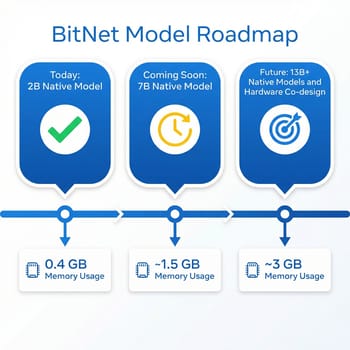
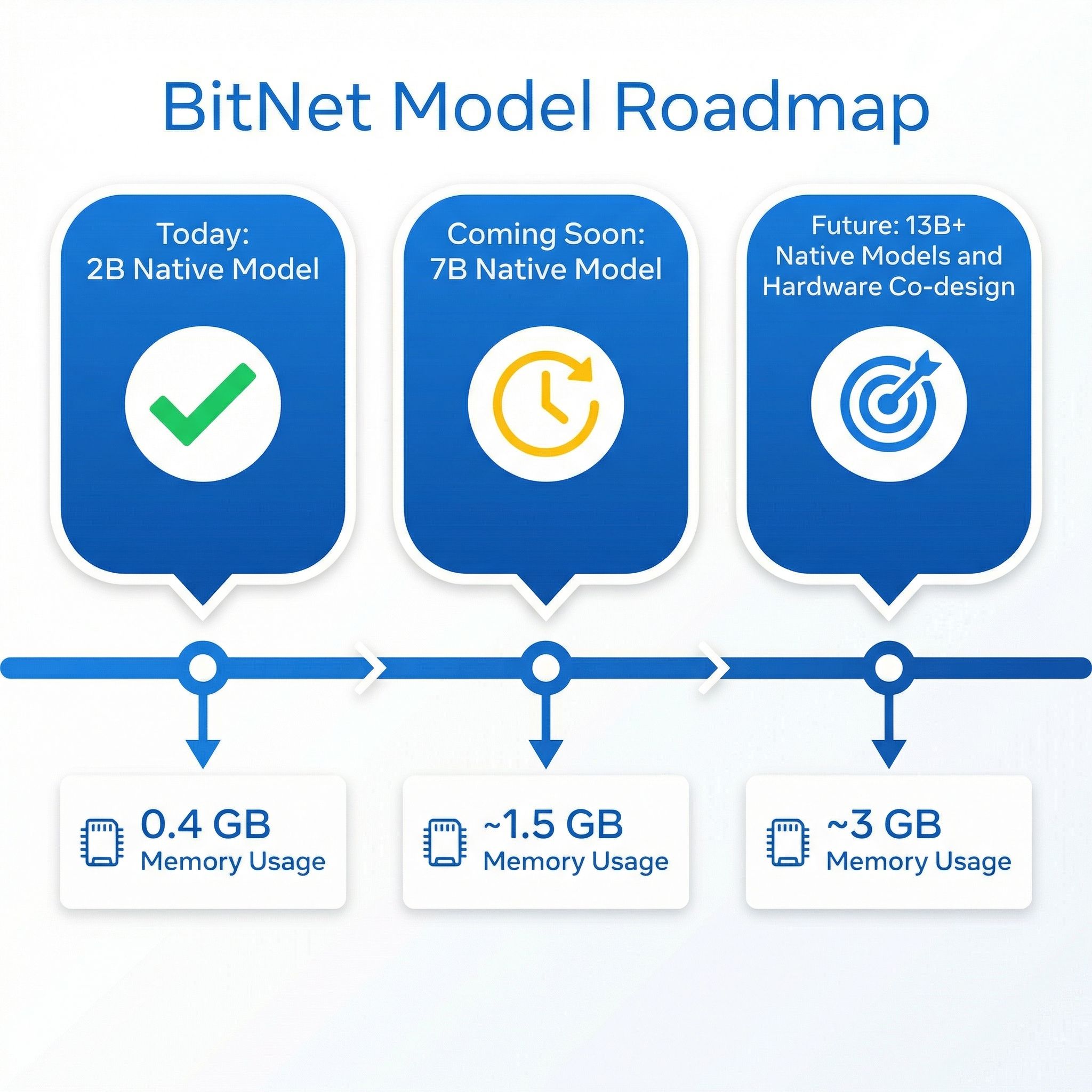
Microsoft’s research team has named 7B and 13B as future scales for natively trained 1-bit models, with the open question being whether the performance parity with full-precision models holds as size increases.
The framework itself continues to improve. The latest optimization paper introduced parallel kernel implementations that added another 1.15-2.1x speedup across hardware platforms. NPU support is on the roadmap, which could be particularly relevant for newer mini PC processors that include dedicated AI acceleration hardware. Microsoft also runs a broader “1-bit AI Infra” initiative around efficient AI architectures.
The wildcard is hardware co-design. Microsoft has explicitly discussed collaborating on processors with native ternary computation support. If future CPU architectures include dedicated logic for ternary operations, the speedups could be dramatically larger than what we see today. For mini PC buyers thinking about their next purchase, the processor options for local AI inference could look very different in 18 months.
Who Should Try This Today
If you own a budget mini PC with an N100 or N305 processor and you’re curious about local AI, BitNet is worth experimenting with. You’ll get a basic conversational AI that runs entirely on your CPU, uses minimal power, and keeps your data private. It won’t replace ChatGPT or Claude for serious work, but it can handle simple questions, basic text generation, and lightweight coding assistance at a level that’s functional if not impressive.
If you’re specifically shopping for local AI hardware, a budget mini PC with BitNet is not the right approach today. The quality gap between a 2B model and a 7B or 13B model is substantial, and for $200-300 you can get an N305 mini PC that runs small quantized models through llama.cpp at similar speeds with somewhat better quality. For useful local AI, the Strix Halo systems remain the sweet spot for enthusiasts willing to spend more, and the more ambitious have even started linking Strix Halo boxes into a small inference cluster to push past single-node limits.
The best fit today is running BitNet as a lightweight background service on hardware you already own. A mini PC that’s primarily serving as a home server can add a basic local AI endpoint with minimal impact on its other workloads, thanks to the low memory and power requirements. That’s a new capability that didn’t exist before bitnet.cpp, and it’s likely to get more useful as larger native 1-bit models become available over the coming months.
Beelink Mini S13
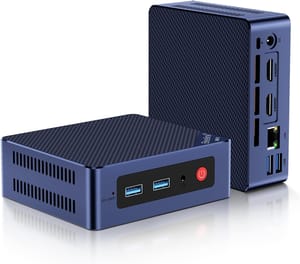
- +Intel N150
- +16GB DDR4
- +dual M.2 slots
- +about 7W at idle
- -Single-channel memory limits AI throughput
- -modest CPU for larger models
Beelink MINI S12 Pro
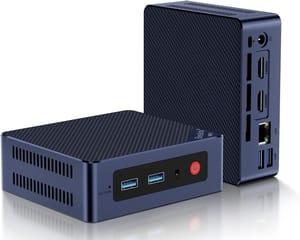
- +Intel N100
- +16GB DDR4
- +compact form factor
- +idles at roughly 7 to 10 watts
- -4 cores limits multi-threaded inference
- -single Gigabit Ethernet
- -no USB-C


