

Apple’s 2026 Mac mini comes with one of two chips, the M6 or the M5 Pro, and for running language models and image generators on your own desk the choice comes down to memory bandwidth (170GB/s on the M6, 307GB/s on the M5 Pro) and the memory ceiling (32GB against 64GB). Bandwidth, how fast the chip reads its unified memory, sets how fast a model writes its answer. The ceiling, the most memory you can order, sets which models fit at all. CPU core counts, the Neural Engine, and Thunderbolt versions matter much less for this job.
The M4 Mac mini is no longer part of this decision. Apple replaced it with the M6 and M5 Pro models, and new units are hard to find: The Tech Chap said in his M6 review that he could not find a new M4 mini from a reputable retailer in the UK. This piece replaces our April 2026 advice on whether to buy the M4 or wait for the M5, which assumed the M4 was still on sale.
Memory bandwidth and the memory ceiling decide it
Apple’s Mac mini spec page lists the memory options for both chips. The 16GB M6 runs at 153GB/s, and the 24GB and 32GB M6 configurations run at 170GB/s. Every M5 Pro configuration runs at 307GB/s, whether it has 24GB, 48GB, or 64GB. Prices below are Apple’s US configuration prices, as tabulated by Daring Fireball.
| Configuration | Memory | Bandwidth | Apple price |
|---|---|---|---|
| M6, 256GB SSD | 16GB | 153GB/s | $899 |
| M6, 256GB SSD | 32GB | 170GB/s | $1,299 |
| M6, 512GB SSD | 32GB | 170GB/s | $1,499 |
| M5 Pro (15-core), 512GB SSD | 24GB | 307GB/s | $1,699 |
| M5 Pro (15-core), 512GB SSD | 48GB | 307GB/s | $2,299 |
| M5 Pro (15-core), 512GB SSD | 64GB | 307GB/s | $2,699 |
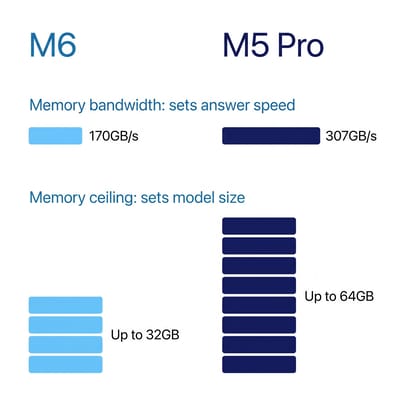
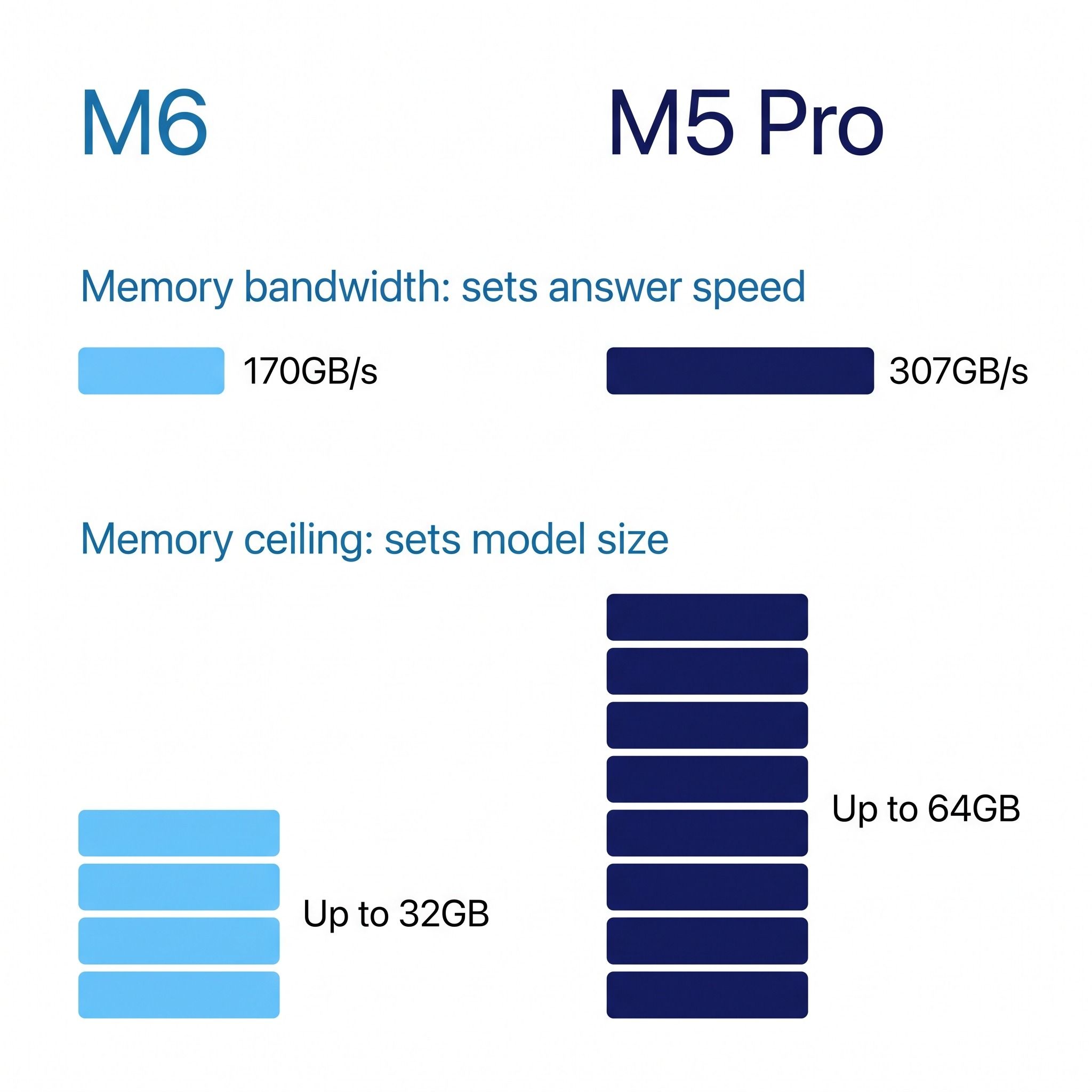
Memory is soldered on both models, so the amount you order is the amount you keep. The 32GB M6 and the 48GB and 64GB M5 Pro are configure-to-order options on Apple’s store; the standard models sold through other retailers top out at 24GB.
The $1,699 M5 Pro starts with 24GB, less memory than a $1,299 M6 with 32GB. It runs whatever fits much faster, but it fits less. For local AI, the M5 Pro’s case rests on its 48GB and 64GB configurations.
Bandwidth sets how fast a model answers
A language model produces its answer one token (a word or part of a word) at a time, and for each token the chip reads the whole model out of memory. That makes answer speed, called generation or decode speed, mostly a question of bandwidth. Divide the bandwidth by the size of the model in memory and you get a rough upper limit on tokens per second. A 27-billion-parameter model at 4-bit quantization takes a little over 16GB, so the M6’s rated 170GB/s puts its ceiling at about 10 tokens per second.
The measured results land close to that line. In Alex Ziskind’s review, the STREAM memory test measured about 143 to 145GB/s on a 32GB M6, below Apple’s 170GB/s rating, and a 27B Qwen model ran at about 9.7 tokens per second in LM Studio. Execute Automation measured the same class of model, a 27B Qwen at 4-bit on a 32GB M6, at about 8 to 9 tokens per second with standard MLX runtimes, and at 16 to 19 tokens per second with multi-token prediction, a form of speculative decoding in which the model guesses several tokens ahead and then checks them. At 8 to 10 tokens per second a chat reply is usable, but a long answer takes a minute or more.
The M5 Pro’s 307GB/s is about 1.8 times the M6’s rating, so the same model should answer proportionally faster on it. As of late September 2026, no measured tokens-per-second figure for the M5 Pro Mac mini has been published: the machines shipped on September 22, and Ziskind said his M5 Pro tests are still to come. Until those numbers arrive, the M5 Pro’s speed advantage rests on the spec sheet and on how closely the M6’s measured results track its own bandwidth. Real bandwidth on the M5 Pro will also land somewhat below its rating, as it did on the M6.
Bandwidth drew the top comment on the r/LocalLLaMA launch thread: u/undisputedx called the M6 “not very powerful at 170 GB per second for LLM users.” Another commenter there, u/TheProtector0034, pointed out that the older M4 Pro has 273GB/s and reported 10 to 15 tokens per second from a 27B Qwen model at 4-bit on an M4 Pro MacBook, a little ahead of the M6 results above.
Prompt processing is where the M6 improved most
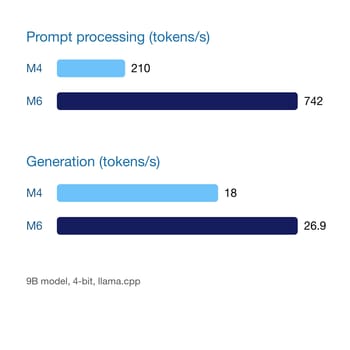
Generation is only half the wait. Before a model writes anything, it reads your whole prompt, and that step (prompt processing, or prefill) depends on the GPU’s compute rather than on bandwidth. The M6 puts a Neural Accelerator in every GPU core, and this is where its gains over the old M4 are largest. In Ziskind’s llama.cpp test with a 9B model at 4-bit, the M6 processed prompts at 742 tokens per second against 210 on the M4, about 3.5 times faster, while generation rose from 18 to 26.9 tokens per second, about 1.5 times faster. Time to first token over his local server test dropped from about 2.5 seconds to 0.7 seconds.
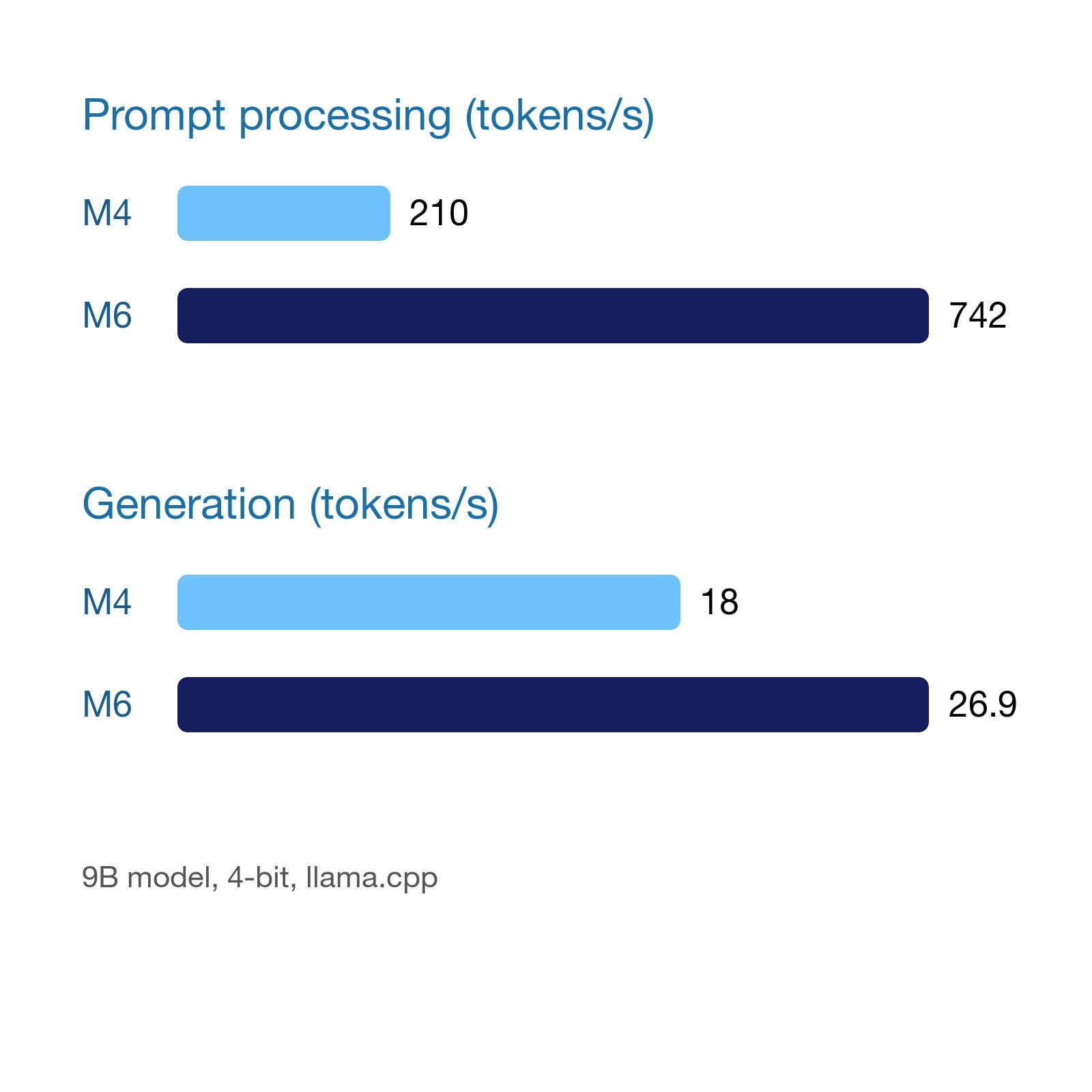
The 742 figure measures prompt processing, not generation. Apple’s own claim of up to 4.8 times faster LLM prompt processing in LM Studio against the M4 Mac mini describes the same step, and Apple’s figures are best read as a ceiling rather than a typical result. Prompt speed matters most for long inputs: pasting a document, feeding a coding agent a large file, or running retrieval over your notes. For short chat questions, generation speed dominates the wait.
The M5 Pro also has Neural Accelerators in its GPU cores, with 16 or 20 GPU cores against the M6’s 12, which points to prompt processing at least on par with the M6. Apple claims up to 4 times faster prompt processing than the M4 Pro for it, but that compares against a different chip and does not rank the two Mac minis.
Capacity sets which models fit
The model is not the only thing in memory. macOS, your browser, and your other apps share the same pool, and the context window (the conversation the model keeps track of) grows as you use it. Ziskind’s 27B test used about 23GB of the 32GB M6 with a very long context window, and the model would not load on a 16GB machine at all. Fstoppers noted that DaVinci Resolve reported 37.4GB of a 48GB M5 Pro’s memory available to the GPU, so in that test the GPU could not use the whole pool.
Reddit posters describe that squeeze. In an r/macmini thread on running 20B to 30B models on a 32GB M6, u/Rye2-D2 wrote that a 27B model at 4-bit runs “if you’ve got nothing else running, but it’s quite slow. I would say you do need 48-64GB if you are running the LLM locally and also your dev tools & web browsers”. iJustine ran a chatbot and an image model together on a 32GB M6, and the two filled memory to the point that Blender would not start.
The extra memory in a 64GB machine lets larger models load, holds longer context, or runs two models at once, but it does not make any of them answer faster; the chip and its bandwidth still set that. At a few tokens per second, a model that barely fits is too slow to use.
In practice, a 32GB M6 handles models up to the 27B class at 4-bit, as long as it is mostly doing that one job. The 64GB M5 Pro opens up larger quantized models, higher-quality quantizations of mid-size models, long context, and running a model alongside a full set of development tools. Neither Mac mini holds the largest open models; that takes a Mac Studio or a dedicated GPU workstation. If you are also weighing a Windows or Linux mini PC with an AMD Strix Halo chip, which offers more memory for local models, our mini PC vs Mac mini comparison covers the wider tradeoffs.
Image generation favors the GPU core count
Ziskind generated a Flux image in 35 seconds on the M6 against 1 minute 34 seconds on the M4. Image models are compute-bound, so the GPU’s core count and Neural Accelerators matter more for them than bandwidth. iJustine’s test with a small distilled Flux model produced an image every 12 seconds on the M6. Bobby Tonelli, who ran Draw Things on an M5 Pro Mac mini, said that if AI is a big factor for you, it is another reason to consider the M5 Pro or even the M5 Max.
The case for each machine, and the case against both
In an r/macmini thread from a student torn between the two, the most common recommendation was the 64GB M5 Pro; u/Leather-Beach-7849 wrote, “Go for the pro with 64 GB if you are planning to run LLMs locally”. On X, @kimmonismus made a similar argument, advising buyers to skip the base M6 for serious local AI and get the 64GB M5 Pro for larger quantized models and higher bandwidth.
One r/macmini commenter, u/Psychological-Law274, pointed a buyer planning a private finance assistant away from the 64GB M5 Pro and toward the Mac Studio with the 40-core M5 Max, writing that in Canada the Studio is “only around CAD $800 more”. Apple rates the 40-core M5 Max at 614GB/s, twice the M5 Pro; the standard 32-core M5 Max runs at 460GB/s. If you are already spending $2,699, that step deserves a look; our comparison of the Surface RTX Spark and the Mac Studio covers the workstation tier those machines sit in.
Dave2D questioned buying either machine for local AI. He said the M5 Pro’s higher bandwidth “makes models run a little bit faster” than the M6, but that for an average workflow a cloud subscription is significantly more cost effective. In the same student thread, u/gxsr4life put it more bluntly: “Local LLMs are overrated.” The commenter argued that the roughly $1,300 price difference would pay for more than five years of a cloud subscription to a frontier model. The argument for local models is privacy, offline use, and no per-request cost, and whether those are worth $1,300 to $2,700 depends on how much you use them.
The M6 is also cheap to run. Ziskind measured a peak of about 38 watts of chip power on the M6 during a sustained GPU language model loop; at the US average rate used in our 24/7 power-cost breakdown, that is roughly $60 a year in electricity running flat out around the clock. The wall figure is a little higher once the power supply and SSD are counted. That low draw suits a Mac mini running an always-on AI agent.
Which one to buy
Buy the M6 with 32GB if the models you want to run are the 27B class or smaller at 4-bit, and you can accept roughly 8 to 10 tokens per second on the larger ones. At $1,299 with a 256GB SSD, or $1,499 with 512GB, it is the least expensive way to get a Mac that runs mid-size models at all, and its faster prompt processing makes it pleasant for coding assistants and document work. Its downsides are firm: the 32GB ceiling is permanent, the model competes with your other apps for memory, and larger models are out of reach.
Buy the M5 Pro with 64GB if you want larger models, longer context, or a model running beside a full workday of apps, and you want faster answers from the models the M6 can also run. Its downsides are price and unproven numbers: $2,699 is more than twice the 32GB M6, measured tokens-per-second results for this machine have not been published yet, and the 40-core M5 Max Mac Studio doubles its bandwidth for more money.
Skip the 16GB M6 for local AI, since a 27B model will not load on it. Skip the 24GB M5 Pro unless you want speed on small models and nothing else, because a $1,299 M6 holds more.
Mac mini (2026)
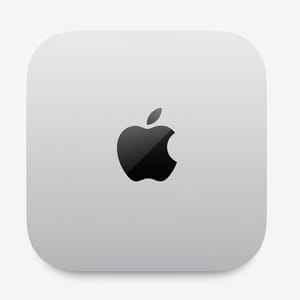
- +Prompt processing about 3.5x the M4 in reviewer tests
- +quiet
- +low power draw
- -Memory tops out at 32GB
- -about 8 to 10 tokens per second on 27B models
- -memory and storage are soldered
Mac mini (2026)
- +307GB/s memory bandwidth on every configuration
- +up to 64GB of memory
- +16 or 20 GPU cores
- +Thunderbolt 5
- -The 64GB configuration costs $2
- -699
- -the 24GB base model holds less than a 32GB M6
- -no published tokens-per-second results yet


