
ASUS Chromebook C423
Updated on

The ASUS Chromebook C423 is a budget 14-inch laptop that launched in October 2018 and is still kicking around the Amazon listings in mid-2026. Inside the slim aluminum-lid chassis sit an Intel Celeron N3350 dual-core processor, 4GB of LPDDR4 RAM, and either 32GB or 64GB of eMMC storage depending on the SKU. ASUS rates the 38 WHr battery for up to 10 hours, the design is fanless and silent under typical Chrome OS load, and the port loadout (two USB 3.0 type-A, two USB-C with display and power-delivery support, an SD card reader, and a combo audio jack) is generous for the class. The display is a 14-inch 1366x768 anti-glare panel with a 180-degree hinge so the screen can lay flat against the table.
Google’s Chrome Enterprise database puts the Auto Update Expiration date at June 2027, so a purchase made now gets browser, security, and Chrome OS updates only until June 2027. The hardware keeps working after that, but the patches stop and Google support tapers off.
Pros and Cons
| Pros | Cons |
|---|---|
| 2.7 pounds and 0.63 inches thick | 1366x768 anti-glare panel, no touch |
| Fanless, so nothing spins up or whines | Panel measured near 205 nits at full brightness |
| Two USB-C ports carry display and power | Celeron N3350 runs out of room past a handful of tabs |
| SD card reader alongside two USB 3.0 ports | 32GB eMMC on most SKUs, and it cannot be upgraded |
| Up to 10 hours from the 38 WHr battery | Plastic touchpad feel |
Related Videos
ASUS Chromebook C423 Comparison Chart
 ASUS Chromebook C423 | ASUS Chromebook C423 | ASUS Chromebook C423 | 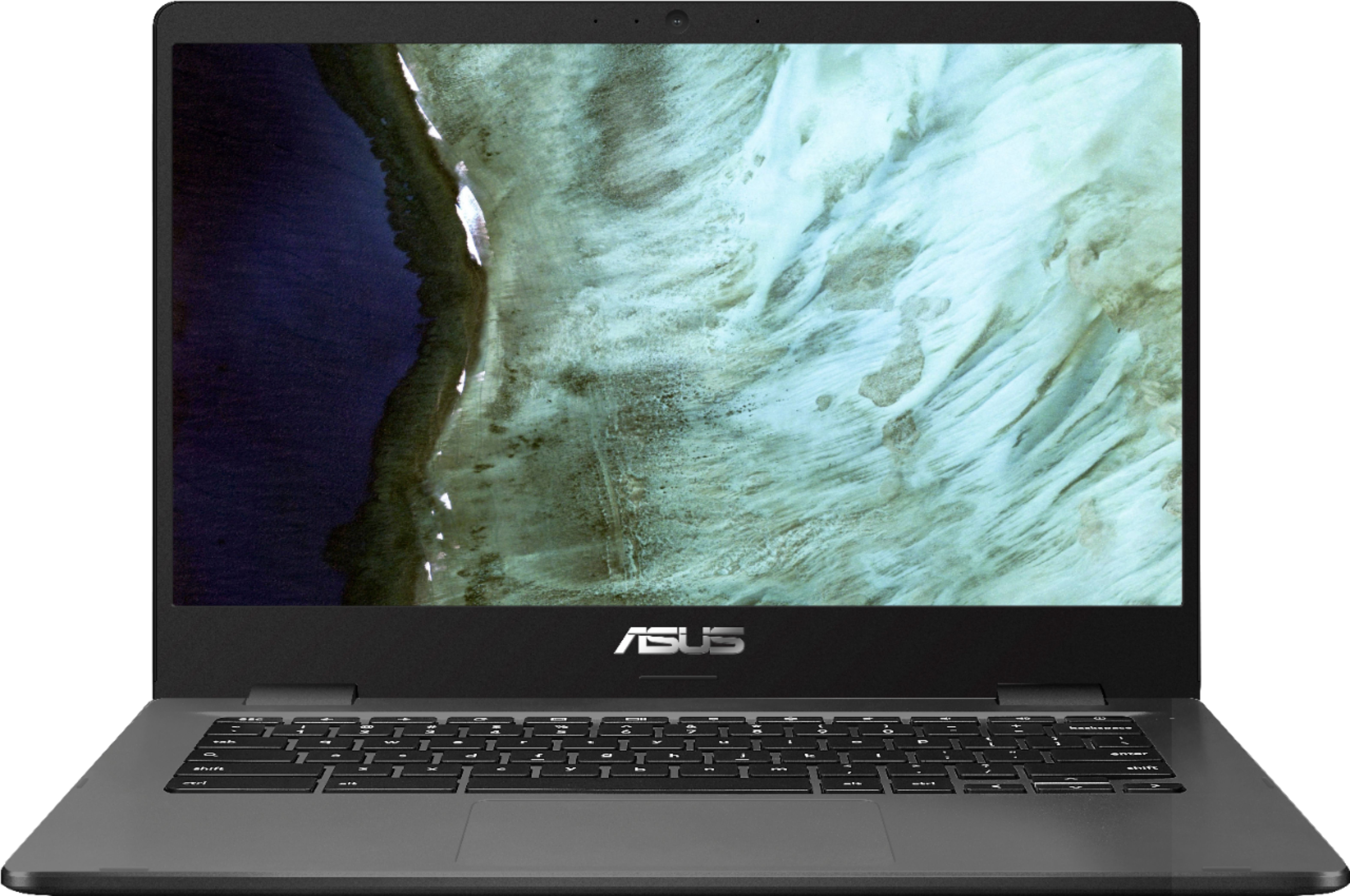 ASUS Chromebook C423 | |
| Price | List Price: $269.99 Amazon Prices: Loading prices... | List Price: $299.99 Amazon Prices: Loading prices... | List Price: $299.99 Amazon Prices: Loading prices... | List Price: $249.00 Amazon Prices: Loading prices... |
| Model number | C423NA-DH02 | C423NA-DB42F | C423NA-IS44F | C423NA-BCLN5 |
| Performance Rating | 2.8 | 2.8 | 2.8 | 2.8 |
| Chromebook Plus | No | No | No | No |
| Processor | Dual-core 1.10 Ghz (max 2.40 Ghz) Intel Celeron N3350 | Dual-core 1.10 Ghz (max 2.40 Ghz) Intel Celeron N3350 | Dual-core 1.10 Ghz (max 2.40 Ghz) Intel Celeron N3350 | Dual-core 1.10 Ghz (max 2.40 Ghz) Intel Celeron N3350 |
| RAM | 4 GB | 4 GB | 4 GB | 4 GB |
| Internal Storage | 32 GB eMMC | 32 GB eMMC | 64 GB eMMC | 32 GB eMMC |
| Screen Size | 14" | 14" | 14" | 14" |
| Screen Resolution | 1366x768 | 1366x768 | 1366x768 | 1366x768 |
| Screen Type | Anti-Glare Panel | Anti-Glare Panel | Anti-Glare Panel | Anti-Glare Panel |
| Touch Screen | No | No | No | No |
| Stylus / Pen | No Stylus Support | No Stylus Support | No Stylus Support | No Stylus Support |
| Dimensions width x length x thickness | 12.7 x 9 x 0.63 inches (322.58 x 228.6 x 16 mm) | 12.7 x 9 x 0.63 inches (322.58 x 228.6 x 16 mm) | 12.7 x 9 x 0.63 inches (322.58 x 228.6 x 16 mm) | 12.7 x 9 x 0.63 inches (322.58 x 228.6 x 16 mm) |
| Weight | 2.7 lbs (1.23 kg) | 2.7 lbs (1.23 kg) | 2.7 lbs (1.23 kg) | 2.7 lbs (1.23 kg) |
| Backlit Keyboard | No | No | No | No |
| Webcam | HD Webcam | HD Webcam | HD Webcam | HD Webcam |
| WiFi | 802.11 a/b/g/n/ac | 802.11 a/b/g/n/ac | 802.11 a/b/g/n/ac | 802.11 a/b/g/n/ac |
| Bluetooth | Bluetooth 4.0 | Bluetooth 4.0 | Bluetooth 4.0 | Bluetooth 4.0 |
| Ethernet | No | No | No | No |
| Cellular Modem | No | No | No | No |
| HDMI | No HDMI | No HDMI | No HDMI | No HDMI |
| USB Ports | 2 USB 3, 2 USB-C (with display and power delivery support) | 2 USB 3, 2 USB-C (with display and power delivery support) | 2 USB 3, 2 USB-C (with display and power delivery support) | 2 USB 3, 2 USB-C (with display and power delivery support) |
| Thunderbolt Ports | No | No | No | No |
| Card Reader | SD/SDHC/SDXC | SD/SDHC/SDXC | SD/SDHC/SDXC | SD/SDHC/SDXC |
| Battery | 2 cell, 38 WHr, Lithium-ion | 2 cell, 38 WHr, Lithium-ion | 2 cell, 38 WHr, Lithium-ion | 2 cell, 38 WHr, Lithium-ion |
| Battery Life | 10.0 hours | 10.0 hours | 10.0 hours | 10.0 hours |
| Fanless | Yes | Yes | Yes | Yes |
| Auto Update Expiration Date | June, 2027 | June, 2027 | June, 2027 | June, 2027 |
Related Chromebooks
-
 ASUS Chromebook C403The ASUS Chromebook C403 is a fanless 14-inch education Chromebook with an anti-glare 1366x768…
 -
 ASUS Chromebook CX1 (CX1400)The ASUS Chromebook CX1 (CX1400) is a fanless 14-inch 1920x1080 ChromeOS laptop sold on Celeron…
 -
 HP Chromebook 14 (AMD)The HP Chromebook 14 (AMD) is a fanless 14-inch Chromebook built on the AMD A4-9120C APU with…
 -
 Acer Gateway Chromebook 314The Acer Gateway Chromebook 314 is a 14-inch ChromeOS laptop on Acer's Chromebook 314 chassis with…
 -
 Acer Chromebook 315The Acer Chromebook 315 (CB315-4H) is a fanless 15.6-inch FHD IPS Chromebook with an Intel Celeron…
 -
 HP Chromebook 14a (ne Series)The HP Chromebook 14a (ne series) is a 14-inch ChromeOS laptop on an Intel Celeron N4500 with 4GB…
A fanless 14-inch shell that folds flat
At 2.7 pounds and 0.63 inches thick, this machine sits in the same weight class as a 13-inch ultrabook even though the display is a full 14 inches across. The chassis pairs a plastic deck with an aluminum lid that gives the laptop a slightly more premium feel than the price suggests, and the NanoEdge bezels on three sides keep the overall footprint close to what older 13-inch Chromebooks occupied. The 180-degree hinge lets two people share the screen across a table without anyone having to crane their neck.
There is no fan to spin up under load and no vent to clog with lint, which suits a quiet classroom or library. The N3350 simply does not generate enough heat to require active cooling for the kinds of workloads Chrome OS throws at it: a half-dozen tabs, a Google Doc, some YouTube in the background. Past that, the 2017-era dual-core Celeron runs out of speed long before the chassis gets warm.
Brightness on the 1366x768 panel tops out at around 205 nits in independent testing (Laptop Mag’s review, cited below), which is fine indoors but rough outside or near a sunny window. Color reproduction is similarly limited, so this is not a laptop for editing photos. The keyboard is comfortable for long typing sessions and the touchpad is large, though the touchpad’s plastic feel never disappears. A 32GB eMMC drive leaves little room once Linux containers and a few Android apps are installed. The SD card slot helps for media, but it is not a substitute for primary storage. If you tend to keep a lot of files locally, the 64GB variant (model C423NA-IS44F) is worth the small step up.
Reviewers rate the chassis well above the panel
Dr. Earbuds, who walked through the C423 in his “Last Word Review” on YouTube, leaned into the portability angle: “This is a very light Chromebook. If you were looking for a Chromebook that doesn’t weigh down your bag, this might just be the one that you’ve been looking for.” He flagged the trackpad and display caveats, and was clear that anyone expecting a premium typing-and-clicking experience should look further up the ASUS lineup.
Brian Nadel of Laptop Mag took a more measurement-driven approach. He liked the slim chassis and the assortment of ports, but found the panel to be the limiting factor: “At full brightness, the C423NA’s display delivered a disappointing 205 nits. And when we measured for color reproduction capability; the notebook only notched 42.1% of the DCI P3 gamut.” Under fluorescent office lighting the panel is fine, but the headroom for outdoor or backlit-window use is small.
Stuart Andrews at Expert Reviews gave the C423 the most generous overall read, framing it as competent value for money rather than a standout: “There’s nothing truly stellar about the C423N, but it’s a great all-round Chromebook at an affordable price.” His review echoed the same viewing-angle and color-accuracy concerns as the others, while crediting ASUS for getting the rest of the package (build, battery, port selection) right for the price band.
If you can live with a low-resolution panel and a Celeron N3350, this is a sensible budget-Chromebook pick. If either of those constraints is a dealbreaker, one of our budget Chromebook under $300 picks is a better starting point.
A light secondary machine with updates running out in June 2027
In mid-2026, the C423 makes sense for a narrow audience: shoppers who want a lightweight 14-inch Chromebook for basic web, email, and document work, who do not need a high-resolution display, and who can live with the laptop’s June 2027 update cutoff. That covers plenty of secondary-device jobs: a kitchen-counter laptop, a travel backup, an occasional-use machine for a college student whose primary device is their phone. The 10-hour battery and the silent fanless design hold up in those roles.
The recommendation breaks down when you need any of the following: a sharper screen (the 1366x768 panel is a hard ceiling), more than a couple of Linux containers or Android apps running at once, the ability to run heavier workloads such as Steam game streaming, or several years of remaining update support. For any of those scenarios you are better off in our best Chromebook under $300 shortlist, which prioritizes models with newer processors and AUE dates further out.
There is no built-in Ethernet, so a USB Ethernet adapter in one of the two USB 3.0 ports is the right move for wired use. The USB-C ports both support display output and power delivery, which means a single hub can run a monitor, charging, and peripherals from one cable. Bluetooth 4.0 is the original 2018 spec and works fine with most mice and headphones, but it lags behind the 5.x radios in newer Chromebooks for range and battery efficiency.
The Starry Hope Chromebook Comparison Chart puts it side by side against current models, so you can see where it falls behind on processor, display, and update window.
Frequently Asked Questions
What is the screen size of the ASUS Chromebook C423?
It is a 14-inch anti-glare panel, wide enough to keep two windows side by side.
Is there a touchscreen?
No. The display is a non-touch anti-glare panel, which cuts down on glare and reflections. If you need to tap the screen, check out our guide to Chromebooks with touchscreens.
What kind of storage does it use?
eMMC, in either a 32GB or a 64GB capacity depending on the model number. It is the same flash storage that smartphones and tablets use.
Can the storage be upgraded?
No, the onboard storage is fixed. The SD card reader is the way around it: an SD, SDHC, or SDXC card adds space for media and downloads.
Is the keyboard backlit?
No. Typing in a dark room means going by feel. If a lit keyboard matters to you, see our list of Chromebooks with backlit keyboards.
How long does the battery last?
ASUS rates the 38 WHr battery at up to 10 hours.
What processor is inside?
An Intel Celeron N3350: a dual-core chip with a 1.10 GHz base speed and a 2.40 GHz maximum.
Is there a webcam?
Yes. An HD webcam and a built-in microphone handle video calls and online meetings.
Does it support cellular data?
No, there is no cellular radio. Connectivity is 802.11 a/b/g/n/ac Wi-Fi plus Bluetooth 4.0.
When do the updates stop?
June 2027. After that date Google stops shipping automatic updates and technical support for the device.