
ASUS Chromebook CM15 (CM1505)
Published on

The ASUS Chromebook CM15 (CM1505) is a 15.6-inch ChromeOS laptop for people who live in a browser and want the biggest screen they can get at the entry level. It runs the MediaTek Kompanio 540, an ARM chip that favors battery life over raw speed, behind a full HD anti-glare panel and a full keyboard with a numeric keypad. ASUS announced US availability on July 15, 2026 in two configurations, 4GB/64GB and 8GB/128GB, and Google lists its Auto Update Expiration as June 2036, so the model is still supported. The memory is soldered, so buy the 8GB build for anything past light tabs.
Pros and Cons
| Pros | Cons |
|---|---|
| ChromeOS updates through June 2036 | Base model ships with 4GB of RAM and 64GB of eMMC, both soldered |
| 15.6-inch full HD anti-glare screen | Kompanio 540 is not fast enough for heavy multitasking or Linux development |
| HDMI plus two USB-C ports with display output and charging | Every port is on the left edge |
| Numeric keypad on a full-size keyboard | Touchpad is small and sits left of center |
| MIL-STD 810H rating and a webcam privacy shutter | No backlit keyboard and only a 720p webcam |
| One reviewer got 6 to 7 hours in normal daily use | Not Chromebook Plus certified |
Related Videos
ASUS Chromebook CM15 (CM1505) Comparison Chart
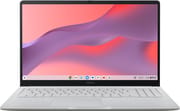 ASUS Chromebook CM15 (CM1505) | ASUS Chromebook CM15 (CM1505) | |
| Price | List Price: $269.99 Amazon Prices: Loading prices... | List Price: $309.99 Amazon Prices: Loading prices... |
| Model number | CM1505CM4A-AS44 | CM1505CM4A-AS88 |
| Performance Rating | 1.9 | 3.0 |
| Chromebook Plus | No | No |
| Processor | Octa-core 2.00 Ghz (max 2.60 Ghz) MediaTek Kompanio 540 | Octa-core 2.00 Ghz (max 2.60 Ghz) MediaTek Kompanio 540 |
| RAM | 4 GB | 8 GB |
| Internal Storage | 64 GB eMMC | 128 GB eMMC |
| Screen Size | 15.6" | 15.6" |
| Screen Resolution | 1920x1080 | 1920x1080 |
| Screen Type | IPS | IPS |
| Touch Screen | No | No |
| Stylus / Pen | No Stylus Support | No Stylus Support |
| Dimensions width x length x thickness | 14.15 x 9.14 x 0.79 inches (359.41 x 232.16 x 20.07 mm) | 14.15 x 9.14 x 0.79 inches (359.41 x 232.16 x 20.07 mm) |
| Weight | 3.51 lbs (1.6 kg) | 3.51 lbs (1.6 kg) |
| Backlit Keyboard | No | No |
| Webcam | 720p | 720p |
| WiFi | Wi-Fi 6 (802.11ax) | Wi-Fi 6 (802.11ax) |
| Bluetooth | Bluetooth 5.4 | Bluetooth 5.4 |
| Ethernet | No | No |
| Cellular Modem | No | No |
| HDMI | Full-Size HDMI | Full-Size HDMI |
| USB Ports | 1 USB 3, 2 USB-C 2x USB-C 3.2 Gen 1 (DP, PD), 1x USB-A 3.2 Gen 1, all on the left edge | 1 USB 3, 2 USB-C 2x USB-C 3.2 Gen 1 (DP, PD), 1x USB-A 3.2 Gen 1, all on the left edge |
| Thunderbolt Ports | No | No |
| Card Reader | No Card Reader | No Card Reader |
| Battery | 3 cell, 42Wh, Li-ion | 3 cell, 42Wh, Li-ion |
| Battery Life | 12 hours | 12 hours |
| Fanless | No | No |
| Auto Update Expiration Date | June, 2036 | June, 2036 |
Related Chromebooks
-
 ASUS Chromebook CX1 (CX1500)The ASUS Chromebook CX1 (CX1500) is a 15.6-inch full HD Chromebook with a number pad, an Intel…
 -
 ASUS Chromebook C523The ASUS Chromebook C523 is a fanless 15.6-inch Chromebook with an anti-glare display, an Intel…
 -
 Acer Chromebook 715The Acer Chromebook 715 is a 15.6-inch full-HD IPS Chromebook with an aluminum chassis, a keyboard…
 -
 Acer Chromebook 15 315The Acer Chromebook 15 315 combines a comfortable 15.6'' ComfyView display and fanless design for…
 -
 HP Chromebook 15a (15a-nb0013dx)The HP Chromebook 15a (15a-nb0013dx) is a fanless 15.6-inch Chromebook with an Intel N200, 8GB of…
 -
 Samsung Chromebook 4+The Samsung Chromebook 4+ is a fanless 15.6-inch FHD Chromebook with an Intel Celeron N4000, dual…
Ports, Keyboard, and Build

All of the ports sit together on the upper left edge: two USB 3.2 Gen 1 Type-C ports that carry DisplayPort output and Power Delivery, one USB 3.2 Gen 1 Type-A port, an HDMI 1.4 output, and a 3.5mm combo audio jack. ASUS placed them there to keep cables out of the mouse area on the right, and the right edge holds only a Kensington Nano security slot. Having two USB-C ports means charging, an external display, and a USB-A accessory can all be connected at once without a hub. A left-handed mouse user, or anyone whose charger sits to the right, will run cables across the machine. HDMI 1.4 drives a 1080p TV or projector without trouble but is not meant for a high-refresh or 4K monitor.
ASUS lists WiFi 6 (802.11ax, dual band 2x2) and Bluetooth 5.4 for the US models. ASUS’s US product page markets WiFi 6E, and Japanese units ship with WiFi 6E, so confirm WiFi 6E on the spec sheet if you need the 6GHz band. ASUS rates the 60Hz panel at 300 nits. The 42Wh three-cell battery is rated by ASUS at up to 12 hours and charges over USB-C from the included 45W adapter.
The keyboard is a chiclet layout with a numeric keypad on the right, and it has no backlight. Fitting the keypad on a 15.6-inch deck pushes the touchpad to the left of center. The plastic chassis has a textured finish that ASUS says draws on Japanese washi paper, uses 30% recycled plastic, and is rated to the MIL-STD 810H durability standard. ASUS lists it at 14.15 by 9.14 by 0.79 inches with a starting weight of 3.51 pounds (its US announcement gave a lower 3.26 pounds), and a 180-degree hinge lets the lid lie flat for sharing the screen across a table. The webcam is 720p with a physical privacy shutter.
Performance and the Two Configurations
The MediaTek Kompanio 540 has eight ARM cores (Cortex-A78 performance cores and Cortex-A55 efficiency cores) running at 2.0 GHz with boost to 2.6 GHz, paired with ARM Mali-G57 MC2 graphics and LPDDR5X memory. Its PassMark CPU Mark sits near 5,400, about level with the Intel N150 in other entry Chromebooks and well below the chips in Chromebook Plus models. It handles web browsing, Google Docs and Sheets, video streaming, and video calls. Because it is an ARM chip, x86-only Linux binaries will not run in the ChromeOS Linux container, which matters only to people planning to use that container seriously.
ChromeOS with a dozen tabs and an Android app or two will fill the 4GB of memory in the 4GB/64GB model (CM1505CM4A-AS44), and neither the memory nor the eMMC storage can be replaced later; there is no microSD slot to add storage either. The 8GB/128GB model (CM1505CM4A-AS88) costs more but gives the machine room to stay usable across its update window. Both share the same screen, ports, battery, and weight.
Chromebook Plus certification requires a faster CPU class, 8GB of RAM, 128GB of storage, and a 1080p webcam, so even the 8GB model misses the tier on both the Kompanio 540 and the 720p camera. Buyers who want the on-device AI features of that tier should read what Chromebook Plus means before choosing.
Reviewer Insights

HelenTech
HelenTech published a hands-on review, written in Japanese by Masahide Omura and based on a Japanese-market unit with 8GB of RAM and 64GB of storage. That unit uses a Japanese keyboard and lists WiFi 6E and a 2-megapixel webcam, so its keyboard and webcam findings do not carry over to US units; the chassis, chip, screen, and ports are the same. With about ten tabs open across Gmail, Gemini, Slides, Docs, Sheets, and search, the review found work ran smoothly, and it slowed somewhat when many tabs opened at once or on heavy Sheets and Looker Studio pages. It also described the Kompanio 540 as unsuited to heavy multitasking, running several Android apps, or Linux-centered work.
The review measured CPU load during Google Meet with eight active tabs open: around 35 to 40% without effects, rising to 50 to 75% with a virtual background or blur. Battery life in the reviewer’s normal use came to about 6 to 7 hours, roughly half the Japanese rating of 12.6 hours, which the reviewer said matches how their own use usually compares with rated figures. The reviewer added that MediaTek machines typically run 1 to 2 hours longer than Intel chips in the same class. Benchmarks on the unit included Geekbench scores of 996 single-core and 1,917 multi-core and a PCMark 10 score of 10,288.
On the hardware, the review found the build solid with little flex, the matte screen easy on the eyes over long sessions, and color and brightness passable for documents, spreadsheets, and video. Omura saw the left-side-only port layout as a matter of taste, though one USB-C port on the right would have helped, and found the touchpad somewhat small and offset by the keypad but fine for an entry machine. The verdict described the CM15 as plain but well balanced between performance and battery, a sound entry Chromebook, while noting it is not a large step up from ASUS’s Intel N50 CX15 and that an Intel N150 or N250 model or a Chromebook Plus is worth choosing if one is available at the same price.
Chrome Unboxed
Chrome Unboxed saw the CM15 at the ASUS booth at CES 2026, months before US availability, in a short clip with no testing. He noted that it shares a chassis design with the earlier CX15, with new textured materials that are “just kind of grippy,” and that it uses the same Kompanio 540 as the CM32 Detachable. Of the screen he said “It’s an anti-glare screen. It looks pretty bright” and “Looks nice and sharp. The colors are pretty decent.” His summary was that it is an “entry-level model for sure, but a decent looking device,” one he expected to be “great for schools, great for educators.”
Where It Fits in the ASUS Lineup
The CM15 shares its Kompanio 540 with two other 2026 ASUS Chromebooks. The ASUS Chromebook CM14 (CM1405) is the 14-inch sibling with a similar port set and an education focus, and at 2.98 pounds it is lighter to carry. The ASUS Chromebook CM32 Detachable puts the same chip in a 12.1-inch 120Hz tablet with a much brighter screen, but it has a single USB-C port and no HDMI. The CM15 is the one to choose when screen size, HDMI, and the numeric keypad matter more than weight.
A Chromebook Plus is the better fit if Linux apps, heavy Android use, or dozens of tabs are part of the plan. Starry Hope’s Chromebook Comparison Chart lines it up against other models spec by spec.
Frequently Asked Questions
What processor does the ASUS Chromebook CM15 (CM1505) use?
The MediaTek Kompanio 540, an eight-core ARM chip running at 2.0 GHz with boost to 2.6 GHz and ARM Mali-G57 MC2 graphics. It handles browsing, documents, streaming, and video calls, but not heavy multitasking or Linux development.
When does the CM15 stop getting ChromeOS updates?
Google lists its Auto Update Expiration as June 2036. Until then it receives ChromeOS feature and security updates.
Can I upgrade the RAM or storage in the CM15?
No. The LPDDR5X memory is soldered to the board and the eMMC storage is not replaceable, and there is no microSD slot. Choose between the 4GB/64GB and 8GB/128GB models at purchase; the 8GB model is the safer choice.
What ports does the CM15 have?
Two USB 3.2 Gen 1 Type-C ports with DisplayPort output and Power Delivery, one USB 3.2 Gen 1 Type-A port, HDMI 1.4, and a 3.5mm combo audio jack, all on the left edge. A Kensington Nano security slot is on the right.
Does the CM15 have a backlit keyboard or a numeric keypad?
It has a numeric keypad but no keyboard backlight. The keypad moves the touchpad to the left of center.
Is the CM15 a Chromebook Plus?
No. The Kompanio 540 falls below the CPU class Chromebook Plus requires, and the 720p webcam misses the 1080p requirement, so neither configuration qualifies.