
HP Dragonfly Pro Chromebook
Updated on

The HP Dragonfly Pro Chromebook is an innovative and versatile laptop designed to meet the needs of modern users. Boasting a sleek design and advanced features, this Chromebook stands out among its competitors. This overview covers the key aspects of the HP Dragonfly Pro Chromebook, including its design, performance, battery life, and more.
Design and Build
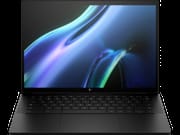
The HP Dragonfly Pro Chromebook comes in two stunning color options: Ceramic White and Sparkling Black. The device features a magnesium chassis, which provides durability and contributes to its lightweight design as well as machined aluminum and other top-grade materials. The Dragonfly Pro Chromebook has a beautiful touchscreen but does not feature a 360-degree hinge so using it in tablet mode is not possible.
The laptop is equipped with a backlit RGB keyboard, providing a comfortable typing experience even in low light conditions. It also includes a touchpad with haptic feedback, delivering precise control and smooth navigation. The device comes with a fingerprint sensor built into the power button, offering an extra layer of security.
Display
The HP Dragonfly Pro Chromebook sports a 14-inch touchscreen display with a 16:10 aspect ratio. The screen offers excellent brightness, ensuring that the content is clearly visible even in bright environments. An ambient light sensor automatically adjusts the screen brightness based on the surrounding lighting conditions, further enhancing the user experience.
Performance
Sporting a 12th Gen Intel Core i5 1235U processor, the HP Dragonfly Pro Chromebook is simply one of the most powerful Chromebooks ever made. With 16 GB of RAM and a 256GB SSD, this laptop is capable of handling demanding tasks, such as video editing and multitasking with ease. The integrated Intel Iris Xe Graphics provide smooth visuals and support for casual gaming.
Operating System and Software
The HP Dragonfly Pro Chromebook runs on ChromeOS, which offers a fast, secure, and easy-to-use operating system. Users can access Android apps through the Google Play Store, expanding the device’s functionality. Linux Apps can also be installed and will be sure to benefit from this Chromebook’s high-end performance. This Chromebook is also compatible with Google’s suite of productivity tools and all of your favorite online apps, making it ideal for both work and play.
Audio and Webcam
The HP Dragonfly Pro Chromebook features quad speakers, delivering impressive audio quality that makes it suitable for anything from video calls to music production. The laptop also includes an 8MP user-facing camera, which captures clear and vibrant images during video calls.
Connectivity and Ports
The HP Dragonfly Pro Chromebook offers Wi-Fi 6E support, ensuring fast and stable wireless connectivity. It is equipped with four Thunderbolt 4 ports for high-speed data transfer and charging. You won’t find a headphone jack, a microSD card slot, or an Ethernet port like on most Chromebooks, so you will most likely need to carry some USB-C or Thunderbolt adapters with you. If you need a wired network connection, see our guide to Chromebook Ethernet adapters.
Battery Life
HP claims that the Dragonfly Pro Chromebook has a long-lasting battery life, allowing users to work or play for extended periods without needing to recharge. The device also features fast charging capabilities, ensuring minimal downtime when the battery runs low. However, several reviewers have complained about poor battery life. This is most likely due to the extremely bright screen and top-end specs.
Optional Total Device Protection
HP offers an optional total device protection plan, which covers accidental damage, theft, and hardware malfunctions. This plan provides peace of mind for users and helps them get the most out of their investment.
Pricing
The HP Dragonfly Pro Chromebook is priced higher than many other Chromebooks on the market, reflecting its premium features and performance capabilities. However, users who require a powerful and versatile laptop will find that the Dragonfly Pro Chromebook offers excellent value for money. See the chart below for the latest and best prices.
Conclusion
The HP Dragonfly Pro Chromebook is a top-of-the-line Chromebook laptop that delivers powerful performance, seamless connectivity, and decent battery life. Its sleek design and innovative features make it an excellent choice for users seeking a high-quality device for both work and entertainment purposes. With its crisp display, comfortable keyboard, and advanced audio and webcam capabilities, the HP Dragonfly Pro Chromebook offers a superior user experience compared to many other Chromebooks available on the market.
While the price point may be higher than some competitors, the advanced features and powerful performance justify the investment for those who require a versatile and reliable laptop. Overall, the HP Dragonfly Pro Chromebook is a solid choice for users seeking a powerful and stylish device that can handle a variety of tasks and applications.
In conclusion, the HP Dragonfly Pro Chromebook is an exceptional device that provides users with the tools they need to perform at their best. Its stylish design, powerful hardware, and innovative features make it an attractive option for those in search of a great Chromebook. The HP Dragonfly Pro Chromebook is an excellent choice for professionals and students alike.
Related Videos
HP Dragonfly Pro Chromebook Comparison Chart
 HP Dragonfly Pro Chromebook |  HP Dragonfly Pro Chromebook | |
| Price | List Price: $999.99 Amazon Prices: | List Price: $999.99 Amazon Prices: |
| Model number | 7Y645UA#ABA | 7Y649UA#ABA |
| Performance Rating | 9.9 | 9.9 |
| Chromebook Plus | Yes | Yes |
| Processor | Deca-core 3.30 Ghz (max 4.40 Ghz) Intel Core i5-1235U | Deca-core 3.30 Ghz (max 4.40 Ghz) Intel Core i5-1235U |
| RAM | 16 GB | 16 GB |
| Internal Storage | 256 GB NVMe SSD | 256 GB NVMe SSD |
| Screen Size | 14" | 14" |
| Screen Resolution | 2560x1600 | 2560x1600 |
| Screen Type | 1200 nits IPS | 1200 nits IPS |
| Touch Screen | Yes | Yes |
| Stylus / Pen | No Stylus Support | No Stylus Support |
| Dimensions width x length x thickness | 12.4 x 8.7 x 0.7 inches (314.96 x 220.98 x 17.78 mm) | 12.4 x 8.7 x 0.7 inches (314.96 x 220.98 x 17.78 mm) |
| Weight | 3.33 lbs (1.51 kg) | 3.33 lbs (1.51 kg) |
| Backlit Keyboard | Yes | Yes |
| Webcam | 8MP | 8MP |
| WiFi | Intel Wi-Fi 6E AX211 (supporting gigabit data rate) | Intel Wi-Fi 6E AX211 (supporting gigabit data rate) |
| Bluetooth | Bluetooth 5.3 | Bluetooth 5.3 |
| Ethernet | No | No |
| Cellular Modem | No | No |
| HDMI | No HDMI | No HDMI |
| USB Ports | 4 Thunderbolt 4 with USB Type-C 40Gbps signaling rate (USB Power Delivery, DisplayPort 1.4, HP Sleep and Charge) | 4 Thunderbolt 4 with USB Type-C 40Gbps signaling rate (USB Power Delivery, DisplayPort 1.4, HP Sleep and Charge) |
| Thunderbolt Ports | 4 | 4 |
| Card Reader | No Card Reader | No Card Reader |
| Battery | 4 cell, 51.3 Wh, Li-ion | 4 cell, 51.3 Wh, Li-ion |
| Battery Life | 11.5 hours | 11.5 hours |
| Fanless | No | No |
| Auto Update Expiration Date | June, 2030 | June, 2030 |
Related Chromebooks
-
 HP Chromebook Plus x360 14cThe HP Chromebook Plus x360 14c combines a 12th-gen Intel Core i3-1215U processor with a 16:10…
 -
 Acer Chromebook Spin 714Master productivity with the Acer Chromebook Spin 714, featuring a 14-inch touchscreen, potent…
 -
 Acer Chromebook Vero 514The Acer Chromebook Vero 514 blends sustainability with performance. Sporting a Full HD IPS…
 -
 Lenovo Chromebook Plus 2-in-1 14The Lenovo Chromebook Plus 2-in-1 14 combines premium aluminum build quality with versatile…
 -
 Lenovo IdeaPad Flex 5i Chromebook PlusThe Lenovo IdeaPad Flex 5i Chromebook Plus combines Chromebook Plus certification, Intel Core…
 -
 Dell Latitude 5430 Chromebook 2-in-1Elevate your productivity with the Dell Latitude 5430 Chromebook, featuring a high-resolution…