
Omarchy 4 draws its top bar, menus, and notifications with plugins, and you can add your own. A plugin is a folder with a manifest.json file and some QML code that the Omarchy shell loads. You do not have to write that code yourself: an AI coding agent such as Codex can write it, link it in, and test it while you watch.
In this guide, Codex builds Dev Servers, a bar widget that lists the local development servers you have running, with the port, the program, and the project folder of each. A click on a server opens it in the browser, and a Stop button ends it. To help Codex, we first install Build Omarchy Plugins, a free set of twelve agent skills by Tom Ballard. Everything below was done on Omarchy 4.5 RC1 (version 4.5.0rc1-1) with the Codex CLI and version 0.9.0 of the skills.
What you need
You need Omarchy on the 4.5 release candidate, because the Plugin button in the agents panel first appears there. The v4.5.0-rc1 release notes say to expect bugs, so use a test machine or have a backup you can roll back to. To switch an existing install, open the Omarchy menu with super space (Super is the Windows key on a PC keyboard), pick Update, Channel, RC, then run Update, Omarchy. For the rest of the release, see what’s new in Omarchy 4.5.
You also need a coding agent that is installed and signed in. We used Codex. If you have not set up an agent yet, left-click the robot icon in the top bar: the agents panel walks you through signing in to Claude, Codex, or Grok. The Plugin button starts your default agent, so set it in the Omarchy menu under Setup, Defaults, Agent, or with omarchy default agent codex in a terminal (that command also opens Codex in a new window, which you can close). The skills installer needs git and python3, which Omarchy already has.
Clone Build Omarchy Plugins at the v0.9.0 tag
A skill is a folder of instructions, reference notes, and helper scripts that an agent reads before it works on a matching task. Build Omarchy Plugins has twelve of them, one per job: designing a plugin, generating its files, writing bar widgets and panels, testing, debugging, and release work. The repository is MIT licensed, and the README asks you to install from a release tag, because newer changes on the main branch are not a published release. At the time of writing, v0.9.0 is the latest release.
Open a terminal with super enter and clone the repository into your ~/Work folder:
cd ~/Work
git clone https://github.com/tcballard/build-omarchy-plugins.git
cd build-omarchy-plugins
git checkout -q v0.9.0
A shallow clone with git clone --branch v0.9.0 --depth 1 also works, but it prints a “warning: refs/tags/v0.9.0 … is not a commit!” line and a block of detached-HEAD advice that reads like an error. The full clone and a separate git checkout avoid both. After the checkout, the prompt shows HEAD in place of the branch name.
Have Codex read the installer before you run it
The skills come with an install script, scripts/install_agent_skills.py, and it runs with your user’s access. Read it yourself, or ask an agent to read it and say what it touches. Start Codex in the clone folder with codex. The first time, Codex asks whether to trust the folder; pick Trust and continue. Then send this question:
Read scripts/install_agent_skills.py. In five short lines: which files does it write and where, and does it use the network, sudo, or run other programs?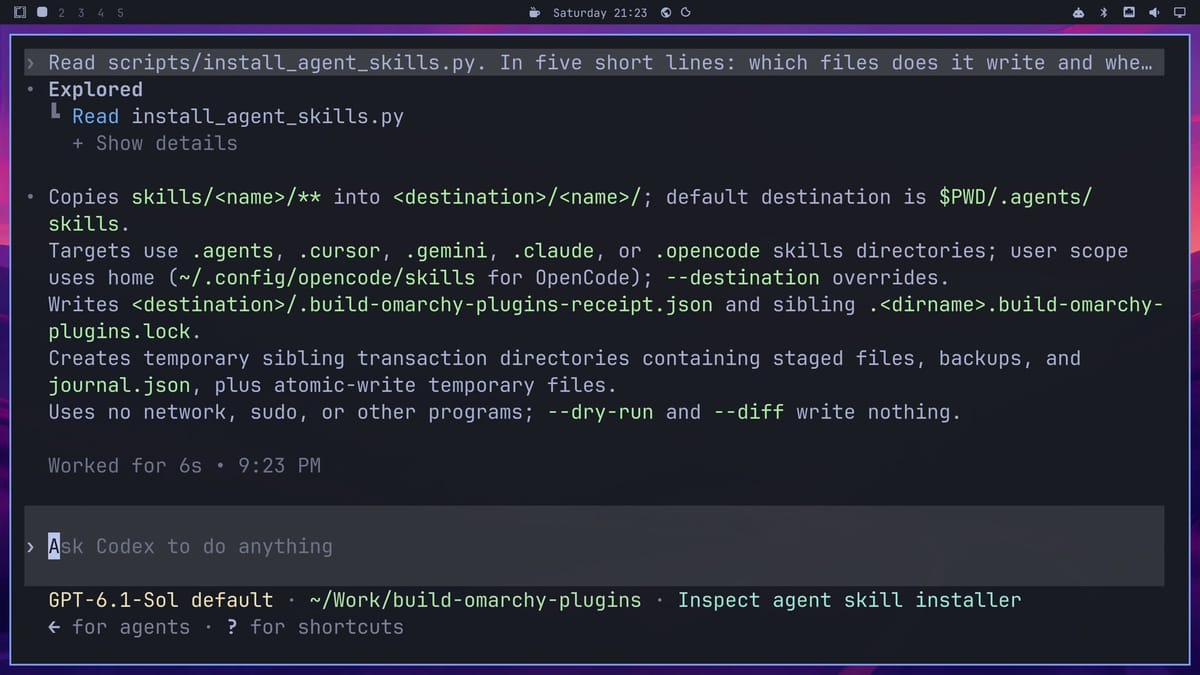
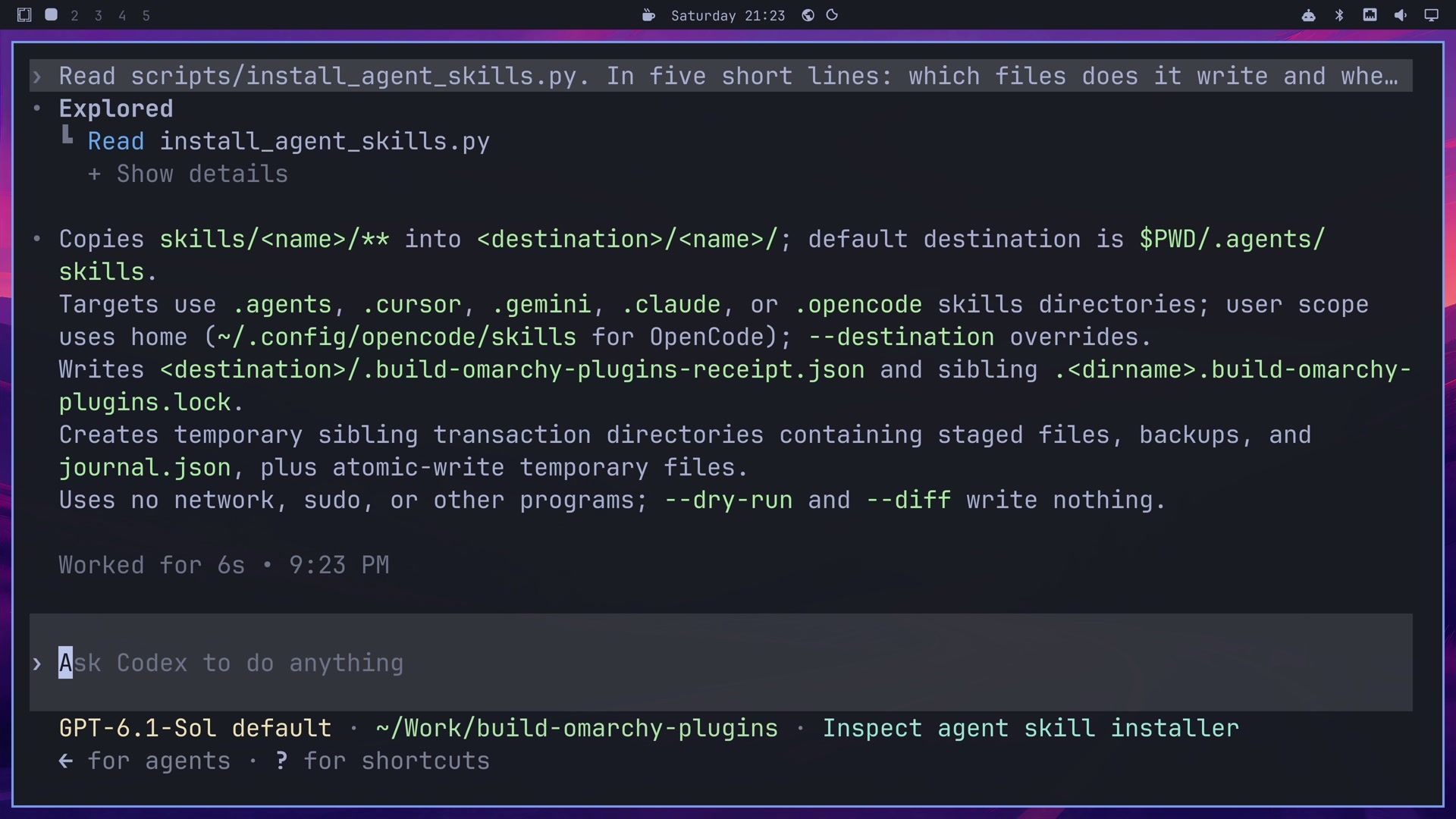
Codex answered in six seconds. The script copies each skill folder into the destination folder, writes a receipt file (.build-omarchy-plugins-receipt.json) in the skills folder and a lock file next to that folder, and uses temporary transaction folders while it copies. In Codex’s words, it “Uses no network, sudo, or other programs; --dry-run and --diff write nothing.” An agent can miss things, so treat its answer as a second check next to your own reading. Press ctrl c to quit Codex.
Install the skills where Codex reads them
The --target codex option puts the skills in ~/.agents/skills, the folder Codex reads user skills from. Pass --scope user as well: without it, the installer uses the project scope and puts the skills inside the current folder. Run the dry run first:
python3 scripts/install_agent_skills.py --target codex --scope user --dry-run
python3 scripts/install_agent_skills.py --target codex --scope user
Both commands print the same line, Install: 12 changed, 0 unchanged in /home/<you>/.agents/skills, so the screen does not tell you which one wrote the files; only the second one did. The installer also has targets for Claude Code (claude), Cursor, Gemini, and OpenCode, and an --uninstall option that removes what it installed. List the folder to see the result:
ls ~/.agents/skills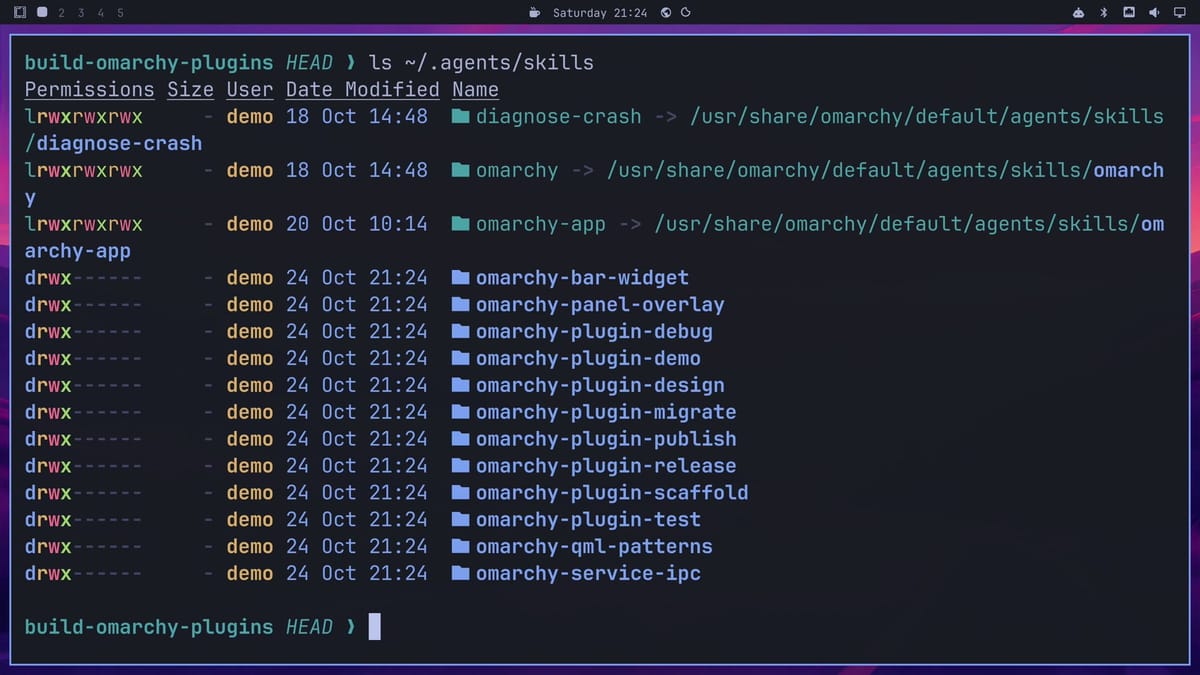
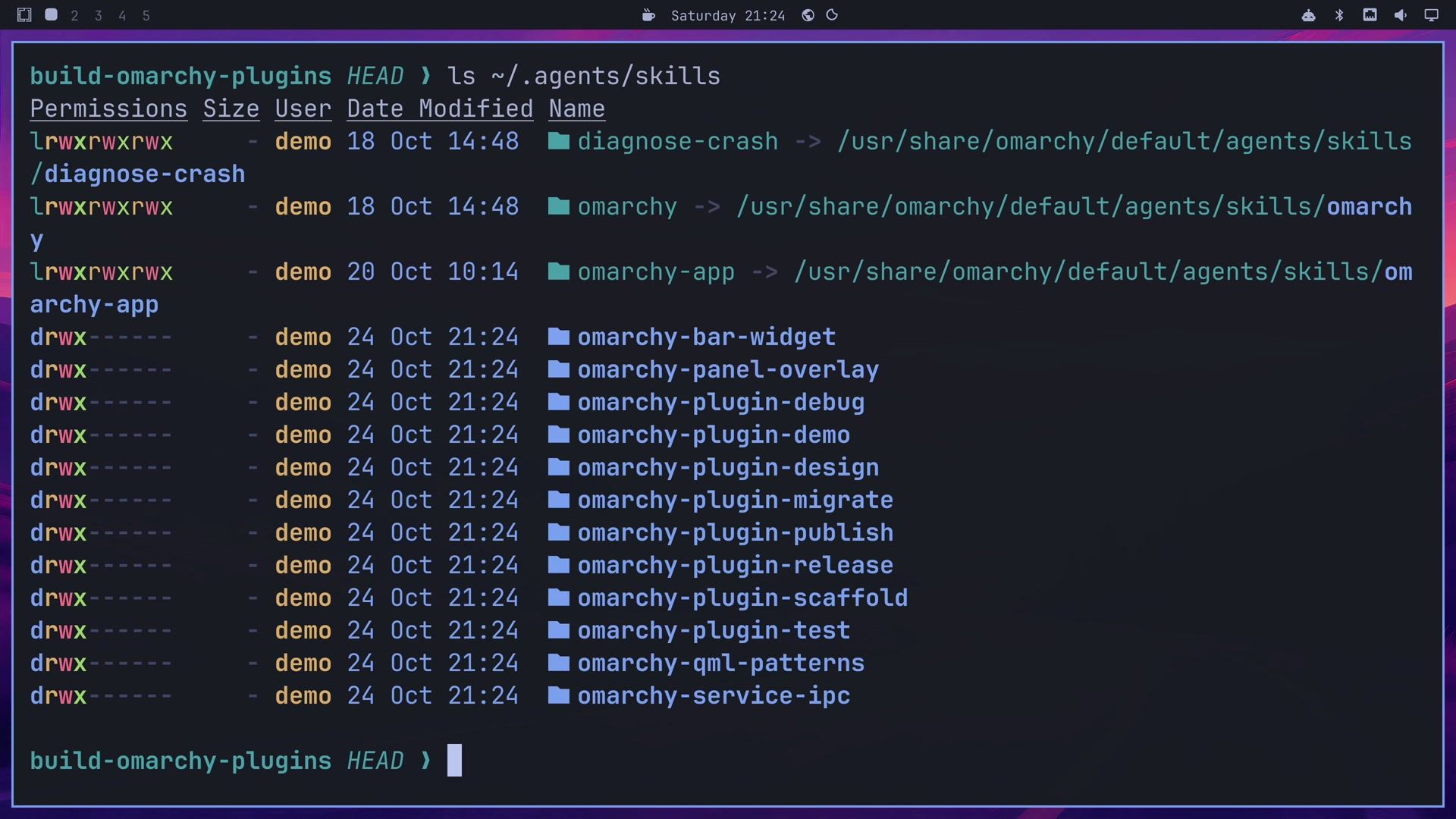
The twelve new omarchy- folders sit next to the three skills Omarchy links there itself: diagnose-crash, omarchy, and omarchy-app. Codex picks a skill on its own when a task matches the skill’s description.
Start the build from the Plugin button
Close the terminal with super w . Left-click the robot icon in the top bar to open the agents panel. Under your agent subscriptions, the Make Something Cool row has three buttons: Theme, Plugin, and App. Click Plugin.
The button opens your default agent in a new window, in the ~/Work folder, with this starter request already sent:
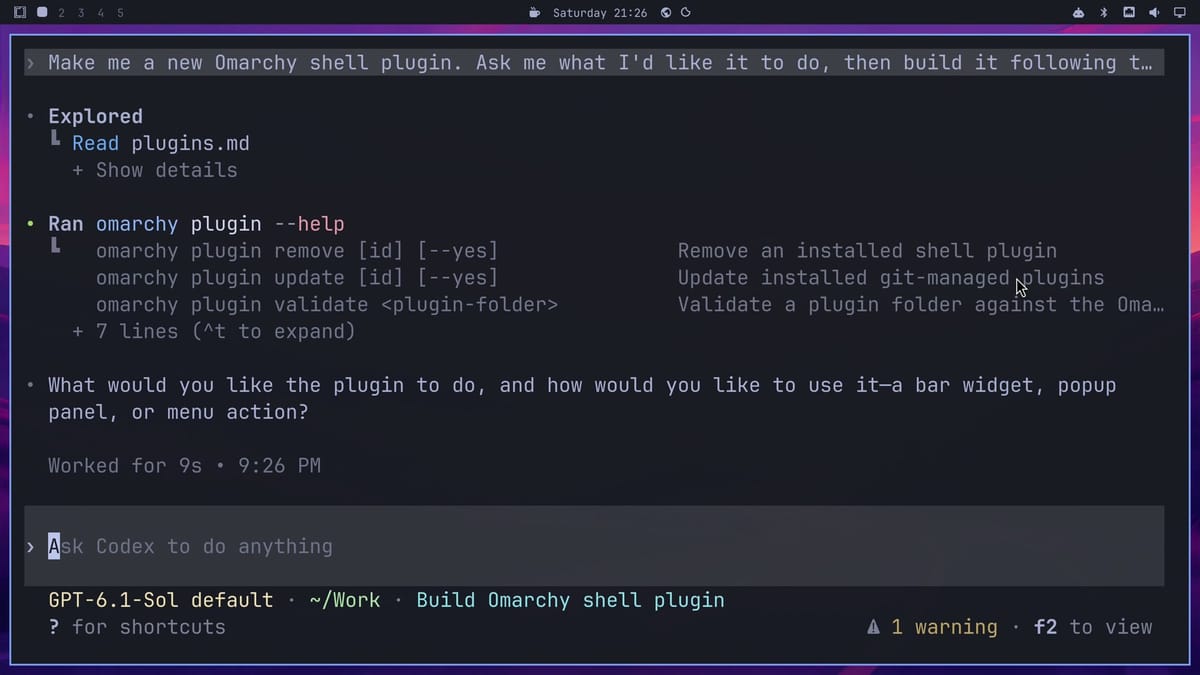
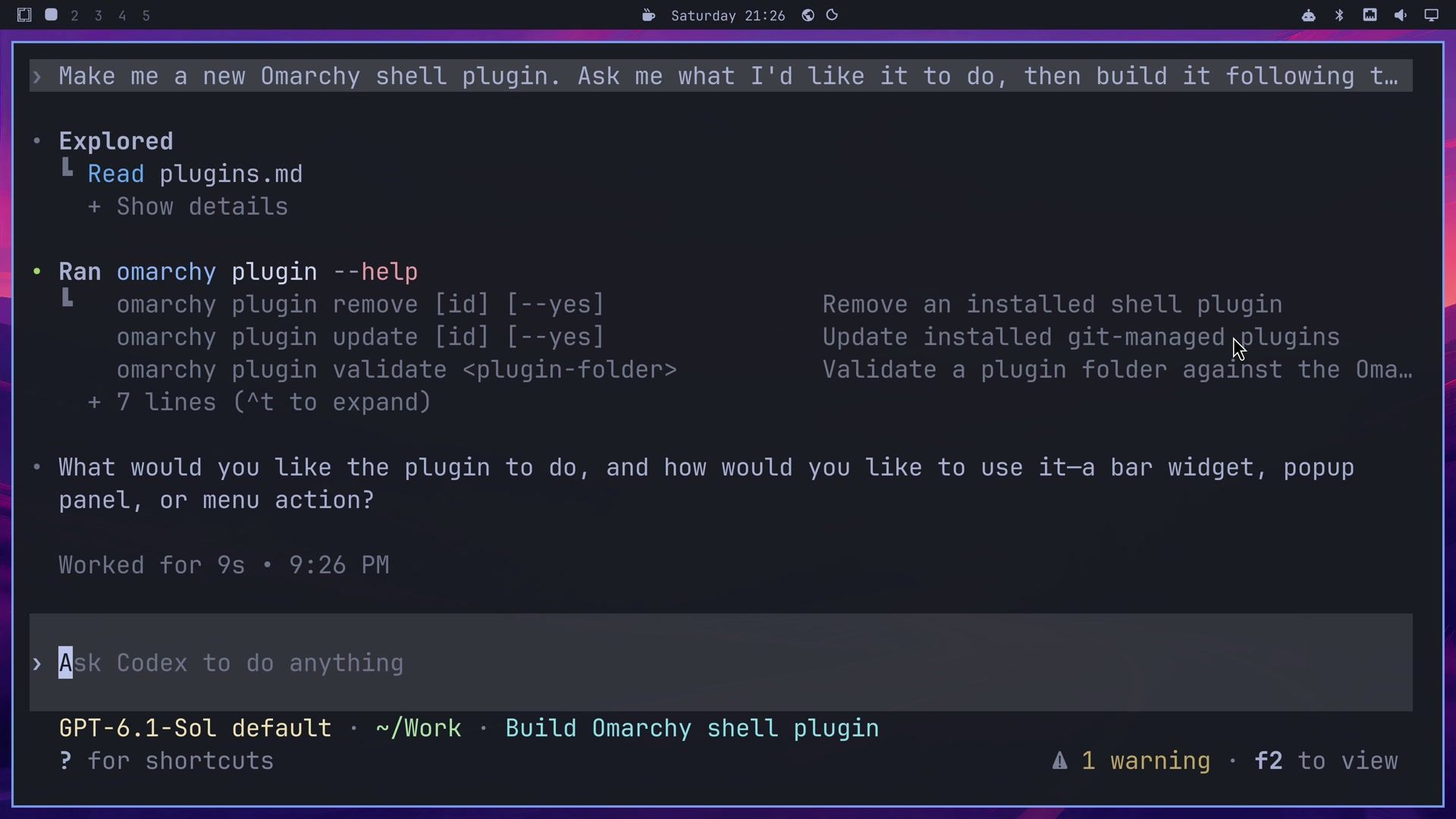
Make me a new Omarchy shell plugin. Ask me what I'd like it to do, then build it following the Omarchy skill's plugin guide and enable it.The plugin guide it names is part of the omarchy skill that ships with Omarchy 4.5. Codex read that guide, ran omarchy plugin --help, and nine seconds later asked one question: what the plugin should do, and whether we wanted it as a bar widget, a popup panel, or a menu action.
Tell Codex what the plugin should do
This is the answer we typed, word for word:
Build a bar widget called Dev Servers, author Starry Hope, that lists the dev servers I have running with their port, program and project folder; clicking one opens it in the browser and a stop button ends it. Keep the source in ~/Work/dev-servers linked into the plugins folder, and skip the marketplace search, GitHub setup and release work. Before you call it done, check the widget in the running shell.Change the author to your own name. “Keep the source in ~/Work/dev-servers linked into the plugins folder” keeps your code safe if you remove the plugin later (the reason is under “Keep the source out of the plugins folder”). “Skip the marketplace search, GitHub setup and release work” keeps Codex on the build, since the skills also cover publishing. The last sentence asks Codex to test the widget in the shell that draws your bar, not only to check that the files are valid.
What Codex did during the build
Codex worked for 5 minutes and 43 seconds with no further input. Its first step read the scaffold skill from the new bundle, although neither the starter request nor our answer named it. It planned a safety step for Stop: before stopping a server, the helper rechecks the process and its port, “so a stale row cannot target a different process.”
Codex wrote the widget in QML and a Python helper, servers.py, that finds the servers. The test skill’s checker passed the plugin. To link the plugin into ~/.config/omarchy/plugins and enable it, Codex had to run commands outside its sandbox. The Plugin button starts Codex in a mode where a second model reviews such commands before they run, and in this build the reviewer allowed every command Codex sent it, so no approval prompt appeared. A text label, Dev Servers, then showed up in the top bar.
Next, Codex tested its own widget. It opened the popup and saw the empty state, “No development servers running.” It started a temporary Python server in /tmp so the test would not touch any real project, and the popup listed it.
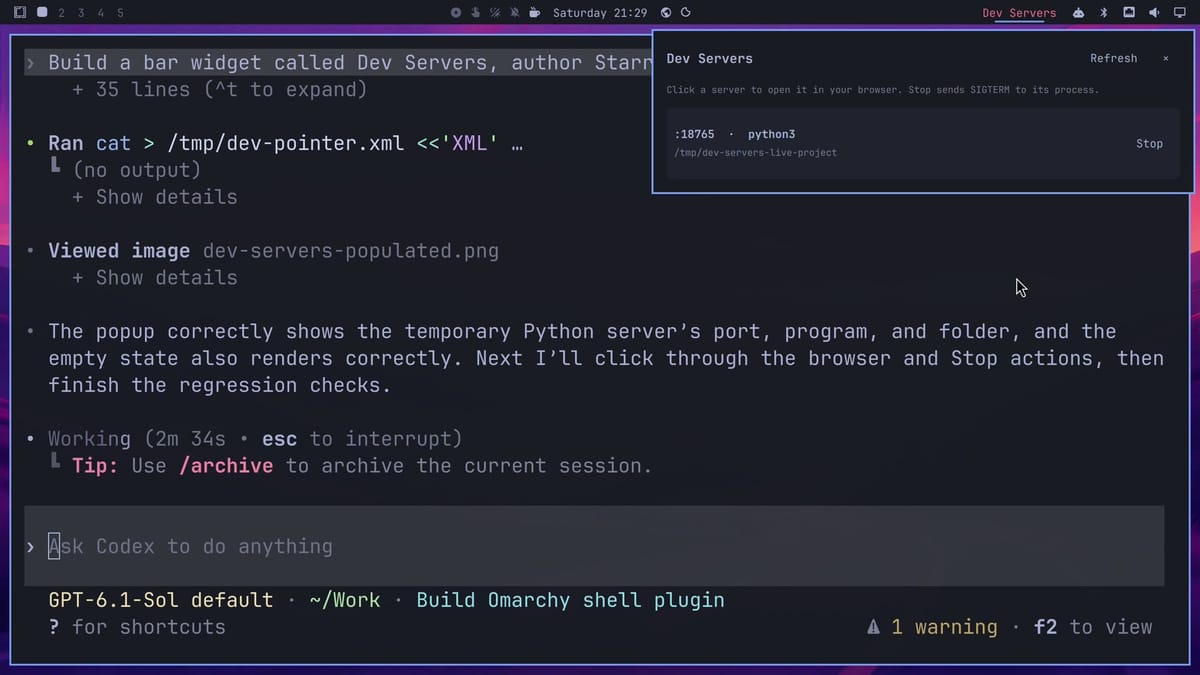
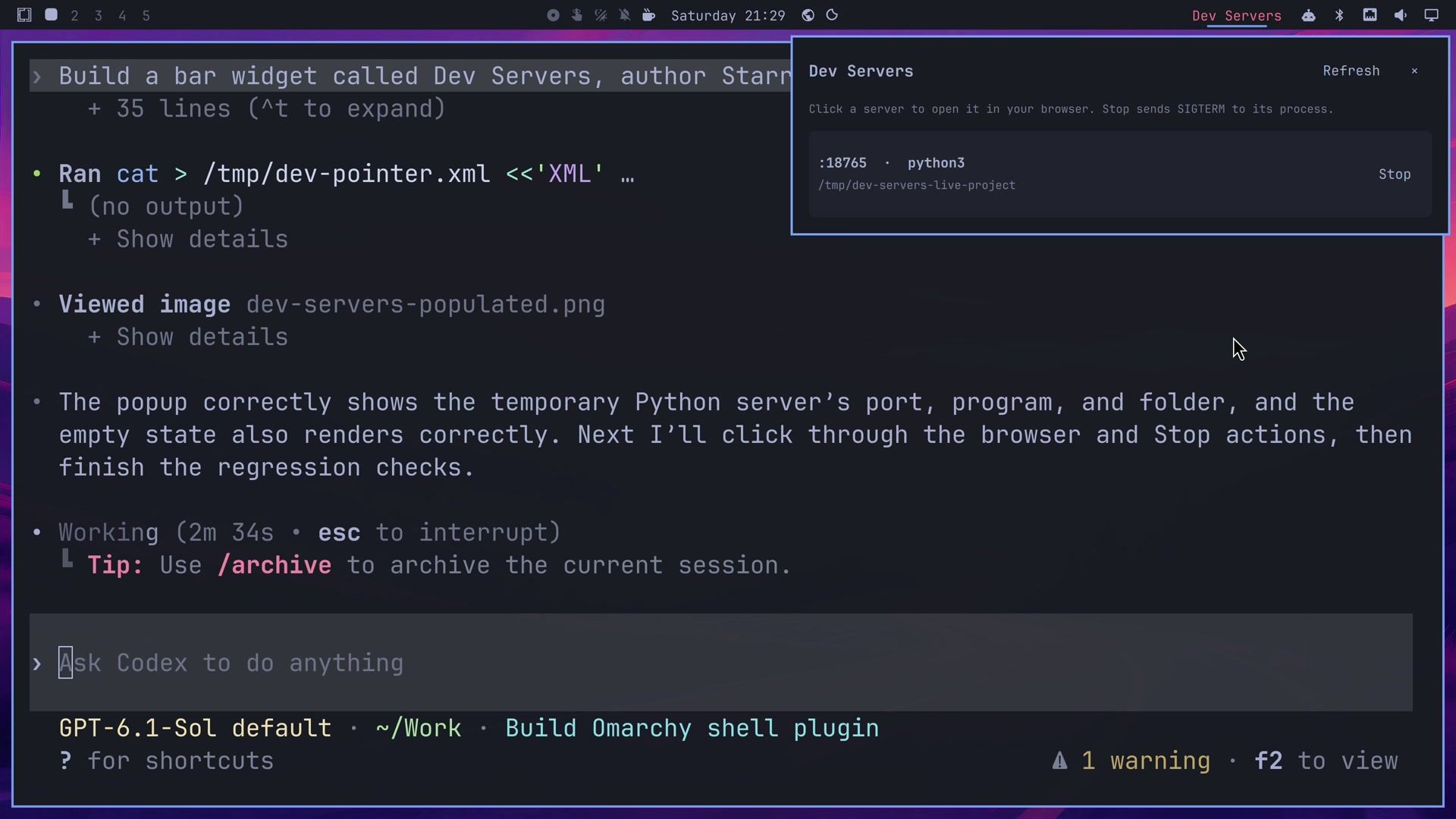
To click the popup, Codex wrote a small click helper. The helper clicked the server’s row, and Chromium opened the test page; then it clicked Stop, which ended the test server and removed its row. Codex restarted the shell once to load its final changes and repeated the checks. Its summary says it also tested closing the popup with esc , that six automatic tests it wrote pass, and that the README in ~/Work/dev-servers lists the detection limits.
Try Dev Servers with two projects
Start two dev servers in two terminals. Any projects you have will do. We served a static site with Python from one folder and ran a Node app from another. If you have no projects at hand, two Python servers in two empty folders work the same way, one on port 8000 and one on 8001.
cd ~/Work/recipe-site
python3 -m http.server 8000
cd ~/Work/todo-app
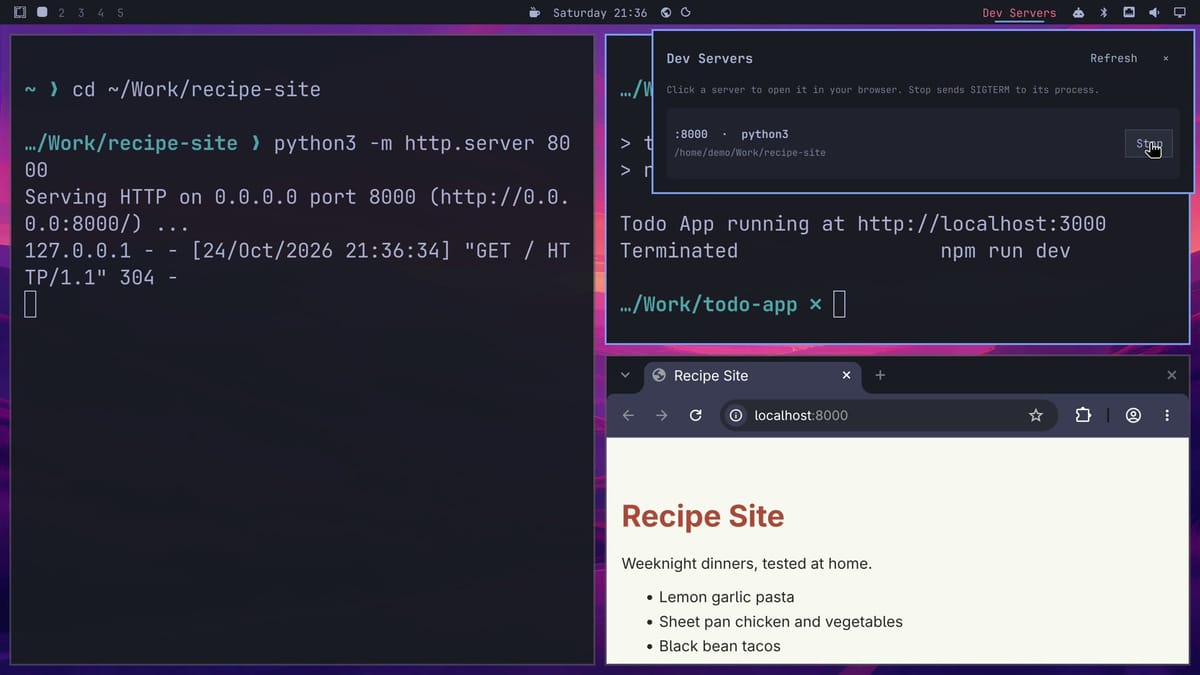
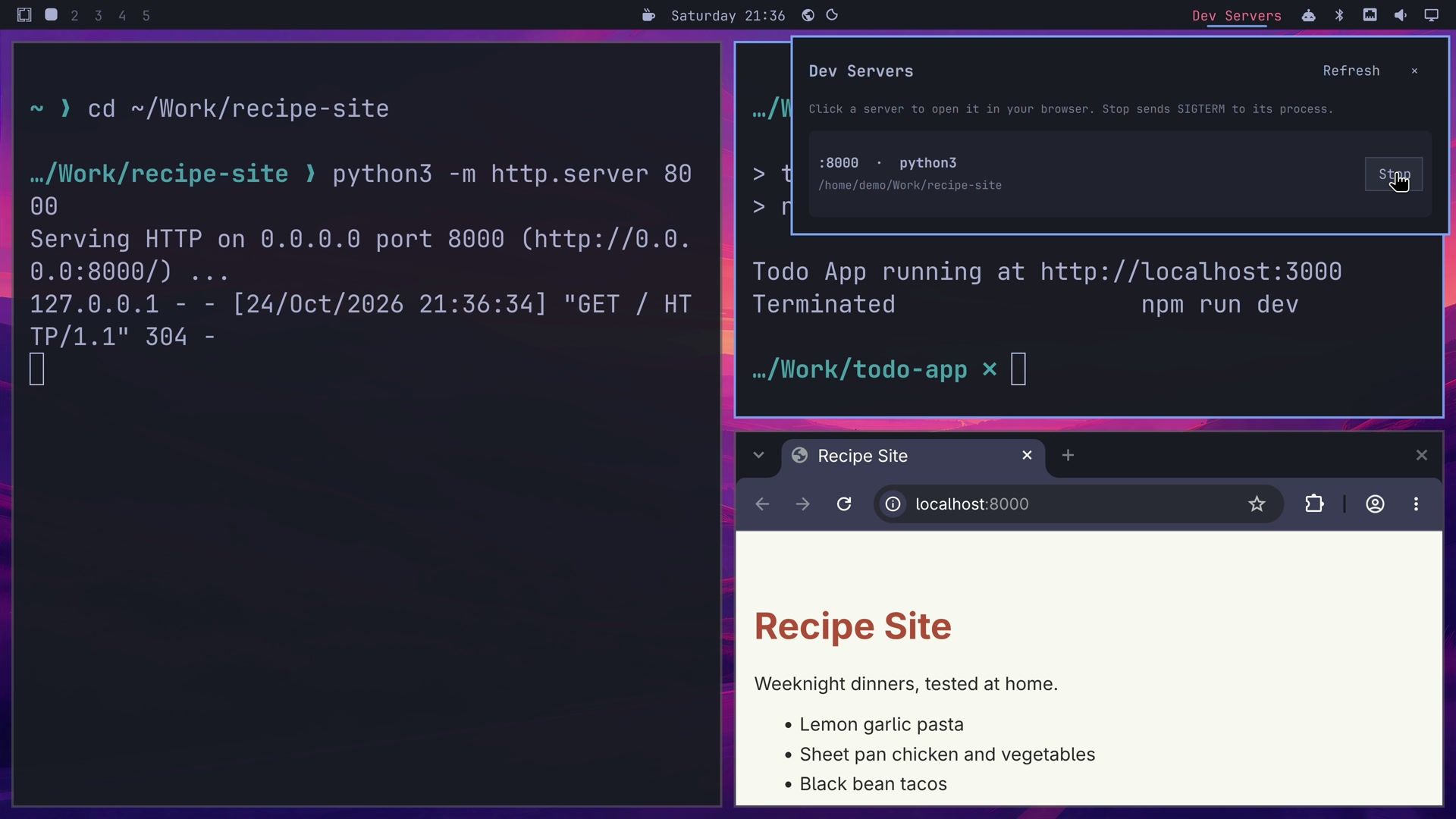
npm run devClick Dev Servers in the top bar. Both servers appear in the list with their ports and project folders. Neither project needed any change for the widget to find it. The popup refreshes every three seconds while it is open.
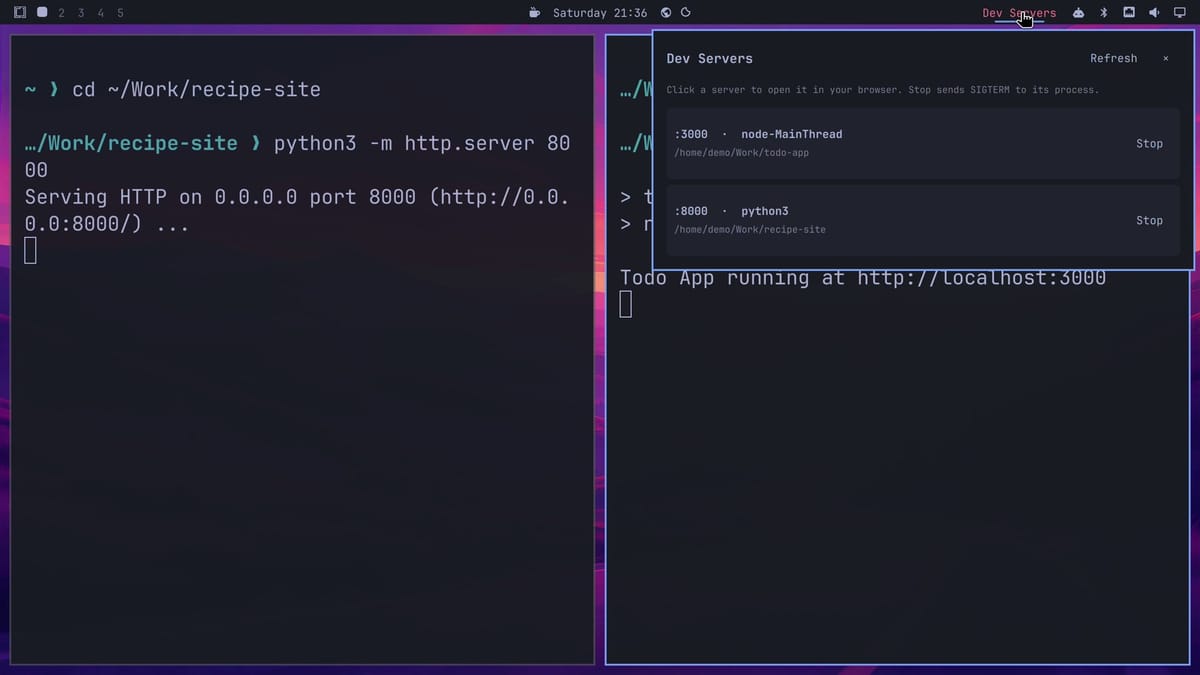
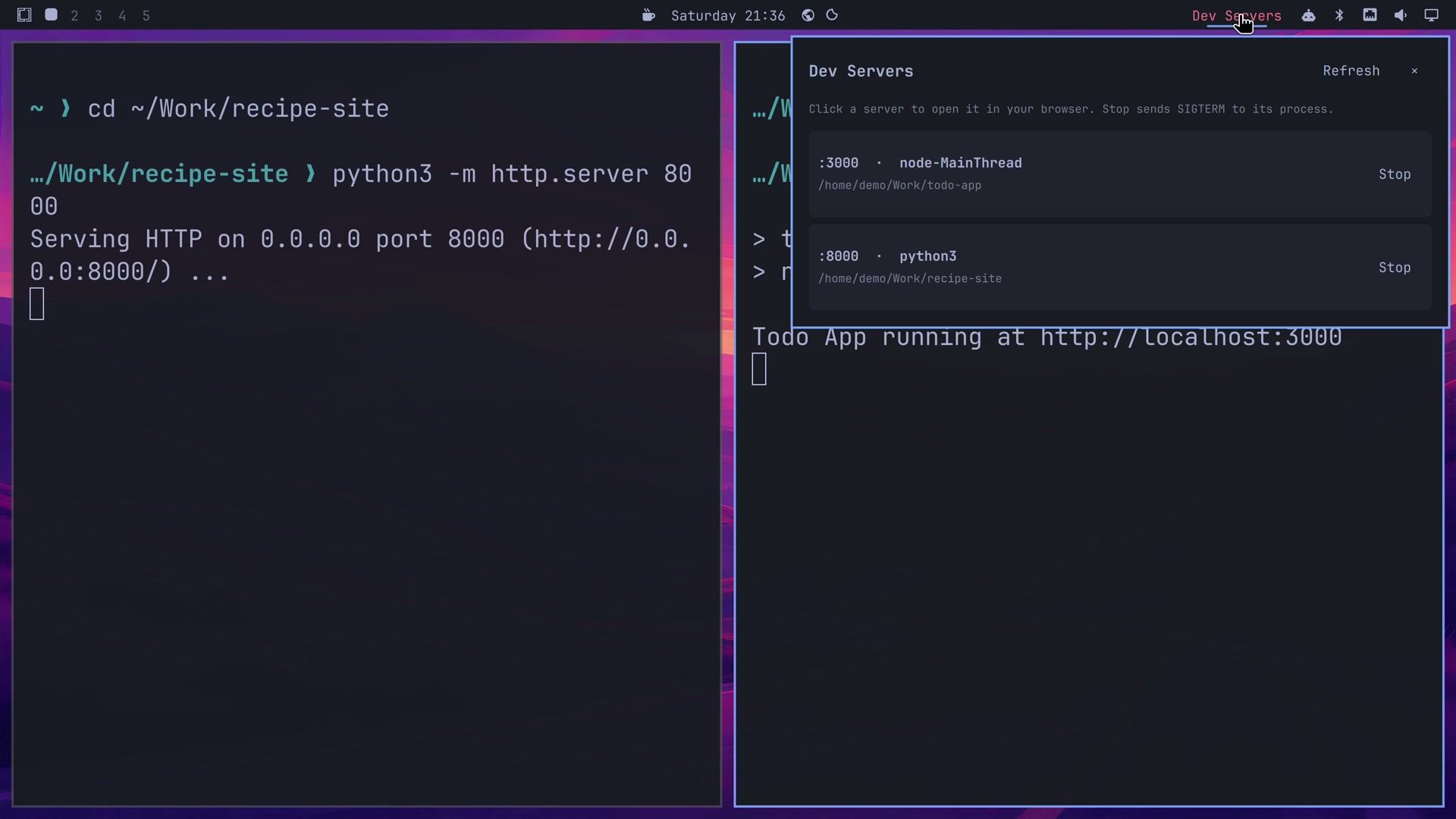
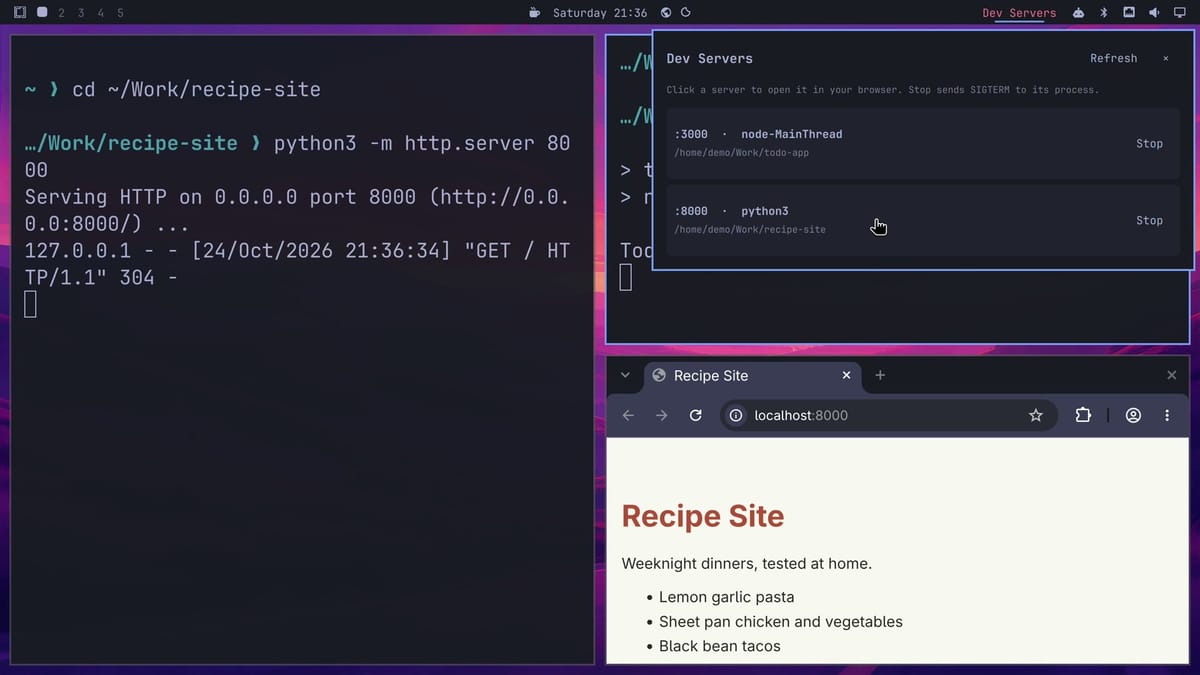
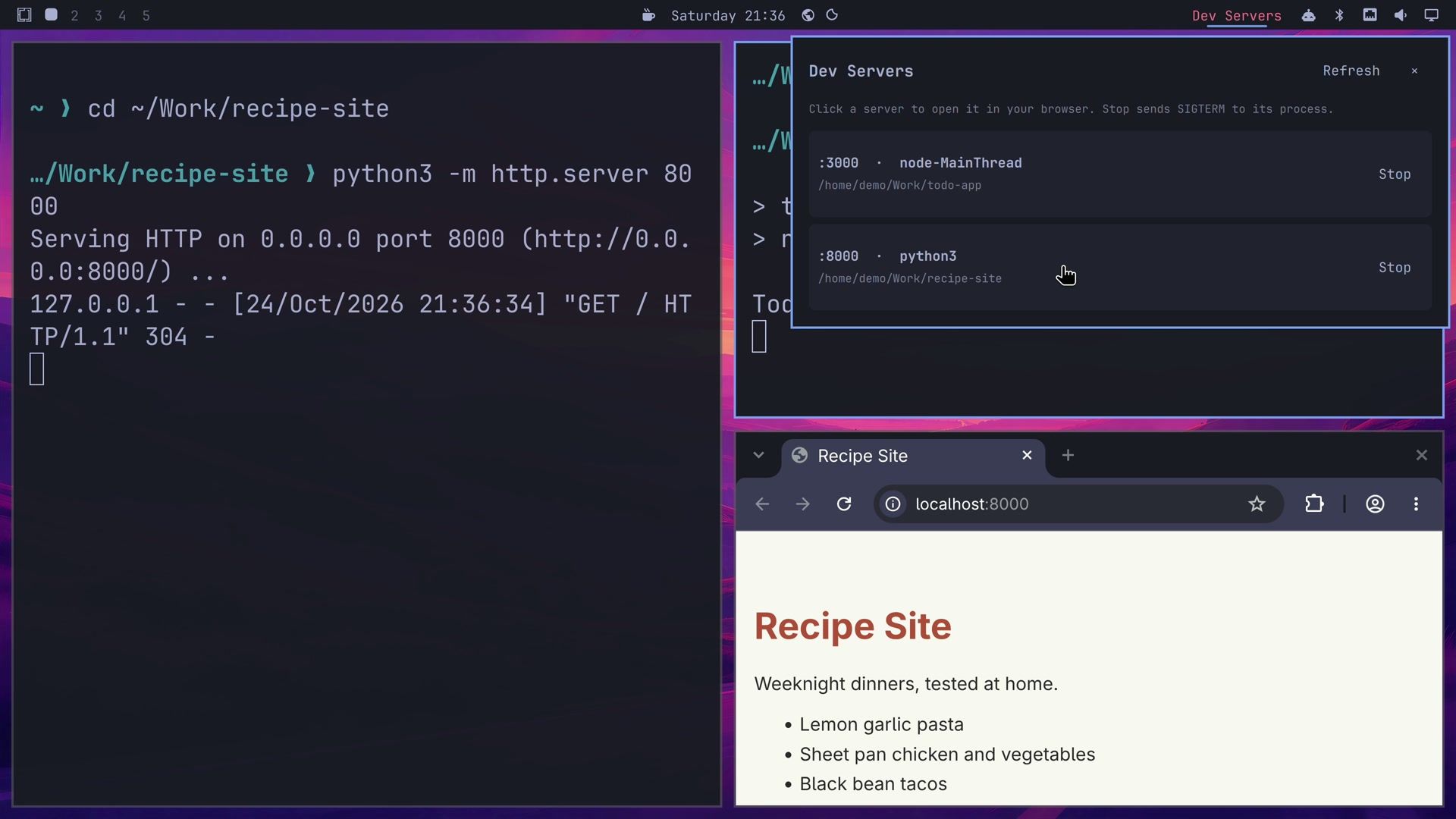
The Node row shows its program as node-MainThread, the name Node gives its main thread, rather than node. Click the Python row, and its site opens in the browser at localhost:8000. The Python terminal logs the browser’s request.
Click Stop on the Node row. Stop sends SIGTERM, which asks the program to shut down rather than forcing it. The Node terminal prints “Terminated”, and only the Python row is left in the list.
Keep the source out of the plugins folder
Omarchy loads your own plugins from ~/.config/omarchy/plugins/<id>/. The omarchy plugin remove command treats that folder by type: it unlinks a symlink, moves a plain folder to a hidden backup, and deletes a folder that holds a .git directory. The scaffold skill runs git init by default, so an agent-built plugin that sits in the plugins folder itself is a git folder, and removing the plugin deletes the code with it.
With the source in ~/Work/dev-servers and only a link in the plugins folder, removing the plugin deletes the link, and the source stays in ~/Work. Codex’s README for Dev Servers lists the steps it ran to link and enable the plugin, which you can repeat by hand:
mkdir -p ~/.config/omarchy/plugins
ln -s ~/Work/dev-servers ~/.config/omarchy/plugins/starryhope.dev-servers
omarchy-shell shell rescanPlugins
omarchy plugin enable starryhope.dev-servers --section right
Use your plugin’s own id, from the id field in its manifest.json; Codex picked starryhope.dev-servers for ours. omarchy plugin disable <id> takes the widget off the bar without removing anything.
Limits to know before you rely on it
Omarchy’s shell plugins chapter says third-party plugins run unsandboxed, with your user’s access to files and processes. A plugin that can stop a dev server can stop other programs you own. Codex’s tests are tests it wrote for its own code, so before you rely on a plugin like this, read the code in ~/Work/dev-servers or have a second AI coding agent review it.
Our build of Dev Servers recognizes common server commands, including Node, Bun, Deno, Python, PHP, Rails, Vite, Next, Astro, Hugo, Jekyll, Go, and Rust. Its README says a custom server it does not recognize may need another rule, and that a server inside a container does not show up unless a host process of your user owns the port. It skips databases, browsers, and other users’ processes. The agent picks names, layout, and rules on its own each time, so the same answer can give you a different widget. The Plugin button is new in this release candidate, which also expanded the plugin guide in the omarchy skill, and the final 4.5 release can change either one.
Troubleshooting
If the Plugin button starts the wrong agent or nothing at all, check Setup, Defaults, Agent in the Omarchy menu. The button starts the agent set there, and that agent has to be signed in.
If the widget does not show up after the build, run omarchy plugin list to see whether Omarchy knows the plugin. A plugin linked in while the shell runs may not be known until a rescan; omarchy-shell shell rescanPlugins does that, and omarchy plugin enable <id> puts it on the bar. If the bar keeps showing an older version of the widget after a change, omarchy restart shell loads the current code; Codex needed that once during our build.
If the popup shows an error, or the widget shows nothing at all, the shell log usually names the problem. Run journalctl --user -e, copy the error line, and paste it to the agent in the same window, along with a request to fix it and check the log again after the reload.
Related guides
To find and install plugins other people have written, see how to find, check, and install Omarchy plugins. For finished plugins to try, see Spaces, Fathom, and three more Omarchy plugins and Exposé, Workspace Layout, and three more.


