
MINISFORUM UM690L Slim
Published on

The MINISFORUM UM690L Slim takes the Ryzen 9 6900HX platform and stuffs it into a 0.83-liter NUC-style chassis that fits comfortably under a monitor stand or on a VESA mount. It is the slim refresh of the original UM690, and it inherits the older model’s strengths (an 8-core/16-thread Zen 3+ APU with capable Radeon 680M graphics, a 40 Gbps USB4 port, and 2.5 Gigabit Ethernet). The memory and SSD now sit under their own dedicated cooling instead of cooking quietly in still air, which was the first generation’s weakest engineering point. For shoppers who liked the UM690’s raw performance but found its plastic chassis a bit unwieldy, the Slim is the version to look at.
RAM in the Slim is soldered LPDDR5-6400, not the upgradable DDR5 SODIMMs of the original, and that swap is how MINISFORUM shrank the chassis. It gives the system 6400 MT/s memory bandwidth, which is helpful for the integrated GPU, but it means you have to pick your final RAM capacity at checkout. Storage stays fully user-serviceable through dual M.2 2280 PCIe 4.0 slots, and the rear USB4 port accepts 65 to 100 watts of Power Delivery in (a single cable can power and feed video to the unit). If you want a small, capable AMD mini PC for productivity, light gaming, or a home-office Plex-and-Docker box, it is a reasonable buy at this price.
Soldered memory in exchange for a 0.83-liter chassis
| Pros | Cons |
|---|---|
| 8-core/16-thread Ryzen 9 6900HX with Radeon 680M iGPU | LPDDR5 RAM is soldered and cannot be upgraded after purchase |
| Rear USB4 port: 40 Gbps, 8K@60Hz output, 65-100W PD in | Older Zen 3+ platform; newer 7000/8000-series Mini PCs gain ~15% in graphics |
| Dual M.2 2280 PCIe 4.0 NVMe slots (up to 4TB total) | Only one front display output (HDMI rear, DP rear) plus USB4 |
| Dedicated cooling for SSD and memory (fixes the original UM690 hot-spot) | Two rear USB-A ports are USB 2.0, not 3.x |
| WiFi 6E, Bluetooth 5.3, 2.5 Gigabit Ethernet | Glued rubber feet hide the access screws; opening it is fiddly |
| 0.83-liter chassis with VESA mount included | Memory speed in BIOS is locked by MINISFORUM |
Related Videos
MINISFORUM UM690L Slim Comparison Chart
 MINISFORUM UM690L Slim | MINISFORUM UM690L Slim | MINISFORUM UM690L Slim | MINISFORUM UM690L Slim | |
| Price | List Price: Amazon Prices: | List Price: Amazon Prices: | List Price: Amazon Prices: | List Price: Amazon Prices: |
| Version | 16GB/512GB/Ryzen 9 6900HX | 16GB/1TB/Ryzen 9 6900HX | 32GB/512GB/Ryzen 9 6900HX | 32GB/1TB/Ryzen 9 6900HX |
| Performance Rating | 4.9 | 4.9 | 5.3 | 5.3 |
| Operating System | Windows 11 Pro | Windows 11 Pro | Windows 11 Pro | Windows 11 Pro |
| Processor | Octa-core 3.30 Ghz (max 4.90 Ghz) AMD Ryzen 9 6900HX | Octa-core 3.30 Ghz (max 4.90 Ghz) AMD Ryzen 9 6900HX | Octa-core 3.30 Ghz (max 4.90 Ghz) AMD Ryzen 9 6900HX | Octa-core 3.30 Ghz (max 4.90 Ghz) AMD Ryzen 9 6900HX |
| GPU | Integrated AMD Radeon 680M | Integrated AMD Radeon 680M | Integrated AMD Radeon 680M | Integrated AMD Radeon 680M |
| RAM | 16 GB LPDDR5 (LPDDR5-6400 soldered) | 16 GB LPDDR5 (LPDDR5-6400 soldered) | 32 GB LPDDR5 (LPDDR5-6400 soldered) | 32 GB LPDDR5 (LPDDR5-6400 soldered) |
| Internal Storage | 512 GB PCIe 4.0 NVMe SSD | 1 TB PCIe 4.0 NVMe SSD | 512 GB PCIe 4.0 NVMe SSD | 1 TB PCIe 4.0 NVMe SSD |
| Dimensions width x length x thickness | 5.12 x 4.98 x 1.98 inches (130.05 x 126.49 x 50.29 mm) | 5.12 x 4.98 x 1.98 inches (130.05 x 126.49 x 50.29 mm) | 5.12 x 4.98 x 1.98 inches (130.05 x 126.49 x 50.29 mm) | 5.12 x 4.98 x 1.98 inches (130.05 x 126.49 x 50.29 mm) |
| Weight | 2.71 lbs (1.23 kg) | 2.71 lbs (1.23 kg) | 2.71 lbs (1.23 kg) | 2.71 lbs (1.23 kg) |
| WiFi | Wi-Fi 6E (802.11ax) | Wi-Fi 6E (802.11ax) | Wi-Fi 6E (802.11ax) | Wi-Fi 6E (802.11ax) |
| Bluetooth | Bluetooth 5.3 | Bluetooth 5.3 | Bluetooth 5.3 | Bluetooth 5.3 |
| Ethernet | 1 Ethernet port at 2.5 Gbps | 1 Ethernet port at 2.5 Gbps | 1 Ethernet port at 2.5 Gbps | 1 Ethernet port at 2.5 Gbps |
| HDMI | 1 Full-Size HDMI Port | 1 Full-Size HDMI Port | 1 Full-Size HDMI Port | 1 Full-Size HDMI Port |
| DisplayPort | 1 DisplayPort (DisplayPort 1.4, up to 4K@120Hz. HDMI 2.1 supports 4K@120Hz or 8K@60Hz.) | 1 DisplayPort (DisplayPort 1.4, up to 4K@120Hz. HDMI 2.1 supports 4K@120Hz or 8K@60Hz.) | 1 DisplayPort (DisplayPort 1.4, up to 4K@120Hz. HDMI 2.1 supports 4K@120Hz or 8K@60Hz.) | 1 DisplayPort (DisplayPort 1.4, up to 4K@120Hz. HDMI 2.1 supports 4K@120Hz or 8K@60Hz.) |
| VGA | No VGA Ports | No VGA Ports | No VGA Ports | No VGA Ports |
| USB Ports | 2 USB 2.0, 2 USB 3, 1 USB-C (1 USB4) Front: 2x USB-A 3.2 Gen 2 (10Gbps). Rear: 1x USB4 Type-C (40Gbps, 8K@60Hz, supports 65-100W PD input), 2x USB-A 2.0. | 2 USB 2.0, 2 USB 3, 1 USB-C (1 USB4) Front: 2x USB-A 3.2 Gen 2 (10Gbps). Rear: 1x USB4 Type-C (40Gbps, 8K@60Hz, supports 65-100W PD input), 2x USB-A 2.0. | 2 USB 2.0, 2 USB 3, 1 USB-C (1 USB4) Front: 2x USB-A 3.2 Gen 2 (10Gbps). Rear: 1x USB4 Type-C (40Gbps, 8K@60Hz, supports 65-100W PD input), 2x USB-A 2.0. | 2 USB 2.0, 2 USB 3, 1 USB-C (1 USB4) Front: 2x USB-A 3.2 Gen 2 (10Gbps). Rear: 1x USB4 Type-C (40Gbps, 8K@60Hz, supports 65-100W PD input), 2x USB-A 2.0. |
| Thunderbolt Ports | No | No | No | No |
| OCuLink | No | No | No | No |
| Internal SATA Ports | No SATA ports | No SATA ports | No SATA ports | No SATA ports |
| Card Reader | No Card Reader | No Card Reader | No Card Reader | No Card Reader |
| Headphone Jack | combo | combo | combo | combo |
| Fanless | No | No | No | No |
| VESA Mount | Yes | Yes | Yes | Yes |
| In the Box | Mini PC, 120W power adapter, HDMI cable, VESA mount bracket, user manual. | Mini PC, 120W power adapter, HDMI cable, VESA mount bracket, user manual. | Mini PC, 120W power adapter, HDMI cable, VESA mount bracket, user manual. | Mini PC, 120W power adapter, HDMI cable, VESA mount bracket, user manual. |
| Expandability | RAM is soldered LPDDR5-6400 (not upgradeable). Storage expandable via 2x M.2 2280 PCIe 4.0 NVMe slots up to 4TB total. USB4 supports eGPU enclosures. | RAM is soldered LPDDR5-6400 (not upgradeable). Storage expandable via 2x M.2 2280 PCIe 4.0 NVMe slots up to 4TB total. USB4 supports eGPU enclosures. | RAM is soldered LPDDR5-6400 (not upgradeable). Storage expandable via 2x M.2 2280 PCIe 4.0 NVMe slots up to 4TB total. USB4 supports eGPU enclosures. | RAM is soldered LPDDR5-6400 (not upgradeable). Storage expandable via 2x M.2 2280 PCIe 4.0 NVMe slots up to 4TB total. USB4 supports eGPU enclosures. |
Related Mini PCs
-
 MINISFORUM AI X1-255The MINISFORUM AI X1-255 is a Ryzen 7 255 mini PC with Radeon 780M graphics, two DDR5 SO-DIMM…
 -
 MINISFORUM UM680/UM760/UM870 SlimThe MINISFORUM UM680/UM760/UM870 Slim share one compact chassis across three AMD Ryzen chips (Ryzen…
 -
 BOSGAME P3 MIXThe BOSGAME P3 MIX is a Ryzen 5 7640HS mini PC with 16GB of DDR5, a 512GB drive with a second PCIe…
 -
 BOSGAME P3 PlusA budget AMD Ryzen 7 7840HS mini PC with Radeon 780M graphics, dual Gigabit LAN, WiFi 6E, and two…
 -
 GMKtec K1The GMKtec K1 (also sold as the NucBox K1) is a Ryzen 7 6800H mini PC with Radeon 680M graphics,…
 -
 GMKtec M3 UltraThe GMKtec M3 Ultra is an aluminum mini PC built on the 14-core Intel Core i7-12700H, with two…
A plastic 0.83-liter shell with the USB4 port on the back
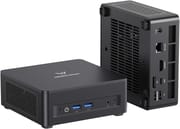
The UM690L Slim measures 130 x 126.5 x 50.4 mm (5.12 x 4.98 x 1.98 in) and weighs about 1.23 kg, giving it the footprint of a 13th-generation Intel NUC but a touch more height. The chassis is mostly plastic with metal mesh inserts on both sides and the top for airflow, a finish that prioritizes weight and thermals over the more premium aluminum feel of the MS-A1 or MS-01. A pair of rubber feet keep it from sliding, and the included VESA bracket lets you tuck it behind a monitor so the only thing visible on your desk is the front bezel with its two USB-A 3.2 Gen 2 ports and combo audio jack.
Inside, the AMD Ryzen 9 6900HX delivers 8 cores and 16 threads of Zen 3+ at up to 4.9 GHz boost. MINISFORUM caps the package power at 60 W in its marketing materials, which is conservative for a 35-45 W TDP chip and helps the Slim stay below 35 dBA at full load (per the manufacturer page). Cinebench R23 results published on the listing put the 6900HX at roughly 1662 single / 14670 multi, putting it about 8% ahead of the Ryzen 7 6800H and 20% ahead of the Intel Core i7-1180H in the same test conditions. The Radeon 680M iGPU is the same 12 RDNA 2 compute units found in the original UM690, which means esports titles at 1080p run smoothly and modest 1080p settings in AAA games are within reach.

On the front, you get two USB-A 3.2 Gen 2 ports (10 Gbps) and the audio jack, but no front USB-C. The rear panel carries the 19V DC input, a 2.5 Gigabit Ethernet jack, one full-size HDMI 2.1 port, one DisplayPort 1.4 output, the USB4 Type-C port, and two USB 2.0 Type-A ports. Putting the USB4 on the back is a deliberate decision; MINISFORUM positions the Slim as a one-cable VESA-mounted desktop where a 100W USB-C dock or monitor handles power and display through that single connector. The downside is that the two rear USB-A ports are USB 2.0, which limits how many high-speed peripherals you can keep permanently plugged in.
WiFi 6E gives access to the 6 GHz band when a Mesh router supports it, and Bluetooth 5.3 keeps low-energy peripherals stable on a 2026 desktop. The 2.5 Gbps Ethernet port is welcome at this price point and handles NAS or local Plex traffic without a USB adapter. The NUC-style chassis and the new active fan over the RAM and SSD keep the Slim quieter than the original UM690 under sustained load.
Reviewer Insights

Robtech’s Slim-Specific Review
Robtech took the Slim apart on camera. He confirms the dedicated secondary fan under the motherboard that cools both M.2 SSDs and the memory area, calling it the fix for “the wrongs of the past” with the first UM690. His benchmarking puts the 6900HX in the expected ballpark for productivity, and he verifies that the rear USB4 port delivers both power and display through a single cable. On the downside, he notes that opening the unit is “a chore” because four rubber feet are glued tightly over the access screws, that memory speed is locked in BIOS (no overclocking), and that one of the rear USB-A ports is USB 2.0. He calls it a nice machine without major flaws but suggests cross-shopping it against the newer-generation 7000 and 8000 series Mini PCs that have crept into the same price range.
ServeTheHome on the Original UM690 Platform
ServeTheHome reviewed the original UM690 chassis, which shares the same 6900HX silicon as the Slim but uses DDR5 SODIMMs and a different cooling layout. They praise the USB4 port (highlighting 8K60 output and the fact that the four rear USB-A ports are all 10 Gbps on the original), the value-leading barebones SKU, and the 2.5 Gigabit Ethernet. Their main criticisms (poor internal accessibility and HDMI outputs limited to 4K60) carry over to the Slim, although the Slim only ships in pre-built configurations because the soldered LPDDR5 rules out a true barebones SKU. The Slim also gains HDMI 2.1 at 4K@120Hz and 8K@60Hz, addressing one of ServeTheHome’s display-output complaints.
WCCFtech’s Take on the Same Silicon
WCCFtech put the original Venus UM690 through a deeper benchmarking pass and concluded that the Ryzen 9 6900HX “crushes all other iGPUs in our tests” thanks to the RDNA 2 graphics. Their data is still relevant to the UM690L Slim because the CPU and iGPU are unchanged; only the chassis and memory subsystem differ. They observed the original peaking around 80C under sustained load with mild fan whine, which is consistent with what Robtech sees on the Slim. WCCFtech also confirms HDMI 2.1 dual-4K output and called out the unusually generous BIOS controls for an APU mini PC (power limits, thermal limits, shared GPU memory pool, RAM speed), most of which Robtech says have been locked down on the Slim BIOS revision.
NotebookCheck’s Long-Form Lab Test
NotebookCheck scored the original Venus UM690 at 86.1% in their lab review, praising the efficient and very fast CPU performance, the integrated Radeon 680M, triple-monitor support, and “good and stable Wi-Fi 6E transfer rates.” They noted that the Wi-Fi MediaTek chip is a step behind Intel’s AX210 in raw throughput but said it is not noticeable in daily use. Their build-quality criticism (mostly plastic exterior) still applies to the Slim, which uses the same chassis materials. NotebookCheck also published 24-hour stress data on the platform.
Customer Reviews
Across 5 ratings on Amazon, the MINISFORUM UM690L Slim averages 4.7 stars, with every rating landing at four or five stars (72 percent five-star, 28 percent four-star). Dug T., a verified buyer who rated it four stars, wrote that “It hiccups on hi res video here and there on my 75” 4k tv, but it’s very capable,” so if 4K playback on a large TV is your main use case, weigh that note before buying.
The other reviews are positive but limited in detail. Marc F (not a verified purchase) received the unit as a warranty replacement for an older UM680 and praised the support experience, saying the “690 seems like an excellent machine” and that he would buy from Minisforum again. With only five total ratings, this is a thin sample rather than a broad consensus.
Read more owner reviews on Amazon.
Worth buying below the price of the newer Slim models
The MINISFORUM UM690L Slim is a tidy small-form-factor desktop for shoppers who want Ryzen 9 6900HX performance, USB4, and 2.5 Gigabit Ethernet inside a chassis that disappears behind a monitor. The dedicated SSD/memory cooling fan clears the original UM690’s thermal hot-spot, and the rear USB4 port plus 100W PD-in support make the one-cable VESA-mounted setup workable. Soldered LPDDR5-6400 is a downside compared to the SODIMM-equipped UM690, but it is what makes the 0.83L volume possible.
The Slim’s main competition in 2026 is the slim 7000/8000-series Mini PCs MINISFORUM itself sells in the same chassis (UM680/UM760/UM870 Slim, UM750L) and competitors like the Beelink GTR7 family. If you can find the UM690L Slim well under the price of those newer options, the value still holds; if pricing is comparable, the Zen 4 RDNA 3 alternatives will age better. The Mini PC comparison chart is a useful starting point for cross-shopping, and for buyers focused on quiet always-on use cases (Plex, Docker, light gaming), the Slim’s improved acoustics make it an easier recommendation than the louder original UM690.
Upgrades
Accessories that fit the MINISFORUM UM690L Slim's USB4 or Thunderbolt ports.
Core X V2
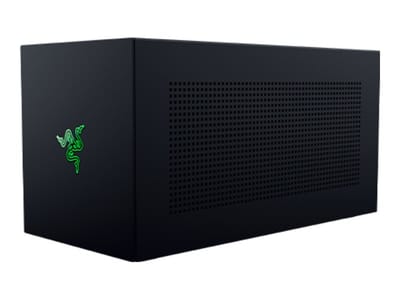
A Thunderbolt 5 enclosure that Razer lists as working with Thunderbolt 4 and USB4 hosts; it fits a four-slot card and needs an ATX power supply.
DEG2 eGPU Dock
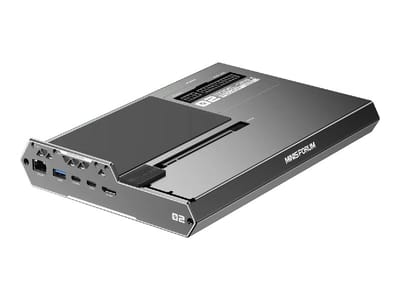
Connects over USB4 or Thunderbolt 5, with an OCuLink input behind a switch, and adds an M.2 slot; it needs an ATX or SFX power supply.
Breakaway Box 850 T5
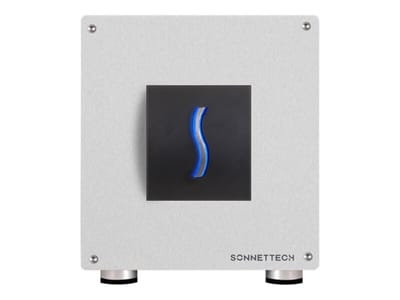
Has an 850W power supply built in, so only the graphics card is extra, and works with Thunderbolt 4 and USB4 Windows PCs.
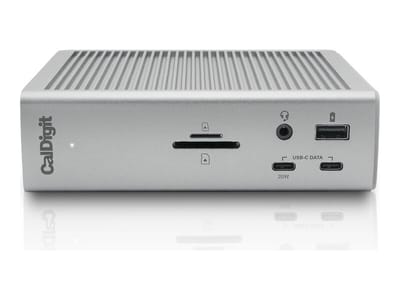
TS4 Thunderbolt 4 Dock
An 18-port dock that CalDigit lists for Thunderbolt 4 and USB4 hosts, with 2.5GbE and a DisplayPort 1.4 output.
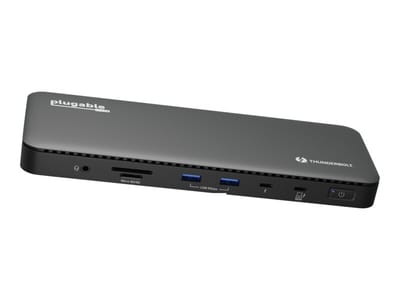
TBT4-UD5 Thunderbolt 4 Dock
Two HDMI ports drive two 4K60 monitors from one Thunderbolt 4 or USB4 port on a Windows PC.
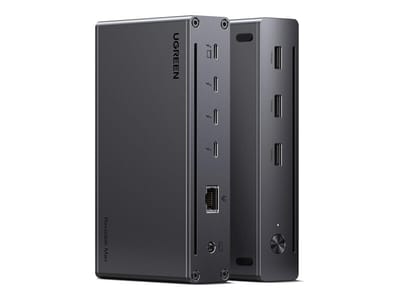
Revodok Max 208 Thunderbolt 4 Dock
Adds three Thunderbolt 4 ports for dual 4K60 displays plus gigabit Ethernet; it has no HDMI port, so monitors connect over USB-C or an adapter.
Frequently Asked Questions
Can the RAM in the MINISFORUM UM690L Slim be upgraded?
No. The memory is soldered LPDDR5-6400, so pick the 16GB or 32GB configuration that matches your workload at the time of purchase. If you want upgradable DDR5 SODIMMs with the same 6900HX silicon, look at the original MINISFORUM UM690 (non-Slim).
How is storage expandable on the UM690L Slim?
The Slim has two M.2 2280 PCIe 4.0 NVMe slots that support up to 4TB total storage. A heatsink is included, and reviewers report that RAID-0 and RAID-1 are exposed in the BIOS for the two SSDs. Getting inside the case requires peeling off the four glued rubber feet to reach the access screws, which is the most-criticized servicing aspect of the design.
Does the UM690L Slim support an external GPU?
Yes. The rear USB4 port is a full 40 Gbps Thunderbolt-class link with DisplayPort Alt Mode and 65-100W Power Delivery in/out, so eGPU enclosures like the Razer Core or Aorus Gaming Box work as expected on the AMD platform. The 6900HX has only PCIe 3.0 lanes plumbed to the USB4 controller, so you will not get the absolute peak performance of a 4090-class card, but it is still a substantial step up over the integrated Radeon 680M for AAA gaming.
How many monitors can the UM690L Slim drive?
Three. HDMI 2.1 supports up to 4K@120Hz or 8K@60Hz, DisplayPort 1.4 outputs 4K@120Hz, and the USB4 port carries DisplayPort Alt Mode for a third 4K display. This is enough for most productivity triple-monitor setups, with the caveat that running three high-refresh displays simultaneously will push the Radeon 680M close to its limits.
Is the UM690L Slim quiet?
Yes for everyday use and reasonably so under load. MINISFORUM rates it below 35 dBA at full load, and reviewers measuring the chassis report 30-35 dBA at idle, rising only modestly during sustained CPU work thanks to the new dedicated RAM/SSD fan. It is noticeably quieter than the original UM690 because the secondary fan keeps memory temperatures down, which prevents the main fan from ramping aggressively to compensate. It is not silent: there is a fan, and it will spin up briefly during heavy bursts.
Does the UM690L Slim work well with Linux?
Yes. The Ryzen 9 6900HX and Radeon 680M have solid mainline kernel support, and recent Linux distros for Mini PCs like Ubuntu 24.04 LTS, Fedora 41+, and Debian 13 install cleanly. The MediaTek WiFi 6E chip in this revision can require a kernel newer than 6.6 or a small driver workaround on older releases; once installed, it works normally. USB4 hot-plug behavior and eGPU support are kernel-version dependent, so plan on a current kernel if those features matter to you.
What is in the box?
MINISFORUM ships the UM690L Slim with the mini PC itself, a 120W power adapter (19V/6.32A), an HDMI cable, a VESA mount bracket with screws, two spare rubber feet, and the user manual. There is no included USB-C dock or USB4 cable, so plan on supplying your own if you want to use the one-cable USB4 desktop setup.
How does the UM690L Slim compare to the original UM690?
The Slim keeps the same CPU and iGPU in a smaller chassis. It uses soldered LPDDR5-6400 instead of SODIMM DDR5, which makes it more compact and gives the iGPU consistent 6400 MT/s bandwidth, but rules out RAM upgrades. The Slim has a new dedicated cooling fan for SSDs and memory, which fixes the original UM690’s thermal hot-spot. And the Slim puts the USB4 port on the back instead of the front, which suits VESA-mounted one-cable setups but is less convenient for portable eGPU use. If you want field-upgradable RAM, the original UM690 is the right pick; for tidier desktop integration, the Slim wins.