

Three years ago, the answer to “Chromebook Plus or Android tablet?” was a brand fight. ChromeOS was a browser-shaped operating system that ran a thin layer of Android apps; Android tablets were phones with bigger screens that ran a thin layer of productivity apps. Each side had holes and the choice carried meaningful trade-offs. That argument is mostly settled now. The Lenovo Chromebook Plus 14 OLED and the OnePlus Pad 3 share the same MediaTek and Qualcomm family of ARM cores. The Pixel Tablet and any Chromebook Plus both run the Play Store catalog. Chrome on a Galaxy Tab S10+ has defaulted to full desktop rendering since late 2023 on any tablet with at least 8 GB of RAM and a 10-inch screen.
What did not converge is the shape of the thing. A Chromebook Plus convertible is a hinge-bound laptop with a real keyboard already paid for. A premium Android tablet is a slab of glass and aluminum that can take a keyboard cover, at extra cost and extra grams. That difference is what the 2026 buyer should be deciding on, because the answer to it determines whether the device gets used the way the buyer imagined when they swiped the card or quietly slides into a drawer six months later.
Same engine, different chassis
Both sides ship ARM silicon now (the Kompanio Ultra family on the Chromebook Plus side; Tensor G2, Exynos 1580, Snapdragon 8 Elite, and Dimensity 9300+ on the Android tablet side), all of which are fast enough that the typical buyer will never notice the gap. Both run one Google account covering Drive, Photos, Messages, and the Play Store. Both ship Chrome, which on the tablet side defaults to desktop rendering when the hardware crosses 8 GB of RAM and a 10-inch panel. We covered ARM processors in our ARM processor wars piece; the silicon is no longer the differentiator it used to be.
The practical difference is shape. ChromeOS treats windows as resizable rectangles with a desktop-style file manager underneath, the shape laptops have used for forty years. Android treats activities as full-screen-by-default with the occasional Split View, the shape phones have used for fifteen. Pick the right shape and the platform underneath barely registers; pick the wrong shape and you will spend the next two years wondering why your $700 device feels like a chore.
Typing surface or holding surface
A Chromebook Plus is a typing surface: the device sits on something solid, your hands hover at chest height, and the keyboard is the primary input. A premium Android tablet is a holding surface. You hold it, your eyes sit closer to the screen than your hands do, and touch does the work. Convertibles and detachables exist to bridge the two, but they bridge less well than the marketing implies.
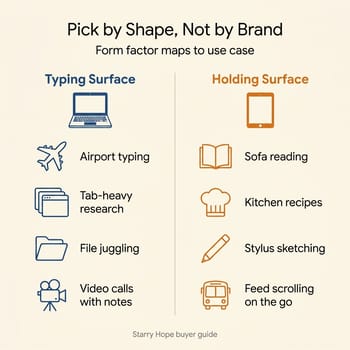
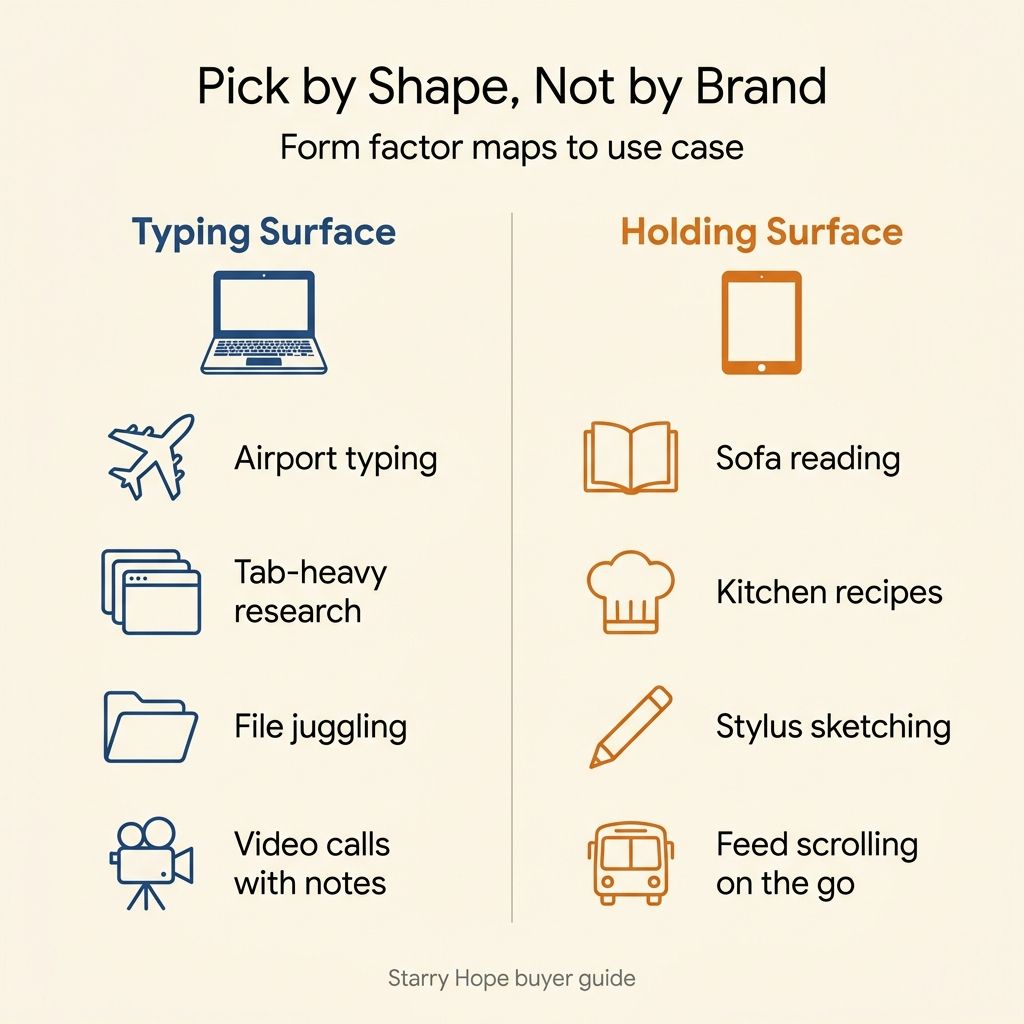
A good heuristic: imagine the last ten things you did on a computer outside of work. Typing more than a sentence, juggling tabs, and moving files between folders are typing-surface tasks. Reading articles in bed, watching a video while cooking, scrolling a feed on the bus, and sketching with a stylus are holding-surface tasks.
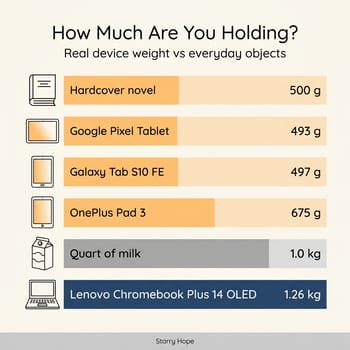
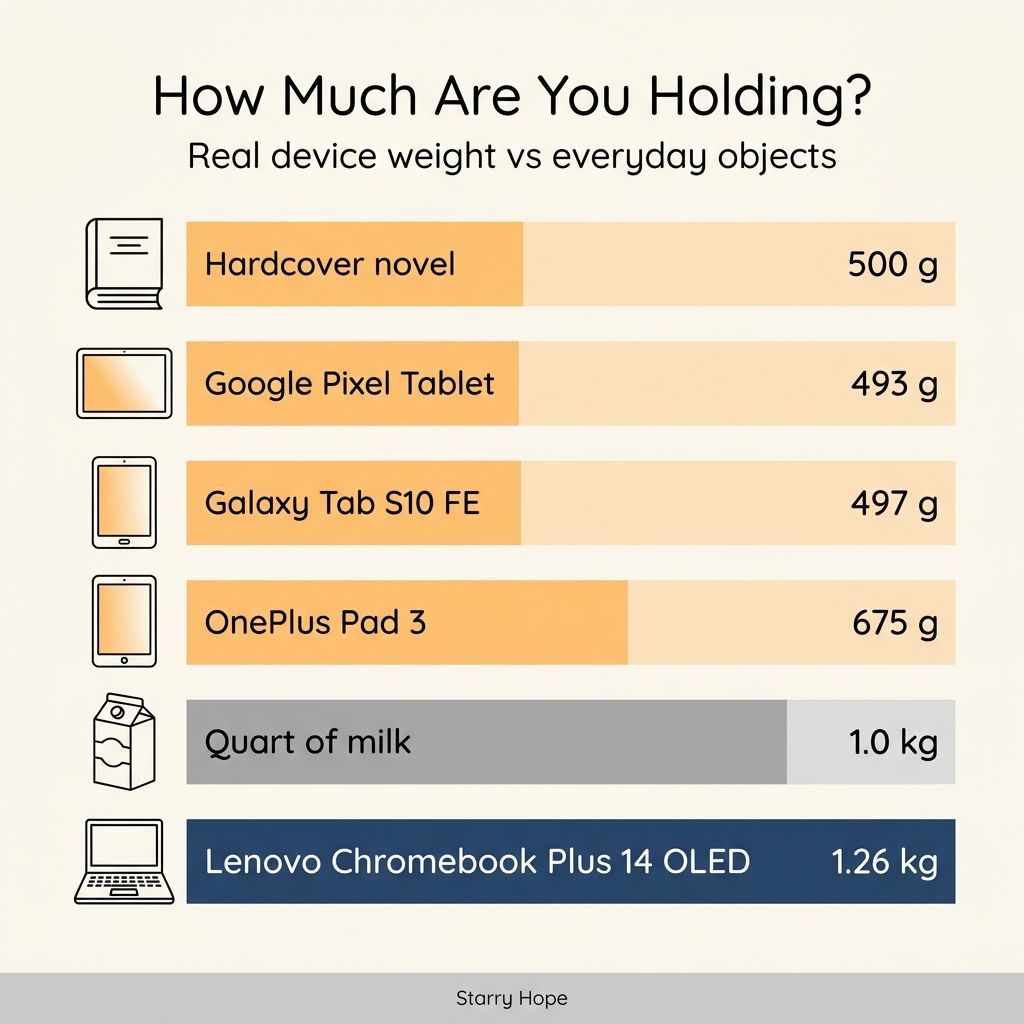
The trap is buying for the shape you wish you used. Buy a 13-inch tablet intending to read more, and you may keep doing the same writing on glass instead of a keyboard. The reverse mistake is rarer but more expensive: buying a 14-inch convertible to use as a sofa tablet, then finding it too heavy to hold for more than a few minutes. A hardcover novel is about 500 grams, a quart of milk is roughly a kilogram, and a 14-inch Chromebook Plus convertible like the Lenovo Plus 2-in-1 14 lands at 1.58 kilograms folded into slate mode. Three hardcover novels in one hand is not a sofa device.
Where the Chromebook Plus wins outright
The Chromebook Plus advantages come back to the device being a real laptop that happens to share an app ecosystem with phones rather than the other way around.
The first is the keyboard, already in the box, already calibrated to the hinge, already powered by the same battery as the screen. You do not pay extra, you do not carry extra grams, and you do not lose time when a Bluetooth handshake drops. The cheapest Chromebook Plus convertible in the current lineup, the Lenovo IdeaPad Flex 5i Chromebook Plus, lists at about $499. The premium Lenovo Chromebook Plus 14 OLED opens around $749. In both cases the keyboard is the part of the price you stop noticing.
The second is the file manager. ChromeOS ships a real Files app with folders, drag-and-drop between apps, and a sane mental model that maps to how a laptop has always worked. The Android tablet side has gotten better at this (Files by Google is competent, third-party file managers exist) but Android still stores files inside individual apps by default. For anyone who works across more than one app at a time (text plus reference plus screenshot folder; spreadsheet plus PDF plus email), the Chromebook Plus saves minutes per session.
The third is the support window. Google guarantees ten years of automatic updates on new Chromebooks, and you can look up the exact Auto Update Expiration date for any given model: the Lenovo Chromebook Plus 14 OLED is supported through June 2035. Samsung’s Galaxy Tab S10 line promises seven years of OS and security updates, but the security patches arrive quarterly rather than monthly. A Tab S10+ bought in 2024 goes dark around 2031; a Lenovo Chromebook Plus 14 OLED bought today is good four years longer.
A narrower advantage is worth a line: every Chromebook Plus can run real Linux applications through the built-in Linux environment. If you ever want to run VS Code locally, compile a small project, or use a real Git client, it is already there. Most readers will never touch it.
Where the premium Android tablet wins
The tablet’s advantages show up the moment you stop pretending it is a laptop replacement. Weight comes first. The Google Pixel Tablet ships at about 493 grams (a hardcover novel). The Samsung Galaxy Tab S10 FE is 497 grams. The Galaxy Tab S10+ comes in at 571 grams, and the OnePlus Pad 3 at 675. Even the heaviest of those sits comfortably in one hand for a chapter of a book or a recipe. The closest Chromebook Plus equivalent, the Lenovo Chromebook Plus 2-in-1 14 folded into slate mode, weighs 1.58 kilograms (more than three Pixel Tablets stacked together) and is not a one-handed device.
Then the stylus. The Galaxy Tab S10 FE, Tab S10+, and Tab S10 Ultra all ship with an S Pen in the box, and the OnePlus Pad 3 has a first-party pencil. ChromeOS has supported USI styluses for years, and the upcoming Lenovo Sapphire detachable raised the bar with a wirelessly charging USI 2.0 pen, but until Sapphire actually ships and reviewers measure the latency, the premium Android tablets still own this category. For students taking handwritten notes or illustrators doing daily sketches, the tablet is the right answer and it is not close.
The panel is the last of them. Samsung’s Tab S10+ and Tab S10 Ultra ship Dynamic AMOLED 2X displays at 120 Hz, and the OnePlus Pad 3 hits 144 Hz on a 13.2-inch LCD. The Lenovo Chromebook Plus 14 OLED has caught up at 14 inches, but most Chromebook Plus convertibles in the affordable tier still use IPS panels at 60 Hz. For anyone who watches a lot of video or edits photos, the premium Android tablets are the better screens, though if you do go OLED it is worth reading up on OLED Chromebook longevity first.
Android tablet apps in 2026 are also better than they were when the Pixel Slate failed in 2019. Google has pushed developers toward proper large-screen layouts, and the painful “stretched phone app” experience has shrunk to a list of holdouts (mostly social apps and a handful of banks). The Chromebook side closes the rest of that gap with Googlebook, which has Android apps running natively instead of inside a virtual machine. The gap between “tablet app” and “real software” has closed enough that it is no longer a reason to avoid the category for casual use.
The convertible compromise
Chromebook Plus convertibles try to cover both postures by hinging 360 degrees: keyboard out for typing, screen-only for reading, tent mode for video. The trap is the math we already walked through: a 14-inch convertible folded into slate mode is still a 14-inch laptop with the keyboard pressing against the back of the screen, so all that weight stays in your hand. Slate mode suits watching a video on a flight, or showing something on the screen to the person next to them. One-handed reading falls off.
The interesting case is the upcoming Lenovo Sapphire detachable, the first ChromeOS device designed from the start as a tablet first with an optional keyboard cover. The CES 2026 Chromebook announcements piece covers the full detachable and convertible hardware coming from ASUS, HP, and Lenovo this year. No shipping units exist yet, so this is a wait. If Sapphire delivers on its specs and lands at a sane price, it is the device that could finally let a Chromebook Plus buyer keep using ChromeOS in the holding posture. If it ships at iPad Pro money or with a half-finished tablet shell, it joins the Pixel Slate in the cautionary-tale folder. Wait for the shipping reviews before pre-ordering.
What the keyboard cover adds to the price
The sticker price on a premium Android tablet is misleading because adding the keyboard cover changes the number. The Samsung Tab S10+ Book Cover Keyboard Slim runs about $159.99; the Tab S10 Ultra Book Cover Keyboard sits between $199.99 and $349.99 depending on trim; the OnePlus Pad 3 Smart Keyboard is $199 and adds another 492 grams to what you carry. The $399 Pixel Tablet has no first-party keyboard at all (Google never shipped one), and the $499 Wi-Fi Galaxy Tab S10 FE crosses $650 once you add the matching cover, before any case or stylus replacement.
That math collapses the price advantage tablets seem to hold on the spec sheet. A Chromebook Plus convertible at $499 is a complete computer the moment it leaves the box; a Galaxy Tab S10+ at a similar street price is a screen waiting for a $159 accessory. Buy the tablet because the shape is right for how you live.
Battery realism
A Chromebook Plus convertible, particularly the fanless 14-inch class, holds up to a workday on a single charge. The Lenovo Chromebook Plus 14 OLED is rated at up to 17 hours by Lenovo and reviewers report comfortably more than ten hours of mixed-use writing, web work, and video; the Plus 2-in-1 14 and IdeaPad Flex 5i hit the 10-hour class even with their LCDs.
Premium Android tablets advertise similar numbers but get there a different way. The Pixel Tablet’s 27 Wh battery delivers about 12 hours of video streaming, and the Tab S10 line is rated in the same neighborhood. Under sustained Chrome and Docs workloads, the posture that makes you reach for a keyboard cover, most tablets drop faster than their headline numbers suggest, because the silicon is tuned for short bursty workloads rather than steady-state mixed use. Both classes get you through a long day, but the Chromebook Plus is the more relaxed bet if you do not know what tomorrow looks like.
A use-case map
A tablet week looks like sofa reading at night, kitchen recipes while cooking, half an episode on the bus, and a feed before bed. The Pixel Tablet at $399 is the best dollars-per-pound starting point; if you want a stylus in the box and an AMOLED panel, step up to the Galaxy Tab S10 FE or S10+. The OnePlus Pad 3 is the right answer if you want the device to feel competitive with an iPad Pro on raw spec without the iPad’s lock-in tax.
A Chromebook Plus week means writing more than a couple of paragraphs, tab-heavy research, files across multiple apps, and video calls with a real keyboard handy. The Lenovo IdeaPad Flex 5i Chromebook Plus is the floor; the Lenovo Chromebook Plus 14 OLED is the ceiling under $800, and most buyers will be happiest in the middle with the Lenovo Chromebook Plus 2-in-1 14 if they want the convertible hinge and the IPS touchscreen.
For weeks that are split, buy the device that fits the longer task. The wrong move is buying a slate and hoping the keyboard cover changes your life.
If you are still narrowing down which Chromebook Plus model fits your budget and needs, our Chromebook Comparison Chart lets you sort and filter by specs, price, and form factor in one place.
Buy for the posture you use more than half the time
If more than half of your computing happens with the device sitting on a surface, buy the Chromebook Plus convertible. If more than half of it happens with the device in your hands, buy the premium Android tablet and stop pretending it is a laptop. Everything else (the AUE date, the Linux support, the keyboard cover math, the stylus polish, the panel quality) is a tiebreaker that should rarely outvote the shape. Get the shape wrong and the device ends up in a drawer, whether you bought it in 2025 or you are buying now. For more on where ChromeOS falls short of either iPad or Windows territory, see our five things Chromebooks cannot do piece; for the parent-of-a-student version of this decision, our Chromebook vs iPad for school comparison is the closer fit.


