
Acer Googlebook 14
Published on

The Acer Googlebook 14 is the only convertible among the five launch Googlebooks, so it is the one to consider if you want an Android-based laptop that also folds into a tablet. It suits people who work in Chrome and Google’s apps and carry an Android phone. Reviewers liked the OLED screen and the light body. Their complaints centered on Googlebook OS, which runs Android apps but no Windows or macOS programs and still has launch bugs, and on battery results that fell short of Acer’s rating in most tests.
Strengths and drawbacks
| Pros | Cons |
|---|---|
| 360-degree hinge for laptop, tent, and tablet use | Googlebook OS cannot run Windows or macOS desktop software |
| 14-inch 3K OLED touchscreen at 120Hz | Bugs at launch, and some Android apps fail on Intel models |
| About 2.5 pounds with a metal chassis | Several reviewers found the fingerprint reader slow or unreliable |
| Current Intel Core Ultra 5 325 that testers found responsive | Web battery tests reached about 10.5 hours against a 16-hour rating |
| Thunderbolt 4 and two more USB-C ports | No USB-A, HDMI, or card reader, and a mechanical touchpad |
| Supports USI 2.0 pens | Memory and storage are not upgradeable, and the pen is extra |
Related Videos
Acer Googlebook 14 Comparison Chart
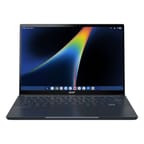 Acer Googlebook 14 | |
| Price | List Price: $899.99 Amazon Prices: Best Buy: Loading price... |
| Model number | GP714-91N-50A0 |
| Performance Rating | 3.8 |
| Chromebook Plus | No |
| Processor | Octa-core 2.10 Ghz (max 4.50 Ghz) Intel Core Ultra 5 325 |
| RAM | 16 GB |
| Internal Storage | 512 GB NVMe SSD |
| Screen Size | 14" |
| Screen Resolution | 2880x1800 |
| Screen Type | OLED |
| Touch Screen | Yes |
| Stylus / Pen | Supported |
| Dimensions width x length x thickness | 12.28 x 8.78 x 0.55 inches (311.91 x 223.01 x 13.97 mm) |
| Weight | 2.51 lbs (1.14 kg) |
| Backlit Keyboard | Yes |
| Webcam | 5MP |
| WiFi | Wi-Fi 7 (802.11be) |
| Bluetooth | 6.0 |
| Ethernet | No |
| Cellular Modem | No |
| HDMI | No HDMI |
| USB Ports | 3 USB-C (1 USB4) 1x Thunderbolt 4, 2x USB-C 10Gbps (DP, PD) |
| Thunderbolt Ports | 1 |
| Card Reader | No Card Reader |
| Battery | 71Wh, Li-ion |
| Battery Life | 16 hours |
| Fanless | No |
| Auto Update Expiration Date | Unknown |
Related Chromebooks
-
 Acer Chromebook Spin 314The Acer Chromebook Spin 314 is a budget 14-inch convertible Chromebook with a 360-degree hinge, a…
-
 Acer Chromebook Vero 514The Acer Chromebook Vero 514 blends sustainability with performance. Sporting a Full HD IPS…
-
 Dell Latitude 3445 ChromebookThe Dell Latitude 3445 Chromebook is a 14-inch 16:10 business Chromebook sold with an AMD Ryzen 5…
-
 Acer Chromebook Spin 314 (2024)A 14-inch convertible Chromebook with a 16:10 WUXGA touch display, 360-degree hinge, and software…
-
 ASUS Chromebook Flip CX1 (Touchscreen)The ASUS Chromebook Flip CX1 is a 14-inch Full HD convertible with a 360-degree touchscreen, an…
-
 ASUS Chromebook Vibe CX34 FlipThe ASUS Chromebook Vibe CX34 Flip is a cloud-gaming convertible Chromebook with a 12th Gen Intel…
A 2.5-pound 2-in-1 with three USB-C ports

Acer lists the Googlebook 14 (model GP714-91N) at 12.28 x 8.78 x 0.55 inches and 2.51 pounds, in a color it calls Elemental Blue. Andrew Marc David weighed his unit at about 2.49 pounds, or 3 pounds 3.5 ounces with the charger and cord. The chassis is an aluminum-magnesium alloy, and Acer rates it to MIL-STD 810H and the hinges to 20,000 open and close cycles. TechRadar found that apps rotate in tablet mode, but the desktop and taskbar stay in landscape; Acer told the outlet that this is Google’s choice for the first release.
Two USB-C ports sit on one side, and the third sits on the other side next to the headphone jack. One port is Thunderbolt 4 with speeds up to 40Gbps and 100W charging. The other two are 10Gbps USB 3.2 Gen 2 ports with DisplayPort output and USB Power Delivery. There is no USB-A, HDMI, or card reader. Wireless is Intel’s BE211 with Wi-Fi 7 and Bluetooth 6.0, and there is no cellular option.
The 5MP webcam has a physical privacy shutter, and the power button doubles as a fingerprint reader. Andrew Marc David noted that there is no face unlock. The screen works with USI 2.0 pens, though none comes in the box; Android Digest got a cheap third-party USI pen working. The box holds a charger, a power cord, and a protective sleeve. As on other Googlebooks, a Glowbar on the lid shows charging status, and here it sits in the corner opposite the Acer logo.
3K OLED touchscreen, speakers, and keyboard
The 14-inch OLED panel is 2880x1800 (16:10) with touch, a 120Hz refresh rate, and Corning Gorilla Glass. Acer rates it at 500 nits and 100% of DCI-P3, with a glossy finish. Tom’s Guide measured 459 nits in SDR, 700 nits in HDR across the full screen, and 1,083 nits on a 10% window, along with 89.7% of DCI-P3. ITPro measured 541 nits in the Natural color setting and 609 nits in Boosted, with 91% of DCI-P3. Tom’s Guide found colors on the oversaturated side, which it says accounts for the bold look.
Two upward-facing DTS speakers flank the keyboard. Tom’s Guide says they get pretty loud but sound thin. Tech Spurt found them not very loud at full volume and a bit tinny.
Expert Reviews and Andrew Marc David praise the backlit keyboard, though Tech Spurt felt a little sponginess in the center. The large glass touchpad is mechanical, not haptic, unlike most other Googlebooks. Tom’s Guide calls that a minor complaint. PCWorld found that the touchpad collects fingerprints, and Android Digest says the same of the back and the keyboard deck.
Core Ultra 5 325 performance

The Intel Core Ultra 5 325 is a current Panther Lake chip with four performance cores and four efficient cores, boost speeds up to 4.5GHz, Intel Graphics with four Xe cores, and an NPU rated at 47 TOPS. It scores about 19,500 on PassMark’s CPU benchmark. The US model pairs it with 16GB of soldered LPDDR5X memory and a 512GB PCIe Gen 4 SSD, and Andrew Marc David lists the fixed storage as a drawback against other Googlebooks. Acer also announced a Core Ultra 7 355 version with up to 32GB of memory. T3 and ITPro tested that chip, and Tech Jamo says his unit has a Core Ultra 7, but the US model at Best Buy and Acer’s store is the Core Ultra 5.
Tom’s Guide measured 2,465 single-core and 9,960 multi-core in Geekbench 6, and 4,068 (24 fps) in 3DMark Wild Life Extreme. It says not to expect intensive games to run well. PCWorld recorded 1,670 in Basemark Web 3.0, 4,670 in MotionMark, and 95 in WebXPRT 5. In Tech Spurt’s video editing, dual 4K streams in CapCut became jerky once the laptop warmed up, and it had to drop the resolution.
Games run better from the cloud. Android Digest found GeForce Now smooth, with 12 months of the service included, and played Fortnite that way even though the game is not in the Play Store. It also found that some Android apps do not run on Intel models and expects trouble with native Steam games.
About 10.5 hours in web battery tests
Acer fits a 71Wh battery and rates it at up to 16 hours of web browsing and up to 14 hours of local video, with a fast charge to 50% in 30 minutes. Web tests stopped well short of the first figure, with 10 hours 25 minutes on Tom’s Guide’s live-website test at 150 nits and 120Hz and just under 10.5 hours from TechRadar. TechRadar’s video rundown fell short of the 14-hour rating, at 11 hours 12 minutes of looped video at 50% brightness. ITPro’s passed it by 9 minutes on the Core Ultra 7 model.
Daily-use reports span about 7 to 14 hours. The top figure is PCWorld’s, which it notes was not a controlled test. With the brightness kept high, Android Digest sees around 10 hours. A typical workday barely reached eight hours for SlashGear, and mixed use with GeForce Now gave Tech Spurt seven to eight.
Googlebook OS instead of ChromeOS
Googlebook OS is built around Chrome and Android apps, which run natively in windows. It does not run Windows or macOS programs. Android Digest points to a Linux terminal, and Expert Reviews says Linux desktop apps are harder to run than on ChromeOS. The phone features need an Android phone: Tom’s Guide says a Pixel 9 set up the laptop in about 10 minutes, and T3 says that pairing the laptop with a phone to reach its storage only works with Android 17. iPhone owners get file and app transfer, but Tom’s Guide still felt limited with one.
Google’s Auto Update Expiration list does not include Googlebook models yet, so this laptop has no published end-of-updates date. Tech Spurt reports that Google is pledging 10 years of OS updates, about one per quarter, on every Googlebook. Our guide to Chromebook update dates explains how those dates work on ChromeOS.
Reviewer Insights
Tom’s Guide
Tony Polanco’s review calls it thin, light, and sturdy, and praises the tablet mode’s touch response over Windows convertibles. “On its own, the Acer Googlebook 14 is a great 2-in-1 laptop,” he writes, but he adds that it leans on a paired phone because “Googlebooks like Acer’s cannot truly function on their own.” He also could not sign in to his company’s Google account, which he says is an IT policy matter, and ran into apps that crashed or streamed at the wrong scale.
TechRadar
Matt Hanson scored it 4 out of 5 in his review, calling it “a very good first attempt at a new breed of device: the Googlebook.” He says it “feels fast and responsive when opening apps and browsing the internet.” He found the fingerprint reader good but slower than Touch ID, and questioned how useful a Glowbar is when it faces away from the user. Googlebook OS struck him as unfinished and the battery life as merely OK.
PCWorld
Ashley Biancuzzo uses an iPhone and, in her review, could not get Continue On to work with the Pixel Acer supplied. She found the AI features easy to forget, and “If you completely shelf the AI stuff/Android phone integration for a moment, the Googlebook is just a nice laptop,” she wrote. She calls it “not a powerhouse,” but says that “as a daily driver, it definitely delivers.”
ITPro
Stuart Andrews spent a week working on the Core Ultra 7 355 model for his review. He rated the battery mediocre for a lightweight laptop, but wrote “There’s certainly nothing wrong with the performance of the Googlebook 14.” He finds the keyboard odd at first but easy to get used to, and the app ecosystem is the weak point for business use. “Acer’s hardware is fantastic, and a great way to trial Googlebooks without investing too much,” he concludes.
Expert Reviews
Jonathan Bray had more than fifty tabs open during his review without hearing the fan spin up: “Nothing, and I mean nothing, has fazed it.” The laptop struck him as “slim and wonderfully comfortable to type on,” though the price and the snags of Googlebook OS kept him from a full recommendation.
T3
Max Freeman-Mills used the Core Ultra 7 355 model as his main laptop for a little over a week for his review. “Intel’s new chips are workhorses, in my experience, and that’s been proven again by the Acer Googlebook 14, which basically never chugged when I threw jobs at it,” he writes. He listed the limited ports as a weakness and called Photoshop on Android a pale shadow of the desktop version.
SlashGear
Adam Doud’s review reports screen flashes, a virtual keyboard that stuck on screen, and a spell when every click became a right-click. The fingerprint reader worked maybe 70% of the time, and the deck has a little flex. “The software on the Googlebook feels half baked,” he says, and “Even as this fully updated Googlebook sits right now, I can’t recommend it as a product a consumer should purchase as-is.”
Android Digest
Android Digest paid for its unit, and its review rates the keyboard and build quality good but not great, ranking the build below the rest of the line: “It’s not as good as the other Googlebooks.” The power button feels wobbly, a coating makes the body feel a bit like plastic, and tablet mode can switch interfaces about two seconds late, though it says “I love the screen. I love the performance.” Its own pick is the Dell XPS Googlebook, but it says this one is worth getting for someone who wants the 2-in-1 design and can accept those faults.
Andrew Marc David
Andrew Marc David bought his unit from Best Buy for his hands-on, which covers unboxing, setup, and first use. He describes “Very thin, very light, all metal design, feels premium like all the rest of these have been,” and says “And really good keyboard, very little give or flex.” He found the lid opens with one finger with little screen wobble, heard some fan noise after booting, and said phone features were buggy at first and took a few minutes to appear. Auto-rotate would not work in tablet mode, which he called “a big bug so far,” though he later says the early bugs seem to have worked themselves out. He sums it up with “It’s fine. It’s not my favorite out of the bunch,” and calls it “still probably overpriced for what it is.”
Tailor Made Tech
Setup with a Pixel phone was quick in Premal Tailor’s review, and Continue On and file access worked well. “It’s bright, it’s vivid, content looks really great on this device,” he says of the screen. App casting left him wondering what he would use it for, “since, to me, the lag is kind of a dealbreaker.” He also found the dark finish a fingerprint magnet, and he suggests people outside the Android ecosystem wait a few generations.
Tech Spurt
Tech Spurt’s review comes after a few days of use on the Core Ultra 5 model. It liked the tent mode for streaming and the OLED screen. “Not exactly a shatteringly loud when you max out the volume, let’s say,” it says of the speakers. Its fingerprint reader was unreliable until it registered the finger again, and it reports that auto-rotate stopped working once until a reboot, along with repeated pairing requests. It hopes updates will sort out the rough edges.
Ceejaybrand
Ceejaybrand bought his own Core Ultra 5 unit for his first review. Setup with a lightly used Android phone took under five minutes, and CapCut played and edited 7K Canon footage with no lag, though he says he did not take the edit all the way through. Adobe Premiere Pro would not install, and “The fingerprint process is probably one of the worst processes I’ve personally ever had to experience.” When he restarted the laptop to fix a Glowbar that was not working, it stuck on a loading screen that power cycling and recovery mode did not clear, and he said he would take it back.
His follow-up comes about two weeks into owning one, and he refers to the stuck laptop as his first Acer. He now does his basic work on it at a desk monitor but no heavy editing, because Premiere Pro and DaVinci Resolve still cannot be installed; he uses the tablet version of CapCut and finds it decent. The first review called Magic Pointer a “glorified upgrade” of circle to search, but Gemini and the pointer now speed up his email and product searches: “I was pretty much wrong.” He also saw blacks shift toward gray in dark scenes on Netflix, YouTube, and an offline video, which he calls “truly not that bad.” He suggests it for hardcore Android fans and says “this is not a bad laptop at all” for an average user with basic needs, but for someone buying a new laptop, “I still would not recommend this version of the Google Book just yet,” since third-party apps cannot be downloaded.
Shervin Shares Reviews
Shervin’s setup video gives first impressions of a Core Ultra 5 unit that Google gave him at an event in New York. Setup was “pretty quick and easy” with his Android phone nearby, though of the fingerprint enrollment he says “That was actually pretty difficult.” Reaching his phone’s apps from the laptop did not work on the first try, and the laptop felt slightly laggy while apps and AI models were still downloading. “The screen looks beautiful,” he says, and “I think the most powerful piece is going to be Rambler,” the dictation tool that tidies spoken text. He also ran Final Cut Pro on his Mac Studio from the laptop through Jump Desktop, which felt a little slow.
Tech Jamo
Tech Jamo says in his one-week video that his unit has a Core Ultra 7, so his speed and battery impressions here do not transfer to the Core Ultra 5 model. He weighed it against his MacBook Pro for that week and calls the display the best part of the laptop: “Everything else, processor is good, but everything else kind of mediocre.” Google services suited him and WhatsApp’s native apps worked, but the Ugreen app for his NAS is not available, so he reaches the drive through Chrome, and he says only some mobile games run without streaming. He says he did not fold it into the 2-in-1 modes all week, and he doubts he touched the screen except by accident. His 5120x2160 monitor did not work at first, then connected at a lower resolution he puts at maybe 3840x1440, which he credits to updates. A week in, he was still struggling with the Caps Lock key, though he says a search could probably sort it out. He thinks the price should be at least £200 to £300 lower, and he ends with “I’m definitely switching back and I think it’s only because of the video editing.”
His earlier 24-hour video names no chip and appears to show the same unit. “That hinge feels really sturdy,” he says, and of the keyboard, “It feels really good to type on.” CapCut handled 4K 30 footage with a little lag but slowed and froze with 4K 60, and after that first day he says “battery life seems to have been really good so far.” He also says no charger comes in the box of his £899 unit, which differs from the US box listed above.
Who should buy it
The Acer Googlebook 14 works best with a Pixel, and its touchscreen suits writing with a pen. Launch bugs still come with it. Tech Spurt hopes updates will address them, and SlashGear could not recommend it as it stood. After about two weeks of owning one, Ceejaybrand still would not recommend it to someone buying a new laptop, because third-party apps cannot be downloaded. Web battery tests stopped near 10.5 hours, so carry the charger on long days.
If you do not need a 2-in-1, the ASUS Googlebook 14 is lighter and has more ports, and the Dell XPS Googlebook is the one Android Digest would pick. The Acer Chromebook Plus Spin 714, also a convertible, and the Lenovo Chromebook Plus 14 OLED, a clamshell with an OLED screen, run ChromeOS and have published update dates.
Frequently Asked Questions
Is the Acer Googlebook 14 a Chromebook?
No. It runs Googlebook OS, Google’s Android-based laptop operating system, not ChromeOS, and it is not part of the Chromebook Plus program. It looks similar and runs Chrome and Android apps.
Can it fold into a tablet?
Yes. A 360-degree hinge lets it work as a laptop, a tent, or a tablet, and it is the only convertible among the launch Googlebooks. Apps should turn with it, though some reviewers hit auto-rotate bugs at launch; the taskbar and desktop stay in landscape.
Does it work with a stylus?
Yes, with USI 2.0 pens. A pen does not come in the box, so you buy one separately.
What ports does it have?
Three USB-C ports (one Thunderbolt 4 and two 10Gbps USB 3.2 Gen 2) and a headphone jack. Plan on a hub if you need USB-A or HDMI.
How long will it get updates?
No end date is published yet, though Tech Spurt reports Google is promising 10 years of OS updates.
Where can I buy it?
In the US, Best Buy sells the Core Ultra 5 model with 16GB of memory and a 512GB SSD. Acer’s store lists it as coming soon.