
HP Elite Dragonfly Chromebook
Published on

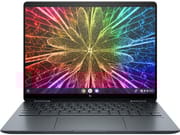
HP built the Elite Dragonfly Chromebook on the engineering it uses for its Windows EliteBook line: a magnesium alloy chassis, 12th Gen Intel Core processors with vPro security, and a 2.8-pound weight for a 13.5-inch 2-in-1 convertible. The 3:2 QHD+ touchscreen, the haptic trackpad, and the wirelessly-charging USI stylus in the box are hardware more common on premium Windows ultrabooks than on Chrome OS machines. Dual Thunderbolt 4 ports, a 5MP webcam with a privacy shutter, and optional LTE or 5G fill out a spec sheet aimed at enterprise buyers and people whose work lives in the cloud.
Flagship hardware, enterprise pricing
| Pros | Cons |
|---|---|
| Magnesium alloy build with MIL-STD 810H durability | Enterprise pricing that reviewers found hard to justify |
| 13.5-inch 3:2 aspect ratio touchscreen | Battery life varies by configuration; Tech In Black recorded about 10.5 hours |
| Haptic trackpad compared to a MacBook Pro’s | Webcam is not sharp in low light |
| Dual Thunderbolt 4 ports plus full-size HDMI and USB-A | RAM is soldered and not upgradeable after purchase |
| 5MP webcam with physical privacy shutter | Optional LTE proved less reliable than a phone |
| Included wirelessly-charging USI stylus with magnetic storage | Magnetically-attached stylus can detach in bags during transport |
Related Videos
HP Elite Dragonfly Chromebook Comparison Chart
 HP Elite Dragonfly Chromebook | HP Elite Dragonfly Chromebook | HP Elite Dragonfly Chromebook | HP Elite Dragonfly Chromebook | |
| Price | List Price: Amazon Prices: | List Price: Amazon Prices: | List Price: Amazon Prices: | List Price: Amazon Prices: |
| Model number | --- | --- | --- | --- |
| Performance Rating | 7.1 | 8.3 | 4.0 | 4.0 |
| Chromebook Plus | No | No | No | No |
| Processor | Hexa-core 3.30 Ghz (max 4.40 Ghz) Intel Core i3-1215U Processor | Deca-core 3.30 Ghz (max 4.40 Ghz) Intel Core i5-1235U | Deca-core 1.60 Ghz (max 4.40 Ghz) Intel Core i5-1245U | Deca-core 1.80 Ghz (max 4.80 Ghz) Intel Core i7-1265U |
| RAM | 8 GB | 16 GB | 16 GB | 32 GB |
| Internal Storage | 128 GB NVMe SSD (upgradable) | 256 GB NVMe SSD (upgradable) | 256 GB NVMe SSD (upgradable) | 512 GB NVMe SSD (upgradable) |
| Screen Size | 13.5" | 13.5" | 13.5" | 13.5" |
| Screen Resolution | 1920x1280 | 2256x1504 | 1920x1280 | 2256x1504 |
| Screen Type | IPS | IPS | IPS | IPS |
| Touch Screen | Yes | Yes | Yes | Yes |
| Stylus / Pen | Supported | Supported | Supported | Supported |
| Dimensions width x length x thickness | 11.59 x 8.73 x 0.65 inches (294.39 x 221.74 x 16.51 mm) | 11.59 x 8.73 x 0.65 inches (294.39 x 221.74 x 16.51 mm) | 11.59 x 8.73 x 0.65 inches (294.39 x 221.74 x 16.51 mm) | 11.59 x 8.73 x 0.65 inches (294.39 x 221.74 x 16.51 mm) |
| Weight | 2.8 lbs (1.27 kg) | 2.8 lbs (1.27 kg) | 2.8 lbs (1.27 kg) | 2.8 lbs (1.27 kg) |
| Backlit Keyboard | Yes | Yes | Yes | Yes |
| Webcam | 5MP | 5MP | 5MP | 5MP |
| WiFi | Wi-Fi 6E (802.11ax) | Wi-Fi 6E (802.11ax) | Wi-Fi 6E (802.11ax) | Wi-Fi 6E (802.11ax) |
| Bluetooth | Bluetooth 5.2 | Bluetooth 5.2 | Bluetooth 5.2 | Bluetooth 5.2 |
| Ethernet | No | No | No | No |
| Cellular Modem | Optional 4G LTE / 5G | Optional 4G LTE / 5G | Optional 4G LTE / 5G | Optional 4G LTE / 5G |
| HDMI | Full-Size HDMI | Full-Size HDMI | Full-Size HDMI | Full-Size HDMI |
| USB Ports | 1 USB 3 2x Thunderbolt 4 USB-C (Power Delivery, DisplayPort 1.4, 40 Gbps), 1x USB-A 3.2 Gen 2 (10 Gbps) | 1 USB 3 2x Thunderbolt 4 USB-C (Power Delivery, DisplayPort 1.4, 40 Gbps), 1x USB-A 3.2 Gen 2 (10 Gbps) | 1 USB 3 2x Thunderbolt 4 USB-C (Power Delivery, DisplayPort 1.4, 40 Gbps), 1x USB-A 3.2 Gen 2 (10 Gbps) | 1 USB 3 2x Thunderbolt 4 USB-C (Power Delivery, DisplayPort 1.4, 40 Gbps), 1x USB-A 3.2 Gen 2 (10 Gbps) |
| Thunderbolt Ports | 2 | 2 | 2 | 2 |
| Card Reader | microSD Card Reader | microSD Card Reader | microSD Card Reader | microSD Card Reader |
| Battery | 50Wh, Li-ion | 50Wh, Li-ion | 50Wh, Li-ion | 50Wh, Li-ion |
| Battery Life | 8 hours | 8 hours | 8 hours | 8 hours |
| Fanless | No | No | No | No |
| Auto Update Expiration Date | June, 2032 | June, 2032 | June, 2032 | June, 2032 |
Related Chromebooks
-
 HP Chromebook 14a (2021)The HP Chromebook 14a (2021) pairs a 14-inch touchscreen with a Celeron N4020, 4GB of RAM, 32GB of…
 -
 HP Chromebook x360 14 (N150)The HP Chromebook x360 14 (N150) is the 2026 non-Plus convertible in HP's 14b-ce0 line, with a…
 -
 Acer Chromebook Spin 713The Acer Chromebook Spin 713 boasts a vivid 13.5-inch 2256x1504 IPS touch display, versatile 2-in-1…
 -
 Lenovo IdeaPad Flex 5iThe Lenovo IdeaPad Flex 5i Chromebook is a 13.3-inch convertible with an 11th-gen Intel Core…
 -
 Samsung Galaxy Chromebook 2The Samsung Galaxy Chromebook 2 is a 13.3-inch 2-in-1 with a vivid 1080p QLED touchscreen, an…
 -
 Acer Chromebook Spin 314 (2024)A 14-inch convertible Chromebook with a 16:10 WUXGA touch display, 360-degree hinge, and software…
Light magnesium chassis that keeps the full-size ports

The chassis measures 11.59 x 8.73 x 0.65 inches and weighs 2.8 pounds, which puts it among the lightest premium Chromebooks. Magnesium alloy gives it solidity without the heft, and HP backs the build with MIL-STD 810H certification for vibration and drop resistance. The 360-degree hinge enables tent, stand, and tablet modes alongside traditional laptop use, though Andrew Marc David noted slight screen wobble inherent in the convertible design. The matte blue finish keeps the look professional and understated, though it does tend to collect fingerprints on the lid according to 9to5Google’s review. Configurations run from a Core i3-1215U with 6 cores and 8 threads up to a Core i7-1265U, with the Core i5-1245U (10 cores and 12 threads, boosting to 4.4 GHz) in the middle of the range, and RAM options spanning 8GB to 32GB. Every chip carries Intel vPro for enterprise security and manageability. Andrew Marc David tested Geekbench scores and confirmed top-tier Chromebook performance, while Chrome Unboxed praised the smooth everyday experience.
The two Thunderbolt 4 ports support 40 Gbps data transfer, Power Delivery charging, and DisplayPort 1.4 output, with one port on each side of the chassis for docking from either direction. A full-size USB-A 3.2 Gen 2 port handles legacy peripherals, while HDMI drives an external display without a dongle. WiFi 6E (802.11ax) delivers tri-band wireless across 2.4 GHz, 5 GHz, and 6 GHz bands, paired with Bluetooth 5.2 for wireless peripherals. Optional 4G LTE or 5G keeps the machine online away from WiFi, and a microSD card reader rounds out the expansion options.
Reviewer Insights

Engadget: crazy money for the best Chromebook you can buy
Engadget’s video review compared the Elite Dragonfly to a MacBook Air in size and weight. The reviewer praised the 13.5-inch 3:2 display, calling it “the nicest screen on a Chromebook I’ve seen in a long time,” and highlighted the excellent port selection including Thunderbolt 4 and HDMI. However, the review struck a cautionary tone about value, noting “that is crazy money for a Chromebook no matter how nice it is” and concluding that while “it’s the best Chromebook you can buy,” the price premium over capable alternatives is difficult to justify for most buyers. Battery life came in at 6-8 hours, which they found adequate but unremarkable for the category.
The webcam made it Chrome Unboxed’s favorite for video calls
Chrome Unboxed’s detailed review covered the haptic trackpad, webcam quality, and enterprise features in depth. The reviewer described the haptic trackpad as “the first all haptic trackpad on a Chromebook” and “an absolute joy to use,” comparing it favorably to Apple’s Force Touch implementation. The 5MP webcam received particular praise, with the reviewer declaring it “has made this my absolute favorite device for video calling.” Chrome Unboxed emphasized that this device was built without compromise, noting HP “just went and included everything” rather than cutting corners. The review positioned the Dragonfly as clearly targeted at enterprise and professional users rather than budget-conscious consumers.
Tech In Black recorded about 10.5 hours of battery life
Tech In Black’s review highlighted the Dragonfly’s appeal as a cloud-based productivity machine, with the reviewer noting “it honestly feels like flipping through a notepad, especially in tablet mode.” The 3:2 aspect ratio display received high marks for document editing and vertical scrolling, while the haptic touchpad was described as having “no moving parts” with responsive vibration feedback. The review praised the quad speakers with Bang & Olufsen tuning for clear audio during video calls, and the included magnetic stylus for annotation and note-taking. Battery life testing showed approximately 10.5 hours in their test configuration, which varies with the processor and display resolution selected. The reviewer ultimately recommended the Dragonfly for professionals whose “entire workflow lives in the cloud.”
The keyboard and the GaN charger won Danny Winget over
Danny Winget’s hands-on review came after a full month of daily use, including travel testing. He declared it “the most premium Chromebook that money can buy” and praised the thin, lightweight design built from magnesium and aluminum for frequent travelers. The keyboard earned particular acclaim for its travel and tactile feedback, while the haptic touchpad was described as “fast and responsive.” Winget appreciated the enterprise security features including Intel vPro, a Titan C security chip, and a fingerprint scanner, as well as the included GaN charger for fast charging. He acknowledged this is “not going to be for everyone” and described it as “more of a niche laptop,” but maintained the build quality and feature set justify the premium for its target audience.
Andrew Marc David puts the touchpad on par with a MacBook Pro
Andrew Marc David’s comprehensive review included an internal disassembly and specific benchmark testing. He called it “probably the best Chromebook I’ve used to date” and highlighted the haptic touchpad as “on par with that of a MacBook Pro.” The review confirmed that the SSD is user-replaceable via M.2 slot. Geekbench and Speedometer benchmarks demonstrated top-tier ChromeOS performance, and the reviewer praised the 3:2 aspect ratio as “the optimal aspect ratio for cloud-based computing.” He noted battery life of approximately 8 hours and 6 minutes in his testing. The review positioned the Dragonfly as “a worthy business enterprise two-in-one convertible” that also includes one year of free Parallels for running Windows applications.
9to5Google found a tremendous keyboard and a weak low-light webcam
According to 9to5Google’s review by Ben Schoon, the Elite Dragonfly is “Google’s Pixelbook reborn” and represents “truly the best you can get in Chrome OS.” The review singled out the keyboard as “tremendous,” noting it kept the reviewer coming back to the device over other Chromebooks. Build quality impressed with its MIL-STD 810H durability rating and sturdy hinge mechanism. However, 9to5Google noted the 5MP webcam, while high resolution, “is not particularly sharp and struggles in low light,” and the LTE connectivity was “consistently less reliable than flagship phones.” Battery life landed at 6-8 hours with solid 65W fast charging. The review concluded that while this is the finest Chrome OS hardware available, “there’s almost no justification for that price tag on the consumer level.”
PCWorld: a cheaper Lenovo beat it in synthetic benchmarks
PCWorld’s review awarded the Elite Dragonfly 4 out of 5 stars, praising the 3:2 aspect ratio display, excellent keyboard, and premium build quality. Performance testing showed it handled 20+ browser tabs without lag, though the review noted a significantly cheaper Lenovo Flex 5i Chromebook Plus outperformed it in synthetic benchmarks. The trackpad’s haptic feedback received mild criticism for being weak, and battery life around 7 hours was called “disappointing for a Chromebook.” The reviewer concluded that “if money is no object, then this is one of the most luxurious Chromebooks money can buy.”
Built for organizations, priced past most personal budgets
For an organization standardized on Chrome OS, that covers what a business laptop is normally bought to do, and the June 2032 update window means the fleet stays patched for years.
The price is set for that buyer. An individual shopping for a Chromebook gets more for the money from the Acer Chromebook Spin 714 or the HP Dragonfly Pro Chromebook, and a Chromebook Plus certified device handles web browsing and productivity for far less.
The Chromebook Comparison Chart lines those options up side by side on specs and support dates.
Frequently Asked Questions
What processors does the Elite Dragonfly use?
Configurations use 12th Gen Intel processors. The Core i5-1245U build has 10 cores and 12 threads and boosts to 4.4 GHz, entry-level models drop to the Core i3-1215U (6 cores, 8 threads), and the top configuration uses the Core i7-1265U (10 cores, 12 threads) with boost speeds up to 4.8 GHz. All processor options include Intel Iris Xe integrated graphics and Intel vPro enterprise security.
Can I upgrade the RAM or storage in the Elite Dragonfly?
The RAM is soldered to the motherboard and cannot be upgraded after purchase, so choose the configuration you need at the outset (8GB, 16GB, or 32GB). Storage is a different case. The NVMe SSD sits in a standard M.2 slot and is user-replaceable, which Andrew Marc David’s teardown review confirmed.
What ports does the Elite Dragonfly have?
Two Thunderbolt 4 USB-C ports, one on each side, support 40 Gbps data transfer, Power Delivery charging, and DisplayPort 1.4 output. Alongside them sit one USB-A 3.2 Gen 2 port (10 Gbps), a full-size HDMI port for external displays, a microSD card reader, and a 3.5mm combo audio jack, which covers most setups without a dongle.
Does the Elite Dragonfly support cellular connectivity?
Yes. Some configurations carry a built-in WWAN module for optional 4G LTE or 5G, which keeps the machine connected without WiFi and suits business travelers. A nano-SIM card and a data plan are required separately, and cellular models may have slightly shorter battery life than WiFi-only configurations.
What is the Auto Update Expiration date for the Elite Dragonfly?
The Auto Update Expiration (AUE) date is June 2032. Google guarantees Chrome OS updates, including security patches and new features, until that date. With a release in mid-2022, this provides approximately 10 years of software support, which is among the longest support windows available for any Chromebook.
Does the Elite Dragonfly come with a stylus?
A USI (Universal Stylus Initiative) pen comes in the box. It attaches magnetically to the side of the chassis, charges wirelessly while docked, and supports pressure-sensitive input for drawing, annotation, and handwriting recognition in tablet mode. The magnetic attachment can come loose during transport in a bag.
Does the Elite Dragonfly run Android and Linux apps?
Yes. Android apps from the Google Play Store run alongside Linux applications in the built-in Linux development environment, and the Intel Core processors handle demanding Linux development tools and Android apps smoothly. Some configurations also include a one-year subscription to Parallels Desktop for ChromeOS, which runs full Windows applications directly on the device.