
ACEMAGIC M5 Mini PC
Updated on

The ACEMAGIC M5 Mini PC is a desktop-replacement-class system built around the 14th Gen Intel Core i5-14500HX, a 14-core (6P + 8E), 20-thread laptop-class HX chip that turbos to 4.9 GHz on the P-cores. That processor sits in a 5-inch square chassis with two M.2 2280 slots, two DDR4 SO-DIMM slots, a 1 Gbps Ethernet port, and a triple-4K display setup over HDMI 2.0, DisplayPort 1.4b, and a video-capable USB-C 3.2 Gen 2 port. It ships with Windows 11 Pro, TPM 2.0, and enough ports to work as a docked workstation: six USB Type-A sockets plus the USB-C, all reachable without a hub. The i5-14500HX trims and a 16GB/1TB i7-14650HX trim sell mainly through Amazon, while ACEMAGIC’s own product page sells the same chassis with 32GB and 1TB as an i7-14650HX (16 cores) or i9-14900HX (24 cores) trim, both listed with Wi-Fi 6E. With two SO-DIMM slots reaching 64GB and two M.2 slots topping out at 4TB total storage, the platform leaves headroom for upgrades after purchase.
Pros and Cons
| Pros | Cons |
|---|---|
| 14-core / 20-thread Intel Core i5-14500HX (PassMark approx 28,500), well above typical mini-PC silicon | Integrated Intel UHD Graphics only; not suitable for AAA gaming or GPU-accelerated 3D work |
| Two M.2 2280 slots (one PCIe 4.0 x4, one SATA/NVMe PCIe 3.0 x4) for storage expansion to 4TB | No Thunderbolt 4 or USB4: the USB-C port tops out at USB 3.2 Gen 2 (10 Gbps) |
| Two SO-DIMM slots accept up to 64GB DDR4; one stick free on the 16GB i5 SKU for easy upgrade | Single 1 Gbps Ethernet port; no 2.5GbE on this configuration |
| Triple 4K@60Hz display output (HDMI 2.0 + DP 1.4b + USB-C DP Alt Mode) without a dock | i5-14500HX SKU is Amazon-exclusive and absent from the ACEMAGIC product page, which lists only the i7 and i9 trims |
| Generous port density: 6x USB-A + 1x USB-C + audio combo + Kensington lock, all built in | Idle temperature sits around 48 degrees C, warmer than lighter-duty mini PCs |
| TPM 2.0, UEFI boot, RTC scheduled power-on, and VESA mount support for business deployments | ACEMAGIC has a documented history of shipping spyware on earlier (non-M5) units; verify a clean Windows install before deploying broadly |
ACEMAGIC M5 Mini PC Comparison Chart
5 configurations
| Configuration | Processor | RAM | Storage | Performance | List price | Amazon price | Compare |
|---|---|---|---|---|---|---|---|
| 16GB/512GB/Intel Core i5-14500HX | Core i5-14500HXCPU Mark 28,554 | 16 GB | 512 GB SSD | 5.4 | $459.00 | Details
| |
| 32GB/1TB/Intel Core i5-14500HX | Core i5-14500HXCPU Mark 28,554 | 32 GB | 1 TB SSD | 5.8 | $579.99 | Details
| |
| 16GB/1TB/Intel Core i7-14650HX | Core i7-14650HXCPU Mark 33,226 | 16 GB | 1 TB SSD | 5.8 | $680.00 | Loading... | Details
|
| 32GB/1TB/Intel Core i7-14650HX | Core i7-14650HXCPU Mark 33,226 | 32 GB | 1 TB SSD | 6.2 | $699.00 | Details
| |
| 32GB/1TB/Intel Core i9-14900HX | Core i9-14900HXCPU Mark 43,510 | 32 GB | 1 TB SSD | 7.1 | $749.00 | Details
|
Specs shared by every configuration
| Operating System | Windows 11 Pro |
|---|---|
| GPU | Integrated Intel UHD Graphics |
| Dimensions width x length x thickness | 5.04 x 5.04 x 1.63 inches (128.02 x 128.02 x 41.4 mm) |
| Weight | 2.93 lbs (1.33 kg) |
| Bluetooth | Bluetooth 5.2 |
| Ethernet | 1 Ethernet port at 1 Gbps |
| HDMI | 1 Full-Size HDMI Port |
| DisplayPort | 1 DisplayPort (DP 1.4b, 4K@60Hz) |
| VGA | No VGA Ports |
| USB Ports | 6 USB 3, 1 USB-C Front: 1x USB-C 3.2 Gen 2 (DP Alt Mode, 15W PD), 2x USB-A 3.2 Gen 2. Rear: 4x USB-A 3.2 Gen 1. |
| Thunderbolt Ports | No |
| OCuLink | No |
| Internal SATA Ports | No SATA ports |
| Card Reader | No Card Reader |
| Headphone Jack | 3.5mm combo jack (front) |
| Fanless | No |
| VESA Mount | Yes |
| In the Box | Mini PC, power adapter, HDMI cable, VESA mount with screws, user manual. |
| Expandability | Up to 64GB DDR4 (2x SO-DIMM), dual M.2 2280 slots, expandable up to 4TB total storage. |
See every Intel Core i7-14650HX configuration in the chart
Related Mini PCs
-
 KAMRUI Hyper H2The KAMRUI Hyper H2 pairs an 8-core Intel Core i9-11900H with 32GB of DDR4, a 1TB NVMe SSD, two M.2…
-
 GMKtec M6 UltraThe GMKtec M6 Ultra is a Ryzen 5 7640HS mini PC with dual-channel DDR5, two PCIe 4.0 M.2 slots,…
-
 Beelink SER5 MAX Mini PCThe Beelink SER5 MAX is a compact AMD Ryzen mini PC that drives three 4K displays, ships with Wi-Fi…
-
 PELADN WO4 (Ryzen 5 7640HS)The Ryzen 5 7640HS version of the PELADN WO4 moves the five-inch box to Zen 4, DDR5 and PCIe 4.0,…
-
 Beelink SER5 MAX (Ryzen 7 7735HS)The Beelink SER5 MAX pairs an 8-core Ryzen 7 7735HS and Radeon 680M graphics with 24GB of LPDDR5,…
-
 GEEKOM A5The GEEKOM A5 is a compact AMD Ryzen 7 5800H (or 5825U or 7730U) mini PC with Radeon Vega 8…
Fourteen cores, dual M.2 slots, and three native 4K outputs

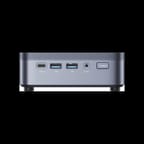
The M5 measures roughly 5.04 x 5.04 x 1.63 inches (128 x 128 x 41.3 mm) and weighs about 2.93 lb. The case is a single-color grey aluminum-feel shell with rubber feet, a power button and audio combo jack on the front edge, and the warmer ports recessed at the rear behind a ventilated grille. The front panel exposes the USB-C and two faster USB-A 3.2 Gen 2 sockets so external SSDs and dongles do not have to live behind the unit. The rear panel carries the DC barrel input, HDMI 2.0, DisplayPort 1.4b, Gigabit Ethernet, four USB-A 3.2 Gen 1 ports, and the Kensington lock slot. ACEMAGIC calls the cooling a “Vapor Chamber” design, and buyers describe the box as quiet under normal productivity load. The chassis supports VESA mounting behind a monitor, useful for hot-desk or kiosk deployments.
The Intel Core i5-14500HX is a 14-core / 20-thread Raptor Lake-HX Refresh part with 6 performance cores, 8 efficient cores, 24MB of L3 cache, and a base TDP of 55W. On the multi-threaded PassMark benchmark the chip lands near 28,500, which is closer to entry-tier desktop Core i7 territory. One verified Amazon buyer who described themselves as an experienced builder summed the 16GB / 512GB SKU up as “good value, BYO storage”: strong CPU and drive throughput, idle temperature higher than lighter mini PCs (around 48 degrees C), and graphics performance limited by the integrated Intel UHD GPU. ACEMAGIC markets the machine for development, virtualization, and multi-monitor productivity rather than gaming.
Wireless is WiFi 6 (802.11ax) on the i5 trims and the 16GB i7 trim, and Wi-Fi 6E on the 32GB i7 and i9 trims. Bluetooth 5.2 and a single 1 Gbps Ethernet jack are standard. For displays, it drives three 4K@60Hz panels at once using HDMI 2.0, DisplayPort 1.4b, and the front USB-C 3.2 Gen 2 port (which carries DP Alt Mode and 15W PD output). Storage runs through two M.2 2280 slots, one PCIe 4.0 x4 NVMe and the second accepting NVMe or SATA at PCIe 3.0 x4, with a documented 4TB total ceiling. Memory is expandable through two DDR4 SO-DIMM slots up to 64GB; the 16GB i5-14500HX SKU ships with a single stick, so a second module will enable dual-channel operation without removing anything; the 16GB i7 trim ships dual-channel.
Customer Reviews
Amazon buyers of the M5 name easy setup, fast boot times from the NVMe SSD, and smooth multitasking on the small chassis. A verified buyer named Andre wrote that “the 16GB RAM and 512GB SSD are more than enough for daily use,” and a verified buyer using the handle Jkwventures called it “plenty fast for the basic stuff we use it for” after migrating an old Windows 10 setup, though that same reviewer noted it “is a little slow to get going if it is in sleep mode.” Value comes up repeatedly: Philip (verified) summed his four-star review up as “Great computer for the money.” One technically inclined verified buyer, Badzilla, was happy with CPU, memory, and drive speed but flagged that “the graphics performance is worse than my 12450H,” so this is not a gaming box.
One verified buyer, Niall Peters, reported a defective unit that repeatedly dropped into a recovery manager and eventually wiped the OS, followed by unresponsive support: “I phoned their tech support and got a ticket number, sent requested information. Then silence.” Treat after-sale support as the open question on an otherwise well-reviewed machine.
A small-form-factor Windows desktop with no gaming GPU
The M5 makes sense for buyers who want HX-class CPU throughput in a small form factor: developers running local AI tools, multi-monitor knowledge workers, home-lab tinkerers, and anyone who would otherwise buy a thin-and-light laptop just to dock it. It carries 14 to 24 cores depending on the trim, 64GB of DDR4 headroom, two M.2 slots, and triple 4K output, and the chassis is small enough to VESA-mount or tuck onto a shelf.
It is the wrong machine for serious gaming, GPU-accelerated content creation, or anyone who needs 2.5GbE / 10GbE networking or Thunderbolt 4. The integrated Intel UHD GPU is sufficient for video playback and casual indie titles but not for current AAA workloads; if those matter, a mini PC with an AMD Radeon 780M or 890M iGPU, or a barebones unit with a discrete GPU, will serve better. Buyers who want more cores can look at the i7-14650HX and i9-14900HX trims, which ACEMAGIC sells on its own store. A separate ACEMAGIC M5 with the Intel Core 5 220H uses the same case size with a 12-core chip and soldered LPDDR5 memory instead of SO-DIMM slots.
For a side-by-side look at other compact Windows machines, see Starry Hope’s Mini PC Comparison Chart, which makes it easy to weigh the M5 against the ACEMAGIC K1 and other ACEMAGIC, GEEKOM, and Beelink mini PCs we cover.
Frequently Asked Questions
What processor does the ACEMAGIC M5 use?
The i5 trims of the M5 use the Intel Core i5-14500HX, a 14-core (6 performance + 8 efficient), 20-thread Raptor Lake-HX Refresh processor. It has a 2.6 GHz base clock, boosts to 4.9 GHz on the P-cores, carries 24MB of L3 cache, and scores roughly 28,500 on PassMark’s multi-thread CPU benchmark. An i7-14650HX trim with 16GB and 1TB also sells on Amazon, and ACEMAGIC’s own store sells i7-14650HX (16-core) and i9-14900HX (24-core) builds with 32GB of DDR4 and a 1TB drive.
Can I upgrade the RAM in the M5?
Yes. The M5 has two DDR4 SO-DIMM slots and supports up to 64GB total. The 16GB / 512GB i5 SKU ships with a single 16GB stick, so adding a second 16GB stick will both raise capacity and enable dual-channel memory. The 32GB / 1TB builds already ship with two 16GB sticks in dual-channel.
How much storage can the M5 hold?
Two M.2 2280 slots: one PCIe 4.0 x4 NVMe, one that accepts either SATA or NVMe at PCIe 3.0 x4. ACEMAGIC documents the platform as expandable to 4TB total. There is no 2.5-inch SATA bay.
What ports does the M5 have?
Front: one USB-C 3.2 Gen 2 (DisplayPort Alt Mode, 15W PD), two USB-A 3.2 Gen 2, a 3.5mm combo audio jack, and the power button. Rear: one HDMI 2.0, one DisplayPort 1.4b, one Gigabit Ethernet jack, four USB-A 3.2 Gen 1, a DC barrel input, and a Kensington lock slot. Six USB-A plus one USB-C, all native and without a dock.
Does the M5 support triple monitors?
Yes, at 60Hz on all three. HDMI 2.0, DisplayPort 1.4b, and the front USB-C (DisplayPort Alt Mode) are native to the chassis, so no dock or splitter is involved.
Is the ACEMAGIC M5 good for gaming?
Only at a casual level. The integrated Intel UHD Graphics in the i5-14500HX handles older titles, esports games at low settings, and emulation, but not modern AAA gaming. For gaming, look at mini PCs with AMD Radeon 780M / 890M iGPUs or a discrete GPU.
What is in the box with the M5?
The mini PC, an external power adapter, an HDMI cable, a VESA mounting bracket with screws, and a printed user manual. Windows 11 Pro is pre-installed; ACEMAGIC also lists Linux and Ubuntu as supported.